On this page
A small team that shares one support or sales inbox needs to know who answered what, and an inbox that two people answer at once is worse than no inbox at all. The eight tools below turn a shared address into assigned conversations with notes, collision warnings and templates. Front leads because it combines a shared inbox with automation and integrations for nineteen dollars a seat a month, and the rest are ranked on how simply they stop double replies.
How we researched this
We checked every price on the vendor pricing page on November 28, 2026, and only included tools with a published US dollar list price. Intercom and Zendesk were left out of this list because their entry plans are help desk suites rather than shared inboxes for small teams, and the quote-only enterprise inbox platforms publish no prices. Prices change, so confirm the current figure on the vendor site before you buy.
Compare the tools
| Name | Best for | Starting price | Free plan | |
|---|---|---|---|---|
 Front | Small teams that want a shared inbox with automation | $19/seat/month | No free plan; 14-day free trial | Visit |
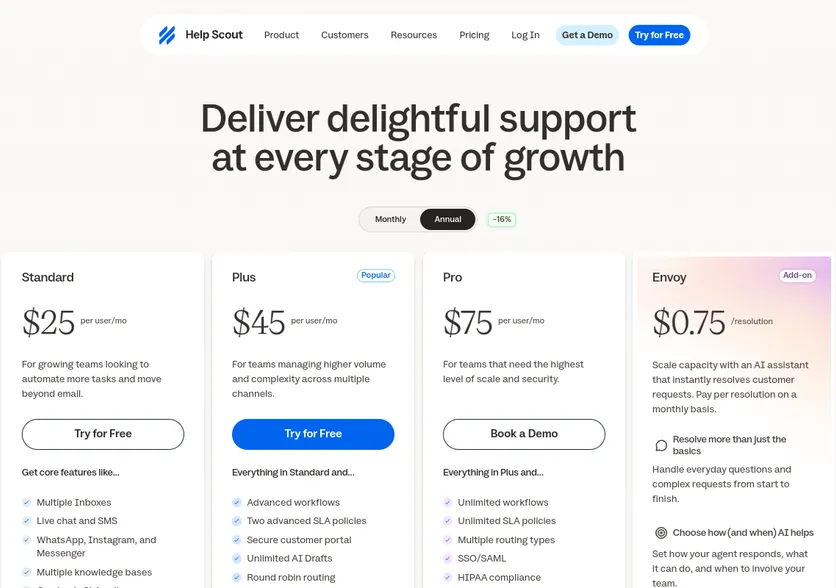
 Help Scout | Small teams that answer most mail by email | $25/user/month | Free plan (up to 5 users) | Visit |
 Freshdesk | Small teams that will outgrow a plain inbox | $15/agent/month | Free plan (up to 2 agents) | Visit |
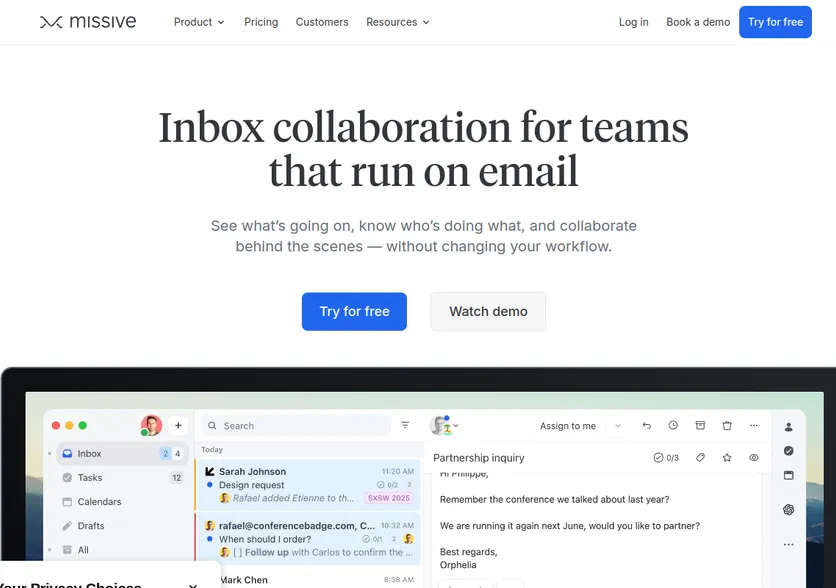
| Missive | Small email-first teams that want team chat in the inbox | $14/user/month | No free plan; 30-day free trial | Visit |
| Hiver | Small Gmail teams that never want to leave Gmail | $25/user/month | No free plan; 14-day free trial | Visit |
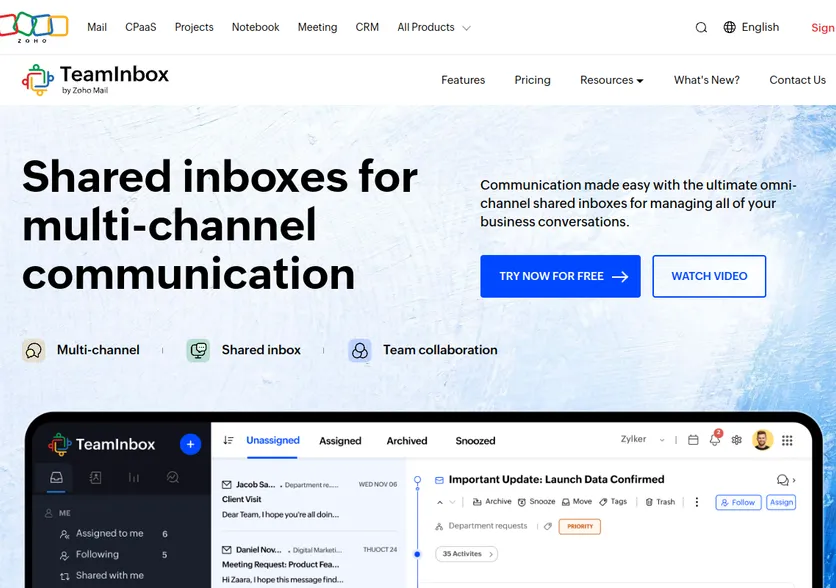
| Zoho TeamInbox | Small teams on the tightest budget | $5/user/month | Free mobile plan; 14-day free trial | Visit |
| Gmelius | Small Gmail teams that want kanban boards in the inbox | $25/user/month | No free plan; 7-day free trial | Visit |
| Keeping | Small Gmail teams that want the simplest shared inbox | $14/user/month | No free plan; 14-day free trial | Visit |
The shared inbox software for small teams, compared
1. Front
Best for: Small teams that want a shared inbox with automation
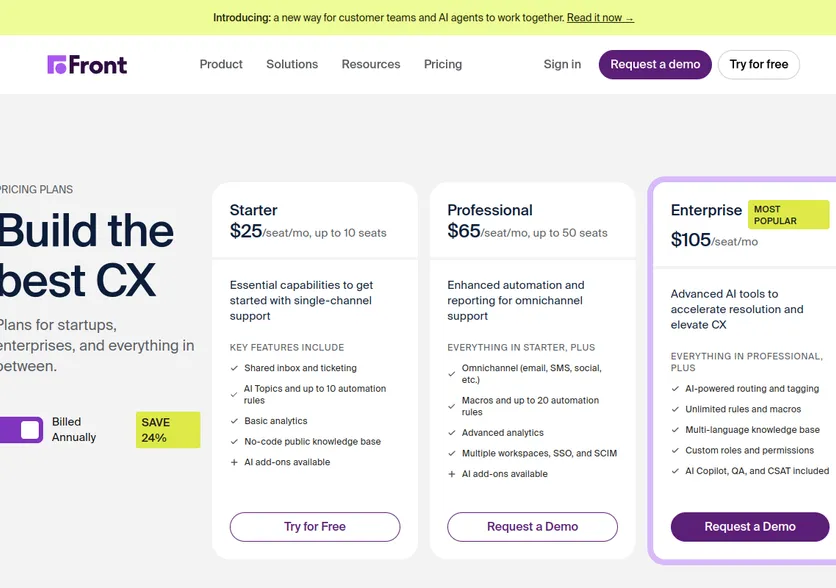
Paid tool Starting price: $19/seat/month · Nineteen dollars per seat a month billed annually (twenty-nine dollars billed monthly) for Starter, capped at ten seats; Growth is fifty-nine dollars a seat a month as listed, though one November 2026 read puts the annual-billed Growth rate near forty-nine dollars, so confirm at checkout; Scale is ninety-nine dollars a seat a month on annual billing only
Free plan: No free plan; 14-day free trial
For a small team that wants the shared inbox to feel like a team sport, this Front plan costs nineteen dollars per seat a month billed annually for Starter. It brings email, chat and SMS into one workspace where teammates assign conversations, comment beside the thread and share drafts before sending. The automation rules handle the routine replies, which leaves the team free for the messages that need a human.
What we like
- Email, chat and SMS in one shared workspace
- Teammates comment beside the thread before replying
- Automation rules handle the routine replies
Watch out for
- Starter caps at ten seats, so growth forces an upgrade
- Growth pricing is disputed between November 2026 reads
How to try it
- Connect the shared email address
- Set up the inboxes and assign the team
- Create the first automation rules for routine mail
2. Help Scout
Best for: Small teams that answer most mail by email
Paid tool Starting price: $25/user/month · Twenty-five dollars per user a month billed annually for Standard, or thirty dollars month to month, capped at twenty-five users; Plus is forty-five dollars and Pro is seventy-five dollars a month with a ten-user minimum; the free plan covers five users
Free plan: Free plan (up to 5 users)
For a small team that answers most mail by email and wants a shared inbox with order, this Help Scout plan costs twenty-five dollars per user a month billed annually for Standard. It turns the shared address into assigned conversations with collision detection, so two teammates never answer the same message. The free plan covers five users, which lets a tiny team run a real inbox before paying.
What we like
- Shared inbox with collision detection built in
- Free plan covers five users with a real inbox
- Simple enough for a team to adopt in a day
Watch out for
- Standard caps at twenty-five users, so growth forces an upgrade
- Live chat and advanced reporting need the higher tiers
How to try it
- Connect the shared email address
- Set up the inbox and assign the team
- Turn on collision detection and saved replies
3. Freshdesk
Best for: Small teams that will outgrow a plain inbox
Paid tool Starting price: $15/agent/month · Fifteen dollars per agent a month billed annually for Growth; Pro is forty-nine dollars and Enterprise is seventy-nine dollars a month; the free plan covers a small number of agents
Free plan: Free plan (up to 2 agents)
For a small team that will outgrow a plain inbox and need ticketing later, this Freshdesk plan costs fifteen dollars per agent a month billed annually for Growth. It starts as a shared inbox with assignments and collision detection, then adds SLAs, automations and a knowledge base as the team grows. The free plan lets a tiny team start without a card, which makes it the easiest first step into support software.

What we like
- Shared inbox that grows into full ticketing
- SLAs and automations included on Growth
- Free plan lets a tiny team start without a card
Watch out for
- Multi-language support and custom roles need Pro
- The omnichannel Omni tracks cost considerably more
How to try it
- Set up the shared inbox and ticket categories
- Assign conversations and turn on collision detection
- Build the knowledge base with the common answers
4. Missive
Best for: Small email-first teams that want team chat in the inbox
Paid tool Starting price: $14/user/month · Fourteen dollars per user a month billed annually (eighteen dollars billed monthly) for Starter, capped at five users; Productive is twenty-four dollars and Business is thirty-six dollars a month; a sixth user moves the whole team to Productive
Free plan: No free plan; 30-day free trial
For a small team that lives in email and wants the inbox to feel like team chat, this Missive plan costs fourteen dollars per user a month billed annually for Starter. Teammates write replies together, talk beside each thread and assign tasks without leaving the inbox, and the tool connects email, SMS and social accounts into one team space. The Starter plan caps at five users, which fits a small team exactly.
What we like
- Teammates write replies together inside the thread
- Email, SMS and social in one team space
- Tasks and assignments built into the inbox
Watch out for
- Starter caps at five users, and a sixth moves the whole team up
- Rules and integrations need the Productive tier
How to try it
- Connect the shared email and social accounts
- Set up the team spaces for each address
- Assign conversations and write the first shared replies
5. Hiver
Best for: Small Gmail teams that never want to leave Gmail
Paid tool Starting price: $25/user/month · Twenty-five dollars per user a month billed annually (thirty-five dollars billed monthly) for Growth, capped at ten users, with seats sold in steps of two, five and then five; Pro is fifty-five dollars and Elite is eighty-five dollars a month; older listings showing a nineteen-dollar Lite plan are stale, since Lite was dropped in September 2025
Free plan: No free plan; 14-day free trial
For a small team that never wants to leave Gmail, this Hiver plan costs twenty-five dollars per user a month billed annually for Growth. It adds shared inboxes, assignment, notes and collision detection directly inside the Gmail interface the team already uses all day. The Growth plan caps at ten users, which fits a small team, though a sixth person pays for ten seats under the step pricing.
What we like
- Shared inbox built directly inside Gmail
- Collision detection stops double replies
- No new interface for the team to learn
Watch out for
- Growth caps at ten users and seats are sold in steps
- The old nineteen-dollar Lite plan no longer exists
How to try it
- Install Hiver in Gmail and create the shared inbox
- Assign the team and set the shared labels
- Turn on collision detection and notes
6. Zoho TeamInbox
Best for: Small teams on the tightest budget
Paid tool Starting price: $5/user/month · Five dollars per user a month billed annually (six dollars billed monthly) for Starter, capped at three shared incoming channels and twenty-five rules; Professional is seven dollars and fifty cents a month and adds analytics and unlimited rules; extra channels cost four dollars a month each, and mobile-only plans run from ninety-nine cents a month
Free plan: Free mobile plan; 14-day free trial
For a small team on the tightest budget, this Zoho TeamInbox plan costs five dollars per user a month billed annually for Starter. It brings group email and WhatsApp, Telegram, Facebook and Instagram messages into one inbox where the team can assign, discuss and answer together. The price undercuts every other tool in this list by a wide margin, though analytics wait for the Professional tier.
What we like
- Email and messaging channels in one inbox
- The cheapest price in this list by a wide margin
- Assignments, discussions and shared drafts included
Watch out for
- Starter caps at three channels and twenty-five rules
- Analytics wait for the Professional tier
How to try it
- Connect the shared email and messaging channels
- Assign conversations to the team
- Set up the first response templates
7. Gmelius
Best for: Small Gmail teams that want kanban boards in the inbox
Paid tool Starting price: $25/user/month · Twenty-five dollars per user a month billed annually (thirty dollars billed monthly) for Growth, the cheapest plan with shared inboxes; the nineteen-dollar Meli tier has no shared inbox; Pro is forty dollars a month; older listings showing a twenty-four-dollar Growth plan are stale
Free plan: No free plan; 7-day free trial
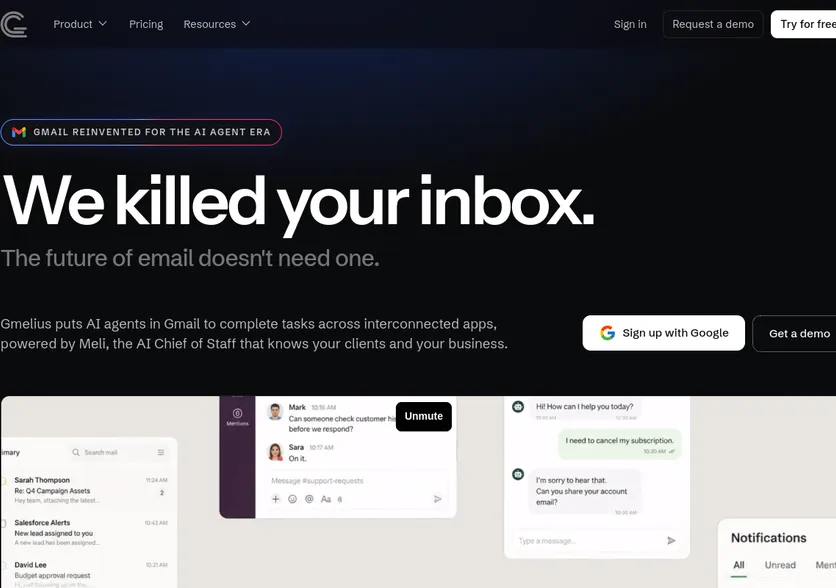
For a small team that runs its whole working life inside Gmail, this Gmelius plan costs twenty-five dollars per user a month billed annually for Growth. It adds shared inboxes, kanban boards and automation to Gmail, so a support address becomes a task list the team can drag across the board. The AI assistants draft replies and route mail, which suits a team that wants the inbox to do more of the work.
What we like
- Shared inboxes and kanban boards inside Gmail
- AI assistants draft replies and route mail
- Automation turns mail into tasks on a board
Watch out for
- The nineteen-dollar Meli tier has no shared inbox
- Older listings show a twenty-four-dollar Growth price that is stale
How to try it
- Install Gmelius in Gmail and create the shared inbox
- Set up the kanban boards for each address
- Turn on the AI assistants for drafting and routing
8. Keeping
Best for: Small Gmail teams that want the simplest shared inbox
Paid tool Starting price: $14/user/month · Fourteen dollars per user a month billed annually (nineteen dollars billed monthly) for Essentials, capped at two shared mailboxes and ten agents with a two-user minimum; Advanced is twenty-four dollars and HIPAA is forty-nine dollars a month
Free plan: No free plan; 14-day free trial
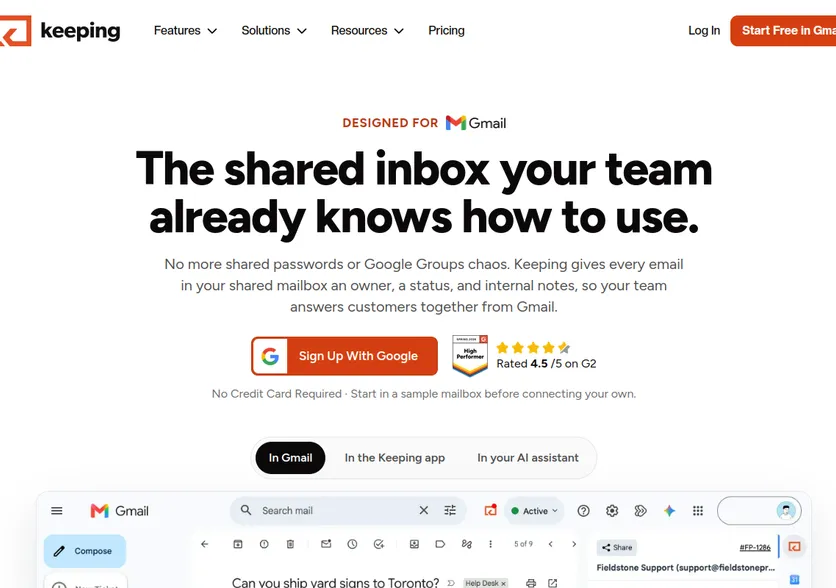
For a small Gmail team that wants the simplest possible shared inbox, this Keeping plan costs fourteen dollars per user a month billed annually for Essentials. It turns Gmail labels into shared mailboxes with assignment, status tracking and collision warnings, and the team never leaves the inbox it already knows. The Essentials plan covers two shared mailboxes and ten agents, which fits a team with one or two shared addresses.
What we like
- Turns Gmail labels into shared mailboxes
- Assignment and collision warnings inside Gmail
- No new interface for the team to learn
Watch out for
- Essentials covers only two shared mailboxes
- Gmail only, with no Outlook support
How to try it
- Install Keeping in Gmail and create the mailboxes
- Assign the team and set the ticket statuses
- Turn on collision warnings and shared notes
Prices above were checked on each vendor’s own website on Nov 28, 2026 and can change — the vendor’s page is the final word. Vendor links are editorial: nobody paid to be listed or ranked here. Vendors who want a featured listing can see how it works on our Get listed page.
How to run a shared inbox without double replies
Give every conversation one owner, because a message with no owner is a message nobody answers. Turn on collision detection on day one, since the first double reply teaches the team to distrust the inbox. Write saved replies for the ten questions the team answers every week, and keep them short enough to sound human. Review the unassigned pile every morning, and move anything older than a day to a named person. Finally, measure first response time weekly, because a shared inbox that answers in an hour earns the trust a slow inbox never gets.
Before you buy
- Check whether collision detection is included, not sold as an add-on
- Make sure the tool covers the channels the team answers on, including email and messaging
- Confirm the plan caps on users and mailboxes fit the team at its real size
- Ask if saved replies and templates are included on the entry plan
- Test the tool in the inbox the team already uses, not just in a demo
Official websites
Official websites of the products reviewed above. Features and prices were checked against these sites when this guide was written, and they can change, so confirm on the vendor site before you buy.
Frequently asked questions
What is the best shared inbox software for small teams?
Front is the best overall pick, at nineteen dollars a seat a month billed annually for Starter, combining a shared inbox with automation and integrations. Zoho TeamInbox is the best budget choice, at five dollars a user a month for Starter. Missive is the best pick for email-first teams, at fourteen dollars a user a month for Starter with team chat built into the inbox.
How much does Front cost for a small team?
Front Starter costs nineteen dollars per seat a month billed annually, or twenty-nine dollars billed monthly, capped at ten seats. Growth is fifty-nine dollars a seat a month as listed, though one November 2026 read puts the annual-billed Growth rate near forty-nine dollars, so confirm at checkout. Scale is ninety-nine dollars a seat a month on annual billing only.
Can I run a shared inbox for free?
Yes, in a limited way: Help Scout offers a free plan for up to five users, Freshdesk offers a free plan for a small number of agents, and Zoho TeamInbox offers a free mobile plan. Those free tiers suit a tiny team, though automation, analytics and extra channels sit on the paid plans. The paid plans in this list start at five dollars a user a month.
What is the difference between a shared inbox and a help desk?
A shared inbox turns one email address into assigned conversations a team answers together, while a help desk adds ticketing, SLAs, knowledge bases and reporting. Front, Missive, Hiver, Zoho TeamInbox, Gmelius and Keeping are shared inboxes in that simpler sense, while Freshdesk and Help Scout sit between the two. A team that needs SLAs and a knowledge base should pick a help desk.
Which tool is best for a Gmail team?
Hiver is the best pick for a Gmail team that wants the inbox inside Gmail, at twenty-five dollars a user a month for Growth. Keeping is the simplest choice at fourteen dollars a month for Essentials, turning Gmail labels into shared mailboxes. Gmelius adds kanban boards and AI assistants for twenty-five dollars a month for Growth, the cheapest plan with shared inboxes.
Compare the eight tools above, then start with a free trial on the tool that matches the inbox the team already uses before paying for a full year.
Browse Business Tools tools