On this page
A cafe rota lives or dies on the morning rush, and the eight tools below are judged on how fast they build the week and how easily staff swap a shift when life gets in the way. Some are built for restaurants, others fit any small hourly team, and all of them put the rota on the staff's phones. Deputy leads because it auto-schedules from availability, skills and labour cost for five dollars per user a month, and the rest are ranked on how much admin they remove for the price.
How we researched this
We checked every price on the vendor pricing page on November 28, 2026, and only included tools with a published US dollar list price. Rota tools built only for hospitals or factories were left out, since this list is for cafes and the small teams that run them. Prices change, so confirm the current figure on the vendor site before you buy.
Compare the tools
| Name | Best for | Starting price | Free plan | |
|---|---|---|---|---|
 Deputy | Warehouses and cafes that need scheduling plus time tracking | $5/user/month | 14-day free trial | Visit |
 When I Work | Small teams that want simple scheduling fast | $2.50/user/month | 14-day free trial | Visit |
 Homebase | Cafes and small warehouses that want scheduling plus hiring | $24/location/month | Free Basic plan (1 location, up to 10 employees) | Visit |
 Connecteam | Deskless teams that need scheduling plus communication | $29/month | Free Small Business plan (up to 10 users) | Visit |
 7shifts | Restaurants and cafes that live on shift scheduling | $39.99/location/month | Free Comp plan (1 location, up to 15 employees) | Visit |
 ZoomShift | Small teams that want scheduling without the extras | $2/user/month | Free Essentials plan (up to 20 users) | Visit |
 Sling | Small hourly teams that want scheduling free | $1.70/user/month | Free plan (up to 30 users) | Visit |
 Planday | Shift teams that need payroll and compliance built in | $2.99/user/month | 30-day free trial | Visit |
The shift swapping software for cafes, compared
1. Deputy
Best for: Warehouses and cafes that need scheduling plus time tracking
Paid tool Starting price: $5/user/month · Five dollars per user a month billed annually on Lite, or five dollars and fifty cents month to month; Core is six dollars and fifty cents and Pro is nine dollars; a thirty-dollar monthly minimum spend applies
Free plan: 14-day free trial
A cafe that opens early, closes late and runs split shifts needs a rota that respects availability, and this Deputy plan costs five dollars per user a month billed annually. Auto-scheduling builds the week around who can actually work, while GPS clock-in stops early starts and late finishes from drifting into payroll. Demand forecasting reads the busy periods, so the counter is staffed when the morning rush hits.

What we like
- Auto-scheduling fills open shifts from availability and cost
- Time tracking with GPS clock-in keeps payroll accurate
- Demand forecasting matches staffing to busy periods
Watch out for
- The thirty-dollar monthly minimum spend adds up for tiny teams
- Some advanced reporting sits on the dearer plans
How to try it
- Add staff, roles and availability to the roster
- Publish the schedule and let staff swap shifts in the app
- Approve timesheets and export them to payroll
2. When I Work
Best for: Small teams that want simple scheduling fast
Paid tool Starting price: $2.50/user/month · Two dollars and fifty cents per user a month for a single location; five dollars for multiple locations; Premium is eight dollars; all prices are per user per month billed annually
Free plan: 14-day free trial
A cafe owner who writes the rota on a Sunday night wants it done in minutes, and this When I Work plan costs two dollars and fifty cents per user a month for a single location. Templates and drag-and-drop scheduling build the week fast, and staff pick up open shifts from their phones instead of calling the manager. The time clock and messaging keep the rota and the team chat in one place.

What we like
- Shift templates and drag-and-drop scheduling in minutes
- Staff pick up open shifts from the mobile app
- Time clock and messaging built into the same app
Watch out for
- Payroll and deeper reporting need the dearer plans
- Per-user pricing climbs as the team grows
How to try it
- Create the team and set each person's availability
- Build the weekly schedule with templates or drag and drop
- Publish it and let staff claim open shifts from the app
3. Homebase
Best for: Cafes and small warehouses that want scheduling plus hiring
Paid tool Starting price: $24/location/month · Twenty-four dollars per location a month billed annually on Essentials, or thirty dollars month to month; Plus is fifty-six dollars and All-in-One is ninety-six; payroll is an add-on at forty-nine dollars a month plus six dollars per employee
Free plan: Free Basic plan (1 location, up to 10 employees)
A cafe that hires baristas, trains them and pays them from one system will like this Homebase plan, which costs twenty-four dollars per location a month billed annually. Scheduling and time tracking sit beside hiring and onboarding, and payroll is an add-on for cafes that want the whole loop closed. The free Basic plan covers one location with up to ten employees, which fits most independent cafes.

What we like
- Free Basic plan covers scheduling for small teams
- Hiring, onboarding and payroll add-ons in one place
- Time clock with late and no-show alerts
Watch out for
- Per-location pricing adds up across multiple sites
- Payroll costs extra on top of the subscription
How to try it
- Add the team and set availability and roles
- Publish the schedule and send it to the team by app or text
- Track time at the clock and review hours before payroll
4. Connecteam
Best for: Deskless teams that need scheduling plus communication
Paid tool Starting price: $29/month · Twenty-nine dollars a month billed annually on Basic for the first thirty users, or thirty-five dollars month to month; Advanced is forty-nine dollars and Expert is ninety-nine; each hub is billed separately
Free plan: Free Small Business plan (up to 10 users)
Cafe staff spend the day on their feet, so the rota has to reach their phones, and this Connecteam plan costs twenty-nine dollars a month billed annually for the first thirty users. Scheduling, time clock and team chat live in one mobile app, and checklists keep opening and closing duties consistent across shifts. The free plan covers ten users, which is enough for a small cafe to start.

What we like
- Scheduling, time clock and team chat in one mobile app
- Free plan covers teams of up to ten users
- Forms and checklists keep shift handover consistent
Watch out for
- Each hub is billed separately, so costs stack across products
- The free plan caps at ten users
How to try it
- Set up the team and choose the scheduling hub
- Build the roster and publish it to the mobile app
- Track clock-ins and send updates through team chat
5. 7shifts
Best for: Restaurants and cafes that live on shift scheduling
Paid tool Starting price: $39.99/location/month · Thirty-nine dollars and ninety-nine cents per location a month billed annually on Essentials, or forty-four dollars and ninety-nine cents month to month; Pro is seventy-nine dollars and ninety-nine cents and Premium is one hundred and thirty-four dollars and ninety-nine cents
Free plan: Free Comp plan (1 location, up to 15 employees)
A cafe lives or dies on labour cost against the till, and this 7shifts plan costs thirty-nine dollars and ninety-nine cents per location a month billed annually. It was built for restaurants, so schedules are planned around sales forecasts and labour targets, and staff swap shifts in the app when life gets in the way. Point-of-sale integrations pull sales data straight into the labour picture.

What we like
- Scheduling built for restaurants, with labour cost tracking
- Shift swaps and time-off requests handled in the app
- Integrates with most restaurant point-of-sale systems
Watch out for
- Per-location pricing makes multi-site rollouts pricey
- The free Comp plan caps at fifteen employees
How to try it
- Add staff, roles and labour targets for each location
- Build the schedule around sales forecasts
- Let staff swap shifts in the app and approve them in one tap
6. ZoomShift
Best for: Small teams that want scheduling without the extras
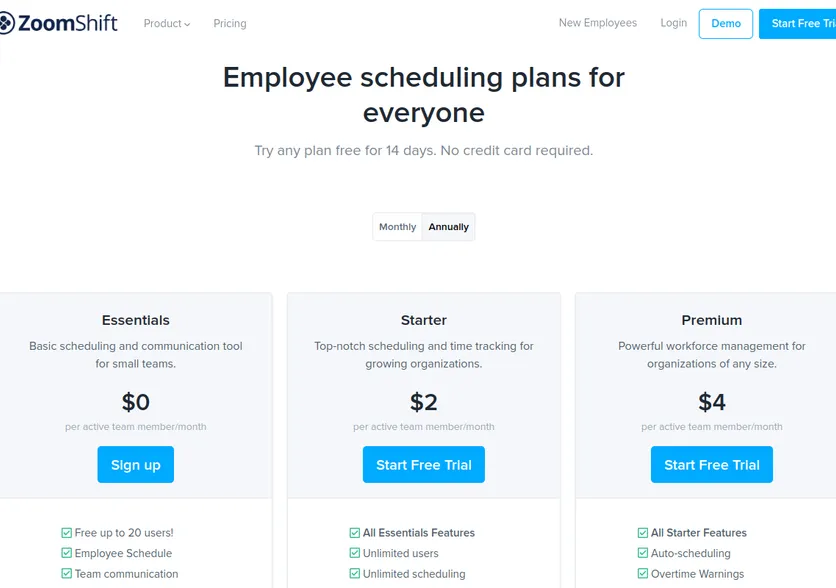
Paid tool Starting price: $2/user/month · Two dollars per user a month billed annually on Starter, or two dollars and fifty cents month to month; Premium is four dollars, or five dollars month to month; Essentials is free for up to twenty users
Free plan: Free Essentials plan (up to 20 users)
A small cafe that wants a clean rota without paying for features it will never open will like this ZoomShift plan, which costs two dollars per user a month billed annually. Availability, time-off and shift swaps are handled on a simple calendar, and the time clock feeds hours straight to payroll. The free Essentials plan covers twenty users, which is more than most cafes employ.
What we like
- Clean scheduling with availability and time-off built in
- Free Essentials plan covers teams up to twenty users
- Time clock and payroll exports included
Watch out for
- Fewer integrations than the bigger scheduling suites
- No free plan above twenty users
How to try it
- Add the team and set availability and time-off rules
- Drag shifts onto the calendar and publish the week
- Let staff clock in from the app and export hours to payroll
7. Sling
Best for: Small hourly teams that want scheduling free
Paid tool Starting price: $1.70/user/month · One dollar and seventy cents per user a month billed annually on Premium, or two dollars month to month; Business is three dollars and forty cents, or four dollars month to month; the free plan covers up to thirty users
Free plan: Free plan (up to 30 users)
An independent cafe can run its whole rota for free with this Sling plan, which costs one dollar and seventy cents per user a month billed annually on Premium. The free tier covers scheduling, messaging and time-off for up to thirty users, and the Toast integration links the rota to the point of sale for cafes already on Toast. Paid plans add time tracking and labour cost tools when the cafe grows.

What we like
- The largest free tier here, up to thirty users
- Scheduling, messaging and time-off in one app
- Toast point-of-sale integration for restaurant teams
Watch out for
- Time tracking and reports sit behind the paid plans
- Toast customers buy through the Toast Shop at Toast prices
How to try it
- Add the team and set availability in the app
- Build the schedule and publish it to everyone's phone
- Upgrade to Premium when you need time tracking
8. Planday
Best for: Shift teams that need payroll and compliance built in
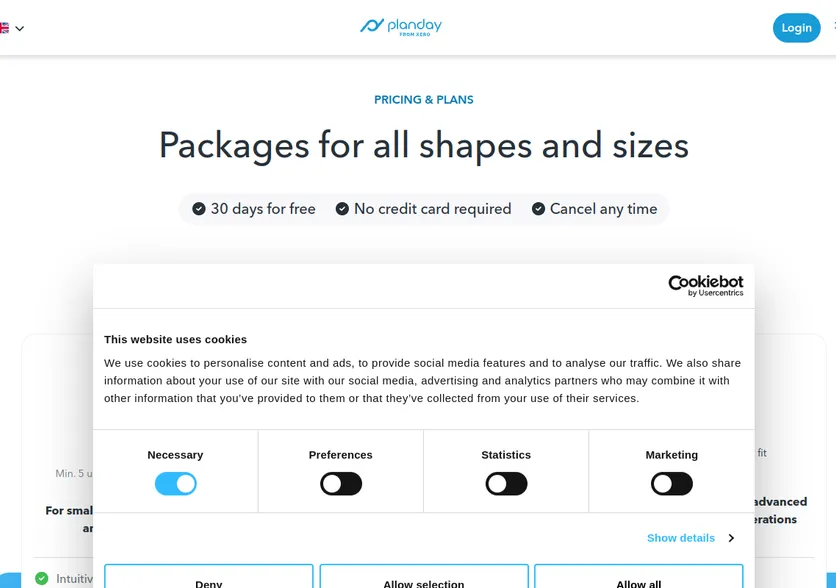
Paid tool Starting price: $2.99/user/month · Two dollars and ninety-nine cents per user a month on Starter, billed in bundles of five users with a five-user minimum; Plus is four dollars and forty-nine cents per user a month plus a fifteen-dollar monthly fee with a ten-user minimum; Pro is quoted
Free plan: 30-day free trial
A cafe group with several sites and shared staff needs one rota that spans them all, and this Planday plan costs two dollars and ninety-nine cents per user a month. Contracts, rest rules and payroll sit beside scheduling, so a barista can work two sites without breaking a rule. Shift swaps need manager approval, which keeps the rota legal when staff trade shifts at short notice.
What we like
- Scheduling, payroll and compliance in one platform
- Shift swaps with manager approval built in
- Labour cost and contract rules tracked per employee
Watch out for
- No free plan, only a thirty-day trial
- Bundled billing means you pay for five seats at a time
How to try it
- Add staff, contracts and availability to Planday
- Build the roster around labour cost targets
- Let staff swap shifts and approve the swaps in the app
Prices above were checked on each vendor’s own website on Nov 28, 2026 and can change — the vendor’s page is the final word. Vendor links are editorial: nobody paid to be listed or ranked here. Vendors who want a featured listing can see how it works on our Get listed page.
How to build a cafe rota that survives the rush
Build the rota around the morning rush first, because a cafe that is short at eight in the morning loses the whole day. Publish a week ahead and let staff swap shifts in the app, with the manager approving each swap before it counts. Keep a short list of staff who want extra hours, so a sick call is covered in minutes instead of hours. Check the labour cost against the till every week, and trim the quiet hours before the busy ones. Keep the rota visible in the cafe as well as on phones, so nobody can claim they never saw it.
Before you buy
- Confirm the tool handles split shifts and early starts without extra work
- Check whether the price is per user or per location before comparing totals
- Make sure staff can swap shifts from their phones without calling the manager
- Test the time clock where staff actually clock in, not in the office
- Confirm the payroll export matches the system the cafe already uses
Official websites
Official websites of the products reviewed above. Features and prices were checked against these sites when this guide was written, and they can change, so confirm on the vendor site before you buy.
Frequently asked questions
What is the best shift swapping software for cafes in 2026?
Deputy is the best overall choice, at five dollars per user a month, because swaps carry manager approval and the rota rebuilds around availability automatically. 7shifts is the best pick for cafes that watch labour cost closely, while Sling is the best free option with swapping for up to thirty users. The right pick depends on whether the cafe needs auto-scheduling or just easy swaps.
How do cafe staff swap a shift?
Staff request the swap from the mobile app, pick the colleague they want to swap with, and the manager approves it in one tap. Every tool in this list handles swaps this way, so nobody needs to phone the manager or rewrite a paper rota. The approved swap updates the rota for everyone at once, which stops two people turning up for the same shift.
How much does shift swapping software cost for a cafe?
Prices here run from free to about forty dollars per location a month, with most tools charging per user or per location. Sling is free for up to thirty users, ZoomShift is free for up to twenty, and Homebase has a free plan for one location with up to ten employees. Deputy starts at five dollars per user a month, and 7shifts starts at thirty-nine dollars and ninety-nine cents per location a month.
Does shift swapping software work with Toast?
Yes, through Sling, which is owned by Toast and links the rota to Toast point-of-sale data for labour cost tracking. 7shifts also integrates with most restaurant point-of-sale systems, including Toast, so sales data feeds the labour picture. Cafes already on Toast should check the Toast Shop listing for Sling, since Toast customers buy there at Toast prices.
What is the cheapest shift swapping software for a cafe?
Sling is the cheapest, because its free plan covers scheduling, messaging and time-off for up to thirty users at no cost. ZoomShift is free for up to twenty users, and Homebase is free for one location with up to ten employees. A cafe with more than thirty staff will pay least on When I Work at two dollars and fifty cents per user a month.
Compare the eight tools above, then start with a free trial of the scheduler that fits the cafe rota, whether that is a restaurant-built tool or a free plan for a small team, before paying for a full year.
Browse Business Tools tools