On this page
Parents read texts faster than they read email, and schools know it: the message about a snow day, a bus delay or a missing assignment lands best on a phone. The nine tools below cover that job for classrooms, whole schools and districts, from a per-student platform built for education to general texting tools that districts bend to their needs. Bloomz leads because it is priced per student from three dollars a year and bundles messaging with translation, calendars and attendance notices.
How we researched this
We checked every price on the vendor pricing page on November 28, 2026, and only included tools with a published US dollar list price. ParentSquare, TalkingPoints and Seesaw sell by quote, so they are not in this list. Prices change, so confirm the current figure on the vendor site before you buy.
Compare the tools
| Name | Best for | Starting price | Free plan | |
|---|---|---|---|---|
 Bloomz | Schools and districts that want one communication platform | $3/student/year | Free for teachers and families | Visit |
 SimpleTexting | Districts that text parents about closures and events | $39/month | 14-day free trial | Visit |
 EZ Texting | Single schools that want cheap, simple parent texting | $25/month | 14-day free trial | Visit |
 SlickText | Schools that text in bursts around events and surveys | $29/month | 14-day free trial | Visit |
 Textedly | School offices that want plain, steady parent texting | $29/month | 14-day free trial | Visit |
 Textmagic | Schools that text rarely and want no monthly subscription | $0.049/message | Free trial | Visit |
 Sakari | Small schools and tutoring centres that text weekly | $16/month | Free trial (100 credits) | Visit |
 ClickSend | Districts that buy messages in bulk and know their volume | $0.0273/message | Free trial | Visit |
 Twilio | Institutions with developers wiring texting into school systems | $0.0079/message | $15 free trial credit | Visit |
The SMS software for education institutions, compared
1. Bloomz
Best for: Schools and districts that want one communication platform
Paid tool Starting price: $3/student/year · Three dollars per student per year for Essentials at starting rates; Premium is $5, Complete is $7 and 360 is $11; annual minimums apply for smaller schools; exact quotes scale with enrollment and modules; prices are locked for the contract term
Free plan: Free for teachers and families
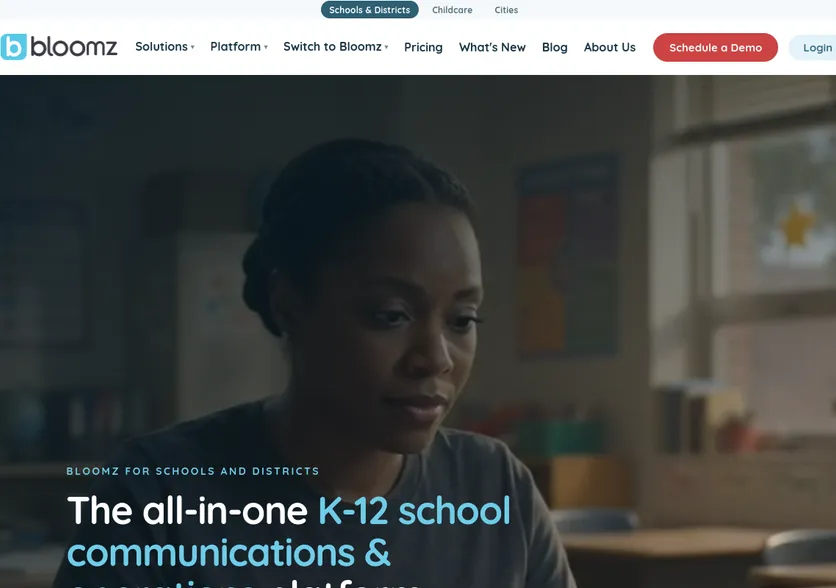
Schools that want one platform for every parent message should start here, because this Bloomz plan costs three dollars per student per year at starting rates. Two-way messaging comes with translation in more than two hundred and fifty languages, shared calendars and groups, so a district can reach every family in the language they read. Teachers and families use it free, while the school or district pays the per-student rate.
What we like
- Per-student pricing that scales cleanly with enrollment
- Translation in more than 250 languages built into every message
- Free for teachers and families, so adoption costs nothing
Watch out for
- Starting rates are not final quotes, and small schools face annual minimums
- The full feature set needs the dearer tiers, not Essentials
How to try it
- Estimate enrollment and request a quote on the starting rates
- Set up groups, calendars and translation for each school
- Invite teachers and families, then send the first announcement
2. SimpleTexting
Best for: Districts that text parents about closures and events
Paid tool Starting price: $39/month · Thirty-nine dollars a month for 500 credits; 1,000 credits are $59 a month and 2,000 are $89; annual billing is about $33.20 a month; 14-day free trial with 50 messages
Free plan: 14-day free trial
Districts that text parents about closures, events and fees need one number families recognise, and this SimpleTexting plan costs thirty-nine dollars a month for five hundred credits. Keyword opt-ins let parents join the right list by texting a word, automations handle reminders, and the shared inbox keeps replies from piling up on one person's phone. Rollover credits help in the quiet summer months.

What we like
- Keyword opt-ins sort parents into the right lists by themselves
- Automations handle reminders without staff typing each one
- Rollover credits soften the quiet summer months
Watch out for
- No education-specific features such as attendance or grade notices
- Credit pricing makes long parent conversations expensive
How to try it
- Claim a district number and import parent contacts
- Set up keyword opt-ins for each school and grade
- Build automations for closures, reminders and fee notices
3. EZ Texting
Best for: Single schools that want cheap, simple parent texting
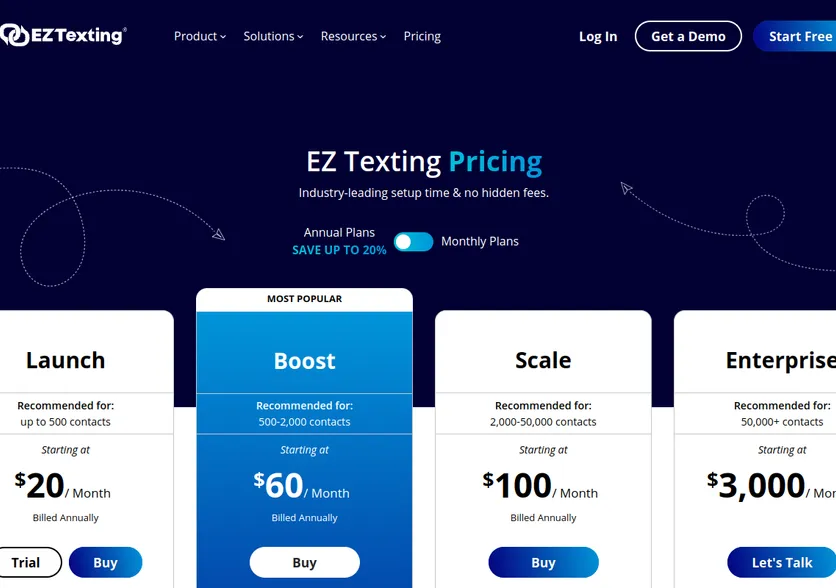
Paid tool Starting price: $25/month · Twenty-five dollars a month on Launch billed monthly, $20 a month billed annually, for 500 credits; Boost is $75 a month and Scale is $125; a $5 a month telecom fee applies on Launch only; extra users are $10 a month
Free plan: 14-day free trial
A single school that needs a simple way to text parents can get started cheaply with this EZ Texting plan, which costs twenty-five dollars a month for five hundred credits. Templates cover the messages schools send most, such as closures, field trips and fee reminders, and the mobile app lets the front office reply from anywhere in the building. It is the lowest-priced inbox-first option in this list.
What we like
- Lowest entry price among the inbox-first tools here
- Templates cover closures, trips and fee reminders
- Mobile app lets the front office reply from anywhere
Watch out for
- Launch includes only one user, so more staff means more seats
- No translation or attendance features for diverse districts
How to try it
- Pick a school number and set up the inbox
- Write templates for closures, trips and reminders
- Train the front office on the web and mobile apps
4. SlickText
Best for: Schools that text in bursts around events and surveys
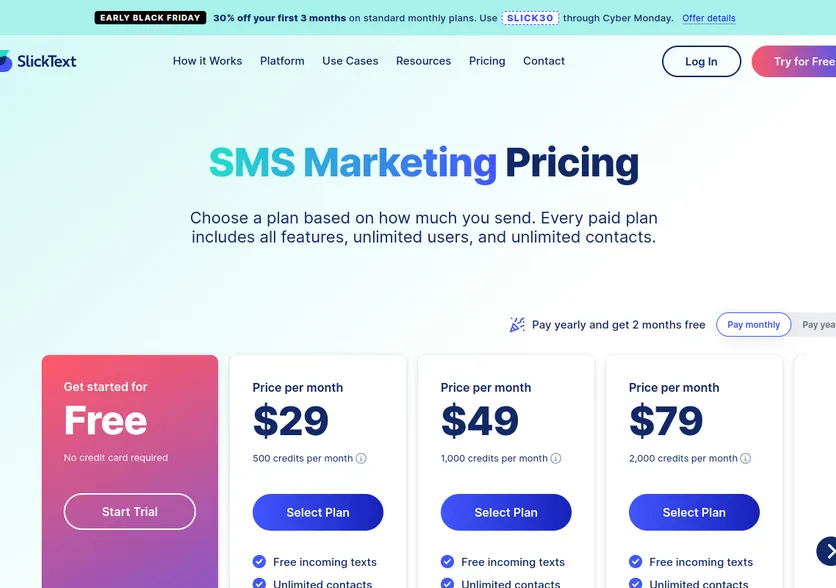
Paid tool Starting price: $29/month · Twenty-nine dollars a month on Basic for 500 credits; 1,000 credits are $49 a month and 2,000 are $79; annual billing is about $24.17 a month; every plan includes all features; credits roll over
Free plan: 14-day free trial
Schools that run surveys after events and want every feature from the start will like this SlickText plan, which costs twenty-nine dollars a month for five hundred credits. All features sit on every plan, so automations, surveys and the shared inbox need no upgrade, and rollover credits carry the quiet months into the busy ones. It is a good fit for a school that texts in bursts around events.
What we like
- All features on every plan, with no tier gates
- Rollover credits carry quiet months into busy ones
- Built-in surveys collect feedback after school events
Watch out for
- No school-specific tools such as rostering or grade alerts
- Credit pricing punishes long parent conversations
How to try it
- Connect a school number and build the inbox
- Set up automations for event reminders and follow-ups
- Send a survey after events and read the results
5. Textedly
Best for: School offices that want plain, steady parent texting
Paid tool Starting price: $29/month · Twenty-nine dollars a month for 500 credits; older listings still show $24 a month, which appears stale against the current vendor compare pages; confirm the figure at checkout
Free plan: 14-day free trial
A school office that sends the same short notices every week wants a tool that stays out of the way, and this Textedly plan costs twenty-nine dollars a month for five hundred credits. Group messaging reaches a whole grade at once, scheduled sends handle the weekly newsletter reminder, and the interface is plain enough for any office staff member to use. It suits schools that value simplicity over a long feature list.

What we like
- Group messaging reaches a whole grade at once
- Scheduled sends handle the weekly reminder automatically
- Plain interface that any office staff member can learn
Watch out for
- Older third-party listings still show a stale lower price
- No rostering, translation or attendance features
How to try it
- Import parent contacts and claim a school number
- Set up groups by grade and class
- Schedule the weekly notices and reply from the inbox
6. Textmagic
Best for: Schools that text rarely and want no monthly subscription
Paid tool Starting price: $0.049/message · About five cents per SMS on pay as you go, $0.049 a segment; 1,000 SMS cost $49; MMS is $0.08; a dedicated number is $10 a month with the first month free; inbound messages are free; monthly plans start at $80 a month for Professional 2K
Free plan: Free trial
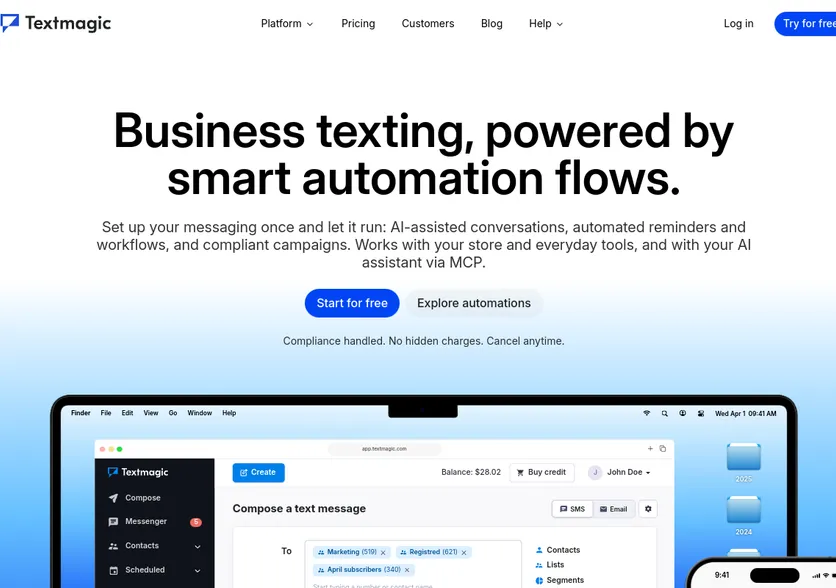
Institutions that text parents only when something actually happens should look at pay-as-you-go first, because this Textmagic plan costs about five cents per message with no monthly subscription. Inbound replies are free, a dedicated number costs ten dollars a month with the first month free, and the balance never expires on a fixed plan. It is the cheapest route for a school that sends a few hundred texts a month.
What we like
- Pay as you go, so quiet months cost almost nothing
- Inbound messages are free, which suits two-way parent chats
- A dedicated number costs ten dollars a month with the first month free
Watch out for
- Per-message costs add up fast once volume grows
- Monthly plans start at eighty dollars, a big jump from pay as you go
How to try it
- Create an account and buy a dedicated number
- Import parent contacts and set up sender details
- Send the first notice and watch replies land free
7. Sakari
Best for: Small schools and tutoring centres that text weekly
Paid tool Starting price: $16/month · Sixteen dollars a month for 500 segments; extra text credits are $0.032; free trial includes 100 credits; dedicated number included; credits roll over for 90 days
Free plan: Free trial (100 credits)
Small schools and tutoring centres that need a real two-way number without a big bill will find it here, since this Sakari plan costs sixteen dollars a month for five hundred segments. The dedicated number is included rather than charged extra, credits roll over for ninety days, and the trial comes with one hundred free credits. It is the lowest monthly subscription in this list for a school that texts every week.
What we like
- Lowest monthly subscription in this list
- Dedicated number included, not charged extra
- Credits roll over for ninety days
Watch out for
- Only five hundred segments, so busy months need top-ups
- No education features such as rostering or translation
How to try it
- Sign up and claim the included dedicated number
- Import parent contacts and set up the inbox
- Use the trial credits on a real announcement first
8. ClickSend
Best for: Districts that buy messages in bulk and know their volume
Paid tool Starting price: $0.0273/message · About two point seven cents per SMS at the entry top-up of $20, $0.0273 a segment, falling to $0.0089 at a $2,000 top-up; carrier fees of about $0.0041 apply on top; toll-free numbers are about $3.33 to $3.58 a month; inbound messages are free; older reads show $0.0282 to $0.0293
Free plan: Free trial
A district that buys messages in bulk and wants the rate to fall as volume rises should price this one carefully, because this ClickSend plan costs about two point seven cents per message at the entry top-up. Larger top-ups cut the rate sharply, inbound messages are free, and the same account can add voice and email later. It suits institutions that already know their monthly volume and can commit to a bigger balance.

What we like
- Rates fall sharply with larger top-ups
- Inbound messages are free, which suits parent replies
- Voice and email can be added from the same account
Watch out for
- The entry rate is higher than the cheapest APIs here
- Carrier fees sit on top of the published per-message rate
How to try it
- Create an account and top up the starting balance
- Buy a toll-free number and import parent contacts
- Send a test message to a small group before the full list
9. Twilio
Best for: Institutions with developers wiring texting into school systems
Paid tool Starting price: $0.0079/message · Under a cent per outbound SMS on a US long code, $0.0079 a segment, with volume tiers down to $0.0073; toll-free is $0.0085; carrier surcharges of about $0.003 a segment apply on top; one November 13, 2026 read lists $0.0083 a segment
Free plan: $15 free trial credit
School systems that already run a student information system can wire texting straight into it, because this Twilio plan costs under a cent per message on a US long code. The API handles sending, receiving and delivery status, so attendance alerts, grade notices and closure messages can all trigger automatically. It is the cheapest per-message route here, but only for institutions with a developer to build it.
What we like
- Lowest per-message cost in this list
- Automates alerts from the student information system
- Full API control over sending, receiving and status
Watch out for
- No inbox included, so the school must build or buy one
- Carrier surcharges add to the headline per-message rate
How to try it
- Create an account and buy a long code or toll-free number
- Connect the messaging API to the student information system
- Test attendance and closure alerts before going live
Prices above were checked on each vendor’s own website on Nov 28, 2026 and can change — the vendor’s page is the final word. Vendor links are editorial: nobody paid to be listed or ranked here. Vendors who want a featured listing can see how it works on our Get listed page.
How to text parents without spamming them
Text parents only when the message matters, because a school that texts about everything soon gets muted like every other noisy sender. Keep one list per school or grade and let parents choose their language at signup, so the closure notice arrives in the language they actually read. Send the urgent messages first and the routine ones on a schedule, and always reply to parent questions in the same thread rather than starting a new one. Check the opt-in list every term, since families change numbers more often than schools expect.
Before you buy
- Confirm the tool supports opt-in lists, since schools must have parent consent before texting
- Check whether messages can be translated, because many families read in a language other than English
- Ask how the tool handles attendance and closure alerts without staff typing each message by hand
- Make sure replies land in one inbox that office staff can share, not on a single teacher's phone
- Test the cost at real volume, since per-message and per-student pricing behave very differently
Official websites
Official websites of the products reviewed above. Features and prices were checked against these sites when this guide was written, and they can change, so confirm on the vendor site before you buy.
Frequently asked questions
What is SMS software for education institutions?
It is software that lets a school or district send text messages to parents, students and staff, and receive replies in a shared inbox. Schools use it for closures, bus delays, attendance alerts, fee reminders and event notices, because parents read texts far faster than email. The best tools add opt-in lists, translation and scheduling, so the front office can reach every family in minutes.
How much does SMS software for schools cost?
Bloomz leads this list at three dollars per student per year at starting rates, which works out to one thousand two hundred dollars a year for a four-hundred-student school. General texting tools start at sixteen to thirty-nine dollars a month, while per-message APIs cost under a cent per text. The cheapest option depends on enrollment, volume and whether the school needs translation and attendance features.
Do schools need parent consent to send texts?
Yes, in most cases schools need opt-in consent before sending marketing or non-emergency texts to parents, and the tool should keep a record of who opted in and when. Emergency and safety messages have more leeway, but the safest approach is to collect consent at enrollment and let parents choose their language and message types. A good tool keeps the opt-in list clean and honours opt-outs automatically.
Can SMS software translate messages for parents?
Bloomz is the only tool in this list with translation built in, covering more than two hundred and fifty languages in every message. The general texting tools here send messages in one language, so a school with diverse families would need to write each notice twice or use a separate translation step. For districts where many families read in another language, built-in translation is worth more than a lower price.
Which SMS tool is best for a school?
Bloomz is the best pick for most schools, because it is priced per student from three dollars a year and bundles messaging with translation, calendars and attendance notices. A small school that only texts occasionally may do better on Textmagic pay as you go, and a district with developers can wire Twilio into its student information system for under a cent per message.
Compare the nine tools above, then start with a free trial or the free teacher plan on the one that fits the school's size, and test it on one grade before rolling it out to the whole district.
Browse Education & Learning tools