On this page
A sprint plan only works when the whole team can see it, so the board, the backlog and the burndown have to live in one place that everyone checks. The eight tools below plan sprints for teams of every size, from a three-person startup to a company running dozens of squads. Jira leads because its nine dollars and seventy cents per user monthly Standard plan is the agile default with deep reporting, and the rest are ranked on how much sprint planning they deliver for the price.
How we researched this
We checked every price on the vendor pricing page on November 28, 2026, and only included tools with a published US dollar list price. One November 2026 read lists Jira Standard at seven dollars and seventy-five cents a user a month, which conflicts with the settled nine dollar seventy cent list price, so the settled figure stands. Prices change, so confirm the current figure on the vendor site before you buy.
Compare the tools
| Name | Best for | Starting price | Free plan | |
|---|---|---|---|---|
 Jira | Teams that run Scrum by the book | $9.70/user/month | Free plan (up to 10 users) | Visit |
 Azure DevOps | Teams already on Microsoft tools | $6/user/month | Free plan (first 5 users) | Visit |
 Monday.com | Teams that want boards everyone understands | $9/seat/month | Free plan (up to 2 seats) | Visit |
 Asana | Teams that plan sprints beside other work | $10.99/user/month | Free plan (up to 2 users) | Visit |
 ClickUp | Teams that want docs, goals and sprints together | $9/user/month | Free plan | Visit |
 Trello | Teams that want the simplest sprint board | $5/user/month | Free plan | Visit |
 Smartsheet | Teams that plan sprints in sheets | $9/member/month | No free plan; 30-day free trial | Visit |
 Linear | Product teams that want speed above all | $8/user/month | Free plan (up to 250 active issues) | Visit |
The software for agile sprint planning, compared
1. Jira
Best for: Teams that run Scrum by the book
Paid tool Starting price: $9.70/user/month · Nine dollars and seventy cents per user a month on Standard for one to one hundred users, billed monthly; Premium is nineteen dollars and sixty cents; annual billing runs in fixed tiers, for example nine hundred and fifty dollars a year for up to ten users; the eight dollar forty-eight figure seen online is a derived blended figure, not the list price
Free plan: Free plan (up to 10 users)
A team that runs Scrum by the book will find the fit here, since this Jira plan costs nine dollars and seventy cents per user a month on Standard. Its sprint reports, burndown charts and velocity tracking are the deepest here, and a huge marketplace of add-ons covers every agile workflow. It is the default sprint tool here for a team that wants the full Scrum kit.

What we like
- Deep sprint reports and burndown charts
- Huge marketplace of agile add-ons
- Free plan for up to ten users
Watch out for
- The interface can feel heavy for small teams
- Annual billing runs in fixed tiers, not per user
How to try it
- Create the project and set the sprint length
- Add stories to the backlog and estimate them
- Start the sprint and track the burndown daily
2. Azure DevOps
Best for: Teams already on Microsoft tools
Paid tool Starting price: $6/user/month · Six dollars per user a month on Basic after the first five users are free; Basic plus Test Plans is fifty-two dollars per user a month
Free plan: Free plan (first 5 users)
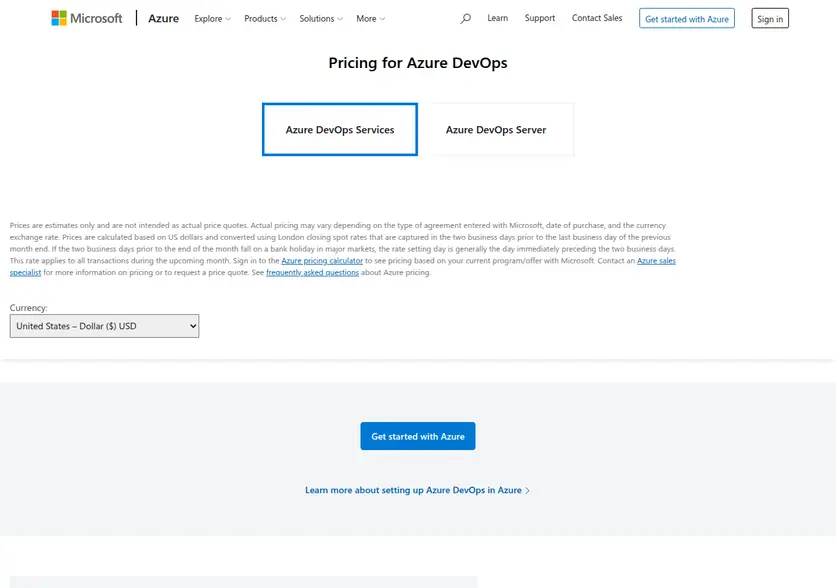
A team already on Microsoft tools will find the fit here, since this Azure DevOps plan costs six dollars per user a month on Basic after the first five users are free. Boards, repos and pipelines live in one place, and the integration with Visual Studio and GitHub keeps developers in the tools they know. It is the natural sprint choice here for a Microsoft team.
What we like
- First five users are free
- Boards, repos and pipelines in one place
- Strong integration with Visual Studio and GitHub
Watch out for
- Test Plans cost fifty-two dollars per user a month
- The interface assumes a Microsoft workflow
How to try it
- Create the organization and add the team
- Build the backlog and plan the first sprint
- Track the board and burndown through the sprint
3. Monday.com
Best for: Teams that want boards everyone understands
Paid tool Starting price: $9/seat/month · Nine dollars per seat a month on Basic billed annually, or twelve dollars month to month; Standard is twelve dollars and Pro is nineteen dollars; a three-seat minimum applies, so the floor is twenty-seven dollars a month
Free plan: Free plan (up to 2 seats)
A team that wants colourful boards everyone understands will like the look here, since this Monday.com plan costs nine dollars per seat a month billed annually on Basic. Its templates cover sprints, roadmaps and bugs, and automations move work without manual steps. It is the most visual sprint tool here for a team that includes non-developers.

What we like
- Visual boards that non-developers enjoy
- Automations that move work without manual steps
- Templates for sprints, roadmaps and bugs
Watch out for
- A three-seat minimum sets a twenty-seven dollar floor
- Advanced sprint reporting needs the Pro plan
How to try it
- Pick the sprint template and add the team
- Add the backlog items and set the sprint dates
- Run the daily standup from the board
4. Asana
Best for: Teams that plan sprints beside other work
Paid tool Starting price: $10.99/user/month · Ten dollars and ninety-nine cents per user a month on Starter billed annually, or thirteen dollars and forty-nine cents month to month; Advanced is twenty-four dollars and ninety-nine cents; the Personal plan is free for up to two users
Free plan: Free plan (up to 2 users)
A team that plans sprints alongside marketing and ops work will find the fit here, since this Asana plan costs ten dollars and ninety-nine cents per user a month billed annually on Starter. Timeline and board views live in one project, and goals and portfolios connect sprints to the rest of the company. It is the best cross-team sprint tool here for a company that plans everything in one place.

What we like
- Timeline and board views in one project
- Goals and portfolios for cross-team work
- Free plan for up to two users
Watch out for
- Advanced sprint features need the dearer plan
- The free plan caps at two users
How to try it
- Create the project and switch to board view
- Add tasks to the backlog and set the sprint
- Track progress in the timeline each week
5. ClickUp
Best for: Teams that want docs, goals and sprints together
Paid tool Starting price: $9/user/month · Nine dollars per user a month on Core billed annually, or twelve dollars month to month; Business is seventeen dollars a month billed annually; the price is settled from the vendor page in November 2026
Free plan: Free plan
A team that wants docs, goals and sprints in one app will find the bundle here, since this ClickUp plan costs nine dollars per user a month billed annually on Core. Its many views run from board to Gantt, and the free plan suits small teams that want to try before paying. It is the most flexible sprint tool here for a team that wants everything in one app.

What we like
- Docs, goals and sprints in one app
- Many views, from board to Gantt
- Free plan that suits small teams
Watch out for
- The feature list can overwhelm new teams
- Some views need the Business plan
How to try it
- Create a Space and add the sprint list
- Add tasks, estimates and the sprint dates
- Track the sprint with the burndown view
6. Trello
Best for: Teams that want the simplest sprint board
Paid tool Starting price: $5/user/month · Five dollars per user a month on Standard billed annually, or six dollars month to month; Premium is ten dollars and Enterprise is seventeen dollars and fifty cents
Free plan: Free plan
A team that wants the simplest possible sprint board will find it here, since this Trello plan costs five dollars per user a month billed annually on Standard. Cards move across lists in seconds, and Power-Ups add the calendar and reporting a sprint needs. It is the simplest sprint tool here for a team that hates setup.

What we like
- Simplest board in this list to learn
- Lowest paid price in this list
- Power-Ups add calendar and reporting
Watch out for
- No built-in burndown or velocity reports
- Sprint features need Power-Ups and the Premium plan
How to try it
- Create a board with backlog, sprint and done lists
- Add cards and set the sprint dates
- Move cards across the board each day
7. Smartsheet
Best for: Teams that plan sprints in sheets
Paid tool Starting price: $9/member/month · Nine dollars per member a month on Pro billed annually, or twelve dollars month to month, for one to ten members; Business is nineteen dollars billed annually or twenty-four dollars month to month
Free plan: No free plan; 30-day free trial
A team that plans sprints in sheets will find the comfort here, since this Smartsheet plan costs nine dollars per member a month billed annually on Pro. Its spreadsheet feel suits finance-minded teams, and Gantt and card views sit in the same project. It is the most sheet-like sprint tool here for a team that thinks in rows.

What we like
- Spreadsheet feel that finance teams trust
- Gantt and card views in one project
- Automations for approvals and alerts
Watch out for
- No free plan, only a thirty-day trial
- Pro caps at ten members
How to try it
- Create a sheet from the sprint template
- Add the backlog rows and set the sprint dates
- Switch to card view for the daily standup
8. Linear
Best for: Product teams that want speed above all
Paid tool Starting price: $8/user/month · Eight dollars per user a month on Standard billed annually, or ten dollars month to month; Business and Plus are fourteen dollars; the free plan covers up to two hundred and fifty active issues
Free plan: Free plan (up to 250 active issues)
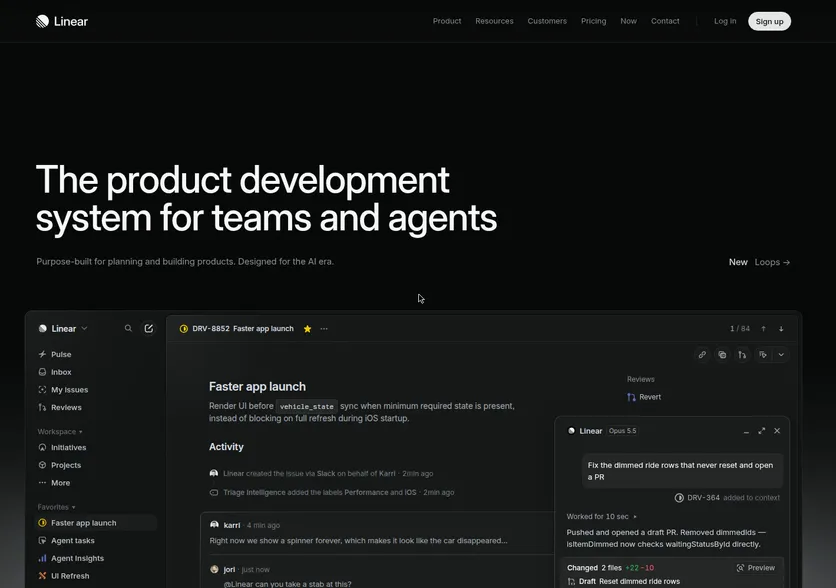
A product team that wants speed above all will find it here, since this Linear plan costs eight dollars per user a month billed annually on Standard. Its interface is the fastest in this list, and the keyboard-first workflow suits developers who live in their editor. It is the quickest sprint tool here for a product team that hates waiting on its tools.
What we like
- Fastest interface in this list
- Free plan covers two hundred and fifty issues
- Keyboard-first workflow developers enjoy
Watch out for
- Fewer reporting options than Jira
- The free plan caps at two hundred and fifty issues
How to try it
- Create the team and import the backlog
- Plan the cycle and set the issue estimates
- Track progress in the cycle view each day
Prices above were checked on each vendor’s own website on Nov 28, 2026 and can change — the vendor’s page is the final word. Vendor links are editorial: nobody paid to be listed or ranked here. Vendors who want a featured listing can see how it works on our Get listed page.
How to pick a sprint tool the team will actually open
Start with the team size, because a tool that is free for five users can cost hundreds for fifty, and the per-user price multiplies fast. Check whether the sprint reports the team needs, burndown, velocity and capacity, are included or locked behind a dearer plan, since a board without reporting is just a list. Then test the mobile app, because standups happen away from desks and a tool that only works on desktop gets ignored. Finally, run one real sprint on the trial before paying, and ask the team whether the board helped or got in the way.
Before you buy
- Count the real team size and multiply the per-user price across it
- Check whether burndown, velocity and capacity reports are included
- Test the mobile app, since standups happen away from desks
- Run one real sprint on the trial before paying for a year
- Ask the team whether the board helped or got in the way
Official websites
Official websites of the products reviewed above. Features and prices were checked against these sites when this guide was written, and they can change, so confirm on the vendor site before you buy.
Frequently asked questions
What is agile sprint planning software?
It is software that helps a team plan work in short sprints, usually one to four weeks, by holding a backlog, estimating stories, starting the sprint and tracking progress on a board. It shows burndown, velocity and capacity so the team knows whether the sprint is on track. Most tools also link sprints to releases, goals and bug tracking.
How much does Jira cost for sprint planning?
Jira costs nine dollars and seventy cents per user a month on Standard for one to one hundred users billed monthly, or nineteen dollars and sixty cents for Premium. Annual billing runs in fixed tiers, such as nine hundred and fifty dollars a year for up to ten users. The free plan covers up to ten users, and the eight dollar forty-eight figure seen online is a blended figure, not the list price.
Is there a free agile sprint planning tool?
Yes. Jira, Asana, ClickUp, Trello, Linear and Azure DevOps all offer free plans, with limits from two users on Asana to two hundred and fifty active issues on Linear. These are genuine free tiers rather than trials, so a small team can run real sprints without paying. Paid plans add reporting, automation and higher limits.
Which sprint tool is cheapest for a small team?
Trello is the cheapest paid option at five dollars per user a month billed annually, and Azure DevOps is free for the first five users. Linear costs eight dollars per user a month with a generous free plan. Teams that need deep sprint reporting should look at Jira, which costs nine dollars and seventy cents per user a month on Standard.
Why do Jira prices online disagree?
One November 2026 read lists Jira Standard at seven dollars and seventy-five cents per user a month, which conflicts with the settled nine dollar seventy cent monthly list price used in this list. The eight dollar forty-eight figure is a derived blended figure, not a list price. Always check the vendor pricing page before buying, since blended and promotional figures cause most of the confusion.
Compare the eight tools above, then run one real sprint on a free trial with the tool that matches the team size before paying for a year.
Browse Productivity Tools tools