On this page
DevOps teams live in two worlds: the code in the repository and the work on the board. The right project tool keeps those worlds in sync, so a pull request, a failed build and a sprint goal all point at the same ticket. Jira is our first pick — the deepest DevOps board, with sprints, releases and automation in one place. Below are eight tools that DevOps teams run, compared on price, pipeline integration and planning depth, with prices checked on November 25, 2026. Pick the one that matches how your team ships.
How we researched this
We started from the project tools DevOps teams pay for, then checked each price on the vendor pricing page on November 25, 2026. We judged them for a delivery team that ships code weekly and needs board, repository and pipeline to agree.
Compare the tools
| Name | Best for | Starting price | Free plan | |
|---|---|---|---|---|
 Jira | DevOps teams that need sprints, releases and automation in one tracker | $9.70/user/month | Free plan | Visit |
 Linear | Product and engineering teams that value speed over configuration | $10/month | Free plan | Visit |
 Azure DevOps | Microsoft shops that want boards, repos and pipelines in one bill | $6/month | Free for 5 users | Visit |
 Asana | DevOps teams that need goals and portfolios alongside engineering work | $10.99/month | Free plan | Visit |
 Monday.com | DevOps leads who need stakeholder visibility without training | $12/month | Free plan | Visit |
 ClickUp | Teams that want docs, sprints and dashboards in one workspace | $9/month | Free plan | Visit |
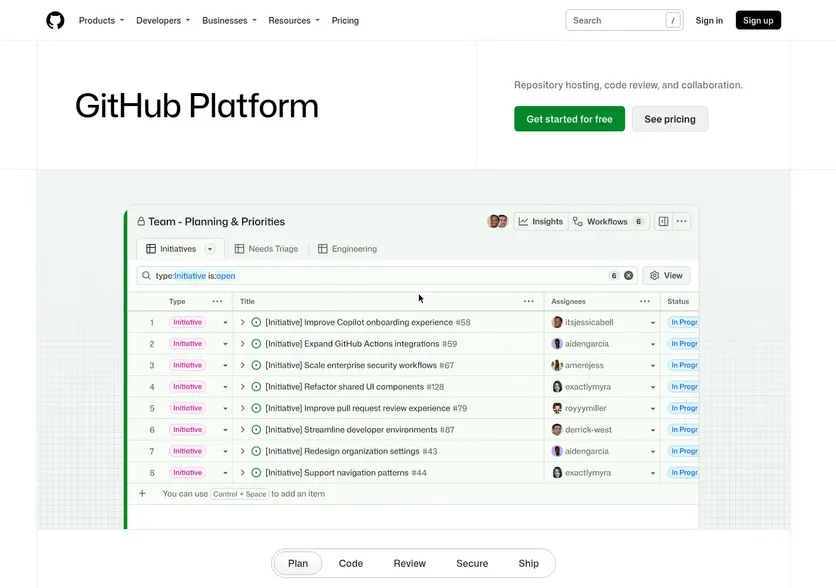
 GitHub Issues | Dev teams that already live on GitHub and want planning beside code | $4/month | Free plan | Visit |
 YouTrack | Engineering teams that want full features at a small-team price | $5.40/month | Free plan | Visit |
The DevOps project tools, compared
1. Jira
Best for: DevOps teams that need sprints, releases and automation in one tracker
Paid tool Starting price: $9.70/user/month · Standard plan, $9.70 a user a month on monthly billing for 1 to 100 users (Atlassian list price after the October 13, 2026 rise); annual plans are sold in fixed user tiers ($950 a year for up to 10 users; $9,700 for up to 100); Premium $19.60 a user a month on monthly billing; free plan for up to 10 users
Free plan: Free plan
Jira is the default board for software teams, and its depth is the reason it stays the default. This Jira plan ties issues, sprints and releases to one backlog, so a ticket can carry a story from planning to deployment. Automation rules and Rovo AI helpers handle the repetitive triage, while Premium adds cross-project planning for larger delivery groups.

What we like
- Deep sprint and release planning for software teams
- Automation cuts repetitive triage
- Huge integration library
Watch out for
- Setup takes time and can overwhelm small teams
- Costs climb fast past a hundred users
How to try it
- Start a Standard trial on the Jira pricing page
- Create a project and plan your first sprint
- Connect a repository and set one automation rule
2. Linear
Best for: Product and engineering teams that value speed over configuration
Paid tool Starting price: $10/month · Basic plan, billed annually; $12 per user per month billed monthly; free plan with 250 issues and 2 teams
Free plan: Free plan
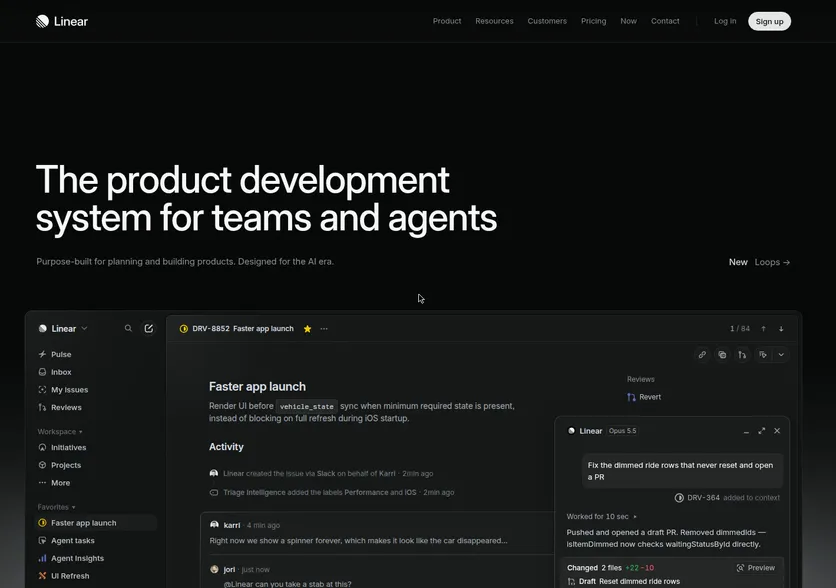
Linear wins teams over with speed, and it keeps them with focus. This Linear plan turns issues into cycles and projects without the configuration overhead that slows bigger trackers down, and updating work never breaks a developer flow state. The Business tier adds private teams, guest accounts and triage intelligence for groups that work with outside contributors.
What we like
- Blazing fast interface with shortcuts everywhere
- Cycles and projects keep planning light
- Clean GitHub and Slack integrations
Watch out for
- No built-in time tracking for billable work
- Private teams and guests need Business
How to try it
- Create a free workspace on the Linear pricing page
- Import your issues and set up your first cycle
- Invite the team and try the triage inbox for a week
3. Azure DevOps
Best for: Microsoft shops that want boards, repos and pipelines in one bill
Paid tool Starting price: $6/month · Basic plan per user per month after the first 5 users free; Basic plus Test Plans $52 per user per month
Free plan: Free for 5 users
Azure DevOps is the all-in-one bet for teams already living in Microsoft tooling. This Azure DevOps plan bundles boards, unlimited private repositories, pipelines and artifacts under one bill, so code, builds and work items share the same permissions and history. The first five users cost nothing, making it the cheapest serious start here for a small Microsoft shop.
What we like
- Boards, repos, pipelines and artifacts under one login
- First five users free
- Deep Visual Studio and GitHub integration
Watch out for
- Interface feels dated next to newer trackers
- Test Plans costs far more than Basic
How to try it
- Create a free Azure DevOps organization
- Add a project with boards and a repository
- Set up a pipeline and run your first build
4. Asana
Best for: DevOps teams that need goals and portfolios alongside engineering work
Paid tool Starting price: $10.99/month · Starter plan, billed annually; $13.49 per user per month billed monthly; Personal plan free for up to 2 users
Free plan: Free plan
Asana brings order to delivery work without asking engineers to learn a new language. This Asana plan maps goals and portfolios onto the same tasks developers already update, so leadership sees progress without chasing status reports. Timeline views and unlimited automations keep cross-team releases on schedule, and the two-way Jira sync lets engineering stay in Jira.

What we like
- Polished timelines and dashboards anyone can read
- Unlimited automations from Starter up
- Two-way Jira sync keeps engineers in their tool
Watch out for
- Portfolio features need the pricier Advanced tier
- Per-user pricing adds up fast on large teams
How to try it
- Start a Starter trial on the Asana pricing page
- Build a project with timeline and custom fields
- Connect Jira with the two-way sync
5. Monday.com
Best for: DevOps leads who need stakeholder visibility without training
Paid tool Starting price: $12/month · Standard plan, billed annually; $14 per user per month billed monthly; Basic $9 and Pro $19 billed annually; 3-seat minimum
Free plan: Free plan
Monday turns a delivery pipeline into a board anyone can read at a glance. This Monday plan gives each team a visual workspace with timelines, automations and integrations, so stand-ups run from the board instead of from memory. Standard adds timeline and Gantt views plus guest access, the combination most DevOps leads reach for when stakeholders want visibility.

What we like
- Visual boards stakeholders understand at a glance
- Strong automations and integrations on Standard
- Guest access lets clients follow progress
Watch out for
- Seats sell in fixed bundles, so odd sizes overpay
- Timeline and Gantt views are missing on Basic
How to try it
- Start a Pro trial on the Monday pricing page
- Pick a delivery template and add your team
- Set up one automation and a timeline view
6. ClickUp
Best for: Teams that want docs, sprints and dashboards in one workspace
Paid tool Starting price: $9/month · Core plan, billed annually; regular price $12 per user per month; Business $17 billed annually; Free Forever plan
Free plan: Free plan
ClickUp tries to replace the whole delivery stack in one workspace. This ClickUp plan covers docs, goals, sprints, dashboards and time tracking, so a team can run planning, execution and reporting without stitching tools together. Core is the cheapest paid seat here for teams that want Gantt charts, while Business adds workload views and timesheets.

What we like
- One workspace for tasks, docs, goals and time tracking
- Core is the cheapest paid seat here
- Generous free plan for trying the tool
Watch out for
- So many features that setup can take a week
- Upgrading one person upgrades the whole workspace
How to try it
- Create a free workspace on the ClickUp pricing page
- Set up a Space with sprints, docs and a dashboard
- Invite the team and run one sprint end to end
7. GitHub Issues
Best for: Dev teams that already live on GitHub and want planning beside code
Paid tool Starting price: $4/month · Team plan per user per month; Enterprise $21 per user per month; free plan with unlimited public and private repositories
Free plan: Free plan
GitHub Issues keeps planning exactly where the code already lives. This GitHub Issues plan is part of the Team subscription, which adds protected branches, code owners and required reviewers around the free issue tracker every developer already knows. Issues link straight to pull requests, so a fix and its review stay in the same conversation from commit to merge.
What we like
- Planning lives beside the code
- Cheapest paid seat here by a wide margin
- Huge Actions ecosystem for automation and CI
Watch out for
- Issue tracking is lighter than a dedicated tool
- Advanced planning views need third-party apps
How to try it
- Create a free organization on the GitHub pricing page
- Turn on Issues and Projects for a repository
- Add a Team trial to unlock branch protection
8. YouTrack
Best for: Engineering teams that want full features at a small-team price
Paid tool Starting price: $5.40/month · Cloud plan, monthly billing; $4.50 per user per month billed annually; free for up to 10 users; rate falls as headcount grows
Free plan: Free plan
YouTrack is the quiet value pick for engineering teams that want power without the enterprise bill. This YouTrack plan gives every team the full feature set, including agile boards, Gantt charts, time tracking and a helpdesk, with no tier holding features hostage. The per-user rate falls as headcount grows, and the first ten users are free.
What we like
- Every feature included on every plan
- Cheapest serious tracker here past ten people
- Built-in helpdesk and knowledge base included
Watch out for
- Smaller integration library than Jira or GitHub
- Interface takes a day to learn
How to try it
- Start a free cloud instance on the YouTrack buy page
- Create a project with an agile board and a Gantt chart
- Invite the team and set up one workflow automation
Prices above were checked on each vendor’s own website on Nov 25, 2026 and can change — the vendor’s page is the final word. Vendor links are editorial: nobody paid to be listed or ranked here. Vendors who want a featured listing can see how it works on our Get listed page.
What the DevOps tools cost in 2026
Price is the first filter, and the spread here is wide. The cheapest paid seat costs about four dollars a month, the priciest about twelve, and every tool offers a free plan. The prices in this guide use the headline price from each vendor pricing page, checked on November 25, 2026.
Two things to watch. First, the per-user rate is only half the bill — check whether seats sell in bundles and whether guests count. Second, compare on the free plan: run the same sprint through two trials.
Before you buy
- Count seats first, because per-user prices multiply fast past ten people and Monday.com has a 3-seat minimum.
- Check tier limits, because timelines and guests often sit one tier up from the cheapest plan.
- Trial with a real sprint, not a demo board, and run the same sprint through two free plans before you choose.
- Compare annual billing against monthly billing, since Linear is $10 a user yearly but $12 month to month.
- Check the free plan limits, because Azure DevOps is free for 5 users and YouTrack is free for up to 10.
Official websites
Official websites of the products reviewed above. Features and prices were checked against these sites when this guide was written, and they can change, so confirm on the vendor site before you buy.
Frequently asked questions
Which project management tool is best for a DevOps team in 2026?
Jira is the safest default because it covers sprints, releases and automation, and most DevOps teams know it. Linear is the better pick when speed matters more than configuration, and Azure DevOps wins when your team already lives in Microsoft tools. Pick the tool that matches how your team ships.
How much does Jira cost per user in 2026?
Jira Standard costs just under ten dollars per user each month on monthly billing for the first hundred users. Premium costs about twice as much and adds cross-project planning, unlimited storage and round-the-clock support. The free plan covers up to ten users, so a small team can start free.
Do these project tools connect to GitHub and CI pipelines?
Yes, all eight connect to GitHub, and most treat the repository as a first-class citizen. Jira and Linear link issues to pull requests and pipeline runs, while Azure DevOps and GitHub Issues keep code and planning in the same account. Check the integration list before you buy.
What is the cheapest DevOps project tool on this list?
GitHub Team is the cheapest paid seat at about four dollars per user each month, and Azure DevOps gives the first five users free. YouTrack is the next cheapest, with a free plan for up to ten users and a rate that falls as headcount grows. Count your seats before you compare.
Can I try these DevOps tools before paying?
Yes, every tool here offers a free plan, and most paid plans add a free trial of one to four weeks. Start on the free tier, then trial the paid plan with a real sprint. A demo board never shows how a tool behaves under pressure, so judge it on one real week.
Ship code all day and still need the small jobs done? Browse the free developer tools on Toolsvine — quick utilities that run in your browser.
Browse Developer Tools tools