On this page
Bulk FOIA video redaction means taking hours of body camera or surveillance footage and blurring every face, plate and document that the law says must stay private. CaseGuard leads this list at two hundred and seventy-nine dollars a user a month because it redacts video, audio and documents in one place with an audit trail. The other six tools range from nineteen dollars a month for Redactable to a two hundred and ninety-five dollar one-time DaVinci licence, and every price below was checked on the vendor site. The right tool survives a real batch, not a demo clip.
How we researched this
We checked every price on the vendor pricing page on November 28, 2026, and only included tools with a published US dollar list price. Veritone Redact and Vidizmo both sell redaction by quote, so neither of them is in this list. Prices change, so confirm the current figure on the vendor site before you buy.
Compare the tools
| Name | Best for | Starting price | Free plan | |
|---|---|---|---|---|
| CaseGuard | Public agencies that release body camera and surveillance video regularly | $279/user/month | No free plan; 7-day free trial | Visit |
 Adobe Premiere Pro | Agencies that already edit video and need redaction in the same editor | $22.99/month | No free plan; 7-day free trial | Visit |
 DaVinci Resolve Studio | Agencies that want a permanent professional editor for redaction work | $295 one-time | Free plan (free version available) | Visit |
| Avid Media Composer | Broadcast teams that already cut in Avid and need redaction in the edit | $23.99/month | No free plan; 30-day free trial | Visit |
 Final Cut Pro | Mac-based agencies that want fast editing with redaction built in | $299.99 one-time | No free plan; 90-day free trial | Visit |
| Redactable | Agencies that need fast, cheap redaction for FOIA documents | $19/month | Free plan (3 documents) | Visit |
 Adobe Acrobat Pro | Agencies that release redacted PDFs alongside their video | $19.99/month | No free plan; 7-day free trial | Visit |
The software for bulk FOIA video redactions, compared
1. CaseGuard
Best for: Public agencies that release body camera and surveillance video regularly
Paid tool Starting price: $279/user/month · $279 a user a month for Studio; Media Suite is $299 and Ultimate is $379 a user a month
Free plan: No free plan; 7-day free trial
At two hundred and seventy-nine dollars a user a month, CaseGuard Studio is the dedicated redaction platform in this list, and it handles video, audio and documents in one place. It detects faces, licence plates and screens automatically, tracks them as they move through the frame, and keeps an audit trail that proves what was redacted and when. It fits a public agency that releases video regularly and needs the redaction to stand up in court.
What we like
- Automatic detection tracks faces and plates as they move
- One platform covers video, audio and documents
- An audit trail proves what was redacted and when
Watch out for
- The highest monthly price in this list
- The seven-day trial is short for a full batch test
How to try it
- Load a real batch of body camera footage
- Run automatic detection and check the tracking accuracy
- Export one video and review the audit trail
2. Adobe Premiere Pro
Best for: Agencies that already edit video and need redaction in the same editor
Paid tool Starting price: $22.99/month · $22.99 a month for a single app on the annual plan billed monthly; Adobe lists this as first-year pricing for new subscribers and the renewal rate is not published
Free plan: No free plan; 7-day free trial
At twenty-two dollars and ninety-nine cents a month, Adobe Premiere Pro is the professional video editor in this list, and it redacts through masks, blur effects and tracking that follow a face or plate across the frame. It is not a dedicated redaction tool, so the workflow is manual, but the tracking is strong and the export options cover every format an agency needs. Adobe lists the twenty-two dollar and ninety-nine cent figure as first-year pricing for new subscribers, and the renewal rate is not published. It fits an agency that already edits video and needs redaction inside the editor it owns.
What we like
- Strong motion tracking follows faces and plates frame by frame
- Every export format an agency needs is covered
- Integrates with the rest of the Adobe editing workflow
Watch out for
- Redaction is manual, so bulk batches take real time
- The listed price is first-year pricing and the renewal rate is unpublished
How to try it
- Import one real FOIA video and set up a tracked blur
- Test the tracking on a moving face across a long clip
- Export the result and check the quality at full resolution
3. DaVinci Resolve Studio
Best for: Agencies that want a permanent professional editor for redaction work
Paid tool Starting price: $295 one-time · $295 as a one-time payment for a perpetual licence; the free version covers most editing and a separate iPad Studio licence is $94.99
Free plan: Free plan (free version available)
At two hundred and ninety-five dollars as a one-time payment, DaVinci Resolve Studio is the only perpetual licence in this list, and it is a professional editor with tracking, masking and blur tools that handle redaction well. The free version covers most editing, so a team can learn the workflow before paying, and the Studio licence adds the advanced tracking and noise reduction that long batches need. One tracker mentions a twenty per cent sale, but the list price is two hundred and ninety-five dollars. It fits an agency that wants a permanent editing tool and does not mind manual redaction.
What we like
- A perpetual licence with no subscription to renew
- A free version lets the team learn the workflow first
- Advanced tracking and masking handle moving subjects well
Watch out for
- Redaction is manual, so bulk work takes real time
- The interface has a steep learning curve for new editors
How to try it
- Install the free version and open a real FOIA clip
- Set up a tracked mask on a moving face
- Compare the Studio tracking against the free version before buying
4. Avid Media Composer
Best for: Broadcast teams that already cut in Avid and need redaction in the edit
Paid tool Starting price: $23.99/month · $23.99 a month ($269.88 a year); Ultimate is around $49.99 a month; the price is reported by third-party sources as Avid's own page is hard to read directly
Free plan: No free plan; 30-day free trial
At twenty-three dollars and ninety-nine cents a month, Avid Media Composer is the broadcast editing standard in this list, and it redacts through effects, masks and tracking in a timeline built for long-form work. It suits an agency or broadcaster that already cuts in Avid and needs the redaction to happen in the same edit. The annual figure is two hundred and sixty-nine dollars and eighty-eight cents, and the price is reported by third-party sources because Avid's own page is hard to read directly. It fits a team that already works in Avid and values broadcast reliability.
What we like
- The broadcast standard for long-form editing work
- Effects and tracking handle redaction in the timeline
- A thirty-day free trial is long enough for a real test
Watch out for
- The price is reported by third parties, not read from Avid directly
- Overkill for an agency that only needs simple blurs
How to try it
- Open a real FOIA clip in the trial and build a tracked mask
- Test the export on the format the agency releases
- Check the learning curve for staff who have never used Avid
5. Final Cut Pro
Best for: Mac-based agencies that want fast editing with redaction built in
Paid tool Starting price: $299.99 one-time · $299.99 as a one-time payment for Mac; the subscription is $12.99 a month or $129 a year through Apple Creator Studio and students pay $2.99 a month
Free plan: No free plan; 90-day free trial
At two hundred and ninety-nine dollars and ninety-nine cents as a one-time payment, Final Cut Pro is the Mac video editor in this list, and it redacts through masks, blur and object tracking in a fast magnetic timeline. It is the quickest editor here for a Mac-based team, and the trial runs for ninety days as a standalone purchase. The subscription through Apple Creator Studio costs twelve dollars and ninety-nine cents a month. It fits an agency that works entirely on Mac and wants redaction inside a fast, familiar editor.
What we like
- A one-time purchase with no subscription required
- A ninety-day trial is the longest in this list
- The magnetic timeline makes long edits fast
Watch out for
- Mac only, so a mixed-platform team cannot share the workflow
- Redaction is manual, so bulk batches take real time
How to try it
- Open a real FOIA clip in the ninety-day trial
- Track a moving face with the object tracker
- Export the result and check the quality before buying
6. Redactable
Best for: Agencies that need fast, cheap redaction for FOIA documents
Paid tool Starting price: $19/month · $19 a month for Starter with 15 documents a month; the free plan covers 3 documents
Free plan: Free plan (3 documents)
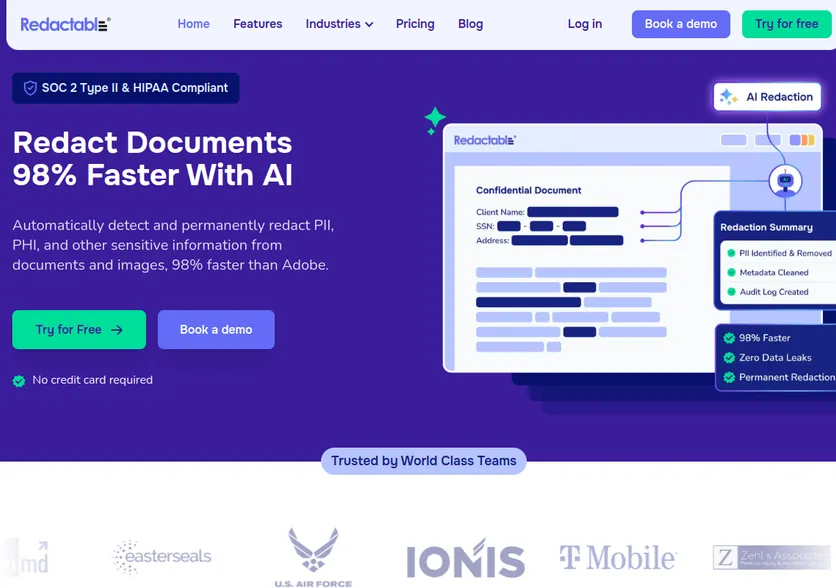
At nineteen dollars a month, Redactable is the cheapest paid redaction tool in this list, and it uses artificial intelligence to find sensitive information in documents and redact it automatically. The Starter plan covers fifteen documents a month, and the free plan covers three documents, which is enough to prove the idea. It is built for documents rather than video, so it fits the paperwork side of a FOIA request rather than the footage. It fits an agency that needs fast, cheap document redaction alongside its video work.
What we like
- Artificial intelligence finds sensitive data automatically
- The cheapest paid plan in this list
- A free plan covers three documents a month
Watch out for
- Built for documents, not for video redaction
- Fifteen documents a month is a small allowance for a busy agency
How to try it
- Upload three real FOIA documents on the free plan
- Check the automatic detection against a manual review
- Compare the certificate output with what the agency must file
7. Adobe Acrobat Pro
Best for: Agencies that release redacted PDFs alongside their video
Paid tool Starting price: $19.99/month · $19.99 a user a month on the annual plan billed monthly ($239.88 a year); $29.99 a month month to month; Acrobat Pro for Teams is $23.99 a seat a month
Free plan: No free plan; 7-day free trial
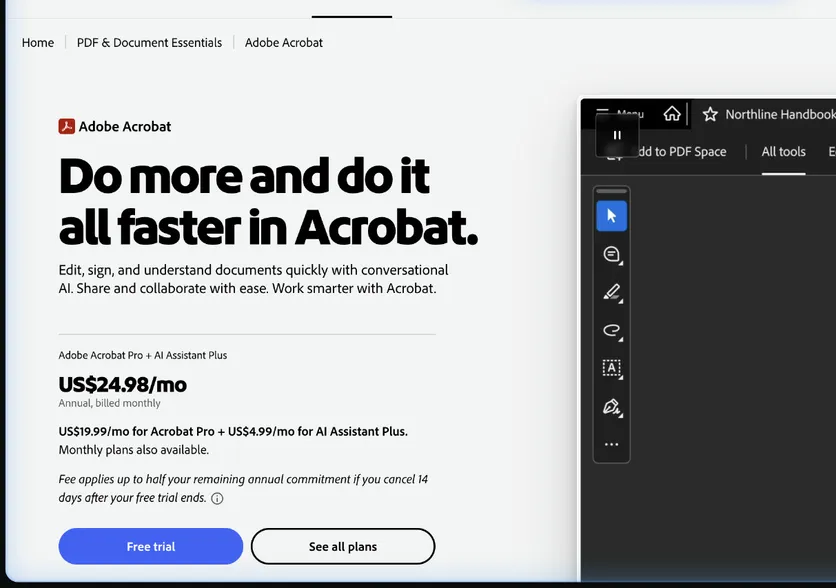
At nineteen dollars and ninety-nine cents a month billed annually, Adobe Acrobat Pro is the PDF redaction tool in this list, and it removes text, images and whole pages from documents with a proper audit trail. Its pattern search finds account numbers and dates across a file in one pass, and the sanitise step strips hidden metadata that a black box alone would leave behind. It is the safest default for the document half of a FOIA request, and most agencies already own it. It fits any team that releases redacted PDFs alongside its video.
What we like
- Built-in redaction with pattern search across a whole file
- Sanitising strips the hidden metadata a black box misses
- Most agencies already own it, so there is nothing new to learn
Watch out for
- It redacts PDFs, not video, so it covers only half the job
- The seven-day trial is short for a full evaluation
How to try it
- Open a real FOIA PDF and run the pattern search
- Redact one page and check the metadata is gone
- Export the clean copy and compare it with the original
Prices above were checked on each vendor’s own website on Nov 28, 2026 and can change — the vendor’s page is the final word. Vendor links are editorial: nobody paid to be listed or ranked here. Vendors who want a featured listing can see how it works on our Get listed page.
How to redact a FOIA batch without missing a face
Start with the highest-risk footage, not the easiest, because the batch that matters most is the one most likely to be checked. Run automatic detection first, then watch every minute yourself, since no tracker catches every face in a crowd or every plate at night. Keep a second reviewer on the final export, because a fresh pair of eyes catches what the first reviewer stopped seeing. Save the audit trail with the released file, and keep the original separate, so nobody can send the wrong version to a requester by mistake.
Before you buy
- Confirm the tool tracks faces and plates as they move, not just in a single still frame
- Check whether the audit trail proves what was redacted and when, in a form a court accepts
- Ask how the tool handles long batches, since a demo clip hides performance problems
- Make sure the export format matches what the agency actually releases to requesters
- Test the tool on a real batch of body camera footage before paying for a full year
Official websites
Official websites of the products reviewed above. Features and prices were checked against these sites when this guide was written, and they can change, so confirm on the vendor site before you buy.
Frequently asked questions
What is bulk FOIA video redaction software?
Bulk FOIA video redaction software blurs faces, licence plates, documents and other private details in video before release under a public records request. The best tools detect those details automatically and track them as they move through the frame, then keep an audit trail that proves what was redacted. Without it, an agency would have to blur every frame by hand, which is slow, expensive and easy to get wrong.
How much does FOIA video redaction software cost?
The seven tools here range from nineteen dollars a month for Redactable to two hundred and seventy-nine dollars a user a month for CaseGuard, the dedicated platform. The editors sit in the middle: Premiere Pro costs twenty-two dollars and ninety-nine cents a month, while DaVinci Resolve Studio and Final Cut Pro cost two hundred and ninety-five and two hundred and ninety-nine dollars and ninety-nine cents once. Compare the cost per released hour of video, not the headline price.
Can I use a video editor instead of a dedicated redaction tool?
A video editor such as Premiere Pro, DaVinci Resolve or Final Cut Pro can redact well when the volume is low, because their tracking and masking tools follow a face or plate across the frame. The work is manual, so a batch of dozens of hours becomes slow and expensive. A dedicated tool such as CaseGuard earns its price when the agency releases video every week, because automatic detection and an audit trail cut the review time dramatically.
Which FOIA redaction tool is best for a small agency?
CaseGuard is the best pick for a small agency that releases video regularly, because it is built for the job and its audit trail stands up in court. DaVinci Resolve Studio at two hundred and ninety-five dollars once is the better choice when the agency only redacts occasionally and already edits video. Redactable at nineteen dollars a month covers the document half of a FOIA request, which is often the larger part of the work.
Why are Veritone Redact and Vidizmo not in this list?
Veritone Redact and Vidizmo both sell video redaction, but neither publishes a price, so they sell by quote and a reader cannot compare them fairly against the tools here. Every tool in this list has a published US dollar list price that was checked on the vendor site on November 28, 2026. An agency that needs one of the quoted platforms should request a price directly and compare the total against the published options here.
Compare the seven tools above, then start with a free trial on the tool that matches how the agency already edits and releases video before paying for a full year.
Browse Video Tools tools