On this page
Estate planning files are full of account numbers, dates of birth and family details that must stay private, so redaction has to be exact and provable. The eight tools below cover that job for firms of every size, from a desktop editor for the occasional will to a suite that redacts whole batches of trust documents. Adobe Acrobat Pro leads because it redacts, converts and signs in the app most firms already own for nineteen dollars and ninety-nine cents a month, and the rest are ranked on how safely they remove sensitive data for the price.
How we researched this
We checked every price on the vendor pricing page on November 28, 2026, and only included tools with a published US dollar list price. The big eDiscovery platforms that sell redaction by quote, including Relativity, Everlaw, Logikcull, DISCO, iCONECT, Casepoint and Opus 2, publish no prices, so they are not in this list. Prices change, so confirm the current figure on the vendor site before you buy.
Compare the tools
| Name | Best for | Starting price | Free plan | |
|---|---|---|---|---|
 Adobe Acrobat Pro | Estate firms that already live in PDF files | $19.99/month | 7-day free trial | Visit |
| Redactable | Small firms that want AI redaction in the cloud | $19/month | Free plan (3 documents) | Visit |
| iDox.ai | Firms redacting mixed scans, Word files and PDFs | $39/month | 7-day free trial | Visit |
 Foxit PDF Editor | Teams that want a cheaper full desktop editor | $129.99/year | 14-day free trial | Visit |
 Wondershare PDFelement | Budget buyers who want a desktop editor with redaction | $79.99/year | 14-day free trial | Visit |
 Nitro PDF Pro | Windows teams that want an Office-style editor | $15/user/month | No free plan; 14-day free trial | Visit |
| CaseGuard Studio | Firms with strict on-premise privacy rules | $279/user/month | 7-day free trial | Visit |
| RedactifyAI | Firms redacting many short Word documents | $19/month | Free plan (50 pages a month) | Visit |
The legal redaction software for estate planning firms, compared
1. Adobe Acrobat Pro
Best for: Estate firms that already live in PDF files
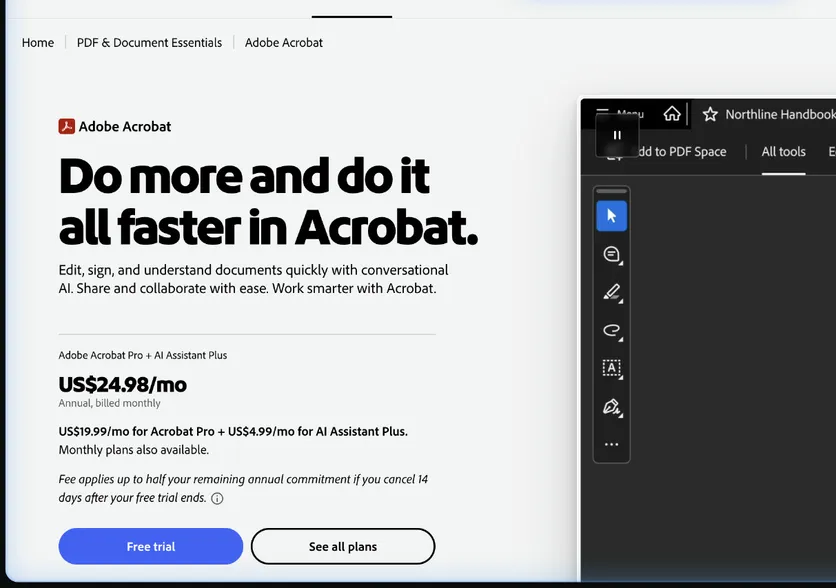
Paid tool Starting price: $19.99/month · Nineteen dollars and ninety-nine cents per user a month on the annual plan billed monthly ($239.88 a year); $29.99 a month month to month; Acrobat Pro for Teams is $23.99 a seat a month
Free plan: 7-day free trial
For an estate planning firm that already works in PDF files all day, this Adobe Acrobat Pro plan costs nineteen dollars and ninety-nine cents a month billed annually, and it redacts text, images and whole pages without a second app. Its pattern search finds account numbers and dates across a trust file in one pass, and the sanitise step strips hidden metadata that a black box alone would leave behind. It is the safest default for a firm that wants redaction inside the editor it already pays for.
What we like
- Built-in redaction with pattern search and sanitise
- OCR turns scans into searchable, editable text
- Compare, forms, signatures and cloud storage in one app
Watch out for
- The annual plan charges half the remaining term if cancelled after 14 days
- Redaction is pattern-based, not AI entity detection
How to try it
- Open the PDF and choose the Redact tool from the toolset
- Mark the text, images or pages to remove and apply the redactions
- Run Sanitize to strip hidden metadata, then save a clean copy
2. Redactable
Best for: Small firms that want AI redaction in the cloud
Paid tool Starting price: $19/month · Nineteen dollars a month on Starter for 15 documents of any length; Pro Plus is $99 a month for 150 documents; first 3 documents free with no card
Free plan: Free plan (3 documents)
A small estate practice that redacts a handful of wills and trusts each month gets a purpose-built cloud tool here, since this Redactable plan costs nineteen dollars a month for fifteen documents of any length. Its AI finds names, dates and account numbers automatically, then strips hidden metadata and embedded objects in the same step and issues a certificate for the job. The free plan covers three documents, so a firm can test it on a real file before paying.

What we like
- AI finds names, dates and account numbers automatically
- Strips hidden metadata and embedded objects in one step
- Issues a redaction certificate for every finished job
Watch out for
- Starter caps at 15 documents a month, so busy months push you up a tier
- Cloud-only, so files leave the office network to be processed
How to try it
- Upload the PDF or image and let the AI flag sensitive details
- Review each suggested redaction and add any missed items by hand
- Apply the redactions, download the certificate and save the clean file
3. iDox.ai
Best for: Firms redacting mixed scans, Word files and PDFs
Paid tool Starting price: $39/month · Thirty-nine dollars a month on Suite Starter for 5,000 pages a year; Premium is $89 a month for 50,000 pages a year; Enterprise, legal and government plans are quoted
Free plan: 7-day free trial
When the estate file mixes scanned wills, Word drafts and old paper records, this iDox.ai plan costs thirty-nine dollars a month for five thousand pages a year, and it covers dozens of file formats in one cloud app. Legal templates speed up the common estate patterns, and every finished job carries its own certificate for the file. It suits a firm that redacts a steady stream of mixed documents rather than one format only.

What we like
- Covers 47 file formats including PDF, Word and scans
- A certificate is issued for every redaction job
- Templates for legal, healthcare and finance work
Watch out for
- Starter is capped at 5,000 pages a year
- Co-review is only on the Premium plan
How to try it
- Upload the document and pick the legal redaction template
- Check the AI detections against the file before applying them
- Export the redacted file with its job certificate attached
4. Foxit PDF Editor
Best for: Teams that want a cheaper full desktop editor
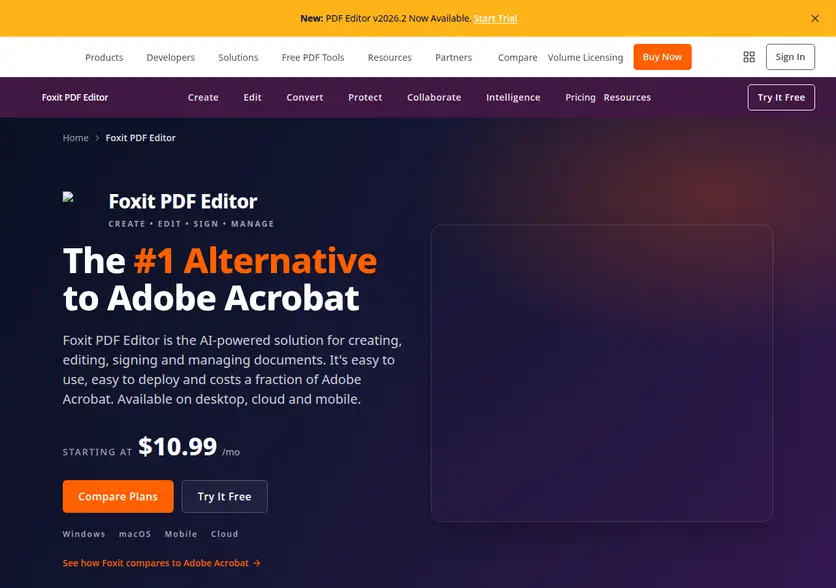
Paid tool Starting price: $129.99/year · One hundred and twenty-nine dollars and ninety-nine cents per user a year; monthly billing is $10.99 a month; Editor+ is $159.99 a year and adds mobile apps, AI Smart Redact and eSign envelopes; a perpetual Editor 14 licence is $209.99 one time
Free plan: 14-day free trial
A firm that wants the full desktop editor without the Adobe price finds it here, because this Foxit PDF Editor plan costs one hundred and twenty-nine dollars and ninety-nine cents per user a year. It edits, converts, runs OCR and protects documents on Windows, Mac and the web, and the dearer Editor+ tier adds AI Smart Redact for automatic detection. It is the best value desktop editor in this list for a team that redacts every week.
What we like
- AI Smart Redact on Editor+ finds sensitive data for you
- Full desktop editor for about half the yearly cost of Acrobat Pro
- Familiar ribbon interface that Office users pick up fast
Watch out for
- AI Smart Redact needs the Editor+ tier, not the base plan
- Paying yearly up front is the only way to get the headline rate
How to try it
- Open the PDF in Foxit and choose Protect, then Redact
- Search for patterns such as account numbers or use Smart Redact
- Apply the redactions and save the sanitised copy for filing
5. Wondershare PDFelement
Best for: Budget buyers who want a desktop editor with redaction
Paid tool Starting price: $79.99/year · Seventy-nine dollars and ninety-nine cents a year on the yearly plan (list $129); a two-year plan is $109.99 and a perpetual licence is $129.99 one time; some listings show $129.99 a year for the Pro tier, so confirm the plan at checkout
Free plan: 14-day free trial
Budget-conscious estate firms get a complete editor at a low yearly price with this Wondershare PDFelement plan, which costs seventy-nine dollars and ninety-nine cents a year on the yearly plan. It covers editing, OCR, forms, batch work and Smart Redact, and a perpetual licence is available for firms that dislike subscriptions. It is the cheapest way onto a full desktop editor that still redacts properly.
What we like
- Budget price with a one-time perpetual licence option
- Smart Redact plus OCR, forms and batch processing
- Runs on Windows, Mac, iOS, Android and the web
Watch out for
- The cheapest yearly rate is an auto-renew first-year figure
- Redaction and AI features vary between the yearly and perpetual plans
How to try it
- Open the PDF and select the Redact tool from the Protect menu
- Mark sensitive passages or let Smart Redact find them
- Apply the redactions, then export a clean copy for the client
6. Nitro PDF Pro
Best for: Windows teams that want an Office-style editor
Paid tool Starting price: $15/user/month · Fifteen dollars per user a month billed annually ($180 a year); a Classic perpetual licence is $270 for three years; some reads of the vendor page show no numeric price because the page renders it by quote, but multiple November 2026 reads agree on $15
Free plan: No free plan; 14-day free trial
A Windows-heavy estate practice that runs on Microsoft 365 will feel at home here, since this Nitro PDF Pro plan costs fifteen dollars per user a month billed annually. The ribbon interface mirrors Office, the admin console manages licences for the whole firm, and signing and conversion sit in the same app. Redaction is manual marking rather than AI detection, so it fits firms that redact a few pages at a time.
What we like
- Office-style interface that Windows teams learn in a day
- Admin console manages licences for the whole firm
- Signing and conversion tools included in the same app
Watch out for
- Redaction is manual marking rather than AI detection
- The vendor pricing page sometimes renders no figure without a quote flow
How to try it
- Open the document and choose the redaction tool from the ribbon
- Highlight the passages to remove and confirm each one
- Apply the redactions and save the cleaned file for sharing
7. CaseGuard Studio
Best for: Firms with strict on-premise privacy rules
Paid tool Starting price: $279/user/month · Two hundred and seventy-nine dollars per user a month billed annually on the Doc Suite; Media Suite is $299 and Ultimate Suite is $379; older listings show a $99 a month Doc figure, which appears stale against the November 2026 vendor reads
Free plan: 7-day free trial
For a firm whose confidentiality rules forbid client files leaving the building, this CaseGuard Studio plan costs two hundred and seventy-nine dollars per user a month billed annually, and it redacts documents, video, audio and images on the firm's own computers. It opens hundreds of file types including email archives, and its audit reports track every redaction for compliance. It is the most thorough option here, and the most expensive by a wide margin.
What we like
- Redacts documents, video, audio and images in one suite
- Everything runs on the firm's own computers, not in the cloud
- Audit reports track every redaction for compliance
Watch out for
- Desktop-only, so remote teams cannot share a cloud workspace
- The entry price is far above the cloud redaction tools
How to try it
- Install the Doc Suite and import the PDFs, emails or scans
- Run AI detection across the batch and review the flagged items
- Apply the redactions and export the audit report with the files
8. RedactifyAI
Best for: Firms redacting many short Word documents
Paid tool Starting price: $19/month · Nineteen dollars a month on Starter for 500 pages; Pro is $66 a month for 2,000 pages and 3 seats; per-page pricing suits short documents better than per-document pricing
Free plan: Free plan (50 pages a month)
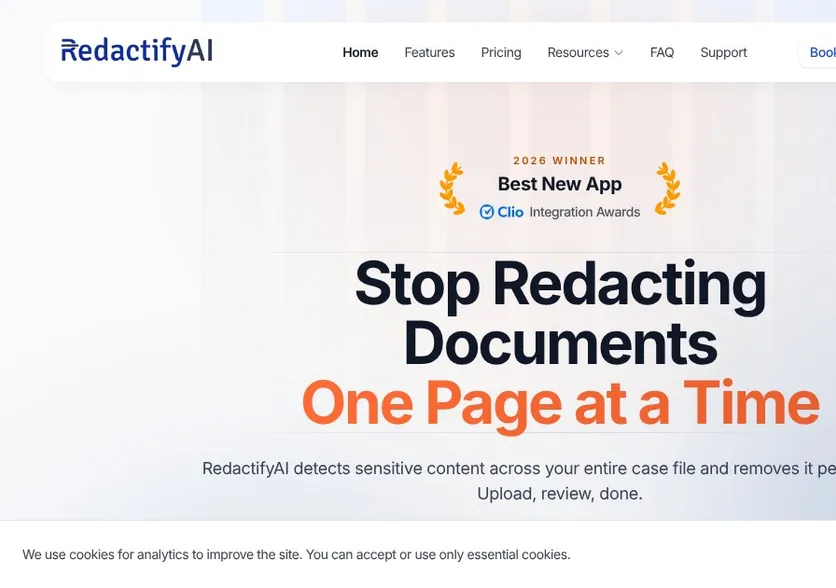
A firm that redacts mostly short Word documents gets more for its money here, because this RedactifyAI plan costs nineteen dollars a month for five hundred pages. Its AI review checks detections across dozens of entity types, and the Clio integration keeps redaction beside the matter file. Page-based pricing favours a practice with many short letters and forms over one with a few very long files.
What we like
- AI review checks detections across 40 plus entity types
- Page-based pricing favours firms with many short documents
- Clio integration keeps redaction beside the matter file
Watch out for
- A 100-page file eats a fifth of the Starter monthly allowance
- Word-file redaction is its strength, so pure PDF shops get less value
How to try it
- Upload the Word or PDF file and run AI detection
- Review the flagged entities and correct any false positives
- Apply the redactions and download the cleaned document
Prices above were checked on each vendor’s own website on Nov 28, 2026 and can change — the vendor’s page is the final word. Vendor links are editorial: nobody paid to be listed or ranked here. Vendors who want a featured listing can see how it works on our Get listed page.
How to redact an estate file without leaving anything behind
Start with a copy, never the original, because a redaction that cannot be undone is the whole point and also the whole risk. Run the automatic detection first, then read every page yourself, since no AI catches every account number in a scanned trust amendment. Check the hidden data too: metadata, embedded images and old revisions can leak the very details the black boxes hide, so sanitise the file after redacting. Keep the audit trail with the matter file, and store the clean copy separately from the original so nobody sends the wrong version to a beneficiary.
Before you buy
- Confirm the tool removes the text and metadata underneath, not just draws a black box over it
- Check whether redaction covers the file types the firm actually handles, including scans and email
- Ask if the tool issues an audit trail or certificate that proves the redaction happened
- Make sure the data stays where the firm's confidentiality rules require, on-premise or in the US cloud
- Test the tool on a real trust file before paying, including a scanned page with handwriting
Official websites
Official websites of the products reviewed above. Features and prices were checked against these sites when this guide was written, and they can change, so confirm on the vendor site before you buy.
Frequently asked questions
What is legal redaction software for estate planning firms?
It is software that permanently removes sensitive details such as account numbers, dates of birth and beneficiary names from wills, trusts and financial statements before those documents are shared or filed. Good tools also strip hidden metadata, embedded images and old revisions, and they keep an audit trail that proves what was removed and when.
How much does Adobe Acrobat Pro cost for redaction?
Adobe Acrobat Pro costs nineteen dollars and ninety-nine cents per user a month on the annual plan billed monthly, or twenty-nine dollars and ninety-nine cents month to month. That plan includes redaction with pattern search, OCR, comparison, forms and e-signatures, plus a seven-day free trial, which is why it leads this list for firms that already work in PDF files.
Can I redact estate documents for free?
Yes, with Redactable, which offers a free plan covering three documents with no card required, and RedactifyAI, which offers a free plan of fifty pages a month. Both are genuine free tiers rather than trials, so a small firm can redact the occasional will without paying. Busy firms will outgrow either free tier quickly and should compare the paid plans above.
Is cloud redaction safe for confidential estate files?
It can be, if the vendor stores data in the US, encrypts it and holds SOC 2 certification, as Redactable does on AWS. Firms with stricter rules should use an on-premise tool such as CaseGuard Studio, which processes everything on the firm's own computers and never sends a file to the cloud. Check the vendor security page and the firm's own confidentiality duties before choosing.
Which tool is best for a small estate planning firm?
Redactable is the best value for a small firm, at nineteen dollars a month for fifteen documents, with AI detection and a certificate per job. Adobe Acrobat Pro is the better pick if the firm already edits PDFs daily, since redaction comes inside the editor it already owns. CaseGuard Studio suits only firms with strict on-premise rules, because its price is far higher.
Compare the eight tools above, then start with a free trial or the free Redactable plan on the tool that matches how the firm already handles estate files before paying for a full year.
Browse Business Tools tools