On this page
A solo attorney drafts the same documents week after week, and every one of them starts from a template, a form or a blank page. The tools below remove the blank page: pick a template, fill in the facts, and send the result for signature. DocuSign leads the list because it gets documents signed from ten dollars a month, and the other seven tools are ranked on the same practical test: how fast a single attorney gets from a blank page to a signed document.
How we researched this
We checked every price on the vendor pricing page on November 27, 2026, and only included tools with a published US dollar list price and a free trial, free plan or free demo. Lawyaw is not in this list because it became Clio Draft after Clio acquired it, and Spellbook is not here because it publishes no prices. Prices change, so confirm the current figure before you buy.
Compare the tools
| Name | Best for | Starting price | Free plan | |
|---|---|---|---|---|
 DocuSign | Solo attorneys who want the cheapest way to get documents signed | $10/month | Free 30-day trial | Visit |
| Loio | Solo attorneys who want a big template library at a low price | $15/month | Free plan with 1 signed document a month | Visit |
 Gavel Workflows | Solo attorneys who want to automate their most-used documents | $83/month | Free 7-day trial | Visit |
 PandaDoc | Solo attorneys who send proposals and contracts to clients | $19/user/month | Free 14-day trial | Visit |
| Docupilot | Solo attorneys who generate documents from client data | $29/month | Free 14-day trial | Visit |
| Briefpoint | Solo attorneys who draft litigation documents at volume | $150/attorney/month | Free demo | Visit |
 PracticePanther | Solo attorneys who want drafting inside practice management | $49/user/month | Free trial | Visit |
 Lawcus | Solo attorneys who want drafting with trust accounting in one tool | $39/user/month | Free trial | Visit |
The document drafting software for solo attorneys, compared
1. DocuSign
Best for: Solo attorneys who want the cheapest way to get documents signed
Paid tool Starting price: $10/month · Ten dollars a month billed annually on the Personal plan, or fifteen dollars on monthly billing, for one user with a five-envelope monthly cap; Standard is twenty-five dollars per user a month billed annually and Business Pro is forty dollars
Free plan: Free 30-day trial
Ten dollars a month billed annually buys DocuSign Personal, the cheapest tool in this list and the e-signature standard most clients already trust. One user can send up to five envelopes a month with templates and reminders, which covers a solo practice that signs a few agreements a week. Standard at twenty-five dollars per user a month billed annually lifts the cap for busier firms, while Business Pro at forty dollars adds bulk sending and payment collection.

What we like
- Cheapest tool in this list at ten dollars a month
- The e-signature standard clients already trust
- Every completed agreement carries an audit trail
Watch out for
- Five-envelope monthly cap on Personal
- E-signature only, not document drafting
How to try it
- Upload your document and place signature and date fields
- Send it to the client with an automatic reminder if they delay
- File the completed agreement with its audit trail in the matter
2. Loio
Best for: Solo attorneys who want a big template library at a low price
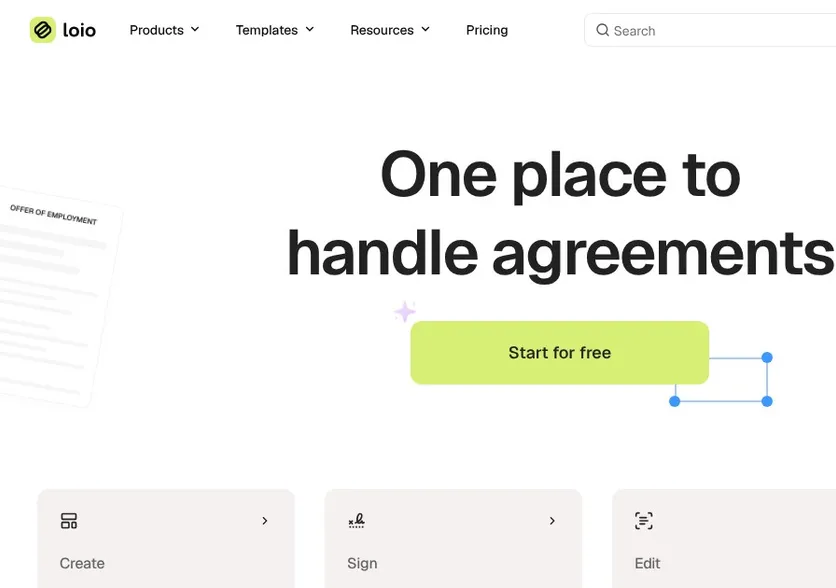
Paid tool Starting price: $15/month · Fifteen dollars a month on monthly billing for the Plus plan, or eleven dollars a month on the longest billing term; Pro is thirty dollars a month on monthly billing, or twenty-two dollars on the longest term. A free plan covers one signed document a month, and Plus and Pro trials run for seven days
Free plan: Free plan with 1 signed document a month
Fifteen dollars a month on monthly billing buys Loio Plus, with over one thousand five hundred premium templates, unlimited signing, full PDF editing and five eSign requests a month. Pro at thirty dollars a month on monthly billing opens the full catalog of over two thousand five hundred templates. A free plan covers one signed document a month, and the longest billing term drops Plus to eleven dollars a month. Loio is the template-first pick in this list.
What we like
- Over one thousand five hundred premium templates on Plus
- Unlimited signing and full PDF editing included
- Free plan covers one signed document a month
Watch out for
- Older directories list twenty-nine dollars and ninety-five cents, now the Pro price is thirty dollars
- Five eSign requests a month cap on Plus
How to try it
- Pick a template from the library and fill it with your client details
- Edit the document and compare versions as you negotiate
- Send it for signature and store the signed copy in the cloud
3. Gavel Workflows
Best for: Solo attorneys who want to automate their most-used documents
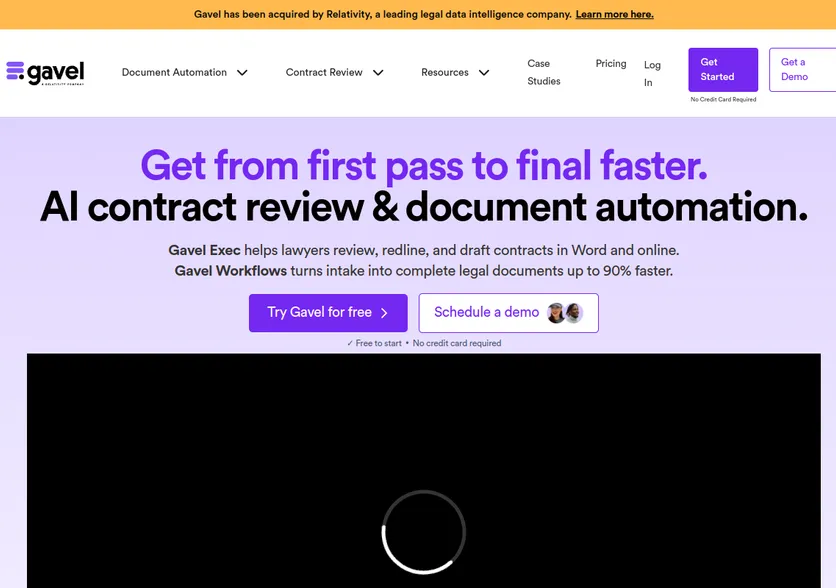
Paid tool Starting price: $83/month · Eighty-three dollars a month for the Lite plan; Standard is two hundred and ten dollars a month, Pro is two hundred and ninety dollars and Scale starts at four hundred and seventeen dollars, all billed annually, with two months free on annual plans. One section of Gavel's own pricing page shows Standard at one hundred and sixty-five dollars, so confirm the current price before buying
Free plan: Free 7-day trial
Eighty-three dollars a month buys Gavel Workflows Lite, and it is the most powerful tool in this list for a solo attorney who drafts the same documents every week. Guided interviews collect client answers, the system fills the template, and e-signature and payments close the loop without extra tools. Standard at two hundred and ten dollars a month is more than most solo practices need, and one section of Gavel's own pricing page shows Standard at one hundred and sixty-five dollars, so confirm the price before buying.
What we like
- No-code automation a solo attorney can build alone
- Intake, e-signature and payments in one platform
- Seven-day free trial with no credit card needed
Watch out for
- Eighty-three dollars a month is steep for a solo practice
- One section of Gavel's own page shows Standard at a different price
How to try it
- Pick your most-drafted document and build a guided interview for it
- Connect the interview to your template so answers fill the document
- Send the finished document for e-signature and payment
4. PandaDoc
Best for: Solo attorneys who send proposals and contracts to clients
Paid tool Starting price: $19/user/month · Nineteen dollars per user a month billed annually on the Starter plan; Business is forty-nine dollars per user a month billed annually
Free plan: Free 14-day trial
Nineteen dollars per user a month billed annually buys PandaDoc Starter, the entry tier of the document tool that covers the whole flow: build from templates, send for e-signature, track when the client opens it, and collect payment. Business at forty-nine dollars per user a month billed annually adds approval workflows, CRM integrations and content controls for firms that need them. Starter is enough for a solo attorney who mostly sends engagement letters and fee agreements.

What we like
- Full flow from template to signature to payment
- Tracks when clients open and sign documents
- Cheapest full-flow document tool here at nineteen dollars a month
Watch out for
- Built for business documents, not legal-specific drafting
- Approval workflows need the Business tier, not Starter
How to try it
- Build a template for your engagement letter or fee agreement
- Send it for e-signature and watch when the client opens it
- Collect payment on the signed document in the same flow
5. Docupilot
Best for: Solo attorneys who generate documents from client data
Paid tool Starting price: $29/month · Twenty-nine dollars a month for the Starter plan with one hundred documents a month and one seat; Plus is ninety-nine dollars, Pro is one hundred and forty-nine dollars, Premium is one hundred and ninety-nine dollars, Business is three hundred and ninety-nine dollars and Enterprise is six hundred and ninety-nine dollars. Extra seats are four dollars a month and the e-signature add-on starts at one dollar and fifty cents an envelope
Free plan: Free 14-day trial
Twenty-nine dollars a month buys Docupilot Starter, with one hundred documents a month and one seat. Docupilot merges templates with data from spreadsheets, CRMs and databases, so a solo attorney who keeps client details in a spreadsheet can generate a batch of documents without retyping. Plus at ninety-nine dollars raises the volume to five hundred documents a month, and extra seats cost only four dollars a month.
What we like
- Generates documents from spreadsheet and CRM data
- One hundred documents a month is plenty for a solo practice
- Extra seats cost only four dollars a month
Watch out for
- E-signature is an add-on, not included
- Volume-priced, so heavy months cost more
How to try it
- Connect your spreadsheet or CRM as the data source
- Build a template with merge fields for the document
- Generate the documents and send them for signature
6. Briefpoint
Best for: Solo attorneys who draft litigation documents at volume
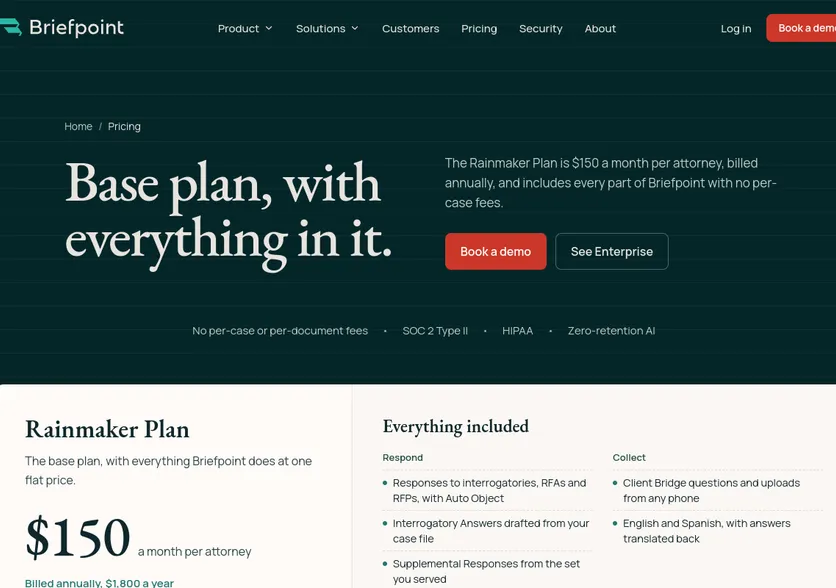
Paid tool Starting price: $150/attorney/month · One hundred and fifty dollars per attorney a month billed annually, or one thousand eight hundred dollars a year, on the Rainmaker plan with all features and no per-case fees; Enterprise is custom. Each seat includes twenty thousand credits a month for Find Answers, with extra use at one cent a credit
Free plan: Free demo
One hundred and fifty dollars per attorney a month billed annually buys Briefpoint Rainmaker, with all features and no per-case fees. Briefpoint automates discovery responses, pleadings and demand letters from your templates, which suits a solo litigator who drafts the same documents for every case. Each seat includes twenty thousand credits a month for Find Answers, with extra use at one cent a credit. It is the most expensive tool here, so it pays only if you draft litigation documents every week.
What we like
- Built for discovery, pleadings and demand letters
- No per-case fees on the Rainmaker plan
- Find Answers credits are included in every seat
Watch out for
- Most expensive tool in this list at one hundred and fifty dollars a month
- No free trial, only a demo
How to try it
- Upload your templates for discovery and pleadings
- Generate first drafts from case data and review them
- Send the finished documents for filing or service
7. PracticePanther
Best for: Solo attorneys who want drafting inside practice management
Paid tool Starting price: $49/user/month · Forty-nine dollars per user a month billed annually on the Solo plan, or fifty-nine dollars on monthly billing; Essential is sixty-nine dollars, Business is eighty-nine dollars and Business Pro is one hundred and fourteen dollars
Free plan: Free trial
Forty-nine dollars per user a month billed annually buys PracticePanther Solo, and it pairs document automation with the rest of practice management: intake forms, document templates, reminders and e-signature run on workflows you set up once. A solo attorney can generate an engagement letter from an intake form, send it for signature, and file it to the matter without leaving the tool. Essential at sixty-nine dollars adds more capacity for a growing practice.

What we like
- Document automation inside practice management
- Intake forms feed documents without retyping
- E-signature closes the loop on every agreement
Watch out for
- Solo is the entry tier, so deeper features need higher plans
- Document automation is simpler than Gavel or Briefpoint
How to try it
- Build a document template for your most-used agreement
- Connect it to your intake form so client answers fill the document
- Send the finished document for e-signature from the matter
8. Lawcus
Best for: Solo attorneys who want drafting with trust accounting in one tool
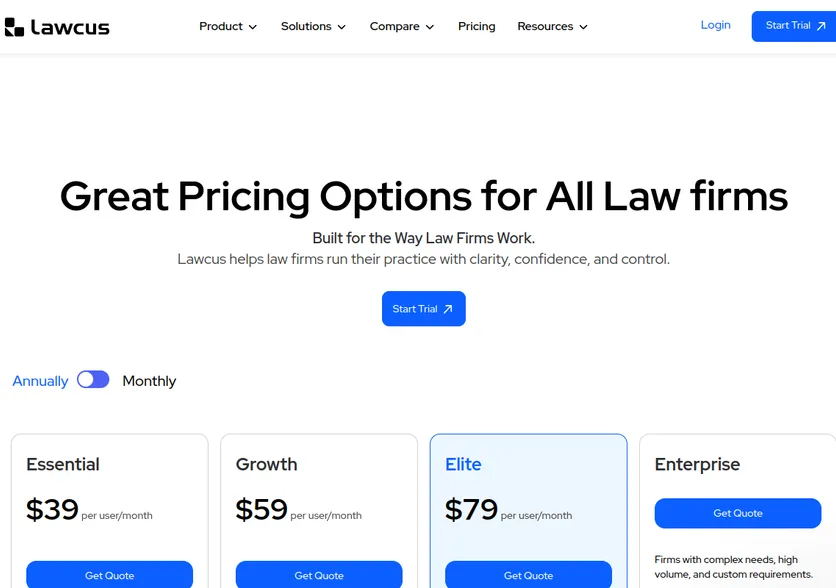
Paid tool Starting price: $39/user/month · Thirty-nine dollars per user a month billed annually on the Essential plan, or forty-nine dollars on monthly billing; Growth is fifty-nine dollars and Elite is seventy-nine dollars
Free plan: Free trial
Thirty-nine dollars per user a month billed annually buys Lawcus Essential, the cheapest practice platform in this list with document automation built in. Intake, matters, documents, time tracking and trust accounting share one system, so a solo attorney can draft a document from matter data and bill for it in the same place. Growth at fifty-nine dollars and Elite at seventy-nine dollars add more automation and CRM depth as the practice grows.
What we like
- Document automation inside a full practice platform
- Cheapest practice tool here at thirty-nine dollars a month
- Trust accounting and billing share the same system
Watch out for
- Document automation is simpler than dedicated drafting tools
- Smaller vendor with fewer integrations than Clio
How to try it
- Set up a document template for your most-used agreement
- Generate the document from matter data when the client signs on
- Track time and bill for the work from the same matter record
Prices above were checked on each vendor’s own website on Nov 28, 2026 and can change — the vendor’s page is the final word. Vendor links are editorial: nobody paid to be listed or ranked here. Vendors who want a featured listing can see how it works on our Get listed page.
How a solo attorney should automate drafting
Start with the document you draft most, not the fanciest automation. For most solo attorneys that is the engagement letter or the fee agreement, and automating just that one saves hours every month. Build the template once with the fields you always fill in, client name, matter type, fee and date, and test it on a real client before you trust it. Keep e-signature in the same flow, because a drafted document that waits for a signature is unfinished work. Finally, review your templates every six months and fix the ones that have drifted, because a stale template is worse than no template at all.
Before you buy
- Check that the tool covers your actual document types, not just generic templates
- Confirm whether e-signature is included or costs extra per envelope
- Ask how many documents or envelopes the plan covers each month
- Make sure templates can be edited and saved for your practice area
- Run a trial by drafting a real document from start to signature before you commit
Official websites
Official websites of the products reviewed above. Features and prices were checked against these sites when this guide was written, and they can change, so confirm on the vendor site before you buy.
Frequently asked questions
What is legal document drafting software for solo attorneys?
It is software that turns templates into finished documents without retyping: pick a template, fill in the client details, and send the result for e-signature. Solo attorneys use it for engagement letters, fee agreements, wills and demand letters. The tools in this list cost ten to one hundred and fifty dollars a month, and the cheapest ones cover the most common documents well.
How much does DocuSign Personal cost?
DocuSign Personal costs ten dollars a month billed annually, or fifteen dollars on monthly billing, for one user with a five-envelope monthly cap. Standard is twenty-five dollars per user a month billed annually, and Business Pro is forty dollars. A free thirty-day trial is available, and the five-envelope cap is the main limit to watch on the Personal plan.
Which drafting tool is best for a solo attorney on a budget?
Loio Plus at fifteen dollars a month gives over one thousand five hundred premium templates with unlimited signing and full PDF editing, which is the best template value here. DocuSign Personal at ten dollars a month is cheaper but covers only e-signature, not drafting. For a solo attorney who drafts from templates every week, Loio is the better buy despite the higher price.
Do I need e-signature with my drafting tool?
Yes, in practice. A drafted document that never gets signed is unfinished work, so pick a tool that includes e-signature or connects to one cheaply. PandaDoc and Loio include signing, DocuSign is signature-only, and Docupilot sells it as an add-on from one dollar and fifty cents an envelope. Budget the signature cost together with the drafting cost before you choose.
Can a solo attorney automate documents without a developer?
Yes. Gavel Workflows Lite at eighty-three dollars a month lets a solo attorney build guided interviews and templates without writing code, and Lawcus and PracticePanther include simpler document automation in their practice plans. Start with one document you draft every week, automate that one first, and add more only after the first one saves real time.
Compare the eight tools above, then start with a free trial on the tool that matches the documents you draft most before you pay for a full year.
Browse Business Tools tools