
On this page
A missed renewal or a lost clause costs real money, and the right software keeps every contract, deadline and obligation in one place. The seven tools below run from eight dollars a month to four hundred ninety-nine, and every price was checked on the vendor site on November 26, 2026. Some track contracts you already signed, while others cover the full lifecycle from drafting to renewal. Compare the tracking, alerts and reporting each plan includes. PandaDoc is our first pick — the cheapest way to draft, sign and track contracts.
How we researched this
We started with the contract tools teams actually buy, then read each price on the vendor pricing page on November 26, 2026 and noted the free trial or free plan each one carries. We judged them for a team that must track deadlines, renewals and obligations across many contracts, and we kept only tools with a published price in US dollars. We left out quote-only contract platforms like Juro, Ironclad and LinkSquares, because they publish no prices and cannot be compared on cost.
Compare the tools
| Name | Best for | Starting price | Free plan | |
|---|---|---|---|---|
 PandaDoc | Small teams that want drafting, signing and tracking in one app | $19/user/month | Free eSign plan; 14-day free trial | Visit |
 SignNow | Teams that want unlimited users and simple contract signing | $8/month | No free plan; 7-day free trial | Visit |
 Zoho Contracts | Zoho teams that want contract tracking inside the suite | $25/user/month | Free plan for up to 3 users | Visit |
 DocuSign IAM | Teams that want the DocuSign brand with agreement management | $45/user/month | No free plan; free trial available | Visit |
 Oneflow | Teams that want smart contracts with digital signing built in | $292/month | No free plan; 14-day free trial | Visit |
 ContractSafe | Teams that want a simple contract repository with alerts | $450/month | No free plan; 7-day free trial | Visit |
 Concord | Teams that want full contract lifecycle management with approvals | $499/month | No free plan; 14-day free trial | Visit |
The contract compliance software, compared
1. PandaDoc
Best for: Small teams that want drafting, signing and tracking in one app
Paid tool Starting price: $19/user/month · Essentials, $19 per user a month billed annually; $35 billed monthly; Business $49; free eSign plan
Free plan: Free eSign plan; 14-day free trial
PandaDoc is the document platform that lets a team draft contracts, send them for signature and track every deadline in one place. This PandaDoc Essentials plan costs nineteen dollars per user a month billed annually, with a free eSign plan for basic signing. A small team can send a contract, watch it get signed and set a renewal reminder without a second app.

What we like
- Drafting, signing and tracking in one app
- Free eSign plan for basic signing
- Templates and approval workflows built in
Watch out for
- Nineteen dollars per user a month covers two seats only on Essentials
- Deep compliance tracking needs the Business plan
How to try it
- Start the fourteen-day trial from the PandaDoc pricing page
- Upload a contract template and send it for signature
- Set a renewal reminder for the signed contract
2. SignNow
Best for: Teams that want unlimited users and simple contract signing
Paid tool Starting price: $8/month · Business, $8 a month billed annually flat per account, unlimited users; Business Premium $15; Enterprise $30
Free plan: No free plan; 7-day free trial
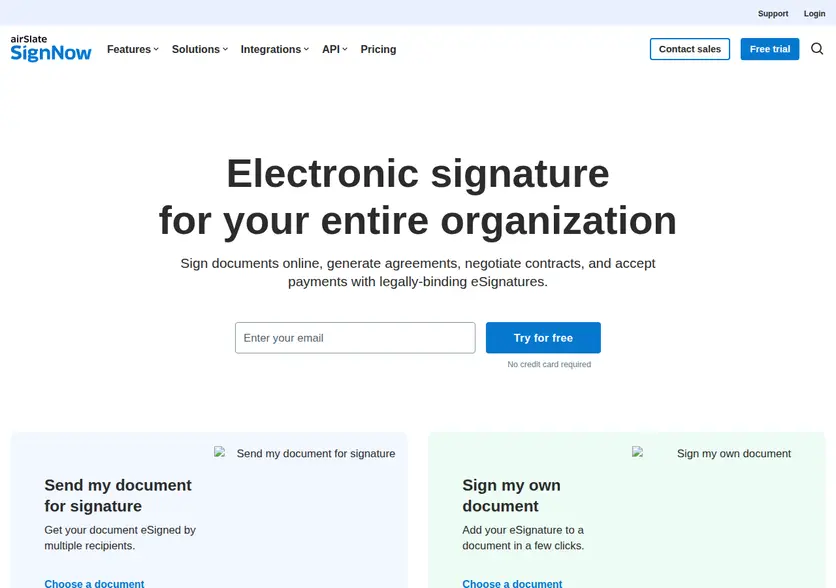
SignNow is the e-signature platform from airSlate that lets a whole team send, sign and track contracts for one flat monthly price. This SignNow Business plan costs eight dollars a month billed annually, flat per account with unlimited users. A team can sign contracts all month without paying per user or per document.
What we like
- Flat price with unlimited users
- Cheapest entry price in this comparison
- One hundred signature invites a year included
Watch out for
- Eight dollars a month covers the Business plan only, with extra invites costing more
- Advanced compliance features need the higher plans
How to try it
- Start the seven-day trial from the SignNow pricing page
- Upload a contract and add signature fields
- Send it for signature and track the signing status
3. Zoho Contracts
Best for: Zoho teams that want contract tracking inside the suite
Paid tool Starting price: $25/user/month · Standard, $25 per user a month billed annually; $30 billed monthly; Professional $40; Premium $50; Lite users $5
Free plan: Free plan for up to 3 users
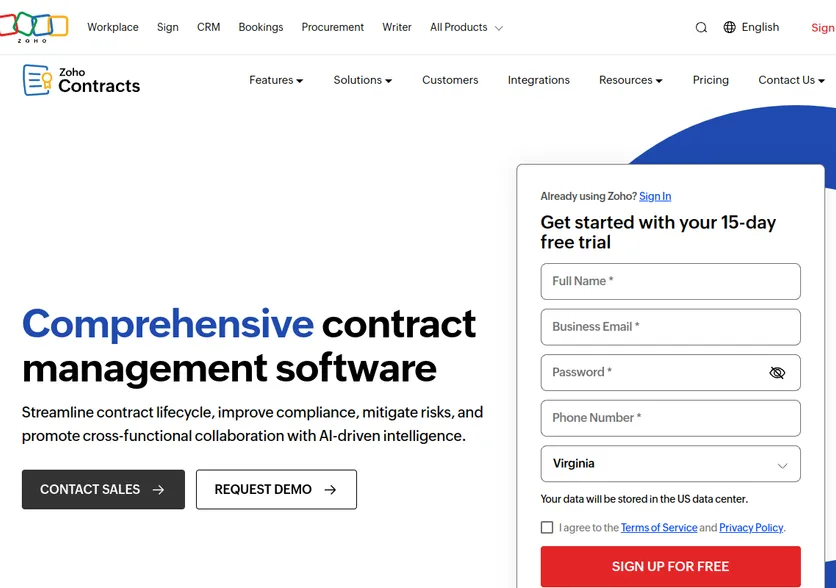
Zoho Contracts is the contract lifecycle tool that tracks obligations, renewals and approvals for teams already running Zoho apps. This Zoho Contracts Standard plan costs twenty-five dollars per user a month billed annually, with a free plan for up to three users. A team can store every contract, set alerts for renewals and prove compliance without a second system.
What we like
- Full contract lifecycle tracking in one app
- Free plan for up to three users
- Works with the Zoho apps you already use
Watch out for
- Twenty-five dollars per user a month is billed annually
- Advanced reporting needs the higher plans
How to try it
- Sign up for the free plan on the Zoho Contracts page
- Upload your contracts and set renewal alerts
- Assign an owner to each contract obligation
4. DocuSign IAM
Best for: Teams that want the DocuSign brand with agreement management
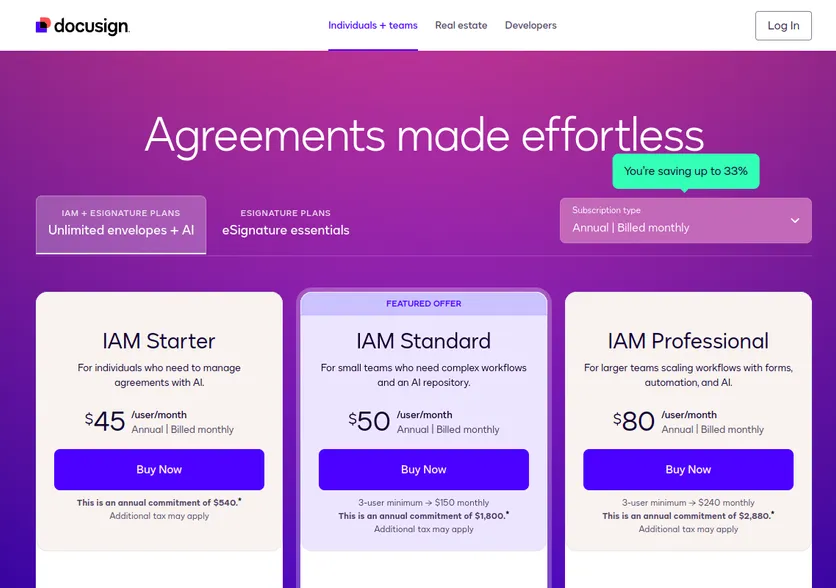
Paid tool Starting price: $45/user/month · IAM Starter, $45 per user a month on annual billing billed monthly; $40 a month equivalent paid upfront; Standard $50; Professional $80
Free plan: No free plan; free trial available
DocuSign IAM is the agreement management platform that pairs the DocuSign signature with tools to create, track and store agreements. This DocuSign IAM Starter plan costs forty-five dollars per user a month on annual billing billed monthly, for teams of one to fifty users. A team can move from sending signatures to managing the full life of every agreement.
What we like
- Trusted DocuSign signature at the core
- Agreement tracking from creation to storage
- Strong tools for templates and workflows
Watch out for
- Forty-five dollars per user a month with no free plan
- Standard and Professional plans need a three-user minimum
How to try it
- Start a free trial from the DocuSign IAM pricing page
- Create a template for your most common agreement
- Send it for signature and track the agreement status
5. Oneflow
Best for: Teams that want smart contracts with digital signing built in
Paid tool Starting price: $292/month · Business, $292 a month billed annually, five users included; Enterprise custom quote
Free plan: No free plan; 14-day free trial
Oneflow is the smart contract platform where contracts stay digital from first draft to signed deal, with signing built into the document itself. This Oneflow Business plan costs two hundred ninety-two dollars a month billed annually, with five users included. A sales team can send interactive contracts, watch buyers sign inside the document and track every deal in one place.
What we like
- Contracts that stay digital from draft to signature
- Signing built into the document itself
- Five users included in the Business plan
Watch out for
- Two hundred ninety-two dollars a month is billed annually only
- Annual billing only, with no monthly option
How to try it
- Start the fourteen-day trial from the Oneflow pricing page
- Create a smart contract from a template
- Send it to a customer and watch the signature arrive
6. ContractSafe
Best for: Teams that want a simple contract repository with alerts
Paid tool Starting price: $450/month · Organize, $450 a month billed annually, up to 100 contracts, unlimited users; Finalize $660; Maximize $815
Free plan: No free plan; 7-day free trial
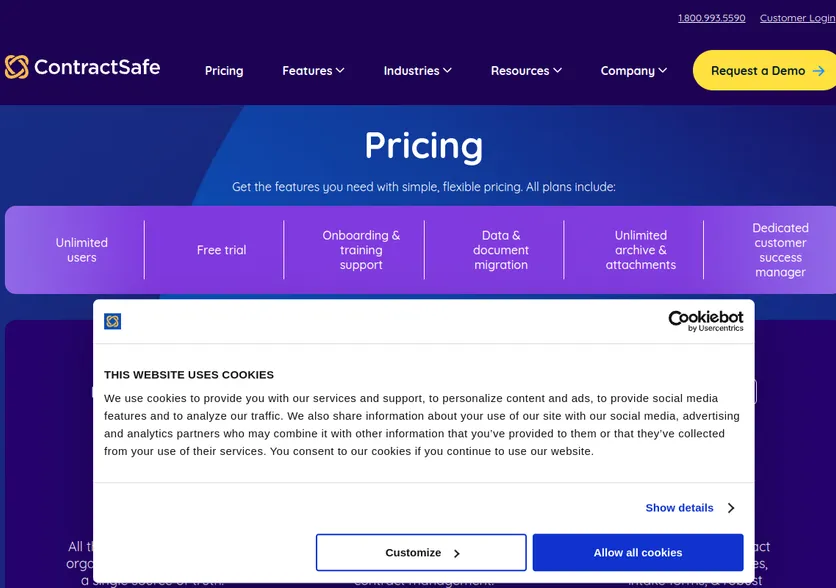
ContractSafe is the contract repository that stores every agreement, reads the key dates with AI and alerts you before a renewal passes. This ContractSafe Organize plan costs four hundred fifty dollars a month billed annually, for up to one hundred contracts with unlimited users. A team can find any clause in seconds and never miss a renewal again.
What we like
- AI reads key dates and clauses from contracts
- Unlimited users on every plan
- Simple setup with no training needed
Watch out for
- Four hundred fifty dollars a month covers one hundred contracts only
- Advanced features need the higher plans
How to try it
- Start the seven-day trial from the ContractSafe pricing page
- Upload your contracts and let AI read the key dates
- Set an alert for your next renewal deadline
7. Concord
Best for: Teams that want full contract lifecycle management with approvals
Paid tool Starting price: $499/month · Essentials, $499 a month billed annually, five users included; Business $899; Enterprise $1,299
Free plan: No free plan; 14-day free trial
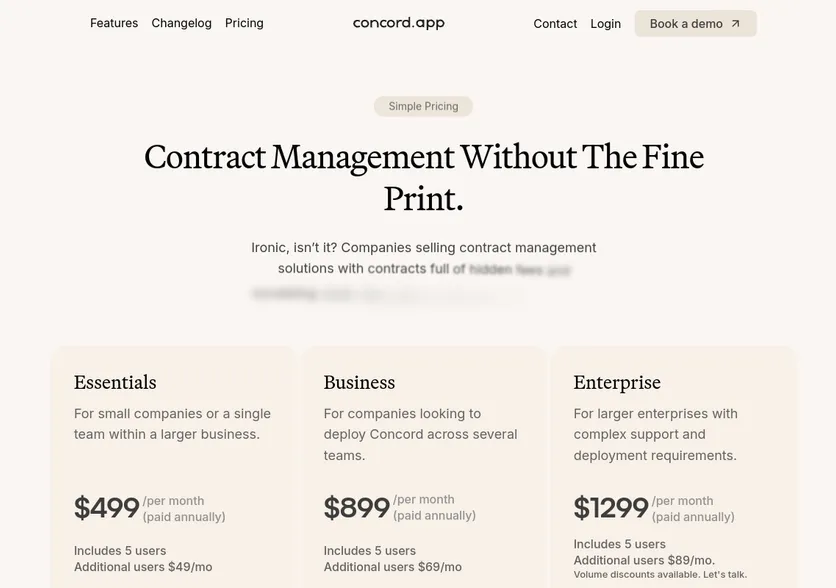
Concord is the contract lifecycle platform that covers drafting, negotiation, signing and renewal tracking in one workspace. This Concord Essentials plan costs four hundred ninety-nine dollars a month billed annually, with five users included. A legal team can run every contract through approvals, signatures and renewals without chasing email threads.
What we like
- Full lifecycle from drafting to renewal
- Approval workflows that keep contracts moving
- Five users included in the Essentials plan
Watch out for
- Four hundred ninety-nine dollars a month is the highest price here
- Extra users cost forty-nine dollars a month each
How to try it
- Start the fourteen-day trial from the Concord pricing page
- Upload a contract and start an approval workflow
- Set a renewal alert for the signed agreement
Prices above were checked on each vendor’s own website on Nov 26, 2026 and can change — the vendor’s page is the final word. Vendor links are editorial: nobody paid to be listed or ranked here. Vendors who want a featured listing can see how it works on our Get listed page.
What contract compliance software costs in 2026
Most contract tools charge in one of two ways, and the model matters more than the headline. Per-user tools like PandaDoc and Zoho Contracts cost nineteen to twenty-five dollars per user a month, while flat plans like SignNow cost eight dollars a month for unlimited users and ContractSafe costs four hundred fifty dollars a month for up to one hundred contracts. A flat plan wins for a large team, while a per-user plan wins for a team of two.
Start with the free plan or trial on two tools and load the same five contracts into each, with the same renewal dates. Compare how fast you can find a clause, how clear the alerts look, and whether the signing flow fits your customers. Pick the tool that matches the number of contracts you hold, because a repository priced per contract will cost more as your library grows.
Before you buy
- Check the pricing model first, because SignNow charges flat while PandaDoc charges per user.
- Count the contract limit, because ContractSafe covers one hundred contracts on the Organize plan.
- Confirm the seat limit, because PandaDoc Essentials covers two seats only.
- Compare annual and monthly billing, because PandaDoc costs more billed monthly than annually.
- Test the renewal alerts, because a tracker that misses a deadline is worse than no tracker.
Official websites
Official websites of the products reviewed above. Features and prices were checked against these sites when this guide was written, and they can change, so confirm on the vendor site before you buy.
Frequently asked questions
Which contract compliance software is best in 2026?
PandaDoc, at nineteen dollars per user a month with a free eSign plan, is the safest default for drafting, signing and tracking. SignNow wins for large teams at eight dollars a month flat with unlimited users. ContractSafe is the strongest pure repository at four hundred fifty dollars a month, with AI that reads key dates from every contract.
How much does contract compliance software cost?
Prices here run from eight dollars a month for SignNow to four hundred ninety-nine dollars a month for Concord, with per-user tools between nineteen and forty-five dollars per user a month. Flat plans suit large teams, while per-user plans suit small ones. Expect to pay more once you need AI extraction, approvals or a large contract library.
Is there a free contract compliance software?
PandaDoc offers a free eSign plan for basic signing, and Zoho Contracts offers a free plan for up to three users. The other tools here offer free trials from seven to fourteen days. A trial is long enough to load real contracts, set renewal alerts and test the signing flow before you pay.
What should I look for in contract compliance software?
Look for a searchable repository, renewal alerts and e-signing first, because those three carry most compliance work. Check the pricing model, the contract limit and whether approvals are included. Test the alerts with a real renewal date, because a tracker that misses a deadline is worse than no tracker at all.
What is the difference between contract tracking and contract lifecycle management?
Contract tracking stores signed agreements and alerts you to renewals and obligations, which is what ContractSafe does best. Contract lifecycle management covers the full journey from drafting and negotiation to signing and renewal, which is what Concord and Oneflow do. A small team can start with tracking and move to lifecycle tools as contract volume grows.
Need everyday business help too? Try Toolsvine's free business tools right in your browser.
Browse Business Tools tools


