On this page
A customer-facing support center lives or dies on the first reply, so the tools below are judged on whether they get tickets to the right person fast and keep the customer informed. They also need a knowledge base, since every question a customer answers alone is a ticket the team never sees. Zendesk leads because it is the industry standard, with email ticketing, routing and analytics from nineteen dollars per agent a month.
How we researched this
We checked every price on the vendor pricing page on November 28, 2026, and only included tools with a published US dollar list price. The enterprise platforms that sell by quote, including Salesforce Service Cloud Enterprise, ServiceNow and Genesys, publish no usable list price, so they are not in this list. Prices change, so confirm the current figure on the vendor site before you buy.
Compare the tools
| Name | Best for | Starting price | Free plan | |
|---|---|---|---|---|
 Zendesk | Teams that want the industry-standard help desk | $19/agent/month | No free plan; 14-day free trial | Visit |
 Freshdesk | Budget teams that want a full help desk at a low price | $19/agent/month | Free plan (up to 10 agents) | Visit |
 Help Scout | Small teams that want a shared inbox that feels like email | $25/user/month | Free plan (5 users, 25 contacts a month) | Visit |
 Intercom | Product teams whose customers chat rather than email | $29/seat/month | Free trial available | Visit |
 Front | Teams that collaborate on tickets before replying | $25/seat/month | Free trial available | Visit |
| Missive | Small teams that want every channel in one workspace | $14/user/month | Free trial available | Visit |
 HubSpot Service Hub | HubSpot teams that want support inside the CRM | $15/seat/month | Free plan available | Visit |
 Zoho Desk | Zoho teams that want the cheapest real help desk | $14/agent/month | Free plan (up to 3 agents) | Visit |
The software for customer-facing support centers, compared
1. Zendesk
Best for: Teams that want the industry-standard help desk
Paid tool Starting price: $19/agent/month · Nineteen dollars per agent a month billed annually on Support Team (twenty-five dollars billed monthly); Suite Team is fifty-five dollars per agent a month billed annually and adds a knowledge base, omnichannel routing, messaging, live chat and telephony; Suite Professional is one hundred and fifteen dollars; Copilot costs another fifty dollars per agent a month
Free plan: No free plan; 14-day free trial
A team that wants the industry-standard help desk starts here, since this Zendesk plan costs nineteen dollars per agent a month billed annually for email and ticketing with routing, prebuilt analytics and automations. It is the default choice for customer-facing support at scale, and every integration a team could want already exists. The entry plan covers email only, so chat, voice and social need the dearer Suite tiers.

What we like
- Industry-standard ticketing with every integration available
- Routing, analytics and automations on the entry plan
- Scales from a small team to a global support operation
Watch out for
- Entry plan covers email only, so chat and voice cost more
- AI resolutions beyond twenty-five a month cost extra
How to try it
- Create the support inbox and connect the email channel
- Set up routing rules and pre-written replies
- Track tickets and review the analytics weekly
2. Freshdesk
Best for: Budget teams that want a full help desk at a low price
Paid tool Starting price: $19/agent/month · Nineteen dollars per agent a month billed annually on Growth; Pro is fifty-five dollars per agent a month billed annually; Enterprise is eighty-nine dollars; the free plan covers up to ten agents with ticketing, a knowledge base and basic automation; AI Copilot is not on Growth
Free plan: Free plan (up to 10 agents)
A budget-conscious team that wants a real help desk without the enterprise price starts here, since this Freshdesk plan costs nineteen dollars per agent a month billed annually for ticketing, a shared inbox, a knowledge base, automations and single sign-on. The free plan covers ten agents, which is the best free tier in this category. AI Copilot is not on Growth, so a team that wants AI help must pay for Pro.

What we like
- Best free tier in the category, for up to ten agents
- Ticketing, knowledge base and automations on Growth
- Same entry price as Zendesk with more included
Watch out for
- AI Copilot needs the dearer Pro plan
- AI Agent sessions cost extra after the first five hundred
How to try it
- Create the shared inbox and connect the channels
- Build the knowledge base with the common answers
- Set up automations and SLAs for the team
3. Help Scout
Best for: Small teams that want a shared inbox that feels like email
Paid tool Starting price: $25/user/month · Twenty-five dollars per user a month on Standard; Plus is forty-five dollars per user a month; Pro is seventy-five dollars per user a month and needs at least ten users; the vendor page shows one price per plan with no billing label, so the figures are as displayed, with a sixteen percent annual discount shown on the toggle
Free plan: Free plan (5 users, 25 contacts a month)
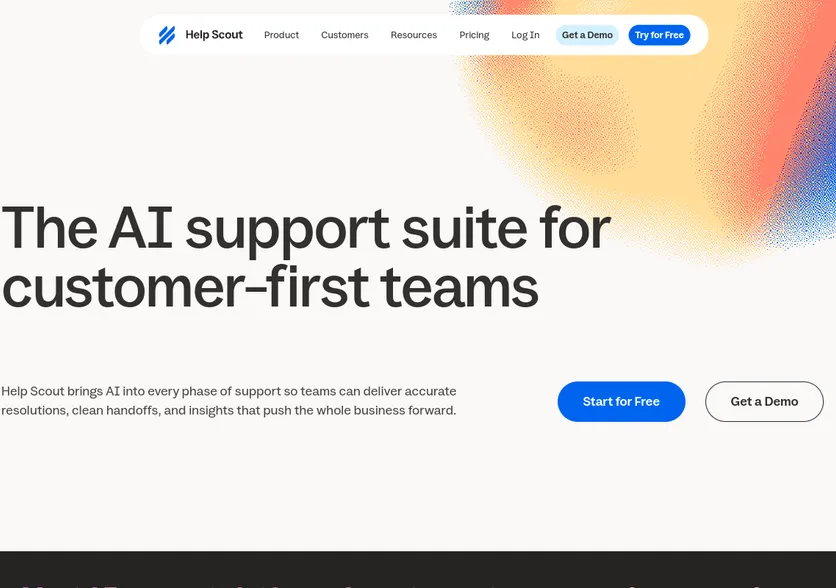
A small team that wants a shared inbox that feels like email starts here, since this Help Scout plan costs twenty-five dollars per user a month for multiple inboxes, a Docs knowledge base, live chat and messaging channels. The free plan covers five users with one inbox, though it caps at twenty-five contacts a month. It is the easiest tool in this list to learn, and it suits email-led support better than phone-heavy teams.
What we like
- Easiest tool in this list to learn
- Shared inbox, knowledge base and live chat together
- Free plan covers five users for a real test
Watch out for
- Free plan caps at twenty-five contacts a month
- Billing period is not stated on the vendor page
How to try it
- Create the shared inbox and add the team
- Build the Docs knowledge base with common answers
- Turn on live chat and set the workflows
4. Intercom
Best for: Product teams whose customers chat rather than email
Paid tool Starting price: $29/seat/month · Twenty-nine dollars per seat a month on Essential (new customers save thirty-five percent, shown as nineteen dollars); Advanced is eighty-five dollars per seat a month; Expert is one hundred and thirty-two dollars; the AI agent Fin bills per outcome on top of the seat price
Free plan: Free trial available
A team that wants conversational support with an AI agent starts here, since this Intercom plan costs twenty-nine dollars per seat a month for team inboxes, messaging and per-outcome AI resolution billing. It suits product teams whose customers chat rather than email, and the AI agent Fin resolves routine questions before a human sees them. The AI billing sits on top of the seat price, so the total depends on how many resolutions the bot handles.

What we like
- Conversational messaging with team inboxes
- AI agent resolves routine questions automatically
- Strong fit for product and SaaS support teams
Watch out for
- AI resolutions bill per outcome on top of the seat price
- The thirty-five percent saving is for new customers only
How to try it
- Connect the inbox and the chat widget to the product
- Train the AI agent on the knowledge base
- Review the resolutions and hand the hard ones to the team
5. Front
Best for: Teams that collaborate on tickets before replying
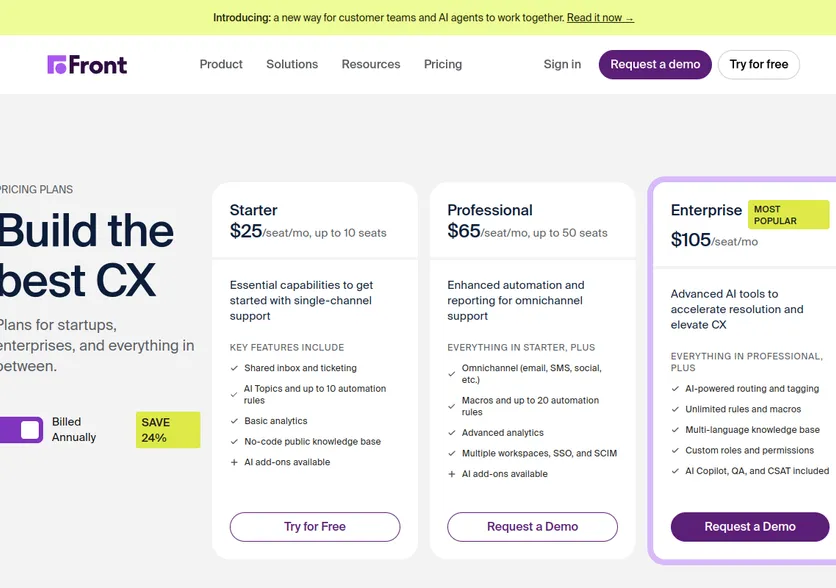
Paid tool Starting price: $25/seat/month · Twenty-five dollars per seat a month billed annually on Starter for up to ten seats; Professional is sixty-five dollars per seat a month for up to fifty seats; Enterprise is one hundred and five dollars per seat a month; annual billing saves twenty-four percent
Free plan: Free trial available
A team that wants a shared inbox with real collaboration starts here, since this Front plan costs twenty-five dollars per seat a month billed annually for a shared inbox and ticketing with comments and assignments built in. It suits teams that discuss tickets together before replying, and the Starter plan covers ten seats. The Starter plan limits the team to ten rules, so automation-heavy teams need Professional.
What we like
- Shared inbox with comments and assignments built in
- Clean interface that teams learn fast
- Starter covers ten seats at a fair price
Watch out for
- Starter limits the team to ten seats and ten rules
- AI add-ons cost extra on top of the seat price
How to try it
- Connect the shared inbox and invite the team
- Set up the rules and the assignment flow
- Comment on tickets together before replying
6. Missive
Best for: Small teams that want every channel in one workspace
Paid tool Starting price: $14/user/month · Fourteen dollars per user a month on Starter for up to five users; Productive is twenty-four dollars per user a month for up to fifty users; Business is thirty-six dollars per user a month with unlimited users; yearly billing saves twenty percent
Free plan: Free trial available
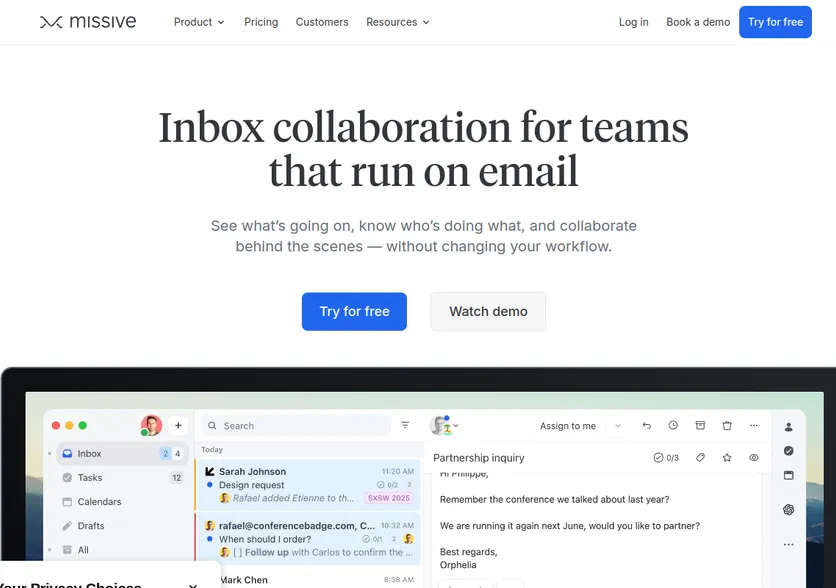
A small team that wants email, SMS and social in one shared workspace starts here, since this Missive plan costs fourteen dollars per user a month for team spaces with conversations and tasks. It is the cheapest paid plan in this list, and it covers the channels a small support team actually uses. It is a smaller name than the big help desks, so the integration list is shorter.
What we like
- Cheapest paid plan in this list
- Email, SMS and social in one shared workspace
- Conversations and tasks together in team spaces
Watch out for
- Smaller name with fewer integrations
- Starter caps at five users
How to try it
- Create a team space and connect the channels
- Assign conversations and set the tasks
- Reply together from the shared workspace
7. HubSpot Service Hub
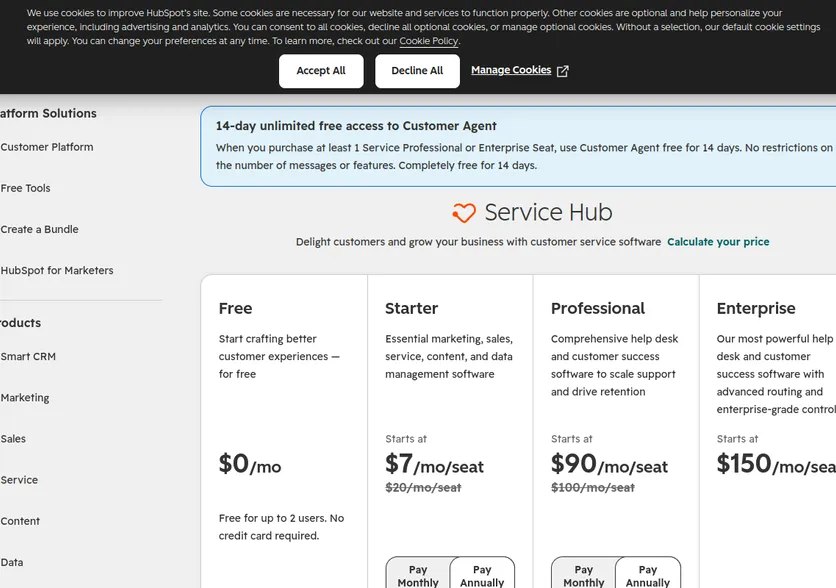
Best for: HubSpot teams that want support inside the CRM
Paid tool Starting price: $15/seat/month · Fifteen dollars per seat a month billed annually on Starter (twenty dollars billed monthly); Professional and Enterprise add automation, feedback and custom reporting
Free plan: Free plan available
A team already running HubSpot CRM finds the natural fit here, since this HubSpot Service Hub plan costs fifteen dollars per seat a month billed annually for ticketing, a shared inbox and a knowledge base inside the CRM. Support sees the full customer record without switching tools, which is the real advantage over a standalone help desk. It is strongest inside the HubSpot suite, and weaker as a standalone choice.
What we like
- Support sees the full customer record in the CRM
- Ticketing, inbox and knowledge base in one place
- Free plan covers the basics for a small team
Watch out for
- Strongest inside HubSpot, weaker as a standalone tool
- Automation and feedback need the dearer tiers
How to try it
- Connect Service Hub to the HubSpot CRM
- Build the ticket pipeline and the knowledge base
- Route tickets and track them against the customer record
8. Zoho Desk
Best for: Zoho teams that want the cheapest real help desk
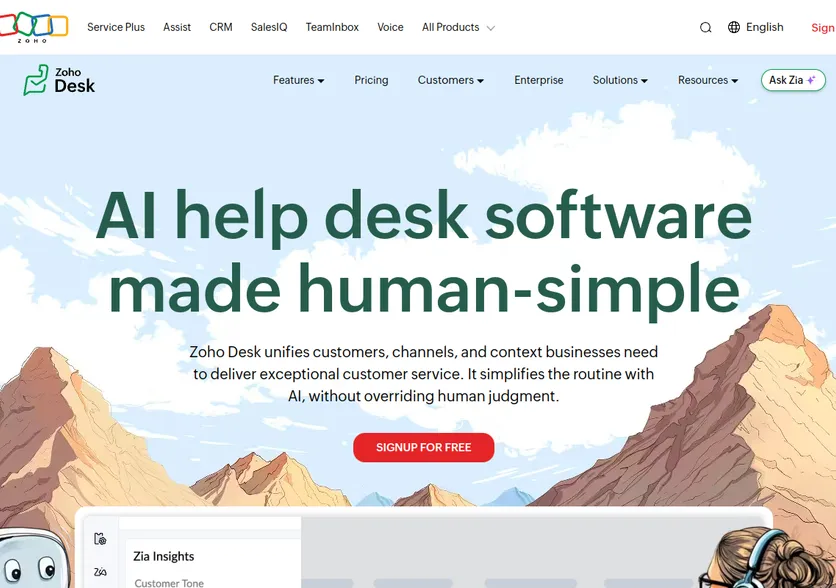
Paid tool Starting price: $14/agent/month · Fourteen dollars per agent a month billed annually on Standard (twenty dollars billed monthly); Express is seven dollars per agent a month for up to five agents; Professional is twenty-three dollars; Enterprise is forty dollars; the free plan covers three agents
Free plan: Free plan (up to 3 agents)
A team already inside the Zoho suite finds the cheapest fit here, since this Zoho Desk plan costs fourteen dollars per agent a month billed annually for ticketing, business messaging, a public knowledge base and Answer Bot. The free plan covers three agents, and Express covers five for seven dollars each, so a tiny team can start for almost nothing. The AI assistant Zia needs the dearer Enterprise plan, so AI help is not included at this price.
What we like
- Lowest entry price among the full help desks here
- Free plan for three agents, Express for five
- Answer Bot and knowledge base on Standard
Watch out for
- AI assistant Zia needs the Enterprise plan
- Express caps at five agents, so a sixth agent moves the whole team up
How to try it
- Create the help center and connect the email channel
- Build the knowledge base with the common answers
- Set up the Answer Bot and the ticket routing
Prices above were checked on each vendor’s own website on Nov 28, 2026 and can change — the vendor’s page is the final word. Vendor links are editorial: nobody paid to be listed or ranked here. Vendors who want a featured listing can see how it works on our Get listed page.
How to run a support center that answers fast and stays calm
Start with one shared inbox, because tickets spread across personal inboxes are the ones that never get answered. Write the ten most common answers into the knowledge base before launch, since every ticket the customer solves alone is one the team never sees. Set a first-reply target and measure it daily, and route by topic rather than by person, so a holiday does not leave a queue unowned. Review the hardest tickets weekly, since they show what the product should fix.
Before you buy
- Confirm whether the entry plan covers the channels customers actually use, since email-only plans miss chat and voice
- Check if the knowledge base is included, because self-service answers cut the ticket queue fastest
- Ask whether AI help is included or billed per resolution, since the AI add-on can double the bill
- Make sure tickets can be routed by topic, so a holiday does not leave a queue unowned
- Test the tool on real tickets before buying, including a complaint, a refund and a question the knowledge base cannot answer
Official websites
Official websites of the products reviewed above. Features and prices were checked against these sites when this guide was written, and they can change, so confirm on the vendor site before you buy.
Frequently asked questions
What is customer-facing support center software?
It is software that receives, routes, answers and tracks customer requests across email, chat, voice and social channels, usually with a shared inbox, ticketing, a knowledge base and automations. The best tools get a ticket to the right person fast, let the customer solve simple questions alone, and show the team how quickly it answers. Zendesk is the industry standard, Freshdesk is the best value, and Help Scout is the easiest for a small team to learn.
How much does Zendesk cost?
Zendesk Support Team costs nineteen dollars per agent a month billed annually, or twenty-five dollars billed monthly, for email and ticketing with routing and analytics. Suite Team costs fifty-five dollars per agent a month billed annually and adds a knowledge base, omnichannel routing, messaging, live chat and telephony. Suite Professional costs one hundred and fifteen dollars, and the Copilot AI add-on costs another fifty dollars per agent a month.
Can I run a support center for free?
Yes, in part. Freshdesk offers a free plan for up to ten agents with ticketing, a knowledge base and basic automation. Help Scout offers a free plan for five users with one inbox, though it caps at twenty-five contacts a month. Zoho Desk offers a free plan for three agents, and HubSpot Service Hub offers a free plan for the basics. A team with more agents or more contacts needs a paid plan.
Is Zendesk or Freshdesk better for a small team?
Freshdesk is better for a small team on price, since its free plan covers ten agents and Growth costs nineteen dollars per agent a month billed annually with ticketing, a knowledge base and automations included. Zendesk is better for a team that plans to scale, since it is the industry standard with every integration and the deepest enterprise options. Both cost the same per agent at entry, so the choice comes down to free tier and growth plans.
Which tool is best for a team that chats with customers?
Intercom is the best pick for a team whose customers chat rather than email, at twenty-nine dollars per seat a month with an AI agent that resolves routine questions. Help Scout is the best pick for an email-led team that also wants live chat, at twenty-five dollars per user a month with a Docs knowledge base. Zendesk Suite Team covers chat, voice and social together at fifty-five dollars per agent a month.
Compare the eight tools above, then start with the free Freshdesk or Help Scout plan on the tool that matches how customers actually reach the team before paying for a full year.
Browse Business Tools tools