
On this page
Startups answer support tickets from email, chat and social media at once, and a shared inbox is what stops two people replying to the same customer. The eight tools below run from fourteen dollars per agent a month to twenty-nine dollars per seat a month, and every price was checked on the vendor site on November 27, 2026. Most pair a shared inbox with automation, reporting and a knowledge base, so compare per-seat pricing, channel coverage and trial length rather than the headline price alone. Help Scout is our first pick — the friendliest shared inbox for a small team.
How we researched this
We started with the support ticket tools startups actually buy, then read each price on the vendor pricing page on November 27, 2026 and noted the free trial each plan carries. We judged them for small teams that answer tickets from email and chat without a dedicated support department, and we kept only tools with a published dollar price. We left out Gorgias because it is built for online stores and prices by ticket volume rather than by seat, and we dropped quote-only enterprise help desks from the shortlist.
Compare the tools
| Name | Best for | Starting price | Free plan | |
|---|---|---|---|---|
 Help Scout | Small teams that want a simple shared inbox that feels like email | $25/user/month | Free plan for up to five users | Visit |
 Zendesk | Startups that want the most widely used help desk with room to scale | $19/agent/month | No free plan; 14-day free trial | Visit |
 Zoho Desk | Startups on a tight budget that want the lowest paid per-seat price here | $14/agent/month | Free plan for up to three agents; 15-day free trial | Visit |
 Front | Teams that handle email, chat and social messages in one collaborative inbox | $25/seat/month | No free plan; 14-day free trial | Visit |
 Intercom | Startups that want live chat and AI support built into the help desk | $29/seat/month | No free plan; 14-day free trial | Visit |
 Freshdesk | Startups that want a full help desk with automation at a mid-range price | $19/agent/month | No free plan; 14-day free trial | Visit |
 LiveAgent | Startups that want live chat, tickets and a call center in one cheap plan | $15/agent/month | Free tier for one chat button and one phone number; 30-day free trial | Visit |
 Jira Service Management | Startups already using Jira that want service management in the same ecosystem | $21.50/agent/month | Free plan for up to three agents | Visit |
The support ticket software for startups, compared
1. Help Scout
Best for: Small teams that want a simple shared inbox that feels like email
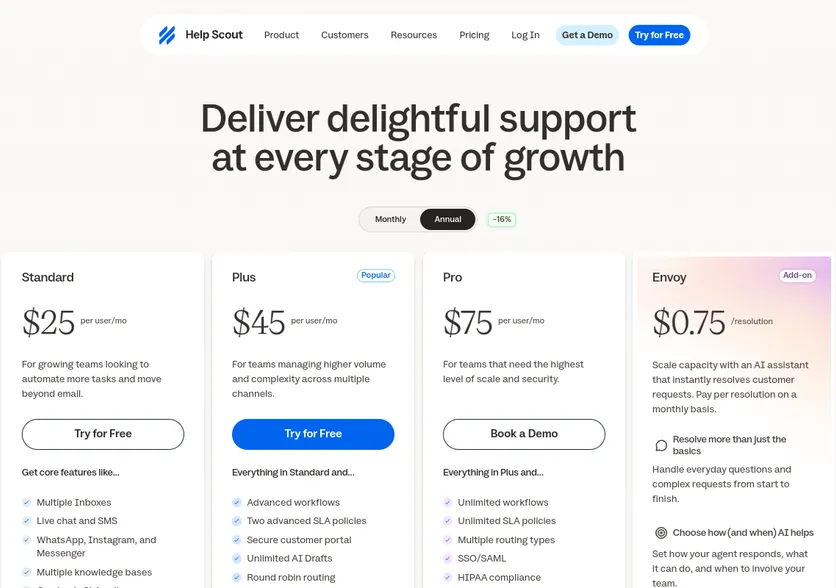
Paid tool Starting price: $25/user/month · Standard plan, twenty-five dollars per user a month billed annually, or thirty dollars billed monthly
Free plan: Free plan for up to five users
Help Scout gives a small team a shared inbox that feels like email, with collision detection, saved replies and customer profiles built in. This Help Scout Standard plan costs twenty-five dollars per user a month billed annually and includes unlimited mailboxes, reporting and a knowledge base. A startup can answer every customer from one inbox, see who is already replying and keep the tone personal as ticket volume grows.
What we like
- Shared inbox that feels like email, not a ticket queue
- Free plan for up to five users
- Collision detection stops double replies
Watch out for
- Live chat costs extra on the Standard plan
- Automation is lighter than on the bigger platforms here
How to try it
- Open the Help Scout pricing page and claim the free plan
- Connect your support mailbox and invite your team
- Set up saved replies for your five most common questions
2. Zendesk
Best for: Startups that want the most widely used help desk with room to scale
Paid tool Starting price: $19/agent/month · Support Team plan, nineteen dollars per agent a month billed annually, or twenty-five dollars billed monthly
Free plan: No free plan; 14-day free trial
Zendesk is the help desk most growing companies land on, with ticketing, automation and reporting that scale from a two-person team to a full support department. This Zendesk Support Team plan costs nineteen dollars per agent a month billed annually and includes email, chat and social tickets with basic automation. A startup can start small, add channels and AI features as it grows and hire agents who already know the tool.

What we like
- The most widely used help desk, so hiring is easy
- Scales from a small team to a full department
- Strong automation and reporting on higher plans
Watch out for
- No free plan, only a fourteen-day trial
- The entry plan lacks the AI features Zendesk is known for
How to try it
- Open the Zendesk pricing page and start the fourteen-day trial
- Connect your email and chat channels
- Build one automation that routes tickets to the right agent
3. Zoho Desk
Best for: Startups on a tight budget that want the lowest paid per-seat price here
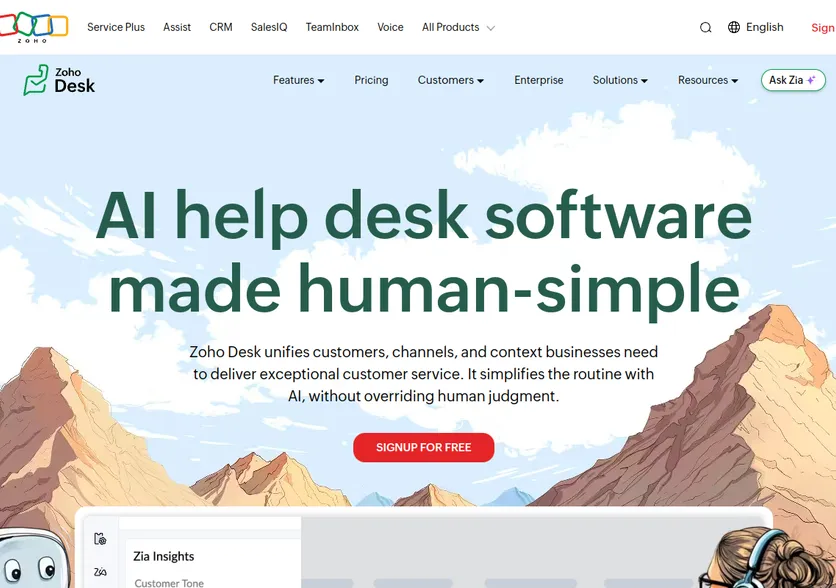
Paid tool Starting price: $14/agent/month · Standard plan, fourteen dollars per agent a month billed annually, or twenty dollars billed monthly
Free plan: Free plan for up to three agents; 15-day free trial
Zoho Desk is the cheapest paid help desk in this list, pairing a shared inbox with automation, a knowledge base and multi-channel tickets. This Zoho Desk Standard plan costs fourteen dollars per agent a month billed annually and includes ticket management, automation and reporting for small teams. A startup already using Zoho tools gets deep integrations, while a new team gets a full help desk for less than a lunch per agent.
What we like
- Lowest paid per-seat price in this comparison
- Free plan for up to three agents
- Deep integrations with the wider Zoho suite
Watch out for
- The interface feels busy next to simpler rivals
- The cheapest Express plan caps the team at five agents
How to try it
- Open the Zoho Desk pricing page and claim the free plan
- Connect your support email and set up ticket queues
- Turn on one automation and check the weekly report
4. Front
Best for: Teams that handle email, chat and social messages in one collaborative inbox
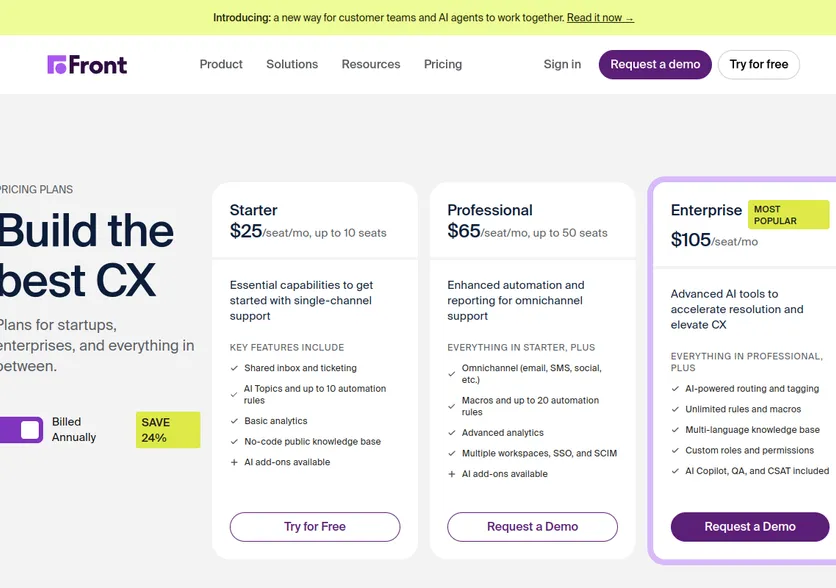
Paid tool Starting price: $25/seat/month · Starter plan, twenty-five dollars per seat a month billed annually, or thirty-five dollars billed monthly
Free plan: No free plan; 14-day free trial
Front turns email, chat and social messages into one collaborative inbox where teammates can comment, assign and draft replies together. This Front Starter plan costs twenty-five dollars per seat a month billed annually and covers up to ten seats with shared inboxes, rules and reporting. A startup can handle support, sales and partnerships from the same inbox without losing track of who owns each conversation.
What we like
- One inbox for email, chat and social messages
- Internal comments let teammates draft replies together
- Clean interface that teams learn fast
Watch out for
- No free plan, only a fourteen-day trial
- The Starter plan caps the team at ten seats
How to try it
- Open the Front pricing page and start the fourteen-day trial
- Connect your support and sales inboxes
- Set up a rule that assigns tickets to the right teammate
5. Intercom
Best for: Startups that want live chat and AI support built into the help desk
Paid tool Starting price: $29/seat/month · Essential plan, twenty-nine dollars per seat a month
Free plan: No free plan; 14-day free trial
Intercom blends live chat, a help center and an AI agent in one product, so customers get instant answers while agents handle the harder tickets. This Intercom Essential plan costs twenty-nine dollars per seat a month and includes a shared inbox, live chat and the AI agent at ninety-nine cents per resolution. A startup can deflect common questions with AI, keep the personal touch on complex issues and watch the inbox shrink.

What we like
- Live chat and AI support in one product
- The AI agent resolves common questions automatically
- Strong help center and messaging tools
Watch out for
- No free plan, only a fourteen-day trial
- AI resolutions add ninety-nine cents each on top of the seat price
How to try it
- Open the Intercom pricing page and start the fourteen-day trial
- Set up live chat on your website and help center
- Turn on the AI agent for your five most common questions
6. Freshdesk
Best for: Startups that want a full help desk with automation at a mid-range price
Paid tool Starting price: $19/agent/month · Growth plan, nineteen dollars per agent a month billed annually, or twenty-three dollars billed monthly
Free plan: No free plan; 14-day free trial
Freshdesk is the straightforward help desk in this list, with ticketing, automation and a knowledge base that a small team can set up in a day. This Freshdesk Growth plan costs nineteen dollars per agent a month billed annually and includes automation, collision detection and reporting. A startup can route tickets automatically, answer from email and chat and measure response times without a consultant.

What we like
- Easy setup a small team finishes in a day
- Automation and collision detection included
- Good reporting for the price
Watch out for
- No free plan, only a fourteen-day trial
- AI features sit on the pricier Pro and Enterprise plans
How to try it
- Open the Freshdesk pricing page and start the fourteen-day trial
- Connect your email and chat channels
- Build one automation that assigns tickets by topic
7. LiveAgent
Best for: Startups that want live chat, tickets and a call center in one cheap plan
Paid tool Starting price: $15/agent/month · Small Business plan, fifteen dollars per agent a month billed annually, or nineteen dollars billed monthly
Free plan: Free tier for one chat button and one phone number; 30-day free trial
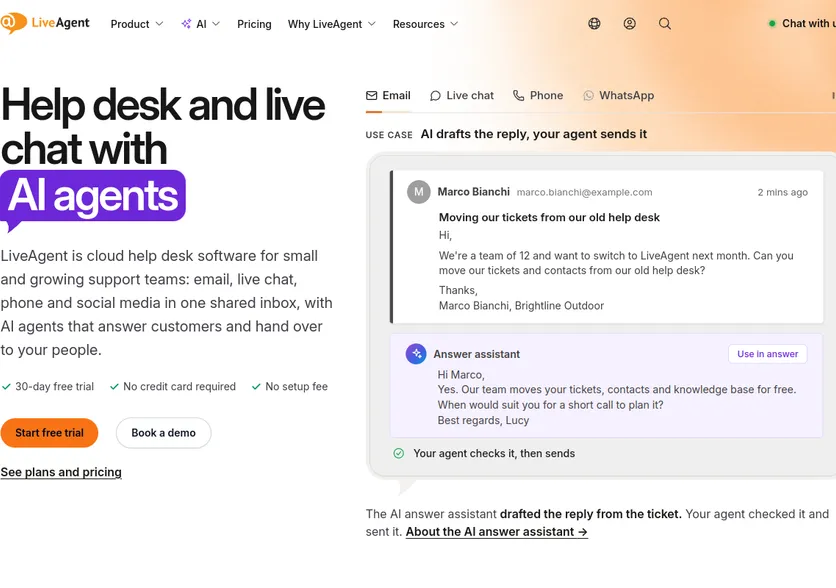
LiveAgent packs tickets, live chat and a call center into one tool, so a startup can answer customers on every channel without buying three products. This LiveAgent Small Business plan costs fifteen dollars per agent a month billed annually and includes ticketing, live chat and reporting. A small team can start with chat on the free tier, add tickets as volume grows and keep every conversation in one place.
What we like
- Tickets, live chat and calls in one plan
- Free tier for one chat button and one phone number
- One hundred seventy-five integrations with other tools
Watch out for
- The interface feels crowded next to simpler rivals
- The cheapest plan lacks some automation features
How to try it
- Open the LiveAgent pricing page and claim the free tier
- Add live chat to your website and connect your email
- Test a ticket, a chat and a call before the trial ends
8. Jira Service Management
Best for: Startups already using Jira that want service management in the same ecosystem
Paid tool Starting price: $21.50/agent/month · Standard plan as shown for a seventy-five agent team, twenty-one dollars and fifty cents per agent a month; the per-agent rate is tiered by team size
Free plan: Free plan for up to three agents
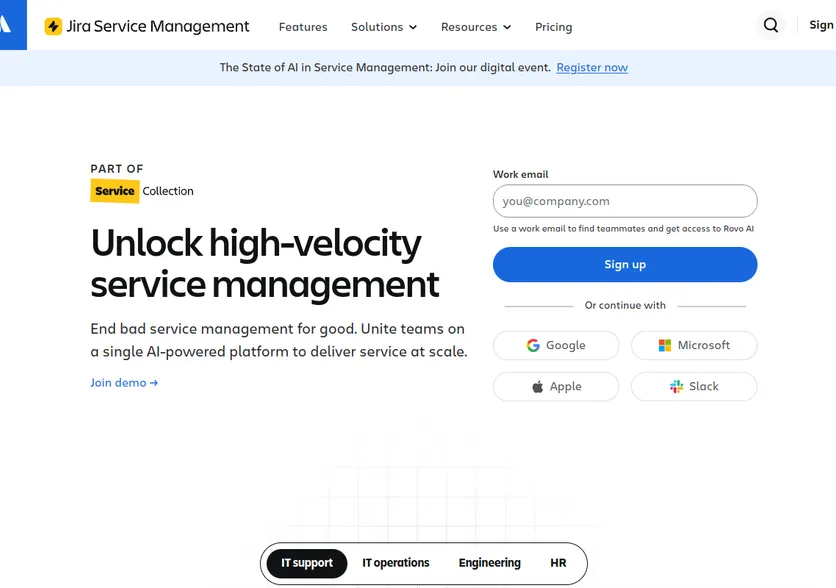
Jira Service Management brings IT service management to teams that already live in Jira, with queues, service level agreements and asset tracking in one place. This Jira Service Management Standard plan costs twenty-one dollars and fifty cents per agent a month for a seventy-five agent team, though the rate is tiered by team size. A startup using Jira for development can handle support requests in the same tool, link tickets to code and keep one source of truth.
What we like
- Deep links with Jira for development teams
- Free plan for up to three agents
- Service level agreements and asset tracking included
Watch out for
- Pricing is tiered by team size, so small teams pay more per agent
- Now sold inside the Service Collection bundle
How to try it
- Open the Jira Service Management pricing page and claim the free plan
- Set up a service project and your first request types
- Link a support ticket to a development issue
Prices above were checked on each vendor’s own website on Nov 27, 2026 and can change — the vendor’s page is the final word. Vendor links are editorial: nobody paid to be listed or ranked here. Vendors who want a featured listing can see how it works on our Get listed page.
What support ticket software costs in 2026
Support ticket tools price per seat, so the monthly bill is the seat price times the team size, and a two-dollar difference per seat adds up fast. Plans here run from fourteen dollars to twenty-nine dollars per agent a month, and the gap usually buys channels, automation and AI rather than more tickets. A three-person startup can run on the cheapest plans for under fifty dollars a month, while a team that needs live chat and AI should budget for the higher tiers.
Start with the free plan or trial on two tools and answer real tickets on each. Compare how fast agents find the right reply, how the automation routes work and how the reporting shows response times. Pick the tool your team enjoys opening every morning, because a help desk nobody likes becomes a graveyard of unanswered tickets.
Before you buy
- Count every agent who will answer tickets, because per-seat pricing multiplies with each hire.
- Check which channels the plan covers, because live chat and social tickets can cost extra.
- Confirm the free plan limits, because Help Scout and Zoho Desk cap free users at five and three.
- Test automation during the trial, because routing and saved replies save hours every week.
- Compare annual and monthly billing, because most tools here cut the seat price on annual billing.
Official websites
Official websites of the products reviewed above. Features and prices were checked against these sites when this guide was written, and they can change, so confirm on the vendor site before you buy.
Frequently asked questions
Which support ticket software is best for startups in 2026?
Help Scout is the best overall pick, with a shared inbox that feels like email from twenty-five dollars per user a month. LiveAgent is the best value for channels, packing tickets, chat and calls from fifteen dollars a month, while Zoho Desk is the cheapest paid seat at fourteen dollars a month.
How much does support ticket software cost for a startup?
Plans in this list run from fourteen dollars to twenty-nine dollars per agent a month, so a three-person team pays roughly forty-two to eighty-seven dollars a month. Free plans cover up to three or five users, which suits a very small team. Add the cost of live chat or AI features, which some tools bill separately.
Do I need live chat or is email enough?
Email suits a startup with a few dozen tickets a week, because customers accept a slower reply and agents can batch the work. Live chat suits a store or SaaS product where visitors ask before they buy, because a fast answer can save the sale. LiveAgent and Intercom include chat, while Help Scout and Zendesk charge extra or reserve it for higher plans.
Can I use support ticket software for free?
Yes, Help Scout has a free plan for up to five users, Zoho Desk has a free plan for up to three agents and Jira Service Management has a free plan for up to three agents. LiveAgent has a free tier for one chat button and one phone number. The paid plans add more users, automation and reporting.
Need everyday business help too? Try Toolsvine's free business tools right in your browser.
Browse Business Tools tools


