
On this page
A handyman business runs on repairs booked, quoted and invoiced on time, and the software that tracks them matters as much as the toolbox. The seven tools below run from twenty-nine dollars a month to eighty-five dollars a month, and every price was checked on the vendor site on November 27, 2026. Some charge per user and others charge per route, so the cheapest headline depends on how your crew works. Jobber is our first pick — the simplest scheduling, quoting and invoicing for a one-person repair business.
How we researched this
We started with the field service tools handymen actually buy, then read each price on the vendor pricing page on November 27, 2026 and noted the trial each plan carries. We judged them for a small repair business that needs scheduling, quoting and invoicing from the truck, with a crew of one to five. We dropped Workiz because its published prices conflict across 2026 sources, FieldPulse and JobNimbus because neither publishes a list price, and Workever because its prices are listed before tax with no clean dollar list price.
Compare the tools
| Name | Best for | Starting price | Free plan | |
|---|---|---|---|---|
 Jobber | Handymen who juggle small repairs, quotes and invoices across a busy week | $29/month | No free plan; 14-day free trial | Visit |
 Housecall Pro | Handymen who want customers to book online and get automatic reminders | $59/month | No free plan; 14-day free trial | Visit |
 Kickserv | Small handyman crews that want five users on the cheapest plan | $60/month | No free plan; 30-day free trial | Visit |
 ServiceM8 | Solo handymen who want a free plan and unlimited users on the paid tier | $29/month | Free plan, 1 user and 30 jobs a month | Visit |
 RazorSync | Two-person handyman teams that want simple dispatch at a flat rate | $85/month | No free plan; 14-day free trial | Visit |
 Contractor Foreman | Solo handymen who want a full project tool at a low annual price | $49/month | No free plan; 30-day free trial | Visit |
 GorillaDesk | Handymen who run routes and want to pay per van instead of per person | $49/month | No free plan; free trial available | Visit |
The handyman business software, compared
1. Jobber
Best for: Handymen who juggle small repairs, quotes and invoices across a busy week
Paid tool Starting price: $29/month · Core plan, twenty-nine dollars a month billed annually, or forty-nine dollars month to month; one user only; extra users cost twenty-nine dollars a month each on higher plans
Free plan: No free plan; 14-day free trial
A handyman juggles small repairs, quotes and invoices across a dozen jobs a week, and Jobber keeps them all in one place without a steep learning curve. This Jobber Core plan costs twenty-nine dollars a month billed annually, or forty-nine dollars month to month, for one user. A one-person repair business can quote a faucet fix, schedule the visit and send the invoice from the same app, though a second helper costs extra and the cheapest plan holds only one seat.

What we like
- Quote, schedule and invoice in one app
- Strong mobile app for work from the truck
- Simple enough to learn in an afternoon
Watch out for
- Core covers one user, so a helper costs extra
- First-year promotion is not the list price, so check the renewal rate
How to try it
- Open the Jobber pricing page and start the 14-day trial
- Add your common repair services and build a quote for a real job
- Schedule the visit and send the invoice from the mobile app
2. Housecall Pro
Best for: Handymen who want customers to book online and get automatic reminders
Paid tool Starting price: $59/month · Basic plan, fifty-nine dollars a month billed annually, or seventy-nine dollars month to month; one user only; older guides quote a lower rate that is now out of date
Free plan: No free plan; 14-day free trial
A handyman who misses calls while on a ladder loses jobs, and Housecall Pro fixes that with online booking and automated reminders that keep the diary full. This Housecall Pro Basic plan costs fifty-nine dollars a month billed annually, or seventy-nine dollars month to month, for one user. A small repair business gets job tracking, estimates and customer messaging in one app, though the price has risen from older guides and the cheapest plan still holds only one user.

What we like
- Online booking fills the diary while you work
- Automated reminders cut no-shows
- Estimates, dispatch and payments in one app
Watch out for
- Basic covers one user, so a helper costs extra
- Price has risen, so older guides quote a stale rate
How to try it
- Open the Housecall Pro pricing page and start the trial
- Set up online booking so customers can book while you work
- Turn on automated reminders and run a week of repairs
3. Kickserv
Best for: Small handyman crews that want five users on the cheapest plan
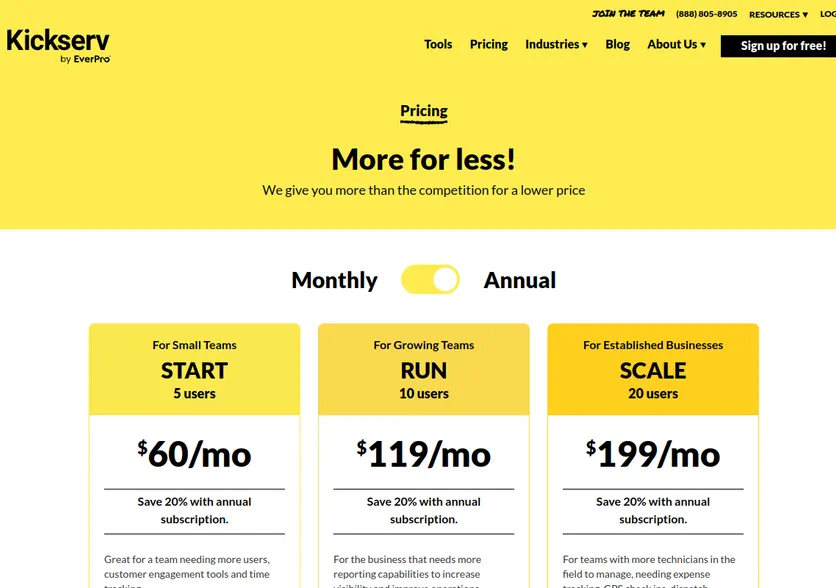
Paid tool Starting price: $60/month · Start plan, sixty dollars a month billed annually, or seventy-five dollars month to month; up to five users; price changed in late 2026 and older guides quote a lower rate
Free plan: No free plan; 30-day free trial
A handyman crew of three or four needs everyone on the same schedule, and Kickserv puts five users on its cheapest plan instead of charging per seat. This Kickserv Start plan costs sixty dollars a month billed annually, or seventy-five dollars month to month, for up to five users. A small crew gets scheduling, invoicing and customer records without per-seat math, though the price changed in late 2026 and older guides quote a lower rate.
What we like
- Five users included on the cheapest plan
- Thirty-day trial, the longest here
- Scheduling, invoicing and customer records in one place
Watch out for
- Price changed in late 2026, so confirm the rate at checkout
- Smaller app market than Jobber or Housecall Pro
How to try it
- Open the Kickserv pricing page and start the 30-day trial
- Add your crew of up to five users to one account
- Schedule a week of repairs and send the first invoices
4. ServiceM8
Best for: Solo handymen who want a free plan and unlimited users on the paid tier
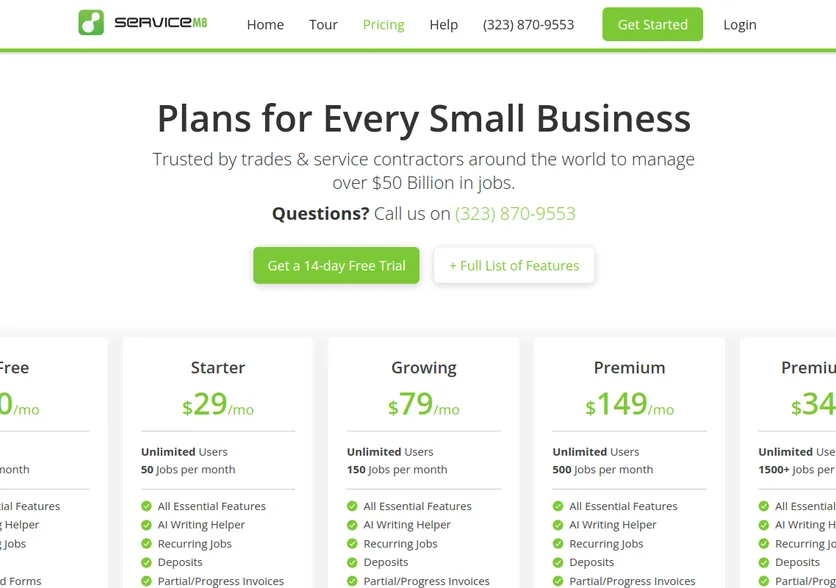
Paid tool Starting price: $29/month · Starter plan, twenty-nine dollars a month; unlimited users; fifty new jobs a month; no annual billing option published
Free plan: Free plan, 1 user and 30 jobs a month
A solo handyman starting out needs software that costs nothing until the jobs pay for it, and ServiceM8 offers a genuinely free plan plus unlimited users when you upgrade. This ServiceM8 Starter plan costs twenty-nine dollars a month and covers unlimited users with fifty new jobs a month. A one-person repair business can start free with one user and thirty jobs a month, then pay the same flat rate no matter how many helpers join, though the job cap can bite a busy month.
What we like
- Free plan for a solo handyman starting out
- Unlimited users on the paid plan
- Same flat rate no matter how many helpers join
Watch out for
- Fifty-job monthly cap on Starter can bite a busy month
- No annual billing discount published
How to try it
- Open the ServiceM8 pricing page and claim the free plan
- Add your first repair jobs and test the mobile app on site
- Upgrade to Starter once you pass thirty jobs a month
5. RazorSync
Best for: Two-person handyman teams that want simple dispatch at a flat rate
Paid tool Starting price: $85/month · Solo plan, eighty-five dollars a month billed annually, or ninety dollars month to month; up to two users
Free plan: No free plan; 14-day free trial
A two-person handyman team needs a dispatch board both partners can read, and RazorSync keeps it simple with scheduling, invoicing and customer history in one app. This RazorSync Solo plan costs eighty-five dollars a month billed annually, or ninety dollars month to month, for up to two users. A small team gets the basics done well without per-seat surprises, though the price is higher than rivals that cover the same two users for less.
What we like
- Simple dispatch board that a small team learns fast
- Two users included on the cheapest plan
- Scheduling, invoicing and customer history in one app
Watch out for
- Dearest per-user price here for a two-person team
- Fewer integrations than Jobber or Housecall Pro
How to try it
- Open the RazorSync pricing page and start the 14-day trial
- Add your two users and set up the dispatch board
- Run a week of repairs and check the invoicing flow
6. Contractor Foreman
Best for: Solo handymen who want a full project tool at a low annual price
Paid tool Starting price: $49/month · Basic plan, forty-nine dollars a month billed annually for one user; annual billing only, with no monthly option
Free plan: No free plan; 30-day free trial
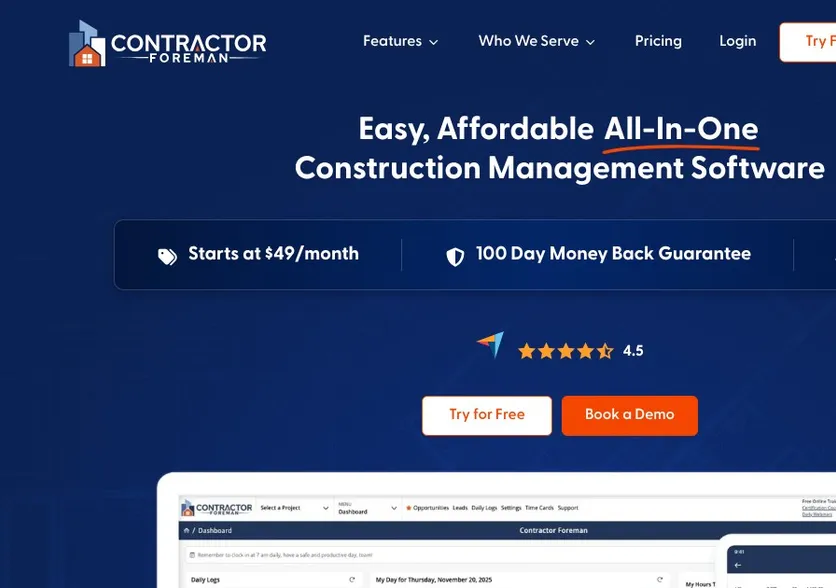
A handyman who takes on bigger jobs needs more than a diary, and Contractor Foreman adds estimates, time tracking and documents to the scheduling basics. This Contractor Foreman Basic plan costs forty-nine dollars a month billed annually for one user, and the plan is annual only with no monthly option. A solo handyman gets a deeper project tool than the scheduling apps here, though the annual-only billing means paying a full year upfront and the learning curve is steeper.
What we like
- Deepest project tools here for forty-nine dollars a month
- Estimates, scheduling and time tracking in one plan
- Thirty-day trial to test a full project cycle
Watch out for
- Annual billing only, so a full year is paid upfront
- Steeper learning curve than the scheduling apps
How to try it
- Open the Contractor Foreman pricing page and start the trial
- Set up a repair project with estimates, schedule and documents
- Test the time tracking on a real job before you commit
7. GorillaDesk
Best for: Handymen who run routes and want to pay per van instead of per person
Paid tool Starting price: $49/month · Basic plan, forty-nine dollars a month per route, or five hundred thirty-nine dollars a year per route; one route with unlimited office users; extra routes cost more
Free plan: No free plan; free trial available
A handyman with two vans and a rotating crew pays per person on most tools here, but GorillaDesk charges per route, so every office user is included free. This GorillaDesk Basic plan costs forty-nine dollars a month per route, with one route and unlimited office users, or five hundred thirty-nine dollars a year per route on annual billing. A route-based business gets scheduling, invoicing and customer records for one van at a flat rate, though a second van doubles the bill and texting costs extra.

What we like
- Per-route pricing, so office users are free
- One van covered for forty-nine dollars a month
- No contract or setup fee
Watch out for
- A second van doubles the monthly bill
- Texting is a paid add-on, not included
How to try it
- Open the GorillaDesk pricing page and check the per-route math
- Set up your first route and add your office users free
- Run a week of jobs on one route before you add a second
Prices above were checked on each vendor’s own website on Nov 27, 2026 and can change — the vendor’s page is the final word. Vendor links are editorial: nobody paid to be listed or ranked here. Vendors who want a featured listing can see how it works on our Get listed page.
What handyman software costs in 2026
The monthly price is only half the bill, because the tools here charge in two different ways: per user or per route. A twenty-nine-dollar Jobber plan becomes fifty-eight dollars a month for a two-person crew, while a forty-nine-dollar GorillaDesk plan already covers one van with unlimited office users. Job caps are the other hidden limit, since ServiceM8 Starter stops at fifty new jobs a month and a busy handyman can hit that in two weeks.
Start with the trial on two tools and run a real week of repairs on each, from quote to invoice to payment. Compare how the mobile app feels on site, how fast a quote goes out, and whether the plan covers your whole crew or just one van. Pick the tool you will open every day, because software nobody uses is money wasted.
Before you buy
- Count the users who need a login, because Jobber Core and Housecall Pro Basic cover one user and extra seats cost more.
- Check whether the price is per route or per user, because GorillaDesk charges per route and a second van doubles the bill.
- Confirm the monthly job limit, because ServiceM8 Starter caps new jobs at fifty a month and a busy handyman can hit it fast.
- Test the mobile app on a real repair, because a handyman who cannot update a job from the truck will not use the software.
- Compare the trial length, because thirty days is enough to run a real week of repairs and seven days is not.
Official websites
Official websites of the products reviewed above. Features and prices were checked against these sites when this guide was written, and they can change, so confirm on the vendor site before you buy.
Frequently asked questions
Which handyman business software is best in 2026?
Jobber is the best overall pick at twenty-nine dollars a month billed annually, with the simplest scheduling, quoting and invoicing for a one-person repair business. ServiceM8 is the best budget pick, with a free plan for a solo handyman and unlimited users at twenty-nine dollars a month. Kickserv is the best pick for a small crew, with five users included at sixty dollars a month.
How much does handyman business software cost?
Entry plans in this list run from twenty-nine dollars a month for Jobber and ServiceM8 to eighty-five dollars a month for RazorSync, with most handyman tools between forty-nine and sixty dollars a month. GorillaDesk charges per route instead of per user, at forty-nine dollars a month per van. The real cost depends on users or routes, so count both before you compare prices.
Is there a free handyman business software?
Yes, ServiceM8 offers a free plan for one user with thirty jobs a month, which suits a solo handyman starting out. Every other tool here offers a free trial instead, from fourteen to thirty days, with Kickserv and Contractor Foreman offering the longest trials. A trial is enough to run a real week of repairs before you commit to a monthly bill.
What is the difference between per-user and per-route pricing?
Per-user pricing charges for every login, while per-route pricing charges for every van. GorillaDesk at forty-nine dollars a month per route covers one van with unlimited office users, so a business with two vans and four office staff pays ninety-eight dollars a month. On a per-user plan the same team would pay for each login instead, which can cost more or less depending on the crew size.
What should I look for in handyman business software?
Look for scheduling that works from the truck, quotes and invoices that go out fast, and a mobile app you will actually open on site. Check the user or route limit, the monthly job cap and whether the trial is long enough to test a real week of repairs. The best tool is the one you use every day, not the one with the longest feature list.
Need everyday business help too? Try Toolsvine's free business tools right in your browser.
Browse Business Tools tools


