
On this page
Customer success starts with support that answers fast and remembers the customer, and the help desk is where that happens. The eight tools below run from fourteen dollars an agent a month to twenty-nine dollars a seat a month, and every price was checked on the vendor site on November 27, 2026. Some cover email only on the cheapest plan, while others bundle chat, phone and a call center for the same money. Zendesk is our first pick — the most proven ticketing, routing and reporting in this list.
How we researched this
We started with the help desks and support tools US teams actually buy, then read each price on the vendor pricing page on November 27, 2026 and noted the trial or free plan each one carries. We judged them for a small support team that needs ticketing, live chat and a knowledge base without an enterprise budget. We dropped Gainsight, Totango, ChurnZero, Planhat and ClientSuccess because none of them publishes a list price, and we dropped Front because its published prices changed too often in 2026 to verify with confidence.
Compare the tools
| Name | Best for | Starting price | Free plan | |
|---|---|---|---|---|
 Zendesk | Teams that want a proven help desk with clear per-agent pricing | $19/agent/month | No free plan; free trial available | Visit |
 Freshdesk | Small teams that want a solid help desk at the lowest per-agent price | $15/agent/month | Free plan, 2 agents for 6 months | Visit |
 HubSpot Service Hub | Teams already on HubSpot CRM that want support on the same customer record | $15/seat/month | Free plan exists, with basic ticketing | Visit |
 Intercom | Product-led teams that want AI-first messaging inside their own app | $29/seat/month | No free plan; 14-day free trial | Visit |
 Salesforce Service Cloud | Enterprise teams already on Salesforce that want service on the same platform | $25/user/month | No free plan; free trial available | Visit |
 Zoho Desk | Small teams that want the cheapest paid seat with a knowledge base included | $14/agent/month | Free plan, up to 3 agents | Visit |
 Help Scout | Email-first teams that want a personal shared inbox with a knowledge base | $25/user/month | Free plan, up to 5 users and 100 contacts a month | Visit |
 LiveAgent | Small teams that want ticketing, chat and a call center in one budget tool | $15/agent/month | Free plan, 1 agent | Visit |
The customer success software, compared
1. Zendesk
Best for: Teams that want a proven help desk with clear per-agent pricing
Paid tool Starting price: $19/agent/month · Support Team plan, nineteen dollars per agent a month billed annually, or twenty-five dollars month to month; email and web-form ticketing only; Suite Team costs fifty-five dollars a month
Free plan: No free plan; free trial available
Zendesk is the help desk most support teams compare everything else against, with ticketing, routing and reporting that scale from a small team to a large one. This Zendesk Support Team plan costs nineteen dollars per agent a month billed annually, or twenty-five dollars month to month, for email and web-form ticketing only. A small team gets macros, triggers and dashboards, though chat, phone and AI agents need the Suite Team plan at fifty-five dollars a month.

What we like
- Most proven help desk in this comparison
- Clear per-agent pricing with no hidden meters on Support Team
- Macros, triggers and dashboards built in
Watch out for
- Support Team is email only, with no chat or phone
- Suite Team costs nearly three times the entry price
How to try it
- Open the Zendesk pricing page and compare Support Team with Suite Team
- Start a trial and import your first real tickets
- Test the ticket routing and macros before you buy
2. Freshdesk
Best for: Small teams that want a solid help desk at the lowest per-agent price
Paid tool Starting price: $15/agent/month · Growth plan, fifteen dollars per agent a month billed annually; Pro costs forty-nine dollars and Enterprise seventy-nine dollars a month; free plan covers two agents for six months
Free plan: Free plan, 2 agents for 6 months
Freshdesk is the value pick for a team that wants a real help desk without paying for channels it will never use. This Freshdesk Growth plan costs fifteen dollars per agent a month billed annually, with ticketing, email, chat, phone and social channels in one workspace. A budget-conscious team gets Freddy AI included in the plan, though the free plan now covers two agents for six months only and the AI copilot is a separate add-on.

What we like
- Lowest per-agent price here at fifteen dollars a month
- Ticketing, chat, phone and social in one workspace
- Freddy AI included in the Growth plan
Watch out for
- Free plan now lasts six months, not forever
- AI copilot is a separate add-on, not included
How to try it
- Open the Freshdesk pricing page and check the Growth limits
- Start the free plan with your first two agents
- Test the ticket automations and collision detection
3. HubSpot Service Hub
Best for: Teams already on HubSpot CRM that want support on the same customer record
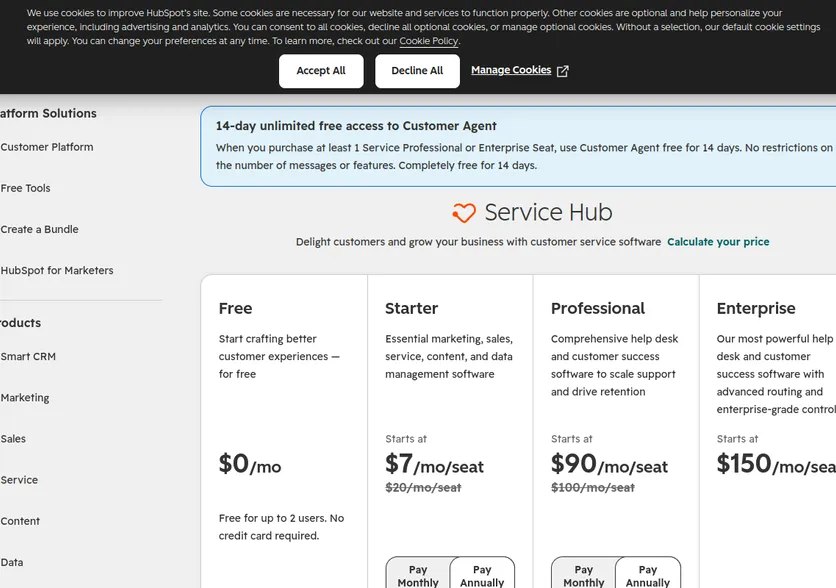
Paid tool Starting price: $15/seat/month · Starter plan, fifteen dollars per seat a month; the vendor runs a short promotion near nine dollars that is not the list price; Professional costs one hundred dollars a seat a month
Free plan: Free plan exists, with basic ticketing
HubSpot Service Hub keeps support tickets on the same CRM record that sales and marketing already use, so an agent sees the full customer history without switching tools. This HubSpot Service Hub Starter plan costs fifteen dollars per seat a month, with a help desk, live chat, ticketing and conversation routing. A HubSpot shop gets support on the same record, though AI agents need the Professional plan and the jump from Starter to Professional is steep.
What we like
- Support shares the same CRM record as sales and marketing
- Help desk, live chat and ticketing in one plan
- Free plan for a tiny team starting out
Watch out for
- AI agents need the dearer Professional plan
- Jump from Starter to Professional is steep
How to try it
- Open the HubSpot Service Hub pricing page and check Starter
- Connect your existing HubSpot CRM to the help desk
- Route your first tickets and test the live chat widget
4. Intercom
Best for: Product-led teams that want AI-first messaging inside their own app
Paid tool Starting price: $29/seat/month · Essential plan, twenty-nine dollars per seat a month billed annually; Fin AI agent costs ninety-nine cents per resolution on top; entry price moved during 2026
Free plan: No free plan; 14-day free trial
Intercom is the messenger-first platform for product teams that want support inside their own app, with its Fin AI agent resolving routine questions before a human sees them. This Intercom Essential plan costs twenty-nine dollars per seat a month billed annually, plus ninety-nine cents for every Fin resolution. A SaaS team gets in-app chat and a shared inbox, though the per-resolution meter can dwarf the seat price at volume and the entry price moved during 2026.

What we like
- Best AI agent here, with Fin resolving routine questions
- In-app messaging that product teams love
- Shared inbox, ticketing and help center in one plan
Watch out for
- Per-resolution AI fees can dwarf the seat price at volume
- Entry price moved during 2026, so confirm it at checkout
How to try it
- Open the Intercom pricing page and check the Essential limits
- Start the trial and install the Messenger in your app
- Track how many Fin resolutions a week actually costs
5. Salesforce Service Cloud
Best for: Enterprise teams already on Salesforce that want service on the same platform
Paid tool Starting price: $25/user/month · Starter Suite, twenty-five dollars per user a month, billed monthly or annually; case management starts at Core for one hundred ninety-five dollars per user a month; now listed as Agentforce Service
Free plan: No free plan; free trial available
Salesforce Service Cloud, now listed as Agentforce Service, is the enterprise case-management platform for teams that already run their business on Salesforce. This Salesforce Service Cloud Starter Suite costs twenty-five dollars per user a month, billed monthly or annually, with cases, a knowledge base and email capture. An enterprise team gets service on Salesforce, though Starter is mostly sales and marketing oriented and real case management starts at Core for one hundred ninety-five dollars per user a month.
What we like
- Service on the same platform as Sales Cloud
- Published prices from twenty-five dollars per user a month
- Knowledge base and case management on higher tiers
Watch out for
- Starter is sales oriented, so real service starts at Core
- AI usage is metered separately on top of the seat price
How to try it
- Open the Salesforce Service Cloud pricing page and check Starter
- Compare Starter with Core before you commit
- Ask sales which edition covers your case volume
6. Zoho Desk
Best for: Small teams that want the cheapest paid seat with a knowledge base included
Paid tool Starting price: $14/agent/month · Standard plan, fourteen dollars per agent a month billed annually, or twenty dollars month to month; Express costs seven dollars a month for up to five agents
Free plan: Free plan, up to 3 agents
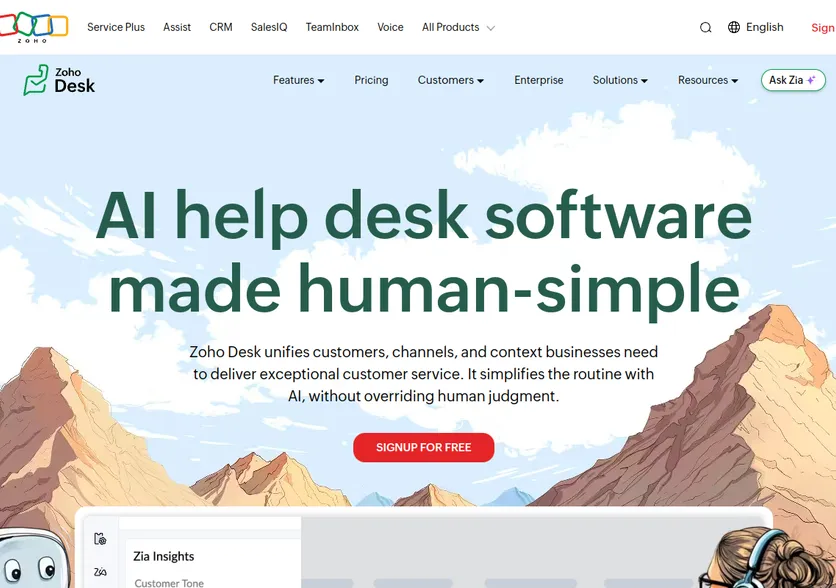
Zoho Desk is the cheapest paid help desk here, with a free plan for three agents and a Standard plan that adds a knowledge base and live chat. This Zoho Desk Standard plan costs fourteen dollars per agent a month billed annually, or twenty dollars month to month, with unlimited agents. A small team gets email, messaging and a public knowledge base for the lowest paid seat here, though the AI assistant needs the Enterprise plan and the Express plan caps at five agents.
What we like
- Cheapest paid seat here at fourteen dollars a month
- Free plan for up to three agents
- Knowledge base and live chat included on Standard
Watch out for
- AI assistant needs the Enterprise plan at forty dollars a month
- Express plan caps at five agents, forcing an upgrade
How to try it
- Open the Zoho Desk pricing page and claim the free plan
- Run your first tickets through the free plan
- Upgrade to Standard once you need a knowledge base
7. Help Scout
Best for: Email-first teams that want a personal shared inbox with a knowledge base
Paid tool Starting price: $25/user/month · Standard plan, twenty-five dollars per user a month billed annually, or thirty dollars month to month; pricing changed in 2026 from a flat fifty-dollar monthly rate to per-user billing
Free plan: Free plan, up to 5 users and 100 contacts a month
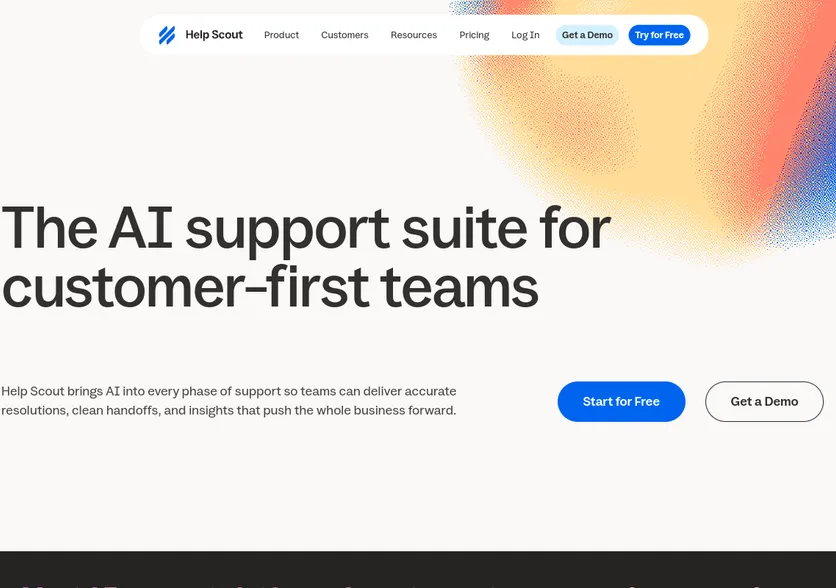
Help Scout is built around a shared inbox that makes support replies feel like personal email, with workflows, private notes and a knowledge base in the same workspace. This Help Scout Standard plan costs twenty-five dollars per user a month billed annually, or thirty dollars month to month, for up to twenty-five users. An email-first team gets live chat, Docs and customer happiness ratings, though the pricing changed in 2026 from a flat monthly rate to per-user billing.
What we like
- Shared inbox that feels like personal email
- Free plan for up to five users
- Knowledge base and live chat included on Standard
Watch out for
- Pricing changed in 2026, so older guides quote a flat rate
- AI Answers costs extra per resolved conversation
How to try it
- Open the Help Scout pricing page and claim the free plan
- Set up your shared inbox and Docs knowledge base
- Upgrade to Standard once you pass one hundred contacts a month
8. LiveAgent
Best for: Small teams that want ticketing, chat and a call center in one budget tool
Paid tool Starting price: $15/agent/month · Small Business plan, fifteen dollars per agent a month billed annually, or nineteen dollars month to month; Medium costs twenty-nine dollars and Large forty-nine dollars a month
Free plan: Free plan, 1 agent
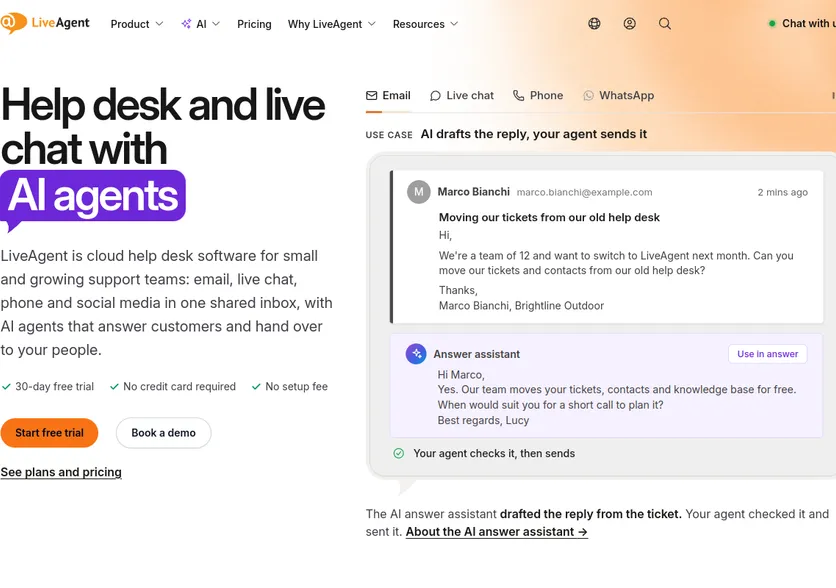
LiveAgent packs ticketing, live chat, a knowledge base and a real call center into one budget help desk, which is rare at this price. This LiveAgent Small Business plan costs fifteen dollars per agent a month billed annually, or nineteen dollars month to month, with ticketing, chat, a knowledge base and AI assistants. A small team gets the most channels per dollar, though call-center features and SLAs need the higher tiers and the free plan covers only one agent.
What we like
- Ticketing, chat, knowledge base and call center in one tool
- Fifteen dollars a month with AI assistants included
- Thirty-day trial with no card required
Watch out for
- Call center and SLAs need the higher tiers
- Free plan covers only one agent
How to try it
- Open the LiveAgent pricing page and check the Small limits
- Start the 30-day trial and connect your email and chat
- Test the call center on the Medium plan if phone matters
Prices above were checked on each vendor’s own website on Nov 27, 2026 and can change — the vendor’s page is the final word. Vendor links are editorial: nobody paid to be listed or ranked here. Vendors who want a featured listing can see how it works on our Get listed page.
What customer success software costs in 2026
The seat price is only the first line of a support bill, because channels and AI sit on top of it. A nineteen-dollar Zendesk seat covers email only, while a fifteen-dollar Freshdesk seat covers chat, phone and social, so the cheaper headline can buy more. AI is the other meter to watch, since Intercom charges ninety-nine cents per Fin resolution and Zendesk charges per AI resolution on Suite plans, which can dwarf the seat price at volume.
Start with the free plan or trial on two tools and run real tickets through each one. Compare how fast an agent answers, how the knowledge base deflects repeat questions, and whether the plan covers the channels your customers actually use. Pick the tool your team answers tickets in every day, because a help desk nobody opens is money wasted.
Before you buy
- Check which channels the cheapest plan covers, because Zendesk Support Team is email only and chat costs more.
- Count the agents who need a seat, because every tool here bills per agent and five seats multiply the headline price.
- Confirm whether AI is included, because Intercom charges ninety-nine cents per Fin resolution on top of the seat price.
- Compare the free plan limits, because Freshdesk free covers two agents for six months and Zoho Desk free covers three agents.
- Test the trial with real tickets, because a help desk that feels fast on five tickets can crawl on five hundred.
Official websites
Official websites of the products reviewed above. Features and prices were checked against these sites when this guide was written, and they can change, so confirm on the vendor site before you buy.
Frequently asked questions
Which customer success software is best in 2026?
Zendesk is the best overall pick at nineteen dollars per agent a month billed annually, with the most proven ticketing, routing and reporting in this list. Freshdesk is the best budget pick at fifteen dollars a month, with ticketing, chat, phone and social in one workspace. Zoho Desk is the cheapest paid seat at fourteen dollars a month, with a knowledge base included on Standard.
How much does customer success software cost?
Entry prices in this list run from fourteen dollars per agent a month for Zoho Desk to twenty-nine dollars per seat a month for Intercom, with most help desks between fifteen and twenty-five dollars per agent a month. Per-agent billing means five seats cost five times the headline price, and AI usage sits on top of the seat price on Intercom and Zendesk. A five-agent team pays seventy to one hundred twenty-five dollars a month on the entry plans.
What is the difference between a help desk and customer success software?
A help desk organizes support tickets, while customer success software tracks customer health, onboarding and retention across the whole relationship. The tools here are help desks first, and they improve customer success by resolving issues fast and keeping every conversation on one record. Teams that need health scores and renewal tracking usually add a dedicated success platform beside the help desk.
Is there a free customer success software?
Yes, HubSpot Service Hub, Freshdesk, Zoho Desk, Help Scout and LiveAgent all offer free plans with real limits, from one to five agents. Free plans cover basic ticketing and a knowledge base, but they cap agents, contacts or channels, so a growing team moves to a paid plan within weeks. A tiny team can run support free for months before paying.
What should I look for in customer success software?
Look for a plan that covers the channels your customers actually use, per-agent pricing that fits your team size, and AI costs that are included rather than metered. Check whether the cheapest plan covers chat and phone or email only, and whether the free plan covers enough agents. The best tool is the one your team answers tickets in every day, not the one with the longest feature list.
Need everyday business help too? Try Toolsvine's free business tools right in your browser.
Browse Business Tools tools


