On this page
Vendor contracts pile up fast: renewals, price changes, signed copies in three inboxes and a spreadsheet nobody trusts. The eight tools below bring that mess into one place, with renewal alerts, approval flows and a searchable repository for every agreement. PandaDoc leads because it pairs contract creation with e-signing for nineteen dollars a month, while the dedicated repositories below suit teams that manage hundreds of live agreements. Pick the tool that matches how many contracts you hold and who needs to see them.
How we researched this
We checked every price on the vendor pricing page on November 28, 2026, and only included tools with a published US dollar list price. The big enterprise contract suites that sell by quote, including Ironclad, Agiloft, Evisort, LinkSquares and Malbek, publish no prices, so they are not in this list. Prices change, so confirm the current figure on the vendor site before you buy.
Compare the tools
| Name | Best for | Starting price | Free plan | |
|---|---|---|---|---|
 PandaDoc | Small teams that draft and sign vendor deals | $19/month | Free plan | Visit |
 DocuSign | Teams whose vendors expect DocuSign signatures | $25/user/month | 30-day free trial | Visit |
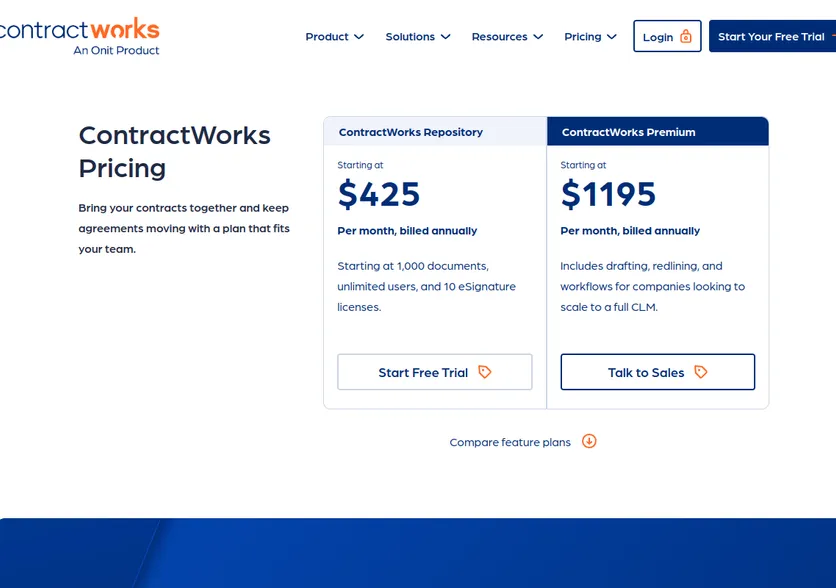
 ContractWorks | Teams with hundreds of signed vendor agreements | $425/month | No free plan | Visit |
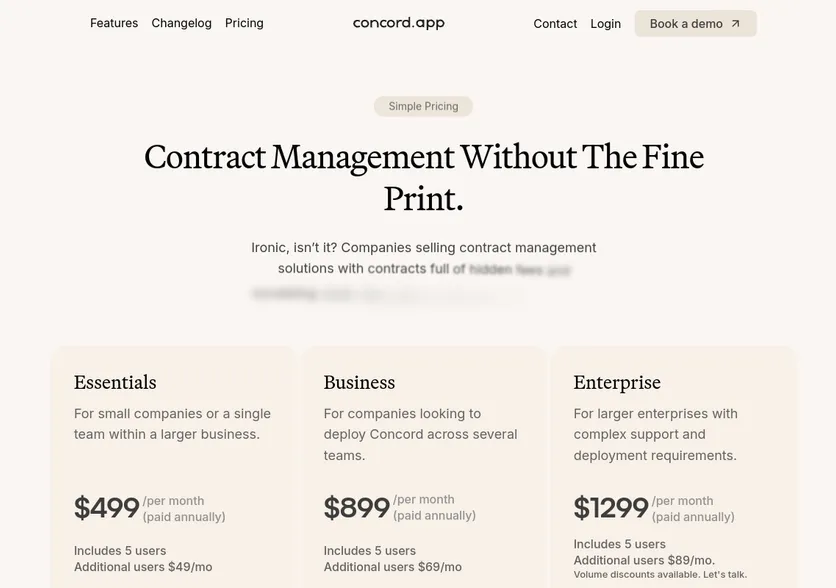
 Concord | Teams that negotiate terms inside the contract | $499/month | Free plan | Visit |
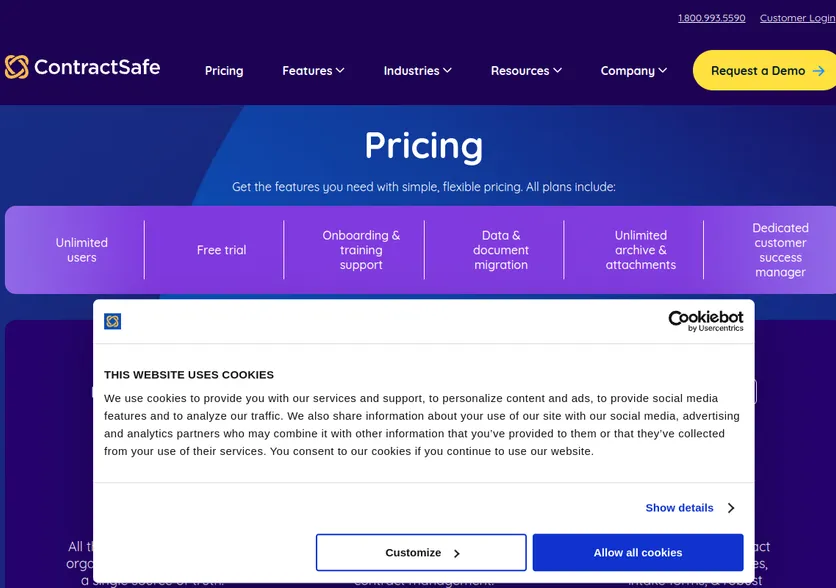
 ContractSafe | Operations teams that want a simple repository | $450/month | No free plan | Visit |
 Zoho Contracts | Businesses already using Zoho apps | $25/user/month | Free plan | Visit |
| SignWell | Small teams that need cheap, simple signing | $10/sender/month | Free plan | Visit |
 Gavel Exec | Teams that generate repeat vendor agreements | $160/user/month | No free plan | Visit |
The software for managing vendor contracts, compared
1. PandaDoc
Best for: Small teams that draft and sign vendor deals
Paid tool Starting price: $19/month · Nineteen dollars a user a month on the Starter plan billed annually; Business is forty-nine dollars a user a month; a free plan covers basic e-signing
Free plan: Free plan
For a team that drafts and signs vendor agreements in the same week, this PandaDoc plan costs nineteen dollars a user a month billed annually, and it turns a quote into a signed contract without leaving the document. Templates, approvals and e-signatures sit in one flow, and the audit trail shows who opened, edited and signed each version. It is the cheapest way to stop chasing signatures over email.

What we like
- Contract templates with built-in approval flows
- E-signatures with a full audit trail
- Payment collection inside the signed document
Watch out for
- The Starter plan caps the number of documents per month
- Deep repository search lives on the higher plans
How to try it
- Create a template from your standard vendor agreement
- Send it for approval, then route it for e-signature
- Store the signed copy and set a renewal reminder
2. DocuSign
Best for: Teams whose vendors expect DocuSign signatures
Paid tool Starting price: $25/user/month · Twenty-five dollars a user a month on the Standard plan billed annually and paid upfront; Personal is ten dollars and Business Pro is forty dollars; month-to-month Standard is forty-five dollars
Free plan: 30-day free trial
When a vendor insists on a signing tool they already trust, this DocuSign plan costs twenty-five dollars a user a month billed annually, and it puts legally binding signatures on any vendor agreement in minutes. The envelope workflow tracks every recipient, sends automatic reminders and keeps a certificate of completion for the file. It is the safe default for teams whose vendors already use it.

What we like
- The most widely recognised e-signature brand
- Automatic reminders chase slow signers for you
- Certificate of completion on every envelope
Watch out for
- Contract drafting and repository tools cost extra
- The annual plan is paid upfront, not monthly
How to try it
- Upload the vendor agreement and add signature fields
- Send the envelope and let reminders chase signers
- Download the completed copy with its certificate
3. ContractWorks
Best for: Teams with hundreds of signed vendor agreements
Paid tool Starting price: $425/month · Four hundred and twenty-five dollars a month for the Repository plan on annual billing; implementation and migration are quoted separately
Free plan: No free plan
Built purely as a home for signed agreements, this ContractWorks plan costs four hundred and twenty-five dollars a month on annual billing, and it gives every contract a searchable record with renewal dates and key terms. Optical character recognition pulls dates and clauses out of scanned PDFs, and alerts land weeks before a renewal deadline. It suits teams that already draft elsewhere and need control over what is signed.
What we like
- Full-text search across every signed contract
- Renewal alerts with custom lead times
- Unlimited users on the Repository plan
Watch out for
- No drafting or e-signature tools are included
- Migration from a shared drive takes planning
How to try it
- Upload signed agreements in bulk from your drive
- Tag each contract with renewal dates and owners
- Turn on alerts so nothing auto-renews unnoticed
4. Concord
Best for: Teams that negotiate terms inside the contract
Paid tool Starting price: $499/month · Four hundred and ninety-nine dollars a month on the Standard plan; a free plan covers basic contract storage and signing
Free plan: Free plan
Concord treats the contract itself as the workspace, and this Concord plan costs four hundred and ninety-nine dollars a month, covering drafting, negotiation, signing and storage in one place. Both sides edit the same live document instead of trading Word files, and every change is tracked with comments and version history. It fits teams that negotiate terms back and forth before anything is signed.
What we like
- Live co-editing replaces emailed Word versions
- Deadline alerts for renewals and milestones
- Unlimited e-signatures on paid plans
Watch out for
- The price jumps fast once you need advanced workflows
- Template library is thinner than the drafting specialists
How to try it
- Start from a template or import an existing agreement
- Invite the vendor to negotiate in the live document
- Sign, store and set renewal alerts in one place
5. ContractSafe
Best for: Operations teams that want a simple repository
Paid tool Starting price: $450/month · Four hundred and fifty dollars a month; pricing scales with the number of contracts stored
Free plan: No free plan
If the job is simply knowing where every contract is and when it ends, this ContractSafe plan costs four hundred and fifty dollars a month, and it keeps a clean, searchable list with renewal alerts and key-date tracking. The interface is deliberately simple, so a new hire can find any agreement in seconds without training. It is a good fit for operations teams that want a tidy repository and nothing else.
What we like
- Very fast setup with bulk upload
- Clear renewal calendar for the whole portfolio
- Key-date alerts go to the right owner
Watch out for
- No contract drafting or negotiation tools
- Reporting is basic next to the enterprise suites
How to try it
- Bulk upload your signed vendor contracts
- Let the system extract renewal dates and terms
- Assign an owner and alert date to each agreement
6. Zoho Contracts
Best for: Businesses already using Zoho apps
Paid tool Starting price: $25/user/month · Twenty-five dollars a user a month; higher tiers add AI extraction and advanced workflows
Free plan: Free plan
For a business already running on Zoho apps, this Zoho Contracts plan costs twenty-five dollars a user a month, and it manages the full contract lifecycle from request to renewal inside the Zoho suite. Clause libraries, approval workflows and obligation tracking come standard, and the data flows into Zoho CRM and Books without extra connectors. It is the natural pick for a Zoho shop.
What we like
- Full lifecycle from request to renewal
- Clause library keeps approved wording consistent
- Native links to Zoho CRM and Books
Watch out for
- Outside the Zoho suite the integrations are thinner
- AI extraction sits on the higher tiers
How to try it
- Import your vendor contracts into the repository
- Build approval workflows for new agreements
- Track obligations and renewals from one dashboard
7. SignWell
Best for: Small teams that need cheap, simple signing
Paid tool Starting price: $10/sender/month · Ten dollars a sender a month billed annually; Business is twenty-four dollars a sender a month; a free plan covers one sender
Free plan: Free plan
SignWell keeps signing simple and cheap, and this SignWell plan costs ten dollars a sender a month billed annually, covering unlimited documents for that sender. Templates, reminders and an audit trail are included, and recipients sign without creating an account. It is a strong choice for a small team that signs a steady stream of vendor agreements.
What we like
- One sender can sign unlimited documents
- Recipients sign without an account
- Templates and reminders included on paid plans
Watch out for
- No contract repository or renewal tracking
- Advanced branding needs the Business plan
How to try it
- Upload the agreement and place the signature fields
- Send it to the vendor with a signing link
- Download the completed copy once everyone signs
8. Gavel Exec
Best for: Teams that generate repeat vendor agreements
Paid tool Starting price: $160/user/month · One hundred and sixty dollars a user a month; document automation and e-signature are bundled in the Exec plan
Free plan: No free plan
Gavel Exec pairs document automation with signing, and this Gavel Exec plan costs one hundred and sixty dollars a user a month, turning intake answers into finished vendor agreements automatically. A questionnaire collects the deal terms, the document builds itself, and the signature request goes out from the same workflow. It suits teams that generate similar agreements again and again.
What we like
- Questionnaires build documents from your answers
- E-signature bundled in the same workflow
- Clause automation keeps wording consistent
Watch out for
- The price is high for occasional use
- Setup takes time to build the first templates
How to try it
- Build a questionnaire for your standard vendor terms
- Answer it once to generate the finished agreement
- Send it for signature from the same screen
Prices above were checked on each vendor’s own website on Nov 28, 2026 and can change — the vendor’s page is the final word. Vendor links are editorial: nobody paid to be listed or ranked here. Vendors who want a featured listing can see how it works on our Get listed page.
How to take control of vendor contracts before the next renewal
Start by listing every live vendor agreement with its renewal date, notice window and owner, because most overpayments come from contracts nobody was watching. Put that list in the repository first, then set alerts at ninety, sixty and thirty days before each renewal so the team has time to renegotiate or cancel. Give one person ownership of each contract, and make the signed copy the single source of truth instead of the version in someone's inbox. When a new agreement arrives, run it through the approval flow before it is signed, and check that the price, term and auto-renewal clause match what was agreed in the email thread. Review the portfolio every quarter and cancel the tools and services nobody uses.
Before you buy
- Confirm renewal alerts can be set at ninety, sixty and thirty days before each deadline
- Check whether the repository searches inside scanned PDFs, not just file names
- Ask if e-signatures and the audit trail are included or sold as an add-on
- Make sure the tool tracks auto-renewal clauses and notice windows, not just end dates
- Test the approval flow on a real vendor agreement before paying for a full year
Official websites
Official websites of the products reviewed above. Features and prices were checked against these sites when this guide was written, and they can change, so confirm on the vendor site before you buy.
Frequently asked questions
What is vendor contract management software?
It is software that stores every vendor agreement in one searchable place and tracks the dates that matter, such as renewals, notice windows and price changes. Good tools also handle drafting, approvals and e-signatures, and they alert the owner well before a contract auto-renews so the team can renegotiate or cancel in time.
How much does vendor contract software cost?
Prices in this list run from ten dollars a sender a month for simple signing to four hundred and ninety-nine dollars a month for a full lifecycle platform. Dedicated repositories sit in the middle at around four hundred and twenty-five to four hundred and fifty dollars a month. The right budget depends on how many contracts you hold and whether you need drafting as well as storage.
Do I need a repository or a full lifecycle tool?
A repository is enough if you already draft agreements elsewhere and only need to find them and track renewals. A lifecycle tool is worth the extra cost when your team negotiates terms, routes approvals and signs inside the same system. Small teams usually start with a repository and signing, then add drafting once the volume justifies it.
Can these tools stop a contract from auto-renewing?
They cannot cancel a contract for you, but they can make sure you never miss the notice window. Set alerts at ninety, sixty and thirty days before the renewal date, assign an owner to each agreement, and review the renewal calendar every month. The alert is only useful if someone is responsible for acting on it.
Is an e-signature legally binding on a vendor contract?
Yes, in the United States electronic signatures are legally binding on most commercial agreements under the ESIGN Act and the UETA, which nearly every state has adopted. The tools in this list keep an audit trail showing who signed, when and from where, which is what makes the signature defensible if a vendor ever disputes it.
Compare the eight tools above, then start with a free trial or the free plan on the tool that matches how many vendor contracts you hold before paying for a full year.
Browse Business Tools tools