
On this page
New hires learn faster when training is a video they can replay, not a document they skim once. The tools below turn a script or a screen recording into a polished onboarding video, with avatars, captions and quizzes built in. Prices run from about twelve dollars a month to over a thousand dollars a year, and most offer a free plan or trial so you can test a real onboarding video first. Synthesia is our first pick — the fastest way to turn a script into a training video.
How we researched this
We started with the video tools training teams actually buy, then read each price on the vendor pricing page on November 26, 2026 and noted the free plan or trial each one carries. We judged them for a new hire's first week, where a video must be clear, easy to update and watchable on a phone, and we kept only tools with a published price.
Compare the tools
| Name | Best for | Starting price | Free plan | |
|---|---|---|---|---|
 Synthesia | Training teams that want to turn a script into a video with no filming | $14/month | Free Basic plan with watermark | Visit |
 Loom | Teams that record quick screen walkthroughs for new hires | $15/user/month | Free Starter plan, 25 videos with a 5-minute cap | Visit |
 Camtasia | Training teams that want full control over edited onboarding videos | $179.88/year | Free trial, no free plan | Visit |
 Articulate 360 | Larger teams that build full e-learning courses with video | $1,449/user/year | Free trial, no free plan | Visit |
 Descript | Teams that edit training videos by editing the transcript | $12/month | Free tier with one hour of transcription a month | Visit |
 HeyGen | Teams that want realistic avatars for training videos in many languages | $24/month | Free plan with three watermarked videos a month | Visit |
 Colossyan | Teams that want avatar videos with learning features like SCORM | $59/month | Free Starter plan with 20 minutes a month and a watermark | Visit |
 Elai | Small teams that want cheap avatar videos for short onboarding clips | $23/month | Free plan with one watermarked minute | Visit |
The software for onboarding training videos, compared
1. Synthesia
Best for: Training teams that want to turn a script into a video with no filming
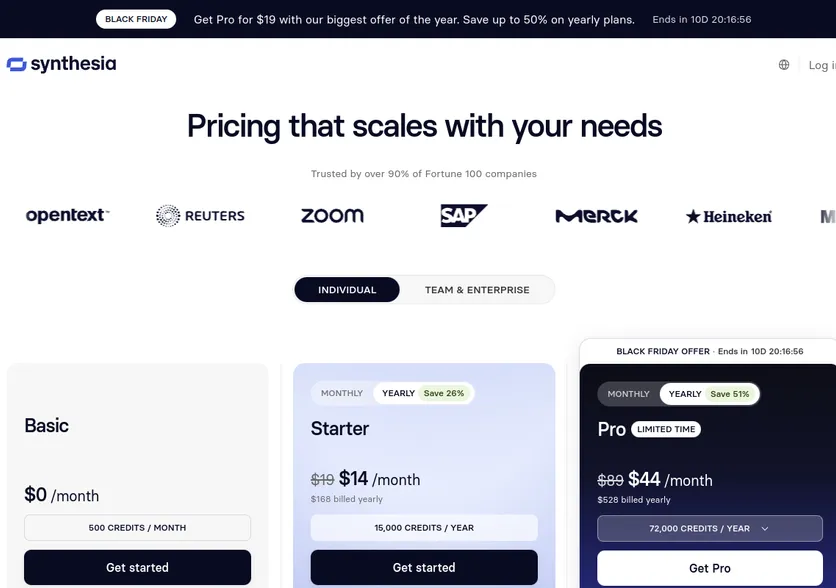
Paid tool Starting price: $14/month · Starter plan, $14 a month billed yearly or $19 a month billed monthly; free Basic plan with watermark; some October 2026 sources listed $18 a month billed yearly, superseded by the newest vendor-page figure
Free plan: Free Basic plan with watermark
Synthesia turns a written script into a video with a lifelike presenter, so you never need a camera or a studio. This Synthesia Starter plan gives you more than two hundred avatars, over a hundred languages and automatic captions for fourteen dollars a month. A training manager can update an onboarding video by editing the text, and the new version is ready in minutes.
What we like
- No camera or studio needed for a polished video
- Avatars speak over a hundred languages
- Editing the text updates the whole video
Watch out for
- Starter costs fourteen dollars a month billed yearly
- Free plan adds a watermark to the video
How to try it
- Open the Synthesia pricing page and create a free account
- Paste your onboarding script and pick an avatar
- Generate the video and share the link with new hires
2. Loom
Best for: Teams that record quick screen walkthroughs for new hires
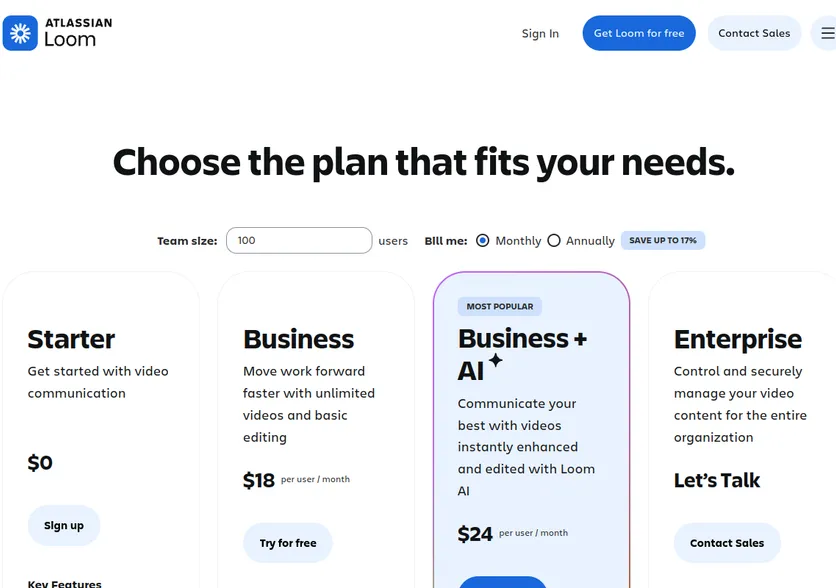
Paid tool Starting price: $15/user/month · Business plan, $15 a user a month billed annually, $18 billed monthly; free Starter plan with 25 videos and a 5-minute cap
Free plan: Free Starter plan, 25 videos with a 5-minute cap
Loom is the fastest way to record a screen walkthrough and share it with a new hire in the same minute. This Loom Business plan gives you unlimited videos, no recording limit and a library your team can search. A manager can show a new hire exactly where to click, and the video stays in the library for the next person too.
What we like
- Record and share a walkthrough in minutes
- Searchable library for the whole team
- No recording limit on the Business plan
Watch out for
- Business costs fifteen dollars a user a month billed annually
- Free plan caps videos at five minutes each
How to try it
- Open the Loom pricing page and install the recorder
- Record your screen and camera in one take
- Share the link and add it to your onboarding library
3. Camtasia
Best for: Training teams that want full control over edited onboarding videos
Paid tool Starting price: $179.88/year · Essentials plan, $179.88 a year; Starter is $39 a year with a watermark, Create is $249 a year and Pro is $599 a year
Free plan: Free trial, no free plan
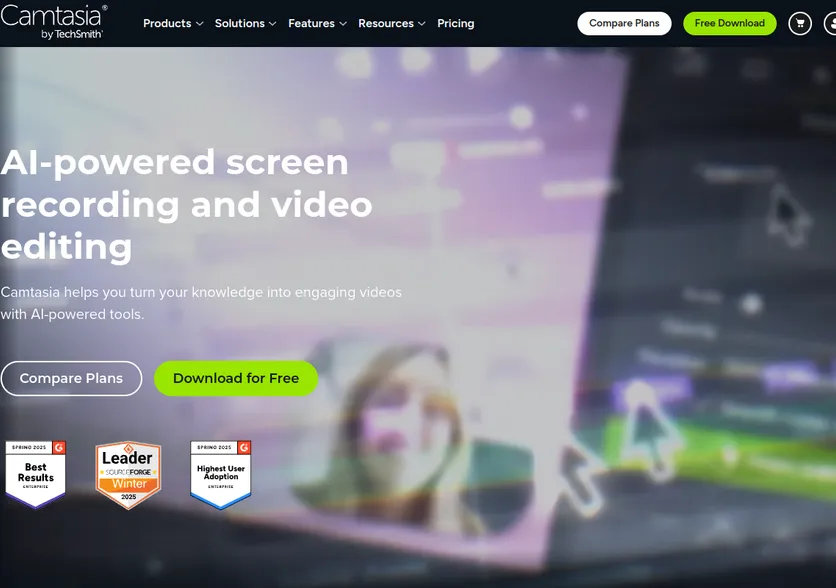
Camtasia is the full video editor of this list, for teams that want a polished onboarding video with callouts, quizzes and a branded ending. This Camtasia Essentials plan gives you screen recording, a timeline editor and a library of assets for one hundred seventy-nine dollars eighty-eight a year. A trainer can record a software walkthrough, add captions and a quiz, and publish one video that works for every new hire.
What we like
- Full timeline editor for polished videos
- Built-in quizzes test what new hires learned
- One licence covers recording and editing
Watch out for
- Essentials costs one hundred seventy-nine dollars eighty-eight a year
- No free plan, only a trial
How to try it
- Open the Camtasia pricing page and download the trial
- Record your screen and edit on the timeline
- Add captions and a quiz, then publish the video
4. Articulate 360
Best for: Larger teams that build full e-learning courses with video
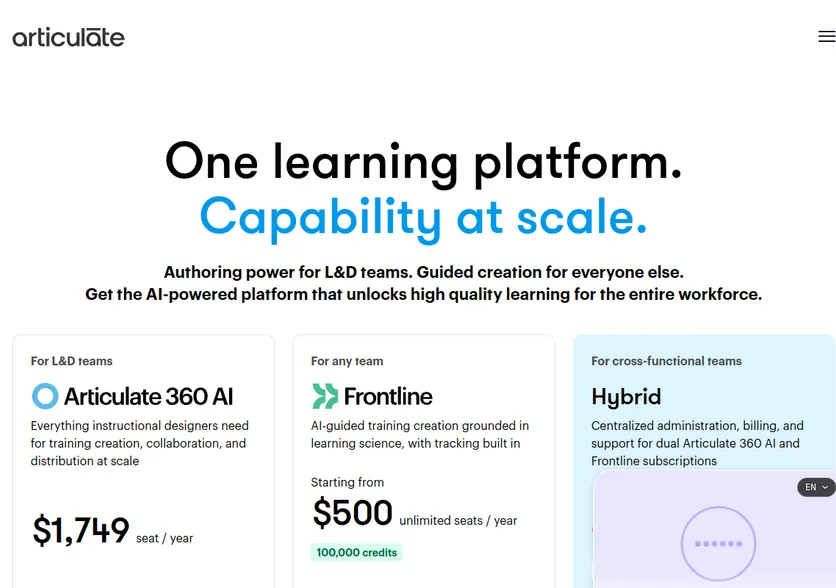
Paid tool Starting price: $1,449/user/year · Articulate 360 AI Personal, $1,449 a user a year; Teams is $1,749 a user a year; annual-only, no monthly option; 14-day trial
Free plan: Free trial, no free plan
Articulate 360 is the professional e-learning suite, for teams that build a whole onboarding course rather than one video. This Articulate 360 plan gives you Storyline for interactive lessons, Rise for fast courses and a content library of templates and characters. A learning team can turn a training script into a tracked course with quizzes, and know exactly which new hires finished it.
What we like
- Storyline and Rise cover every course style
- Content library speeds up building
- Tracks which new hires finished the course
Watch out for
- Personal costs one thousand four hundred forty-nine dollars a user a year
- Annual-only billing with no monthly option
How to try it
- Open the Articulate 360 pricing page and start a trial
- Build your course in Rise or Storyline
- Publish to your learning system and track completions
5. Descript
Best for: Teams that edit training videos by editing the transcript
Paid tool Starting price: $12/month · Hobbyist plan, $12 a month billed annually; free tier includes one hour of transcription a month
Free plan: Free tier with one hour of transcription a month
Descript edits video by editing the words, so fixing a mistake is as easy as deleting a sentence. This Descript Hobbyist plan gives you a text-based editor, studio sound and captions for twelve dollars a month. A trainer can record a rough walkthrough, cut the filler by deleting text, and publish a clean video without touching a timeline.

What we like
- Edit video by editing the transcript
- Studio sound cleans up rough audio
- Captions are built into the editor
Watch out for
- Hobbyist costs twelve dollars a month billed annually
- Free tier covers one hour of transcription a month
How to try it
- Open the Descript pricing page and create a free account
- Record or upload your training video
- Delete words in the transcript to cut the video, then publish
6. HeyGen
Best for: Teams that want realistic avatars for training videos in many languages
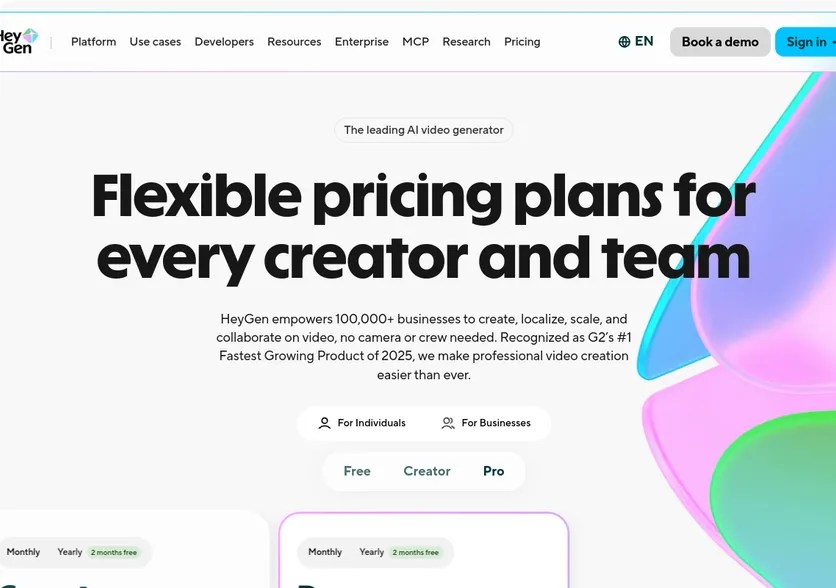
Paid tool Starting price: $24/month · Creator plan, $24 a month billed yearly, $29 billed monthly, 600 credits a month; free plan with three watermarked videos a month
Free plan: Free plan with three watermarked videos a month
HeyGen builds realistic avatar videos from a script, with a presenter that looks and sounds like a real person on screen. This HeyGen Creator plan gives you six hundred credits a month, a library of avatars and voices in many languages. A global team can record one onboarding video and publish it in five languages without hiring five presenters.
What we like
- Realistic avatars in many languages
- One script becomes videos in five languages
- Credits are simple to track each month
Watch out for
- Creator costs twenty-four dollars a month billed yearly
- Free plan adds a watermark to the video
How to try it
- Open the HeyGen pricing page and create a free account
- Paste your script and pick an avatar and voice
- Generate the video and share it with new hires
7. Colossyan
Best for: Teams that want avatar videos with learning features like SCORM
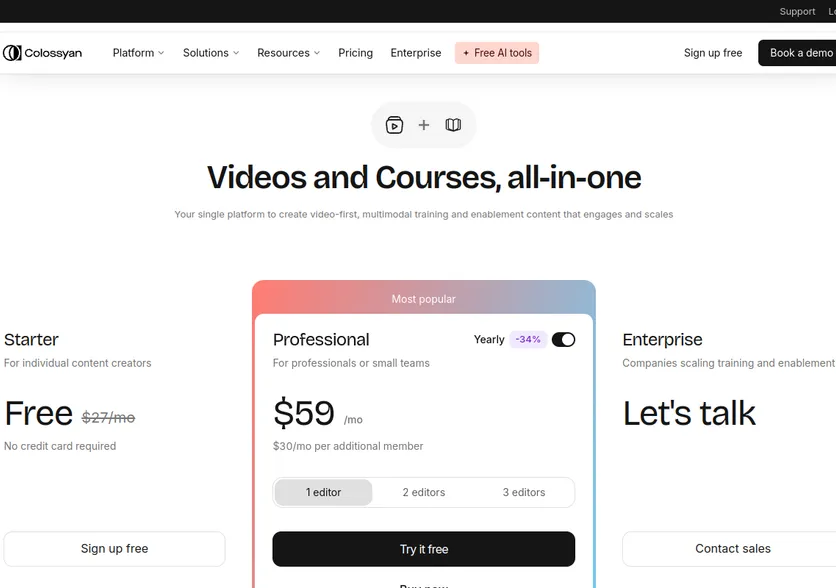
Paid tool Starting price: $59/month · Professional plan, $59 a month billed yearly, $89 billed monthly; Starter is free with 20 NEO minutes a month, a watermark and no SCORM
Free plan: Free Starter plan with 20 minutes a month and a watermark
Colossyan is the avatar video tool built for learning teams, with the tracking features a training manager actually needs. This Colossyan Professional plan gives you avatars, auto-translation and SCORM export for fifty-nine dollars a month. A team can publish an onboarding video to its learning system and see exactly who watched it to the end.
What we like
- SCORM export works with learning systems
- Auto-translation for global teams
- Avatars built for training, not ads
Watch out for
- Professional costs fifty-nine dollars a month billed yearly
- Free plan has no SCORM export
How to try it
- Open the Colossyan pricing page and create a free account
- Paste your script and pick an avatar
- Export with SCORM and publish to your learning system
8. Elai
Best for: Small teams that want cheap avatar videos for short onboarding clips
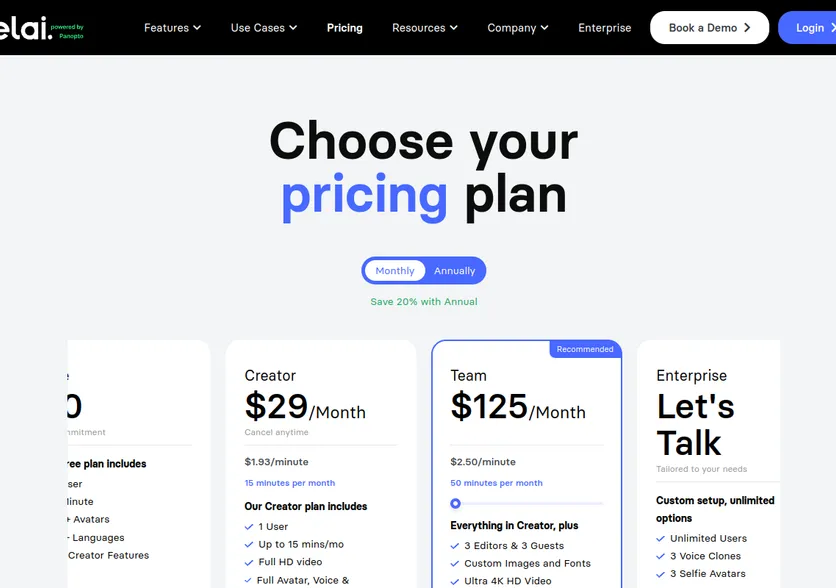
Paid tool Starting price: $23/month · Creator plan, $23 a month billed annually ($29 billed monthly) with 15 video minutes a month; free plan with one watermarked minute
Free plan: Free plan with one watermarked minute
Elai is the budget avatar video tool, for teams that need short onboarding clips without a big monthly bill. This Elai Creator plan gives you fifteen video minutes a month, avatars and a simple editor for twenty-three dollars a month billed annually. A small team can turn a welcome script into a video on the first day, and update it by changing the text.
What we like
- Cheapest avatar video plan here
- Fifteen minutes a month covers short clips
- Editing the text updates the video
Watch out for
- Creator costs twenty-three dollars a month
- Fifteen minutes a month limits long videos
How to try it
- Open the Elai pricing page and create a free account
- Paste your script and pick an avatar
- Generate the video and share it with new hires
Prices above were checked on each vendor’s own website on Nov 26, 2026 and can change — the vendor’s page is the final word. Vendor links are editorial: nobody paid to be listed or ranked here. Vendors who want a featured listing can see how it works on our Get listed page.
What onboarding video software costs in 2026
Prices here run from about twelve dollars a month for Descript to over fourteen hundred dollars a year for Articulate 360, and the spread makes sense once you see what each tool does. Avatar tools like Synthesia and HeyGen charge per month for generated video, screen recorders like Loom charge per user, and a full course suite like Articulate 360 charges per user per year. The headline plan each vendor shows on its own pricing page is the number in the table above, checked on November 26, 2026.
Start with the free plan on Synthesia or Loom and make one real onboarding video before you pay anything. Time how long it takes from script to shared link, then ask a new hire to watch it and tell you what was unclear. The tool that gets a video out in an afternoon is the one your team will actually keep using.
Before you buy
- Count your minutes first, because avatar tools charge for generated video and a long course eats a monthly allowance fast.
- Check the language list, because a team in five countries needs avatars that speak five languages.
- Ask whether the video works in your learning system, because SCORM export matters for tracking who finished.
- Test the update flow, because a training video that takes a week to change will go stale fast.
- Add up the yearly cost per user, because a per-user plan grows fast when the whole team needs a seat.
Official websites
Official websites of the products reviewed above. Features and prices were checked against these sites when this guide was written, and they can change, so confirm on the vendor site before you buy.
Frequently asked questions
What is the best software for onboarding training videos in 2026?
Synthesia, at about fourteen dollars a month billed yearly, is the best default because it turns a script into a video with a lifelike presenter and no filming. Loom is better for quick screen walkthroughs at fifteen dollars a user a month, and Camtasia wins when you want full control over an edited video. Descript is the best choice when you edit by cutting words in the transcript.
Can I make onboarding training videos for free?
Yes, Synthesia, HeyGen, Colossyan and Elai all offer free plans with a few watermarked videos a month, and Loom has a free plan with twenty-five videos. Descript has a free tier with one hour of transcription a month. A free plan is enough to make your first onboarding video, but you will need a paid plan to remove the watermark.
Are AI avatar videos good enough for employee training?
Yes, for most onboarding topics an avatar video is clear, consistent and easy to update, which is exactly what training needs. Synthesia and HeyGen both offer realistic presenters in many languages, and Colossyan adds learning features like SCORM. A human presenter still works better for company culture videos, where a real face carries the message.
What is the difference between Loom and Synthesia for training?
Loom records your real screen and camera, so it is best for showing a new hire exactly where to click in your software. Synthesia generates a video from a script with an avatar presenter, so it is best for welcome messages and policy training. Many teams use both: Loom for software walkthroughs and Synthesia for the scripted parts of onboarding.
How long should an onboarding training video be?
Most onboarding videos work best at two to five minutes, with one clear topic per video, because new hires remember short lessons better than long ones. A full first-day course is better as a series of short videos than one hour-long recording. Avatar tools like Elai charge by the minute, so short videos also keep your monthly bill down.
Need free video help too? Try Toolsvine's free video tools to convert and trim clips right in your browser.
Browse Video Tools tools


