On this page
How we researched this
We checked every price on the vendor pricing page on November 28, 2026, and only included tools with a published US dollar list price. The big SCADA and MES platforms that sell by quote, including Rockwell FactoryTalk, AVEVA, GE Vernova Proficy, Schneider EcoStruxure, Honeywell Experion and PTC ThingWorx, publish no prices, so they are not in this list. Prices change, so confirm the current figure on the vendor site before you buy.
Compare the tools
| Name | Best for | Starting price | Free plan | |
|---|---|---|---|---|
| Ignition | Plants that want true SCADA with unlimited tags | $1,200 one-time | No free plan; free trial | Visit |
 MaintainX | Small plants moving preventive maintenance off spreadsheets | $20/user/month | Free plan (Basic) | Visit |
 Limble | Small maintenance teams that want the fastest setup | $28/user/month | Free plan (Basic) | Visit |
 UpKeep | Crews that run maintenance from their phones | $24/user/month | No free plan; free trial | Visit |
 Fiix | Plants already running Rockwell hardware | $45/user/month | Free plan (25 active PMs) | Visit |
| MPulse | Plants with many technicians and few managers | $29/user/month | No free plan; free demo | Visit |
| FastMaint | Small sites that want a one-time licence, not a subscription | $100/month | No free plan; free trial | Visit |
The 7 best tools for real time factory monitoring
1. Ignition
Best for: Plants that want true SCADA with unlimited tags
Paid tool Starting price: $1,200 one-time · One thousand two hundred dollars one time for the Ignition Platform licence; the Perspective web-visualisation module is eleven thousand two hundred and twenty-five dollars, and the Application Building suite is thirteen thousand five hundred dollars plus the platform, or fourteen thousand seven hundred dollars; add-on modules start at two hundred and seventy-five dollars; annual support is extra; Cloud Edition is usage-based
Free plan: No free plan; free trial
A plant that wants live machine data on one screen starts with the platform here for one thousand two hundred dollars one time, and Ignition covers unlimited tags, clients and connections under that single server licence. The Perspective module adds web dashboards that open on any control-room screen or phone, and the historian and alarm suites add trend and alerting when the plant needs them. It is the only true SCADA platform in this list, and the licence stays flat no matter how many tags the plant adds.

What we like
- One licence covers unlimited tags, clients and connections
- Web dashboards work on any screen with no per-seat fee
- Add-on modules for alarms, history and reporting
Watch out for
- Perspective and the other modules cost extra on top of the platform
- A real SCADA install needs IT time to set up and secure
How to try it
- Open the pricing page and note the platform and Perspective prices
- List the machines and sensors the plant wants live on screen
- Start with the free trial and connect one line before rolling out
2. MaintainX
Best for: Small plants moving preventive maintenance off spreadsheets
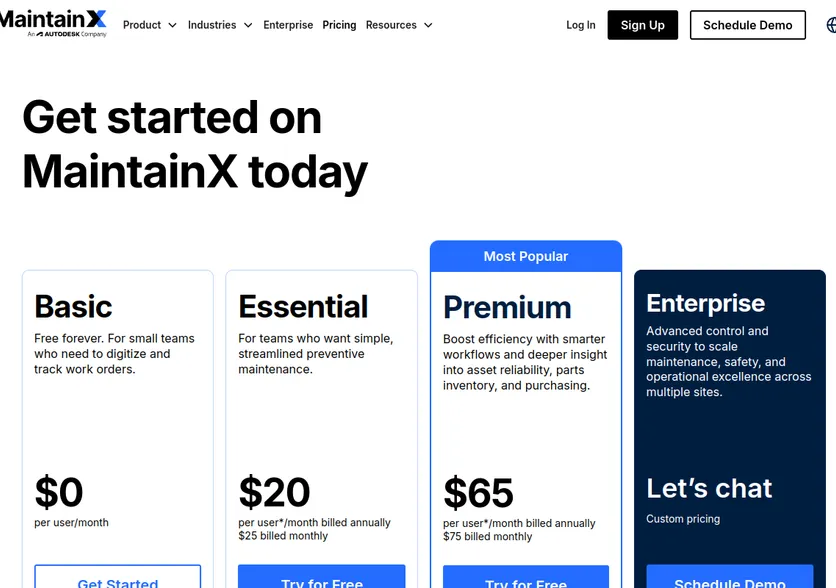
Paid tool Starting price: $20/user/month · Twenty dollars per user a month billed annually on Essential (twenty-five dollars billed monthly); Premium is sixty-five dollars billed annually (seventy-five dollars monthly); Enterprise is quoted; requesters who only submit work are free on every plan; Autodesk completed its purchase of MaintainX in August 2026
Free plan: Free plan (Basic)
A maintenance crew that runs preventive work from phones gets the Essentials plan here for twenty dollars per user a month billed annually, and MaintainX covers unlimited work orders, repeating schedules and requester users at that price. Premium adds parts inventory, purchase orders and meter-based maintenance for the plants that need them, and the free Basic plan covers the first work orders without a card. It is the simplest way for a small plant to move preventive maintenance off spreadsheets this month.
What we like
- Free Basic plan with unlimited work orders
- Mobile-first design that technicians actually use
- Requesters are free, so operators can report problems
Watch out for
- Parts and inventory are locked behind Premium
- No true live machine telemetry, only maintenance data
How to try it
- Sign up for the free Basic plan and add one production line
- Import the asset list and set repeating PM schedules
- Let operators raise work requests from their phones for a week
3. Limble
Best for: Small maintenance teams that want the fastest setup
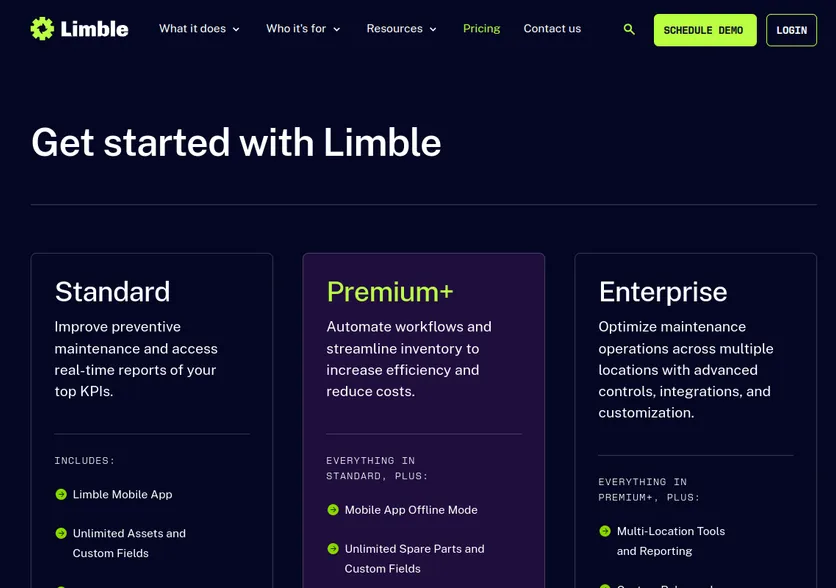
Paid tool Starting price: $28/user/month · Twenty-eight dollars per user a month on Standard; Premium+ is sixty-nine dollars per user a month; Enterprise is quoted; the figures come from Limble's own cost guide, because the main pricing page now asks buyers to use a price calculator; a fourteen-day free trial is available
Free plan: Free plan (Basic)
A small plant that wants the fastest CMMS setup finds Standard here for twenty-eight dollars per user a month, and Limble covers unlimited work orders, preventive schedules, asset tracking and the mobile app at that price. Premium+ adds parts inventory, purchase orders and the API for teams that outgrow the basics, and a free Basic plan lets a maintenance lead trial it on one line first. Support is the highest rated in this list, which matters when the whole crew is learning the tool at once.
What we like
- Fastest setup of any CMMS in this list
- Free Basic plan for a real trial on one line
- Highly rated support with live chat and phone
Watch out for
- The pricing page now uses a calculator instead of a price table
- Advanced reporting and the API need the Premium+ plan
How to try it
- Start the free Basic plan with the plant's ten most-used assets
- Build the repeating PM calendar for the next month
- Compare the Standard and Premium+ feature lists before upgrading
4. UpKeep
Best for: Crews that run maintenance from their phones
Paid tool Starting price: $24/user/month · Twenty-four dollars per user a month on Essential; Premium is fifty-five dollars per user a month; Professional and Enterprise are quoted; the old Lite plan at twenty dollars a user a month is retired
Free plan: No free plan; free trial
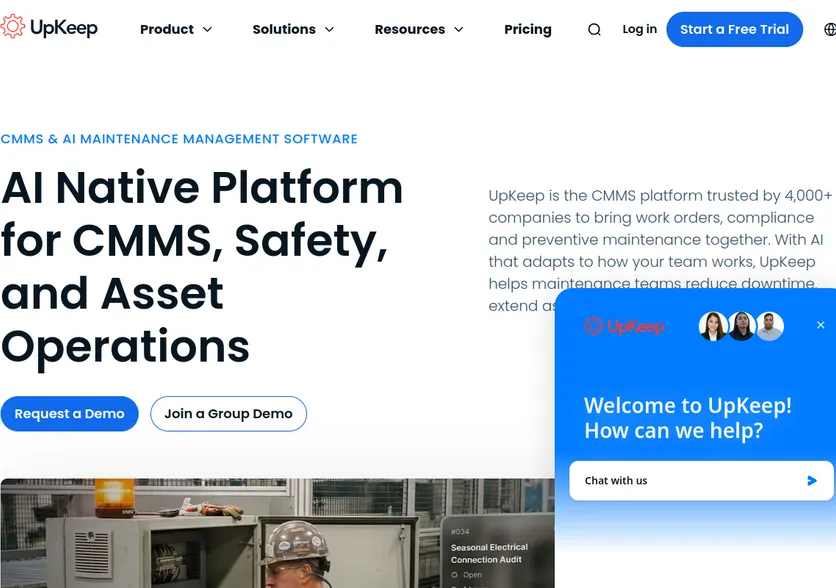
A plant that wants maintenance on every technician's phone gets the Essential plan here for twenty-four dollars per user a month, and UpKeep covers work orders, preventive maintenance and asset tracking at that price. Premium adds parts, inventory and purchase orders for fifty-five dollars a user a month, and the mobile app is the strongest in this list for crews that work offline. It suits a plant whose technicians never sit at a desk.
What we like
- Strong offline mobile app for floor technicians
- Parts and purchase orders on Premium
- Simple enough for a crew to learn in a day
Watch out for
- No free plan, only a trial
- The old twenty-dollar Lite plan is retired
How to try it
- List the assets and the PM tasks for the busiest line
- Run the trial with the two technicians who do the most PMs
- Check whether Premium parts tracking pays for itself
5. Fiix
Best for: Plants already running Rockwell hardware
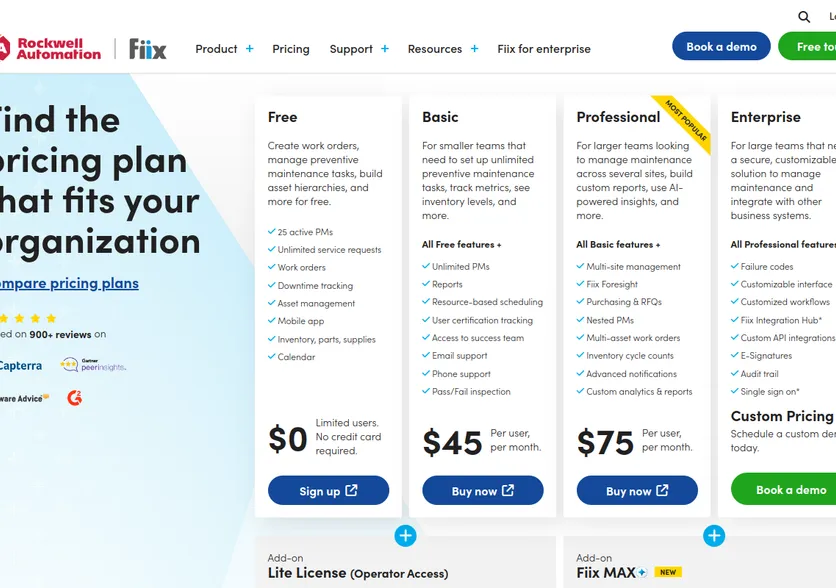
Paid tool Starting price: $45/user/month · Forty-five dollars per user a month on Basic; Professional is seventy-five dollars per user a month and adds multi-site management, purchasing and the Foresight AI engine; Enterprise is quoted; the free plan covers twenty-five active preventive maintenance schedules with limited users; no setup or hardware fees
Free plan: Free plan (25 active PMs)
A Rockwell-owned CMMS with a genuinely free tier starts here at forty-five dollars per user a month on Basic, and Fiix adds unlimited preventive maintenance, reports and resource-based scheduling at that price. Professional adds multi-site management, purchasing and the Foresight AI engine for seventy-five dollars a user a month, and the free plan covers twenty-five active PMs without expiring. It is the best fit for a plant already running Rockwell hardware on the floor.
What we like
- Free tier that never expires for small teams
- Integrations with PLCs and SCADA via Rockwell
- Foresight AI engine on Professional
Watch out for
- Basic is pricier than the other small-plant CMMS tools here
- Multi-site and purchasing need the Professional plan
How to try it
- Start on the free plan with the plant's critical assets
- Set up the repeating PM calendar and the work-request form
- Test the Rockwell integration before paying for Professional
6. MPulse
Best for: Plants with many technicians and few managers
Paid tool Starting price: $29/user/month · Twenty-nine dollars per user a month billed annually on Professional, with a three-user minimum; Advanced is seventy-nine dollars per user a month billed annually and adds inventory with cost, failure analysis and downtime tracking; technician licences are twenty-nine dollars; requesters are always free; Enterprise is quoted
Free plan: No free plan; free demo
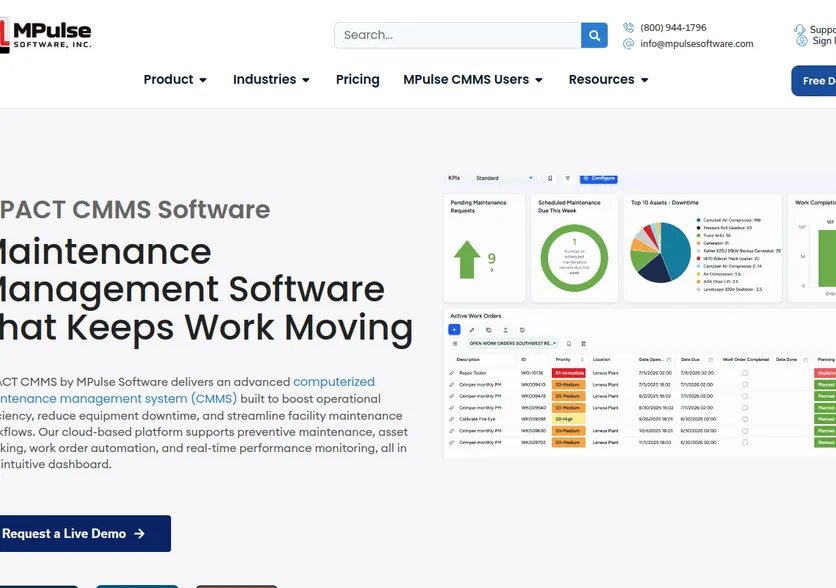
A plant with many technicians and few managers saves money on the role-based pricing here, since MPulse charges twenty-nine dollars per user a month billed annually on Professional, with technician licences at the same twenty-nine dollars. Advanced adds inventory with cost, failure analysis and downtime tracking for seventy-nine dollars a user a month, and requesters are always free so every operator can report a problem. It is the cheapest way to put a whole crew on a CMMS when most of them only close work orders.
What we like
- Technician licences cost the same as manager licences
- Requesters are free, so operators can raise issues
- Downtime and failure analysis on Advanced
Watch out for
- No free plan and no published free trial
- The interface looks older than the newer tools here
How to try it
- Count the managers, technicians and requesters on the crew
- Ask for a demo and price the three-user minimum first
- Map the downtime codes the plant wants to track
7. FastMaint
Best for: Small sites that want a one-time licence, not a subscription
Paid tool Starting price: $100/month · One hundred dollars a month from for FastMaint Cloud, the hosted edition, starting at a single user; the installed editions are one-time licences, Standard at two thousand five hundred dollars for one user and Professional and Web from six thousand dollars; annual maintenance for updates and support is an optional extra on the installed editions and included in Cloud
Free plan: No free plan; free trial
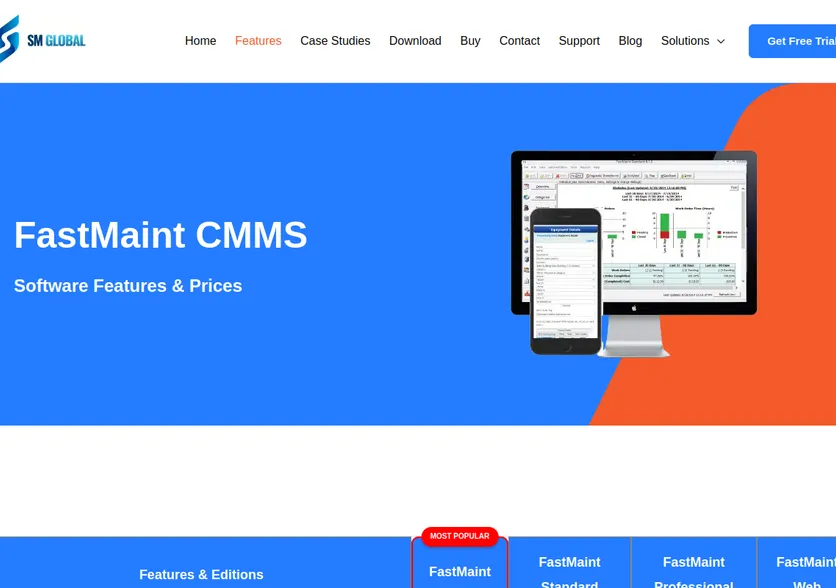
A small site that wants a one-time licence instead of another subscription buys Standard here for two thousand five hundred dollars one time, and FastMaint runs on a Windows computer the plant already owns with no monthly fee at all. The hosted Cloud edition costs one hundred dollars a month for teams that would rather not run a server, and annual maintenance for updates and support is an optional extra on the installed editions. It suits a plant with little IT support that wants its maintenance history to survive any internet outage.
What we like
- One-time licence with no monthly fee
- Works offline on a Windows computer on site
- Simple scope that a small site can run alone
Watch out for
- No mobile app as polished as the cloud CMMS tools here
- Only a single user on the Standard licence
How to try it
- Decide between the installed edition and the Cloud edition
- Install the trial on the maintenance office computer
- Import the asset list and the repeating PM tasks
Prices above were checked on each vendor’s own website on Nov 28, 2026 and can change — the vendor’s page is the final word. Vendor links are editorial: nobody paid to be listed or ranked here. Vendors who want a featured listing can see how it works on our Get listed page.
How to pick factory monitoring software that matches the plant
Start with the question the plant is actually asking. If the goal is live machine status, temperatures, speeds and alarm conditions on a screen, the answer is SCADA, and Ignition is the only tool in this list that does it at a published price. If the goal is knowing which machines are due a service, who did the last repair and what parts are left, the answer is a CMMS, and any of the other six will do it.
Then count the people, not the machines. Per-user pricing makes a small crew cheap and a big crew expensive, so a plant with twenty technicians should price the whole team on each plan before comparing headline rates. A free tier or free plan is worth taking seriously here, because a maintenance system only works when the crew uses it every day, and a trial week with real assets is the cheapest way to find out whether they will.
Before you buy
- Confirm the price covers every technician who will close work orders, not just the managers who buy it
- Check whether live machine telemetry is included or whether the tool only tracks maintenance tasks
- Ask whether the mobile app works offline, since factory floors often have dead Wi-Fi zones
- Verify the trial or free plan covers the plant's real asset count before committing
- Confirm the licence model fits the plant, one-time for installed software or per-user for cloud tools
Official websites
Official websites of the products reviewed above. Features and prices were checked against these sites when this guide was written, and they can change, so confirm on the vendor site before you buy.
Frequently asked questions
Do I need SCADA or a CMMS for factory monitoring?
SCADA watches live machine data, such as temperatures, speeds and alarms, while a CMMS tracks maintenance tasks, parts and asset history. Most small plants need the CMMS first, because unplanned downtime usually comes from missed preventive maintenance rather than a lack of live telemetry. Ignition is the SCADA option in this list, and the other six tools are CMMS systems that watch the same machines from the maintenance side.
What does Ignition cost in total?
The Ignition Platform licence is one thousand two hundred dollars one time, and it covers unlimited tags, clients and connections. The Perspective web-visualisation module is eleven thousand two hundred and twenty-five dollars, and the Application Building suite is thirteen thousand five hundred dollars plus the platform, or fourteen thousand seven hundred dollars in total. Add-on modules start at two hundred and seventy-five dollars and annual support is extra, so price the modules the plant actually needs.
Is there a free CMMS for a small plant?
Yes, three tools in this list have free plans. MaintainX Basic, Limble Basic and Fiix all offer a free tier, with Fiix covering twenty-five active preventive maintenance schedules without expiring. The free plans are enough for a single line or a small site, and the paid plans add parts inventory, multi-site management and reporting when the plant outgrows them.
How much does a CMMS cost per technician?
Entry prices in this list run from twenty dollars per user a month on MaintainX Essentials to forty-five dollars on Fiix Basic, with UpKeep at twenty-four dollars and Limble at twenty-eight dollars. MPulse charges twenty-nine dollars per user a month billed annually, and FastMaint Cloud starts at one hundred dollars a month flat. Requesters are free on MaintainX and MPulse, so operators who only report problems add no cost.
Can these tools work without internet on the factory floor?
UpKeep and MaintainX are built mobile-first and keep working offline, which matters on factory floors with dead Wi-Fi zones. FastMaint runs on a Windows computer on site and keeps working with no connection at all. Ignition runs on a local server, so the dashboards stay live on the plant network even when the internet is down.
Compare the two directions for the plant, live machine data on a screen or maintenance tracked to the work order, then run the free plan or trial with real assets for a week.
Browse Business Tools tools