On this page
A support team stays engaged when tickets, chats and customer history live in one place instead of scattered across inboxes, because agents answer faster and managers see the whole picture. The nine tools below cover that job for teams of every size, from a free tier for three agents to a suite that runs a global support floor. Zendesk leads because it covers ticketing, email and reporting for nineteen dollars per agent a month, and the rest are ranked on how well they keep a busy team moving.
How we researched this
We checked every price on the vendor pricing page on November 28, 2026, and only included tools with a published US dollar list price. The quote-only support platforms, including Kustomer, publish no prices, so they are not in this list. Prices change, so confirm the current figure on the vendor site before you buy.
Compare the tools
| Name | Best for | Starting price | Free plan | |
|---|---|---|---|---|
 Zendesk | Teams that want the proven helpdesk default | $19/agent/month | No free plan; free trial available | Visit |
 Freshdesk | Teams that want a modern helpdesk at the same price | $19/agent/month | No free plan; 14-day free trial | Visit |
 Salesforce Service Cloud | Salesforce shops that want support beside sales | $25/user/month | No free plan; 30-day free trial | Visit |
 HubSpot Service Hub | HubSpot shops that want one customer record | $15/seat/month | Free plan (up to 2 users) | Visit |
 Front | Teams that treat the shared inbox as the helpdesk | $25/seat/month | No free plan; free trial available | Visit |
 Help Scout | Small teams that answer most tickets by email | $25/user/month | Free plan (up to 5 users) | Visit |
 Intercom | Teams that chat with customers all day | $29/seat/month | No free plan; 14-day free trial | Visit |
 Zoho Desk | Budget teams that want real features at the lowest price | $14/agent/month | Free plan (up to 3 agents) | Visit |
 LiveAgent | Small teams that want every channel in one plan | $15/agent/month | Free plan (1 agent, limited) | Visit |
The software for support team engagement, compared
1. Zendesk
Best for: Teams that want the proven helpdesk default
Paid tool Starting price: $19/agent/month · Nineteen dollars per agent a month billed annually on Support Team (twenty-five dollars billed monthly); Suite Team is fifty-five dollars, Suite Growth is eighty-nine dollars and Suite Professional is one hundred and fifteen dollars; five AI resolutions a month are included on Support Team, extra resolutions cost one dollar and fifty cents committed or two dollars pay as you go, and Copilot is a fifty dollar per agent a month add-on
Free plan: No free plan; free trial available
A support team that wants the industry default gets the safest pick here, because this Zendesk plan costs nineteen dollars per agent a month billed annually on the Support Team tier. It covers ticketing, email and reporting, and the Suite tiers add chat, voice and AI resolutions. It suits a team that wants a proven helpdesk with a deep bench of integrations.

What we like
- The industry default with the deepest integrations
- Ticketing, email and reporting from the entry tier
- Suite tiers add chat, voice and AI resolutions
Watch out for
- Live chat needs the Suite tiers, not Support Team
- AI resolutions cost extra beyond the small allowance
How to try it
- Create the helpdesk and connect the email inbox
- Set up ticket views and automations for the team
- Review reports weekly and adjust the workflows
2. Freshdesk
Best for: Teams that want a modern helpdesk at the same price
Paid tool Starting price: $19/agent/month · Nineteen dollars per agent a month billed annually on Growth (twenty-three dollars billed monthly); Pro is fifty-five dollars and Enterprise is eighty-nine dollars; the Omni suite runs twenty-nine, seventy-nine and one hundred and nineteen dollars, a fourteen-day free trial is included and the AI Copilot add-on is twenty-nine dollars per agent a month
Free plan: No free plan; 14-day free trial
A team that wants a modern helpdesk at the same entry price gets a strong rival here, since this Freshdesk plan costs nineteen dollars per agent a month billed annually on the Growth tier. It covers ticketing, a knowledge base and automations, and the Pro and Enterprise tiers add AI and advanced reporting. It fits a team that wants Freshworks pricing without the Zendesk bill.

What we like
- Ticketing, knowledge base and automations included
- Same entry price as Zendesk with a fresher interface
- Omni suite adds chat, voice and social channels
Watch out for
- The free plan is gone, so the entry tier is paid
- AI Copilot costs extra on top of the seat price
How to try it
- Connect email and chat channels to the inbox
- Build the knowledge base with the common answers
- Set automations to route tickets to the right agents
3. Salesforce Service Cloud
Best for: Salesforce shops that want support beside sales
Paid tool Starting price: $25/user/month · Twenty-five dollars per user a month on Starter Suite; Professional is eighty dollars, Enterprise is one hundred and sixty-five dollars and Unlimited is three hundred and thirty dollars, billed annually; Salesforce is restructuring into Suites with a one hundred dollar Pro Suite and Service-specific Core, Advanced and Max tiers at one hundred and ninety-five, three hundred and ninety-five and five hundred and fifty dollars, so confirm the current ladder before buying
Free plan: No free plan; 30-day free trial
A company already running Salesforce gets support inside the platform it owns here, because this Salesforce Service Cloud plan costs twenty-five dollars per user a month on the Starter Suite. It covers case management, knowledge and omni-channel routing, and the higher tiers add AI agents and deeper automation. It suits a Salesforce shop that wants support data beside sales data.
What we like
- Support data sits beside sales data in one CRM
- Case management, knowledge and omni-channel routing
- Higher tiers add AI agents and automation
Watch out for
- Starter Suite is light on AI, so advanced teams need higher tiers
- The pricing ladder is being restructured, so confirm at checkout
How to try it
- Connect the service channels to the console
- Set up case routing and the knowledge base
- Review case metrics and tune the automations
4. HubSpot Service Hub
Best for: HubSpot shops that want one customer record
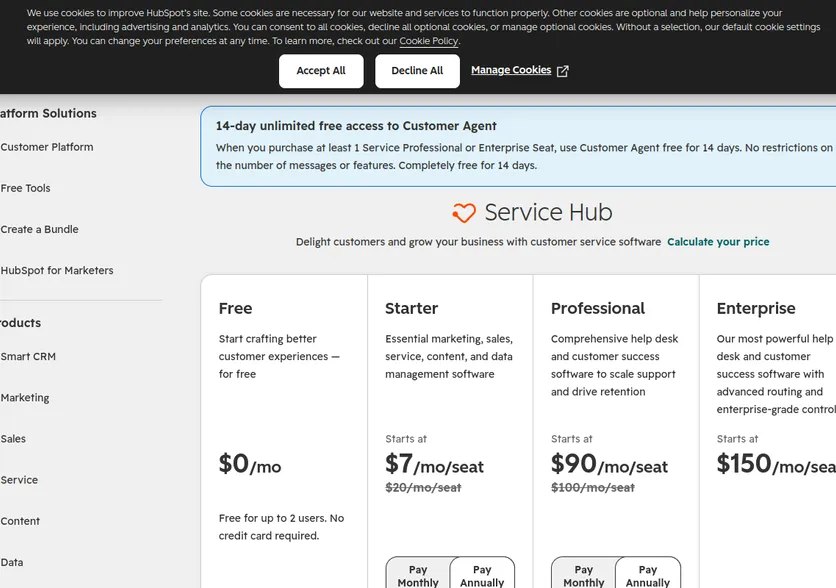
Paid tool Starting price: $15/seat/month · Fifteen dollars per seat a month billed annually on Starter (twenty dollars billed monthly); free tools cover up to two users, Professional is ninety dollars per seat a month billed annually plus a one thousand five hundred dollar onboarding fee, and Enterprise is one hundred and fifty dollars per seat a month with a ten-seat minimum
Free plan: Free plan (up to 2 users)
A team already using HubSpot for marketing or sales gets support in the same CRM here, since this HubSpot Service Hub plan costs fifteen dollars per seat a month billed annually on the Starter tier. It covers ticketing, a knowledge base and customer feedback, and the free tools cover up to two users. It fits a HubSpot shop that wants one customer record everywhere.
What we like
- Support sits in the same CRM as sales and marketing
- Free tools cover up to two users
- Ticketing, knowledge base and feedback included
Watch out for
- Professional adds a large onboarding fee
- The seat price jumps sharply between tiers
How to try it
- Connect the inbox and the customer record
- Build the knowledge base from common questions
- Send feedback surveys after tickets close
5. Front
Best for: Teams that treat the shared inbox as the helpdesk
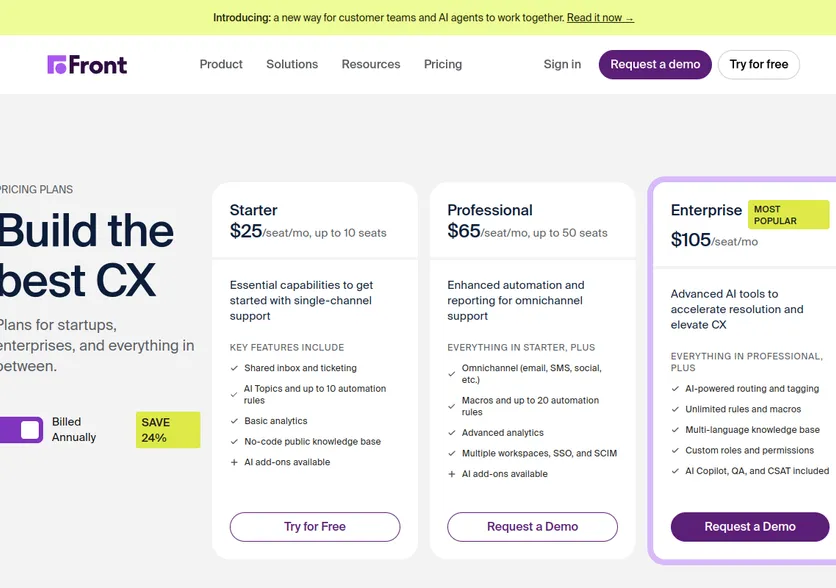
Paid tool Starting price: $25/seat/month · Twenty-five dollars per seat a month billed annually on Starter (thirty-five dollars billed monthly) for up to ten seats and a single channel type; Professional is sixty-five dollars for up to fifty seats and Enterprise is one hundred and five dollars; annual billing saves about twenty-four percent and AI add-ons cost extra
Free plan: No free plan; free trial available
A team that lives in shared inboxes and wants email plus chat in one place gets a clean tool here, because this Front plan costs twenty-five dollars per seat a month billed annually on the Starter tier. It turns email, chat and social messages into assignable conversations, and the higher tiers add automation and analytics. It suits a team that treats the inbox as its helpdesk.
What we like
- Email, chat and social messages in one inbox
- Conversations assign cleanly to agents
- Higher tiers add automation and analytics
Watch out for
- Starter covers one channel type and ten seats only
- AI add-ons cost extra on top of the seat price
How to try it
- Connect the shared inboxes and chat channels
- Assign conversations and set reply templates
- Review the analytics and balance the workload
6. Help Scout
Best for: Small teams that answer most tickets by email
Paid tool Starting price: $25/user/month · Twenty-five dollars per user a month billed annually on Standard (thirty dollars billed monthly); Plus is forty-five dollars and Pro is seventy-five dollars with a ten-user minimum; the free plan covers up to five users and one hundred contacts a month, a fifteen-day trial is included and AI Answers and Envoy cost seventy-five cents per resolution
Free plan: Free plan (up to 5 users)
A small team that wants email-first support without per-ticket fees gets a friendly option here, since this Help Scout plan costs twenty-five dollars per user a month billed annually on the Standard tier. It covers shared inboxes, a knowledge base and customer profiles, and the free plan covers up to five users. It fits a team that answers most tickets by email and chat.
What we like
- Email-first support with no per-ticket fees
- Free plan covers up to five users
- Shared inboxes, knowledge base and profiles included
Watch out for
- Per-user pricing returned after the contacts model ended
- Pro needs ten users minimum, so small teams cannot buy it
How to try it
- Connect the support email addresses
- Build the knowledge base with common answers
- Set up shared inboxes and invite the team
7. Intercom
Best for: Teams that chat with customers all day
Paid tool Starting price: $29/seat/month · Twenty-nine dollars per seat a month billed annually on Essential (thirty-nine dollars billed monthly); Advanced is eighty-five dollars and Expert is one hundred and thirty-two dollars; a nineteen dollar new-customer price is sometimes shown and is not the list price, Fin AI Agent costs ninety-nine cents per outcome and a fourteen-day free trial needs no card
Free plan: No free plan; 14-day free trial
A team that wants chat-first support with an AI agent beside it gets a modern pick here, because this Intercom plan costs twenty-nine dollars per seat a month billed annually on the Essential tier. It covers live chat, a shared inbox and a help centre, and the Fin AI agent resolves chats for ninety-nine cents per outcome. It suits a team that chats with customers all day.

What we like
- Live chat, shared inbox and help centre included
- Fin AI agent resolves chats per outcome
- Fourteen-day free trial with no card required
Watch out for
- The nineteen dollar new-customer price is not the list price
- AI outcomes add up fast on a busy chat queue
How to try it
- Install the Messenger on the website or app
- Set up the inbox and the help centre
- Turn on Fin and watch which chats it resolves
8. Zoho Desk
Best for: Budget teams that want real features at the lowest price
Paid tool Starting price: $14/agent/month · Fourteen dollars per agent a month billed annually on Standard (twenty dollars billed monthly); Express is seven dollars, Professional is twenty-three dollars and Enterprise is forty dollars; the free tier covers three agents, and AI is tiered by plan, with the Answer Bot from Standard and the full Zia suite only on the higher tiers
Free plan: Free plan (up to 3 agents)
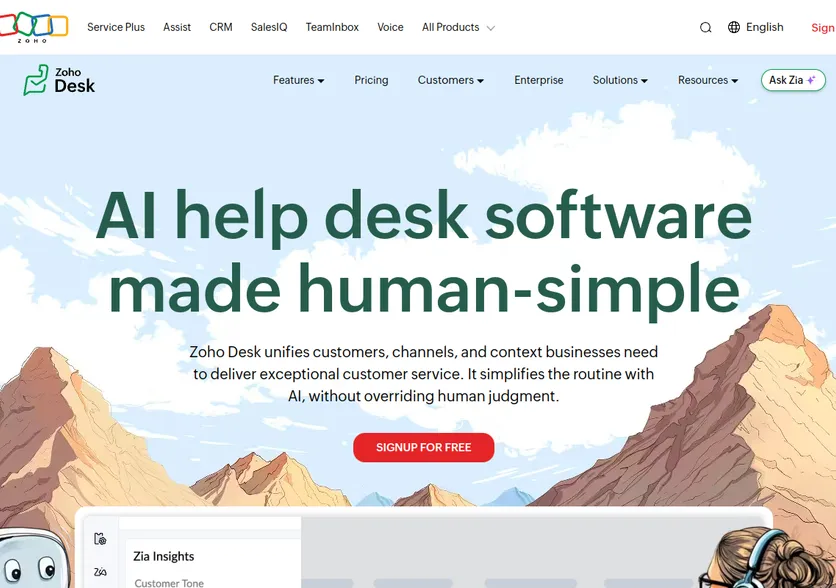
A team that wants the cheapest paid seat in this list gets a bargain here, since this Zoho Desk plan costs fourteen dollars per agent a month billed annually on the Standard tier. It covers ticketing, messaging apps, a knowledge base and an answer bot, and the free tier covers three agents. It fits a budget team that wants real features at the lowest price here.
What we like
- Cheapest paid seat in this list
- Ticketing, messaging apps and knowledge base included
- Free tier covers three agents
Watch out for
- Full AI features wait for the higher tiers
- The interface feels busy next to newer rivals
How to try it
- Connect email and messaging channels
- Build the knowledge base and turn on the Answer Bot
- Set SLAs and watch the ticket queue
9. LiveAgent
Best for: Small teams that want every channel in one plan
Paid tool Starting price: $15/agent/month · Fifteen dollars per agent a month billed annually on Small Business (nineteen dollars billed monthly); Medium is twenty-nine dollars, Large is forty-nine dollars and Enterprise is sixty-nine dollars; a free plan covers one agent with limited features, a thirty-day trial needs no card and AI assistants are included on every plan
Free plan: Free plan (1 agent, limited)
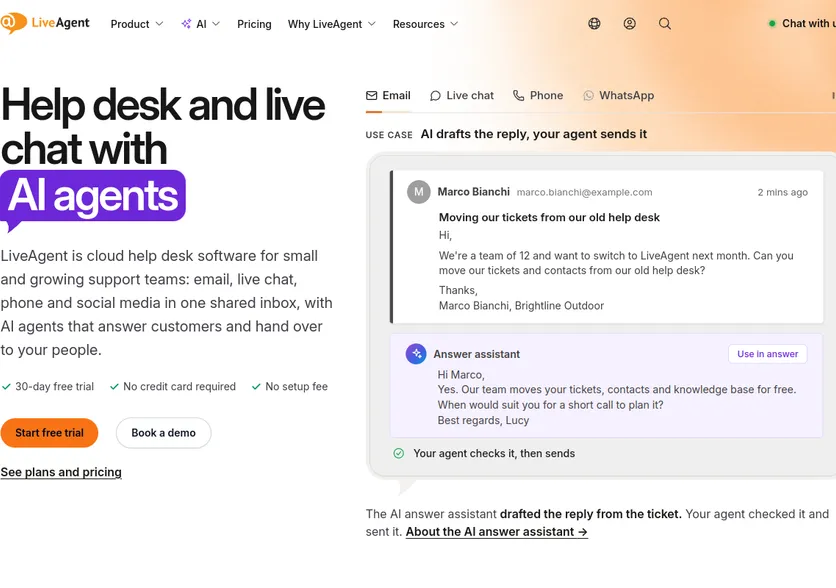
A team that wants ticketing, chat and a call centre in one cheap plan gets a bundle here, because this LiveAgent plan costs fifteen dollars per agent a month billed annually on the Small Business tier. It covers tickets, live chat, a knowledge base and AI assistants, and the higher tiers add voice, social channels and compliance features. It suits a small team that wants every channel without paying for four tools.
What we like
- Ticketing, chat and a call centre in one cheap plan
- AI assistants included on every plan
- Free plan covers one agent
Watch out for
- The call centre and social channels need higher tiers
- The interface packs a lot in and feels dense
How to try it
- Connect email, chat and the knowledge base
- Set up ticket rules and the call centre
- Turn on the AI assistants and review their drafts
Prices above were checked on each vendor’s own website on Nov 28, 2026 and can change — the vendor’s page is the final word. Vendor links are editorial: nobody paid to be listed or ranked here. Vendors who want a featured listing can see how it works on our Get listed page.
How to keep a support team engaged as tickets grow
Start with one inbox for every channel, because a team that answers email in one app and chat in another loses tickets and burns out agents. Write the common answers into a knowledge base so agents stop typing the same reply, and set clear reply targets so the queue stays honest. Share the numbers with the team every week, including first response time and tickets resolved, and rotate the hardest queues so no agent spends every day on the angriest customers. Keep the tone human even when templates do the heavy lifting, because customers can tell a copy-paste reply from a real one.
Before you buy
- Check whether live chat, voice and AI are included or locked behind higher tiers
- Confirm the price is per agent or per seat before comparing tools
- Ask how AI resolutions or outcomes are billed, since they add up fast
- Make sure the knowledge base and reporting are included or cost extra
- Test the tool with real tickets during the trial before paying for a full year
Official websites
Official websites of the products reviewed above. Features and prices were checked against these sites when this guide was written, and they can change, so confirm on the vendor site before you buy.
Frequently asked questions
What is software for support team engagement?
It is software that keeps a support team organized and motivated as ticket volume grows, covering shared inboxes, ticketing, live chat, knowledge bases, automations and reporting in one place. Agents answer faster when every channel sits in one queue, and managers keep the team engaged by sharing clear numbers and fair workloads.
How much does Zendesk cost for a support team?
Zendesk costs nineteen dollars per agent a month billed annually on the Support Team tier, or twenty-five dollars billed monthly, covering ticketing, email and reporting. The Suite tiers start at fifty-five dollars a month and add chat, voice and AI, while the Copilot add-on costs fifty dollars per agent a month.
Can a small support team work for free?
Yes, within limits. Zoho Desk offers a free tier for three agents, Help Scout offers a free plan for up to five users, HubSpot offers free tools for up to two users, and LiveAgent offers a free plan for one agent. A team larger than those limits needs a paid plan, and Zoho Desk is the cheapest at fourteen dollars per agent a month.
Which tool is best for a chat-first support team?
Intercom is the best pick for a chat-first team at twenty-nine dollars per seat a month billed annually, because it pairs live chat with the Fin AI agent, which resolves chats for ninety-nine cents per outcome. LiveAgent is the cheaper bundle at fifteen dollars per agent a month, with chat, tickets and a call centre in one plan.
Do AI features cost extra on these helpdesks?
Usually, yes. Zendesk includes five AI resolutions a month on Support Team and charges extra beyond that, Intercom charges ninety-nine cents per Fin outcome, and Freshdesk sells its AI Copilot as a twenty-nine dollar per agent a month add-on. LiveAgent is the exception, including its AI assistants on every plan with no per-resolution fee.
Compare the nine tools above, then start with a free trial on the one that matches how the team already answers customers before paying for a full year.
Browse Business Tools tools