On this page
A training video only works when the learner can ask a question at the exact second they get stuck, and the trainer can answer in the same place. The nine tools below host training videos, collect timestamped comments and feedback, and show who watched what. Wistia leads because it pairs video hosting with chapter comments and viewer analytics for nineteen dollars a month, and the rest are ranked on price, feedback features and how well they fit trainers, teams and larger learning orgs.
How we researched this
We checked every price on the vendor pricing page on November 29, 2026, and only included tools with a published US dollar list price. Zight, ScreenPal and Tango publish prices but fit this topic less well than the nine below, so they are not in this list. Prices change, so confirm the current figure on the vendor site before you buy.
Compare the tools
| Name | Best for | Starting price | Free plan | |
|---|---|---|---|---|
 Wistia | Trainers who need to know who watched what | $19/month | Free plan (up to 10 videos) | Visit |
 Vimeo | Trainers who want professional hosting with review tools | $12/month | Free plan | Visit |
 Loom | Teams that record quick training videos daily | $15/user/month | Free plan (25 videos, 5-minute cap) | Visit |
 Vidyard | Teams that want video analytics tied to viewers | $59/seat/month | Free plan (5 recordings a month) | Visit |
 Frame.io | Teams that review training videos frame by frame | $13/member/month | Free plan (2 members, 2 GB) | Visit |
 Snagit | Trainers who capture screens and short clips daily | $39/year | 15-day free trial | Visit |
 Camtasia | Trainers who edit polished videos on the desktop | $39/year | 30-day free trial | Visit |
 Descript | Trainers who edit video by editing the transcript | $16/person/month | Free plan (1 media hour a month) | Visit |
 VEED | Teams that need captions and translations fast | $12/month | Free plan (watermarked) | Visit |
The software for training videos feedback, compared
1. Wistia
Best for: Trainers who need to know who watched what
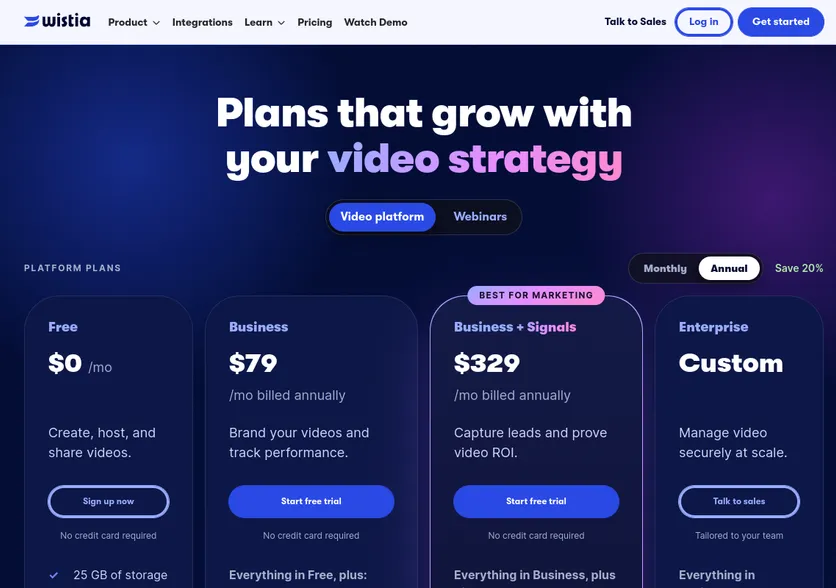
Paid tool Starting price: $19/month · Nineteen dollars a month flat on Plus for up to twenty videos; Pro is seventy-nine dollars for up to fifty videos and Advanced is three hundred and nineteen dollars; free plan covers up to ten videos; one listing shows Pro at ninety-nine dollars, which conflicts with most reads
Free plan: Free plan (up to 10 videos)
A trainer who wants training videos to feel like a classroom, not a file dump, gets the best host here, because this Wistia plan costs nineteen dollars a month flat on Plus for up to twenty videos. It hosts videos without ads, adds chapters and calls to action, collects viewer comments, and shows exactly who watched what. It suits a trainer who needs to know whether the team actually watched the training.
What we like
- Ad-free hosting with chapters and calls to action
- Viewer analytics show who watched each video
- Free plan covers up to ten videos
Watch out for
- Plus caps at twenty videos
- One listing shows a conflicting ninety-nine dollar Pro price
How to try it
- Upload the training video and add chapters
- Share the link and ask learners to comment
- Review the analytics to see who finished it
2. Vimeo
Best for: Trainers who want professional hosting with review tools
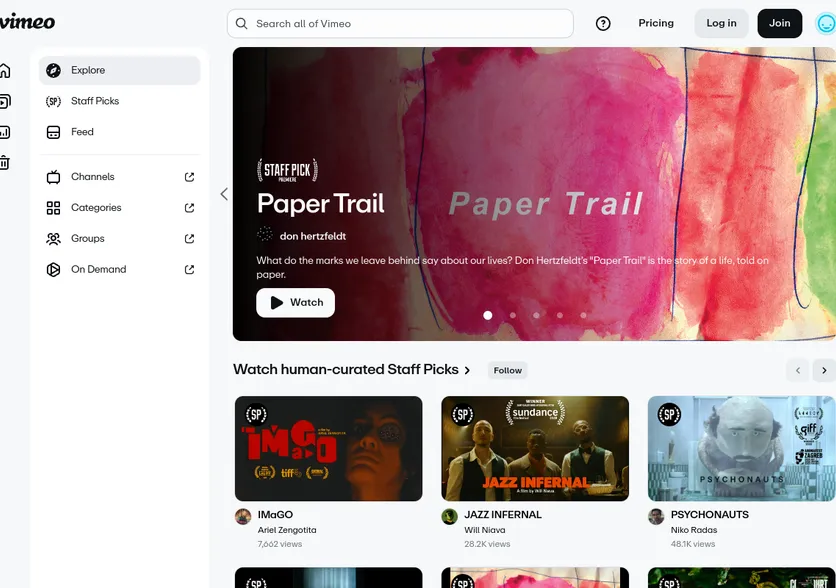
Paid tool Starting price: $12/month · Twelve dollars a month billed annually on Starter; twenty dollars billed monthly; Standard is twenty-five dollars and Advanced is seventy-five dollars a month billed annually; Vimeo announced new individual plans on October 28, 2026, with Creator, Core at twenty-four dollars and fifty cents, Professional at seventy-one dollars and Studio at four hundred dollars, replacing Starter, Standard and Advanced, with existing users moved at renewal
Free plan: Free plan
A trainer who wants clean, professional video hosting with review tools built in gets a solid low-cost option here, because this Vimeo plan costs twelve dollars a month billed annually on Starter. It hosts videos without ads, collects time-stamped review comments, and tracks viewer engagement. It suits a trainer who needs professional hosting and simple feedback without a learning platform.
What we like
- Clean ad-free hosting with review comments
- Time-stamped feedback on every video
- Free plan covers basic hosting
Watch out for
- New plans announced in October 2026 replace the listed tiers
- Advanced analytics need the higher plans
How to try it
- Upload the training video to Vimeo
- Share the review link and collect time-stamped comments
- Publish the final cut and track engagement
3. Loom
Best for: Teams that record quick training videos daily
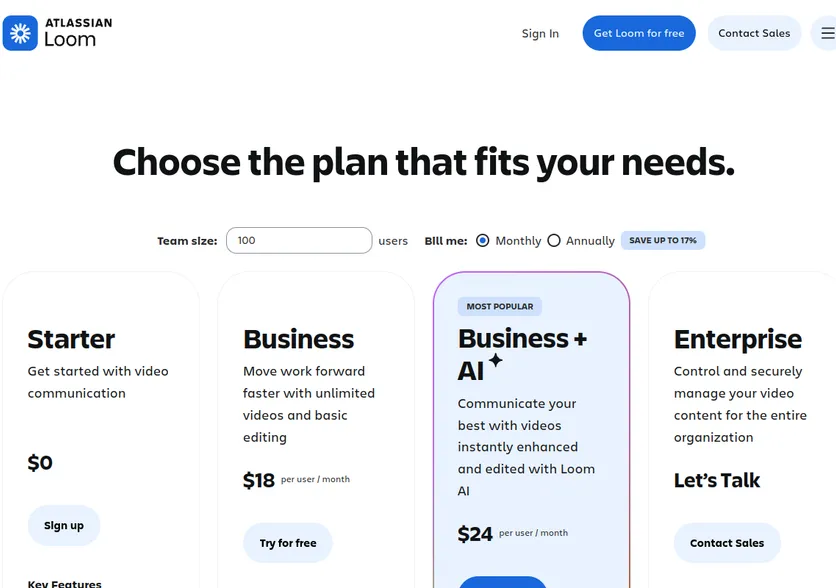
Paid tool Starting price: $15/user/month · Fifteen dollars per user a month billed annually on Business; eighteen dollars billed monthly; Business plus AI is twenty dollars billed annually and twenty-four dollars billed monthly; Starter is free for twenty-five videos with a five-minute cap; older reads list twelve dollars and fifty cents, which is now stale
Free plan: Free plan (25 videos, 5-minute cap)
A trainer who records quick how-to videos and wants questions on the exact moment will love the speed here, because this Loom plan costs fifteen dollars per user a month billed annually on Business. It records screen and camera together in one click, lets viewers comment at any timestamp, and shares instantly with a link. It suits a team that makes training videos daily, not once a quarter.
What we like
- Records screen and camera together in one click
- Timestamped comments on every video
- Free Starter plan covers twenty-five videos
Watch out for
- Free plan caps videos at five minutes
- Older reads list a stale twelve dollar and fifty cent price
How to try it
- Record the screen and camera walkthrough
- Share the link and ask for timestamped questions
- Reply to comments and re-record the unclear parts
4. Vidyard
Best for: Teams that want video analytics tied to viewers
Paid tool Starting price: $59/seat/month · Fifty-nine dollars per seat a month billed annually on Starter; eighty-nine dollars billed monthly; Teams and Enterprise are custom; Video Agent add-on is twenty-four dollars billed annually and twenty-nine dollars billed monthly; the pricing page shows a ten percent off banner without saying whether prices include it
Free plan: Free plan (5 recordings a month)
A team that uses video for training and sales will find a polished host here, because this Vidyard plan costs fifty-nine dollars per seat a month billed annually on Starter. It hosts videos, tracks who watches and for how long, and lets viewers comment and react. It suits a team that wants video analytics tied to the people who watched.
What we like
- Viewer analytics show who watched and for how long
- Comments and reactions built into the player
- Free plan covers five recordings a month
Watch out for
- Per-seat pricing adds up for larger teams
- Pricing page banner leaves the ten percent discount unclear
How to try it
- Record or upload the training video
- Share it and collect viewer comments
- Review the analytics to see who engaged
5. Frame.io
Best for: Teams that review training videos frame by frame
Paid tool Starting price: $13/member/month · Thirteen dollars per member a month billed annually on Pro, or one hundred and fifty-six dollars a year; fifteen dollars billed monthly; Team is twenty-two dollars billed annually and twenty-five dollars billed monthly; Pro caps at five members and Team at fifteen
Free plan: Free plan (2 members, 2 GB)
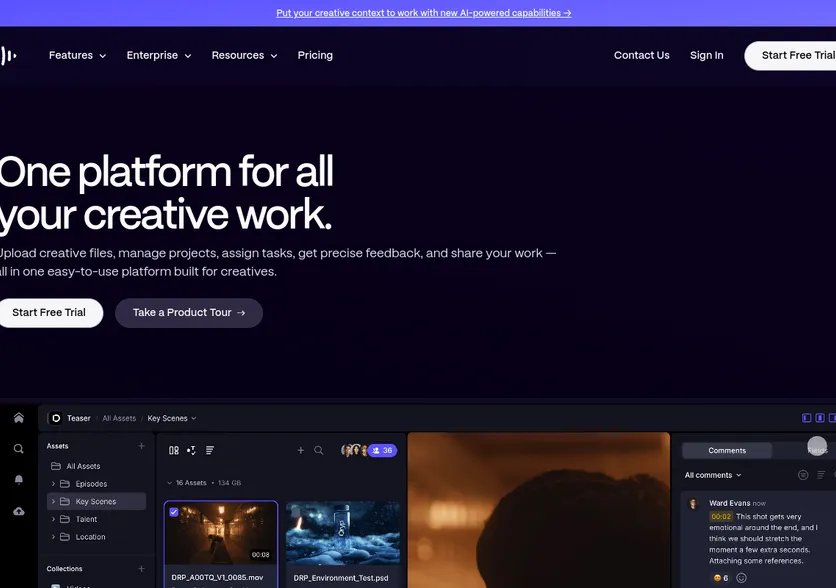
A team that reviews training videos together, frame by frame, gets the best review tool here, because this Frame.io plan costs thirteen dollars per member a month billed annually on Pro. It lets reviewers leave comments on exact frames, compare versions side by side, and approve the final cut. It suits a team that produces training videos together and needs precise feedback.
What we like
- Comments pinned to exact video frames
- Version comparison shows what changed
- Free plan covers two members and two gigabytes
Watch out for
- Pro caps at five members
- Per-member pricing grows with the review team
How to try it
- Upload the training video draft
- Invite reviewers to comment on exact frames
- Approve the final version and publish it
6. Snagit
Best for: Trainers who capture screens and short clips daily
Paid tool Starting price: $39/year · Thirty-nine dollars per user a year on Individual by subscription; Teams and Business are forty-eight dollars per user a year; the older sixty-two dollar and ninety-nine cent one-time perpetual licence is retired; TechSmith moved to subscriptions in 2025; every Camtasia plan includes Snagit
Free plan: 15-day free trial
A trainer who captures screens and short clips to explain a process gets a fast, cheap tool here, because this Snagit plan costs thirty-nine dollars per user a year on Individual. It captures any screen, records short videos, adds arrows and callouts, and shares the result in one click. It suits a trainer who makes how-to visuals all day and needs them fast.
What we like
- Fast screen capture with arrows and callouts
- Short video recording built in
- Cheapest annual price in this list
Watch out for
- Not a full video hosting platform
- Perpetual licence is retired in favour of subscriptions
How to try it
- Capture the screen or record a short clip
- Add arrows, callouts and steps to the image
- Share the finished visual with the team
7. Camtasia
Best for: Trainers who edit polished videos on the desktop
Paid tool Starting price: $39/year · Thirty-nine dollars a year on Starter with watermarked exports and Snagit included; Essentials is one hundred and seventy-nine dollars and eighty-eight cents a year, Create is two hundred and forty-nine dollars and Pro is five hundred and ninety-nine dollars a year; Business is one hundred and ninety-eight dollars per user a year; annual billing only
Free plan: 30-day free trial
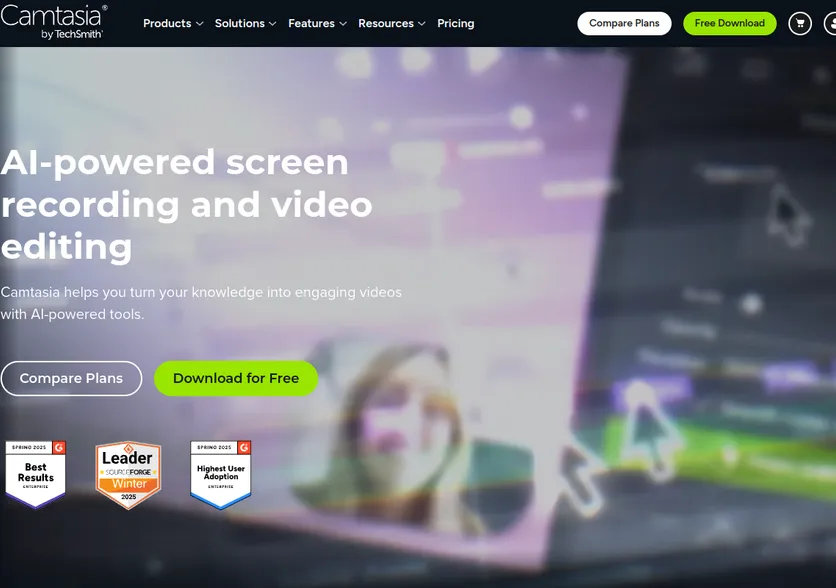
A trainer who edits training videos on the desktop gets a complete editor at a low starting price here, because this Camtasia plan costs thirty-nine dollars a year on Starter. It records, edits and exports training videos with annotations, quizzes and captions, and every plan includes Snagit. It suits a trainer who produces polished videos without a video team.
What we like
- Records, edits and exports in one app
- Quizzes and captions built into the editor
- Every plan includes Snagit for screen capture
Watch out for
- Starter exports carry a watermark
- Watermark-free editing starts at Essentials
How to try it
- Record the screen and camera together
- Edit the video and add quizzes and captions
- Export the finished training video
8. Descript
Best for: Trainers who edit video by editing the transcript
Paid tool Starting price: $16/person/month · Sixteen dollars per person a month billed annually on Hobbyist; twenty-four dollars billed monthly; Creator is twenty-four dollars billed annually and Business is fifty dollars a month billed annually; free plan covers one media hour a month with watermarked exports
Free plan: Free plan (1 media hour a month)
A trainer who edits video by editing the transcript gets the fastest workflow in this list here, because this Descript plan costs sixteen dollars per person a month billed annually on Hobbyist. It turns the video into editable text, so cutting a word cuts the video, and it adds studio-quality voice, captions and filler-word removal. It suits a trainer who re-records and re-edits training videos often.

What we like
- Edit video by editing the transcript text
- Studio voice and filler-word removal built in
- Captions and publishing in the same tool
Watch out for
- Free plan caps at one media hour a month
- Hobbyist exports are watermarked at 720p
How to try it
- Upload the training video and get the transcript
- Cut the transcript to cut the video
- Add captions and publish the finished video
9. VEED
Best for: Teams that need captions and translations fast
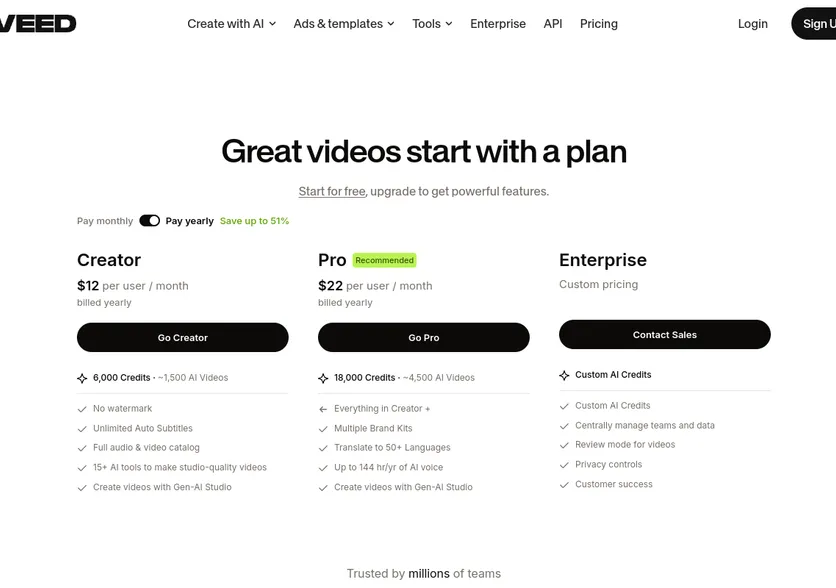
Paid tool Starting price: $12/month · Twelve dollars a month billed annually on Lite; twenty-four dollars billed monthly; Pro is twenty-four dollars billed annually and Business is fifty-nine to seventy-nine dollars per seat; some of the vendor own pages disagree, listing Lite at nine dollars and at nineteen dollars, so confirm at checkout
Free plan: Free plan (watermarked)
A trainer who needs captions, translations and quick edits in the browser gets a fast online editor here, because this VEED plan costs twelve dollars a month billed annually on Lite. It edits video in the browser, adds auto captions and translations, and exports for any platform. It suits a team that makes training videos for a global audience and needs captions fast.
What we like
- Auto captions and translations in the browser
- No install, edits run in the browser
- Exports sized for any platform
Watch out for
- Vendor pages disagree on the Lite price
- Free plan exports carry a watermark
How to try it
- Upload the training video to VEED
- Add auto captions and translate them
- Export the finished video for the platform
Prices above were checked on each vendor’s own website on Nov 29, 2026 and can change — the vendor’s page is the final word. Vendor links are editorial: nobody paid to be listed or ranked here. Vendors who want a featured listing can see how it works on our Get listed page.
How to get feedback that actually improves a training video
Start by asking for feedback at the exact moment, because a comment that says the video was confusing helps nobody. Share the draft with a review link and ask reviewers to comment on the timestamp where they got lost. Fix the unclear parts first, then check the analytics to see where viewers stop watching, since the drop-off point is the real feedback. Publish only after the review loop closes, and keep the comments on the final cut so the next trainer can see what was fixed. Archive the final cut with its comments so the next trainer starts from a proven video.
Before you buy
- Confirm the tool collects timestamped comments, not just general notes
- Check whether reviewers can comment on exact frames or moments
- Ask how viewer analytics show who finished the video and where they stopped
- Make sure captions and translations are included for global teams
- Test the trial on a real training video, including a review round and a re-edit
Official websites
Official websites of the products reviewed above. Features and prices were checked against these sites when this guide was written, and they can change, so confirm on the vendor site before you buy.
Frequently asked questions
What is training video feedback software?
It is software that hosts training videos, lets learners and reviewers leave comments at exact timestamps or frames, and shows who watched what. The best tools add chapters, quizzes, captions and viewer analytics, so the trainer knows whether the video worked. Without it, feedback arrives by email, nobody knows which moment it refers to, and the video never improves.
How much does Wistia cost for training videos?
Wistia costs nineteen dollars a month flat on the Plus plan for up to twenty videos, with chapters, calls to action, comments and viewer analytics. Pro is seventy-nine dollars a month for up to fifty videos and Advanced is three hundred and nineteen dollars. A free plan covers up to ten videos, so a small team can start without paying.
Is there a free training video tool?
Yes, Wistia is free for up to ten videos, Vimeo offers a free plan, Loom is free for twenty-five videos with a five-minute cap, and Descript is free for one media hour a month. Frame.io is free for two members and two gigabytes, and Vidyard is free for five recordings a month. A small team can start free and move to a paid plan when video volume grows.
Which tool is best for reviewing training videos as a team?
Frame.io is the best pick for team review, at thirteen dollars per member a month billed annually, with comments pinned to exact frames and version comparison. Vimeo is the best low-cost host with time-stamped review comments at twelve dollars a month. Loom is the fastest pick for quick videos with timestamped questions at fifteen dollars per user a month.
How do I know if a training video worked?
Check the analytics for completion rate and drop-off points, since a video everyone abandons halfway has a problem at that moment. Read the timestamped comments for the exact spots learners found confusing, and quiz the team on the key points after watching. Fix the unclear parts, re-publish, and compare the new completion rate against the old one.
Compare the nine tools above, then start with a free plan or trial on the tool that matches the video volume and review style, and test it on a real training video with a full review round before paying for a full year.
Browse Video Tools tools