
On this page
Every laptop, license and server in your company is an asset, and without a list of them you cannot answer the simplest question about what you own. The seven tools below run from free to about three hundred dollars a month, and every price was checked on the vendor site on November 26, 2026. Most offer a free plan or trial, so you can inventory a real department before paying. Lansweeper is our first pick — a discovery engine that starts at two hundred and ninety-nine dollars a month and works from day one.
How we researched this
We started with the asset and inventory tools that IT and maintenance teams actually buy, then read each price on the vendor pricing page on November 26, 2026 and noted the free plan or trial each one carries. We judged them for a team that needs to know what it owns, where it is, and which licenses are actually used. We kept only tools with a published price, and we dropped Asset Panda because its pricing page now redirects to a quote form with no list price.
Compare the tools
| Name | Best for | Starting price | Free plan | |
|---|---|---|---|---|
 Lansweeper | IT teams that want automatic discovery of every device on the network | $299/month | Free for up to 100 assets | Visit |
 Snipe-IT | Small teams that want simple asset tracking at a low price | $39.99/month | Free self-hosted edition | Visit |
 AssetExplorer | IT teams that want asset management with software license tracking | $115/month | Free edition for 50 nodes | Visit |
 EZOfficeInventory | Teams that track equipment, tools and supplies across locations | $44.75/month | No free tier published on the pricing page | Visit |
 UpKeep | Maintenance teams that track assets and work orders together | $24/user/month | No free tier published on the pricing page | Visit |
 InvGate Asset Management | IT teams that want a fixed-price asset management package | $1,499/year | 30-day free trial | Visit |
 Spiceworks Inventory | Small teams that want free asset management with no limits | $0 | Free, ad-supported | Visit |
The software metering and inventory tools, compared
1. Lansweeper
Best for: IT teams that want automatic discovery of every device on the network
Paid tool Starting price: $299/month · Starter plan, $299 a month billed annually, $3,588 a year, for 2,000 assets; Pro from $528 a month; free for up to 100 assets
Free plan: Free for up to 100 assets
Lansweeper finds every device on your network and keeps a live inventory without anyone typing serial numbers into a spreadsheet. This Lansweeper Starter plan covers discovery, inventory and reporting for two thousand assets, with software metering that shows which licenses are actually used. An IT team can answer any audit question in minutes instead of spending a week counting machines.
What we like
- Automatic discovery of every device
- Software metering shows unused licenses
- Reporting ready for audits
Watch out for
- Starter costs two hundred and ninety-nine dollars a month billed annually
- Starter is fixed at two thousand assets
How to try it
- Open the Lansweeper pricing page and start a trial
- Run a network scan to discover your devices
- Review the inventory and check software usage
2. Snipe-IT
Best for: Small teams that want simple asset tracking at a low price
Paid tool Starting price: $39.99/month · Basic Hosting, $39.99 a month or $399.99 a year; Small Business $99.99 a month, Dedicated $249.99 a month; self-hosted edition is free
Free plan: Free self-hosted edition
Snipe-IT is the friendly asset tracker, a clean system for logging laptops, licenses and accessories without enterprise complexity. This Snipe-IT Basic Hosting plan covers unlimited users and assets, with check-in and check-out tracking that shows who has what. A small team can stop losing track of equipment and know exactly where every laptop lives.
What we like
- Unlimited users and assets on every plan
- Check-in and check-out tracking built in
- Self-hosted edition is free
Watch out for
- Basic Hosting costs about forty dollars a month
- Annual billing is about thirty-three dollars a month
How to try it
- Open the Snipe-IT pricing page and start a trial
- Add your first assets and assign them to users
- Check out a laptop and test the audit trail
3. AssetExplorer
Best for: IT teams that want asset management with software license tracking
Paid tool Starting price: $115/month · Cloud plan, $115 a month for 250 assets, $1,245 a year; 500 assets $225, 1,000 assets $360, 10,000 assets $1,545; on-premises from $955 a year; free edition for 50 nodes
Free plan: Free edition for 50 nodes
ManageEngine AssetExplorer pairs hardware inventory with software license tracking, so you know what you own and what you are paying for. This AssetExplorer Cloud plan covers discovery, inventory and license compliance for two hundred and fifty assets. An IT team can spot unused licenses, cut the renewal bill, and answer an audit with a clean report.
What we like
- Software license tracking included
- Discovery covers hardware and software
- Free edition for fifty nodes
Watch out for
- Cloud costs a hundred and fifteen dollars a month for two hundred and fifty assets
- Price rises with the asset count
How to try it
- Open the AssetExplorer pricing page and start a trial
- Run discovery to map your hardware and software
- Review license compliance and flag unused seats
4. EZOfficeInventory
Best for: Teams that track equipment, tools and supplies across locations
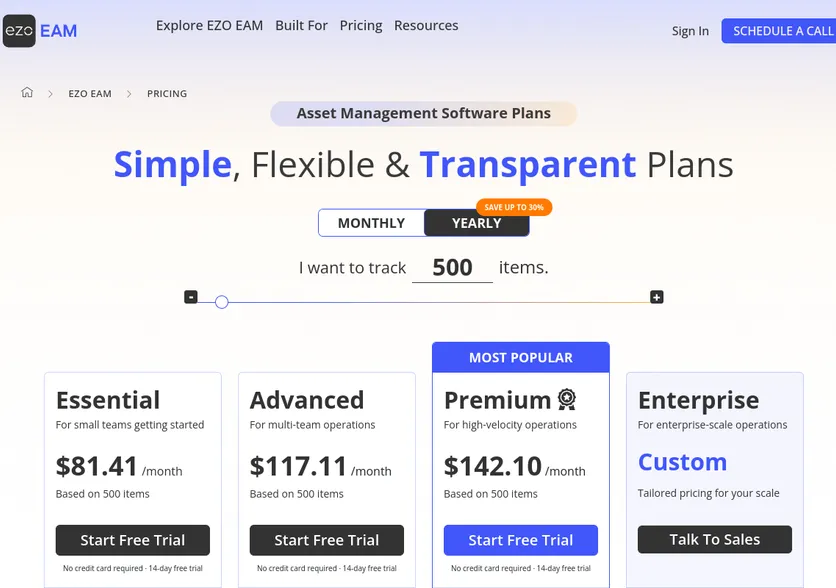
Paid tool Starting price: $44.75/month · Essential plan, $44.75 a month billed annually at 100 items; Advanced $52.25, Premium $57.50; the price scales with item count and the 300-item display shows $63.55 a month
Free plan: No free tier published on the pricing page
EZOfficeInventory is the asset tracker for teams that lend equipment, from construction crews to school districts. This EZOfficeInventory Essential plan covers check-in and check-out, maintenance schedules and barcode scanning for a hundred items. A team can see where every tool is, when it needs service, and who had it last.
What we like
- Barcode scanning for fast check-in and check-out
- Maintenance schedules built in
- Unlimited users on every plan
Watch out for
- Essential costs about forty-five dollars a month billed annually
- Price scales with the item count
How to try it
- Open the EZOfficeInventory pricing page and start a trial
- Add your first hundred items and print barcodes
- Check out a tool and test the maintenance schedule
5. UpKeep
Best for: Maintenance teams that track assets and work orders together
Paid tool Starting price: $24/user/month · Lite plan, $24 a user a month; Starter $45, Professional $75; older trackers list $20, superseded by the November 2026 vendor-page reads
Free plan: No free tier published on the pricing page
UpKeep is the maintenance platform for teams that fix equipment, combining asset tracking with work orders in one mobile-friendly app. This UpKeep Lite plan covers asset management, work order creation and preventive maintenance schedules. A maintenance team can log a broken machine, assign the repair and track the fix from a phone on the factory floor.
What we like
- Work orders and assets in one app
- Mobile-friendly for floor teams
- Preventive maintenance schedules included
Watch out for
- Lite costs twenty-four dollars a user a month
- Older trackers list twenty dollars, superseded by the November 2026 reads
How to try it
- Open the UpKeep pricing page and start a trial
- Add your assets and create the first work order
- Set up a preventive maintenance schedule
6. InvGate Asset Management
Best for: IT teams that want a fixed-price asset management package
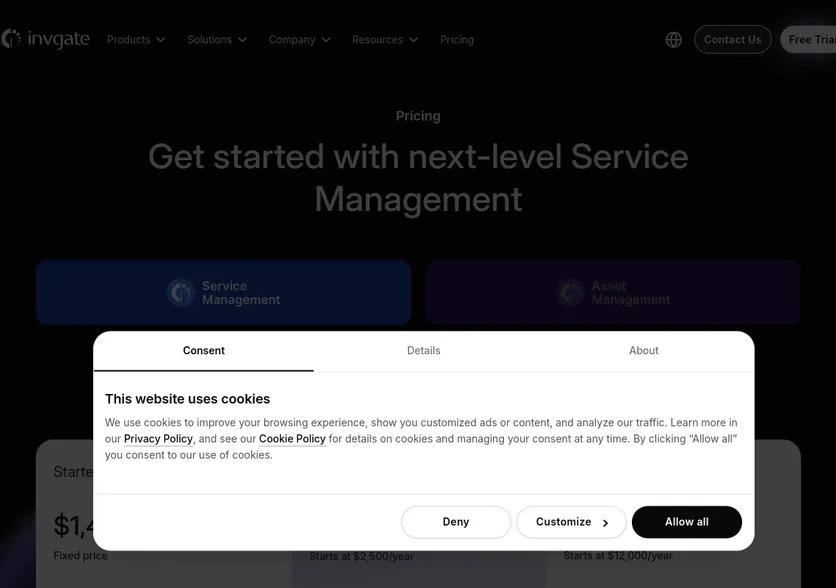
Paid tool Starting price: $1,499/year · Starter plan, $1,499 a year fixed, for 500 IP devices and 1,000 non-IP devices; Professional from $2,500 a year; Enterprise from $12,000 a year; 30-day free trial
Free plan: 30-day free trial
InvGate Asset Management is the fixed-price option, a complete asset platform sold as a yearly package instead of a per-user subscription. This InvGate Starter plan covers five hundred IP devices and a thousand non-IP devices, with discovery, inventory and reporting included. An IT team can budget one number for the year and stop counting seats.
What we like
- Fixed yearly price with no per-user math
- Covers five hundred IP devices on Starter
- Discovery and reporting included
Watch out for
- Starter costs fourteen hundred and ninety-nine dollars a year
- Professional starts at twenty-five hundred dollars a year
How to try it
- Open the InvGate pricing page and start a trial
- Run discovery to map your network devices
- Review the inventory and set up reporting
7. Spiceworks Inventory
Best for: Small teams that want free asset management with no limits
Paid tool Starting price: $0 · $0, free and ad-supported, with unlimited devices, users, agents, tickets and support; the on-premises Desktop edition was retired
Free plan: Free, ad-supported
Spiceworks Inventory is the free option on this list, an ad-supported asset tracker with no limits on devices, users or tickets. This Spiceworks cloud inventory covers discovery, ticketing and reporting for any number of devices. A small team can track every asset it owns without spending a dollar or asking for budget approval.

What we like
- Free with unlimited devices and users
- Discovery and ticketing included
- No budget approval needed
Watch out for
- Ad-supported, so you see ads in the interface
- On-premises Desktop edition was retired
How to try it
- Open the Spiceworks free inventory page and create an account
- Run a network scan to discover your devices
- Review the inventory and set up ticket tracking
Prices above were checked on each vendor’s own website on Nov 26, 2026 and can change — the vendor’s page is the final word. Vendor links are editorial: nobody paid to be listed or ranked here. Vendors who want a featured listing can see how it works on our Get listed page.
What software metering and inventory tools cost in 2026
Asset tools charge in three ways, so check the model before you buy. Per-user plans like UpKeep run from twenty-four dollars a user a month, flat plans like Snipe-IT and EZOfficeInventory run from about forty to forty-five dollars a month, and fixed packages like InvGate cost fourteen hundred and ninety-nine dollars a year. The headline plan each vendor shows on its own pricing page is the number in the table above, checked on November 26, 2026.
Start with the free plan on two tools and inventory one department through both. Compare how fast discovery runs, how clean the reports look, and how easily you find an unused license. A forty-dollar tracker that finds one unused license pays for itself in a month.
Before you buy
- Count the assets first, because flat plans cap the asset count and per-user plans charge for every technician.
- Check the discovery method, because automatic scanning saves weeks over manual entry.
- Test the reports on a real audit question, because a clean report is the whole point of an inventory.
- Ask whether software metering is included: Lansweeper and AssetExplorer track licenses, while Snipe-IT tracks hardware.
- Add up the licenses you already pay for, because one unused license can cost more than a year of tracking.
Official websites
Official websites of the products reviewed above. Features and prices were checked against these sites when this guide was written, and they can change, so confirm on the vendor site before you buy.
Frequently asked questions
What is the best software metering and inventory tool in 2026?
Lansweeper Starter, at two hundred and ninety-nine dollars a month billed annually, is the safest default because it discovers every device automatically and meters software usage. Snipe-IT is better when budget comes first, at about forty dollars a month with unlimited users and assets. Spiceworks wins when budget is zero, since it is free with unlimited devices.
What is the cheapest asset management software?
Spiceworks Inventory costs nothing, since it is free and ad-supported with unlimited devices, users and tickets. Snipe-IT Basic Hosting, at about forty dollars a month, is the cheapest paid plan here and it covers unlimited users and assets. EZOfficeInventory Essential, at about forty-five dollars a month billed annually, is next for teams that track equipment.
Can I track assets for free?
Yes. Spiceworks Inventory is free with unlimited devices, users and tickets, and Snipe-IT offers a free self-hosted edition. Lansweeper is free for up to a hundred assets, and AssetExplorer offers a free edition for fifty nodes. Start free, inventory one department, and pay only when you need more assets or advanced reporting.
What is software metering?
Software metering tracks which applications are installed and how often they are actually used, so you can see which licenses are wasted. Lansweeper and AssetExplorer both include metering, showing usage per application across your network. If you pay for software per seat, metering finds the seats nobody uses and cuts the renewal bill.
Do I need asset management if I already have a service desk?
It depends on what the desk covers. Freshservice and ServiceDesk Plus include basic asset tracking, which is enough for small teams. A dedicated tool like Lansweeper or Snipe-IT is better when you need automatic discovery, software metering or maintenance schedules. Start with your desk's asset features and add a dedicated tool when the gaps appear.
Need everyday business help too? Try Toolsvine's free business tools for small teams right in your browser.
Browse Business Tools tools


