On this page
A maintenance team wastes its week twice: once hunting for a part that should be on the shelf, and once explaining why a job waited for it. The eight tools below put parts, work orders and reorder points in one place, so the shelf answers before the job starts. MaintainX leads because its free Basic tier costs nothing and paid plans start at twenty dollars per user a month, and the rest are ranked on how well they fit a team that fixes things for a living.
How we researched this
We checked every price on the vendor pricing page on November 29, 2026, and only included tools with a published US dollar list price. The big enterprise suites that sell by quote, including IBM Maximo, SAP and Infor EAM, publish no prices, so they are not in this list. Prices change, so confirm the current figure on the vendor site before you buy.
Compare the tools
| Name | Best for | Starting price | Free plan | |
|---|---|---|---|---|
 MaintainX | Teams moving off paper that want a free start | $20/user/month | Free plan (Basic) | Visit |
 UpKeep | Teams whose technicians live on their phones | $24/user/month | No free plan; free trial | Visit |
 Fiix | Teams that outgrew spreadsheets and want reliability depth | $45/user/month | Free plan | Visit |
 Limble CMMS | Teams that want the easiest CMMS to set up | $28/user/month | Free plan (Basic) | Visit |
 EZOfficeInventory | Teams that track tools and parts in one register | $44.75/month | No free plan; free trial | Visit |
 Sortly | Teams that want visual parts tracking without a CMMS | $49/month | Free plan (100 items, 1 user) | Visit |
 FMX | Teams running buildings, schools or campuses | $35/user/month | No free plan; free trial | Visit |
 Click Maint | Teams that want one simple plan with everything included | $35/user/month | No free plan; free trial | Visit |
The spare parts inventory software for maintenance teams, compared
1. MaintainX
Best for: Teams moving off paper that want a free start
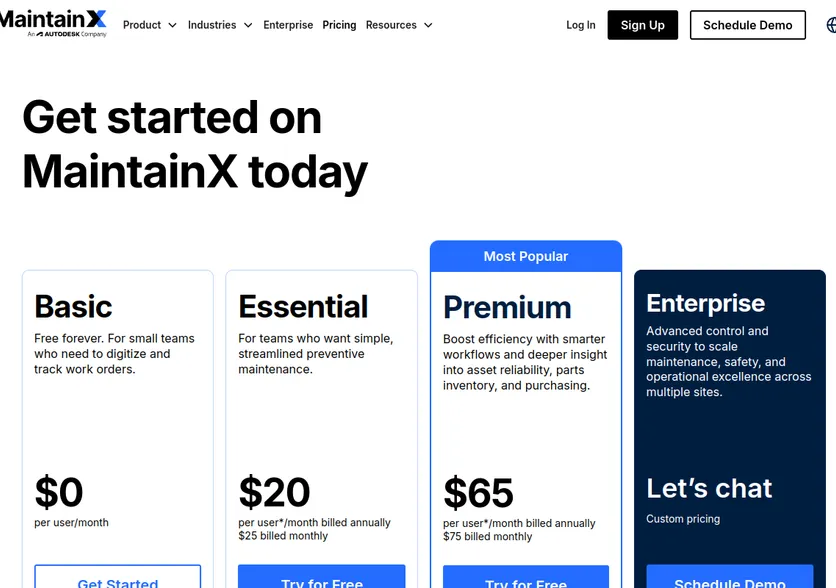
Paid tool Starting price: $20/user/month · Twenty dollars per user a month billed annually on Essential (twenty-five dollars billed monthly); Premium is sixty-five dollars billed annually (seventy-five dollars monthly); Enterprise is quoted
Free plan: Free plan (Basic)
A maintenance team moving off paper work orders gets a free starting tier here, because this MaintainX plan costs twenty dollars per user a month billed annually on Essential. The free Basic tier covers unlimited work orders, and Premium adds parts inventory, purchase orders and the open API, so the team only pays when its parts tracking needs grow. Requester accounts stay free, which means everyone in the building can report a fault without a paid seat.
What we like
- Free Basic tier with unlimited work orders
- Requester accounts are free on every plan
- Parts inventory and purchase orders on Premium
Watch out for
- Parts inventory sits on Premium, not the entry paid plan
- Autodesk bought MaintainX in 2026, so pricing may shift over time
How to try it
- Start on the free Basic plan and add your assets
- Let anyone report faults through free requester accounts
- Move to Premium when parts inventory and purchase orders matter
2. UpKeep
Best for: Teams whose technicians live on their phones
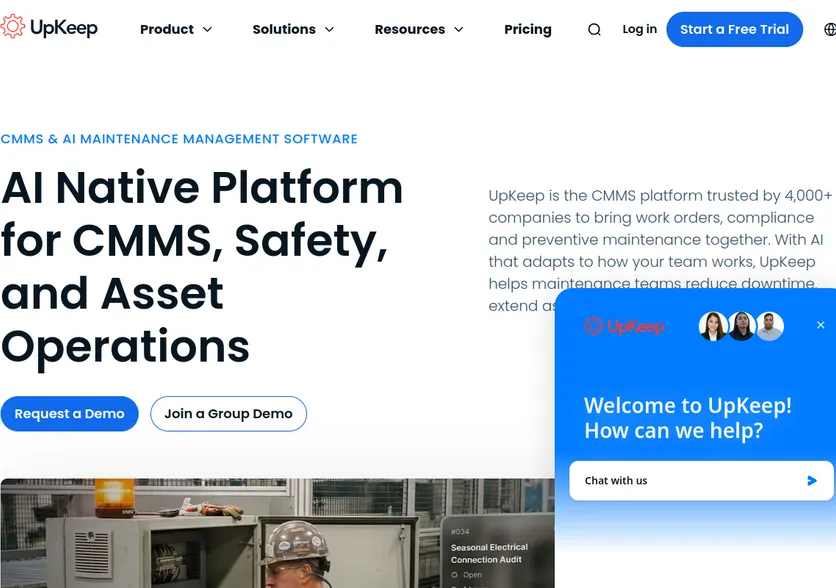
Paid tool Starting price: $24/user/month · Twenty-four dollars per user a month on Essential; Premium is fifty-five dollars per user a month; Professional and Enterprise are quoted
Free plan: No free plan; free trial
A maintenance team that wants technicians to log parts from the shop floor will find this UpKeep plan costs twenty-four dollars per user a month. The phone app is the whole point: scan a barcode at the shelf, attach the part to the job, and the stock count updates before the technician walks back. Work requests come in from anyone in the building, so the team stops fielding phone calls about broken equipment and starts fixing it.
What we like
- Barcode parts tracking built for the phone
- Work requests from anyone in the building
- Simple setup that a small team finishes in a day
Watch out for
- No free plan, only a trial, so testing needs a sales call
- Professional and Enterprise tiers are quoted, not published
How to try it
- Add your assets and stock the parts shelf with barcodes
- Open work requests to the whole building
- Set reorder points so low stock flags itself
3. Fiix
Best for: Teams that outgrew spreadsheets and want reliability depth
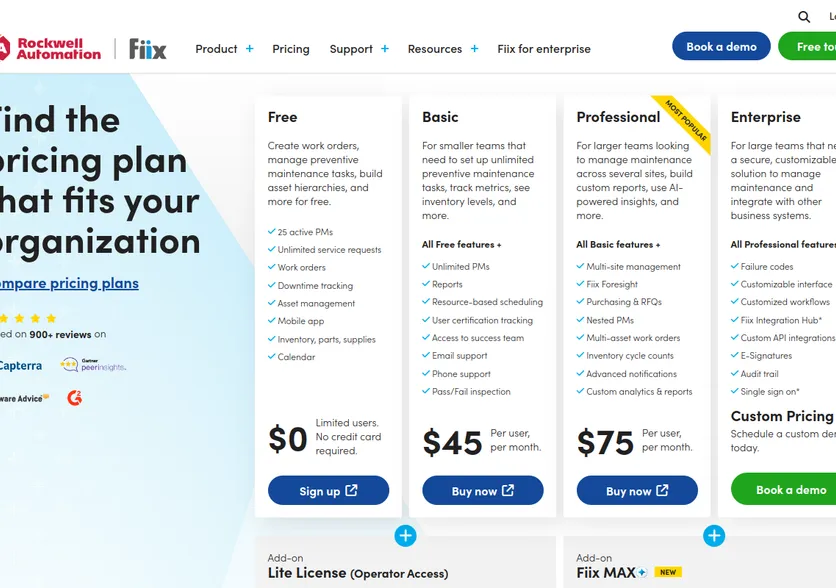
Paid tool Starting price: $45/user/month · Forty-five dollars per user a month on Basic; Professional is seventy-five dollars per user a month; Enterprise is quoted; no setup fees on any plan
Free plan: Free plan
A maintenance team that outgrew spreadsheets and wants reliability analytics will find this Fiix plan costs forty-five dollars per user a month. It covers unlimited preventive tasks on Basic, and Professional adds multi-site management, purchasing and the Fiix Foresight AI, which flags the assets most likely to fail next. The free tier handles twenty-five preventive tasks, so a team can prove the workflow on one line before paying.
What we like
- Unlimited preventive tasks on the paid Basic tier
- Fiix Foresight AI flags assets likely to fail
- Multi-site management and purchasing on Professional
Watch out for
- Per-user pricing climbs fast as the team grows
- The jump from Basic to Professional is a steep sixty-seven percent
How to try it
- Import assets and build preventive schedules for each one
- Run the free tier on one line to prove the workflow
- Add purchasing from Professional when parts buying centralises
4. Limble CMMS
Best for: Teams that want the easiest CMMS to set up
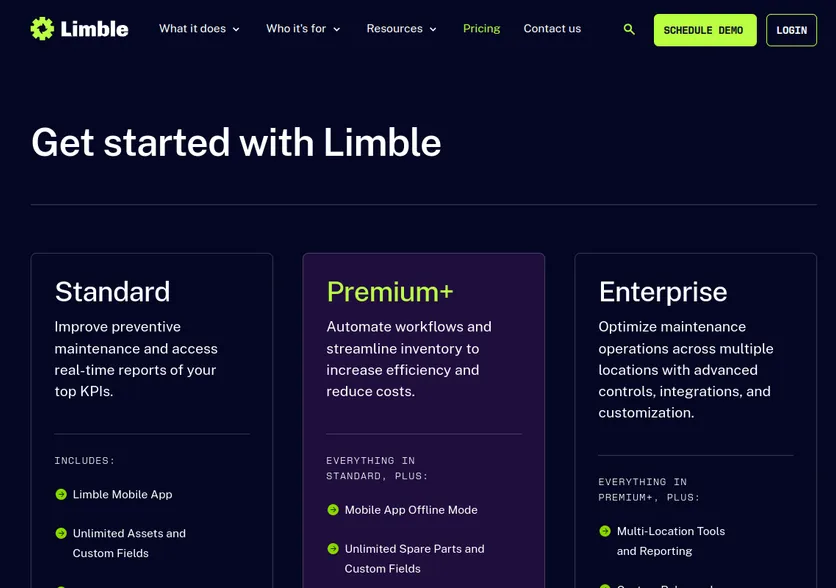
Paid tool Starting price: $28/user/month · Twenty-eight dollars per user a month on Standard; Premium+ is sixty-nine dollars per user a month; Enterprise is quoted; the vendor pricing page itself shows no figures, so these come from Limble's own cost guide and multiple agreeing November 2026 reads
Free plan: Free plan (Basic)
A maintenance team that values a gentle learning curve will find this Limble CMMS plan costs twenty-eight dollars per user a month. Reviewers rate its support the best in this list, and the setup is the quickest here, so a team can be running work orders the same week it signs up. Parts with minimum and maximum levels live on Premium+, which means a team that only tracks basic stock can stay on the cheaper Standard tier.
What we like
- Quickest setup in this list with top-rated support
- Free Basic plan for trying the core workflow
- Unlimited requesters, so anyone can report a fault
Watch out for
- Parts inventory needs Premium+ at sixty-nine dollars
- The pricing page shows no figures, only the vendor cost guide does
How to try it
- Add assets and preventive schedules for each one
- Open the request portal to the whole building
- Move to Premium+ when parts minimums and purchase orders matter
5. EZOfficeInventory
Best for: Teams that track tools and parts in one register
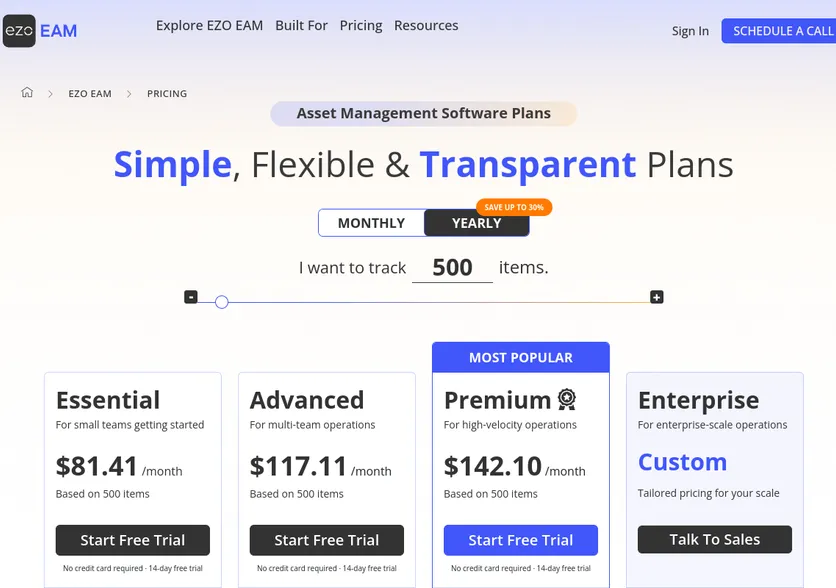
Paid tool Starting price: $44.75/month · Forty-four dollars and seventy-five cents a month billed annually on Essential at one hundred items (forty-eight dollars billed monthly); at three hundred items Advanced is eighty-five dollars and fifty-one cents and Premium is one hundred dollars and eighty-eight cents a month
Free plan: No free plan; free trial
A maintenance team that tracks tools and parts together in one register gets this EZOfficeInventory plan at forty-four dollars and seventy-five cents a month billed annually. Every item carries a barcode, so check-in and check-out show who has the drill as well as how many filters are left, and reservations stop two teams booking the same tool. It fits a team that manages a shared equipment pool as well as a parts shelf.
What we like
- Barcode tracking for parts and shared tools alike
- Reservations stop two teams booking one tool
- Maintenance alerts tied to each item
Watch out for
- Volume-based pricing, so the bill rises with item counts
- No free plan, only a trial, before committing
How to try it
- Import parts and tools and print barcode labels
- Set reorder points for the fast-moving parts
- Use reservations for shared tools across teams
6. Sortly
Best for: Teams that want visual parts tracking without a CMMS
Paid tool Starting price: $49/month · Forty-nine dollars a month on Advanced for five hundred items and two users; the twenty-four dollar yearly-billed figure is a first-year discount only, not the list price; Ultra is one hundred and forty-nine dollars a month and Premium is two hundred and ninety-nine dollars a month
Free plan: Free plan (100 items, 1 user)
A maintenance team that counts parts with phone photos rather than a full CMMS will find this Sortly plan costs forty-nine dollars a month. Each part gets a photo, a barcode and a location, so anyone can find the right shelf without asking the person who has worked there longest. Low-stock alerts and check-in with check-out keep the count honest, and the free plan covers one hundred items for a single user.
What we like
- Photo and barcode tracking that anyone can use
- Low-stock alerts before the shelf runs dry
- Free plan covers one hundred items for one user
Watch out for
- Advanced caps at five hundred items and two users
- The twenty-four dollar yearly figure is a first-year discount only
How to try it
- Photograph each part and give it a shelf location
- Set low-stock alerts for the parts you use most
- Scan parts in and out against each job
7. FMX
Best for: Teams running buildings, schools or campuses
Paid tool Starting price: $35/user/month · Thirty-five dollars per user a month; multiple November 2026 reads of the vendor pages agree on this figure, while one directory lists fifty dollars, so confirm the current figure at signup
Free plan: No free plan; free trial
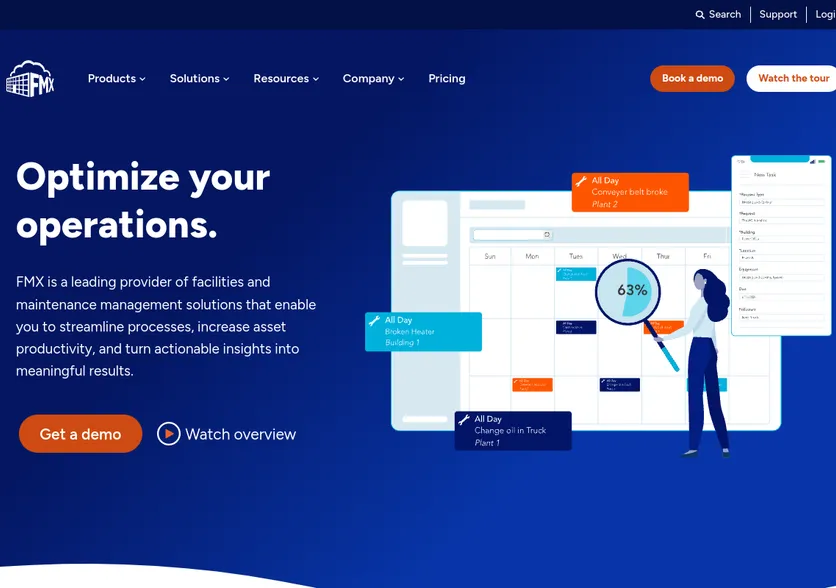
A maintenance team that runs buildings as well as machines gets scheduling and parts in one place here, since this FMX plan costs thirty-five dollars per user a month. Work orders sit beside room scheduling, event calendars and floor plans, so a school or council can run its whole building operation from one system. Requesting users are unlimited at no extra cost, which means the whole organisation can raise jobs without buying seats for everyone.
What we like
- Maintenance plus room scheduling in one system
- Unlimited requesting users at no extra cost
- Floor plans and calendars beside the work orders
Watch out for
- Weaker for factory floors needing deep reliability analysis
- One directory lists fifty dollars, conflicting with the vendor-page reads
How to try it
- Add your buildings, rooms and equipment
- Open work requests to everyone in the organisation
- Schedule rooms and maintenance from the same calendar
8. Click Maint
Best for: Teams that want one simple plan with everything included
Paid tool Starting price: $35/user/month · Thirty-five dollars per user a month on the single plan; multiple November 2026 reads agree; confirm the current figure on the vendor pricing page before buying
Free plan: No free plan; free trial
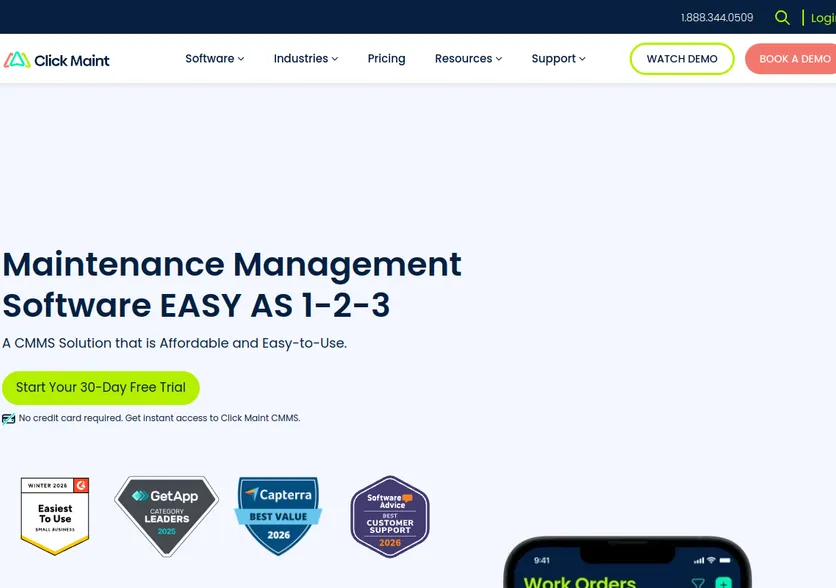
A maintenance team that wants one simple plan with no tier maze will find this Click Maint plan costs thirty-five dollars per user a month. There is a single price for the whole product, so the team never has to guess which feature sits on which tier, and work orders, preventive schedules and parts tracking all come as standard. It is the plainest buy in this list, built for teams that want to start working rather than compare feature tables.
What we like
- One flat price with no tier maze to navigate
- Work orders, schedules and parts tracking as standard
- Simple enough to roll out without a consultant
Watch out for
- Fewer advanced analytics than Fiix or Limble
- Smaller integration catalogue than the bigger CMMS names
How to try it
- Add your assets and their preventive schedules
- Log parts against each work order as jobs close
- Review the parts usage report each month
Prices above were checked on each vendor’s own website on Nov 29, 2026 and can change — the vendor’s page is the final word. Vendor links are editorial: nobody paid to be listed or ranked here. Vendors who want a featured listing can see how it works on our Get listed page.
How to stop the parts hunt eating your week
Give every part a home before you buy software, because a barcode on a mystery box is still a mystery. Start with the parts that stall jobs most often, label each shelf, and make the person who takes a part the person who scans it, so the count is always honest. Hold a short weekly count of the ten fastest-moving items, and order when the minimum level trips, not when the shelf is already empty. A team that trusts its count stops hoarding spares and stops waiting for them.
Before you buy
- Check whether parts are deducted automatically when a work order closes, or only by hand
- Confirm the tool covers the assets you actually maintain, from machines to buildings
- Ask if reorder points and low-stock alerts are included, or locked behind a dearer tier
- Make sure requesters can raise faults for free, without buying a seat for everyone
- Test the trial on a real asset with a real parts list before paying for a year
Official websites
Official websites of the products reviewed above. Features and prices were checked against these sites when this guide was written, and they can change, so confirm on the vendor site before you buy.
Frequently asked questions
What is spare parts inventory software for maintenance teams?
It is software that tracks every spare part a maintenance team holds and ties each part to an asset, a work order and a reorder point. Good tools deduct stock automatically when a job closes, flag low items before they run out, and show which parts each asset actually uses. The result is fewer stalled jobs, less cash tied up in slow-moving stock, and a shelf the whole team can trust.
How much does MaintainX cost for a maintenance team?
MaintainX costs twenty dollars per user a month billed annually on Essential, or twenty-five dollars billed monthly, and Premium is sixty-five dollars billed annually or seventy-five dollars monthly. The Basic tier is free forever with unlimited work orders, and requester accounts cost nothing on every plan. Enterprise is quoted, and Autodesk completed its acquisition of MaintainX in August 2026.
Which tool is best for a small maintenance team?
MaintainX is the best start for a small team, with a free Basic tier and paid plans from twenty dollars a user a month billed annually. Limble is the quickest to set up at twenty-eight dollars a user a month, with a free Basic plan and top-rated support. Sortly suits a team that only needs visual parts tracking, at forty-nine dollars a month with a free plan for one hundred items.
Do any of these tools have a free plan?
Yes. MaintainX has a free Basic tier with unlimited work orders, Fiix has a free tier covering twenty-five preventive maintenance tasks, and Limble has a free Basic plan. Sortly is free for one user and one hundred items. UpKeep, EZOfficeInventory, FMX and Click Maint offer free trials instead of a permanent free tier, so test them before paying.
How do I keep spare parts stock accurate?
Make the person who takes a part the person who scans it, so the count updates at the moment of use rather than at the end of the week. Set a minimum level on every fast-moving part and order when it trips, not when the shelf is empty. Count the ten fastest movers weekly and the whole shelf quarterly, and clear out parts for assets you no longer run.
Compare the eight tools above, then start with a free trial or the free plan on the tool that matches how the team already works before paying for a full year.
Browse Business Tools tools