On this page
Hourly teams live or die by the rota, and a bad one means missed shifts and overtime surprises. The eight tools below cover that job for cafes, retailers, clinics and warehouses of every size, from a free starter for a single shop to an enterprise planner that forecasts demand across sites. 7shifts leads because it was built for hourly restaurant and retail teams, with availability, swaps and team chat in one app for thirty-nine dollars and ninety-nine cents a location a month, and the rest are ranked on how much scheduling power they give for the price.
How we researched this
We checked every price on the vendor pricing page on November 29, 2026, and only included tools with a published US dollar list price. The quote-only scheduling suites that sell by sales call, including Fourth, Harri and Legion, publish no prices, so they are not in this list. Prices change, so confirm the current figure on the vendor site before you buy.
Compare the tools
| Name | Best for | Starting price | Free plan | |
|---|---|---|---|---|
 7shifts | Hourly restaurant and retail teams | $39.99/location/month | Free plan (Comp, 1 location, up to 15 employees) | Visit |
 Deputy | Teams that want scheduling plus time tracking | $5/user/month | No free plan; 30-day free trial | Visit |
 Homebase | Single-location shops starting free | $24/location/month | Free plan (Basic, 1 location, up to 10 employees) | Visit |
 When I Work | Teams that swap shifts every week | $2.50/user/month | No free plan; 14-day free trial | Visit |
 Sling | Budget teams that want a free start | $1.70/user/month | Free plan (up to 30 users) | Visit |
 Connecteam | Frontline teams that want one app | $29/month | Free plan (Small Business, up to 10 users) | Visit |
 Planday | Multi-site hospitality and retail chains | $2.99/user/month | No free plan; 30-day free trial | Visit |
 Humanity | Large operations scheduling thousands of staff | $2.75/user/month | No free plan; free trial | Visit |
The staff scheduling software for hourly teams, compared
1. 7shifts
Best for: Hourly restaurant and retail teams
Paid tool Starting price: $39.99/location/month · Thirty-nine dollars and ninety-nine cents per location a month on Essentials billed annually (forty-four dollars and ninety-nine cents billed monthly); Pro is seventy-nine dollars and ninety-nine cents and Premium is one hundred and thirty-four dollars and ninety-nine cents billed annually; the free Comp plan covers one location and up to fifteen employees
Free plan: Free plan (Comp, 1 location, up to 15 employees)
Restaurants and cafes that build rosters around hourly staff get a purpose-built scheduler here, since this 7shifts plan costs thirty-nine dollars and ninety-nine cents a location a month billed annually. It handles availability, time-off requests and shift swaps in one place, and the team chat keeps the whole rota conversation inside the app. Managers can post open shifts and let staff claim them, which cuts the back-and-forth that usually eats a Sunday evening.

What we like
- Built for hourly teams, not adapted from office software
- Shift swaps, availability and team chat in one app
- Free Comp plan covers a single location and fifteen staff
Watch out for
- Per-location pricing adds up fast across many sites
- Payroll and hiring tools sit on the dearer tiers
How to try it
- Create the team, add each staff member and set their roles
- Publish the weekly rota and let staff claim open shifts
- Approve swaps and time-off requests from the manager app
2. Deputy
Best for: Teams that want scheduling plus time tracking
Paid tool Starting price: $5/user/month · Five dollars per user a month on Lite billed annually (five dollars and fifty cents billed monthly); Core is six dollars and fifty cents and Pro is nine dollars; monthly plans carry a thirty dollar minimum per invoice; no free tier, thirty-day trial
Free plan: No free plan; 30-day free trial
A business that pays by the hour and needs the schedule tied to time tracking will like the way this Deputy plan costs five dollars a user a month billed annually and covers both jobs at once. Staff clock in from their phones, managers approve timesheets against the published rota, and labour costs show up before the week ends. It suits teams that already track hours and want the schedule to feed straight into payroll.

What we like
- Schedule and time tracking in a single app
- Timesheets approve against the published rota
- Labour costs visible before the week ends
Watch out for
- No free tier, so even a tiny team pays from day one
- Monthly plans carry a thirty dollar minimum per invoice
How to try it
- Add staff, roles and pay rates to the workspace
- Build the rota from templates or copy last week
- Review clock-ins against the schedule and approve timesheets
3. Homebase
Best for: Single-location shops starting free
Paid tool Starting price: $24/location/month · Twenty-four dollars per location a month on Essentials billed annually (thirty dollars billed monthly); Plus is fifty-six dollars and All-in-One is ninety-six dollars billed annually; the Basic plan is free for one location and up to ten employees
Free plan: Free plan (Basic, 1 location, up to 10 employees)
Small shops that want scheduling plus hiring and payroll in a single free starting point should look at this Homebase plan, which costs twenty-four dollars a location a month billed annually on Essentials. The free Basic plan covers one location and up to ten employees, so a single cafe can run real rosters without paying. Paid tiers add time tracking, team messaging and payroll, which makes it a gentle step up as the team grows.

What we like
- Genuine free plan for one location and ten staff
- Hiring, time tracking and payroll in the same account
- Simple setup that a small shop can run in a day
Watch out for
- The free plan caps at one location and ten employees
- Advanced scheduling rules need the dearer tiers
How to try it
- Sign up free and add the team and their availability
- Publish the first rota and invite staff to the app
- Add time tracking or payroll when the free plan runs out
4. When I Work
Best for: Teams that swap shifts every week
Paid tool Starting price: $2.50/user/month · Two dollars and fifty cents per user a month on Essentials; Pro is five dollars and Premium is eight dollars; no free plan, fourteen-day trial; some vendor pages quote five dollars a user a month for multi-location use, so confirm the figure for extra sites
Free plan: No free plan; 14-day free trial
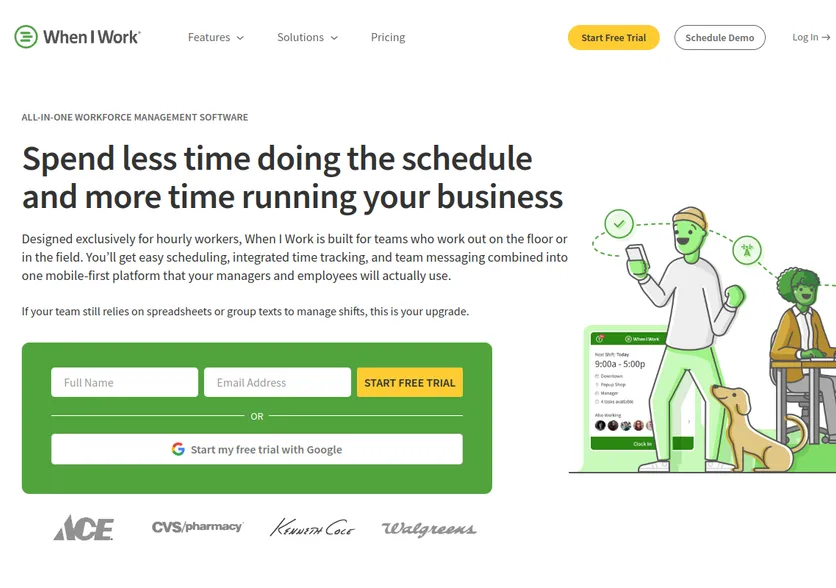
Teams that swap shifts constantly need a rota staff can trade without the manager in the middle, and this When I Work plan costs two dollars and fifty cents a user a month on Essentials. Workers pick up open shifts from the app, managers approve swaps in one tap, and time tracking sits alongside the schedule. It is the simplest option here for hourly teams that live on their phones.
What we like
- Open shifts staff can claim from their phones
- One-tap swap approvals for managers
- Time tracking sits beside the schedule
Watch out for
- No free plan, so every user is paid from the start
- Multi-location pricing is quoted higher on some vendor pages
How to try it
- Add the team and set each person availability
- Publish the rota and open unfilled shifts to the team
- Approve swaps and export hours for payroll
5. Sling
Best for: Budget teams that want a free start
Paid tool Starting price: $1.70/user/month · One dollar and seventy cents per user a month on Premium billed annually (two dollars billed monthly); Business is three dollars and forty cents billed annually; the free plan covers up to thirty users; fifteen-day trial
Free plan: Free plan (up to 30 users)
The cheapest paid rota in this list belongs to a tool built for frontline teams, since this Sling plan costs one dollar and seventy cents a user a month billed annually on Premium. It covers scheduling, time clocks, task lists and team chat, and the free plan stretches to thirty users. A small retailer or cafe can run the whole rota for less than the price of a coffee per person each month.

What we like
- Lowest paid price in this list
- Free plan covers up to thirty users
- Time clock, tasks and chat included, not bolted on
Watch out for
- Reporting is lighter than the dearer schedulers
- Payroll integrations are fewer than Deputy or Homebase
How to try it
- Create the workplace and invite the team for free
- Build the rota and assign shifts by drag and drop
- Turn on the time clock and task lists when ready
6. Connecteam
Best for: Frontline teams that want one app
Paid tool Starting price: $29/month · Twenty-nine dollars a month per hub on Basic for the first thirty users billed annually (thirty-five dollars billed monthly); Advanced is forty-nine dollars and Expert is ninety-nine dollars billed annually; the Small Business plan is free for up to ten users across all hubs
Free plan: Free plan (Small Business, up to 10 users)
Businesses that run field and desk staff side by side get an all-in-one hub here, because this Connecteam plan costs twenty-nine dollars a month per hub for the first thirty users billed annually. Scheduling sits next to forms, training, chat and time tracking, so one app covers the whole frontline operation. It fits companies that want fewer apps rather than the deepest scheduler on the market.

What we like
- Scheduling, forms, training and chat in one hub
- Free Small Business plan for up to ten users
- Per-hub pricing, so you pay only for the tools you use
Watch out for
- The scheduler is simpler than a dedicated rota tool
- Costs climb as you add hubs beyond the first thirty users
How to try it
- Pick the hub that matches the job, starting with scheduling
- Add staff and set their availability and roles
- Publish rosters and share forms and training in the same app
7. Planday
Best for: Multi-site hospitality and retail chains
Paid tool Starting price: $2.99/user/month · Two dollars and ninety-nine cents per user a month on Starter with a five user minimum; Plus is four dollars and forty-nine cents per user a month plus a fifteen dollar monthly fee with a ten user minimum; thirty-day trial, no free plan
Free plan: No free plan; 30-day free trial
European-style shift planning with strong labour-rule handling is the draw here, as this Planday plan costs two dollars and ninety-nine cents a user a month on Starter. It tracks availability, payroll exports and time-off balances in one rota, and managers get live cost figures as they build the week. It suits hospitality and retail chains that plan across several sites and need the rules enforced automatically.
What we like
- Live labour costs shown while building the rota
- Payroll exports and time-off balances in one place
- Strong handling of shift rules across sites
Watch out for
- Minimum user counts apply on both paid plans
- No free plan, so a trial is the only way to test it
How to try it
- Set up each location, team and shift template
- Add availability and time-off balances for every worker
- Build the rota, watch the live cost and publish it
8. Humanity
Best for: Large operations scheduling thousands of staff
Paid tool Starting price: $2.75/user/month · Two dollars and seventy-five cents per user a month; older directory listings show two dollars and a newer listing shows three dollars and fifty cents, so confirm the current figure with the vendor before buying; no free plan listed
Free plan: No free plan; free trial
Enterprises that schedule thousands of hourly workers across sites will find the scale here, since this Humanity plan costs two dollars and seventy-five cents a user a month. It forecasts demand, builds rosters against labour budgets and syncs with major HR and payroll systems. The trade-off is a heavier setup than the small-team tools here, so it fits operations with a dedicated scheduler rather than a single shop.
What we like
- Demand forecasting built into the rota
- Rosters built against labour budgets
- Syncs with major HR and payroll systems
Watch out for
- Setup is heavier than the small-team tools here
- The published price varies across directory listings
How to try it
- Connect the HR system and import staff and pay rules
- Set labour budgets and demand forecasts per site
- Generate rosters and review them against the budget
Prices above were checked on each vendor’s own website on Nov 29, 2026 and can change — the vendor’s page is the final word. Vendor links are editorial: nobody paid to be listed or ranked here. Vendors who want a featured listing can see how it works on our Get listed page.
How to build a rota your hourly team actually follows
Publish the rota at the same time every week so staff can plan their lives around it, and keep that promise even when the week is messy. Collect availability and time-off requests inside the scheduler rather than by text message, because a request lost in a chat thread becomes a no-show on Saturday. Let staff swap shifts in the app with manager approval, and set a cut-off so last-minute changes still get covered. Track the labour cost as you build, not after the week ends, and compare it with the budget before you publish. Finally, keep one channel for rota news so nobody misses a change because it went to the wrong group.
Before you buy
- Check the price is per location or per user, because the same headline figure can mean very different monthly bills
- Make sure staff can swap shifts and request time off from their phones without calling the manager
- Confirm the tool tracks labour cost live while you build the rota, not only in a report afterwards
- Ask whether time tracking and payroll exports are included or sold as a separate paid add-on
- Test the free plan or trial with a real week of shifts before moving the whole team across
Official websites
Official websites of the products reviewed above. Features and prices were checked against these sites when this guide was written, and they can change, so confirm on the vendor site before you buy.
Frequently asked questions
What is staff scheduling software for hourly teams?
It is software that builds rosters for staff paid by the hour, tracking availability, time-off requests, shift swaps and labour costs in one place. Good tools let workers claim open shifts from their phones, warn managers about overtime before the week is published, and export approved hours to payroll. For cafes, retailers and clinics, it replaces the spreadsheet rota and the group chat that used to hold it together.
How much does 7shifts cost?
7shifts costs thirty-nine dollars and ninety-nine cents per location a month on Essentials billed annually, or forty-four dollars and ninety-nine cents billed monthly. Pro is seventy-nine dollars and ninety-nine cents and Premium is one hundred and thirty-four dollars and ninety-nine cents billed annually. The free Comp plan covers one location and up to fifteen employees, so a single site can start without paying.
Can I schedule hourly staff for free?
Yes, with 7shifts, Homebase, Sling and Connecteam, which all offer genuine free plans rather than trials. 7shifts covers one location and fifteen employees, Homebase covers one location and ten employees, Sling covers up to thirty users, and Connecteam covers up to ten users. A single small shop can run a real rota on any of them, and paid tiers add time tracking, payroll and extra sites.
Which tool is best for a small cafe or shop?
Homebase is the best free start for a single shop, with scheduling, hiring and team messaging on its free plan for one location and ten employees. Sling is the cheapest paid step up at one dollar and seventy cents a user a month, with a free plan to thirty users. 7shifts is the better pick once the rota needs availability rules and shift swaps at scale, at thirty-nine dollars and ninety-nine cents a location a month.
Do these tools handle overtime and labour costs?
Most of them do, with Deputy and Planday showing live labour costs while the rota is being built, and 7shifts, Homebase and When I Work flagging overtime before publication. The free plans usually track the rota only, so cost forecasting and payroll exports tend to sit on paid tiers. Check the plan page for the exact overtime rules, because labour laws differ by state and the tool must match yours.
Compare the eight tools above, then start with a free plan or trial on the one that matches how your team already swaps shifts, and check the per-location or per-user price against your real headcount before paying for a full year.
Browse Business Tools tools