
On this page
Customer support falls apart the moment two agents answer the same email, or a question sits unanswered in a shared inbox. The nine tools below turn support email, chat and social messages into tickets with owners, priorities and deadlines, with entry prices from seven dollars a user a month to twenty-nine dollars a seat a month. Every price was checked on the vendor site on November 26, 2026, and most tools offer a free plan or trial. Zendesk is our first pick — the most complete support suite here, from nineteen dollars an agent a month.
How we researched this
We started with the support desk tools small teams actually buy, then read each price on the vendor pricing page on November 26, 2026 and noted the free trial or free plan each one carries. We judged them for a team that answers customers every day and needs a shared inbox, automations and a knowledge base without a consultant. We kept only tools with a published price, and we dropped Groove because it rebranded to Helply in May 2026 and new buyers can no longer buy Groove plans.
Compare the tools
| Name | Best for | Starting price | Free plan | |
|---|---|---|---|---|
 Zendesk | Growing teams that need a full support suite with AI | $19/agent/month | No free tier published; free trial available | Visit |
 Freshdesk | Small teams that want a clean shared inbox at a fair price | $19/agent/month | Free plan for up to 10 agents | Visit |
 Help Scout | Small teams that want personal, human-feeling support | $25/user/month | Free plan for up to 5 users | Visit |
 Intercom | Teams that combine chat, email and AI in one inbox | $29/seat/month | No free tier published; free trial available | Visit |
 Zoho Desk | Small teams already using Zoho apps for support | $7/user/month | Free plan for up to 3 users | Visit |
 LiveAgent | Teams that want live chat and ticketing together | $15/agent/month | 14-day free trial | Visit |
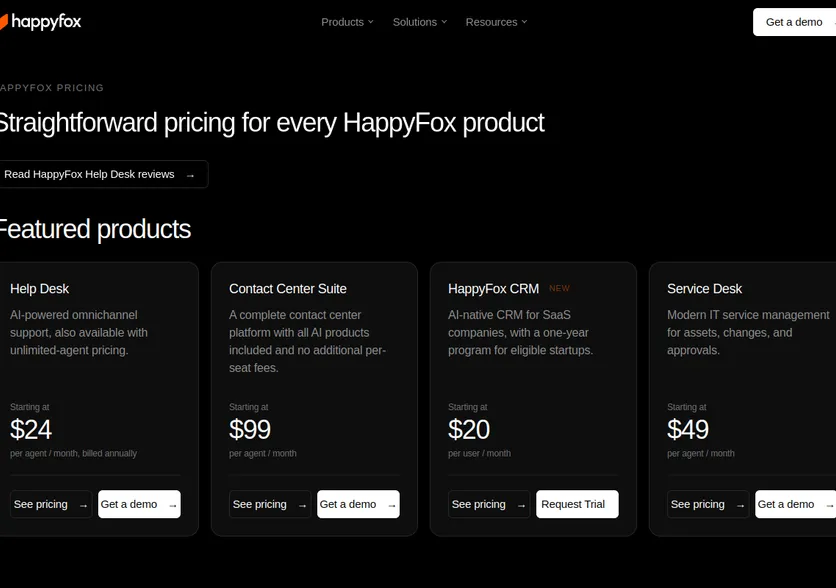
 HappyFox | Teams that want a straightforward ticket system with strong automations | $24/agent/month | 14-day free trial | Visit |
 Gorgias | Ecommerce stores that answer support inside Shopify and email | $10/month | No free tier published; free trial available | Visit |
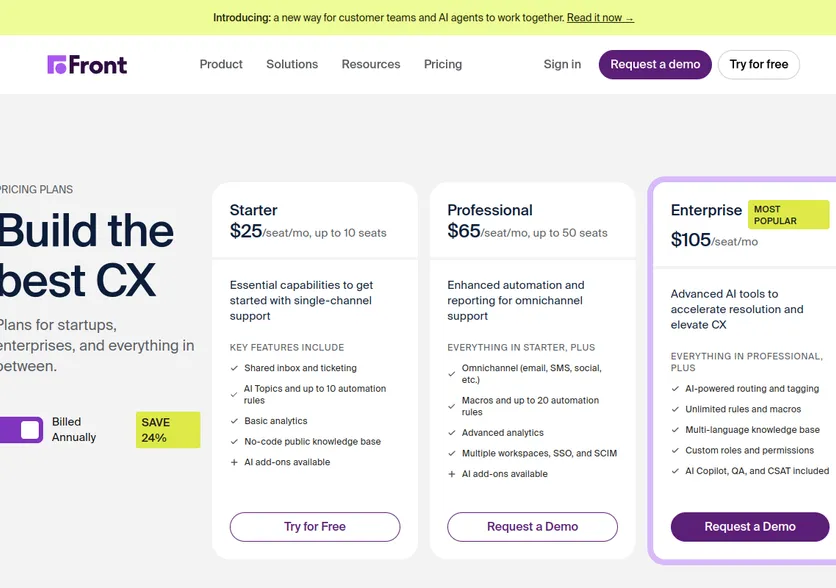
 Front | Teams that run support, sales and chat from one inbox | $25/seat/month | 14-day free trial | Visit |
The support desk software tools, compared
1. Zendesk
Best for: Growing teams that need a full support suite with AI
Paid tool Starting price: $19/agent/month · Support Team plan, $19 an agent a month billed annually or $25 month to month
Free plan: No free tier published; free trial available
Zendesk is the biggest name in support desks, with ticketing, live chat, knowledge bases and AI replies in one system. This Zendesk Support Team plan gives a small team shared inboxes, ticket automations and a help center to deflect common questions. A business that answers hundreds of tickets a week can keep every conversation in one queue instead of scattered inboxes.

What we like
- Full suite with ticketing, chat and knowledge base
- AI replies handle repetitive questions
- Scales from a small team to a large support org
Watch out for
- Support Team costs $19 an agent a month billed annually
- AI features sit on higher priced tiers
How to try it
- Open the Zendesk pricing page and start a trial
- Set up your shared inbox and ticket automations
- Build a help center article for your top question
2. Freshdesk
Best for: Small teams that want a clean shared inbox at a fair price
Paid tool Starting price: $19/agent/month · Growth plan, $19 an agent a month billed annually; Pro $55, Enterprise $89
Free plan: Free plan for up to 10 agents
Freshdesk is the friendly face of support software, with a shared inbox, ticket automations and a knowledge base that a small team can learn in a day. This Freshdesk Growth plan adds automations, collision detection and more integrations to the free starter. A team drowning in a shared email inbox can move to real tickets without retraining everyone.

What we like
- Easy to learn, with a clean shared inbox
- Free plan for up to ten agents
- Automations on the Growth plan save hours
Watch out for
- Growth costs $19 an agent a month billed annually
- Advanced reporting needs the Pro plan
How to try it
- Open the Freshdesk pricing page and create an account
- Connect your support email to the shared inbox
- Set up ticket automations for common requests
3. Help Scout
Best for: Small teams that want personal, human-feeling support
Paid tool Starting price: $25/user/month · Standard plan, $25 a user a month, or $21 on annual billing; Plus $45, Pro $75
Free plan: Free plan for up to 5 users
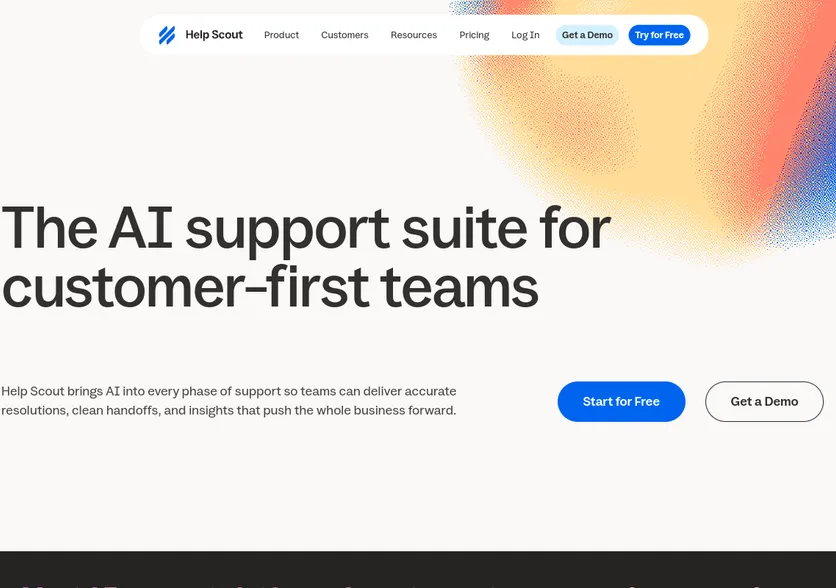
Help Scout is built for teams that answer customers like people, not ticket numbers, with a shared inbox that reads like email. This Help Scout Standard plan covers shared inboxes, saved replies and a docs site for self-service answers. A small shop can give every customer a personal reply while still working from one shared queue.
What we like
- Shared inbox that feels like email, not a queue
- Free plan for up to five users
- Docs site for self-service answers included
Watch out for
- Standard costs $25 a user a month
- Automation features sit on higher plans
How to try it
- Open the Help Scout pricing page and create an account
- Connect your support inbox and invite your team
- Write saved replies for your five most common questions
4. Intercom
Best for: Teams that combine chat, email and AI in one inbox
Paid tool Starting price: $29/seat/month · Essential plan, $29 a seat a month; Advanced $85, Expert $132; Fin AI at $0.99 per outcome
Free plan: No free tier published; free trial available
Intercom is the chat-first support platform, built around live messaging, AI answers and a shared inbox for the whole team. This Intercom Essential plan covers shared inboxes, live chat and basic AI, with advanced automation on higher tiers. A product team can answer customers in the app, on email and on chat without switching tools.

What we like
- Live chat plus email in one shared inbox
- Fin AI answers repetitive questions well
- Strong fit for product teams in their own app
Watch out for
- Essential costs $29 a seat a month
- Fin AI charges per resolved conversation
How to try it
- Open the Intercom pricing page and start a trial
- Install the chat widget on your site or app
- Set up Fin AI to answer common questions
5. Zoho Desk
Best for: Small teams already using Zoho apps for support
Paid tool Starting price: $7/user/month · Express plan, $7 a user a month billed annually or $9 month to month; Standard $14, Professional $23, Enterprise $40
Free plan: Free plan for up to 3 users
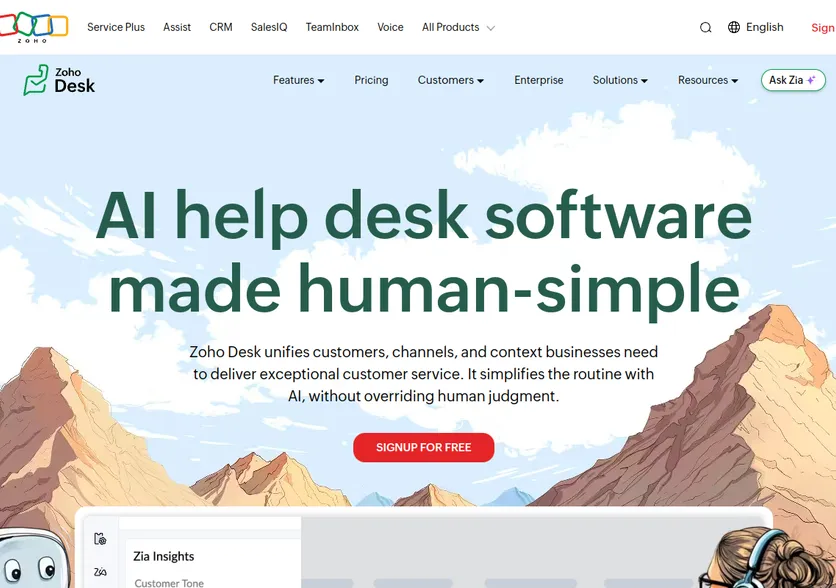
Zoho Desk is the support desk inside the Zoho suite, with ticketing, automations and a knowledge base at a price small teams can afford. This Zoho Desk Express plan covers shared inboxes and basic automations for a team getting started with real support. A business already on Zoho can add support without learning a new platform.
What we like
- The lowest entry price on this list
- Free plan for up to three users
- Fits naturally with other Zoho apps
Watch out for
- Express costs $7 a user a month billed annually
- Advanced features need the Professional plan
How to try it
- Open the Zoho Desk pricing page and create an account
- Connect your support email to the shared inbox
- Set up ticket automations for common requests
6. LiveAgent
Best for: Teams that want live chat and ticketing together
Paid tool Starting price: $15/agent/month · Small plan, $15 an agent a month billed annually; Medium $29, Large $49
Free plan: 14-day free trial
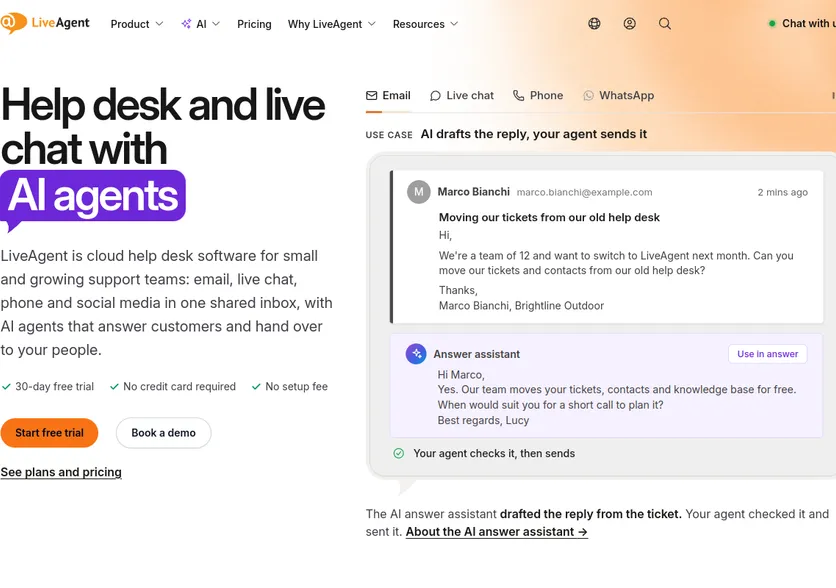
LiveAgent combines live chat, email ticketing and a knowledge base in one tool, so customers can reach you however they like. This LiveAgent Small plan covers live chat and email tickets with basic automations for a small team. A store can answer a chat in seconds and follow up by email when the conversation needs more time.
What we like
- Live chat and email tickets in one tool
- Real-time typing view helps agents reply fast
- Knowledge base included on paid plans
Watch out for
- Small costs $15 an agent a month billed annually
- No free tier published on the pricing page
How to try it
- Open the LiveAgent pricing page and start a trial
- Add the live chat widget to your site
- Connect your support email to the ticket queue
7. HappyFox
Best for: Teams that want a straightforward ticket system with strong automations
Paid tool Starting price: $24/agent/month · Basic plan, $24 an agent a month; Team $49, Pro $89
Free plan: 14-day free trial
HappyFox is a no-nonsense help desk with ticketing, automations and reporting that a team can set up without a consultant. This HappyFox Basic plan covers shared inboxes, ticket automations and a knowledge base for a small team. A business moving off email can get real tickets, priorities and SLAs running in a day.
What we like
- Straightforward setup with no consultant needed
- Strong automations on the Basic plan
- Ticket priorities and SLAs included
Watch out for
- Basic costs $24 an agent a month
- No free tier published on the pricing page
How to try it
- Open the HappyFox pricing page and start a trial
- Connect your support email to the shared inbox
- Set up ticket automations and priorities
8. Gorgias
Best for: Ecommerce stores that answer support inside Shopify and email
Paid tool Starting price: $10/month · Starter plan, $10 a month for 50 tickets; Basic $50 a month for 300 tickets
Free plan: No free tier published; free trial available
Gorgias is built for ecommerce, with support tickets tied to orders, refunds and customer history in one view. This Gorgias Starter plan covers fifty tickets a month with email and chat support for a small store. A shop owner can see the order, the tracking and the last conversation before typing a single reply.

What we like
- Tickets show order and tracking details inline
- The cheapest entry price for ecommerce support
- Macros answer shipping questions in one click
Watch out for
- Starter covers only fifty tickets a month
- Ticket limits push busy stores to higher plans
How to try it
- Open the Gorgias pricing page and start a trial
- Connect your store and support email
- Set up macros for order and shipping questions
9. Front
Best for: Teams that run support, sales and chat from one inbox
Paid tool Starting price: $25/seat/month · Starter plan, $25 a seat a month billed annually for up to 10 seats; Professional $65, Enterprise $105
Free plan: 14-day free trial
Front is a shared inbox that blends email, chat and social messages, so a team can handle support and sales in the same place. This Front Starter plan covers shared inboxes, assignments and internal comments for up to ten seats. A small team can stop forwarding emails and start assigning conversations with one click.
What we like
- Email, chat and social in one shared inbox
- Assignments and internal comments keep work tidy
- Works for support and sales teams together
Watch out for
- Starter costs $25 a seat a month billed annually
- Starter caps at ten seats
How to try it
- Open the Front pricing page and start a trial
- Connect your email and chat channels
- Assign conversations and add internal comments
Prices above were checked on each vendor’s own website on Nov 26, 2026 and can change — the vendor’s page is the final word. Vendor links are editorial: nobody paid to be listed or ranked here. Vendors who want a featured listing can see how it works on our Get listed page.
What support desk software costs in 2026
Support desks charge per agent, so the bill is the price times your team size, and the cheapest plan is rarely the cheapest deal once automations and AI are counted. This list runs from seven dollars a user a month for a simple shared inbox to twenty-nine dollars a seat a month for a chat-first platform with AI replies, and most tools offer a free plan or trial to start. The headline plan each vendor shows on its own pricing page is the number in the table above, checked on November 26, 2026.
Count your agents, then multiply by the plan price and add the cost of the features you will actually use. A seven-dollar plan that needs a thirty-dollar upgrade for automations costs more than a nineteen-dollar plan that includes them. Trial two tools on real tickets for a week, and pick the inbox your team opens without being asked.
Before you buy
- Count your agents first, because every tool here charges per agent and a growing team feels each extra seat.
- Check the ticket limits on the plan you like, because a cheap plan with a small ticket cap costs more after overage fees.
- Test the shared inbox with your real team, because a tool that looks tidy alone can get messy with five agents.
- Ask whether automations and AI replies are included, because they save the most time on repetitive questions.
- Add up the cost at twice your current team size, because support grows fast and per-agent pricing adds up.
Official websites
Official websites of the products reviewed above. Features and prices were checked against these sites when this guide was written, and they can change, so confirm on the vendor site before you buy.
Frequently asked questions
Which support desk software is best for a small team in 2026?
Zendesk, at nineteen dollars an agent a month, is the safest default because it covers ticketing, chat, knowledge bases and AI in one suite. Freshdesk matches the price and is easier to learn, with a free plan for up to ten agents. Zoho Desk is the cheapest paid start, at seven dollars a user a month, and suits teams already using Zoho apps.
What is the cheapest support desk software?
Gorgias, at ten dollars a month for fifty tickets, is the cheapest entry here and suits a small ecommerce store. Zoho Desk, at seven dollars a user a month, is the cheapest per-agent price, with a free plan for up to three users. Freshdesk and Help Scout both have free plans, so a tiny team can start paying nothing at all.
Can I try support desk software for free?
Yes, most of them. Freshdesk, Help Scout and Zoho Desk all offer free plans, and the rest offer free trials from their pricing pages. Start on a free plan or trial, connect your real support email and answer real tickets for a week before paying. The tool your team actually opens every day is the right one.
What is the difference between a shared inbox and shared email?
A shared inbox assigns conversations, shows who is replying and keeps internal notes separate from customer replies, while a shared email inbox does none of that. Shared inboxes also add automations, collision detection and reporting, so two agents never answer the same ticket twice. Every tool on this list is built around a shared inbox rather than a plain email account.
What should I look for in support desk software?
Look for a shared inbox, ticket automations and a knowledge base first, since those three save the most time. Check the ticket or user limits on the plan you like, because a cheap plan with a small cap costs more after overage fees. Test the tool with your real team on real tickets, and count the cost at twice your current team size.
Need everyday business help too? Try Toolsvine's free business tools for small teams right in your browser.
Browse Business Tools tools


