On this page
An IT team that cannot see who is free next week will promise work it cannot deliver, and the damage shows up as missed dates and burnt-out staff. The eight tools below were picked for teams that plan people, not just tasks, from a cheap calendar board to a system that forecasts the next quarter. Float leads because it shows overload at a glance for six dollars per person a month, and the rest are ranked on how clearly they show an IT team what it can take on.
How we researched this
We checked every price on the vendor pricing page on November 29, 2026, and only included tools with a published US dollar list price. Tools that sell only by quote were left out, including the big enterprise planners, and so was a resource add-on whose standalone price could not be verified. Prices change, so confirm the current figure on the vendor site before you buy.
Compare the tools
| Name | Best for | Starting price | Free plan | |
|---|---|---|---|---|
 Float | IT teams that need to see who is free next week | $6/person/month (Starter) | No free plan; 14-day free trial | Visit |
 Resource Guru | Small IT teams that want the cheapest capacity board | $4.16/person/month (Grasshopper) | 30-day free trial | Visit |
 Mosaic | IT teams that plan people and projects together | $9.99/user/month (Team) | 30-day free trial | Visit |
 Runn | Small IT teams that want planning without a long setup | $10/user/month | Free plan (up to 5 people) | Visit |
 Teamdeck | IT teams mixing full-time staff and contractors | $5.40/person/month (Full Member) | No free plan; 14-day free trial | Visit |
 Productive | IT teams that bill clients for their time | $9/user/month (Essential) | 14-day free trial | Visit |
 Forecast | IT teams that plan by the seat and need exact costs | $29/seat/month (Lite) | 14-day free trial | Visit |
 Hub Planner | IT teams that schedule people across several projects | $7/resource/month (Plug and Play) | 30-day free trial | Visit |
The team capacity planning software for IT teams, compared
1. Float
Best for: IT teams that need to see who is free next week
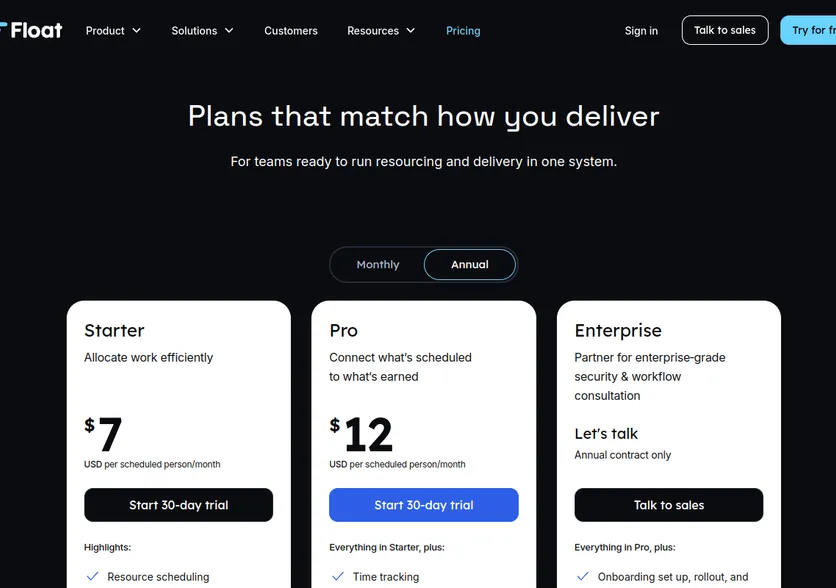
Paid tool Starting price: $6/person/month (Starter) · Six dollars per person a month on Starter billed annually; Pro is ten dollars per person a month billed annually; some November 2026 reads list six dollars and fifty cents and seven dollars for Starter, so confirm the current figure on the vendor page
Free plan: No free plan; 14-day free trial
An IT team that needs to know who is free next week without a spreadsheet will find the answer here, and this Float plan costs six dollars per person a month on Starter billed annually for a visual capacity board. Drag a task onto a person's timeline and the workload bar shows overload at once, and the same view shows who is on leave before the team commits to a date.
What we like
- Drag-and-drop board shows overload at a glance
- Leave and holidays sit on the same view
- Forecast view shows whether the team can take the next project
Watch out for
- Some November 2026 reads list a higher Starter price
- No free plan, only a fourteen-day trial
How to try it
- Add every team member with their real availability
- Drag projects onto the timeline to see overload
- Review the board each Monday and move work from the overloaded
2. Resource Guru
Best for: Small IT teams that want the cheapest capacity board
Paid tool Starting price: $4.16/person/month (Grasshopper) · Four dollars and sixteen cents per person a month on Grasshopper billed annually (five dollars billed monthly); Blackbelt is six dollars and sixty-five cents and Master is ten dollars; other resources are two dollars and eight cents each; a thirty-day trial is included
Free plan: 30-day free trial
A small IT team that wants the cheapest honest capacity board will find it here, and this Resource Guru plan costs four dollars and sixteen cents per person a month on Grasshopper billed annually. The calendar shows who is booked and who is free, leave and holidays sit on the same view, and the price undercuts every other tool in this list. The interface is simple by design, so a team that needs deep reporting will want a higher tier or a different tool.

What we like
- Cheapest honest capacity board in this list
- Calendar shows who is booked and who is free
- Leave and holidays sit on the same view
Watch out for
- Simple by design, so deep reporting needs a higher tier
- No free plan, only a thirty-day trial
How to try it
- Add the team with their working hours
- Book people onto projects from the calendar
- Check the utilisation report each week
3. Mosaic
Best for: IT teams that plan people and projects together
Paid tool Starting price: $9.99/user/month (Team) · Nine dollars and ninety-nine cents per user a month on Team; Business is fourteen dollars and ninety-nine cents per user a month; a thirty-day trial is included
Free plan: 30-day free trial
An IT team that plans people and projects together needs a tool that shows both, and this Mosaic plan costs nine dollars and ninety-nine cents per user a month on Team for that combined view. The workload chart shows who is overbooked across projects, the project view shows which work is at risk, and the thirty-day trial lets the team test it on a real sprint. The Business tier adds forecasting for a team that plans further ahead.

What we like
- Workload chart shows who is overbooked across projects
- Project view shows which work is at risk
- Thirty-day trial lets the team test it on a real sprint
Watch out for
- Team plan lacks the forecasting on the Business tier
- Smaller vendor than the big planners here
How to try it
- Add the team and their projects
- Open the workload chart to spot overbooking
- Move work from the overloaded to the free
4. Runn
Best for: Small IT teams that want planning without a long setup
Paid tool Starting price: $10/user/month · Ten dollars per user a month billed annually; the free plan covers up to five people and a fourteen-day trial is included; one November 2026 read lists a seven dollar Lite tier, which conflicts with the vendor reads
Free plan: Free plan (up to 5 people)
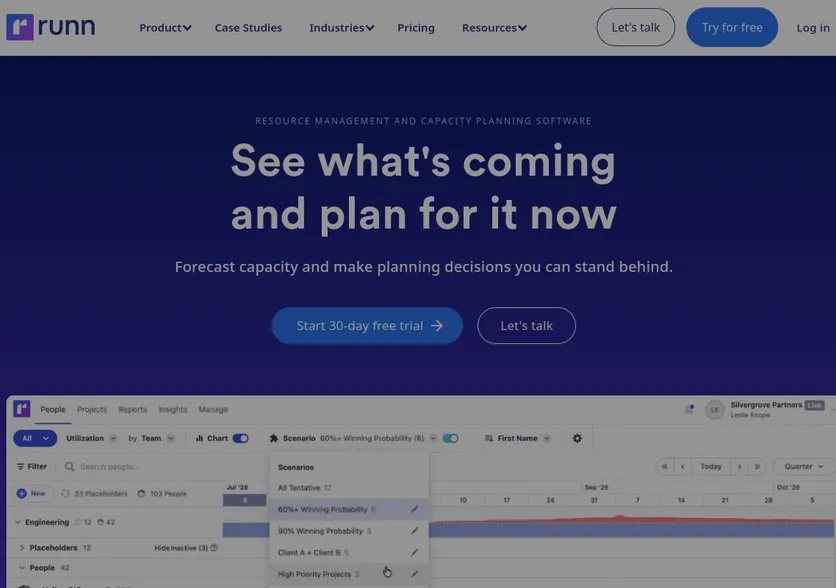
A small IT team that wants capacity planning without a long setup will like the speed here, and this Runn plan costs ten dollars per user a month billed annually for a clean planning board. The free plan covers up to five people, so a tiny team can run on it for free, and the forecast view shows whether the team can take on the next project. One November 2026 read lists a cheaper Lite tier, which conflicts with the vendor reads, so the team should confirm the price.
What we like
- Free plan covers up to five people
- Forecast view shows whether the team can take the next project
- Clean board that a small team learns in an hour
Watch out for
- One read lists a cheaper Lite tier that conflicts with vendor reads
- Free plan stops at five people
How to try it
- Add up to five people on the free plan
- Book them onto projects from the planner
- Check the forecast before promising the next project
5. Teamdeck
Best for: IT teams mixing full-time staff and contractors
Paid tool Starting price: $5.40/person/month (Full Member) · Five dollars and forty cents per person a month for a Full Member billed yearly (six dollars billed monthly); a Light Member is one dollar and eighty cents billed yearly (two dollars monthly); Enterprise is quoted; the older six dollar and ninety-nine cent figure is stale
Free plan: No free plan; 14-day free trial
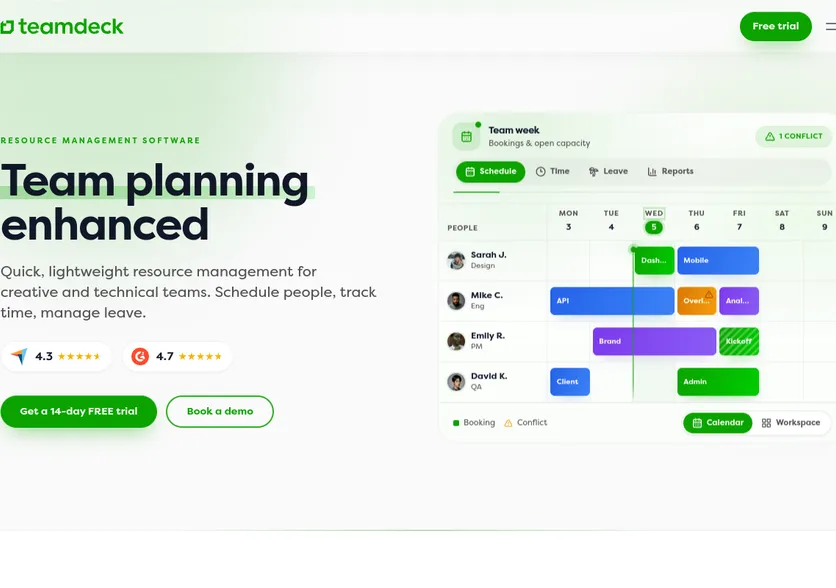
An IT team that has full-time staff and part-time contractors needs a tool that prices them differently, and this Teamdeck plan costs five dollars and forty cents per person a month for a Full Member billed yearly. Light Members cost far less for people who only need to see the plan, and the calendar shows availability, leave and bookings in one view. The older price that some listings still show is stale, so the team should use the current yearly figure.
What we like
- Light Members cost far less for people who only view the plan
- Calendar shows availability, leave and bookings in one view
- Per-person pricing suits mixed full-time and contractor teams
Watch out for
- No free plan, only a fourteen-day trial
- Fewer native integrations than the bigger planners
How to try it
- Add Full Members for planners and Light Members for viewers
- Book people onto projects from the calendar
- Review availability before committing to a date
6. Productive
Best for: IT teams that bill clients for their time
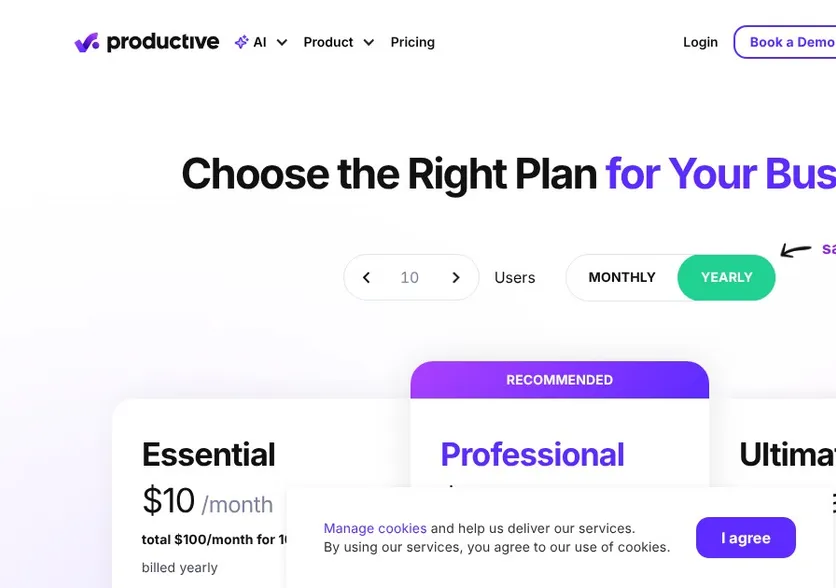
Paid tool Starting price: $9/user/month (Essential) · Nine dollars per user a month on Essential billed annually (ten dollars billed monthly, though one read lists eleven dollars); Professional is twenty-four dollars per user a month billed annually; a three-seat minimum applies
Free plan: 14-day free trial
An IT team that also bills clients for its time needs capacity and money in one place, and this Productive plan costs nine dollars per user a month on Essential billed annually for that combined view. The capacity board shows who is free, the budget view shows whether the project still makes money, and the three-seat minimum keeps the price honest for a small team. One read lists a higher monthly price, so the team should confirm the billing basis at checkout.
What we like
- Capacity board and budget view in one place
- Shows whether a project still makes money
- Three-seat minimum keeps the price honest for a small team
Watch out for
- One read lists a higher monthly price
- Built for agencies, so pure IT teams pay for billing features
How to try it
- Add the team with their hourly rates
- Book people onto projects from the capacity board
- Check the budget view before taking new work
7. Forecast
Best for: IT teams that plan by the seat and need exact costs
Paid tool Starting price: $29/seat/month (Lite) · Twenty-nine dollars per seat a month on Lite billed annually; Pro is forty-nine dollars per seat a month billed annually; a ten-seat minimum applies and a fourteen-day trial is included
Free plan: 14-day free trial
An IT team that plans by the seat and needs to know exactly what each seat costs will find it here, and this Forecast plan costs twenty-nine dollars per seat a month on Lite billed annually for AI-assisted capacity planning. The system suggests who is free for the next project, the financial view shows whether the project is profitable, and the ten-seat minimum means the tool is built for teams, not individuals. The price is the highest entry in this list, so a small team should weigh it carefully.

What we like
- AI suggestions show who is free for the next project
- Financial view shows whether a project is profitable
- Built for teams with a ten-seat minimum
Watch out for
- Highest entry price in this list
- Ten-seat minimum means tiny teams cannot start here
How to try it
- Add the team with their skills and rates
- Let the system suggest who is free for the next project
- Review the financial view before committing
8. Hub Planner
Best for: IT teams that schedule people across several projects
Paid tool Starting price: $7/resource/month (Plug and Play) · Seven dollars per resource a month on Plug and Play billed annually; Premium is eighteen dollars per resource a month billed annually; trial length is listed as thirty days in most reads and sixty days in one, so confirm at signup
Free plan: 30-day free trial
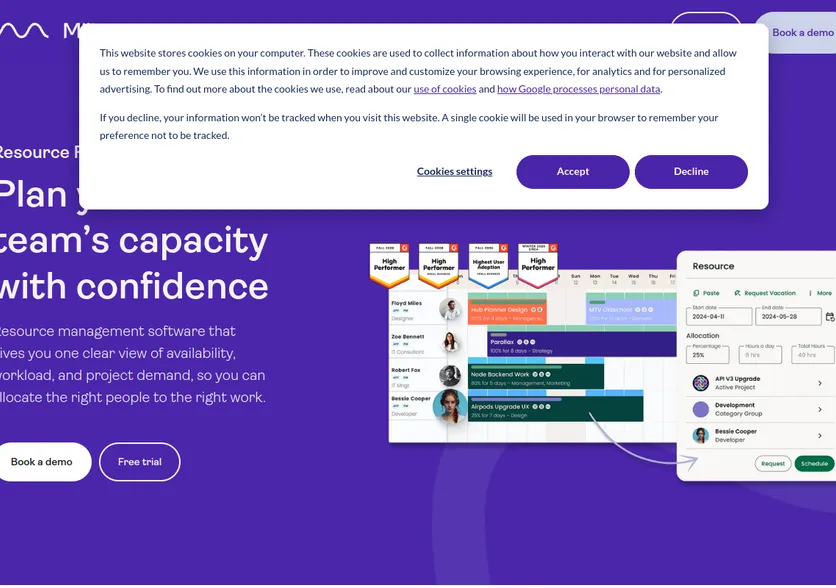
An IT team that schedules people across several projects needs a simple drag-and-drop board, and this Hub Planner plan costs seven dollars per resource a month on Plug and Play billed annually for exactly that. The scheduler shows who is booked where, the reporting view shows utilisation across the team, and the trial length is listed as thirty days in most reads. Premium adds more reporting for a team that needs to prove utilisation to management.
What we like
- Simple drag-and-drop scheduler anyone can learn
- Reporting view shows utilisation across the team
- Trial covers a real month of planning
Watch out for
- Trial length reads disagree between thirty and sixty days
- Premium reporting costs more than double the entry plan
How to try it
- Add the team and their projects
- Drag people onto the scheduler for the week
- Check the utilisation report each Friday
Prices above were checked on each vendor’s own website on Nov 29, 2026 and can change — the vendor’s page is the final word. Vendor links are editorial: nobody paid to be listed or ranked here. Vendors who want a featured listing can see how it works on our Get listed page.
How an IT team plans capacity without overloading anyone
Start with the real availability of every person, including leave and part-time hours, because a plan built on full-time assumptions will overload someone in the first week. Give every project an owner and a size before committing to a date, and never promise a date that the board shows as overbooked. Review the board together each Monday, move work from the overloaded to the free, and say no to the next project when the board is full. When a project ends, close it the same day so the board only shows live work.
Before you buy
- Check that the tool shows leave and part-time hours, because a plan built on full-time assumptions overloads people
- Make sure the workload view shows overload before the team commits to a date
- Ask whether the tool forecasts the next quarter, not just the current week
- Confirm the price is per person or per resource, since the same team costs different amounts
- Test the tool with a real project and a real team before paying, including a week with leave
Official websites
Official websites of the products reviewed above. Features and prices were checked against these sites when this guide was written, and they can change, so confirm on the vendor site before you buy.
Frequently asked questions
What is the best team capacity planning software for IT teams?
Float is the best overall pick for most IT teams, at six dollars per person a month on Starter, because it shows overload at a glance. Resource Guru is the best value, at four dollars and sixteen cents per person a month, and Runn is the best pick for a small team, with a free plan for up to five people. The right pick depends on team size and whether the team needs forecasting or just a clear board.
How much does team capacity planning software cost an IT team?
Prices in this list run from four dollars and sixteen cents per person a month for Resource Guru to twenty-nine dollars per seat a month for Forecast Lite, with most tools between five and ten dollars a month. A team of ten on a mid-priced tool should expect roughly fifty to one hundred dollars a month. The free plans cover tiny teams, so a team of five may pay nothing at all.
Is there free team capacity planning software for IT teams?
Yes, in a limited form. Runn is free for up to five people, and Float, Resource Guru, Mosaic, Teamdeck, Productive, Forecast and Hub Planner all offer free trials of fourteen to thirty days. A team of five can run on Runn for free, though a larger team will need a paid plan. The trials are long enough to test the tool on a real project before paying.
What is the difference between capacity planning and task management?
Task management tracks what needs doing and who owns it, while capacity planning shows whether the team has the hours to do it. A task tool can hold a hundred tasks with no sense of overload, while a capacity tool shows the workload bar turning red when a person is overbooked. IT teams usually need both, and several tools in this list pair a capacity board with task tracking.
Which tool is best for a small IT team of five?
Runn is the best pick for a team of five, because its free plan covers up to five people and its paid plan costs ten dollars per user a month. Resource Guru is the cheapest paid option, at four dollars and sixteen cents per person a month, and Float is the clearest board at six dollars a person. A team that plans to grow past five should check the paid price now, since the free plan ends at five.
Compare the eight tools above, then start with the free Runn plan on the board that matches how the team already plans before paying for a full year.
Browse Business Tools tools