On this page
For a patient, telemedicine should feel like a doctor visit without the waiting room: book, click a link, talk, done. The eight tools below cover that job from the patient side, from a free video room to a marketplace where every visit has an upfront price. doxy.me leads because its visits run in the browser with no download, and its free plan covers simple one-to-one visits, while the rest are ranked on how easy they make it for a patient to get care.
How we researched this
We checked every price on the vendor pricing page on November 29, 2026, and only included tools with a published dollar list price. The on-demand care marketplaces that price every visit differently publish no single list price a patient can compare, so they are not in this list. Prices change, so confirm the current figure on the vendor site before you buy.
Compare the tools
| Name | Best for | Starting price | Free plan | |
|---|---|---|---|---|
 doxy.me | Patients who want video with no download | $35/provider/month | Free plan | Visit |
 Sesame | Patients who want upfront visit prices | $10.99/month | No free plan; pay per visit | Visit |
 VSee | Patients who want a free video visit | $29/provider/month | Free plan | Visit |
 CharmHealth | Patients of small practices on CharmHealth | $25/month | Free plan for 1 provider under 50 encounters a month; no free trial | Visit |
 Zanda | Patients of small practices on Zanda | $29/month | No free plan listed | Visit |
 Healthie | Patients who want programs with video | $45/month | No free plan; 14-day free trial | Visit |
 SimplePractice | Patients of practices that take insurance | $49/month | No free plan; 30-day free trial | Visit |
 Jane | Patients of clinics on Jane | $59/month | No free plan | Visit |
The telemedicine software for patients, compared
1. doxy.me
Best for: Patients who want video with no download
Paid tool Starting price: $35/provider/month · Thirty-five dollars per provider a month on Professional; Clinic is $50 per provider a month; annual variants of twenty-nine and forty-two dollars are reported in third-party reads; the vendor pricing page shows no dollar figures, so this price rests on multiple agreeing November 2026 reads
Free plan: Free plan
A patient who wants a video visit with no download starts here, since this doxy.me plan costs thirty-five dollars per provider a month, and its visits run in the browser with nothing to install. The free plan covers simple one-to-one visits, and the waiting room and queue tools suit a walk-in clinic. The vendor pricing page shows no dollar figures, so this price rests on multiple agreeing November reads rather than a vendor page open.

What we like
- Video visits run in the browser with no download
- The free plan covers simple one-to-one visits
- Waiting room and queue tools suit walk-in clinics
Watch out for
- The vendor pricing page shows no dollar figures
- Advanced features need the Clinic tier
How to try it
- Create a waiting room and share its link with patients
- Admit patients from the queue when the visit starts
- Add the note and any follow-up after the call ends
2. Sesame
Best for: Patients who want upfront visit prices
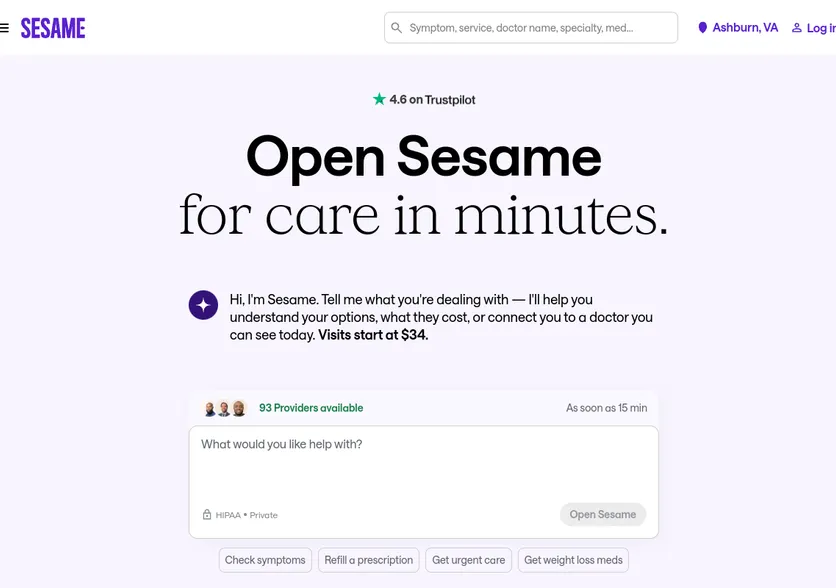
Paid tool Starting price: $10.99/month · Ten dollars and ninety-nine cents a month on Sesame Plus ($99 a year); visits start from $34 and providers set their own rates; Mental Health Rx is $79 a month; the weight-loss care fee is $59 a month on a twelve-month prepay or $99 per twenty-eight days month to month, with medication separate
Free plan: No free plan; pay per visit
A patient who wants to see the price before booking starts here, because this Sesame plan costs ten dollars and ninety-nine cents a month, and its marketplace shows every visit price upfront. Visits start from thirty-four dollars with providers setting their own rates, and Plus adds discounts and same-day bookings. It is a marketplace rather than a practice system, so a patient who needs ongoing care from one doctor should look at the practice tools instead.
What we like
- Upfront visit prices with no surprise bills
- Membership adds discounts and same-day bookings
- Providers set their own rates, so choice is wide
Watch out for
- It is a marketplace, not a practice management system
- Visit prices vary by provider and specialty
How to try it
- Search for the specialty and compare provider prices
- Book the visit and pay the published price upfront
- Join Plus if regular visits make the membership pay
3. VSee
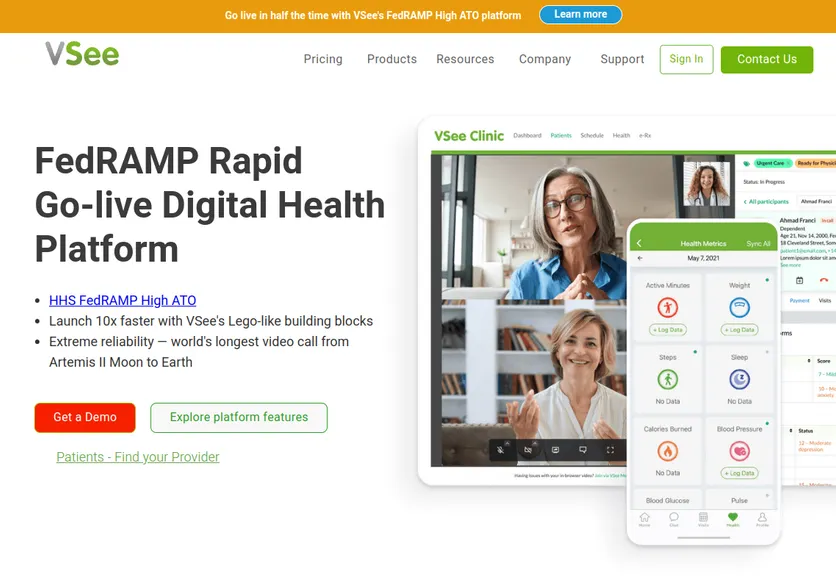
Best for: Patients who want a free video visit
Paid tool Starting price: $29/provider/month · Twenty-nine dollars per provider a month on Plus; the free plan costs nothing; Premium is $49 per provider a month plus a $200 one-time setup fee; Enterprise is quoted; all plans are month to month
Free plan: Free plan
A patient who wants a video visit for free starts here, since this VSee plan costs twenty-nine dollars per provider a month, and the free plan covers simple video visits at no cost. Clinic tools handle waiting rooms and queues, and month-to-month billing means no annual lock-in. Premium needs a two-hundred-dollar one-time setup fee, and the feature set is lighter than full practice suites.
What we like
- Free plan covers simple video visits at no cost
- Clinic tools handle waiting rooms and queues
- Month-to-month billing with no annual lock-in
Watch out for
- Premium needs a two-hundred-dollar one-time setup fee
- The feature set is lighter than full practice suites
How to try it
- Create the clinic and invite providers
- Share the visit link with patients by text or email
- Admit patients from the waiting room when ready
4. CharmHealth
Best for: Patients of small practices on CharmHealth
Paid tool Starting price: $25/month · Twenty-five dollars a month is the minimum on the Encounter Plan, which charges fifty cents per encounter; the Provider Plan is $200 per provider a month with a $350 option; telehealth is a $20 per provider a month add-on
Free plan: Free plan for 1 provider under 50 encounters a month; no free trial
A patient whose small practice runs on this system gets care here, since this CharmHealth plan costs twenty-five dollars a month as the minimum on the Encounter Plan, which charges fifty cents per encounter. Records, scheduling, billing and telehealth live in one system, and the free tier covers small volumes with no monthly fee. The monthly minimum applies even in a quiet month, and telehealth costs extra as a per-provider add-on.

What we like
- Free tier covers small volumes with no monthly fee
- Records scheduling billing and telehealth in one system
- The per-encounter model suits low-volume practices
Watch out for
- The monthly minimum applies even in a quiet month
- Telehealth costs extra as a per-provider add-on
How to try it
- Create the practice and add providers and services
- Start on the free tier while volume is low
- Add the telehealth add-on when video visits begin
5. Zanda
Best for: Patients of small practices on Zanda
Paid tool Starting price: $29/month · Twenty-nine dollars a month; Zanda was formerly Power Diary, and the pricing page still sits on the old Power Diary address; check the vendor page for higher tiers and add-ons
Free plan: No free plan listed
A patient whose practice runs on this system books easily here, because this Zanda plan costs twenty-nine dollars a month, and it covers booking, notes, billing and telehealth. Templates speed up notes for repeat appointment types, which suits a practice that runs the same visits all day. The interface feels simpler than pricier practice suites, and some integrations need the higher tiers.

What we like
- Practice management covers booking notes billing and telehealth
- Templates speed up notes for repeat appointment types
- The price is low for a full practice system
Watch out for
- The interface feels simpler than pricier practice suites
- Some integrations need the higher tiers
How to try it
- Add practitioners services and appointment types
- Set up online booking with intake forms attached
- Chart the visit and send the invoice from the same record
6. Healthie
Best for: Patients who want programs with video
Paid tool Starting price: $45/month · Forty-five dollars a month billed annually on Essentials ($49.99 billed monthly) for two hundred and fifty clients; Plus is $115 billed annually ($129.99 billed monthly); Group starts at $149.99 a month; the Core plan at nineteen dollars and ninety-nine cents may have been removed on November 15, 2026
Free plan: No free plan; 14-day free trial
A patient who wants programs and follow-up beside the video visit finds them here, since this Healthie plan costs forty-five dollars a month billed annually, and it pairs telehealth scheduling with client engagement tools. Programs and forms automate follow-up, and the interface is modern and easy for clients to use. The Core plan may have been removed in November, and group pricing starts higher than the entry tiers.

What we like
- Telehealth scheduling and client engagement in one platform
- Programs and forms automate client follow-up
- The interface is modern and easy for clients to use
Watch out for
- The Core plan may have been removed in November 2026
- Group pricing starts higher than the entry tiers
How to try it
- Set up the practice with services and programs
- Invite clients to the portal and share intake forms
- Run video sessions and track goals in the client record
7. SimplePractice
Best for: Patients of practices that take insurance
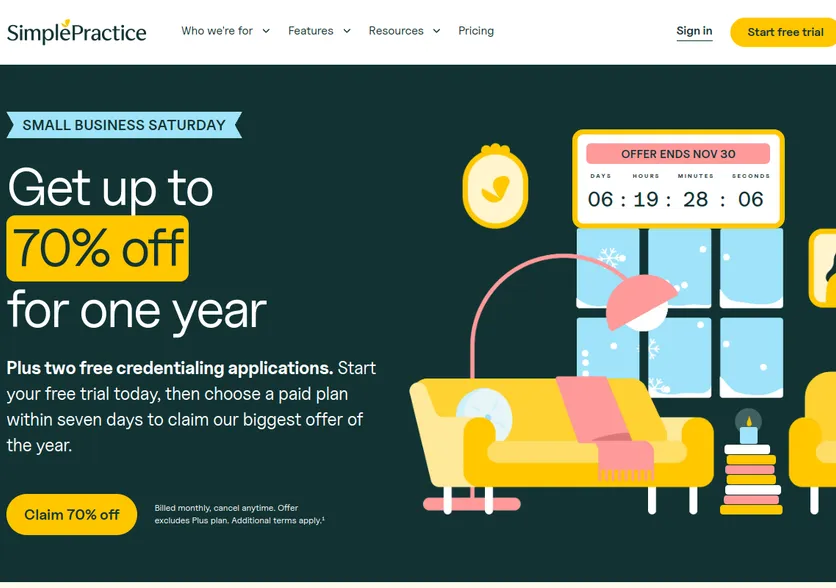
Paid tool Starting price: $49/month · Forty-nine dollars a month on Starter; Essential is $79 and Plus is $99 a month; older guides showing twenty-nine dollars are stale after a 2026 price rise, and a fifty percent off three months promotion is not the list price
Free plan: No free plan; 30-day free trial
A patient whose practice takes insurance books easily here, since this SimplePractice plan costs forty-nine dollars a month, and it covers scheduling, notes, billing and telehealth in one system. The client portal handles intake forms and payments, and insurance billing tools suit a practice that takes cover. The recent price rise makes it more expensive than older guides show, so ignore any listing that still prints twenty-nine dollars.
What we like
- Scheduling notes billing and telehealth in one system
- Client portal handles intake forms and payments
- Insurance billing tools suit practices that take cover
Watch out for
- The recent price rise makes it more expensive than older guides show
- Some features need the Essential or Plus tiers
How to try it
- Create the practice and add clinicians and services
- Turn on the client portal with intake forms
- Run a video session and complete the note and invoice after
8. Jane
Best for: Patients of clinics on Jane
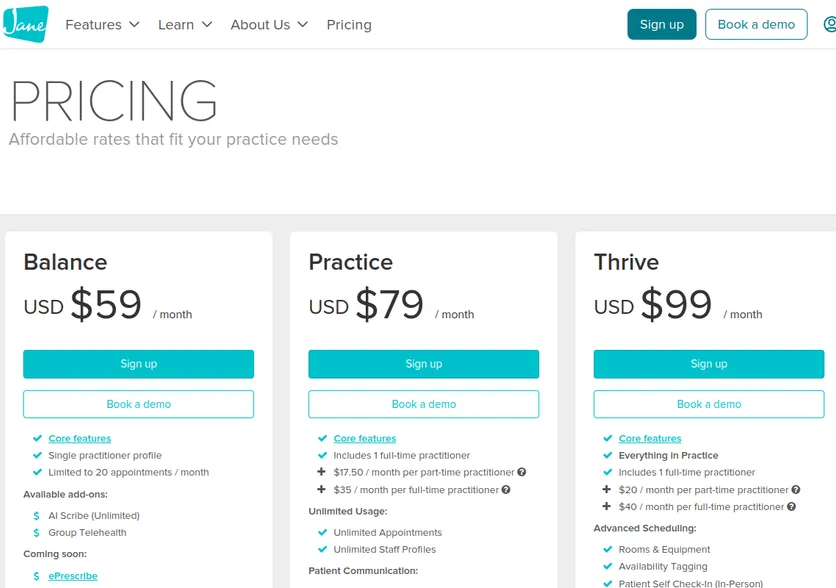
Paid tool Starting price: $59/month · Fifty-nine dollars a month on the standard plan, covering scheduling, charting, billing and telehealth; check the vendor page for multi-practitioner and multi-location pricing
Free plan: No free plan
A patient whose clinic runs on this system gets a calm booking experience here, since this Jane plan costs fifty-nine dollars a month, and it puts scheduling, charting, billing and telehealth in the same window. Online booking and reminders cut no-shows sharply, and the video visit runs inside the same chart as an in-person appointment. The price is per clinic, so a multi-location practice should check the vendor page for its real total.
What we like
- Scheduling charting and billing live in one calm interface
- Online booking and reminders cut no-shows sharply
- Telehealth runs inside the same chart as in-person visits
Watch out for
- The price is per clinic, so multi-location costs add up
- Some advanced reporting needs the higher tiers
How to try it
- Set up practitioners rooms and services in Jane
- Open online booking and set reminder rules
- Run a video visit from the appointment and chart in the same window
Prices above were checked on each vendor’s own website on Nov 29, 2026 and can change — the vendor’s page is the final word. Vendor links are editorial: nobody paid to be listed or ranked here. Vendors who want a featured listing can see how it works on our Get listed page.
How a patient picks a telemedicine visit that actually happens
Start with the visit itself, not the app, because a patient who cannot find the link or join the call will not come back. Check the price before booking, since a marketplace visit and a membership visit can cost very different amounts for the same twenty minutes. Test the video on the device the patient will actually use, which is usually a phone, and keep the instructions to three steps at most. After the visit, save the summary and the next steps in one place, and book the follow-up before closing the app, while the plan is still fresh.
Before you buy
- Check the price before booking, since marketplace and membership visits differ widely
- Test the video on the phone, because most patients join from a mobile device
- Make sure the visit runs in the browser, so no app download blocks the appointment
- Save the visit summary and next steps in one place before closing the app
- Book the follow-up before ending the visit, while the plan is still fresh
Official websites
Official websites of the products reviewed above. Features and prices were checked against these sites when this guide was written, and they can change, so confirm on the vendor site before you buy.
Frequently asked questions
What is the best telemedicine software for patients?
doxy.me is the best overall pick for patients, because its visits run in the browser with no download and its free plan covers simple one-to-one visits. Sesame is the best value, with upfront visit prices from thirty-four dollars and a Plus membership from ten dollars and ninety-nine cents a month. VSee is the best free tier, with video visits free and Plus from twenty-nine dollars per provider a month for clinics that want more features.
Can patients use telemedicine for free?
Yes, doxy.me offers a free plan for simple video visits, and VSee offers a free plan for video visits at no cost. CharmHealth offers a free tier for one provider under fifty encounters a month, which suits a tiny practice. Sesame has no free plan and charges per visit, though its Plus membership at ten dollars and ninety-nine cents a month adds discounts and same-day bookings for regular patients.
How much does a telemedicine visit cost?
Sesame visits start from thirty-four dollars, with providers setting their own rates, so the price varies by specialty and doctor. Sesame Plus costs ten dollars and ninety-nine cents a month or ninety-nine dollars a year, and adds discounts on visits. doxy.me Professional costs thirty-five dollars per provider a month, though the patient usually pays the clinic rather than the software, so the visit price depends on the practice.
Do I need to download an app for a telemedicine visit?
No, doxy.me visits run entirely in the browser with no download, which is why it leads this list for patients. VSee and CharmHealth also keep the patient side simple, with links that open in a browser or a light app. Sesame bookings happen on the web, and the visit link arrives by text or email. A patient should test the video on the phone before the appointment, since most patients join from a mobile device.
Is telemedicine safe for sharing health information?
Yes, when the tool uses encrypted video and stores records securely, as the practice systems here do. doxy.me, VSee and CharmHealth all run video visits with waiting rooms, so a patient is admitted by the provider rather than joining an open link. A patient should still check that the practice uses a proper telehealth tool rather than a consumer video app, and should never share health details over an unsecured chat.
Compare the eight tools above, then start with a free visit or the free plan on the tool that matches how the patient already gets care before paying for a membership.
Browse Health & Fitness Calculators tools