On this page
A retail chain does not buy a time clock per person: it buys one per store, and the price has to scale with locations, not headcount. 7shifts was built for exactly that model, while Homebase charges per location with unlimited employees and Square Shifts hides inside the Square plan. We read every price on the vendor pricing page on November 29, 2026, and kept only tools with a published dollar rate.
How we researched this
We read every price on the vendor pricing page on November 29, 2026, and kept only tools with a published dollar rate. We ranked the shortlist on multi-location scheduling, per-location value, and fit for hourly retail staff. Quote-only enterprise tools were dropped, as were tools that price only per user with no location view.
Compare the tools
| Name | Best for | Starting price | Free plan | |
|---|---|---|---|---|
 7shifts | Retail and restaurant chains that schedule by location | $39.99/location/month | Free plan (Comp, 1 location, up to 15 employees) | Visit |
 Homebase | Retail chains that want per-location pricing with unlimited staff | $24/location/month | Free plan (Basic, 1 location, up to 10 employees) | Visit |
 Deputy | Retail chains that want cheap per-user scheduling across stores | $5/user/month | No free plan; free trial available | Visit |
 When I Work | Retail chains with hourly staff that need simple scheduling first | $2.50/user/month | No free plan; 14-day free trial | Visit |
 Rippling | Retail chains that want HR, payroll and time in one system | $8/user/month | No free plan; demo on request | Visit |
 QuickBooks Time | Retail chains already running QuickBooks that want time in payroll | $20/month + $10/user | No free plan; 30-day free trial | Visit |
 Connecteam | Retail chains that want one frontline app across stores | $29/month | Free plan (Small Business, up to 10 users) | Visit |
 Square Shifts | Retail chains already running Square POS that want scheduling inside it | $49/location/month | No free plan; 30-day free trial of Plus | Visit |
The 8 best time clock tools for retail chains
1. 7shifts
Best for: Retail and restaurant chains that schedule by location
Paid tool Starting price: $39.99/location/month · Comp is free for one location and up to fifteen employees; Essentials costs forty-four dollars and ninety-nine cents per location a month billed monthly (thirty-nine dollars and ninety-nine cents billed annually) for up to thirty employees; Pro eighty-nine dollars and ninety-nine cents (seventy-nine dollars and ninety-nine cents annually) for up to sixty; Premium one hundred forty-nine dollars and ninety-nine cents (one hundred thirty-four dollars and ninety-nine cents annually) for unlimited employees; the Payroll add-on costs thirty-nine dollars and ninety-nine cents per location plus six dollars per employee. One guide lists Essentials at forty-nine dollars and ninety-nine cents monthly; the September to November 2026 reads agree on forty-four dollars and ninety-nine cents.
Free plan: Free plan (Comp, 1 location, up to 15 employees)
7shifts costs thirty-nine dollars and ninety-nine cents per location a month billed annually on Essentials, and it was built for restaurants and retail scheduling. It handles labor forecasting, shift swaps and time tracking with a free Comp plan for one location and up to fifteen employees, so a single store can start free. The Payroll add-on costs thirty-nine dollars and ninety-nine cents per location plus six dollars per employee, and Premium at one hundred thirty-four dollars and ninety-nine cents covers unlimited employees.

What we like
- Built for restaurants and retail scheduling
- Free Comp plan for one location
- Labor forecasting on paid plans
Watch out for
- Payroll add-on costs extra per location
- Per-location pricing grows with every store
How to try it
- Start on the free Comp plan for your first store
- Build the schedule template for each location
- Turn on time tracking and the Payroll add-on
2. Homebase
Best for: Retail chains that want per-location pricing with unlimited staff
Paid tool Starting price: $24/location/month · Basic is free for one location and up to ten employees; Essentials costs thirty dollars per location a month billed monthly (twenty-four dollars billed annually); Plus seventy dollars (fifty-six dollars annually); All-in-One one hundred twenty dollars (ninety-six dollars annually); every paid plan covers unlimited employees per location; a fourteen-day trial opens All-in-One.
Free plan: Free plan (Basic, 1 location, up to 10 employees)
Homebase charges twenty-four dollars per location a month billed annually on Essentials, which fits a retail chain that prices by store, not by headcount. Every paid plan covers unlimited employees per location, so a busy store with forty staff costs the same as a quiet one with eight, and scheduling, time tracking and messaging sit in one app. Payroll is a paid add-on, and a second store doubles the bill even with the same small team.

What we like
- Free Basic plan for one location and ten employees
- Unlimited employees on every paid plan
- Scheduling, time tracking and messaging in one app
Watch out for
- Payroll is a paid add-on
- Per-location pricing doubles the bill at a second store
How to try it
- Start on the free Basic plan for your first store
- Add your team and build the first schedule
- Turn on time tracking for every store
3. Deputy
Best for: Retail chains that want cheap per-user scheduling across stores
Paid tool Starting price: $5/user/month · Lite costs five dollars per user a month billed annually (five dollars and fifty cents billed monthly); Core six dollars and fifty cents (seven dollars and twenty-five cents monthly); Pro nine dollars (ten dollars monthly); a thirty-dollar monthly minimum invoice applies; HR costs two dollars per user a month and Payroll eight dollars per user a month plus a forty-nine dollar monthly base. One guide lists Lite at four dollars and ninety cents; the November 2026 reads agree on five dollars.
Free plan: No free plan; free trial available
Deputy costs five dollars per user a month billed annually on Lite, and it handles the multi-store rotas a retail chain runs. It covers scheduling, time tracking and leave management with a clean mobile app, and Core adds reporting while Pro adds labor cost controls and demand forecasting. A thirty dollar monthly minimum invoice applies, so a tiny shop pays thirty dollars a month, not ten, and Payroll costs extra on top.

What we like
- Cheapest per-user price in this list
- Clean mobile app for shift swaps and leave
- Labor cost controls on the Pro plan
Watch out for
- Thirty dollar monthly minimum invoice applies
- Payroll and HR are paid add-ons
How to try it
- Start a free trial from the pricing page
- Import your staff and set their roles and pay rates
- Build the rota for each store and turn on time tracking
4. When I Work
Best for: Retail chains with hourly staff that need simple scheduling first
Paid tool Starting price: $2.50/user/month · Essentials costs two dollars and fifty cents per user a month; Pro five dollars; Premium eight dollars; the billing period is not stated on the pricing page and a five percent annual discount applies at checkout; time and attendance costs one dollar and fifty cents per user a month extra on Essentials and two dollars on Pro and Premium. The headline rate covers scheduling only, so add the time tracking fee before you budget.
Free plan: No free plan; 14-day free trial
When I Work lists Essentials at two dollars and fifty cents per user a month, the cheapest headline rate for a retail chain with hourly staff. It covers scheduling with shift swaps and team messaging, and it works well for stores where staff live on their phones. The headline rate covers scheduling only, so time and attendance costs one dollar and fifty cents per user a month extra on Essentials, and the billing period is not stated on the pricing page.

What we like
- Lowest headline rate in this list
- Shift swaps and team messaging built in
- Mobile-first for hourly staff
Watch out for
- Time tracking costs extra on top of scheduling
- Billing period is not stated on the pricing page
How to try it
- Start the 14-day trial from the pricing page
- Import your staff and build the first schedule
- Add the time and attendance add-on for clock-ins
5. Rippling
Best for: Retail chains that want HR, payroll and time in one system
Paid tool Starting price: $8/user/month · The platform costs eight dollars per user a month plus a forty dollar monthly base; US Payroll costs eight dollars per employee a month billed annually (ten dollars monthly); the Time and Attendance module itself is priced on request, so budget the platform fee plus a quoted module. One review lists the base fee at thirty-five dollars; the small-business page shows forty dollars.
Free plan: No free plan; demo on request
Rippling starts at eight dollars per user a month plus a forty dollar monthly base, with HR and payroll beside time tracking for a growing chain. It unifies HR, payroll, IT and time tracking in one system, so a chain can onboard, pay and schedule staff across stores without stitching tools together. The Time and Attendance module itself is priced on request, so budget the platform fee plus a quoted module, and the base fee alone makes Rippling the priciest start here.

What we like
- HR, payroll, IT and time in one system
- Strong onboarding and device management
- Payroll runs in the same app as scheduling
Watch out for
- Time and Attendance module is priced on request
- Forty dollar monthly base fee on top of seats
How to try it
- Book a demo from the pricing page
- Map your HR, payroll and time needs with sales
- Onboard your first store staff and turn on time tracking
6. QuickBooks Time
Best for: Retail chains already running QuickBooks that want time in payroll
Paid tool Starting price: $20/month + $10/user · Premium costs twenty dollars a month plus ten dollars per user, billed monthly only; Elite costs forty dollars a month plus twelve dollars per user; the base fee is halved for the first three months; QuickBooks Online is required; per-user fees rose from eight and ten dollars to ten and twelve dollars on July 1, 2026.
Free plan: No free plan; 30-day free trial
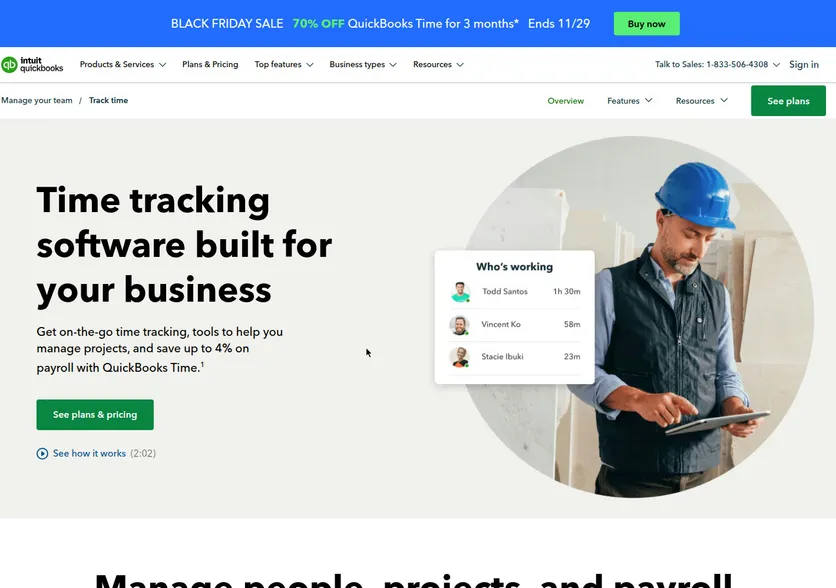
QuickBooks Time runs Premium at twenty dollars a month plus ten dollars per user, and it suits retail chains that already pay for QuickBooks. It tracks time by job and client with GPS, mileage and scheduling, and it feeds hours straight into QuickBooks payroll and invoicing without retyping. QuickBooks Online is required, and the base fee is halved for the first three months, so the real cost depends on the QuickBooks subscription you already pay.
What we like
- Hours feed straight into QuickBooks payroll
- GPS, mileage and scheduling included
- Time by job and client for costing
Watch out for
- QuickBooks Online is required
- Billed monthly only, with no annual discount
How to try it
- Start the 30-day trial from the pricing page
- Connect your QuickBooks Online account
- Set up jobs and turn on GPS time tracking
7. Connecteam
Best for: Retail chains that want one frontline app across stores
Paid tool Starting price: $29/month · Basic costs twenty-nine dollars a month per hub for the first thirty users billed annually (thirty-five dollars monthly); Advanced forty-nine dollars (fifty-nine dollars monthly); Expert ninety-nine dollars (one hundred nineteen dollars monthly); extra users cost eighty cents, two dollars and fifty cents and four dollars and twenty cents on Operations; each hub is billed separately; a fourteen-day trial applies.
Free plan: Free plan (Small Business, up to 10 users)
Connecteam prices Basic at twenty-nine dollars a month per hub for the first thirty users billed annually, with one app for scheduling, time and team chat across stores. Each hub covers one area such as operations or HR, so a chain can run the whole frontline operation from one place. Hubs are billed separately, so a chain that needs two hubs pays twice, and extra users cost eighty cents to four dollars and twenty cents each depending on the plan.

What we like
- Free plan for up to ten users
- Scheduling, time tracking and chat in one app
- Per-hub pricing keeps the start cheap
Watch out for
- Each hub is billed separately
- Extra users cost more on higher plans
How to try it
- Start on the free Small Business plan
- Pick the Operations hub and add your staff
- Turn on scheduling and the time clock
8. Square Shifts
Best for: Retail chains already running Square POS that want scheduling inside it
Paid tool Starting price: $49/location/month · Shifts has no standalone price; it is included in Square Plus at forty-nine dollars per location a month and Square Premium at one hundred forty-nine dollars per location a month, while Square Free at zero dollars has no shift scheduling; card processing is separate. One November 2026 read cites an older Team Plus rate of thirty-five dollars per location plus six dollars per active team member; the October and November 2026 reads agree on forty-nine and one hundred forty-nine dollars.
Free plan: No free plan; 30-day free trial of Plus
Square Shifts has no standalone price, because it comes inside Square Plus at forty-nine dollars per location a month. It covers scheduling, shift swaps, time-off requests, break and overtime tracking, and labor reports inside the Square Dashboard that retail chains already use for sales. Square Free at zero dollars has no shift scheduling, and Premium at one hundred forty-nine dollars per location adds priority support and advanced reporting, so chains should price the whole estate before they choose.

What we like
- Scheduling inside the Square Dashboard
- Tip pooling and sales reports included
- No per-staff fee; priced per location
Watch out for
- No standalone price; needs Square Plus or Premium
- Card processing is separate from the plan fee
How to try it
- Check your Square plan includes Plus or Premium
- Turn on Shifts in the Square Dashboard
- Build schedules and timecards for each location
Prices above were checked on each vendor’s own website on Nov 29, 2026 and can change — the vendor’s page is the final word. Vendor links are editorial: nobody paid to be listed or ranked here. Vendors who want a featured listing can see how it works on our Get listed page.
How to schedule ten stores without ten spreadsheets
Standardize the schedule template first: every store uses the same shift names, break rules and overtime thresholds, so a manager can cover any location without relearning the system. Give store managers the power to swap shifts inside their own store, but keep hiring and pay rates at head office. Test the time clock on the busiest store for two weeks, because a clock that survives the Saturday rush will survive anywhere. Finally, price the whole estate before you sign, since a per-location fee times ten stores is a very different number from the single-store headline. Check the payroll export from every store, because one broken mapping can delay pay for the whole estate.
Before you buy
- Price the whole estate, not one store, before you sign.
- Check whether the fee follows locations, users or hubs.
- Confirm store managers can swap shifts without head office.
- Test the clock on your busiest store during the trial.
- Ask whether payroll costs extra on top of scheduling.
Official websites
Official websites of the products reviewed above. Features and prices were checked against these sites when this guide was written, and they can change, so confirm on the vendor site before you buy.
Frequently asked questions
What is the cheapest time clock for a retail chain?
It depends on store count: Homebase Essentials costs twenty-four dollars per location a month billed annually with unlimited employees, so a ten-store chain pays about two hundred forty dollars a month. 7shifts Essentials costs thirty-nine dollars and ninety-nine cents per location billed annually. Deputy Lite costs five dollars per user a month, which wins for small teams but loses for large ones.
Does Square Shifts work without Square POS?
No, Square Shifts is sold only inside Square Plus and Square Premium, so it fits chains already running Square point of sale. Square Plus costs forty-nine dollars per location a month and Premium costs one hundred forty-nine dollars, and Square Free has no shift scheduling. Chains on another POS should pick Homebase, 7shifts or Deputy instead.
Which retail time clock has a free plan?
Homebase Basic is free for one location and up to ten employees, 7shifts Comp is free for one location and up to fifteen employees, and Connecteam is free for up to ten users. Clockify is free for up to five users. Deputy, When I Work, Rippling and QuickBooks Time have no free plan, so those chains start on a paid trial instead.
How do retail chains handle shift swaps?
Every tool here supports shift swaps, and When I Work, 7shifts and Deputy all let staff trade shifts from a mobile app with manager approval. Homebase and Connecteam add team messaging so swaps get covered fast. Check the approval flow during your trial, because an open swap board without approvals can leave a busy Saturday short-staffed.
What should a five-store chain budget per month?
Five stores cost about one hundred twenty dollars a month on Homebase Essentials billed annually, and about two hundred dollars on 7shifts Essentials. Square Plus runs about two hundred forty-five dollars a month for five locations before card fees. Deputy Lite depends on staff count, at five dollars per user a month, so a fifty-person chain pays about two hundred fifty dollars a month.
Try our free Overtime Pay Calculator — check overtime pay for your team in your browser, no upload, no account.
Browse Finance Calculators tools