On this page
A construction subcontractor bills by the job, so a timesheet that cannot say which job an hour belongs to is useless no matter how cheap it is. The eight tools below were picked for subs whose crews start the day on site, from a free app that covers unlimited users to GPS clocks that prove every punch happened at the job. ClockShark leads because it costs forty dollars a month plus eight dollars a user a month and ties GPS clock-ins to jobs and tasks.
How we researched this
We checked every price on the vendor pricing page on November 29, 2026, and only included tools with a published US dollar list price. Raken was left out because it publishes no prices and third-party reports conflict wildly, from twelve to thirty-four dollars a user a month for the same plan. Prices change, so confirm the current figure on the vendor site before you buy.
Compare the tools
| Name | Best for | Starting price | Free plan | |
|---|---|---|---|---|
 ClockShark | Construction and field service crews that need GPS proof | $40/month + $8/user/month | No free plan; 14-day free trial | Visit |
 busybusy | Construction crews that track equipment as well as hours | $9.99/user/month | Free plan (unlimited users) | Visit |
 Buddy Punch | Hourly teams that need punch-proof clock-ins | $4.49/user/month + $19/month | No free plan; 14-day free trial | Visit |
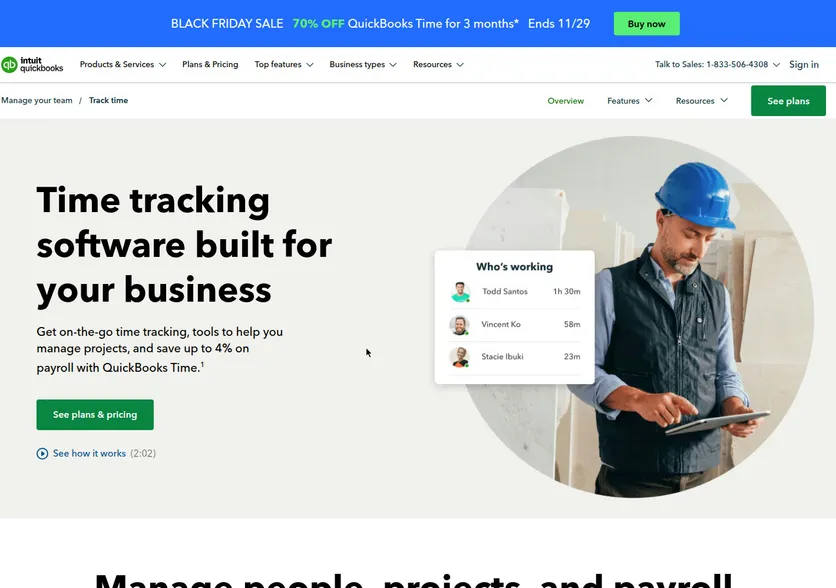
 QuickBooks Time | Businesses already running QuickBooks Online | $20/month + $10/user/month | No free plan; 30-day free trial | Visit |
 Homebase | Single-location shops and restaurants with hourly staff | $24/location/month | Free plan (1 location, up to 10 employees) | Visit |
 Connecteam | Deskless teams that want a free start and flat pricing | $29/month | Free plan (up to 10 users) | Visit |
 Deputy | Shift-based teams that need a time clock with compliance | $4.50/user/month | No free plan; 31-day free trial | Visit |
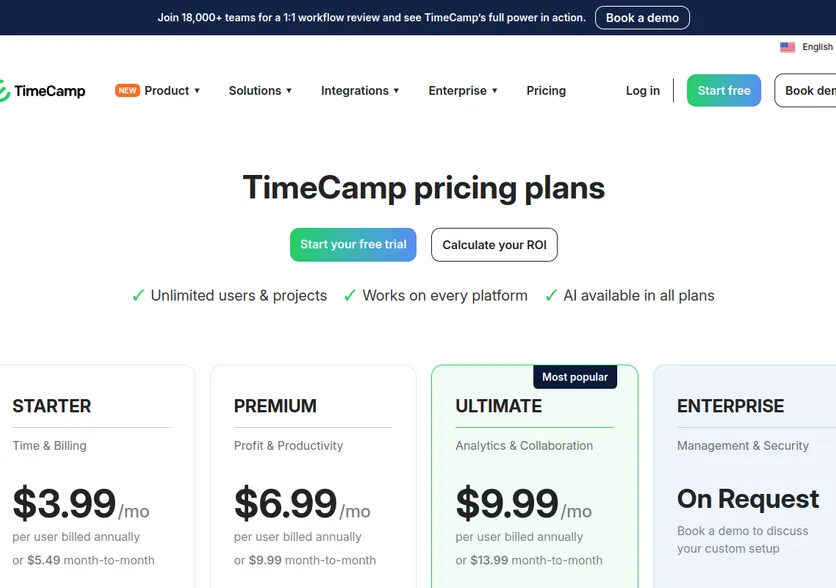
 TimeCamp | Small teams that want automatic tracking for free | $3.99/user/month | Free plan (unlimited users) | Visit |
The timesheet software for construction subcontractors, compared
1. ClockShark
Best for: Construction and field service crews that need GPS proof
Paid tool Starting price: $40/month + $8/user/month · Forty dollars a month base fee plus eight dollars per user a month on Standard; Pro is $60 a month plus ten dollars per user and adds job costing and PTO management; the base fee includes one admin
Free plan: No free plan; 14-day free trial
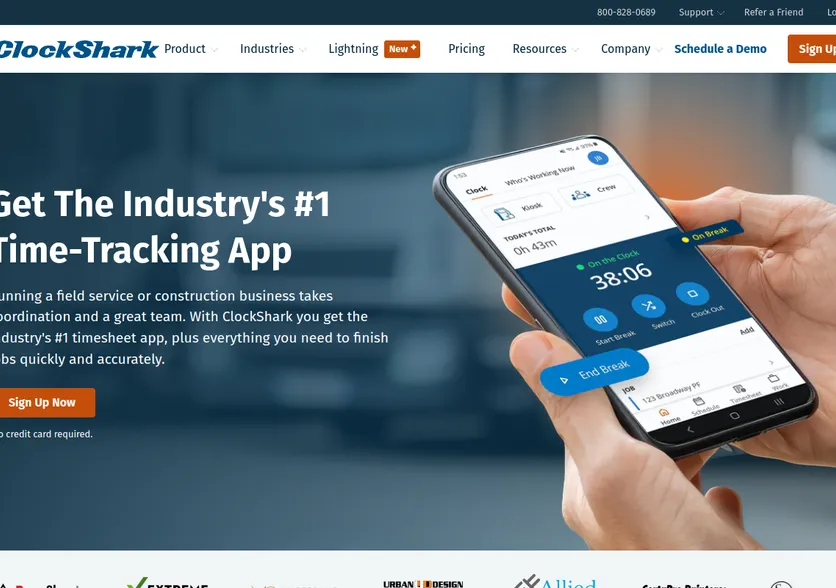
For a subcontractor whose crew starts the day on site, ClockShark costs forty dollars a month plus eight dollars a user a month and ties every hour to the job it belongs to. It was built for crews who start the day on a job site, with GPS clock-ins, geofences and job tracking that tie every hour to the project it belongs to. The office sees who is on site in real time and payroll gets clean, job-coded hours.
What we like
- GPS tracking and geofencing on every plan
- Job and task tracking ties hours to the right project
- QuickBooks integration syncs hours into payroll
Watch out for
- The base fee plus per-user pricing adds up fast for big crews
- No free plan, only a fourteen-day trial
How to try it
- Set up jobs and invite the crew to the mobile app
- Let staff clock in with GPS from the job site
- Review the timesheets by job and approve them for payroll
2. busybusy
Best for: Construction crews that track equipment as well as hours
Paid tool Starting price: $9.99/user/month · Nine dollars and ninety-nine cents per user a month billed annually on Pro ($11.99 billed monthly); Premium is $14.99 billed annually and adds daily reports and team messaging; a forty-dollar admin license applies on paid plans and the free plan covers unlimited users
Free plan: Free plan (unlimited users)
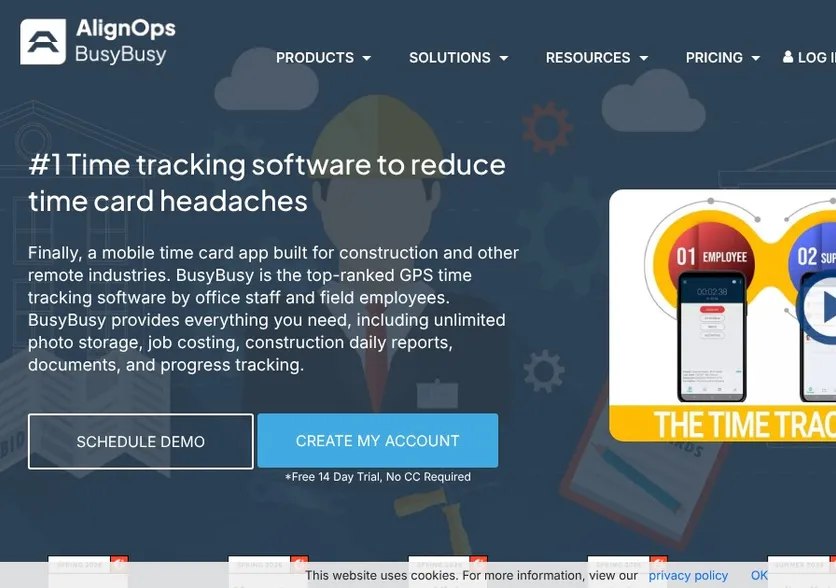
A sub who needs job-coded hours for the general contractor gets them here, since busybusy costs nine dollars and ninety-nine cents a user a month billed annually and tracks time by job. It tracks the crew and the machines, with GPS clock-ins, job costing and equipment hours in one app built for construction. The free plan already covers unlimited users, so a small contractor can run real jobs on it before upgrading.
What we like
- Free plan covers GPS tracking and job costing for unlimited users
- Equipment tracking logs hours on machines as well as people
- Offline mode keeps the clock running with no signal
Watch out for
- The forty-dollar admin license is charged on top of per-user prices
- Payroll and safety modules are quoted separately
How to try it
- Create the company and add crews, jobs and equipment
- Let the crew clock in with GPS from the mobile app
- Review daily reports and approve the hours for payroll
3. Buddy Punch
Best for: Hourly teams that need punch-proof clock-ins
Paid tool Starting price: $4.49/user/month + $19/month · Four dollars and forty-nine cents per user a month billed annually on Starter ($4.99 billed monthly), plus a nineteen-dollar monthly base fee on every plan; Pro is $5.99 billed annually and Enterprise is $10.99; a real-time GPS add-on costs two dollars a user a month
Free plan: No free plan; 14-day free trial
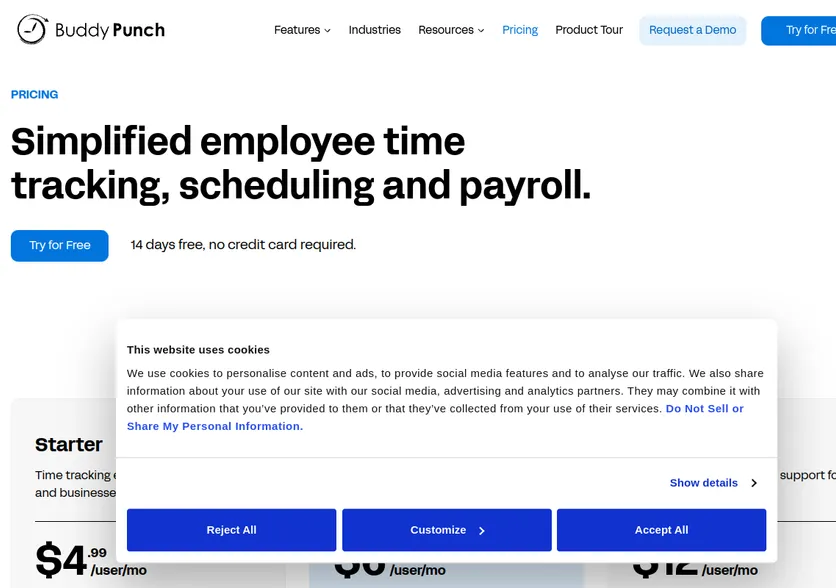
Construction subs that lose hours between jobs will like this one, because Buddy Punch costs four dollars and forty-nine cents a user a month billed annually, plus a nineteen-dollar monthly base fee and records GPS clock-ins from the site. It is a time clock built to stop time theft, with a photo or facial check on every punch and GPS coordinates to prove where the punch happened. The approved hours sync straight into the payroll tools small businesses already use.
What we like
- Facial recognition and webcam photos stop buddy punching
- GPS location and geofencing on every punch
- Payroll sync with QuickBooks, Gusto, ADP and Paychex
Watch out for
- The nineteen-dollar base fee makes tiny teams pay more per head
- Scheduling and geofencing need the Pro plan
How to try it
- Set up locations and invite the team to the mobile app
- Turn on photo verification and geofencing for each job site
- Approve timesheets and export them to the payroll provider
4. QuickBooks Time
Best for: Businesses already running QuickBooks Online
Paid tool Starting price: $20/month + $10/user/month · Twenty dollars a month base fee plus ten dollars per user a month on Time Premium; Time Elite is $40 a month plus $12 per user; the per-user fees rose by two dollars on July 1, 2026, so older listings showing eight and ten dollars are stale; a QuickBooks Online account is required and the base fee is half price for the first three months
Free plan: No free plan; 30-day free trial
For a subcontractor whose crew starts the day on site, QuickBooks Time costs twenty dollars a month plus ten dollars a user a month and ties every hour to the job it belongs to. Built for businesses that already keep their books in QuickBooks, it sends approved hours straight into payroll, job costing and invoicing with no export step. The GPS clock and time kiosk suit crews who start the day on site rather than at a desk.
What we like
- Hours flow straight into QuickBooks payroll and invoicing
- GPS tracking and geofence reminders on Elite
- Time kiosk turns a tablet into a clock-in station
Watch out for
- A QuickBooks Online subscription is required on top of the price
- Monthly billing only, with no annual discount
How to try it
- Connect QuickBooks Time to the QuickBooks Online account
- Invite the team to the Workforce app and set up jobs
- Approve timesheets and sync the hours into payroll
5. Homebase
Best for: Single-location shops and restaurants with hourly staff
Paid tool Starting price: $24/location/month · Twenty-four dollars per location a month billed annually on Essentials ($30 billed monthly); Plus is $56 billed annually and All-in-One is $96; Basic is free for one location with up to ten employees; payroll is a separate add-on
Free plan: Free plan (1 location, up to 10 employees)
A sub who needs job-coded hours for the general contractor gets them here, since Homebase costs twenty-four dollars a location a month billed annually and tracks time by job. It was built for the corner shop and the restaurant floor, with scheduling, time tracking and team chat priced per location instead of per head. A single location with up to ten employees can run the whole thing free.

What we like
- Free plan covers scheduling and time tracking for one location
- Per-location pricing, so headcount growth costs nothing extra
- Hiring, onboarding and team messaging in the same app
Watch out for
- Paid plans are priced per location, so multi-site teams pay per site
- Payroll is an add-on, not included in the plan price
How to try it
- Create the location and add the team with their roles
- Publish the schedule and let staff clock in from the app
- Approve timesheets and run payroll from the same dashboard
6. Connecteam
Best for: Deskless teams that want a free start and flat pricing
Paid tool Starting price: $29/month · Twenty-nine dollars a month billed annually for the Operations hub on Basic ($35 billed monthly), covering the first thirty users; Advanced is $49 billed annually and Expert is $99; each hub is priced separately and extra users cost from eighty cents a user a month
Free plan: Free plan (up to 10 users)
Construction subs that lose hours between jobs will like this one, because Connecteam costs twenty-nine dollars a month for the Operations hub billed annually and records GPS clock-ins from the site. It gives deskless teams a single phone app for clocking in, schedules, chat and HR, and the free plan covers the whole product for up to ten users. Above that, each hub costs a flat monthly fee for the first thirty users instead of charging per seat.

What we like
- Free for life for up to ten users with all hubs included
- Flat monthly price instead of per-user billing to thirty users
- GPS time clock, scheduling, chat and HR tools in one app
Watch out for
- Each hub is a separate subscription, so three hubs cost three fees
- Payroll integration is not on the free plan
How to try it
- Create the company and invite the team to the mobile app
- Set up the GPS time clock with the job sites
- Build the schedule and let staff clock in from their phones
7. Deputy
Best for: Shift-based teams that need a time clock with compliance
Paid tool Starting price: $4.50/user/month · Four dollars and fifty cents per user a month for the Time and Attendance module; Scheduling is the same price as a separate module; Premium bundles both for six dollars a user a month; Enterprise is quoted
Free plan: No free plan; 31-day free trial
For a subcontractor whose crew starts the day on site, Deputy costs four dollars and fifty cents a user a month and ties every hour to the job it belongs to. It was built around the shift, so the schedule, the time clock and the compliance rules all live in one app. Staff clock in from a phone with photo verification, and the approved hours flow straight into payroll.

What we like
- Mobile time clock with GPS, photo verification and geofencing
- Auto-scheduling fills shifts around availability and rules
- Break and overtime guardrails built for labor law
Watch out for
- Scheduling and time tracking are separate modules, so most teams pay for both
- No free plan, only a thirty-one-day trial
How to try it
- Import the team and set up locations with their pay rules
- Publish the schedule and let staff clock in from the mobile app
- Approve timesheets and export them to payroll
8. TimeCamp
Best for: Small teams that want automatic tracking for free
Paid tool Starting price: $3.99/user/month · Three dollars and ninety-nine cents per user a month billed annually on Starter ($5.49 billed monthly); Premium is $6.99 billed annually and Ultimate is $9.99; one November 2026 read lists lower Starter, Premium and Ultimate figures, which conflict with the vendor page reads, so confirm at checkout
Free plan: Free plan (unlimited users)
A sub who needs job-coded hours for the general contractor gets them here, since TimeCamp costs three dollars and ninety-nine cents a user a month billed annually and tracks time by job. Its free plan has no user cap, which is rare, and its automatic tracker fills in the day from the apps and sites the team actually used. Invoicing arrives on the cheapest paid plan, so a small team can bill clients without a big subscription.
What we like
- Free plan covers unlimited users and projects
- Automatic tracking captures apps and sites with no timer
- Invoicing starts on the cheapest paid plan
Watch out for
- Timesheet approvals wait for the Ultimate plan
- Premium allows only one synchronised tool integration
How to try it
- Create the workspace and invite the team
- Let the automatic tracker record apps and websites
- Turn the captured time into invoices from the Starter plan
Prices above were checked on each vendor’s own website on Nov 29, 2026 and can change — the vendor’s page is the final word. Vendor links are editorial: nobody paid to be listed or ranked here. Vendors who want a featured listing can see how it works on our Get listed page.
How a subcontractor gets clean job-coded hours from every crew
Set up every job with its own code before the crew arrives, because hours logged without a job code cannot be billed to anyone. Put a geofence around each site so punches outside the fence are flagged, and let the crew clock in from their phones with GPS rather than from a paper sheet that reaches the office on Friday. Review the hours by job each evening, not at the end of the week, since a miscoded day is easy to fix the same night and painful to reconstruct later. Finally, approve the timesheets before they reach payroll, and keep the approved record with the job file, because a disputed invoice is settled by the timesheet, not by memory.
Before you buy
- Confirm every hour can be tied to a job and a task, not just to a day
- Check whether GPS tracking and geofencing are included or cost extra per user
- Make sure the clock works offline, since crews lose signal on site every day
- Ask if approved hours sync into QuickBooks or the payroll tool the sub already uses
- Test the clock with one crew on a real job for two weeks before buying for everyone
Official websites
Official websites of the products reviewed above. Features and prices were checked against these sites when this guide was written, and they can change, so confirm on the vendor site before you buy.
Frequently asked questions
What is the best timesheet software for a construction subcontractor?
ClockShark is the best overall pick for a construction subcontractor, at forty dollars a month plus eight dollars a user a month on Standard, with GPS clock-ins, geofences and job tracking on every plan. busybusy is the best free start, free for unlimited users with GPS tracking and job costing. Buddy Punch suits subs worried about time theft, at four dollars and forty-nine cents a user a month billed annually plus a base fee.
How do subcontractors track time on a job site?
Subcontractors track time on a job site with a GPS mobile clock, so each punch carries a location, a time and a job code that payroll can verify. ClockShark, busybusy, Buddy Punch and Connecteam all offer GPS clock-ins, and most work offline so the clock keeps running with no signal. The crew clocks in from a phone when they arrive, switches jobs when they move, and clocks out at the end of the day.
Can a construction subcontractor track time for free?
Yes. busybusy is free for unlimited users with GPS tracking, job costing and equipment tracking included. Connecteam is free for up to ten users with all hubs included, Homebase is free for one location with up to ten employees, and TimeCamp is free for unlimited users and projects. The free tiers cover the clock and the job codes, but geofencing, scheduling and payroll sync usually need a paid plan.
Does timesheet software work without cell signal?
The construction tools in this list are built for dead zones: ClockShark, busybusy and Buddy Punch all cache punches on the phone and sync them when signal returns. TimeCamp also offers offline mode on every plan. The key question is whether the tool queues the punch with its GPS stamp or drops it, so test it in airplane mode before trusting it on a remote site.
Which tool syncs best with QuickBooks?
QuickBooks Time syncs best, because it is built by Intuit and sends approved hours straight into QuickBooks payroll, job costing and invoicing with no export step. ClockShark and Buddy Punch also sync hours into QuickBooks, and busybusy connects through its payroll integrations. A sub already running QuickBooks should price QuickBooks Time first, then compare the GPS features of the cheaper clocks against it.
Compare the eight tools above, then trial the one that ties GPS hours to jobs cleanly on a real crew before paying for a full year.
Browse Business Tools tools