On this page
A procurement team lives or dies on control: budgets checked before purchase, approvals that leave a trail, and invoices matched to orders before payment. The eight tools below cover that job for teams of every size, from a free spend tier to a two-thousand-dollar procure-to-pay suite. Precoro leads because it controls spending before it happens for four hundred and ninety-nine dollars a month, and the rest are ranked on how completely they cover the journey from request to paid invoice.
How we researched this
We checked every price on the vendor pricing page on November 29, 2026, and only included tools with a published US dollar list price. The big enterprise suites that sell by quote, including Coupa, SAP Ariba, Ivalua, Jaggaer, Zycus and GEP SMART, publish no prices, so they are not in this list. Prices change, so confirm the current figure on the vendor site before you buy.
Compare the tools
| Name | Best for | Starting price | Free plan | |
|---|---|---|---|---|
 Precoro | Mid-size teams that want spend control before payment | $499/month | No free plan; 14-day free trial | Visit |
 Procurify | Mid-market teams that want predictable flat-rate buying | $1,000/month | No free plan; free trial available | Visit |
 Kissflow | Larger teams that want a full procure-to-pay suite | $1,990/month | No free plan; 14-day free trial | Visit |
 Gatekeeper | Teams that want vendor and contract records in one place | $1,125/month | No free plan; free trial available | Visit |
 Zapro | Mid-market teams that buy on purchase orders | $699/mo | Free trial available, no free plan | Visit |
 Tipalti | Teams that pay vendors across borders | $99/month | No free plan; demo available | Visit |
 Ramp | Finance teams that want cards, expenses and bill pay together | $15/user/month | Free base tier | Visit |
 ControlHub | Hardware-heavy teams that buy parts and equipment | $249/month | Free plan; 30-day free trial | Visit |
The vendor management software for procurement teams, compared
1. Precoro
Best for: Mid-size teams that want spend control before payment
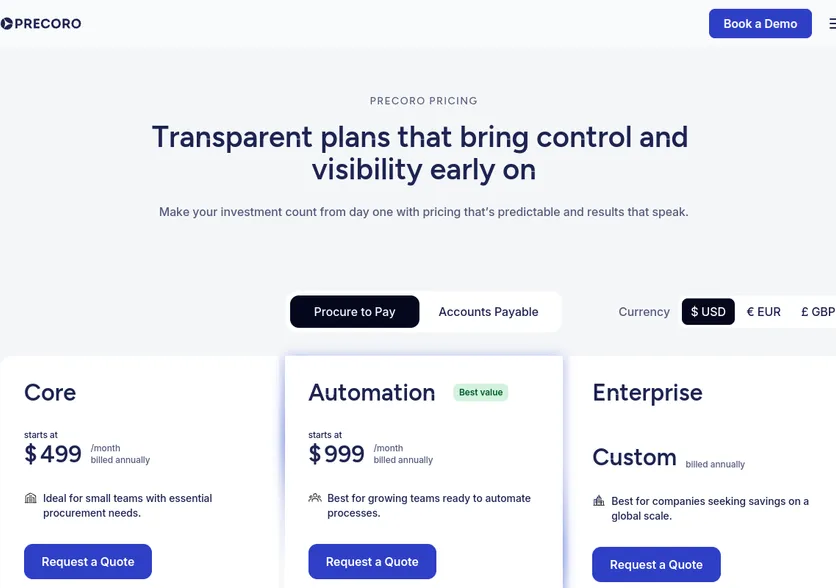
Paid tool Starting price: $499/month · Core plan, $499 a month billed annually; Automation $999 a month; Enterprise is quoted; no free plan
Free plan: No free plan; 14-day free trial
When procurement teams need tight control over spending, this Precoro plan costs four hundred and ninety-nine dollars a month billed annually, and it puts budgets, approvals and purchase orders in one place before money leaves the business. Requests, purchase orders, receipts and invoices share one workflow, so nothing gets bought without an approval attached to it. Vendor records and contract dates sit beside the budget, and the platform connects with QuickBooks Online, Xero and NetSuite for the ledger side.
What we like
- Budgets are checked before any purchase is approved
- Two-way and three-way invoice matching catches overbilling
- Connects with QuickBooks Online, Xero and NetSuite
Watch out for
- No free plan, so every seat starts on the paid ladder
- Automation features such as PunchOut and RFPs need the dearer tier
How to try it
- Create a purchase request and attach the vendor quote
- Route the request through the approval chain for its budget
- Convert the approved request into a purchase order and match the invoice on arrival
2. Procurify
Best for: Mid-market teams that want predictable flat-rate buying
Paid tool Starting price: $1,000/month · Flat $1,000 a month for the platform; larger deployments are custom-quoted; one directory lists the platform as custom-quote only, while multiple November 2026 reads agree on the $1,000 flat figure
Free plan: No free plan; free trial available
For procurement teams, this Procurify plan costs one thousand dollars a month flat, and its flat monthly rate never rises with headcount, so budgeting stays simple as the team grows. Purchase requests, approvals, budgets and expense management share one platform, and unlimited Basic users keep occasional requesters free. Spend analytics show where money goes by department and category, and contracts are available as an add-on for teams that need them.
What we like
- Flat $1,000 a month whatever the headcount
- Unlimited Basic users for occasional requesters
- Spend analytics by department and category
Watch out for
- No free plan published on the pricing page
- Contracts are an add-on, not part of the base platform
How to try it
- Submit a purchase request with the budget attached
- Approve the request and issue the purchase order
- Track spend against the budget in the analytics view
3. Kissflow
Best for: Larger teams that want a full procure-to-pay suite
Paid tool Starting price: $1,990/month · Procurement Cloud, $1,990 a month billed annually; 14-day free trial; no free plan; this is the Procurement Cloud price, not the wider Kissflow platform
Free plan: No free plan; 14-day free trial
When procurement teams need one suite for the whole buying cycle, this Kissflow plan costs one thousand nine hundred and ninety dollars a month billed annually, and it covers the whole buying cycle from request to invoice in one low-code platform. Purchase requests, approvals, purchase orders, supplier management, contracts, receiving and invoice handling all live in one cloud platform. Low-code workflow tools let a team shape approval chains to its own process instead of taking a fixed template.
What we like
- Full procure-to-pay coverage in one suite
- Low-code tools shape approvals to your own process
- Automated three-way invoice matching included
Watch out for
- Highest flat monthly price in this list
- Built for larger teams, so small teams pay for depth they may not use
How to try it
- Raise a purchase request in the procurement app
- Route it through the approval chain your team designed
- Match the supplier invoice to the order and receipt
4. Gatekeeper
Best for: Teams that want vendor and contract records in one place
Paid tool Starting price: $1,125/month · Essentials plan, $1,125 a month billed annually for 150 contracts and suppliers; Pro $2,715 and Enterprise $4,815 a month; last-published figure, since the vendor pricing page no longer shows dollar figures in some reads
Free plan: No free plan; free trial available
For procurement teams, this Gatekeeper plan costs one thousand one hundred and twenty-five dollars a month billed annually, and it tracks renewals, obligations and supplier performance beside the contracts themselves. A central repository holds every supplier record and contract, with renewal alerts and obligation tracking that flag what needs attention before it expires. Unlimited users and electronic signature licences come with every plan, so the whole team can work in the same vendor file.
What we like
- Vendor and contract records in one repository
- Renewal alerts and obligation tracking included
- Unlimited users and e-signature licences on every plan
Watch out for
- No free plan, and the entry price is high for small teams
- AI extraction and advanced analytics need higher tiers
How to try it
- Import contracts and supplier records into the repository
- Set renewal alerts and assign owners to each obligation
- Review supplier performance and risk scores each quarter
5. Zapro
Best for: Mid-market teams that buy on purchase orders
Paid tool Starting price: $699/mo · Six hundred and ninety-nine dollars a month on the Spark plan, covering up to fifty vendors with unlimited users; Growth is one thousand nine hundred and ninety-nine dollars a month for up to five hundred vendors, and Scale is custom quoted
Free plan: Free trial available, no free plan
When procurement teams need intake, purchase orders and invoice matching in one suite, this Zapro plan costs six hundred and ninety-nine dollars a month, and it runs intake, purchase orders and invoice matching with artificial intelligence, priced by vendor count rather than seats. Someone requests an item, Zapro turns the request into a purchase order, records the delivery and then matches the vendor invoice to both. Unlimited users are included on every plan, so the price stays flat however many approvers join the workflow.
What we like
- Flat monthly price with unlimited users
- AI intake pre-fills requests and classifies invoices
- Vendor caps are generous: 50 on Spark, 500 on Growth
Watch out for
- Spark stops at 50 active vendors
- Payment runs through your own bank, not inside Zapro
How to try it
- Submit a request through the AI intake form
- Approve the request and let Zapro raise the purchase order
- Match the invoice to the order and receipt in the exception queue
6. Tipalti
Best for: Teams that pay vendors across borders
Paid tool Starting price: $99/month · Accounts Payable plan, $99 a month platform fee with unlimited users; transaction fees per invoice and payment are charged on top and are not published; Mass Payments starts at $249 a month
Free plan: No free plan; demo available
For procurement teams, this Tipalti plan costs ninety-nine dollars a month as a platform fee, and it handles supplier onboarding, tax forms and global payments in one platform. Suppliers onboard themselves through a portal, tax forms are collected automatically, and payments run to more than two hundred countries in over one hundred currencies. The platform fee covers unlimited users and approvers, so a team with many occasional approvers never pays per seat for them.
What we like
- Pays vendors in more than 200 countries and 120 currencies
- Supplier onboarding and tax forms handled in the portal
- Unlimited users with no per-approver fee
Watch out for
- Transaction fees sit on top of the $99 platform fee
- The real monthly cost rises with payment volume and entities
How to try it
- Invite suppliers to onboard through the self-service portal
- Route each invoice through approval and match it to the order
- Pay approved invoices in the supplier currency and collect the tax forms
7. Ramp
Best for: Finance teams that want cards, expenses and bill pay together
Paid tool Starting price: $15/user/month · Ramp Plus, $15 a user a month plus an unpublished platform fee based on team size; the free base tier covers cards, expenses and bill pay; procurement is a paid add-on on Plus or Enterprise
Free plan: Free base tier
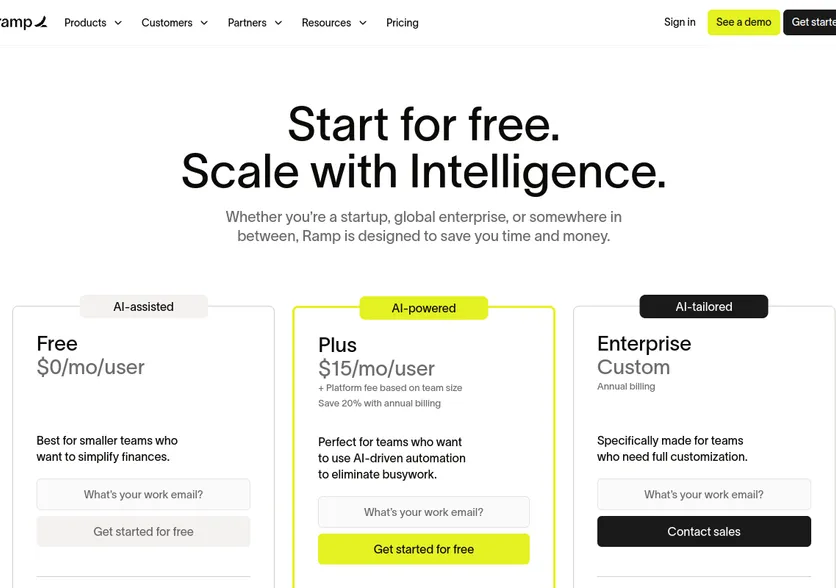
When procurement teams need cards, expenses and bill pay in one place, this Ramp plan costs fifteen dollars per user a month on Plus, and it combines corporate cards, expenses and bill pay, with procurement as an add-on when the team is ready. The free base tier already covers the corporate card, expenses and bill pay, and the Plus tier adds NetSuite and Sage Intacct integrations with multi-entity support. Procurement features such as intake, purchase orders and three-way matching are sold as an add-on to Plus, so a team only pays for them when it needs them.
What we like
- Free base tier covers cards, expenses and bill pay
- Plus adds NetSuite and Sage Intacct integrations
- Procurement add-on brings intake and three-way matching
Watch out for
- Procurement is a paid add-on, not part of the free tier
- Plus carries an unpublished platform fee on top of the seat price
How to try it
- Issue corporate cards and set spend limits per team
- Approve expenses and bills in the same dashboard
- Add the Procurement add-on to raise purchase orders with intake
8. ControlHub
Best for: Hardware-heavy teams that buy parts and equipment
Paid tool Starting price: $249/month · Two hundred and forty-nine dollars a month on Approvals with unlimited requests and five advanced users (twelve dollars per extra advanced user); Purchasing is five hundred and ninety-nine dollars a month and adds purchase order generation; Full P2P is quoted
Free plan: Free plan; 30-day free trial
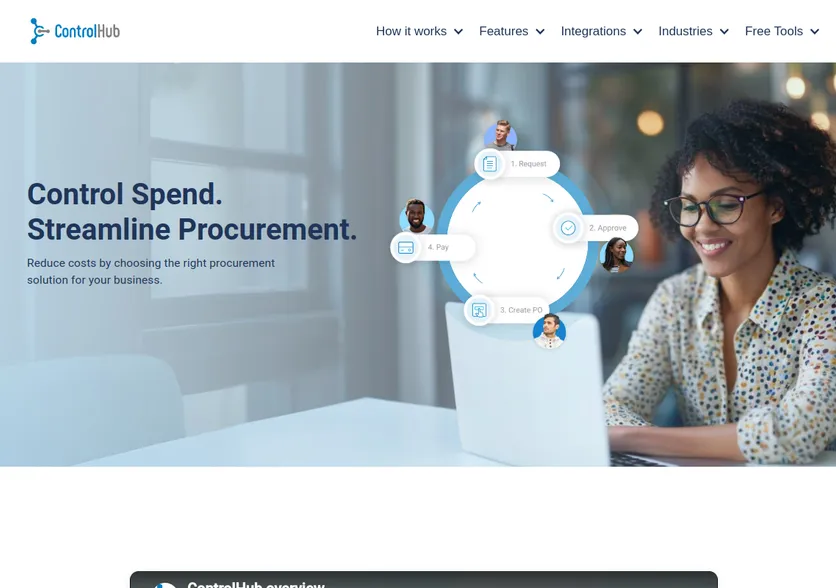
For procurement teams, this ControlHub plan costs two hundred and forty-nine dollars a month, and it routes unlimited purchase requests through custom approvals, with extra approvers costing little. Unlimited requesters can raise purchases while five advanced users run the approvals, and each extra advanced user costs only twelve dollars a month. The Purchasing tier adds automatic purchase order generation, receiving and cards, so a team can start on approvals and grow into full purchase orders.
What we like
- Unlimited requests and requester seats on every plan
- Custom approval flows with team structures and categories
- Free plan plus a 30-day trial to test the workflow
Watch out for
- The entry plan covers approvals only, not purchase orders
- Budgets and ERP sync need the quoted full procure-to-pay plan
How to try it
- Raise a purchase request from any requester seat
- Route the request through the custom approval flow
- Upgrade to Purchasing when the team needs automatic purchase orders
Prices above were checked on each vendor’s own website on Nov 29, 2026 and can change — the vendor’s page is the final word. Vendor links are editorial: nobody paid to be listed or ranked here. Vendors who want a featured listing can see how it works on our Get listed page.
How a procurement team should run intake to payment
Run every purchase through one intake form, so requests arrive with a budget, a vendor and a business reason attached instead of as a vague email. Route each request to the right approver automatically, and never let a purchase order go out before the budget check passes. Match every invoice to its order and receipt before payment, and send mismatches to an exception queue rather than paying them and arguing later. Track vendor performance on delivery, quality and price every quarter, and use that record at renewal time to negotiate from evidence rather than habit.
Before you buy
- Confirm the tool covers intake, approvals, purchase orders and invoice matching in one flow
- Check whether budgets are checked before approval or only reported afterwards
- Ask how the price grows, since per-user, per-vendor and spend caps all change the total
- Make sure mismatched invoices go to an exception queue instead of being paid
- Test the tool on a real end-to-end purchase, from request to paid invoice
Official websites
Official websites of the products reviewed above. Features and prices were checked against these sites when this guide was written, and they can change, so confirm on the vendor site before you buy.
Frequently asked questions
What is vendor management software for procurement teams?
Vendor management software for procurement teams is a single place to keep supplier records, agreements, purchase orders and renewal dates, so nothing is tracked in scattered spreadsheets or email threads. It routes each purchase through approval, matches invoices to orders before payment, and flags renewals before they expire. For procurement teams, that means fewer missed deadlines, cleaner audits and a vendor list the whole team can trust.
How much does Precoro cost?
Precoro Core starts at four hundred and ninety-nine dollars a month billed annually, with Automation at nine hundred and ninety-nine dollars a month and Enterprise quoted. There is no free plan, but a fourteen-day trial lets a procurement team test the full workflow first. Because the rate is flat, adding approvers does not raise the monthly bill.
Can procurement teams manage vendors for free?
Yes, with limits. Ramp has a free base tier covering cards, expenses and bill pay, and ControlHub offers a free plan with a 30-day trial. Gatekeeper and the other suites here have no free plan, so trials are the way to test them. Most free plans cap users, orders or transactions, so a busy team outgrows them quickly. The free tiers are still the cheapest way to test a workflow on real orders before paying.
Which tool is best for a small procurement team?
Ramp is the cheapest start for a small procurement team, since the free base tier covers cards, expenses and bill pay with no seat charge. Plus costs fifteen dollars a user a month and adds the integrations a growing team needs, while procurement itself is a paid add-on. Tipalti at ninety-nine dollars a month is the alternative when the team pays vendors across borders.
What should procurement teams check before buying vendor management software?
Check three things before paying. First, whether the entry plan covers the work the team actually does, since several tools here keep purchase orders, budgets or receiving on higher tiers. Second, how the price grows, because per-user billing, spend caps and vendor caps all change the real monthly cost. Third, whether suppliers need an account, since a portal nobody uses is worse than no portal at all.
Compare the eight tools above, then start with a free trial or the free Ramp tier on the tool that matches how the team already buys before paying for a full year.
Browse Business Tools tools