On this page
Software developers buy tools, cloud services, licences and contractor time, and the renewals pile up faster than anyone tracks them. The eight tools below cover vendor management for a team that buys mostly software, from cheap workflow builders to a negotiation service. Vendr leads because it benchmarks software prices and negotiates renewals for twenty thousand dollars a year, and the rest are ranked on how well they fit a development team's buying habits.
How we researched this
We checked every price on the vendor pricing page on November 29, 2026, and only included tools with a published US dollar list price. The big enterprise suites that sell by quote, including Coupa, SAP Ariba, Ivalua, Jaggaer and Zluri, publish no prices, so they are not in this list. Prices change, so confirm the current figure on the vendor site before you buy.
Compare the tools
| Name | Best for | Starting price | Free plan | |
|---|---|---|---|---|
 Precoro | Mid-size teams that want spend control before payment | $499/month | No free plan; 14-day free trial | Visit |
 Procurify | Mid-market teams that want predictable flat-rate buying | $1,000/month | No free plan; free trial available | Visit |
 Kissflow | Larger teams that want a full procure-to-pay suite | $1,990/month | No free plan; 14-day free trial | Visit |
 Zapro | Mid-market teams that buy on purchase orders | $699/mo | Free trial available, no free plan | Visit |
 Vendr | Software-heavy teams that negotiate SaaS renewals | $20,000/year | No free plan; demo available | Visit |
 Pipefy | Teams that run vendor work as structured pipelines | $39/user/month | Free plan (Starter) | Visit |
 Airtable | Teams that want a vendor database that looks like a spreadsheet | $20/user/month | Free plan | Visit |
 Zoho Creator | Teams that want to build their own vendor app | $8/user/month | Free edition (1 app) | Visit |
The vendor management software for software developers, compared
1. Precoro
Best for: Mid-size teams that want spend control before payment
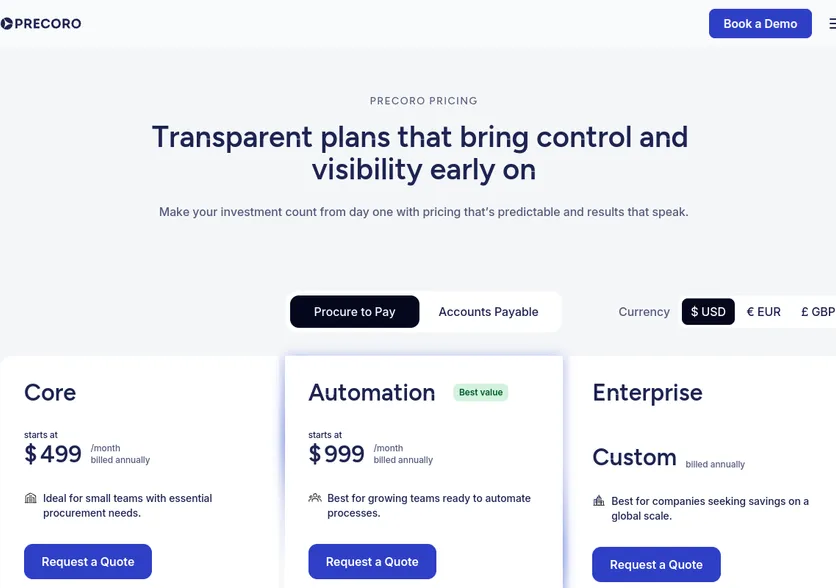
Paid tool Starting price: $499/month · Core plan, $499 a month billed annually; Automation $999 a month; Enterprise is quoted; no free plan
Free plan: No free plan; 14-day free trial
For software developers, this Precoro plan costs four hundred and ninety-nine dollars a month billed annually, and it puts budgets, approvals and purchase orders in one place before money leaves the business. Requests, purchase orders, receipts and invoices share one workflow, so nothing gets bought without an approval attached to it. Vendor records and contract dates sit beside the budget, and the platform connects with QuickBooks Online, Xero and NetSuite for the ledger side.
What we like
- Budgets are checked before any purchase is approved
- Two-way and three-way invoice matching catches overbilling
- Connects with QuickBooks Online, Xero and NetSuite
Watch out for
- No free plan, so every seat starts on the paid ladder
- Automation features such as PunchOut and RFPs need the dearer tier
How to try it
- Create a purchase request and attach the vendor quote
- Route the request through the approval chain for its budget
- Convert the approved request into a purchase order and match the invoice on arrival
2. Procurify
Best for: Mid-market teams that want predictable flat-rate buying
Paid tool Starting price: $1,000/month · Flat $1,000 a month for the platform; larger deployments are custom-quoted; one directory lists the platform as custom-quote only, while multiple November 2026 reads agree on the $1,000 flat figure
Free plan: No free plan; free trial available
When software developers need a flat rate that never rises with headcount, this Procurify plan costs one thousand dollars a month flat, and its flat monthly rate never rises with headcount, so budgeting stays simple as the team grows. Purchase requests, approvals, budgets and expense management share one platform, and unlimited Basic users keep occasional requesters free. Spend analytics show where money goes by department and category, and contracts are available as an add-on for teams that need them.
What we like
- Flat $1,000 a month whatever the headcount
- Unlimited Basic users for occasional requesters
- Spend analytics by department and category
Watch out for
- No free plan published on the pricing page
- Contracts are an add-on, not part of the base platform
How to try it
- Submit a purchase request with the budget attached
- Approve the request and issue the purchase order
- Track spend against the budget in the analytics view
3. Kissflow
Best for: Larger teams that want a full procure-to-pay suite
Paid tool Starting price: $1,990/month · Procurement Cloud, $1,990 a month billed annually; 14-day free trial; no free plan; this is the Procurement Cloud price, not the wider Kissflow platform
Free plan: No free plan; 14-day free trial
For software developers, this Kissflow plan costs one thousand nine hundred and ninety dollars a month billed annually, and it covers the whole buying cycle from request to invoice in one low-code platform. Purchase requests, approvals, purchase orders, supplier management, contracts, receiving and invoice handling all live in one cloud platform. Low-code workflow tools let a team shape approval chains to its own process instead of taking a fixed template.
What we like
- Full procure-to-pay coverage in one suite
- Low-code tools shape approvals to your own process
- Automated three-way invoice matching included
Watch out for
- Highest flat monthly price in this list
- Built for larger teams, so small teams pay for depth they may not use
How to try it
- Raise a purchase request in the procurement app
- Route it through the approval chain your team designed
- Match the supplier invoice to the order and receipt
4. Zapro
Best for: Mid-market teams that buy on purchase orders
Paid tool Starting price: $699/mo · Six hundred and ninety-nine dollars a month on the Spark plan, covering up to fifty vendors with unlimited users; Growth is one thousand nine hundred and ninety-nine dollars a month for up to five hundred vendors, and Scale is custom quoted
Free plan: Free trial available, no free plan
When software developers need intake, purchase orders and invoice matching in one suite, this Zapro plan costs six hundred and ninety-nine dollars a month, and it runs intake, purchase orders and invoice matching with artificial intelligence, priced by vendor count rather than seats. Someone requests an item, Zapro turns the request into a purchase order, records the delivery and then matches the vendor invoice to both. Unlimited users are included on every plan, so the price stays flat however many approvers join the workflow.
What we like
- Flat monthly price with unlimited users
- AI intake pre-fills requests and classifies invoices
- Vendor caps are generous: 50 on Spark, 500 on Growth
Watch out for
- Spark stops at 50 active vendors
- Payment runs through your own bank, not inside Zapro
How to try it
- Submit a request through the AI intake form
- Approve the request and let Zapro raise the purchase order
- Match the invoice to the order and receipt in the exception queue
5. Vendr
Best for: Software-heavy teams that negotiate SaaS renewals
Paid tool Starting price: $20,000/year · Twenty thousand dollars a year starting price from multiple November 2026 reads of the vendor page; the vendor marketplace also lists a $15,000 tier; no free plan
Free plan: No free plan; demo available
For software developers, this Vendr plan costs twenty thousand dollars a year, and it puts human negotiators behind the software, with benchmark data on what comparable companies actually paid. It tracks every software contract and renewal in one place, and free price checks let a team validate a quote before signing. The service focuses on software purchases only, so physical goods and services vendors stay outside its scope.
What we like
- Benchmark data from billions in transactions
- Human negotiators run renewals for you
- Free price checks validate quotes before signing
Watch out for
- Software purchases only, not physical goods
- Starting price suits teams with serious software spend
How to try it
- Connect the software stack and import every contract
- Check the benchmark price before each renewal
- Let the negotiators run the renewal conversation
6. Pipefy
Best for: Teams that run vendor work as structured pipelines
Paid tool Starting price: $39/user/month · Thirty-nine dollars per user a month billed monthly on Business; thirty dollars a user a month billed annually; Enterprise is sixty-two dollars billed annually or seventy-eight dollars billed monthly; one directory lists thirty-three dollars for Business
Free plan: Free plan (Starter)
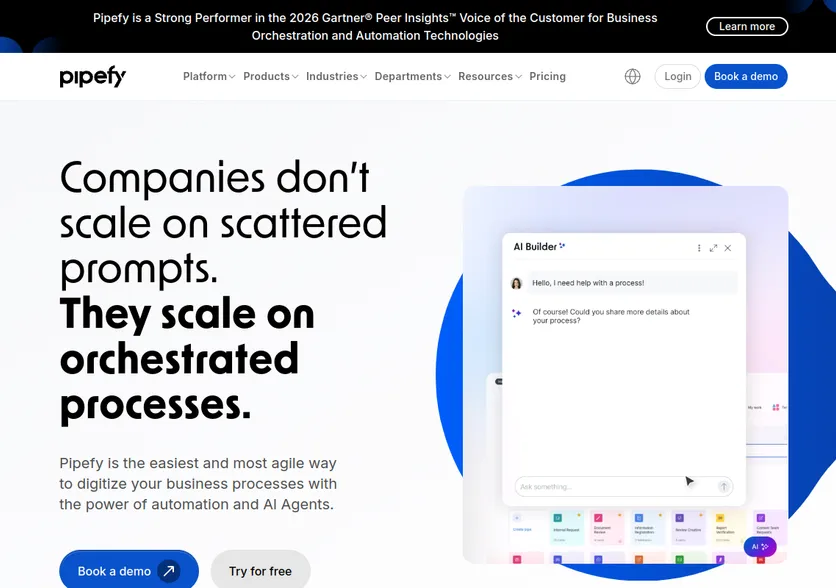
When software developers need vendor work as pipelines anyone can follow, this Pipefy plan costs thirty-nine dollars per user a month billed monthly, and it runs vendor onboarding and approvals as kanban-style pipes anyone can follow. Pipes, cards, forms and automations turn a vendor request into a visible workflow, with service portals that collect requests from the whole company. The free Starter plan covers ten users and five processes, so a small team can run real vendor work before paying.
What we like
- Kanban pipes make every vendor request visible
- Free Starter plan covers 10 users and 5 processes
- Service portals collect requests from anyone
Watch out for
- Per-user billing grows fast as occasional users join
- Advanced features such as single sign-on need Enterprise
How to try it
- Build a pipe for vendor onboarding with a form intake
- Add approval stages and automations between each step
- Track every card from request to approved vendor
7. Airtable
Best for: Teams that want a vendor database that looks like a spreadsheet
Paid tool Starting price: $20/user/month · Team $20 per user a month billed annually ($24 monthly); Business $45 a month; Enterprise by quote; only editors are charged, read-only collaborators are free
Free plan: Free plan
For software developers, this Airtable plan costs twenty dollars per user a month billed annually, and it looks like a spreadsheet and behaves like a database, with linked records that tie vendors to orders and renewals. Calendar, gallery and kanban views turn vendor rows into something a non-technical user can actually use, and interfaces hide the complexity from occasional users. Only editors are charged, so read-only collaborators can follow vendor work for free on every plan.

What we like
- Spreadsheet look with real database relations
- Only editors are charged, viewers are free
- Interfaces hide complexity from occasional users
Watch out for
- Team caps at 50,000 records per base
- Business costs more than double the Team rate
How to try it
- Create a base with linked tables for vendors, orders and renewals
- Build an interface that shows each vendor's open orders
- Set automations to flag renewals before they expire
8. Zoho Creator
Best for: Teams that want to build their own vendor app
Paid tool Starting price: $8/user/month · Standard plan at $8 per user a month billed annually ($12 monthly); Professional is $20 and Enterprise $25; free edition covers one custom app
Free plan: Free edition (1 app)
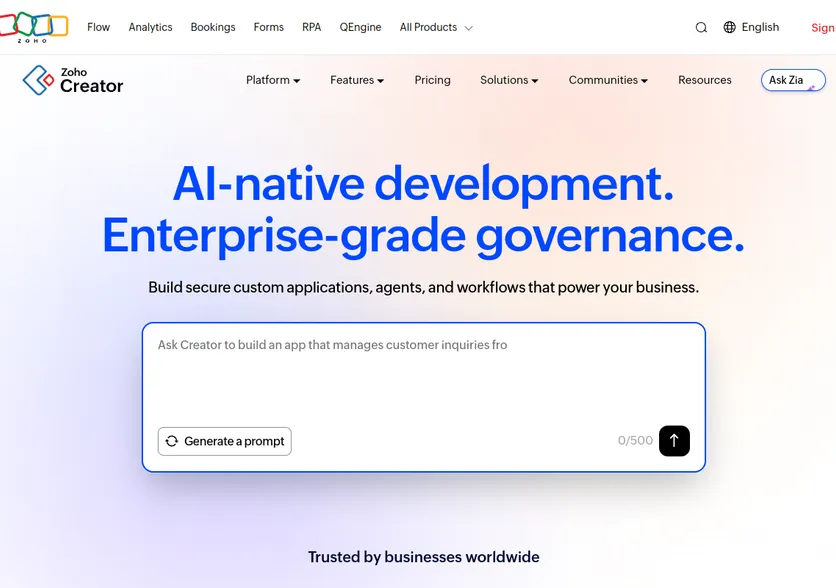
When software developers need a custom vendor app without hiring a developer, this Zoho Creator plan costs eight dollars per user a month billed annually, and it lets a team build a custom vendor tracking app in days, without hiring a developer. Forms, reports and workflows turn a spreadsheet process into a real app, and the low-code builder keeps the build inside the team that will use it. Standard covers one application, so a team that needs several custom apps should look at Professional instead.
What we like
- Build a custom vendor app without a developer
- Forms, reports and workflows in one builder
- Free edition covers one custom app
Watch out for
- Standard covers one application only
- Pricing varies by country and billing frequency
How to try it
- Sketch the vendor form with the fields the team needs
- Add workflows that route new vendors for approval
- Publish the app and share it with the team
Prices above were checked on each vendor’s own website on Nov 29, 2026 and can change — the vendor’s page is the final word. Vendor links are editorial: nobody paid to be listed or ranked here. Vendors who want a featured listing can see how it works on our Get listed page.
How software developers should track licences and renewals
List every software subscription, licence and contractor agreement in one place, with the renewal date and the price beside each one, because auto-renewals are the most expensive line in a development budget. Check the benchmark price before every renewal, and negotiate from that number rather than accepting the first quote. Give each tool an owner who can say whether the team still uses it, and cancel the licences nobody can defend. Review the stack every quarter, and move the money saved on unused tools into the tools the team actually relies on.
Before you buy
- Confirm the tool tracks software renewals and licence counts, not just purchase orders
- Check whether benchmark pricing or negotiation help is included in the entry price
- Ask if the tool covers contractor agreements as well as software subscriptions
- Make sure the workflow fits how developers actually request tools and licences
- Test the tool on a real renewal, including one the team wants to cancel
Official websites
Official websites of the products reviewed above. Features and prices were checked against these sites when this guide was written, and they can change, so confirm on the vendor site before you buy.
Frequently asked questions
What is vendor management software for software developers?
Vendor management software for software developers is a single place to keep supplier records, agreements, purchase orders and renewal dates, so nothing is tracked in scattered spreadsheets or email threads. It routes each purchase through approval, matches invoices to orders before payment, and flags renewals before they expire. For software developers, that means fewer missed deadlines, cleaner audits and a vendor list the whole team can trust.
How much does Vendr cost?
Vendr starts at twenty thousand dollars a year, based on multiple November 2026 reads of the vendor page, and there is no free plan. The vendor marketplace also lists a fifteen thousand dollar tier, so the entry figure can vary by package. For a software-heavy team, the fee is usually recovered from the first few negotiated renewals.
Can software developers manage vendors for free?
Yes, with limits. Zoho Creator has a free edition covering one custom app, and Airtable has a free plan with unlimited bases. Pipefy also has a free Starter plan covering ten users and five processes. Most free plans cap users, orders or transactions, so a busy team outgrows them quickly. The free tiers are still the cheapest way to test a workflow on real orders before paying.
Which tool is best for a small development team?
Zoho Creator is the cheapest start for a small development team, at eight dollars per user a month billed annually, and it builds a custom vendor app the team designs itself. The free edition covers one app, so a team can prove the workflow before paying. Airtable at twenty dollars a user is the alternative when the team wants a ready-made database instead of building one.
What should software developers check before buying vendor management software?
Check three things before paying. First, whether the entry plan covers the work the team actually does, since several tools here keep purchase orders, budgets or receiving on higher tiers. Second, how the price grows, because per-user billing, spend caps and vendor caps all change the real monthly cost. Third, whether suppliers need an account, since a portal nobody uses is worse than no portal at all.
Compare the eight tools above, then start with a free trial or the free Zoho Creator edition on the tool that matches how the team already buys before paying for a full year.
Browse Business Tools tools