On this page
A marketing webinar is a lead-generation machine that must capture names, measure engagement and hand hot leads to sales. Demio leads this list because its browser room tracks exactly who engaged for forty-five dollars a month billed annually, with polls, handouts and clear analytics built in. WebinarJam is the pick when the session ends in a sale, and Crowdcast is the friendliest room for community events. The other tools cover big rooms, evergreen replays and networking lounges, so the right choice depends on whether the goal is leads, sales or community.
How we researched this
We checked every price on the vendor pricing page on November 29, 2026, and only included tools with a published US dollar list price. ON24, BigMarker and Accelevents publish no usable price, so they are not in this list, and WebinarGeek bills in euros rather than dollars. Prices change, so confirm the current figure on the vendor site before you buy.
Compare the tools
| Name | Best for | Starting price | Free plan | |
|---|---|---|---|---|
 Zoom Webinars | Teams already running meetings on Zoom | $83.33/host/month | No free plan; free trial available | Visit |
 GoTo Webinar | Recurring webinar programmes that must not fail | $59/organizer/month | No free plan; 7-day free trial | Visit |
 Demio | Marketers who want pretty rooms and clear analytics | $45/month | No free plan; 14-day free trial | Visit |
 WebinarJam | Sales webinars that end in an offer | $499/year | No free plan; 14-day trial for $1 | Visit |
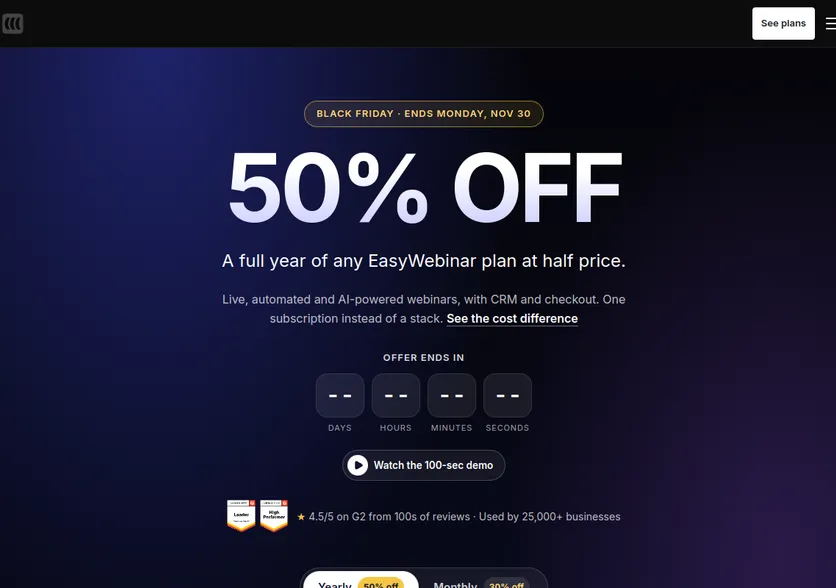
 EasyWebinar | Teams that want live and automated webinars in one place | $44/month | No free plan; 7-day free trial | Visit |
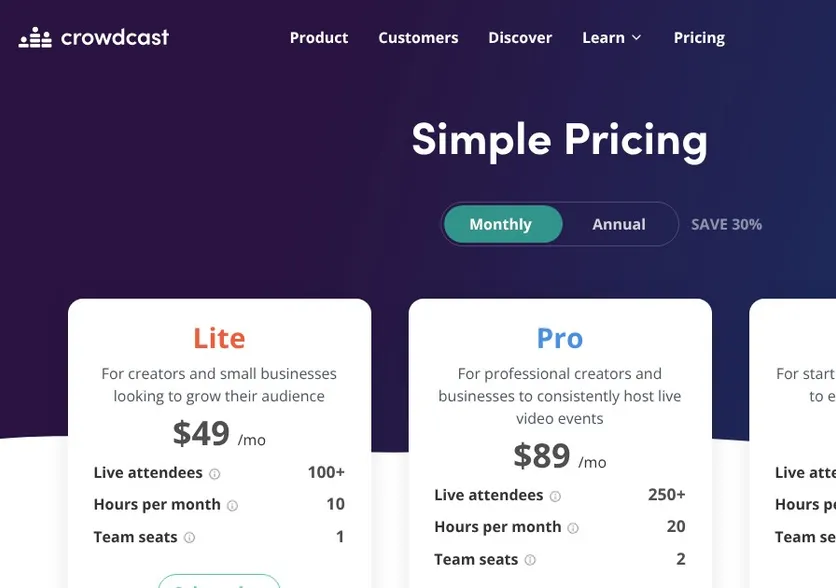
 Crowdcast | Community events and ticketed live sessions | $34.30/month | Free plan | Visit |
 Livestorm | Teams billed by attendance, not by seat | $1,200/year | Free plan (30 credits a year) | Visit |
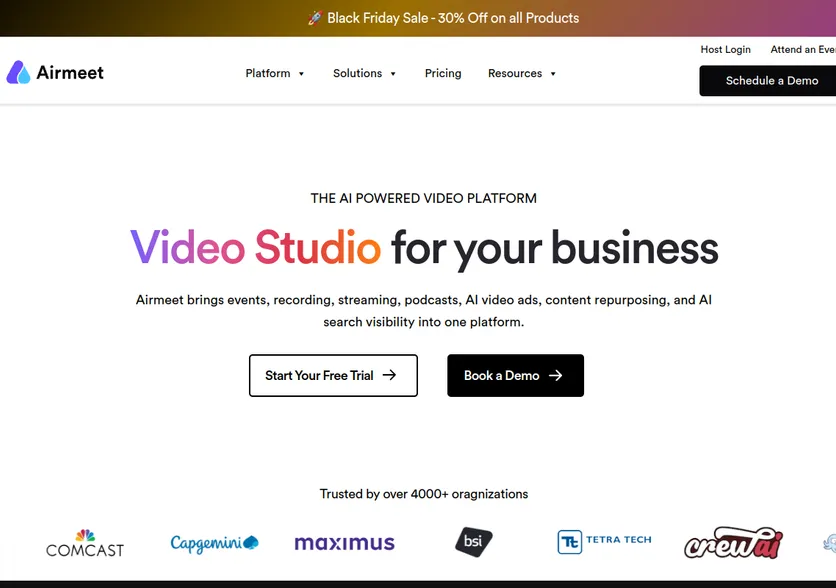
 Airmeet | Events where attendees meet each other | $167/month | Free plan (50 attendees, 5 events a month) | Visit |
The webinar software for marketing, compared
1. Zoom Webinars
Best for: Teams already running meetings on Zoom
Paid tool Starting price: $83.33/host/month · Eighty-three dollars and thirty-three cents per host a month billed annually for webinars up to 500 attendees ($999.96 a year); the 300-attendee tier is $66.67 a month billed annually ($89 monthly); Webinars Plus is $290.83 a month billed annually; a paid Zoom Workplace plan is also required
Free plan: No free plan; free trial available
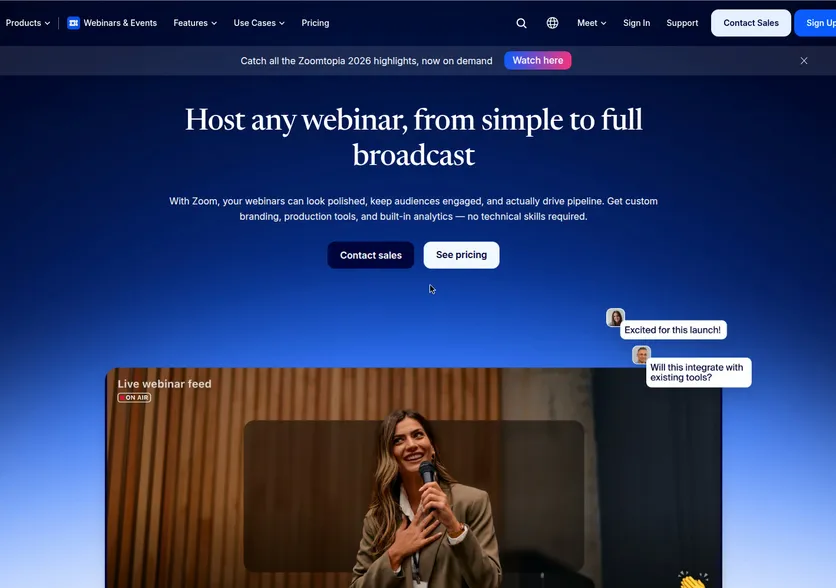
A marketing team that already runs its meetings on Zoom and wants its webinars in the same familiar account gets the simplest setup here, since this Zoom Webinars plan costs eighty-three dollars and thirty-three cents a host a month billed annually for a room of five hundred. Registration pages, reminder emails, polls and Q and A come with the plan, and the audience joins from the Zoom app most of them already have installed. It is the safe default when the audience is large and the session cannot afford a glitch, though the two-licence cost adds up.
What we like
- Registration pages, reminders and follow-up emails built in
- Up to 100,000 attendees on the largest rooms
- Polls, Q and A, breakout rooms and cloud recording included
Watch out for
- Needs a paid Zoom Workplace plan beside the webinar licence
- The cheapest room still costs more than most rivals once both licences are counted
How to try it
- Create the webinar and set the registration page and reminders
- Rehearse with panellists in the practice session before going live
- Run the session, then send the recording and the attendance report
2. GoTo Webinar
Best for: Recurring webinar programmes that must not fail
Paid tool Starting price: $59/organizer/month · Fifty-nine dollars per organizer a month billed annually on Reach for up to 500 participants ($69 billed monthly); Elevate is $103 a month billed annually for 1,000 participants; Complete is quoted
Free plan: No free plan; 7-day free trial
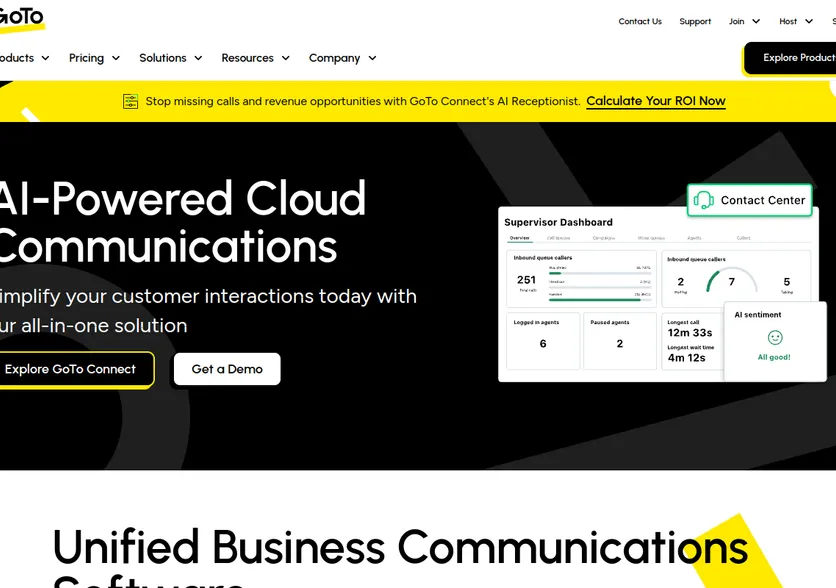
A marketing team that runs a weekly webinar series and needs the same reliable room every time gets the most dependable room here, since this GoTo Webinar plan costs fifty-nine dollars per organizer a month billed annually for up to five hundred participants. It has run business webinars for years, and the workflow of scheduling, reminders, polls and reporting feels settled rather than experimental. It suits a team that runs the same session every week and values reliability over flash, though the entry plan keeps branding basic.
What we like
- Twenty years of dependable live delivery at scale
- Automated emails, polls, handouts and detailed reports
- One organizer seat covers a 500-person room on Reach
Watch out for
- Custom branding and cloud recording need the higher tiers
- No automated webinars on the entry Reach plan
How to try it
- Schedule the webinar and build the registration page
- Send the automated reminders and rehearse the presenters
- Go live, run polls, then share the recording and reports
3. Demio
Best for: Marketers who want pretty rooms and clear analytics
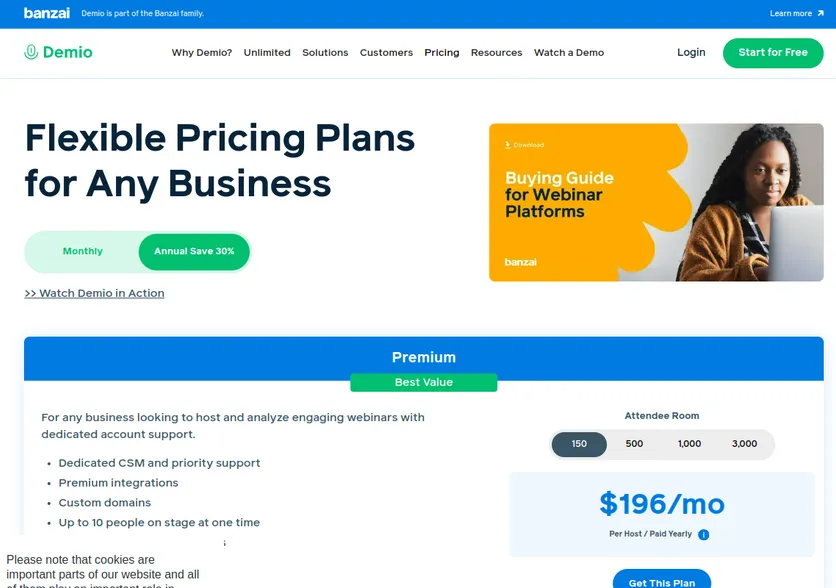
Paid tool Starting price: $45/month · Forty-five dollars a month billed annually on Starter for one host and 50 attendees ($63 billed monthly); Growth is $80 a month billed annually; Premium is $196 a month billed annually
Free plan: No free plan; 14-day free trial
A marketing team that runs lead-generation webinars and needs to know exactly who engaged gets the prettiest room here, since this Demio plan costs forty-five dollars a month billed annually for one host and fifty attendees. Everything runs in the browser, so attendees join with one click and the host gets polls, chat, handouts and a clear engagement report. It fits a team whose webinars exist to sell something and who want to see exactly who paid attention, though the small room fills fast.
What we like
- Runs entirely in the browser with nothing to install
- Clean registration pages with featured actions and handouts
- Engagement analytics show who watched and who dropped off
Watch out for
- Starter caps at 50 attendees and 3-hour sessions
- Automated webinars and custom branding need Growth or higher
How to try it
- Build the registration page and set the reminder emails
- Go live from the browser and run polls and featured actions
- Review the engagement report and follow up with attendees
4. WebinarJam
Best for: Sales webinars that end in an offer
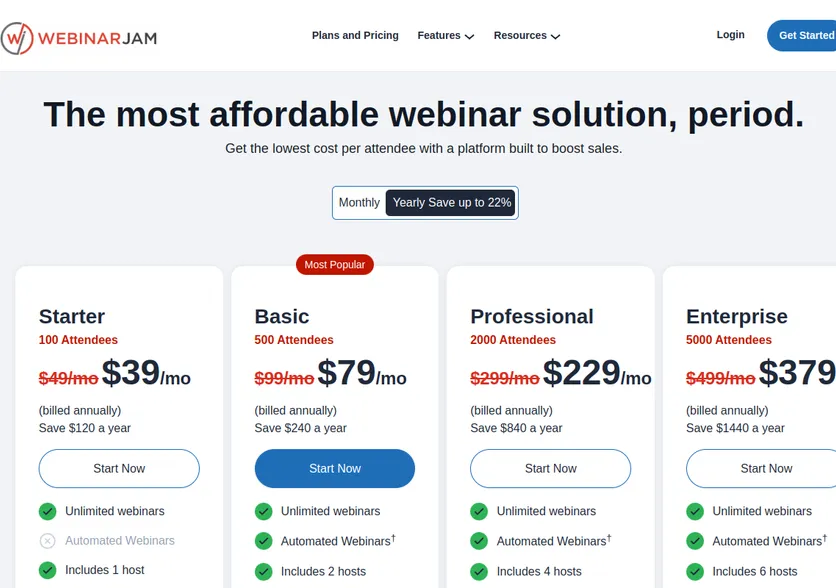
Paid tool Starting price: $499/year · Four hundred and ninety-nine dollars a year on Basic for 500 attendees, annual billing only; Pro is $699 a year and Premium is $999 a year; automated webinars need EverWebinar, sold separately
Free plan: No free plan; 14-day trial for $1
A marketing team whose webinars exist to sell a course or a service and need offers inside the room gets the strongest sales room here, since this WebinarJam plan costs four hundred and ninety-nine dollars a year on Basic for five hundred attendees. It is built around converting attendees, with timed offers, video injections and calls to action sitting inside the live room. It suits a team whose webinar ends in a sale, though the interface looks dated and automation costs extra.
What we like
- Built-in offers, countdown timers and calls to action
- Rooms up to 5,000 attendees on the top tier
- Panic button and attendee spotlight for live control
Watch out for
- Annual billing only, paid up front with no monthly option
- Automated webinars cost extra through a separate product
How to try it
- Set up the webinar and add the offer and countdown timer
- Go live and use the panic button and spotlight as needed
- Send the replay and follow up with buyers and no-shows
5. EasyWebinar
Best for: Teams that want live and automated webinars in one place
Paid tool Starting price: $44/month · Forty-four dollars a month on Launch for 50 live attendees; Growth is $116 a month, Pro is $198 and Scale is $349; annual billing lowers each tier; older Standard plan figures no longer apply
Free plan: No free plan; 7-day free trial
A marketing team that wants a webinar to keep selling after the live hour through evergreen replays gets the fullest funnel here, since this EasyWebinar plan costs forty-four dollars a month on Launch for fifty live attendees. It runs live, simulive and evergreen sessions from one setup, then writes attendee actions into a built-in CRM on the higher plans. It suits a team that wants one subscription to carry a webinar from live launch to automated replay, though the cheap plan is deliberately limited.
What we like
- Live, simulated live and evergreen webinars in one account
- Built-in CRM and in-room checkout on higher plans
- AI builder drafts scripts, pages and emails
Watch out for
- Automation, checkout and the CRM start above Launch
- Launch caps at 5 webinars and 50 attendees
How to try it
- Build the webinar with the AI builder and set the registration page
- Run the live session and collect questions and offers
- Turn the recording into an evergreen funnel on a higher plan
6. Crowdcast
Best for: Community events and ticketed live sessions
Paid tool Starting price: $34.30/month · Thirty-four dollars and thirty cents a month billed annually on Lite ($49 billed monthly); Pro is $62.30 a month billed annually and Business is $136.50; paid events carry a 5 percent transaction fee on Lite
Free plan: Free plan
A marketing team that runs community webinars and wants ticketing and chat in the same room gets the friendliest community room here, since this Crowdcast plan costs thirty-four dollars and thirty cents a month billed annually on Lite for one hundred live attendees. It is built for creators who run live events with their community, with chat, polls, ticket sales and multi-streaming in one place. It fits a team that treats webinars as community gatherings rather than broadcasts, though the monthly hour cap needs watching.
What we like
- Built-in ticketing with Stripe payments
- Chat, polls, Q and A and multi-streaming included
- Sessions up to 4 hours with replays and clips
Watch out for
- Lite caps at 10 live hours a month
- A 5 percent fee applies to paid events on Lite
How to try it
- Create the event page and set tickets if the session is paid
- Go live and run polls and Q and A with the audience
- Share the replay and the clips with everyone who registered
7. Livestorm
Best for: Teams billed by attendance, not by seat
Paid tool Starting price: $1,200/year · One thousand two hundred dollars a year for 400 attendee credits on Pro, about one hundred dollars a month equivalent, annual packs only; larger packs run to $9,600 a year for 4,000 credits; no monthly billing
Free plan: Free plan (30 credits a year)
A marketing team with uneven attendance that wants to pay only for the people who actually join gets the fairest billing here, since this Livestorm plan costs one thousand two hundred dollars a year for four hundred attendee credits on Pro. It charges by attendee credit instead of by seat, so a team pays only for the people who actually show up. It fits a team with uneven attendance that hates paying per seat, though the annual pack is a real commitment.
What we like
- Pay only for attendees who actually join
- Unlimited team members on every paid plan
- Browser-based rooms with HubSpot integration
Watch out for
- Annual packs only, with no monthly billing option
- Credits run out fast if many people watch replays
How to try it
- Buy the credit pack that matches expected attendance
- Build the registration page and invite the audience
- Run the event and track which attendees joined
8. Airmeet
Best for: Events where attendees meet each other
Paid tool Starting price: $167/month · One hundred and sixty-seven dollars a month billed annually on Premium Webinars for 100 attendees ($199 billed monthly); Events and Managed Events are quoted, with managed brand conferences from $4,999
Free plan: Free plan (50 attendees, 5 events a month)
A marketing team that wants its audience to network in lounges instead of just watching a stage gets the best networking here, since this Airmeet plan costs one hundred and sixty-seven dollars a month billed annually on Premium Webinars for one hundred attendees. It is built for events where the audience meets each other, with lounges, tables and speed networking beside the main stage. It suits a team whose event is a gathering, not a broadcast, though the price is steep for small rooms.
What we like
- Virtual lounges and speed networking built in
- Expo booths and multi-track sessions on higher plans
- Ticketing, polls and Q and A included
Watch out for
- The entry price is the highest in this list
- Only 2 team members on Premium Webinars
How to try it
- Build the event with stages, lounges and booths
- Open the networking lounge before the talks begin
- Follow up with the attendee list after the event
Prices above were checked on each vendor’s own website on Nov 29, 2026 and can change — the vendor’s page is the final word. Vendor links are editorial: nobody paid to be listed or ranked here. Vendors who want a featured listing can see how it works on our Get listed page.
How to turn a marketing webinar into leads
A marketing team should connect the webinar tool to its CRM before the first session, so every registration lands on the right list. The registration page should ask one qualifying question, such as company size, because that single field makes the follow-up far more useful. Polls should run during the session, not after it, since live answers show who is engaged. The recording should go out the same day with a clear next step, and the no-show list deserves a replay email. Test the whole flow once with a colleague registering as a stranger before spending money on promotion.
Before you buy
- Confirm the tool connects to your CRM before you pay for it
- Check the engagement analytics show who attended and who dropped off
- Test the registration page on a phone before promoting the session
- Confirm the price covers the attendee count your campaigns actually reach
- Check whether automated replays and follow-up emails cost extra
Official websites
Official websites of the products reviewed above. Features and prices were checked against these sites when this guide was written, and they can change, so confirm on the vendor site before you buy.
Frequently asked questions
What is the best webinar software for marketing?
Demio is the best overall pick for marketers, because its browser room tracks engagement clearly and costs forty-five dollars a month billed annually for fifty attendees. WebinarJam is the better choice when the session ends in a sale, since it puts timed offers inside the room. Crowdcast is the friendliest option for community events, with ticketing and chat built in.
Which webinar tool is cheapest for marketers?
Crowdcast is the cheapest paid room in this list at thirty-four dollars and thirty cents a month billed annually, with a free plan for small events. Demio is close behind at forty-five dollars a month. Both prices rise with the room size, so confirm the figure for the audience your campaigns actually reach before choosing on price alone.
Can webinar software feed leads into a CRM?
Demio, EasyWebinar, Livestorm and Airmeet all connect to common CRMs, and most send registration and attendance data automatically. EasyWebinar also includes a built-in CRM on its higher plans. Set the connection up before the first session, because leads that arrive after the event are harder to sort and far less likely to convert.
Should a marketing webinar run live or automated?
Live sessions convert better for launches and high-value offers, because the audience can ask questions and the host can react. Automated webinars from eWebinar or EasyWebinar work well for evergreen demos that should run every week without a presenter. Many teams run both, with a live session monthly and an automated replay filling the gaps.
Is there a free webinar tool for marketing?
Crowdcast and Livestorm both offer free plans, and Airmeet lists a free plan for fifty attendees, though one November 2026 read says Airmeet has no free tier. Free plans cover small rooms and short sessions, so they suit a test run rather than a campaign. A paid plan is worth the cost once the list grows, because it adds branding, larger rooms and proper analytics.
Compare the webinar tools above, then start a free trial with the room that turns your viewers into leads.
Browse Marketing & Ads Calculators tools