
On this page
A small business runs a webinar to teach, sell or train, and the room should feel like a conversation rather than a broadcast. The right software handles registration, reminders, live chat and replays, so the host can focus on the audience instead of the tech. The seven tools below range from a free plan for a tiny list to platforms that run thousands of attendees. GoTo Webinar is our first pick for a small business that wants a proven webinar room with no surprises.
How we researched this
We started with the webinar tools small businesses actually buy, then read each price on the vendor pricing page on November 27, 2026 and noted the free plan or trial each one carries. We judged them for a host with a list of tens to hundreds of attendees who needs registration, reminders and a replay without a big budget. We dropped Livestorm because its pricing page now lists euro attendee credits with no monthly dollar price, and Zoom Webinars because its price is an add-on to a separate Workplace plan.
Compare the tools
| Name | Best for | Starting price | Free plan | |
|---|---|---|---|---|
 GoTo Webinar | Small businesses that want a proven webinar platform with no surprises | $49/month | No free plan | Visit |
 Demio | Small businesses that want a simple webinar room with a short setup | $45/month | No free plan; fourteen-day trial | Visit |
| Zoho Webinar | Small businesses that want the cheapest paid webinar plan | $8/month | Free plan with twenty attendees and sixty minutes | Visit |
 WebinarJam | Small businesses that want a low entry price for a hundred attendees | $39/month | No free plan; one-dollar fourteen-day trial | Visit |
 ClickMeeting | Small businesses that want a low monthly price with a free trial | $25/month | No free plan; fourteen-day trial | Visit |
| eWebinar | Small businesses that run pre-recorded webinars on autopilot | $84.17/month | No free plan; fourteen-day trial | Visit |
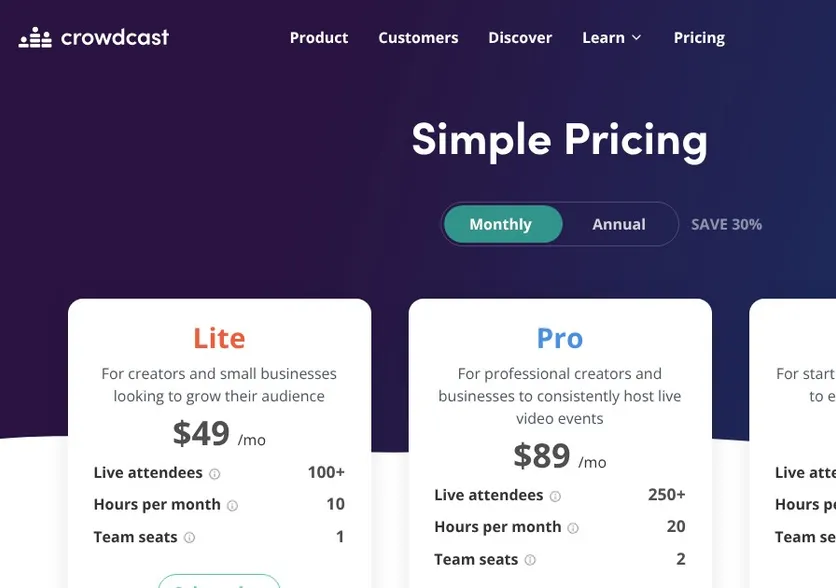
 Crowdcast | Small businesses that want a friendly webinar room with ticket sales | $34.30/month | No free plan; fourteen-day trial | Visit |
The webinar software for small business, compared
1. GoTo Webinar
Best for: Small businesses that want a proven webinar platform with no surprises
Paid tool Starting price: $49/month · Lite plan, forty-nine dollars a month billed annually, or fifty-nine dollars billed monthly, per organizer, up to two hundred fifty attendees
Free plan: No free plan
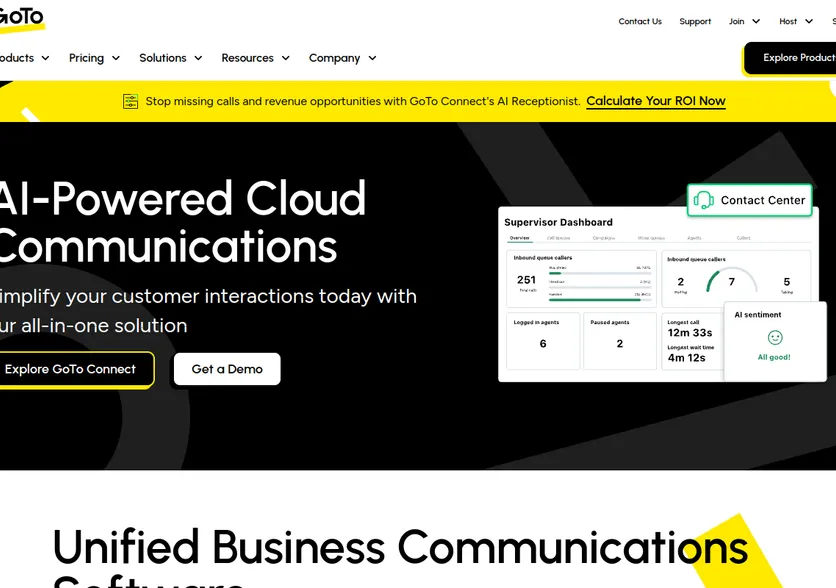
GoTo Webinar has run business webinars for years, with registration pages, reminders, polls and replays that work without a learning curve. This GoTo Webinar Lite plan costs forty-nine dollars a month billed annually for up to two hundred fifty attendees, with larger plans for bigger rooms. A small business that runs webinars every month gets a steady platform that just works, though the Lite plan caps the room at two hundred fifty people.
What we like
- Proven platform that hosts rely on
- Registration, reminders and polls built in
- Replay pages keep leads coming after the event
Watch out for
- No free plan, so testing costs money
- Lite plan caps attendance at two hundred fifty
How to try it
- Open the GoTo Webinar pricing page and pick the Lite plan
- Create a registration page and set the reminder emails
- Run the webinar and share the replay link after
2. Demio
Best for: Small businesses that want a simple webinar room with a short setup
Paid tool Starting price: $45/month · Starter plan, forty-five dollars a month billed annually, or sixty-three dollars billed monthly, one host, fifty attendees
Free plan: No free plan; fourteen-day trial
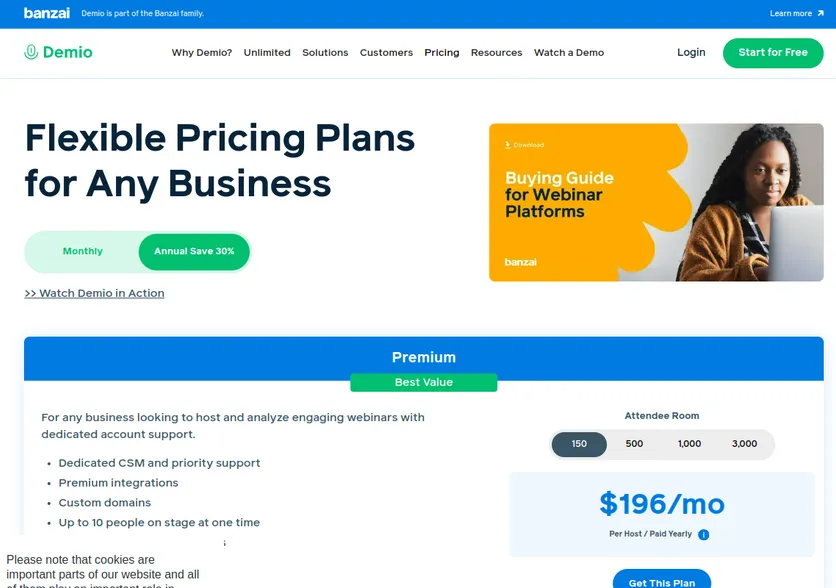
Demio keeps webinar setup short, with registration pages, automated emails and engagement tools that a small team can learn in an afternoon. This Demio Starter plan costs forty-five dollars a month billed annually for one host and fifty attendees, with a fourteen-day trial to test it. A small business that runs its first webinar gets a friendly room without a long setup, though the Starter plan caps the audience at fifty.
What we like
- Simple setup that a small team learns fast
- Automated emails and reminders built in
- Engagement tools keep the audience active
Watch out for
- No free plan, so testing needs the trial
- Starter plan caps attendance at fifty people
How to try it
- Open the Demio pricing page and start the fourteen-day trial
- Build a registration page and invite your list
- Run the webinar and download the attendee report
3. Zoho Webinar
Best for: Small businesses that want the cheapest paid webinar plan
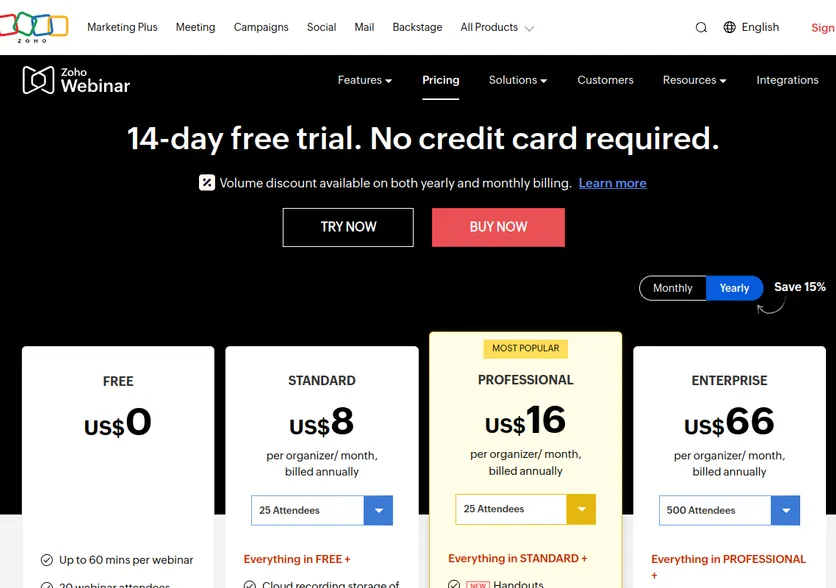
Paid tool Starting price: $8/month · Standard plan, eight dollars a host a month billed annually, or nine dollars billed monthly, twenty-five attendees
Free plan: Free plan with twenty attendees and sixty minutes
Zoho Webinar gives a small business a webinar room for the price of a lunch, with registration, reminders and a free plan for tiny audiences. This Zoho Webinar Standard plan costs eight dollars a host a month billed annually for twenty-five attendees, while the free plan covers twenty attendees for sixty minutes. A team on a tight budget gets a real webinar platform for almost nothing, though the attendee count rises fast with the price.
What we like
- Cheapest paid plan in this comparison
- Free plan for tiny audiences
- Fits teams already using Zoho tools
Watch out for
- Standard plan caps attendance at twenty-five
- Price rises sharply at higher attendee tiers
How to try it
- Open the Zoho Webinar pricing page and start the free plan
- Create a webinar and share the registration link
- Upgrade to Standard when your audience grows past twenty
4. WebinarJam
Best for: Small businesses that want a low entry price for a hundred attendees
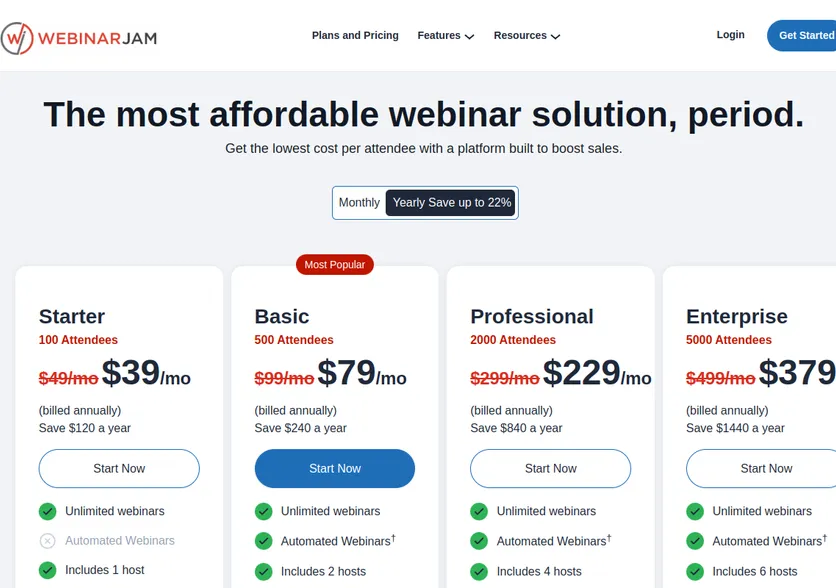
Paid tool Starting price: $39/month · Starter plan, thirty-nine dollars a month billed annually, or forty-nine dollars billed monthly, one hundred attendees, one-hour session cap
Free plan: No free plan; one-dollar fourteen-day trial
WebinarJam runs live webinars for up to one hundred attendees on its Starter plan, with a one-dollar fourteen-day trial that lets a host test the room before committing. This WebinarJam Starter plan costs thirty-nine dollars a month billed annually, with a one-hour cap per session. A small business that runs short webinars gets a cheap room for a hundred people, though each session must end within one hour.
What we like
- One hundred attendees on the cheapest plan
- One-dollar trial to test the room
- Live chat and offers built in
Watch out for
- Sessions cap at one hour on the Starter plan
- No free plan beyond the trial
How to try it
- Open the WebinarJam site and start the one-dollar trial
- Set up a webinar and invite your list
- Run the session and share the replay
5. ClickMeeting
Best for: Small businesses that want a low monthly price with a free trial
Paid tool Starting price: $25/month · Live plan, twenty-five dollars a month billed annually, or thirty-two dollars billed monthly
Free plan: No free plan; fourteen-day trial
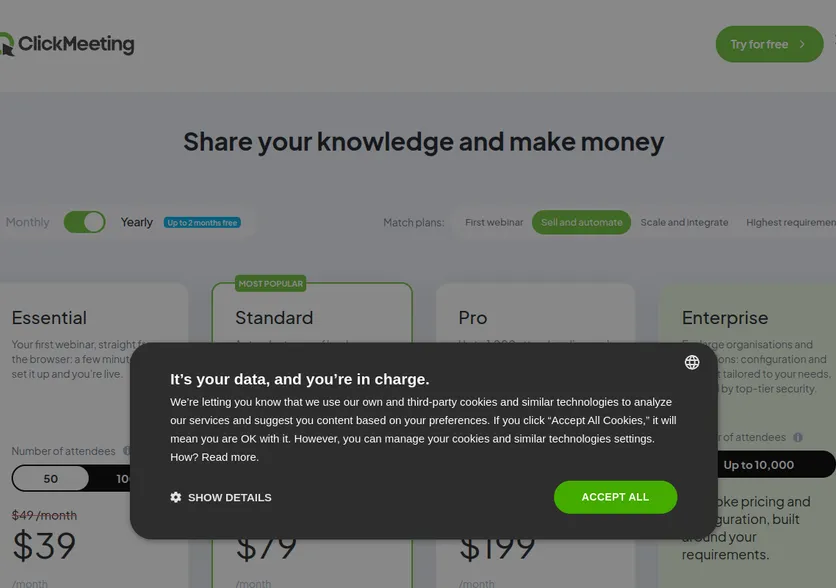
ClickMeeting runs live webinars with registration, polls and screen sharing for twenty-five dollars a month billed annually, with a fourteen-day trial to test the room. This ClickMeeting Live plan suits a small business that hosts regular webinars without a big budget, and the Automated plan adds evergreen replays. A host who runs the same webinar weekly gets a steady price and a simple setup, though the cheapest plan covers live sessions only.
What we like
- Low monthly price for live webinars
- Fourteen-day trial with no card needed
- Automated plan adds evergreen replays
Watch out for
- No free plan beyond the trial
- Automated replays need the higher plan
How to try it
- Open the ClickMeeting pricing page and start the trial
- Create a webinar and share the registration page
- Run the session and review the attendee stats
6. eWebinar
Best for: Small businesses that run pre-recorded webinars on autopilot
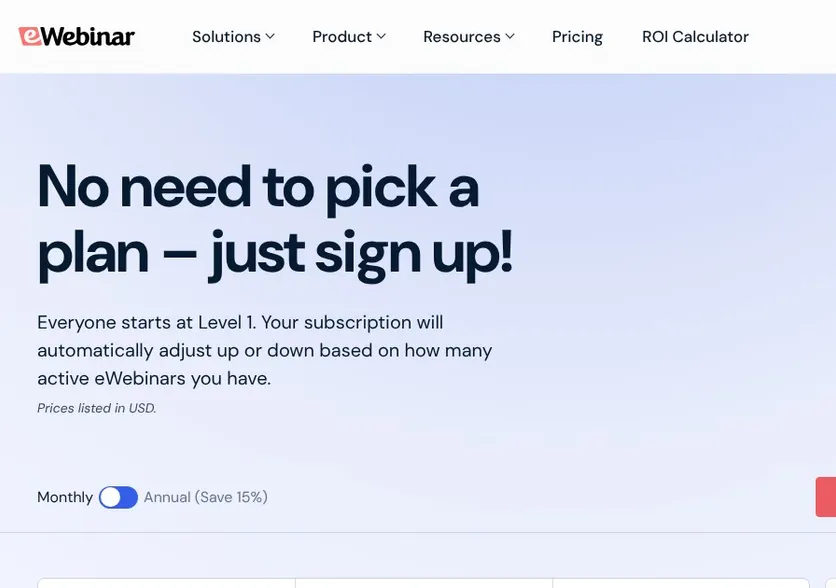
Paid tool Starting price: $84.17/month · Level One plan, eighty-four dollars and seventeen cents a month billed annually, or ninety-nine dollars billed monthly, one active webinar, one thousand registrants a month
Free plan: No free plan; fourteen-day trial
eWebinar runs pre-recorded webinars on a schedule, so a small business can present the same session to new leads every day without a live host. This eWebinar Level One plan costs eighty-four dollars and seventeen cents a month billed annually for one active webinar and one thousand registrants a month. A business with a proven sales webinar gets a tireless presenter, though the price is the highest here and live sessions are not supported.
What we like
- Pre-recorded webinars run without a live host
- Unlimited team members and recurring sessions
- One thousand registrants a month on the entry plan
Watch out for
- Highest price in this comparison
- Automated webinars only, no live sessions
How to try it
- Open the eWebinar pricing page and start the trial
- Upload a recorded webinar and set the schedule
- Watch registrations come in and review the stats
7. Crowdcast
Best for: Small businesses that want a friendly webinar room with ticket sales
Paid tool Starting price: $34.30/month · Lite plan, thirty-four dollars and thirty cents a month billed annually, or forty-nine dollars billed monthly, over one hundred live attendees, ten hours a month
Free plan: No free plan; fourteen-day trial
Crowdcast runs live events with chat, polls and ticket sales, so a small business can charge for a workshop or collect donations during a session. This Crowdcast Lite plan costs thirty-four dollars and thirty cents a month billed annually for over one hundred live attendees and ten hours a month. A host who runs paid workshops gets ticket sales built in, though the plan takes a five percent fee on each ticket.
What we like
- Ticket sales built in for paid workshops
- Friendly chat and polls for the audience
- Ten hours of streaming a month on Lite
Watch out for
- Five percent fee on every ticket sold
- No free plan beyond the trial
How to try it
- Open the Crowdcast pricing page and start the trial
- Create an event and set up ticket sales if needed
- Go live and engage the audience with polls
Prices above were checked on each vendor’s own website on Nov 27, 2026 and can change — the vendor’s page is the final word. Vendor links are editorial: nobody paid to be listed or ranked here. Vendors who want a featured listing can see how it works on our Get listed page.
What webinar software costs in 2026
Webinar software costs from eight dollars a host a month on Zoho Webinar to eighty-four dollars and seventeen cents a month on eWebinar, with most small-business plans sitting between twenty-five and forty-nine dollars. The price follows the attendee count, so a host with fifty people pays far less than a host with five hundred. Trials are generous here, with five tools offering a fourteen-day trial and WebinarJam charging one dollar to test.
Run one real webinar on the trial before you pay, and watch whether attendees join on time, whether the chat stays active and whether the replay link works. Pick the plan that fits your largest likely audience, not your smallest, because an attendee cap that cuts off late joiners costs more than the upgrade. A small business that webinars monthly should budget the annual price, which is lower on every plan here.
Before you buy
- Count your expected attendees first, because Zoho Webinar caps Standard at twenty-five while GoTo Webinar Lite covers two hundred fifty.
- Check the session cap, because WebinarJam Starter ends every session after one hour.
- Decide live versus automated, because eWebinar runs pre-recorded sessions only and costs eighty-four dollars a month.
- Use the trial before paying, because five of these tools offer a fourteen-day trial and WebinarJam costs one dollar.
- Compare the free plan before you buy, because Zoho Webinar is the only tool here with a free plan.
Official websites
Official websites of the products reviewed above. Features and prices were checked against these sites when this guide was written, and they can change, so confirm on the vendor site before you buy.
Frequently asked questions
Which webinar software is best for a small business in 2026?
GoTo Webinar is the best overall pick for a small business that wants a proven room with registration, reminders and replays, at forty-nine dollars a month billed annually. Zoho Webinar is the cheapest paid plan at eight dollars a host a month, and Demio is the easiest to set up. Choose GoTo Webinar for reliability, Zoho Webinar for the lowest price and Demio for the shortest setup.
Is there free webinar software?
Zoho Webinar is the only tool in this list with a free plan, covering twenty attendees for sixty minutes. The other tools offer trials instead, with five of them giving fourteen days free and WebinarJam charging one dollar for fourteen days. A tiny business can run small webinars free on Zoho Webinar and upgrade when the audience grows past twenty.
How much does webinar software cost?
Paid plans in this list run from eight dollars a host a month on Zoho Webinar to eighty-four dollars and seventeen cents a month on eWebinar. Most small-business plans sit between twenty-five and forty-nine dollars a month billed annually, with GoTo Webinar Lite at forty-nine and ClickMeeting Live at twenty-five. Annual billing lowers every price here, so budget the yearly total before you choose.
What is the best webinar software for a hundred attendees?
WebinarJam Starter covers one hundred attendees for thirty-nine dollars a month billed annually, which is the cheapest plan here at that size. GoTo Webinar Lite covers two hundred fifty attendees for forty-nine dollars a month and gives more room to grow. Demio Growth covers one hundred fifty attendees from eighty dollars a month, so WebinarJam is the best value at exactly one hundred.
Can I run pre-recorded webinars?
Yes, because eWebinar runs pre-recorded webinars on a schedule, so the same session can play for new leads every day without a live host. ClickMeeting Automated adds evergreen replays on its higher plan, while the other tools here focus on live sessions. Choose eWebinar if you want the same proven webinar to run on autopilot.
Need everyday business help too? Try Toolsvine's free business tools right in your browser.
Browse Business Tools tools


