On this page
A small business WordPress site is built from a stack, not a single plugin: a builder for the pages, a theme for the frame, and a caching plugin for the speed. The eight tools below are the ones developers actually reach for on small business sites, priced per year and per site so the whole stack can be costed. Elementor Pro leads because it pairs the biggest ecosystem with a free version for fifty-nine dollars a year, and the rest are ranked on what they add to a working developer stack.
How we researched this
We checked every price on the vendor pricing page on November 29, 2026, and only included tools with a published US dollar list price. ManageWP and MainWP publish no clear list prices, so they are not in this list. Prices change, so confirm the current figure on the vendor site before you buy.
Compare the tools
| Name | Best for | Starting price | Free plan | |
|---|---|---|---|---|
 Elementor Pro | Developers building client sites with the biggest ecosystem | $59/year | Free plugin on WordPress.org | Visit |
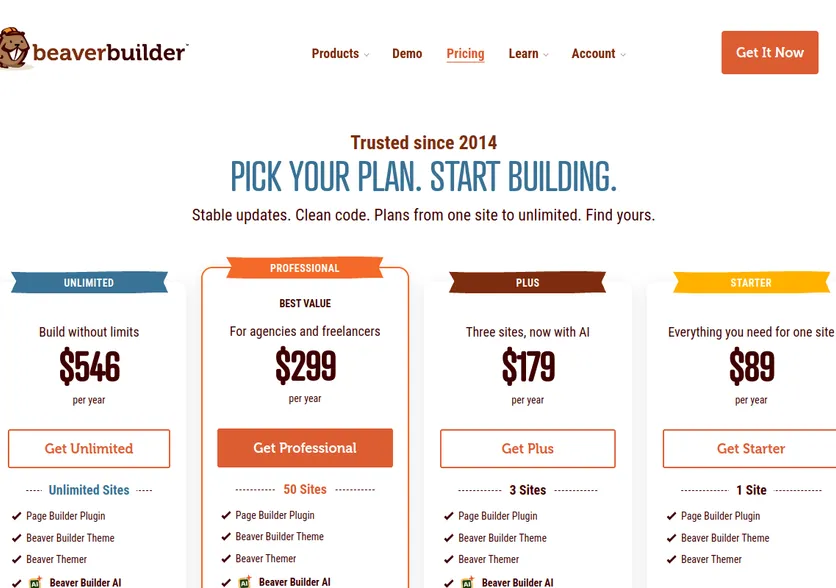
 Beaver Builder | Developers handing stable sites to clients | $99/year | Free Lite plugin | Visit |
 Divi | Developers building many small business sites | $89/year | No free plan; 30-day money-back guarantee | Visit |
 Bricks | Developers building fast, performance-first sites | $79/year | No free plan; online playground only | Visit |
 GeneratePress | Developers who want a light, stable theme base | $99/year | Free theme on WordPress.org | Visit |
 WP Rocket | Developers fixing site speed at the end of a build | $59/year | No free plan; 14-day money-back guarantee | Visit |
 Oxygen | Performance-obsessed developers building custom sites | $129 one-time | No free plan; 60-day money-back guarantee | Visit |
 Breakdance | Developers wanting one modern tool for the whole build | $99.99/year | Free plan (unlimited sites) | Visit |
The WordPress developers software for small business, compared
1. Elementor Pro
Best for: Developers building client sites with the biggest ecosystem
Paid tool Starting price: $59/year · Fifty-nine dollars a year for Essential with one site; Advanced is $99, Expert is $199 and Agency is $399 a year; one November 2026 vendor read shows $60 a year for Essential
Free plan: Free plugin on WordPress.org
A developer building client sites on WordPress gets the biggest builder ecosystem here, because this Elementor Pro plan costs fifty-nine dollars a year for one site. It adds a theme builder, forms, popups and WooCommerce tools to the free plugin, and the third-party market around it is larger than any rival's. It suits a developer who wants the most templates, add-ons and hiring pool for the sites it builds.

What we like
- Theme builder, forms and popups in the Pro plan
- Largest third-party add-on market of any builder
- Free version on WordPress.org to learn on
Watch out for
- Heavy pages need optimisation when add-ons pile up
- Content stays as shortcodes if the plugin is removed
How to try it
- Install the free plugin and build the first page
- Upgrade to Pro and set up the theme builder
- Add the forms and popups the client site needs
2. Beaver Builder
Best for: Developers handing stable sites to clients
Paid tool Starting price: $99/year · Ninety-nine dollars a year for Standard; Pro is $199 and Agency is $399 a year, all for unlimited sites; older September 2026 reads list Standard at $89 a year
Free plan: Free Lite plugin
A developer who hands sites to clients and needs them to stay stable gets it here, because this Beaver Builder plan costs ninety-nine dollars a year. Its clean code output and conservative update policy mean a site built today still works after the next three updates, and the free Lite plugin lets a client edit without a licence. It suits a developer who values predictable handovers over the newest features.
What we like
- Clean code output that survives updates
- Stable releases that suit long-term client sites
- Free Lite plugin for clients to edit with
Watch out for
- Smaller template library than Elementor
- Older reads list Standard at $89, not $99
How to try it
- Install the Lite plugin and build the client pages
- Upgrade to Standard for the full module set
- Hand the site over with the Lite plugin for edits
3. Divi
Best for: Developers building many small business sites
Paid tool Starting price: $89/year · Eighty-nine dollars a year for unlimited sites, or $249 once for a lifetime licence; Divi Pro is $277 a year and adds Divi AI, Divi Cloud, Divi VIP and Divi Teams
Free plan: No free plan; 30-day money-back guarantee
A developer who builds many small business sites on one licence gets the best value here, because this Divi plan costs eighty-nine dollars a year for unlimited sites. It bundles the theme, the visual builder, Bloom and Monarch, plus more than two thousand layout packs, and the lifetime licence at two hundred and forty-nine dollars ends the yearly bill entirely. It suits a developer with a portfolio of small sites.

What we like
- One licence covers unlimited sites
- Lifetime licence at $249 ends the yearly bill
- More than two thousand layout packs included
Watch out for
- No free version to test before buying
- AI features add weight when they are unused
How to try it
- Install the Divi theme and open the visual builder
- Pick a layout pack close to the client brief
- Customise the design system and publish the site
4. Bricks
Best for: Developers building fast, performance-first sites
Paid tool Starting price: $79/year · Seventy-nine dollars a year for Starter with one site; $149 a year for three sites and $249 a year for unlimited sites; the Ultimate Lifetime licence is $599 once for unlimited sites
Free plan: No free plan; online playground only
A developer who cares about page speed above all else gets a performance-first builder here, because this Bricks plan costs seventy-nine dollars a year for one site. It installs as a theme, generates clean code, and gives structured classes, components and dynamic data for developer-led builds. It suits a developer who builds fast sites and wants full control over the markup.
What we like
- Clean code output built for page speed
- Structured classes and components for developers
- Dynamic data and theme building included
Watch out for
- No free version, only an online playground
- Smaller ecosystem than Elementor or Divi
How to try it
- Try the builder in the online playground first
- Install Bricks as the theme on a test site
- Build the first page with classes and components
5. GeneratePress
Best for: Developers who want a light, stable theme base
Paid tool Starting price: $99/year · Ninety-nine dollars a year for GeneratePress One with one site; ten sites is $149 and one hundred sites is $199 a year; the standalone GP Premium at $59 a year is no longer sold separately, and a Black Friday 2026 offer cut the first year to $59
Free plan: Free theme on WordPress.org
A developer who wants a light, stable theme under the builder gets it here, because this GeneratePress plan costs ninety-nine dollars a year for one site. The One bundle includes GP Premium, GenerateBlocks Pro and GenerateCloud, with more than eighty starter sites and a theme builder, and the base theme is free on WordPress.org. It suits a developer who builds fast sites and wants the theme to stay out of the way.
What we like
- Lightweight theme focused on speed and stability
- More than eighty starter sites included
- Free base theme on WordPress.org
Watch out for
- Standalone GP Premium at $59 is no longer sold
- Block-based building suits some briefs better than others
How to try it
- Install the free theme and pick a starter site
- Upgrade to One for the premium add-ons
- Build the pages with GenerateBlocks
6. WP Rocket
Best for: Developers fixing site speed at the end of a build
Paid tool Starting price: $59/year · Fifty-nine dollars a year for Single with one site; the vendor shows 49.95 euros in euro pricing; Plus and Infinite cover three and unlimited sites
Free plan: No free plan; 14-day money-back guarantee
A developer who needs a slow small business site fast in an hour gets it here, because this WP Rocket plan costs fifty-nine dollars a year for one site. It adds page caching, file optimisation and lazy loading with almost no setup, and it works on most hosts without server changes. It suits a developer who fixes speed at the end of a build rather than rebuilding the site.

What we like
- Page caching and file optimisation with little setup
- Works on most hosts without server changes
- Lazy loading and database cleanup included
Watch out for
- No free version, only a money-back guarantee
- The vendor shows 49.95 euros in euro pricing
How to try it
- Install WP Rocket and enable page caching
- Turn on file optimisation and lazy loading
- Test the site speed before and after
7. Oxygen
Best for: Performance-obsessed developers building custom sites
Paid tool Starting price: $129 one-time · One hundred and twenty-nine dollars once for Basic; WooCommerce is $149 and Ultimate is $179 once; one November 2026 read lists $199 once for a lifetime licence, so confirm the tier at checkout
Free plan: No free plan; 60-day money-back guarantee
A developer obsessed with Core Web Vitals gets a builder that replaces the theme entirely here, because this Oxygen plan costs one hundred and twenty-nine dollars once for Basic. It disables the theme layer and gives full control over the markup, so the site ships only the code it needs. It suits a performance-obsessed developer who builds custom sites and never wants a yearly licence again.
What we like
- Replaces the theme for full markup control
- One-time payment with no yearly licence
- Light output built for Core Web Vitals
Watch out for
- No free version and a steeper learning curve
- One read lists $199 once, not $129
How to try it
- Install Oxygen and disable the active theme
- Build the header, footer and page templates
- Test the Core Web Vitals score before launch
8. Breakdance
Best for: Developers wanting one modern tool for the whole build
Paid tool Starting price: $99.99/year · Ninety-nine dollars and ninety-nine cents a year for Pro with one site; Pro Unlimited is $199.99 a year for unlimited sites; the price paid today is the price at renewal
Free plan: Free plan (unlimited sites)
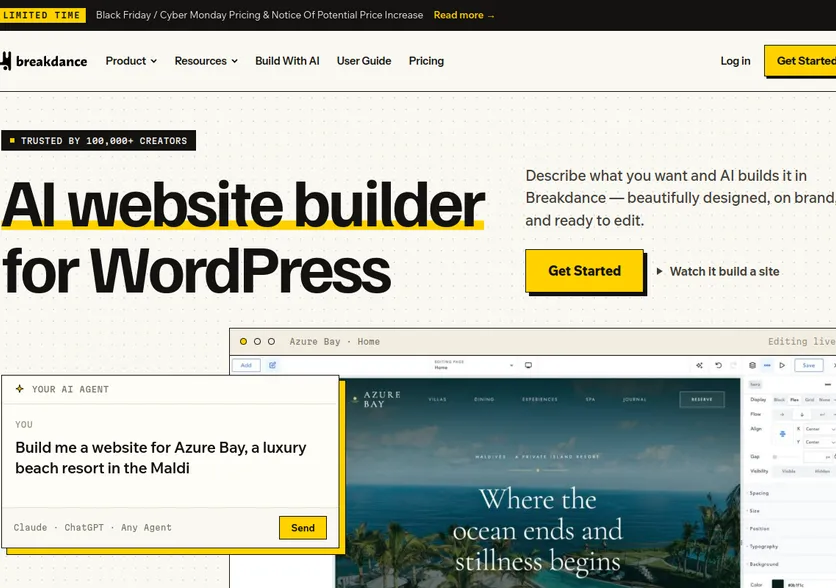
A developer who wants a modern builder with clean output and a capable free version gets it here, because this Breakdance plan costs ninety-nine dollars and ninety-nine cents a year for one site. It bundles theme building, forms, popups and WooCommerce design in one plugin, and the free version runs on unlimited sites. It suits a developer who wants one modern tool for the whole site build.
What we like
- Theme building, forms and popups in one plugin
- Free version runs on unlimited sites
- Renewal price locked to the price paid today
Watch out for
- Younger ecosystem than Elementor or Divi
- Pro Unlimited is set to rise to $399.99 a year
How to try it
- Install the free version and build the first pages
- Upgrade to Pro for the full design library
- Add the forms and WooCommerce design
Prices above were checked on each vendor’s own website on Nov 29, 2026 and can change — the vendor’s page is the final word. Vendor links are editorial: nobody paid to be listed or ranked here. Vendors who want a featured listing can see how it works on our Get listed page.
How to cost a small business WordPress stack
Cost the whole stack before buying anything, because the builder is only the first line item. A typical small business site needs a builder, a theme, caching, security, backups and forms, and the yearly total lands near a thousand dollars even when each item looks cheap alone. Watch renewal jumps too: first-year discounts end, and some licences renew at full price. Pick tools that cover several jobs at once, like a builder with forms built in, and drop any plugin the site does not actually use. Back the site up before swapping builders, because a failed migration costs more than any licence, and a staging copy lets the team test safely.
Before you buy
- Add up the whole stack before buying, not just the builder price
- Check whether the licence covers one site or unlimited sites
- Ask if the renewal price is higher than the first-year price
- Make sure the builder and theme work together without conflicts
- Test the stack on a staging site before launching the client site
Official websites
Official websites of the products reviewed above. Features and prices were checked against these sites when this guide was written, and they can change, so confirm on the vendor site before you buy.
Frequently asked questions
What is WordPress developers software for small business?
It is the builders, themes and performance plugins developers use to build small business WordPress sites. The list covers page builders like Elementor, Divi, Bricks and Breakdance, the GeneratePress theme, the Oxygen builder, and WP Rocket for caching. Each is priced per year and per site, so the whole stack can be costed.
How much does Elementor Pro cost for a small business site?
Elementor Pro Essential costs fifty-nine dollars a year for one site, with Advanced at ninety-nine dollars, Expert at one hundred and ninety-nine dollars and Agency at three hundred and ninety-nine dollars a year. The free plugin on WordPress.org covers basic building, and one November 2026 vendor read shows sixty dollars a year for Essential.
Is there a free WordPress builder for small business?
Yes. Elementor, Beaver Builder Lite, Breakdance and the GeneratePress theme all have free versions, so a developer can build a real site without paying. Divi, Bricks and Oxygen have no free version, though Bricks offers an online playground and Breakdance runs its free version on unlimited sites.
Which WordPress builder is best for many client sites?
Divi is the best value for many sites, at eighty-nine dollars a year for unlimited sites, or two hundred and forty-nine dollars once for a lifetime licence. Beaver Builder Standard at ninety-nine dollars a year also covers unlimited sites, while Elementor Pro Essential at fifty-nine dollars a year covers one site only.
Do I need WP Rocket if my host already caches pages?
Not always, but WP Rocket at fifty-nine dollars a year adds file optimisation, lazy loading and database cleanup that most hosts do not do. It works on most hosts without server changes and can make a slow site fast in an hour. A developer should test the site speed before and after to see the gain.
Compare the eight tools above, then cost the whole stack and trial the shortlist on a staging site before buying licences for client work.
Browse Developer Tools tools