
On this page
Wordfence is the most installed WordPress security plugin, but it runs on your server, it can slow a site down, and its best features sit behind a paywall. Plenty of alternatives block attacks earlier, clean malware faster or cost less per year. Below are the seven WordPress security alternatives to Wordfence owners actually buy, compared on price, firewall, scanning and cleanup, with every price checked on the vendor site on November 26, 2026. Sucuri is our first pick, the one vendor that handles the firewall, the scanning and the cleanup.
How we researched this
We started with the WordPress security tools site owners actually buy instead of Wordfence, then read each price on the vendor site on November 26, 2026 and noted the free plan or trial each one carries. We kept only tools with a published price, dropped several names that are discontinued or hide pricing, and judged each one for an owner who wants a site that stays up, stays clean and stays fast.
Compare the tools
| Name | Best for | Starting price | Free plan | |
|---|---|---|---|---|
 Sucuri | Site owners who want a firewall, scanner and cleanup in one | $229/year | Free trial | Visit |
 MalCare | WordPress owners who want one-click malware removal | $99/year | Free trial | Visit |
 Jetpack | WordPress sites that also want backups and speed tools | $29/month | Free plan | Visit |
 Patchstack | Developers who need to patch plugin vulnerabilities fast | $69/month | Free plan | Visit |
 Really Simple Security | Owners who want simple hardening and login protection | $69/year | Free plan | Visit |
 WP Cerber | Owners who want deep protection against brute force attacks | $99/year | Free plan | Visit |
 Cloudflare | Owners who want a cloud firewall in front of WordPress | $20/month | Free plan | Visit |
The Wordfence alternatives, compared
1. Sucuri
Best for: Site owners who want a firewall, scanner and cleanup in one
Paid tool Starting price: $229/year · Basic Platform plan, billed yearly, one website
Free plan: Free trial
Sucuri is a website security platform that pairs a firewall with malware scanning and cleanup, so it fits owners who want one vendor to handle the whole security job. The platform blocks bad traffic before it reaches WordPress, scans files daily, and cleans a hacked site as part of the plan. The Sucuri Basic Platform plan bills yearly and covers one website with the firewall, scanning and cleanup included.

What we like
- Firewall, scanning and cleanup from one vendor
- Blocks bad traffic before it reaches WordPress
- Hacked-site cleanup included in the plan
Watch out for
- Yearly price is high for a single small blog
- Setup needs a DNS change, which scares some owners
How to try it
- Open sucuri.net/website-security-platform/signup and pick the Basic plan
- Point your DNS at the Sucuri firewall
- Run the first scan and review the firewall rules
2. MalCare
Best for: WordPress owners who want one-click malware removal
Paid tool Starting price: $99/year · Protect plan, billed yearly, one website
Free plan: Free trial
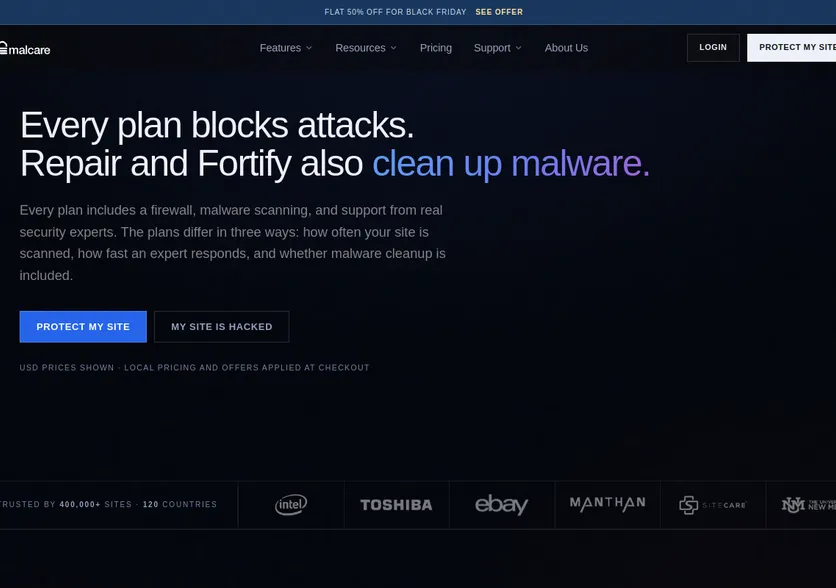
MalCare is a WordPress security plugin built around one-click malware removal, so it fits owners who want a hacked site fixed fast without hiring a developer. The scanner checks files daily, the firewall blocks bad bots, and the cleanup tool removes infections without breaking the site. The MalCare Protect plan bills yearly and covers one website with scanning, firewall and cleanup included.
What we like
- One-click malware removal that works
- Daily scanning with a built-in firewall
- Easy enough for a non-technical owner
Watch out for
- Higher plans needed for several sites
- Fewer hardening options than some rivals
How to try it
- Open malcare.com/pricing and pick the Protect plan
- Install the plugin and run the first scan
- Use one-click cleanup if the scan finds malware
3. Jetpack
Best for: WordPress sites that also want backups and speed tools
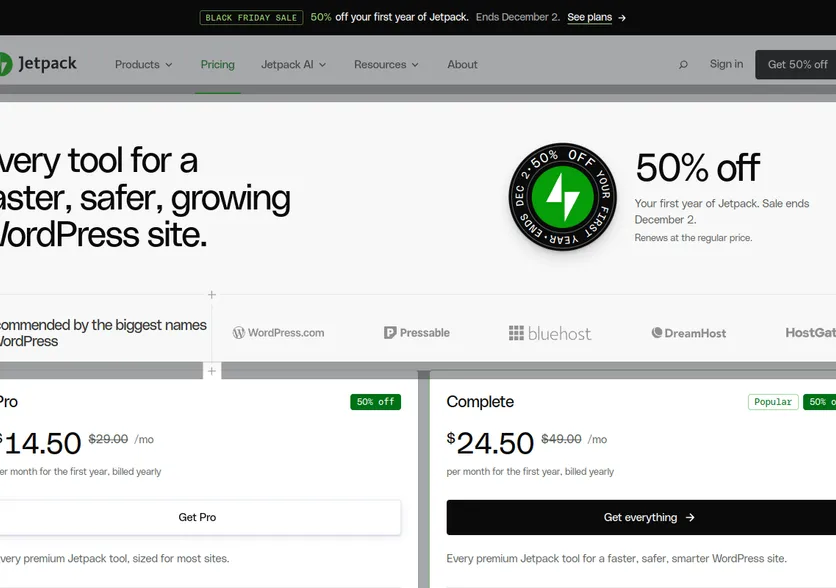
Paid tool Starting price: $29/month · Pro plan list price; first-year discounts run on the same page
Free plan: Free plan
Jetpack is the all-in-one WordPress plugin from the makers of WordPress itself, and its Pro plan bundles security scanning and backups with speed and growth tools. It suits owners who want one plugin for security, backups and performance instead of three separate ones. The Jetpack Pro plan bills monthly at its list price and includes daily backups, malware scanning and priority support.
What we like
- Security, backups and speed in one plugin
- Made by the team behind WordPress
- Daily backups included on the Pro plan
Watch out for
- List price is higher than the first-year promo
- Security is one feature among many, not the focus
How to try it
- Open jetpack.com/pricing and pick the Pro plan
- Install Jetpack and connect it to WordPress
- Turn on daily backups and malware scanning
4. Patchstack
Best for: Developers who need to patch plugin vulnerabilities fast
Paid tool Starting price: $69/month · Developer plan, billed annually
Free plan: Free plan
Patchstack watches for vulnerabilities in WordPress plugins and themes, then patches them virtually before an official fix ships. It suits developers and agencies who manage many sites and cannot wait for a plugin author to release an update. The Patchstack Developer plan bills monthly on annual billing and covers the sites a working developer needs with virtual patching included.
What we like
- Virtual patches protect sites before official fixes
- Built for developers managing many sites
- Clear vulnerability reports for every site
Watch out for
- A patching tool, not a full security suite
- Monthly price adds up for a single small site
How to try it
- Open patchstack.com/pricing and pick the Developer plan
- Connect your WordPress sites to the dashboard
- Let virtual patches cover vulnerabilities until fixes ship
5. Really Simple Security
Best for: Owners who want simple hardening and login protection
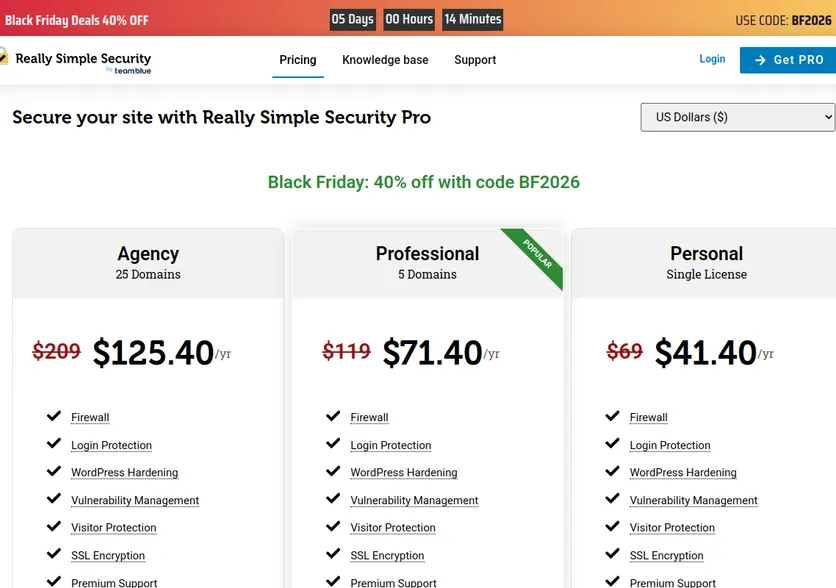
Paid tool Starting price: $69/year · Pro Personal plan list price; first-year discounts run on the same page
Free plan: Free plan
Really Simple Security hardens a WordPress site with SSL fixes, login protection and vulnerability detection in a plugin that stays out of the way. It suits owners who want solid protection without a firewall service or a monthly bill they have to think about. The Really Simple Security Pro Personal plan bills yearly at its list price and covers one website with the full hardening toolkit.
What we like
- Simple hardening that stays out of the way
- Login protection and SSL fixes included
- Yearly billing with no monthly charge
Watch out for
- No firewall service — protection runs on the site
- List price is higher than the first-year promo
How to try it
- Open really-simple-ssl.com/pro and pick the Personal plan
- Install the plugin and run the hardening checks
- Turn on login protection and vulnerability detection
6. WP Cerber
Best for: Owners who want deep protection against brute force attacks
Paid tool Starting price: $99/year · Pro plan, single site, billed yearly; $29 per quarter
Free plan: Free plan
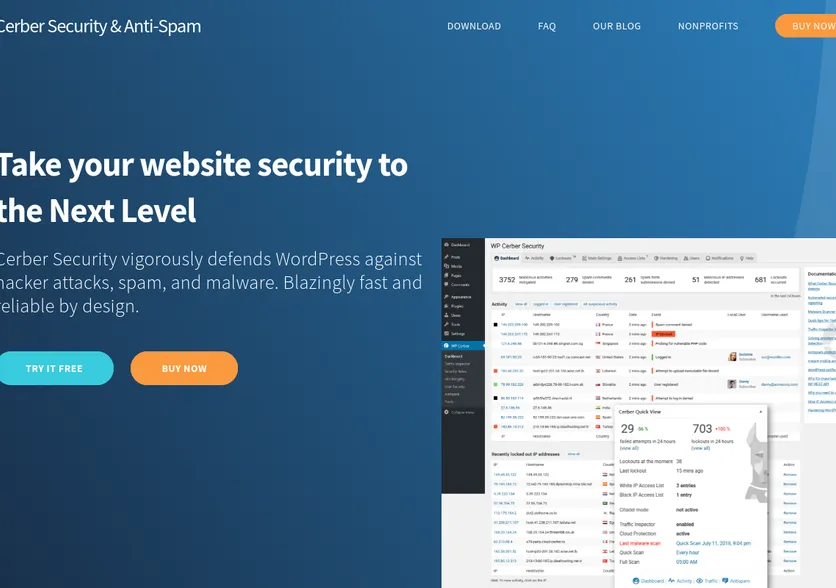
WP Cerber is a WordPress security plugin focused on brute force protection, spam blocking and malware scanning, with a dashboard that shows every login attempt in real time. It suits owners who are tired of bots hammering the login page and want hard limits on failed attempts. The WP Cerber Pro plan bills yearly for a single site, with a quarterly option for owners who prefer shorter terms.
What we like
- Strong brute force protection with hard limits
- Live traffic log shows every login attempt
- Spam blocking included in the same plugin
Watch out for
- Interface is dense for a first-time user
- No cloud firewall — protection runs on the site
How to try it
- Open wpcerber.com/protect-wordpress-it/pro and pick the Pro plan
- Install the plugin and set login attempt limits
- Watch the live traffic log for bot attacks
7. Cloudflare
Best for: Owners who want a cloud firewall in front of WordPress
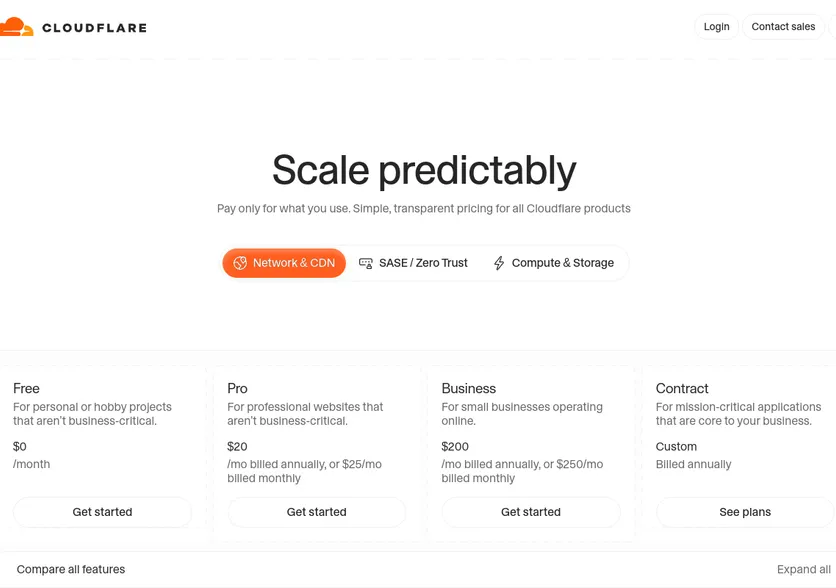
Paid tool Starting price: $20/month · Pro plan, billed annually; $25 billed monthly
Free plan: Free plan
Cloudflare puts a cloud firewall, DDoS protection and a CDN in front of a WordPress site, so attacks never reach the server at all. It suits owners who want the strongest first line of defence and faster page loads from the same service. The Cloudflare Pro plan bills monthly on annual billing and adds the web application firewall, image optimization and uptime guarantees on top of the free plan.
What we like
- Attacks stop at the edge, before your server
- DDoS protection and CDN in the same plan
- Free plan is genuinely useful on its own
Watch out for
- A network service, not a WordPress plugin
- Setup needs a DNS change and some patience
How to try it
- Open cloudflare.com/plans and pick the Pro plan
- Point your DNS at Cloudflare
- Turn on the web application firewall rules
Prices above were checked on each vendor’s own website on Nov 26, 2026 and can change — the vendor’s page is the final word. Vendor links are editorial: nobody paid to be listed or ranked here. Vendors who want a featured listing can see how it works on our Get listed page.
What WordPress security costs in 2026
Price is the first filter, and the range is wide. The cheapest yearly plan here costs about sixty-nine dollars, the most expensive costs about two hundred and twenty-nine, and the monthly tools run from twenty to sixty-nine dollars a month. Every price on this page was read on the vendor site on November 26, 2026, and the list prices are the ones to budget for, not the first-year discounts some pages show.
Two things to check before you pay. First, a scanner finds malware but a firewall stops it, so a site that has been hacked before should buy the bundle, not the scanner alone. Second, count your sites, because most yearly plans cover one site and the price doubles fast for owners with a small portfolio of blogs.
Before you buy
- Check what the plugin actually blocks, because a firewall and a scanner are different jobs.
- Test the plugin on a staging site, because a security plugin can break a live site.
- Count your sites, because per-site pricing punishes owners with several blogs.
- Check the malware cleanup terms, because some plans charge extra for a hacked site.
- Read the renewal price, because first-year discounts hide the real yearly cost.
Official websites
Official websites of the products reviewed above. Features and prices were checked against these sites when this guide was written, and they can change, so confirm on the vendor site before you buy.
Frequently asked questions
Which WordPress security plugin is the best Wordfence alternative?
Sucuri is the best pick for most owners, because it bundles a firewall, daily scanning and hacked-site cleanup in one yearly plan. MalCare is the better pick if the main worry is malware removal, because its one-click cleanup is the easiest on this list. Cloudflare is the best pick if the site faces heavy bot traffic, because its firewall stops attacks before they reach WordPress.
Is it worth switching from Wordfence?
Yes for most sites. Wordfence is a good plugin, but it runs on the server, so it uses your hosting resources and cannot block traffic before it arrives. Cloudflare blocks attacks at the edge, Sucuri adds a cloud firewall with cleanup, and MalCare removes malware in one click. The right replacement depends on whether the site needs a firewall, a scanner or a cleanup service.
Do I need a paid security plugin, or is free enough?
The free plans on this list cover the basics: a scanner, login protection or a free firewall tier. The paid plans add what matters after an attack, which is malware cleanup, a full firewall and priority support. A free plugin is fine for a hobby blog, but a site that earns money should pay for cleanup cover, because one hacked site costs more than a year of any plan here.
What is the difference between a firewall and a malware scanner?
A firewall and a scanner do different jobs. A firewall blocks bad traffic before it reaches WordPress, while a scanner checks files for malware that is already on the site. The best setup has both, which is why Sucuri and MalCare bundle them. A scanner-only plugin can find a hack but cannot stop the next one.
Can I run two security plugins at the same time?
Yes, but test it on a staging site first. Security plugins change login behavior, block requests and rewrite files, so two of them can fight each other or break a checkout page. The safe path is to run one main security plugin, add Cloudflare in front of it, and keep a full backup from before the switch.
Want free security checks too? Try Toolsvine's free security and privacy tools — check passwords and files on your device, no uploads, no sign-up.
Browse Security & Privacy tools


