
On this page
SketchUp models are quick to build, but turning them into images a client will pay for takes a renderer that fits how you work. The eight tools below run from a ninety-nine dollar one-time license to ninety-six dollars a month, and every price was checked on the vendor site on November 27, 2026. Some render live inside SketchUp while others stage the model in a separate studio, so compare workflow and hardware needs before price alone. V-Ray is our first pick for photorealistic SketchUp stills.
How we researched this
We started with the renderers SketchUp users actually buy, then read each price on the vendor site on November 27, 2026 and noted the free trial or free tier each plan carries. We judged them for architects and designers who need presentable images from SketchUp models, and we kept only tools with a published dollar price. We dropped ShapeDiver because it bills in euros with no dollar list price, Corona Renderer because it has no SketchUp plugin, and OctaneRender because its store lists euro prices only.
Compare the tools
| Name | Best for | Starting price | Free plan | |
|---|---|---|---|---|
 V-Ray | Architects and visualization artists who want the most photorealistic stills and animations from SketchUp | $45/month | No free plan; 30-day free trial | Visit |
 Enscape | Designers who review options live with clients and want walkthroughs instead of waiting on stills | $47.90/month | No free plan; 14-day free trial | Visit |
 Lumion | Architects who want a full visualization studio around their SketchUp models with a huge asset library | $96/month | No free plan; 14-day refund guarantee | Visit |
 D5 Render | Freelancers and small studios who want real-time rendering with a free tier to learn on | $30/month | Free Community plan for non-commercial use | Visit |
 Twinmotion | Studios that present live walkthroughs and animations from SketchUp without paying per render | $445/seat/year | Free for individuals and companies under one million dollars in annual revenue | Visit |
| Thea Render | Artists who want physically accurate light and are happy to pay yearly for an unbiased engine | $280/year | No free plan; free trial available | Visit |
| SU Podium | SketchUp users who want simple photorealistic stills with a one-time payment and no subscription | $249 one-time | No free plan; 30-day free trial | Visit |
| Rayscaper | SketchUp users who want live photorealistic rendering for a single one-time payment | $99 one-time | Free version with watermark and size limit, no time limit | Visit |
The 3D rendering software for SketchUp, compared
1. V-Ray
Best for: Architects and visualization artists who want the most photorealistic stills and animations from SketchUp
Paid tool Starting price: $45/month · V-Ray Solo, forty-five dollars a month billed annually, five hundred forty dollars a year; Premium and Collection cost more
Free plan: No free plan; 30-day free trial
V-Ray for SketchUp is the long-standing production renderer for SketchUp, adding physically based lights, materials and an interactive render view inside the model. This V-Ray Solo plan costs forty-five dollars a month billed annually, which buys the full render engine plus a large library of ready-made assets and materials. A studio that sells finished images will like the denoising and the control over every light, though beginners face a steeper learning curve than with the real-time tools here.

What we like
- The most photorealistic results in this comparison
- Interactive rendering while you keep modelling
- Large library of assets and materials included
Watch out for
- The deepest settings take time to learn well
- Photorealistic renders can take longer than real-time previews
How to try it
- Open the Chaos V-Ray page and start the 30-day free trial
- Install the plugin into SketchUp and open the asset library
- Render one finished project image and check the material quality
2. Enscape
Best for: Designers who review options live with clients and want walkthroughs instead of waiting on stills
Paid tool Starting price: $47.90/month · Enscape Solo, forty-seven dollars and ninety cents a month billed annually, five hundred seventy-four dollars and eighty cents a year; Premium and Collection cost more
Free plan: No free plan; 14-day free trial
Enscape is a real-time rendering plugin that turns a SketchUp model into a live view you can walk through while you design. This Enscape Solo plan costs forty-seven dollars and ninety cents a month billed annually, which covers the live viewport, virtual reality and a library of render-ready assets. An architect who presents to clients during design reviews will like how fast changes appear, though final hero images may still need a dedicated stills renderer.
What we like
- One-click live rendering inside SketchUp
- Virtual reality support for client walkthroughs
- Works with SketchUp, Revit, Rhino and more
Watch out for
- Real-time speed trades away some final-image fidelity
- No free plan, so the trial is the only way to test it
How to try it
- Open the Enscape page and start the 14-day free trial
- Install the plugin and open the live render window beside SketchUp
- Walk a client through the model and export a video clip
3. Lumion
Best for: Architects who want a full visualization studio around their SketchUp models with a huge asset library
Paid tool Starting price: $96/month · Lumion Pro named user, ninety-six dollars a month billed annually, one thousand one hundred forty-nine dollars a year; floating seats cost more
Free plan: No free plan; 14-day refund guarantee
Lumion is a standalone real-time visualization application that takes SketchUp models into a complete scene with landscape, people and weather. This Lumion Pro named-user plan costs ninety-six dollars a month billed annually, which includes more than ten thousand assets plus animation and panorama output. A practice that produces client presentations and marketing images will like the speed of staging a whole scene, though it runs on Windows only and sits outside SketchUp.
What we like
- Huge library of models, materials and nature assets
- Stills, video and panoramas from one scene
- Fast scene staging for client presentations
Watch out for
- Windows only, so Mac users need another machine
- The highest monthly price in this comparison
How to try it
- Open the Lumion buy page and pick the named-user plan
- Import a SketchUp model and dress the scene with Lumion assets
- Export a still, a video and a panorama from the same scene
4. D5 Render
Best for: Freelancers and small studios who want real-time rendering with a free tier to learn on
Paid tool Starting price: $30/month · D5 Pro, thirty dollars a month billed annually, three hundred sixty dollars a year; month-to-month billing costs thirty-eight dollars a month
Free plan: Free Community plan for non-commercial use
D5 Render is a real-time renderer with a clean interface, strong global illumination and a large asset library, built for architects who present often. This D5 Render Pro plan costs thirty dollars a month billed annually, which unlocks commercial use, high-resolution output and the full asset library. A solo visualizer will like the low price next to V-Ray and Enscape, though the free Community tier is limited to non-commercial work.
What we like
- Lowest subscription price among the real-time tools here
- Free Community plan for learning and personal work
- Live sync keeps the render matched to the model
Watch out for
- The free tier cannot be used for paid client work
- A smaller community than V-Ray or Enscape for troubleshooting
How to try it
- Open the D5 Render pricing page and try the free Community plan
- Connect SketchUp with the live sync plugin
- Render a commercial project on Pro and check the output quality
5. Twinmotion
Best for: Studios that present live walkthroughs and animations from SketchUp without paying per render
Paid tool Starting price: $445/seat/year · Twinmotion seat, four hundred forty-five dollars per seat per year for companies above one million dollars in annual revenue or needing Twinmotion Cloud
Free plan: Free for individuals and companies under one million dollars in annual revenue
Twinmotion is a real-time visualization tool built on Unreal Engine, turning SketchUp models into animated walkthroughs with weather, people and vegetation. This Twinmotion seat costs four hundred forty-five dollars per seat per year for companies above one million dollars in annual revenue or needing Twinmotion Cloud. A small firm under the revenue line gets the full application free, though the free tier excludes the cloud publishing service.
What we like
- Free for small firms under the revenue threshold
- Unreal Engine quality for walkthroughs and animation
- No per-render charges or credit metering
Watch out for
- Twinmotion Cloud needs a paid seat even for small firms
- A separate application, so scenes need syncing with SketchUp
How to try it
- Check whether your company sits above the one million dollar revenue line
- Download Twinmotion and link a SketchUp model with Direct Link
- Build a camera path and export the walkthrough video
6. Thea Render
Best for: Artists who want physically accurate light and are happy to pay yearly for an unbiased engine
Paid tool Starting price: $280/year · Thea Render for SketchUp, two hundred eighty dollars a year, or six hundred seventy-five dollars for three years
Free plan: No free plan; free trial available
Thea Render is an unbiased renderer that simulates light physics inside SketchUp, with CPU and GPU engines in one framework. This Thea Render for SketchUp license costs two hundred eighty dollars a year, which includes unlimited render nodes on the same network at no extra cost. A renderer who values accurate materials and light will like the spectral engine, though the interface carries more settings than the simpler plugins here.
What we like
- Physically based unbiased rendering for accurate light
- Unlimited render nodes included on commercial licenses
- CPU and GPU engines in one product
Watch out for
- A lease license, so it stops working if you stop paying
- Fewer tutorials and community resources than V-Ray
How to try it
- Open the Thea Render site and start the free trial
- Install the SketchUp integration and set up the Presto GPU engine
- Render a test scene and compare the light against V-Ray
7. SU Podium
Best for: SketchUp users who want simple photorealistic stills with a one-time payment and no subscription
Paid tool Starting price: $249 one-time · SU Podium perpetual license, two hundred forty-nine dollars paid once, with the Podium Browser library included
Free plan: No free plan; 30-day free trial
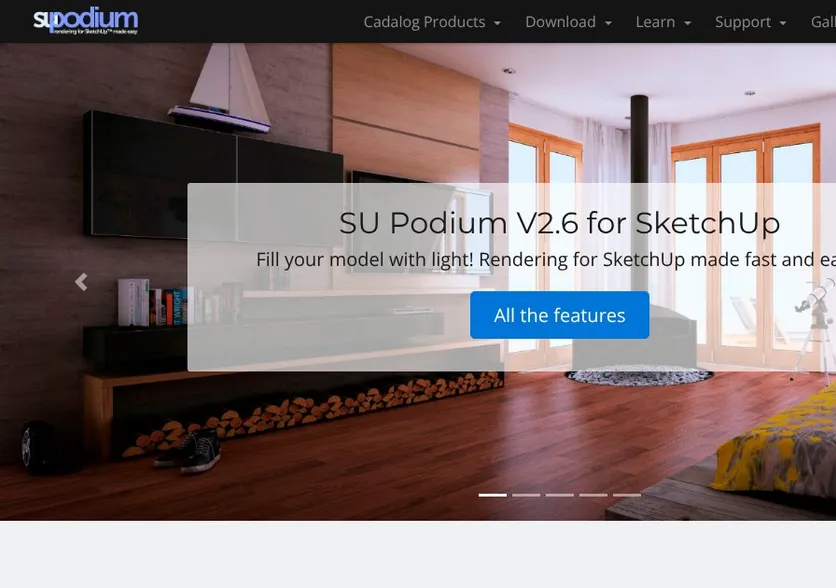
SU Podium is a rendering plugin that lives entirely inside SketchUp, adding photographic lighting, materials and reflections with very few settings. This SU Podium perpetual license costs two hundred forty-nine dollars paid once, which includes the Podium Browser library of render-ready components. A designer who renders occasionally will like the price and the simplicity, though complex lighting work can outgrow its controls.
What we like
- One-time payment with no subscription to renew
- Renders entirely inside SketchUp with no export step
- Large library of render-ready components included
Watch out for
- CPU rendering only, so complex scenes render slowly
- Fewer advanced controls than the subscription engines
How to try it
- Open the SU Podium page and download the 30-day trial
- Render a SketchUp interior with the preset lighting
- Browse the Podium Browser library for furniture and materials
8. Rayscaper
Best for: SketchUp users who want live photorealistic rendering for a single one-time payment
Paid tool Starting price: $99 one-time · Rayscaper perpetual license, ninety-nine dollars paid once, covering every future release in the one series with one year of email support
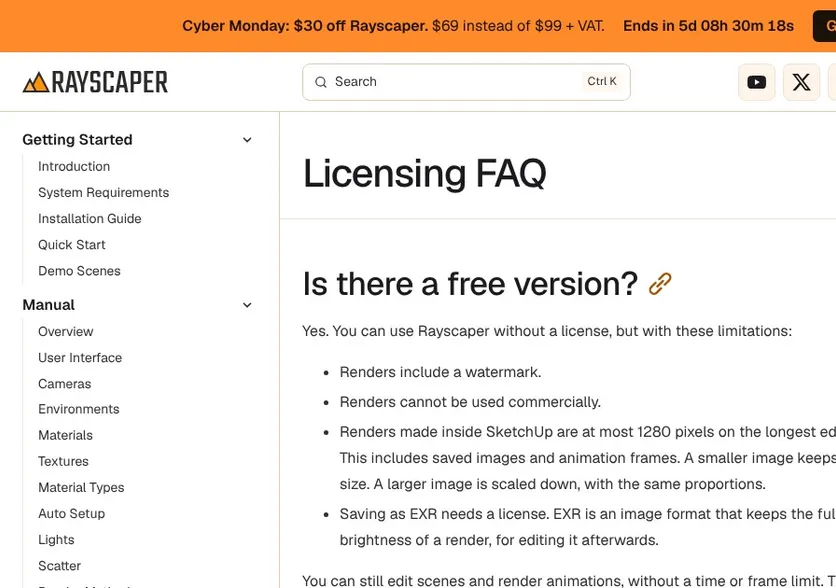
Free plan: Free version with watermark and size limit, no time limit
Rayscaper is a newer SketchUp extension that path-traces the model live while you work, updating the image the moment you move a wall or change a material. This Rayscaper perpetual license costs ninety-nine dollars paid once, which covers every future release in the one series with one year of email support. A solo designer will like the live feedback and the price, though it is a young product with a smaller feature set than V-Ray.
What we like
- Live rendering that updates as you model
- One-time payment with no subscription
- Free version with no time limit for testing
Watch out for
- A young product with fewer features than established renderers
- The next major version will be a paid upgrade
How to try it
- Download the free version and open a SketchUp project
- Start the live render and change a material to watch it update
- Buy the license for full-resolution commercial renders
Prices above were checked on each vendor’s own website on Nov 27, 2026 and can change — the vendor’s page is the final word. Vendor links are editorial: nobody paid to be listed or ranked here. Vendors who want a featured listing can see how it works on our Get listed page.
What SketchUp rendering costs in 2026
Most SketchUp renderers now sell by subscription, so the monthly rate is only part of the bill. A forty-five dollar V-Ray Solo license and a thirty dollar D5 Render Pro license look close until you count seats, and a ninety-six dollar Lumion Pro license costs more than twice V-Ray for one designer. One-time licenses change the maths again, because ninety-nine dollars for Rayscaper or two hundred forty-nine dollars for SU Podium buys the tool outright with no renewal.
Start with the free tier or trial on two tools and render one of your own projects on each. Compare how the materials look, how long a full-quality image takes, and whether the tool runs well on your own computer. Pick the renderer whose images you trust in front of a client, because a cheap license is no saving if the renders need rework.
Before you buy
- Check which SketchUp versions each renderer supports, because an older SketchUp release can lock you out of the newest plugin.
- Count the seats before you compare prices, because a cheap monthly rate turns expensive once every designer needs a license.
- Check whether the renderer needs a graphics card, because CPU-only tools run on any laptop while GPU engines need strong hardware.
- Render one real project during the free trial, because a sample scene never shows how the tool handles your own models and materials.
- Compare annual billing against monthly billing, because the yearly rate is much lower on V-Ray, Enscape and D5 Render.
Official websites
Official websites of the products reviewed above. Features and prices were checked against these sites when this guide was written, and they can change, so confirm on the vendor site before you buy.
Frequently asked questions
Which rendering software is best for SketchUp in 2026?
V-Ray is the best overall pick for SketchUp at forty-five dollars a month billed annually, with the most photorealistic output and the deepest material controls. Enscape is the best real-time option at forty-seven dollars and ninety cents a month for live walkthroughs. D5 Render Pro is the best value at thirty dollars a month billed annually.
How much does SketchUp rendering software cost?
Subscription renderers here run from thirty dollars a month for D5 Render Pro to ninety-six dollars a month for Lumion Pro, all billed annually. Twinmotion is free under one million dollars in annual revenue and costs four hundred forty-five dollars per seat a year above that. One-time licenses run from ninety-nine dollars for Rayscaper to two hundred forty-nine dollars for SU Podium.
Do I need a powerful graphics card for SketchUp rendering?
Not always. V-Ray, SU Podium and Rayscaper can render on the CPU, so they run on any modern laptop. Enscape, Lumion, D5 Render and Twinmotion lean on the graphics card for real-time speed, and Thea Render uses the graphics card for its Presto engine. Check the hardware requirements before you buy, because a weak graphics card slows every real-time tool here.
Can I render SketchUp models for free?
Yes, partly. D5 Render has a free Community plan for non-commercial work, Twinmotion is free for individuals and companies under one million dollars in annual revenue, and Rayscaper has a free version with a watermark and a size limit. V-Ray, Enscape, Lumion, Thea Render and SU Podium offer free trials instead of permanent free plans.
Should I pick a SketchUp plugin or a standalone renderer?
Plugins such as V-Ray, Enscape, SU Podium and Rayscaper render inside SketchUp, so materials and cameras stay in one place and updates are instant. Standalone tools such as Lumion and Twinmotion need an export or a live link, which adds a step but brings bigger scene tools and animation. Pick a plugin for stills and a standalone app for walkthroughs and films.
Need everyday image help too? Try Toolsvine's free image tools right in your browser.
Browse Image Tools tools


