On this page
A wedding photographer with a thousand shots to deliver cannot spend a weekend clicking through near-identical frames, and AI culling picks the sharp, in-focus keepers in minutes. The seven tools below cost from ten dollars a month to one hundred forty dollars once, and every price was checked on the vendor site on November 27, 2026. Some charge monthly, others once forever, so compare the first-year cost before you compare the monthly rate. Aftershoot is our first pick — ten dollars a month for culling that pays for itself on the first wedding.
How we researched this
We started with the AI culling tools photographers actually buy, then read each price on the vendor pricing page on November 27, 2026 and noted the free tiers, trial lengths and one-time licences each one carries. We judged them for a photographer who needs a fast turnaround after a shoot, with no sales call and no custom quote, and we kept only tools with a published list price. We dropped Imagen AI and Evoto because their prices are usage-based and vary by credit pack, and we kept Photo Mechanic even though it is a one-time licence, because its culling speed is still the benchmark other tools chase.
Compare the tools
| Name | Best for | Starting price | Free plan | |
|---|---|---|---|---|
 Aftershoot | Wedding photographers who want the fastest AI culling at the lowest monthly price | $10/month | No free plan; free trial available | Visit |
| Narrative Select | Mac photographers who want a clean culling app with AI face and focus checks | $10/month | No free plan; free trial available | Visit |
 FilterPixel | Photographers who want AI culling with a free tier for small shoots | $14.99/month | Free tier, 4 projects | Visit |
 Photo Mechanic | Photographers who want the fastest manual culling and a licence they own forever | $139 one-time | No free plan; free trial available | Visit |
| Lightroom Classic | Photographers who want culling, editing and Photoshop in one subscription | $9.99/month | No free plan; free trial available | Visit |
 Capture One | Photographers who want pro-grade culling and colour in one app | $18/month | No free plan; free trial available | Visit |
 ON1 Photo RAW | Photographers who want a one-time licence with AI culling and editing | $99.99 one-time | No free plan; free trial available | Visit |
The AI culling software for quick turnaround, compared
1. Aftershoot
Best for: Wedding photographers who want the fastest AI culling at the lowest monthly price
Paid tool Starting price: $10/month · Select costs ten dollars a month billed annually, or fifteen dollars billed monthly; May 2026 restructure split culling, editing and retouching into separate modules; thirty-day trial
Free plan: No free plan; free trial available
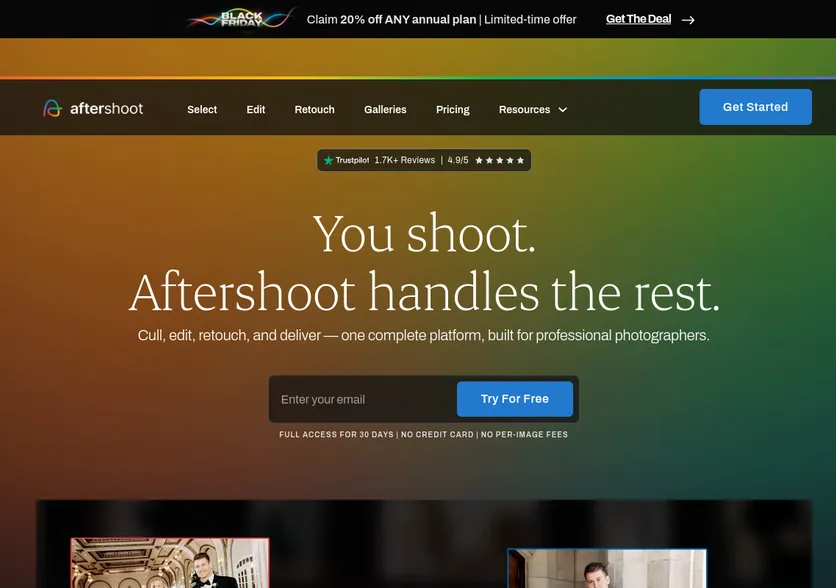
Aftershoot Select culls a wedding in minutes, picking the sharp, in-focus frames and grouping duplicates so the photographer starts editing instead of sorting. This Aftershoot Select plan costs ten dollars a month billed annually, or fifteen dollars billed monthly, after the May 2026 restructure split culling, editing and retouching into separate modules. A thirty-day trial covers the culling module, so a photographer can run a real wedding through it before paying.
What we like
- Ten dollars a month, the cheapest culling here
- Culls a wedding in minutes, not hours
- Duplicate grouping saves hours of sorting
Watch out for
- Culling, editing and retouching are now separate modules
- Monthly billing costs fifteen dollars, not ten
How to try it
- Open the Aftershoot pricing page and start the thirty-day trial
- Import one wedding and let Select cull the shoot
- Compare the AI picks against your own culls before editing
2. Narrative Select
Best for: Mac photographers who want a clean culling app with AI face and focus checks
Paid tool Starting price: $10/month · Lite costs ten dollars a month billed annually, or fifteen dollars billed monthly; Standard costs twenty dollars; Premium costs forty dollars; Ultra costs sixty dollars; macOS only; thirty-day trial
Free plan: No free plan; free trial available
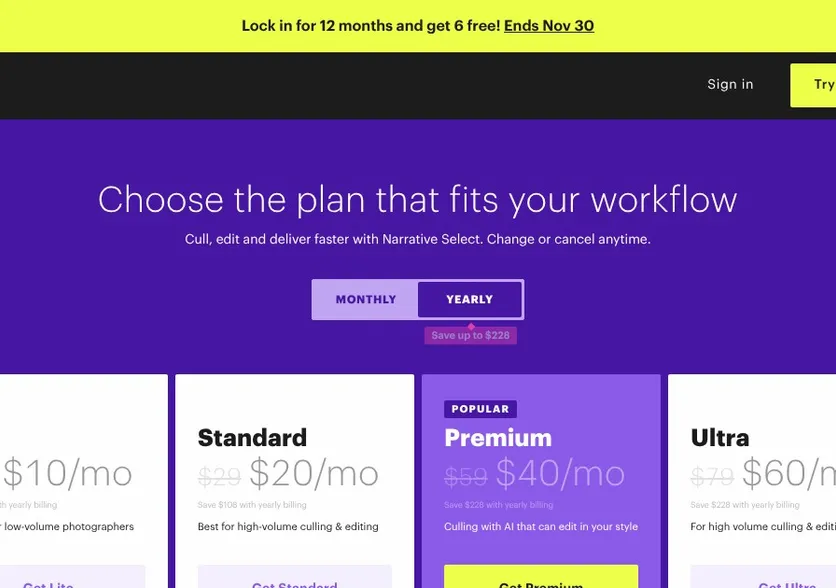
Narrative Select is a Mac-only culling app that checks faces, focus and exposure on every frame, then ranks the keepers so a photographer can deliver a gallery the same night. This Narrative Select Lite plan costs ten dollars a month billed annually, or fifteen dollars billed monthly, with Standard at twenty dollars, Premium at forty dollars and Ultra at sixty dollars. The free plan is gone, so a photographer now gets a thirty-day trial, with the Ultra trial covering the top tier.
What we like
- Clean Mac app built for fast culling
- Face, focus and exposure checks on every frame
- Lite plan matches Aftershoot at ten dollars
Watch out for
- Mac only, no Windows version
- Free plan is gone, trial only
How to try it
- Open the Narrative Select pricing page and start the thirty-day trial
- Import one shoot and review the AI-ranked keepers
- Export the picks to your editor and deliver the gallery
3. FilterPixel
Best for: Photographers who want AI culling with a free tier for small shoots
Paid tool Starting price: $14.99/month · Standard costs fourteen dollars and ninety-nine cents a month billed annually, or nineteen dollars and ninety-nine cents billed monthly; Pro costs thirty-four dollars and ninety-nine cents; Studio costs sixty-four dollars and ninety-nine cents; free tier covers four projects; extra DeepCull shoot costs seven dollars and ninety-nine cents
Free plan: Free tier, 4 projects
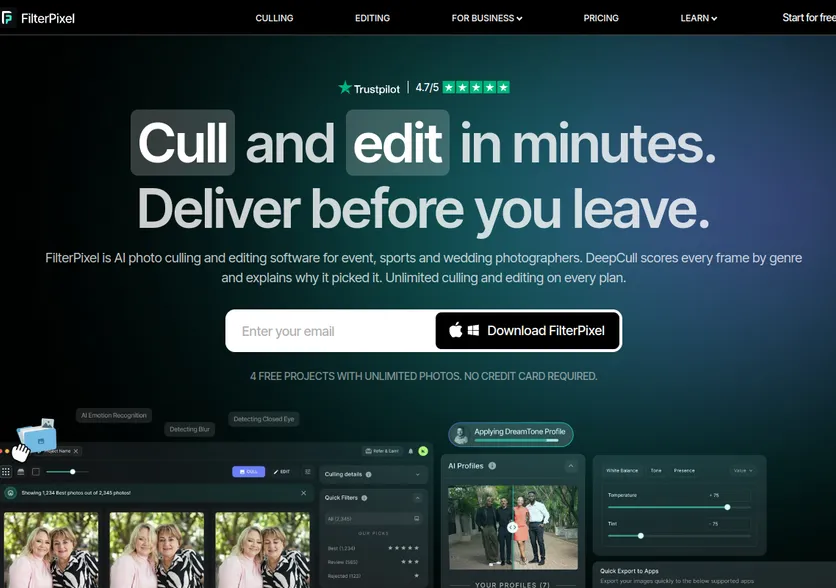
FilterPixel culls a shoot with AI, ranking frames by sharpness, faces and exposure, and its DeepCull feature flags the near-duplicates a photographer would otherwise click through one by one. This FilterPixel Standard plan costs fourteen dollars and ninety-nine cents a month billed annually, or nineteen dollars and ninety-nine cents billed monthly, with Pro at thirty-four dollars and ninety-nine cents and Studio at sixty-four dollars and ninety-nine cents. A Black Friday deal cuts annual plans by half right now, so budget on the regular fourteen dollars and ninety-nine cents, not the promo. The free tier covers four projects, and an extra DeepCull shoot costs seven dollars and ninety-nine cents.
What we like
- Free tier covers four projects
- DeepCull flags near-duplicates automatically
- Standard plan at fourteen dollars and ninety-nine cents
Watch out for
- Black Friday promo is not the regular price
- Extra DeepCull shoots cost seven dollars and ninety-nine cents
How to try it
- Open the FilterPixel pricing page and start with the free tier
- Import one shoot and review the AI-ranked frames
- Upgrade to Standard when the free projects run out
4. Photo Mechanic
Best for: Photographers who want the fastest manual culling and a licence they own forever
Paid tool Starting price: $139 one-time · Photo Mechanic 6 costs one hundred thirty-nine dollars as a one-time perpetual licence; Plus costs more and adds cataloging; paid major upgrades
Free plan: No free plan; free trial available
Photo Mechanic is the speed benchmark for culling: it opens full-resolution previews instantly, so a photographer can fly through a thousand frames without waiting for renders. This Photo Mechanic 6 licence costs one hundred thirty-nine dollars once, with no monthly bill and paid major upgrades when a new version ships. The Plus version adds cataloging for a higher one-time price, and a free trial lets a photographer test the speed on a real shoot first.

What we like
- One hundred thirty-nine dollars once, no subscription
- Fastest preview speed in this list
- Own the licence forever
Watch out for
- No AI culling, speed comes from the photographer
- Paid upgrades when a major version ships
How to try it
- Open the Photo Mechanic page and start the free trial
- Import one shoot and cull it at full speed
- Compare your culling time against your current tool
5. Lightroom Classic
Best for: Photographers who want culling, editing and Photoshop in one subscription
Paid tool Starting price: $9.99/month · Photography Plan costs nine dollars and ninety-nine cents a month on an annual commitment with twenty gigabytes of storage, includes Lightroom and Photoshop; nineteen dollars and ninety-nine cents month-to-month; one-terabyte plan at nineteen dollars and ninety-nine cents; seven-day trial
Free plan: No free plan; free trial available
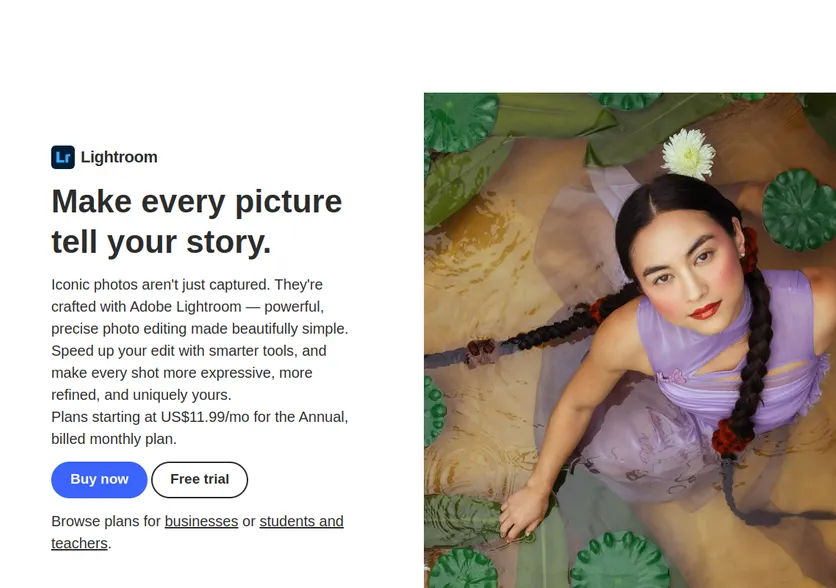
Lightroom Classic pairs culling with the editing tools most photographers already use, and the Photography Plan adds Photoshop for the same monthly price. This Lightroom Classic Photography Plan costs nine dollars and ninety-nine cents a month on an annual commitment with twenty gigabytes of storage, or nineteen dollars and ninety-nine cents month-to-month, with a one-terabyte plan at nineteen dollars and ninety-nine cents. A seven-day trial covers the plan, though seven days is short for a photographer with a wedding backlog.
What we like
- Culling, editing and Photoshop in one plan
- Nine dollars and ninety-nine cents a month on annual billing
- Industry-standard catalog and editing tools
Watch out for
- Seven-day trial is short
- AI culling is lighter than dedicated tools
How to try it
- Open the Lightroom page and start the seven-day trial
- Import one shoot and cull it in the Library module
- Edit the keepers and export the gallery from the same app
6. Capture One
Best for: Photographers who want pro-grade culling and colour in one app
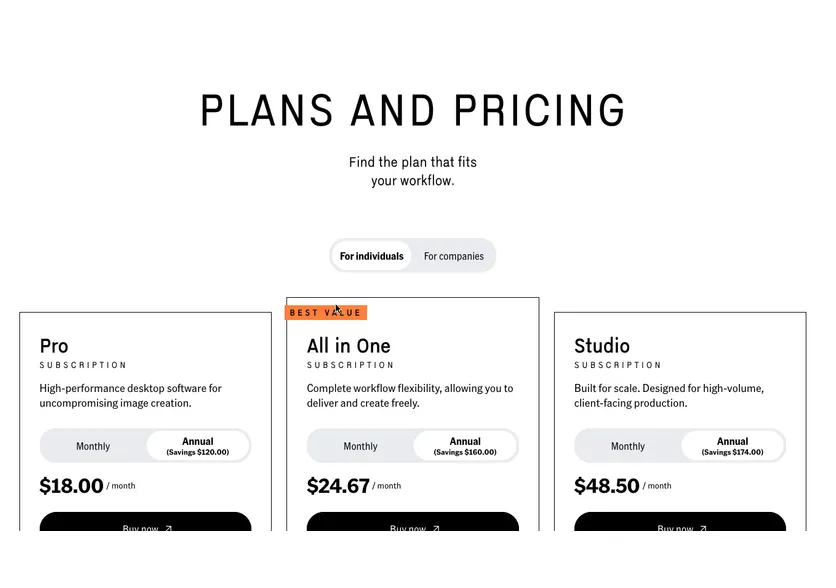
Paid tool Starting price: $18/month · Pro costs eighteen dollars a month billed annually, or twenty-eight dollars billed monthly; perpetual licence $349 also sold
Free plan: No free plan; free trial available
Capture One is the pro-grade editor that many studio and fashion photographers cull in, with precise colour tools and tethered shooting built into the same app. This Capture One Pro plan costs eighteen dollars a month billed annually, or twenty-eight dollars billed monthly, with a perpetual licence also sold. The current vendor price is eighteen dollars a month on annual billing.
What we like
- Pro-grade colour and tethered shooting
- Culling and editing in one app
- Perpetual licence also available
Watch out for
- Priced for professionals, not casual editors
- Most expensive monthly plan here
How to try it
- Open the Capture One pricing page and check the Pro plan
- Start the trial and cull one shoot in the app
- Compare the colour tools against Lightroom before you commit
7. ON1 Photo RAW
Best for: Photographers who want a one-time licence with AI culling and editing
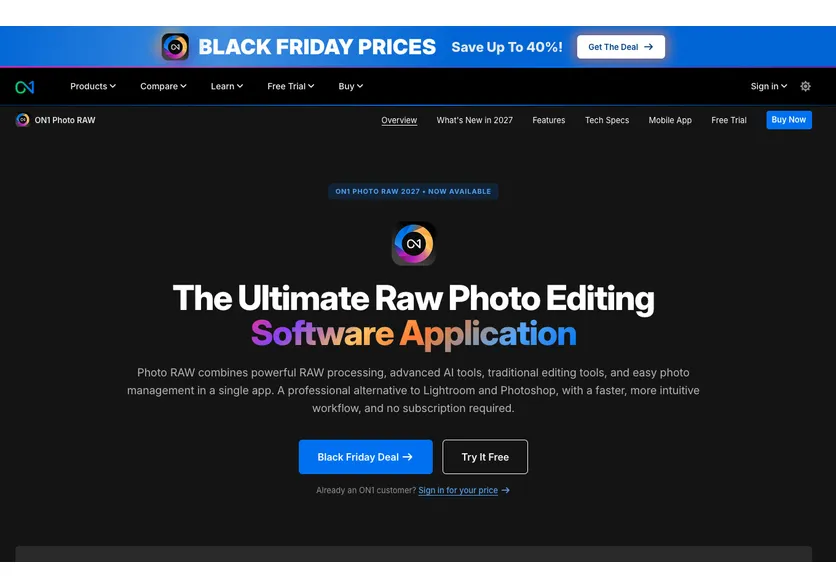
Paid tool Starting price: $99.99 one-time · Photo RAW costs ninety-nine dollars and ninety-nine cents as a one-time licence; MAX costs one hundred sixty-nine dollars and ninety-nine cents once or seven dollars and ninety-nine cents a month; thirty-day trial and thirty-day money-back guarantee
Free plan: No free plan; free trial available
ON1 Photo RAW is a one-time purchase that covers culling, editing and AI tools without a monthly bill, which suits photographers who hate subscriptions. This ON1 Photo RAW licence costs ninety-nine dollars and ninety-nine cents once, with MAX at one hundred sixty-nine dollars and ninety-nine cents once or seven dollars and ninety-nine cents a month. A thirty-day trial and a thirty-day money-back guarantee cover the purchase, so a photographer can test it on a real shoot first.
What we like
- Ninety-nine dollars and ninety-nine cents once, no subscription
- Culling, editing and AI in one purchase
- Thirty-day trial plus money-back guarantee
Watch out for
- One-time price is higher than a month of Aftershoot
- Smaller community than Lightroom or Capture One
How to try it
- Open the ON1 Photo RAW page and start the thirty-day trial
- Cull and edit one shoot in the app
- Check the money-back guarantee before you buy
Prices above were checked on each vendor’s own website on Nov 27, 2026 and can change — the vendor’s page is the final word. Vendor links are editorial: nobody paid to be listed or ranked here. Vendors who want a featured listing can see how it works on our Get listed page.
What AI culling software costs photographers in 2026
Culling pricing splits two ways: monthly tools like Aftershoot Select at ten dollars a month and Narrative Select Lite at ten dollars a month, and one-time licences like Photo Mechanic at one hundred thirty-nine dollars once and ON1 Photo RAW at ninety-nine dollars and ninety-nine cents once. A photographer who culls every week pays one hundred twenty dollars a year for Aftershoot, while a one-time licence pays for itself in about a year and then costs nothing. Lightroom Classic at nine dollars and ninety-nine cents a month adds Photoshop to the deal, which matters if you edit in the same app.
Run one real shoot through two tools before you pay: time the cull, count how many keepers you agree with, and check whether the AI misses a sharp frame you would have kept. Pick the tool that cuts your turnaround from days to hours, because the client who gets a gallery the same night books the next shoot.
Before you buy
- Compare the first-year cost, because Aftershoot at ten dollars a month costs one hundred twenty dollars a year and Photo Mechanic costs one hundred thirty-nine dollars once.
- Check the trial length, because Aftershoot gives thirty days and Lightroom Classic gives only seven days.
- Watch the promo prices, because FilterPixel runs a Black Friday deal that cuts annual plans by half.
- Count the free projects, because FilterPixel is free for four projects and Narrative Select has no free plan.
- Test the cull on a real shoot, because the AI that misses sharp frames costs more time than it saves.
Official websites
Official websites of the products reviewed above. Features and prices were checked against these sites when this guide was written, and they can change, so confirm on the vendor site before you buy.
Frequently asked questions
Which AI culling software is best for quick turnaround in 2026?
Aftershoot is the best overall pick at ten dollars a month, with culling that turns a wedding into keepers in minutes. Narrative Select is the best Mac-only pick at ten dollars a month, with face, focus and exposure checks on every frame. Lightroom Classic is the best all-in-one pick at nine dollars and ninety-nine cents a month, with culling, editing and Photoshop in one plan.
How much does AI culling software cost?
Monthly tools run from nine dollars and ninety-nine cents a month for Lightroom Classic to eighteen dollars a month for Capture One Pro. Aftershoot Select and Narrative Select Lite both cost ten dollars a month on annual billing. One-time licences cost ninety-nine dollars and ninety-nine cents for ON1 Photo RAW and one hundred thirty-nine dollars for Photo Mechanic.
Is there a free AI culling tool?
FilterPixel is the only tool here with a free tier, covering four projects. Aftershoot and Narrative Select offer thirty-day trials, ON1 Photo RAW offers a thirty-day trial plus a money-back guarantee, and Lightroom Classic offers a seven-day trial. Photo Mechanic and Capture One also offer free trials but no free plan.
Does AI culling replace a photographer's judgment?
No, it does the sorting so the photographer can do the judging. AI culling picks the sharp, in-focus frames and groups duplicates in minutes, but it cannot tell which smile is the real one or which frame tells the story. A photographer should still review the keepers and rescue any frame the AI missed before delivering the gallery.
What should a photographer look for in AI culling software?
Look for fast culling that ranks keepers by sharpness, faces and exposure, with duplicate grouping that saves hours of sorting. Check whether the price is monthly or one-time, how long the trial runs, and whether the tool exports picks into your editor. The best culling tool is the one that cuts your turnaround from days to hours.
Need everyday image help too? Try Toolsvine's free image tools right in your browser.
Browse Image Tools tools