On this page
Beginners do not need the most powerful photo editor; they need the one that makes a good photo in minutes without a manual. The seven AI photo editors below cost from three dollars and ninety-nine cents a month to twenty-two dollars and ninety-nine cents a month, plus one one-time purchase of ninety-nine dollars and ninety-nine cents. Several are free to start, so you can test the AI tools before you pay. Start with Canva.
How we researched this
We kept only photo editors with a published price on the vendor site, which ruled out Luminar because Skylum repriced it under a Black Friday banner with struck-through prices that change often. Topaz Photo AI was dropped because sources disagree on whether it is still a one-time license or a subscription. Every price below is the vendor list price checked on November 27, 2026.
Compare the tools
| Name | Best for | Starting price | Free plan | |
|---|---|---|---|---|
 Adobe Photoshop | Beginners who want the industry standard and are willing to learn it properly | $22.99/month | Seven-day free trial; no free plan | Visit |
 Canva | Beginners who want AI photo editing inside a simple drag-and-drop designer | $12/month | Free plan with basic design tools | Visit |
 Pixlr | Beginners who want a browser editor with AI tools for almost nothing | $7.99/month | Free editor with ads | Visit |
 Fotor | Beginners who want one-click AI enhancements at the lowest price here | $3.99/month | Free Basic plan with limited credits | Visit |
 BeFunky | Beginners who want fun AI effects and collages without learning layers | $6.99/month | Free tier with basic edits and twenty AI generations | Visit |
 Picsart | Beginners who edit mostly on a phone and want AI tools everywhere | $10.50/month | Free tier with basic editing and ads | Visit |
 ON1 Photo RAW | Beginners who want to own their editor outright and skip subscriptions | $99.99 | No free plan; thirty-day money-back guarantee | Visit |
The best AI photo editing software for beginners, compared
1. Adobe Photoshop
Best for: Beginners who want the industry standard and are willing to learn it properly
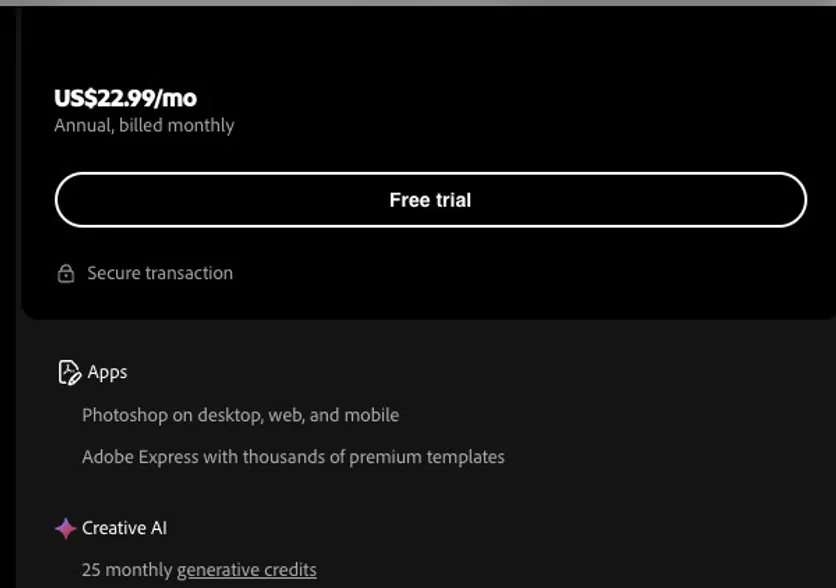
Paid tool Starting price: $22.99/month · The standalone plan costs twenty-two dollars and ninety-nine cents a month billed yearly, or thirty-four dollars and forty-nine cents a month on monthly billing; the Photography plan costs nineteen dollars and ninety-nine cents a month with Lightroom included
Free plan: Seven-day free trial; no free plan
Adobe Photoshop is the industry standard for photo editing, with AI tools that remove objects, extend backgrounds and fix portraits in a click. This Adobe Photoshop standalone plan costs twenty-two dollars and ninety-nine cents a month billed yearly, or thirty-four dollars and forty-nine cents a month on monthly billing. A beginner who wants the deepest tool will find the learning curve steep, but the seven-day trial lets you test it before you pay.
What we like
- Industry standard with the deepest AI editing tools
- Generative fill removes objects and extends backgrounds
- Photography plan adds Lightroom for nineteen dollars and ninety-nine cents a month
Watch out for
- The highest monthly price in this comparison
- No free plan, only a seven-day trial
How to try it
- Open the Adobe plans page and pick the Photoshop plan
- Start the seven-day trial and try the AI remove tool
- Edit one real photo from start to finish before you pay
2. Canva
Best for: Beginners who want AI photo editing inside a simple drag-and-drop designer
Paid tool Starting price: $12/month · Pro costs twelve dollars a month billed yearly at one hundred forty-four dollars a year, or eighteen dollars a month on monthly billing; Business costs two hundred fifty dollars a year per person
Free plan: Free plan with basic design tools
Canva puts AI photo editing inside a drag-and-drop designer, so a beginner can remove a background or enhance a photo without learning layers. This Canva Pro plan costs twelve dollars a month billed yearly at one hundred forty-four dollars a year, or eighteen dollars a month on monthly billing. A beginner who also makes social posts and flyers will get the most value, since the AI tools sit next to thousands of templates.

What we like
- AI editing inside a simple drag-and-drop designer
- Free plan with basic design tools to start
- Thousands of templates next to the photo tools
Watch out for
- Older fifteen-dollar figures online are stale after the reprice
- Pro is twelve dollars a month only on the yearly plan
How to try it
- Open the Canva pricing page and start the free plan
- Upload one photo and try the AI background remover
- Upgrade to Pro when you need the full AI toolset
3. Pixlr
Best for: Beginners who want a browser editor with AI tools for almost nothing
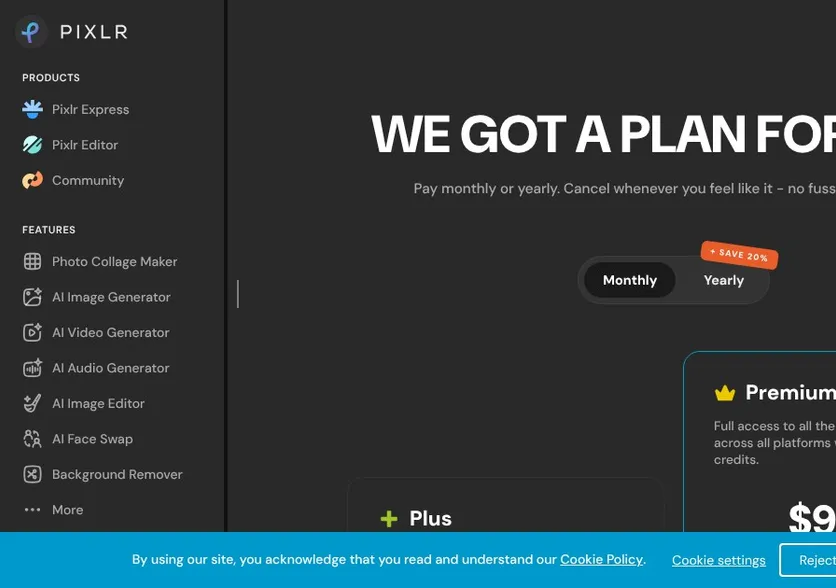
Paid tool Starting price: $7.99/month · Premium costs seven dollars and ninety-nine cents a month billed yearly, or nine dollars and ninety-nine cents a month on monthly billing, with one thousand AI credits; Plus costs one dollar and ninety-nine cents a month billed yearly
Free plan: Free editor with ads
Pixlr runs in your browser with AI tools for background removal, object removal and one-click enhancement, all for a few dollars a month. This Pixlr Premium plan costs seven dollars and ninety-nine cents a month billed yearly, or nine dollars and ninety-nine cents a month on monthly billing, with one thousand AI credits. A beginner who wants AI editing without installing anything will like the price, and the free editor with ads lets you test first.
What we like
- Runs in the browser with nothing to install
- One thousand AI credits a month on Premium
- Free editor with ads to test before you pay
Watch out for
- The free editor shows ads and caps AI credits
- Premium is seven dollars and ninety-nine cents only on the yearly plan
How to try it
- Open the Pixlr pricing page and start the free editor
- Try the AI background remover on one photo
- Upgrade to Premium when the ads and credit cap start to bite
4. Fotor
Best for: Beginners who want one-click AI enhancements at the lowest price here
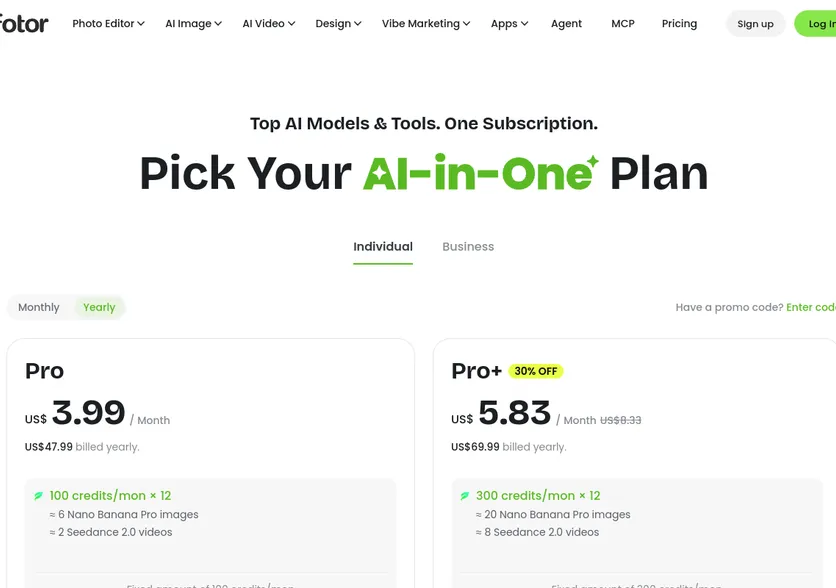
Paid tool Starting price: $3.99/month · Pro costs three dollars and ninety-nine cents a month billed yearly at forty-seven dollars and ninety-nine cents a year, or ten dollars and ninety-nine cents a month on monthly billing, with one hundred credits a month
Free plan: Free Basic plan with limited credits
Fotor enhances your photos with one click, using AI to fix light, color and sharpness without any manual sliders. This Fotor Pro plan costs three dollars and ninety-nine cents a month billed yearly at forty-seven dollars and ninety-nine cents a year, or ten dollars and ninety-nine cents a month on monthly billing. A beginner who wants the cheapest paid plan in this comparison will like the price, though the Pro plan includes only one hundred credits a month.
What we like
- Cheapest paid plan in this comparison
- One-click AI enhancement with no sliders to learn
- Free Basic plan with limited credits to test
Watch out for
- Pro includes only one hundred credits a month
- Prices move with promos, so confirm the current rate
How to try it
- Open the Fotor pricing page and start the free Basic plan
- Enhance one photo with the one-click AI tool
- Upgrade to Pro when the credit cap starts to bite
5. BeFunky
Best for: Beginners who want fun AI effects and collages without learning layers
Paid tool Starting price: $6.99/month · Plus costs six dollars and ninety-nine cents a month billed yearly, or fourteen dollars and ninety-nine cents a month on monthly billing, with one thousand AI credits a month; Pro costs twelve dollars and forty-nine cents a month billed yearly
Free plan: Free tier with basic edits and twenty AI generations
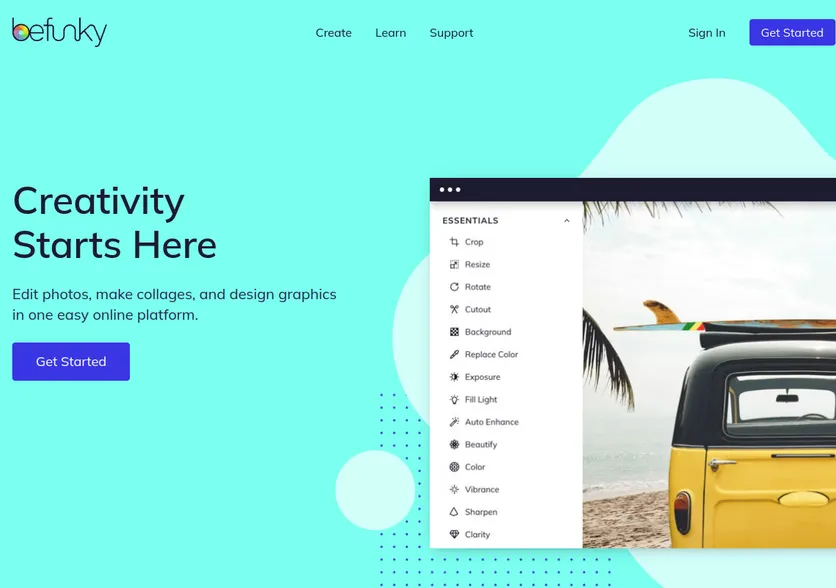
BeFunky turns your photos into art with AI effects, collages and touch-ups, all in a simple editor that needs no layers or masks. This BeFunky Plus plan costs six dollars and ninety-nine cents a month billed yearly, or fourteen dollars and ninety-nine cents a month on monthly billing, with one thousand AI credits a month. A beginner who wants playful effects rather than professional retouching will have fun here, and the free tier gives twenty AI generations to try.
What we like
- AI effects and collages with no layers to learn
- One thousand AI credits a month on Plus
- Free tier with twenty AI generations to test
Watch out for
- Built for fun effects, not professional retouching
- Plus is six dollars and ninety-nine cents only on the yearly plan
How to try it
- Open the BeFunky pricing page and start the free tier
- Try one AI effect and one collage template
- Upgrade to Plus when the twenty free generations run out
6. Picsart
Best for: Beginners who edit mostly on a phone and want AI tools everywhere
Paid tool Starting price: $10.50/month · Pro costs ten dollars and fifty cents a month billed yearly on the web; app stores still show the older Gold plan at twelve dollars and ninety-nine cents a month
Free plan: Free tier with basic editing and ads
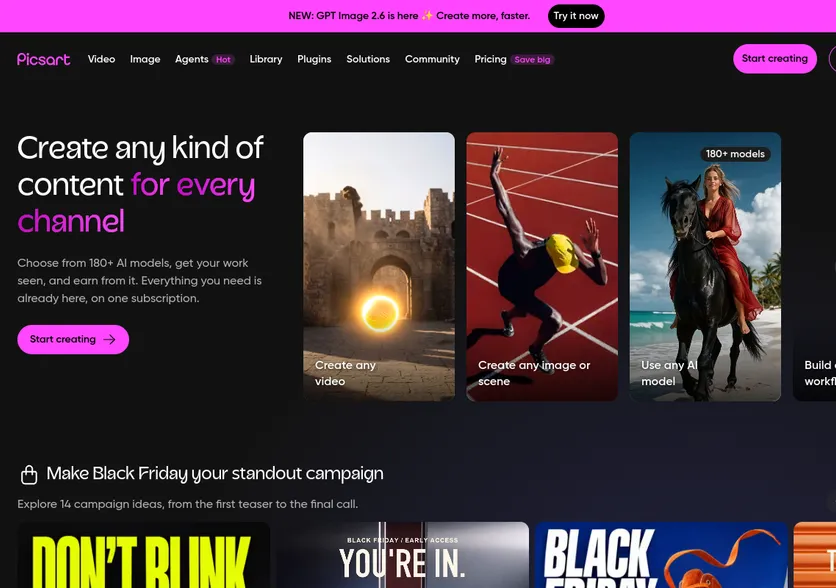
Picsart puts AI photo editing on your phone, your tablet and the web, so a beginner can edit anywhere without a computer. This Picsart Pro plan costs ten dollars and fifty cents a month billed yearly on the web, with app stores still showing the older Gold plan at twelve dollars and ninety-nine cents a month. A beginner who edits on a phone will like the mobile tools, though the web price and the app price do not match.
What we like
- AI editing on phone, tablet and web
- Free tier with basic editing to start
- Web price is lower than the app store price
Watch out for
- Gold was retired in 2026, so older prices no longer apply
- The web price and the app store price do not match
How to try it
- Open the Picsart pricing page and start the free tier
- Try the AI background remover on one phone photo
- Upgrade to Pro on the web for the lower price
7. ON1 Photo RAW
Best for: Beginners who want to own their editor outright and skip subscriptions
Paid tool Starting price: $99.99 · Photo RAW costs ninety-nine dollars and ninety-nine cents as a one-time license; MAX costs one hundred sixty-nine dollars and ninety-nine cents one-time, or eighty-nine dollars and ninety-nine cents a year
Free plan: No free plan; thirty-day money-back guarantee
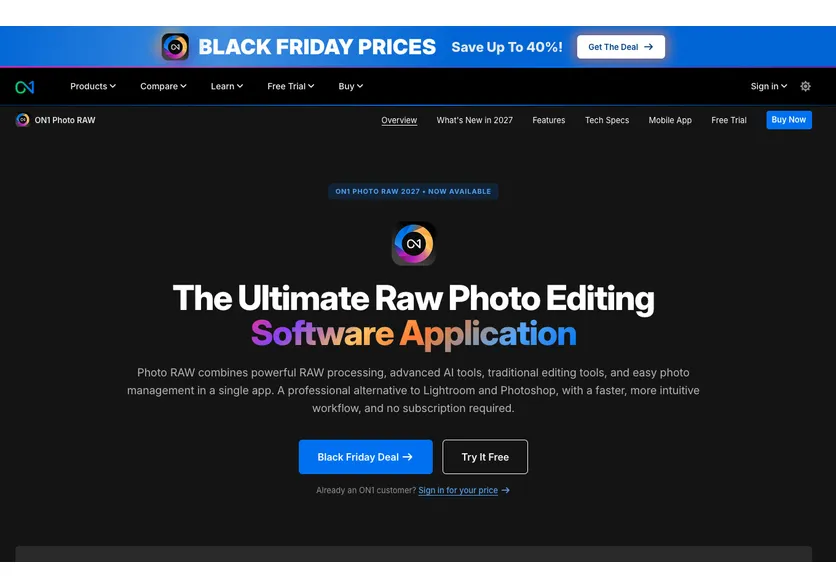
ON1 Photo RAW is the only one-time purchase in this comparison, giving a beginner a full photo editor with AI tools and no monthly bill. This ON1 Photo RAW license costs ninety-nine dollars and ninety-nine cents once, with MAX at one hundred sixty-nine dollars and ninety-nine cents for the full feature set. A beginner who hates subscriptions will like paying once, though the license covers the current version and major upgrades cost extra.
What we like
- One-time license with no monthly bill
- Full photo editor with AI tools included
- Thirty-day money-back guarantee
Watch out for
- The license covers the current version, so major upgrades cost extra
- No free plan, only a thirty-day money-back guarantee
How to try it
- Open the ON1 website and check the Photo RAW license
- Download the trial and edit one batch of photos
- Buy the license if the AI tools fit your workflow
Prices above were checked on each vendor’s own website on Nov 27, 2026 and can change — the vendor’s page is the final word. Vendor links are editorial: nobody paid to be listed or ranked here. Vendors who want a featured listing can see how it works on our Get listed page.
What beginner photo editing really costs
The yearly price is the first trap in this category. Fotor Pro costs three dollars and ninety-nine cents a month billed yearly but ten dollars and ninety-nine cents on monthly billing, and Canva Pro costs twelve dollars a month yearly but eighteen dollars monthly. Always check the monthly price too, because the headline figure usually assumes a full year paid in advance.
The second trap is the AI credit cap. Pixlr Premium and BeFunky Plus both include one thousand AI credits a month, while Fotor Pro includes only one hundred, so a heavy editor can run out in a week. Start free, count how many photos you edit in a month, and only then pick the plan whose cap you will not hit.
Before you buy
- Start free where you can, because Canva, Pixlr, Fotor and BeFunky all have a free tier.
- Check the yearly price, because Fotor Pro costs three dollars and ninety-nine cents a month billed yearly but ten dollars and ninety-nine cents monthly.
- Ask about the credit cap, because Pixlr Premium includes one thousand AI credits a month while Fotor Pro includes one hundred.
- Confirm the app price, because Picsart Pro costs ten dollars and fifty cents a month on the web but more in app stores.
- Ask about ownership, because ON1 Photo RAW is a one-time license while every other tool here is a subscription.
Official websites
Official websites of the products reviewed above. Features and prices were checked against these sites when this guide was written, and they can change, so confirm on the vendor site before you buy.
Frequently asked questions
What is the cheapest AI photo editor for a beginner?
A beginner should start free, then pay only for the tool that fits how they edit. Canva, Pixlr, Fotor and BeFunky all have a free tier, and Photoshop offers a seven-day trial. Fotor Pro costs three dollars and ninety-nine cents a month billed yearly, which is the cheapest paid plan here, while Canva Pro costs twelve dollars a month and adds design templates on top of photo editing.
Can I buy an AI photo editor once instead of subscribing?
No, ON1 Photo RAW costs ninety-nine dollars and ninety-nine cents as a one-time license, with no monthly bill. Every other tool in this comparison is a subscription, from three dollars and ninety-nine cents a month for Fotor Pro to twenty-two dollars and ninety-nine cents a month for Photoshop. A beginner who hates subscriptions should start with ON1 and use the thirty-day money-back guarantee.
Do these photo editors really use AI?
Yes, all seven tools here include AI features for beginners, from background removal and object removal to one-click enhancement. Photoshop has the deepest AI tools, Canva and Picsart make them easiest to find, and Fotor and BeFunky focus on one-click fixes. Pixlr and ON1 sit in the middle, with strong AI tools and a low price.
Which AI photo editor fits a beginner best?
Start with the device you edit on. Canva and Picsart work best on a phone, Pixlr and Fotor run in the browser with nothing to install, and Photoshop and ON1 Photo RAW suit a computer with more power. BeFunky is the most playful, while Photoshop is the most professional, so match the tool to the photos you actually take.
What is an AI credit cap in photo editing?
Check the credit cap before you pay, because AI tools are metered on most plans. Pixlr Premium includes one thousand AI credits a month, BeFunky Plus includes one thousand as well, and Fotor Pro includes only one hundred. A beginner who edits a few photos a week will never hit the cap, while a heavy user should pick the plan with the largest allowance.
Need everyday image help too? Try Toolsvine's free image tools right in your browser.
Browse Image Tools tools