On this page
Outbound is the top of the funnel, and for a GTM team it is also the most expensive part to run by hand. The tools on this list automate the sending, the follow-ups and the warmup, so a small team can reach thousands of prospects a week without hiring more reps. We compared eight of them on live 2026 prices, and the spread is wide: from twenty-five dollars a month to nearly ninety per seat. Apollo is our top pick for most teams, because it combines the prospecting database and the sequences in a single seat.
How we researched this
We kept only tools with a published price on their own website and a real outbound feature set, then compared the entry plan that actually does the job. Outreach and Salesloft were dropped because neither publishes prices. Every price below is the vendor list price checked on November 27, 2026, with the annual-billed figure as the headline and the monthly-billed figure in the note, and where a vendor charges per account rather than per seat, we say so plainly.
Compare the tools
| Name | Best for | Starting price | Free plan | |
|---|---|---|---|---|
 Apollo | GTM teams that want prospecting and sequences in one place | $49/seat/month | Free plan available with limited credits | Visit |
 Instantly | High-volume cold email campaigns | $37/month | No free plan; free trial available | Visit |
 Smartlead | Agencies and teams that send at serious volume | $32/month | No free plan; free trial available | Visit |
 Lemlist | Teams that want personalized multichannel sequences | $55/seat/month | No free plan; free trial available | Visit |
 Reply.io | Teams that want email volume plus AI agents | $49/month | No free plan; free trial available | Visit |
 Klenty | Small teams that want unlimited seats | $50/month | No free plan; free trial available | Visit |
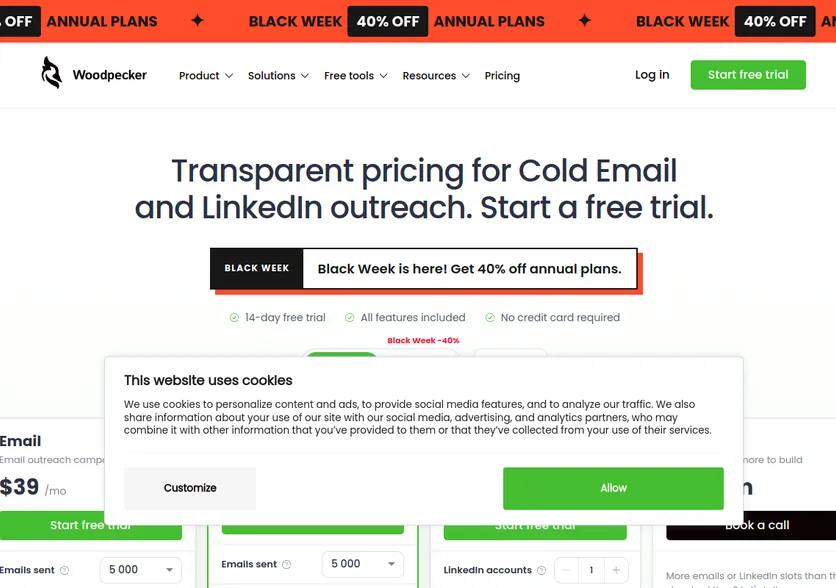
 Woodpecker | Simple cold email with strong deliverability | $26/month | No free plan; free trial available | Visit |
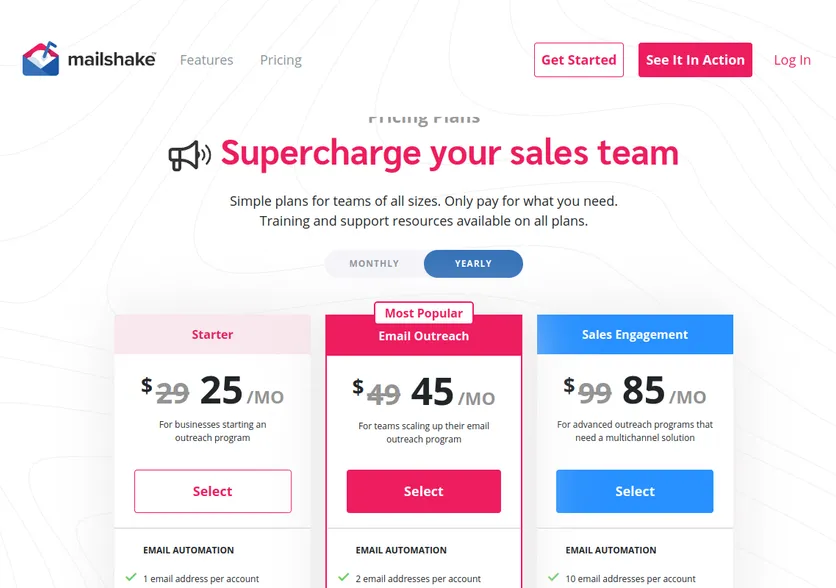
 Mailshake | Budget teams that want email plus phone outreach | $25/month | No free plan; free trial available | Visit |
The automated outbound software, compared
1. Apollo
Best for: GTM teams that want prospecting and sequences in one place
Paid tool Starting price: $49/seat/month · Basic plan, billed annually; sixty-five dollars per seat per month billed monthly; Professional seventy-nine dollars and Organization one hundred nineteen dollars billed annually
Free plan: Free plan available with limited credits
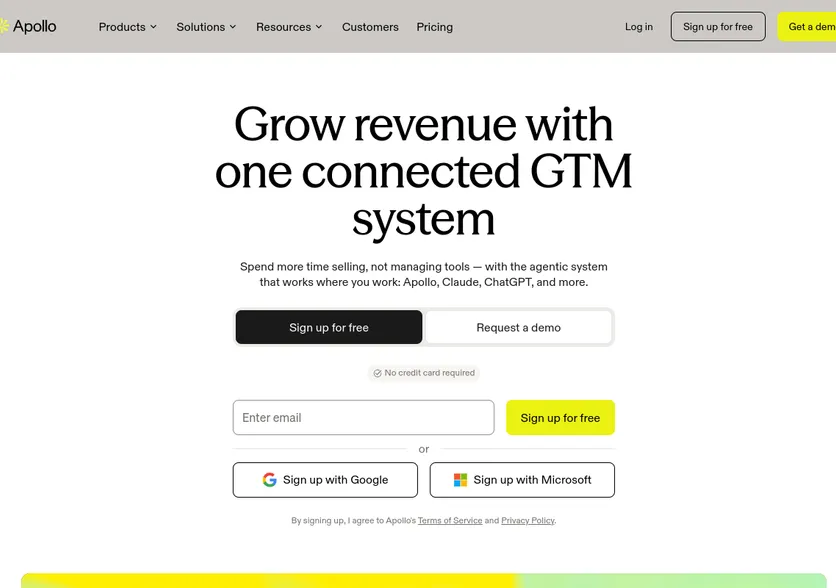
Apollo starts with the database: more than two hundred million contacts you can filter by role, company size and technology, then email from the same seat. The Apollo Basic plan includes sequences and the prospecting database, which is why it tops this list for most GTM teams. It is not the cheapest per seat, but it replaces a separate data tool, and that is where the real saving comes from.
What we like
- Huge prospecting database in the same seat
- Sequences, tracking and A/B testing included
- Free plan to test the data before you pay
Watch out for
- Credits cap how much prospecting you can do
- Data quality varies by industry and region
How to try it
- Build a list with the prospecting filters for your ideal customer profile.
- Write a three-step sequence and set the send limits per mailbox.
- Review replies daily and move positive replies into your CRM pipeline.
2. Instantly
Best for: High-volume cold email campaigns
Paid tool Starting price: $37/month · Growth plan, billed annually; forty-seven dollars per month billed monthly; Hypergrowth about eighty-six dollars per month billed annually
Free plan: No free plan; free trial available
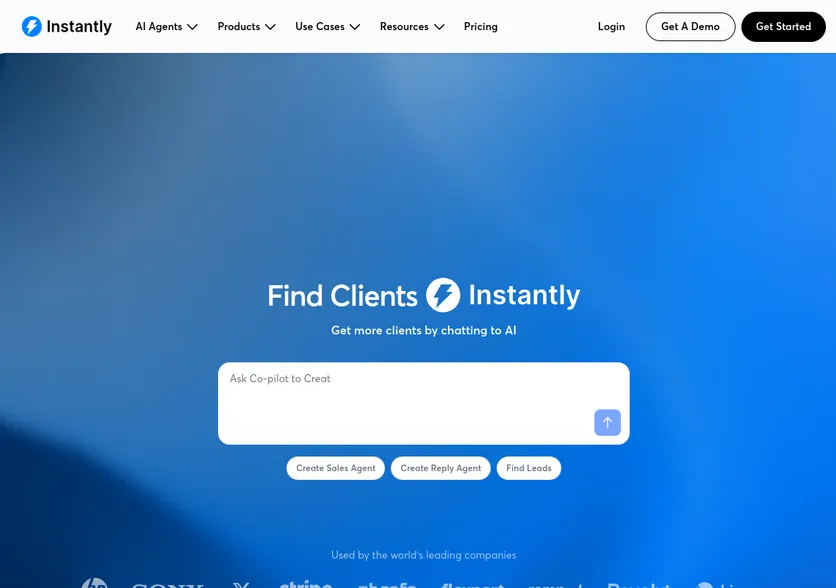
Instantly is built for volume. It is the tool teams pick when they want to send thousands of emails a day across many mailboxes without paying per seat. The Instantly Growth plan adds unlimited warmup, which protects your domains while you scale. The interface is simpler than Apollo, and the trade-off is a smaller prospecting database, so most teams pair it with a separate data source.
What we like
- Built for high-volume sending across mailboxes
- Unlimited warmup included on Growth
- Simple interface that scales to many campaigns
Watch out for
- Smaller built-in database than Apollo
- Pricing rounds to about thirty-seven dollars per month annually
How to try it
- Connect several mailboxes and turn on unlimited warmup.
- Import your lead list and split it across campaigns by segment.
- Watch the deliverability dashboard and pause any campaign that dips.
3. Smartlead
Best for: Agencies and teams that send at serious volume
Paid tool Starting price: $32/month · Base plan, billed annually; thirty-nine dollars per month billed monthly; Pro seventy-eight dollars and Unlimited Smart one hundred forty-four dollars billed annually
Free plan: No free plan; free trial available
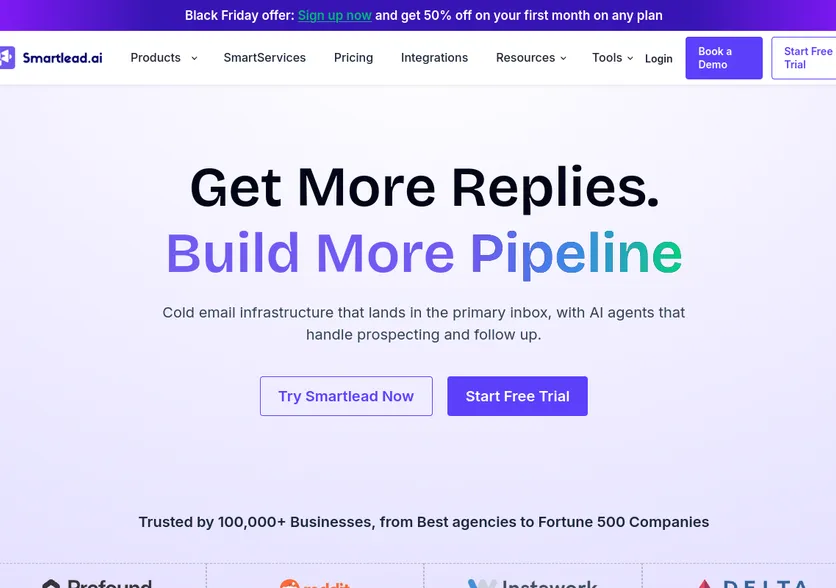
Smartlead is the agency favorite on this list, and the reason is simple: unlimited mailboxes and unlimited warmup on every paid plan. The Smartlead Base plan is cheap for what it does, and the per-seat pricing stays low as you add clients or campaigns. Deliverability is the product here, so if your current tool keeps landing in spam, Smartlead is the first one to test.
What we like
- Unlimited mailboxes and warmup on every plan
- Master inbox for all campaign replies
- Low per-seat price for high-volume teams
Watch out for
- Learning curve is steeper than Instantly
- No free plan, only a free trial
How to try it
- Connect your client mailboxes and switch on warmup for each one.
- Build a master inbox so replies from every campaign land in one place.
- Set daily send caps per mailbox and let the tool spread the load.
4. Lemlist
Best for: Teams that want personalized multichannel sequences
Paid tool Starting price: $55/seat/month · Email plan, billed annually; sixty-nine dollars per seat per month billed monthly; Multichannel eighty-seven dollars billed annually
Free plan: No free plan; free trial available
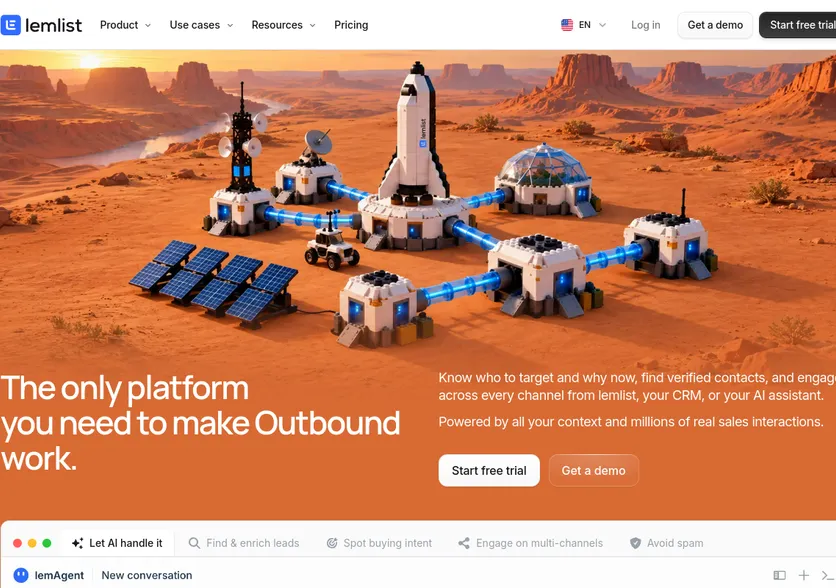
Lemlist made its name on personalization: dynamic images, custom landing pages and LinkedIn steps inside the same sequence. The Lemlist Email plan covers email outreach at a fair price, and the Multichannel plan adds LinkedIn and calls for teams that want more than email. It costs more per seat than the volume tools, but the reply rates on well-personalized campaigns can justify it.
What we like
- Best-in-class personalization features
- Multichannel steps with LinkedIn and calls
- Clean reporting on replies and meetings booked
Watch out for
- Pricier per seat than the volume tools
- LinkedIn steps need the Multichannel plan
How to try it
- Import your list and add a personalized image or landing page to the first step.
- Build a sequence that mixes email with LinkedIn touches.
- Review the reply inbox daily and pause sequences that go stale.
5. Reply.io
Best for: Teams that want email volume plus AI agents
Paid tool Starting price: $49/month · Email Volume entry plan, billed annually; fifty-nine dollars per month billed monthly; Multichannel eighty-nine dollars per seat billed annually
Free plan: No free plan; free trial available
Reply pairs classic sequences with AI agents that can research leads, write first drafts and handle simple replies. The Reply Email Volume plan is priced for teams that send a lot of email, and the AI features are the reason to pick it over a plainer tool. It is a good fit for a GTM team that wants automation beyond the sequence itself, and it integrates well with the usual CRMs.
What we like
- AI agents for research and first drafts
- Email Volume plan built for heavy senders
- Strong CRM integrations
Watch out for
- AI features need supervision in the first weeks
- Multichannel costs more per seat
How to try it
- Import your list and let the AI agent enrich each lead.
- Set up a sequence with email steps and AI follow-ups.
- Review the AI-drafted replies before they go out the first week.
6. Klenty
Best for: Small teams that want unlimited seats
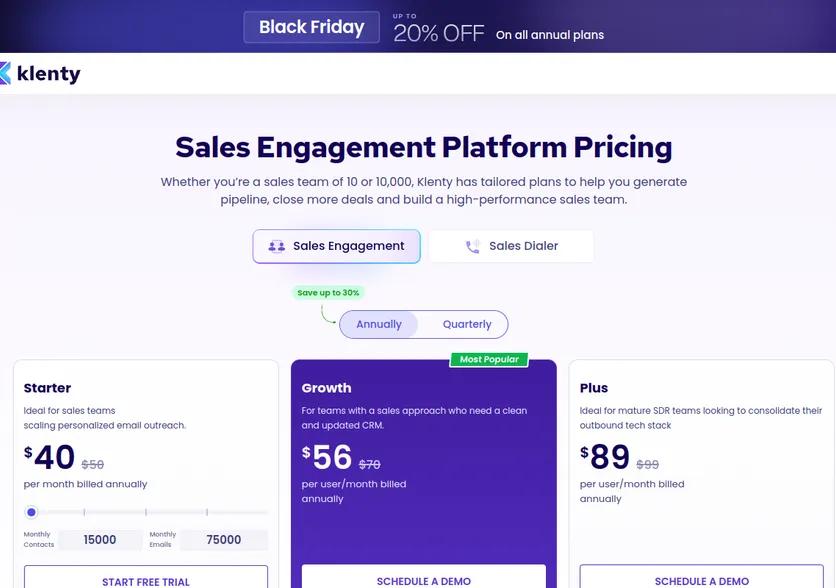
Paid tool Starting price: $50/month · Starter email-only plan, billed annually; unlimited users on Starter; Growth with calls and SMS seventy dollars per user billed annually
Free plan: No free plan; free trial available
Klenty charges per account rather than per user on its Starter plan, which makes it unusually cheap for a team of five or ten. The Klenty Starter plan is email-only, and the Growth plan adds calls and SMS for teams that want more channels. It is less flashy than Lemlist and less volume-focused than Instantly, but the unlimited-seat model is hard to beat on value.
What we like
- Unlimited users on the Starter plan
- Calls and SMS on the Growth plan
- Good value for a team of five or more
Watch out for
- Starter plan is email-only
- Smaller brand than Apollo or Lemlist
How to try it
- Sign up for Starter and invite the whole team at no extra seat cost.
- Connect your mailboxes and import your first lead list.
- Upgrade to Growth when you need calls and SMS in the sequence.
7. Woodpecker
Best for: Simple cold email with strong deliverability
Paid tool Starting price: $26/month · Email plan, billed annually; thirty-nine dollars per month billed monthly; Multichannel sixty-eight dollars per month billed monthly
Free plan: No free plan; free trial available
Woodpecker is the quiet workhorse of cold email: fewer features than the big platforms, but a reputation for landing in the inbox. The Woodpecker Email plan is one of the cheapest on this list, and the Multichannel plan adds LinkedIn for teams that want it. It is a good pick for a team that wants to send good email and nothing else, without paying for features it will never open.
What we like
- Strong deliverability reputation
- One of the cheapest plans on this list
- Simple setup with no feature bloat
Watch out for
- Fewer features than the bigger platforms
- Multichannel costs more than double the Email plan
How to try it
- Connect your mailbox and verify your domain records first.
- Write a short sequence with one clear call to action.
- Check the deliverability score weekly and fix any issues it flags.
8. Mailshake
Best for: Budget teams that want email plus phone outreach
Paid tool Starting price: $25/month · Starter plan, billed annually; twenty-nine dollars per month billed monthly; Sales Engagement ninety-nine dollars per month billed monthly
Free plan: No free plan; free trial available
Mailshake is the budget pick on this list, and it has been around long enough to be a safe choice. The Mailshake Starter plan covers email outreach at a low price, and the Sales Engagement plan adds phone dialing and more automation for larger teams. It is not the most modern interface here, but it does the core job well and the price is hard to argue with.
What we like
- Lowest entry price on this list
- Phone dialing on the higher plan
- Long track record in cold email
Watch out for
- Interface feels dated next to newer tools
- Phone steps need the higher plan
How to try it
- Connect your mailbox and import your prospect list.
- Build a simple two-step sequence with a follow-up email.
- Add phone steps on the Sales Engagement plan when you are ready.
Prices above were checked on each vendor’s own website on Nov 27, 2026 and can change — the vendor’s page is the final word. Vendor links are editorial: nobody paid to be listed or ranked here. Vendors who want a featured listing can see how it works on our Get listed page.
How to run outbound without burning your domain
The fastest way to ruin an outbound program is to send too much from a cold domain. A new mailbox that suddenly sends five hundred emails a day looks like spam to every filter, and once your domain is flagged, every tool on this list will struggle. Warm up first. Turn on the warmup feature, send a small volume for two weeks, and raise the daily cap slowly. Instantly and Smartlead include unlimited warmup, which is one reason they score well here.
Then think about the split between data and sending. Apollo is the only tool here that does both well in one seat, and that is why it leads. If you already have a list you trust, a volume sender such as Instantly or Smartlead will cost less and move faster. And keep the list clean: unsubscribes and bounces must sync back to your CRM, or you will email the same dead lead next month and hurt your deliverability all over again.
Before you buy
- Check the monthly send limit on the exact plan, because a cheap plan with a low cap costs more once you scale.
- Confirm the plan includes the channels you need, since some vendors charge extra for LinkedIn or calls.
- Test deliverability with a small list before you move your whole domain over.
- Ask whether unlimited email warmup is included or sold as a paid add-on.
- Make sure unsubscribes and bounces sync back to your CRM so you never email a dead lead twice.
Official websites
Official websites of the products reviewed above. Features and prices were checked against these sites when this guide was written, and they can change, so confirm on the vendor site before you buy.
Frequently asked questions
What does automated outbound software actually do?
Automated outbound software sends a planned series of emails, LinkedIn touches or calls to a list of prospects, then tracks opens, replies and meetings. A GTM team uses it to run the top of the funnel without a rep touching every send. The best tools also warm up mailboxes, manage deliverability and sync replies back to the CRM so no lead falls through the cracks.
Is automated outbound safe for my domain reputation?
Yes, if you send from a warmed mailbox with realistic daily limits. Every tool on this list includes some form of warmup or deliverability protection, and Instantly and Smartlead include unlimited warmup on their Growth and Base plans. The bigger risk is sending too much too fast from a new domain, so start small and raise the volume over a few weeks.
How much should a GTM team budget for outbound software?
Budget around twenty-five to fifty dollars per month for a single seat on an annual plan. Mailshake and Woodpecker sit at the low end, while Apollo and Lemlist sit at the high end and add a prospecting database or deep personalization. Volume tools such as Instantly and Smartlead charge per account rather than per seat, which can be cheaper for a team.
Should I pick one tool for data and sending, or two separate tools?
It depends on where your leads come from. If you need the database, Apollo is the obvious pick. If you already have a list and want to send at volume, Instantly or Smartlead will cost less and deliver more. If personalization is your edge, Lemlist is worth the premium. Most teams end up with two tools: one for data and one for sending.
Why are Outreach and Salesloft not on this list?
Outreach and Salesloft are the enterprise standards, but neither publishes prices, so they cannot be compared fairly here. If your team is large enough to need them, ask both for a quote and compare the per-seat cost against Apollo at forty-nine dollars. For most teams under fifty seats, the tools on this list do the same job for less money.
Start with Apollo if you want prospecting and outreach in one seat, or compare the volume pricing above before you pick a sending tool.
Browse Marketing & Ads Calculators tools