On this page
A service firm runs on jobs, and every job creates the same admin work: a quote, a schedule, a reminder, an invoice and a follow-up. Do that by hand and the admin eats the profit. Automation software does it for you, and the tools on this list cover the whole range, from a free booking app to a full field service platform. We compared eight of them on live 2026 prices. Jobber is our top pick for most service firms, because it handles quoting, scheduling and invoicing in a single system.
How we researched this
We kept only automation tools with a published price on their own website and a real fit for service firms. ServiceTitan and FieldEdge were dropped because neither publishes prices, and Make is listed at the US price of twelve dollars a month because the vendor shows a different default list price of nine dollars and this site serves a US audience. Every price below is the vendor list price checked on November 27, 2026, with the annual-billed figure as the headline and the monthly-billed figure in the note.
Compare the tools
| Name | Best for | Starting price | Free plan | |
|---|---|---|---|---|
 Zapier | Connecting apps without writing code | $19.99/month | Free plan available with one hundred tasks per month | Visit |
 Make | Visual workflows with more power per dollar | $12/month | Free plan available with one thousand operations per month | Visit |
 Jobber | Field service teams that quote, schedule and invoice | $29/month | No free plan; free trial available | Visit |
 Housecall Pro | Home service businesses that dispatch technicians | $59/month | No free plan; free trial available | Visit |
 HoneyBook | Service firms that manage clients and contracts | $29/month | No free plan; free trial available | Visit |
 Thryv | Small service firms that want marketing plus CRM | $99/month | No free plan; free trial available | Visit |
 GoHighLevel | Agencies and service firms that sell marketing services | $97/month | No free plan; free trial available | Visit |
 Square Appointments | Small service firms that want scheduling for free | $0/location/month | Free plan available, unlimited staff calendars | Visit |
The automation software, compared
1. Zapier
Best for: Connecting apps without writing code
Paid tool Starting price: $19.99/month · Professional plan, billed annually; twenty-nine dollars and ninety-nine cents per month billed monthly; Team sixty-nine dollars billed annually
Free plan: Free plan available with one hundred tasks per month
Zapier is the connector that ties a service firm together: it moves data between your booking tool, your CRM, your invoicing app and your inbox without a developer. The Zapier Professional plan is the entry point for serious use, and the free plan covers a hundred tasks a month for a firm that wants to test the idea. It is not a field service tool itself, but it is the glue that makes the others work together.

What we like
- Thousands of app integrations
- Free plan with one hundred tasks a month
- No code needed to build a workflow
Watch out for
- Task limits can push you to a higher plan fast
- It connects tools rather than replacing them
How to try it
- Connect the apps your firm already uses, starting with booking and invoicing.
- Build a Zap that creates an invoice when a job is marked complete.
- Add a second Zap that sends a review request after the invoice is paid.
2. Make
Best for: Visual workflows with more power per dollar
Paid tool Starting price: $12/month · Core plan, billed annually on the US price list; the default list shows nine dollars, while the US list shows twelve dollars billed annually and sixteen dollars billed monthly; Pro twenty-one dollars on the US list
Free plan: Free plan available with one thousand operations per month
Make is the visual alternative to Zapier, and it gives you more operations per dollar on the entry plan. The Make Core plan is twelve dollars a month on the US price list, which is a little more than the nine dollars shown on the default list, so we use the US figure here. It is a better fit than Zapier for a firm with complex workflows, because the visual builder shows the whole flow at a glance.

What we like
- More operations per dollar than Zapier
- Visual builder shows the whole workflow
- Free plan with one thousand operations a month
Watch out for
- US price is higher than the default list price
- Visual builder has a learning curve
How to try it
- Connect your booking and invoicing apps to Make.
- Build a visual scenario that moves a new booking into your CRM.
- Test the scenario with a real booking before you turn it on.
3. Jobber
Best for: Field service teams that quote, schedule and invoice
Paid tool Starting price: $29/month · Core plan for one user, billed annually; forty-nine dollars per month billed monthly; Connect ninety-nine dollars, Grow one hundred forty-nine dollars and Plus three hundred ninety-nine dollars billed annually
Free plan: No free plan; free trial available
Jobber is the all-in-one tool for a field service firm: quoting, scheduling, dispatching, invoicing and payments in a single system. The Jobber Core plan covers one user, and the higher tiers add more users and features as the team grows. It is the most complete tool on this list for a firm that sends people out to jobs, and it is our top pick for that reason.

What we like
- Quoting, scheduling and invoicing in one tool
- Built for field teams, not office teams
- Online payments included
Watch out for
- Core plan covers only one user
- Price grows fast as you add technicians
How to try it
- Set up your services and prices in Jobber.
- Quote a job, schedule it and dispatch it to a technician.
- Send the invoice from the same job and take payment online.
4. Housecall Pro
Best for: Home service businesses that dispatch technicians
Paid tool Starting price: $59/month · Basic plan for one user, billed annually; seventy-nine dollars per month billed monthly; Essentials one hundred forty-nine dollars billed annually
Free plan: No free plan; free trial available
Housecall Pro is the closest rival to Jobber, and it is strongest on dispatching and technician tracking. The Housecall Pro Basic plan covers one user, and the Essentials plan adds the features a growing team needs. It is a good fit for a home service firm that wants to see where every technician is and what every job is worth, all in one dashboard.

What we like
- Strong dispatching and technician tracking
- Built for home service businesses
- Online booking and payments included
Watch out for
- Basic plan costs twice Jobber Core
- Higher tiers get expensive for a large team
How to try it
- Add your technicians and set up their schedules.
- Dispatch jobs from the dashboard and track them in real time.
- Invoice from the job and collect payment before the technician leaves.
5. HoneyBook
Best for: Service firms that manage clients and contracts
Paid tool Starting price: $29/month · Starter plan, billed annually; thirty-six dollars per month billed monthly; Essentials forty-nine dollars and Premium one hundred nine dollars billed annually
Free plan: No free plan; free trial available
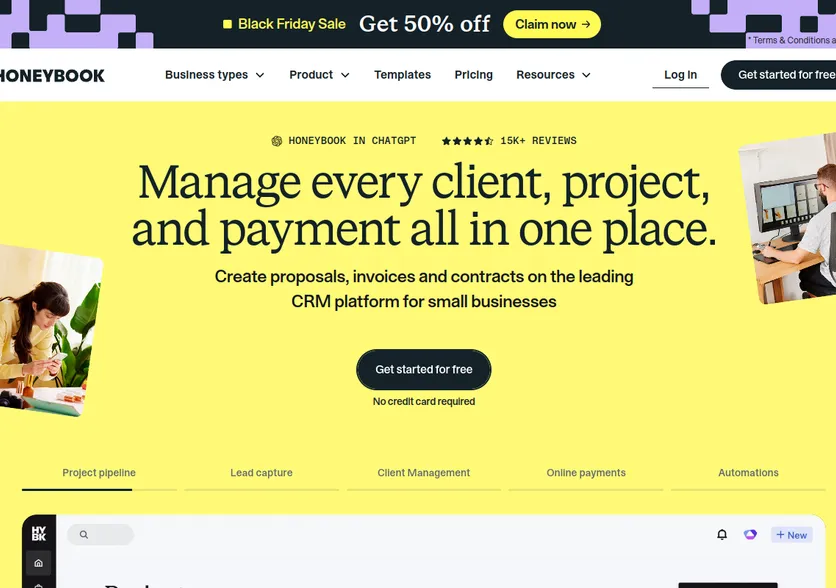
HoneyBook is the client management tool for service firms that sell projects rather than hourly jobs: proposals, contracts, invoices and client portals in one place. The HoneyBook Starter plan is a low entry price, and the Essentials and Premium plans add the automation and reporting a bigger firm needs. It is the best pick on this list for a creative or consulting firm that lives on proposals.
What we like
- Proposals, contracts and invoices in one place
- Client portal that looks professional
- Low entry price for a small firm
Watch out for
- Less suited to field dispatching than Jobber
- No free plan, only a free trial
How to try it
- Build a proposal template with your services and prices.
- Send the proposal with a contract and invoice attached.
- Automate the follow-up so no proposal goes stale.
6. Thryv
Best for: Small service firms that want marketing plus CRM
Paid tool Starting price: $99/month · Marketing Center Starter plan; Signature three hundred ninety-nine dollars per month; Business Center one hundred eighty-five dollars per month separately, with a two hundred fifty dollar onboarding fee
Free plan: No free plan; free trial available
Thryv combines a CRM with marketing tools, so a small service firm can run its customer list and its campaigns from one place. The Thryv Marketing Center Starter plan is the entry point, and the Signature plan adds the full marketing suite. The pricing is the most confusing on this list, because the Business Center is sold separately, so read the plan page carefully before you buy.
What we like
- CRM and marketing tools in one platform
- Built for small service businesses
- Appointment reminders included
Watch out for
- Business Center is sold separately
- Onboarding fee on the Business Center plan
How to try it
- Import your customer list into the Thryv CRM.
- Set up a campaign in Marketing Center for your next offer.
- Track the replies and book the jobs that come back.
7. GoHighLevel
Best for: Agencies and service firms that sell marketing services
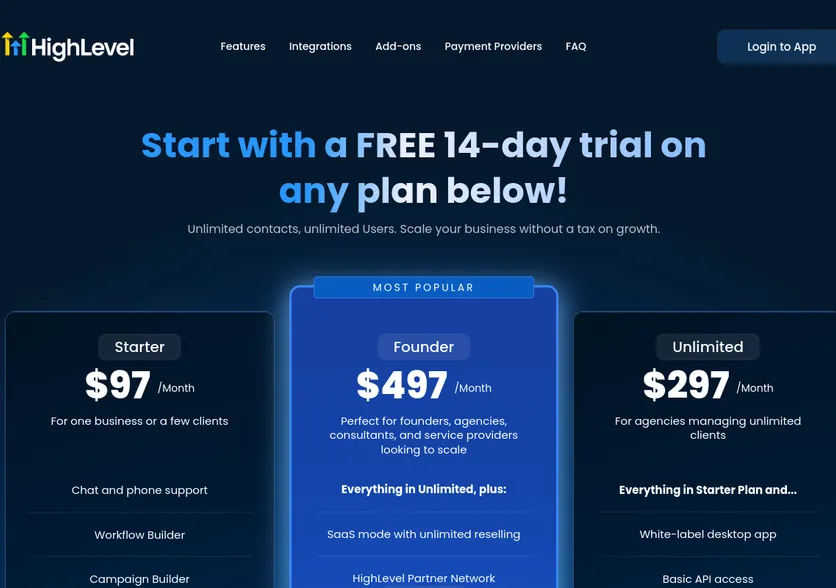
Paid tool Starting price: $97/month · Starter plan, billed annually at nine hundred seventy dollars per year; Unlimited two hundred ninety-seven dollars and Founder or Agency Pro four hundred ninety-seven dollars per month; the vendor now also calls itself HighLevel
Free plan: No free plan; free trial available
GoHighLevel is the all-in-one platform for agencies and service firms that sell marketing: funnels, CRM, email, SMS and reputation management in a single subscription. The GoHighLevel Starter plan is a fair price for what it replaces, and the higher tiers add unlimited sub-accounts for agencies. The vendor now also calls itself HighLevel, so do not be confused if you see the new name on the site.
What we like
- Funnels, CRM and marketing in one platform
- Unlimited sub-accounts on higher tiers
- Replaces several tools for an agency
Watch out for
- Big learning curve for a small team
- No free plan, only a free trial
How to try it
- Set up your agency account and add your first client as a sub-account.
- Build a funnel and connect the CRM to it.
- Automate the follow-up emails and SMS for every new lead.
8. Square Appointments
Best for: Small service firms that want scheduling for free
Paid tool Starting price: $0/location/month · Free plan with unlimited staff calendars; paid tiers exist for teams that want more features
Free plan: Free plan available, unlimited staff calendars
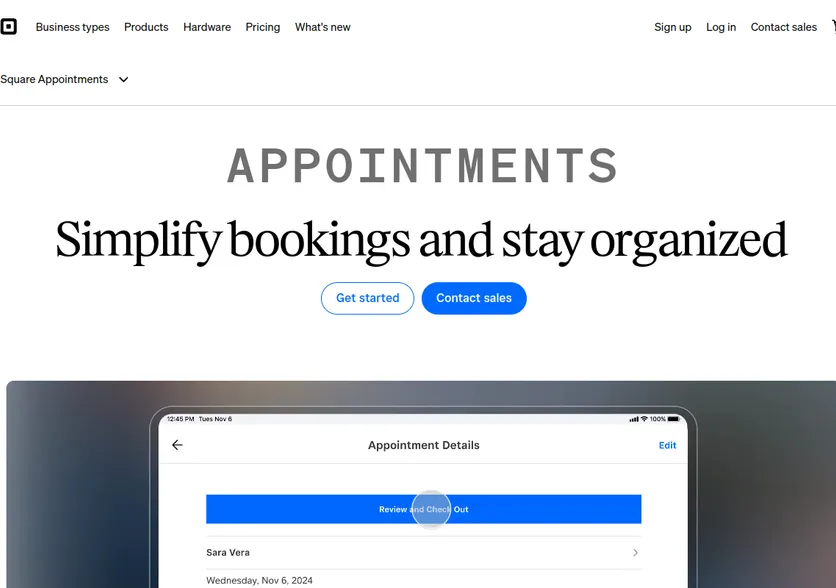
Square Appointments is the free option on this list, and it is a genuine one: the free plan includes unlimited staff calendars, online booking and reminders. The Square Appointments paid tiers exist for firms that want more features, but a small salon, clinic or repair shop can run on the free plan for a long time. It is the best budget pick here by a wide margin, and it connects to Square payments if you already use them.
What we like
- Free plan with unlimited staff calendars
- Online booking and reminders included
- Connects to Square payments
Watch out for
- Paid features are limited on the free plan
- Less suited to field dispatching than Jobber
How to try it
- Set up your services and staff calendars in Square Appointments.
- Share the booking link with clients and let them book online.
- Upgrade to a paid tier when you need more features.
Prices above were checked on each vendor’s own website on Nov 27, 2026 and can change — the vendor’s page is the final word. Vendor links are editorial: nobody paid to be listed or ranked here. Vendors who want a featured listing can see how it works on our Get listed page.
How to pick automation software for a firm that works in the field
The first question is whether you need a field service tool or a connector. Jobber and Housecall Pro run the whole job: quote, schedule, dispatch, invoice and payment. Zapier and Make do none of that, but they connect the tools you already have, which is cheaper if your booking and invoicing apps are already good. Most firms need one or the other, not both, so decide which camp you are in before you compare prices.
The second question is per user versus per account. Jobber Core and Housecall Pro Basic are priced per user, so the bill grows with every technician you add. Zapier and Make charge per account, so a whole team can share one subscription. And check the free tier honestly: Square Appointments is genuinely free for scheduling, while the free plans on Zapier and Make are limited by tasks and operations, so a busy firm will outgrow them in weeks.
Before you buy
- Check the task or operation limit on the exact plan, because automation tools charge by volume.
- Confirm the tool connects to the apps your firm already uses, especially your booking and invoicing tools.
- Ask whether the price is per user or per account, since a per-user price grows fast with a field team.
- Make sure the mobile app works offline, because field staff lose signal more often than office staff.
- Test the workflow on a real job before you commit to an annual contract.
Official websites
Official websites of the products reviewed above. Features and prices were checked against these sites when this guide was written, and they can change, so confirm on the vendor site before you buy.
Frequently asked questions
What is automation software for service firms?
Automation software for service firms connects the tools a firm already uses and moves work between them without a human doing it by hand. It covers booking, quoting, invoicing, reminders and follow-ups. A field service firm uses Jobber or Housecall Pro for the whole job, while a firm that already has tools uses Zapier or Make to connect them.
Which type of automation tool does my firm need?
If your firm sends people to jobs, pick a field service tool such as Jobber or Housecall Pro. If your firm sells projects and proposals, pick HoneyBook. If you already have booking and invoicing tools and just want them to talk to each other, pick Zapier or Make. The cheapest option is Square Appointments, which is free for scheduling.
How much should a service firm pay for automation software?
Expect roughly thirty to sixty dollars a month on an annual plan for a field service tool with one user. Jobber Core is twenty-nine dollars and Housecall Pro Basic is fifty-nine dollars. Zapier Professional is about twenty dollars and Make Core is twelve dollars on the US list. Square Appointments is free, and Thryv and GoHighLevel sit near one hundred dollars a month.
Why are ServiceTitan and FieldEdge not on this list?
ServiceTitan and FieldEdge are the enterprise standards for field service, but neither publishes prices, so they cannot be compared fairly here. If your firm is large enough to need them, ask both for a quote and compare the per-user cost against Jobber at twenty-nine dollars. For most firms under twenty technicians, the tools on this list do the same job for less money.
Can a small service firm start with a free plan?
Yes, and it is the cheapest way to start. Square Appointments is free with unlimited staff calendars, and Zapier and Make both have free plans. Jobber, Housecall Pro, HoneyBook, Thryv and GoHighLevel all offer free trials. Use the trial on a real job, not a test job, and judge the tool on whether it saves time on the work you actually do.
Start with Jobber if you run a field team, or compare the automation pricing above before you pick a tool for your firm.
Browse Business Tools tools