On this page
A real estate agent's listings, photos and contracts live on a laptop and a phone that travel to every showing, and one stolen bag can lose a whole pipeline. The eight tools below run from about forty dollars a year to about one hundred dollars a year, and every price was checked on the vendor site on November 27, 2026. Some cover every device on one bill, others sync files everywhere for sharing, and the right pick depends on how many machines you carry. IDrive is our first pick — one storage pool for every device.
How we researched this
We started with the backup tools real estate agents actually buy, then read each price on the vendor pricing page on November 27, 2026 and noted the trial each plan carries. We judged them for an agent who works from a laptop and a phone, carries listing photos between showings and needs a restore to work the first time. We dropped Druva, Datto and Rubrik because they publish no list price, and Veeam Data Platform because its editions are quote-only.
Compare the tools
| Name | Best for | Starting price | Free plan | |
|---|---|---|---|---|
 IDrive | Real estate agents with several devices who want one storage pool for every computer, phone and drive | $99.50/year | Free 10 GB Basic plan included | Visit |
 Backblaze Computer Backup | Real estate agents who want one flat price per computer with unlimited storage and no thinking about it | $99/year | No free plan; 15-day free trial | Visit |
 Carbonite Safe | Real estate agents who want automatic backup that runs itself once it is switched on | $95.99/year | No free plan; 15-day free trial | Visit |
 Dropbox Plus | Real estate agents who want two terabytes of cloud storage with file backup and versioning built in | $9.99/month | Free Basic plan with 2 GB | Visit |
 pCloud | Real estate agents who want a pay-once cloud drive with file backup and versioning built in | $49.99/year | Free plan with up to 10 GB | Visit |
 CrashPlan | Real estate teams that need admin control, unlimited versions and Linux support across many machines | $88/user/year | No free plan; 14-day free trial | Visit |
 Sync.com | Real estate teams that want every file end-to-end encrypted with a shared admin console | $6/user/month | Free 5 GB plan; 30-day free trial on paid plans | Visit |
 EaseUS Todo Backup | Real estate agents who want friendly disk imaging on a budget with a free edition to start | $39.95/year | Free edition with system, file and disk backup | Visit |
The backup software for real estate agents, compared
1. IDrive
Best for: Real estate agents with several devices who want one storage pool for every computer, phone and drive
Paid tool Starting price: $99.50/year · Personal plan, five terabytes for ninety-nine dollars and fifty cents a year on renewal; the first year is often discounted for new accounts, so budget the renewal rate
Free plan: Free 10 GB Basic plan included
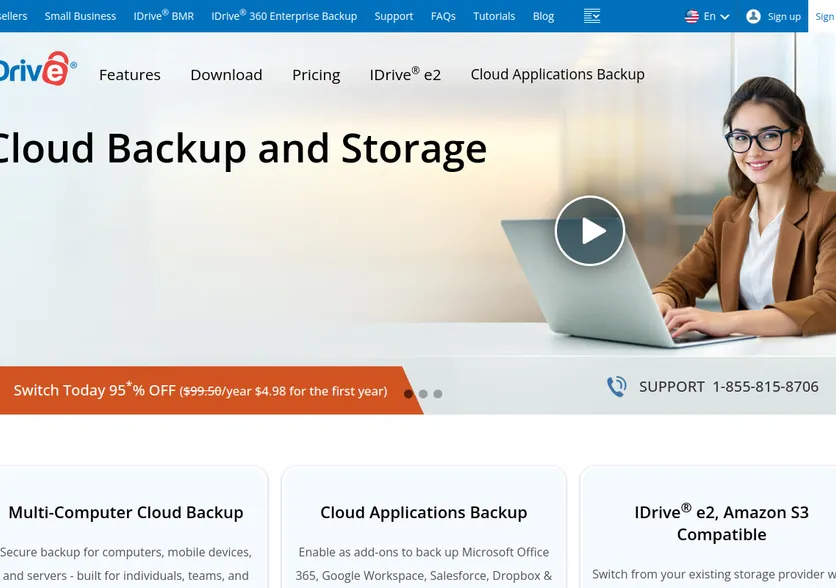
A real estate agent works from a laptop, a phone and an office computer, and IDrive covers them all under a single account with five terabytes of pooled storage. Listing photos, contracts, phones and network drives feed the same pool, so there is no per-computer bill multiplying as the kit grows. Disk images, version history and a private encryption key come with the plan, which matters when client contracts must stay private.
What we like
- One 5 TB pool covers unlimited devices on a single bill
- Disk imaging plus file backup in the same plan
- Optional private key keeps client files unreadable to the vendor
Watch out for
- Storage is capped at five terabytes, so huge photo libraries need a bigger tier
- First-year promotions end at renewal, so check the renewal price first
How to try it
- Open the IDrive site and create a free Basic account
- Add the laptop, the phone and the office computer to one pool
- Turn on the private key and schedule nightly backups
2. Backblaze Computer Backup
Best for: Real estate agents who want one flat price per computer with unlimited storage and no thinking about it
Paid tool Starting price: $99/year · Ninety-nine dollars a year per computer on yearly billing, or nine dollars a month billed monthly; a two-year term lists at one hundred eighty-nine dollars
Free plan: No free plan; 15-day free trial
Listing photos pile up fast, and Backblaze Computer Backup removes the storage math entirely with unlimited backup for one computer at a flat yearly price. The client copies every user file, including photos on connected external drives, without asking which folders matter. Restores work from any browser, so a listing photo lost on the road can be pulled back before the next showing.
What we like
- Unlimited storage per computer at one flat price
- Covers connected external drives, where listing photos often live
- Browser restores and mailed-drive restores for big recoveries
Watch out for
- One license covers one computer, so a laptop plus an office machine costs double
- No Linux client, so a Linux machine needs a different tool
How to try it
- Open the Backblaze site and start the 15-day trial
- Install the client on the laptop that holds the listings
- Test a file restore from the web dashboard before your next showing
3. Carbonite Safe
Best for: Real estate agents who want automatic backup that runs itself once it is switched on
Paid tool Starting price: $95.99/year · Basic plan list price, ninety-five dollars and ninety-nine cents a year for one computer; first-year promotions run lower and do not carry into renewal
Free plan: No free plan; 15-day free trial
An agent would rather show homes than manage backup software, and Carbonite Safe copies files automatically in the background with unlimited storage for one computer. There are no backup sets to build and no storage tiers to watch, so the plan fits an agent who would rather close deals than babysit software. The Basic plan covers documents, photos and music, while Plus adds an external drive and automatic video backup.
What we like
- Unlimited storage for one computer at a flat yearly price
- Fully automatic backup with no backup sets to manage
- Remote file access from any browser when showing homes
Watch out for
- Basic skips external drives and automatic video backup
- One computer per plan, so a laptop plus an office machine costs double
How to try it
- Open the Carbonite Safe page and start the 15-day trial
- Install the app on the laptop first
- Check the dashboard after a week to confirm new listings are covered
4. Dropbox Plus
Best for: Real estate agents who want two terabytes of cloud storage with file backup and versioning built in
Paid tool Starting price: $9.99/month · Plus plan, nine dollars and ninety-nine cents a month billed yearly, or eleven dollars and ninety-nine cents billed monthly; two terabytes for one person
Free plan: Free Basic plan with 2 GB
Listing photos, contracts and marketing files need a home that syncs everywhere, and Dropbox Plus gives one person two terabytes with thirty days of file recovery and version history. Files sync across every device, transfers up to fifty gigabytes can be sent to clients and photographers, and deleted files can be pulled back within the recovery window. It is storage first and backup second, so pair it with an unlimited backup for the full photo library.
What we like
- Two terabytes for one person with sync on every device
- Thirty-day recovery for deleted files and older versions
- Large file transfers up to fifty gigabytes for clients
Watch out for
- Thirty-day history only, so older versions age out fast
- Two terabytes fills fast on full photo libraries, so it suits active listings best
How to try it
- Open the Dropbox site and start the Plus plan
- Move listing photos and contracts into Dropbox
- Test recovering a deleted file within the thirty-day window
5. pCloud
Best for: Real estate agents who want a pay-once cloud drive with file backup and versioning built in
Paid tool Starting price: $49.99/year · Premium plan, five hundred gigabytes for forty-nine dollars and ninety-nine cents a year, or four dollars and ninety-nine cents a month; lifetime plans are sold separately
Free plan: Free plan with up to 10 GB
Not every agent wants another monthly bill, and pCloud offers a cloud drive with backup, sync and file versioning that can be bought once for life instead of rented every year. The Premium plan gives five hundred gigabytes for one person, with apps on every system including Linux and a virtual drive that keeps files in the cloud without filling the laptop. A lifetime plan costs more up front but ends the renewal cycle for good.
What we like
- Lifetime plan option ends the yearly renewal cycle
- Virtual drive keeps files in the cloud without filling the laptop
- Apps on Windows, Mac, Linux, iOS and Android
Watch out for
- True zero-knowledge encryption costs extra through the Crypto Folder
- Five hundred gigabytes fills fast if every listing keeps its full photo set
How to try it
- Open the pCloud site and create the free account
- Turn on Backup for the folders that hold your listings
- Compare the yearly and lifetime prices before you pay
6. CrashPlan
Best for: Real estate teams that need admin control, unlimited versions and Linux support across many machines
Paid tool Starting price: $88/user/year · Endpoints plan, eighty-eight dollars per user a year on yearly billing; a two-year term lists at one hundred fifty-eight dollars; a server plan is priced separately
Free plan: No free plan; 14-day free trial
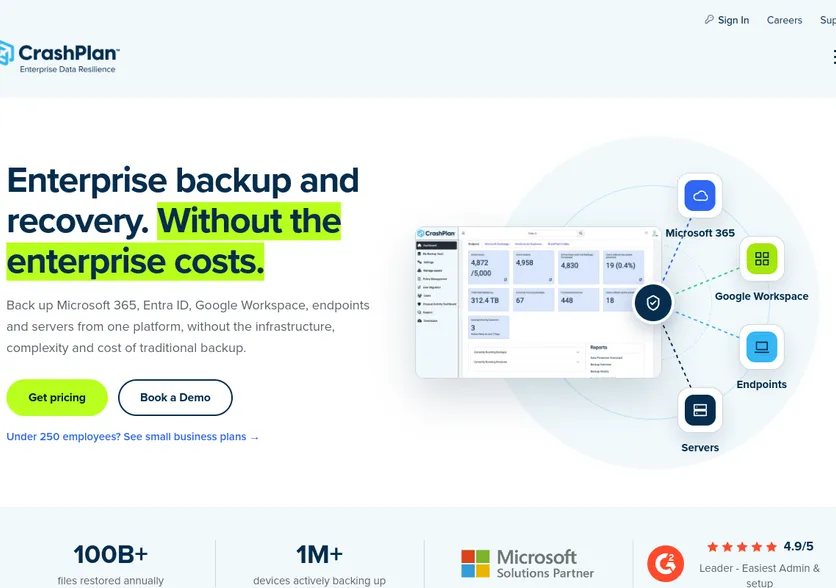
A growing brokerage needs more than a personal backup app, and CrashPlan brings an admin console, unlimited storage and unlimited version history to every endpoint it protects. Each user keeps every version of every file forever, which is the safety net that matters when a contract is overwritten by mistake. Windows, Mac and Linux machines sit under one bill, and a server plan covers the brokerage file server too.
What we like
- Unlimited storage and unlimited version history per user
- Admin console with centralized control for the whole brokerage
- Covers Windows, Mac and Linux from one subscription
Watch out for
- No personal plan, so a solo agent pays a business price
- No disk imaging, so a dead drive needs a reinstall plus a file restore
How to try it
- Open the CrashPlan site and start the 14-day trial
- Add your team and set retention rules in the admin console
- Run a test restore of an old file version before rollout
7. Sync.com
Best for: Real estate teams that want every file end-to-end encrypted with a shared admin console
Paid tool Starting price: $6/user/month · Teams 1TB plan, six dollars per user a month on yearly billing, or eight dollars billed monthly; a three-user minimum applies and the first year is often discounted
Free plan: Free 5 GB plan; 30-day free trial on paid plans
Client contracts and financial records must stay private, and Sync.com encrypts every file end to end, so only the account holder can read what is stored. The Teams plan adds an admin account, centralized billing and shared folders for the brokerage, with one terabyte per user and six months of file history. A three-user minimum applies, which suits a small team better than a solo agent.
What we like
- End-to-end encryption on every file by default
- Admin console with centralized billing for the team
- One terabyte per user with 180 days of file history
Watch out for
- Three-user minimum means a solo agent pays for three seats
- It is cloud storage with backup features, not a disk imaging tool
How to try it
- Open the Sync.com site and start the Teams trial
- Create the admin account and invite at least two teammates
- Move listing folders into shared folders with per-user access
8. EaseUS Todo Backup
Best for: Real estate agents who want friendly disk imaging on a budget with a free edition to start
Paid tool Starting price: $39.95/year · Home plan, thirty-nine dollars and ninety-five cents a year for one computer; a perpetual license lists at fifty-nine dollars and ninety-five cents
Free plan: Free edition with system, file and disk backup
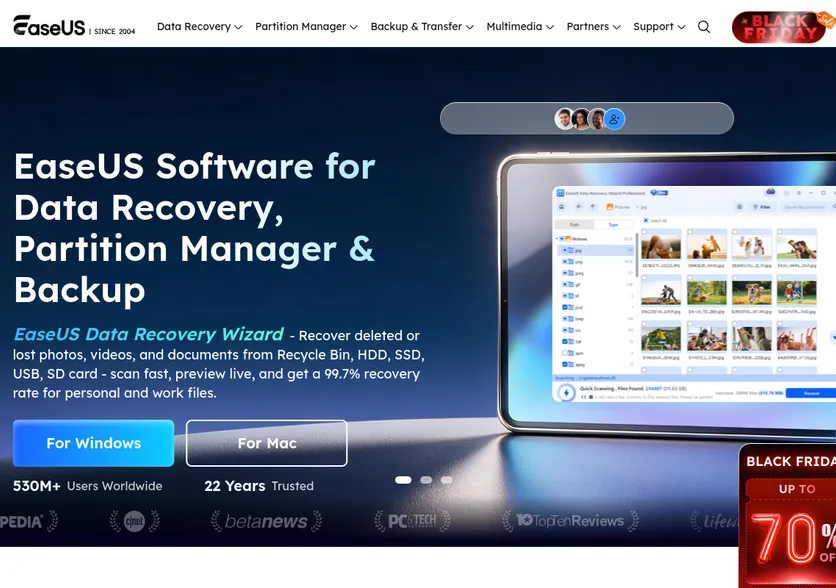
A solo agent does not need enterprise software, and EaseUS Todo Backup covers system images, disk images, file backup and cloning in one friendly program. The free edition already handles basic imaging, and the Home plan adds Outlook backup, event-based schedules and a protected Security Zone partition. A bootable rescue disk means a machine that will not start can still be recovered.
What we like
- Free edition covers basic imaging with no payment
- Friendly interface that a non-technical agent can run
- Bootable rescue media recovers a machine that will not start
Watch out for
- Windows only, so a Mac laptop needs another tool
- Cloud storage is limited, so offsite copies need a separate plan
How to try it
- Open the EaseUS site and install the free edition
- Create a system image of the laptop
- Upgrade to Home if you need Outlook backup and scheduled images
Prices above were checked on each vendor’s own website on Nov 27, 2026 and can change — the vendor’s page is the final word. Vendor links are editorial: nobody paid to be listed or ranked here. Vendors who want a featured listing can see how it works on our Get listed page.
What backup costs a real estate agent in 2026
A real estate agent's backup bill is really two bills in one: the license and the devices. Per-computer plans look cheap until the laptop, the phone and the office computer all join the count, while pooled plans like IDrive cover every device for one price but cap the total storage. Count the devices first, then the gigabytes. The phone is the other hidden cost, since listing photos and messages often live on the mobile and computer-only backup misses them entirely.
Start with the trial on two tools and back up a real working week, not a test folder. Delete a listing photo on purpose and restore it from the road, then check that an older version is still there. Pick the tool whose restore feels boring and reliable, because the day you actually need it will already be stressful enough.
Before you buy
- Count the laptop, the phone and the office computer, because most plans charge per computer and an agent's kit adds up fast.
- Check whether the plan covers the phone, because listing photos and client messages often live only on the agent's mobile.
- Confirm the restore works from the road, because an agent who loses a file at a showing needs it back before the next appointment.
- Read the renewal price at checkout, because first-year discounts end and the second year can cost far more than the first.
- Test a restore of a real listing folder and one client contract before you trust the plan, because a backup you have never restored is only a promise.
Official websites
Official websites of the products reviewed above. Features and prices were checked against these sites when this guide was written, and they can change, so confirm on the vendor site before you buy.
Frequently asked questions
What is the best backup software for real estate agents in 2026?
IDrive is the best overall pick for a real estate agent at ninety-nine dollars and fifty cents a year, because one five-terabyte pool covers every device. Backblaze Computer Backup is the best pick for unlimited storage at ninety-nine dollars a year per computer, so photo libraries never hit a cap. Dropbox Plus is the best pick for sharing, with two terabytes, sync on every device and large file transfers for clients.
How much does backup software for real estate agents cost?
Prices in this list run from thirty-nine dollars and ninety-five cents a year for EaseUS Todo Backup to ninety-nine dollars and fifty cents a year for IDrive, with Dropbox Plus at nine dollars and ninety-nine cents a month billed yearly and team plans from six dollars a month at Sync.com. A solo agent can be covered for under one hundred dollars. Always check the renewal price, since first-year discounts end after year one.
What should a real estate agent back up first?
Back up the listing photos, the contracts and the client database first, because those hold the deals the agent cannot rebuild. Then add the phone, since photos and messages often live only on the mobile. A backup that covers only the office computer leaves the phone unprotected.
Does a real estate agent need encrypted backup for client data?
Yes, because client names, contact details and financial records are sensitive data, and a backup vendor that can read your files is a risk you do not need. IDrive offers an optional private key, Sync.com encrypts every file end to end, and SpiderOak One Backup encrypts everything by default. Pick a tool whose encryption model matches the privacy standard you promise your clients.
How often should a real estate agent test a restore?
Test a restore at least once a quarter, because a backup you have never restored is only a promise. Pick one real listing folder and one client contract, restore them and check that they open correctly. A full test once a year, restoring a whole year of listings after a simulated drive failure, is the check that catches silent problems before a disaster loses a closing.
Need everyday security help too? Try Toolsvine's free security tools right in your browser.
Browse Security & Privacy tools