
On this page
Servers hold the files, databases and mail that a business cannot rebuild from memory, so the backup tool matters more than the server brand. The seven tools below run from about two dollars and fifty cents per workload a month to hundreds a year per server, and every price was checked on the vendor site on November 26, 2026. Most cover virtual machines, physical servers and cloud targets from one console, so compare coverage and restore speed rather than the headline price alone. NAKIVO is our first pick — the cheapest published per-workload price for virtual and physical servers.
How we researched this
We started with the server backup tools small businesses and IT teams actually buy, then read each price on the vendor pricing page on November 26, 2026 and noted the free trial each plan carries. We judged them for a team protecting virtual machines and physical servers that needs fast restores and storage it controls, and we kept only tools with a published price. We dropped Veeam, Acronis, Cove Data Protection and Druva because none of them publishes a list price on its own site, and we dropped BDRSuite because its public prices come from directories rather than its own pricing page.
Compare the tools
| Name | Best for | Starting price | Free plan | |
|---|---|---|---|---|
 NAKIVO | IT teams who want Veeam-style backup and replication for virtual and physical servers at a lower published price | $2.45/workload/month | No free plan; 15-day free trial | Visit |
 MSP360 Backup | Teams that want a flat yearly server license and full control over where backup copies live | $109.99/year | Free edition for personal use; 15-day free trial | Visit |
 IDrive | Small offices that want one pooled cloud backup plan for servers, computers and NAS devices | $19.99/month | Free Basic plan, 10 GB | Visit |
 Carbonite | Small businesses that want set-and-forget cloud backup for one server plus office computers | $799.99/year | No free plan; 30-day free trial | Visit |
 Hornetsecurity VM Backup | Small VMware and Hyper-V estates that want simple per-host licensing with unlimited virtual machines | $595/host | Free edition for 2 VMs per host; 30-day free trial | Visit |
 NovaBACKUP | Windows-only shops that want low-cost server backup with tape support and bundled cloud storage | $399.95/year | No free plan; 14-day free trial | Visit |
 Zmanda Pro | Mixed estates that want one flat per-workload price across virtual machines, servers and databases | $5.99/workload/month | No free plan; 14-day free trial | Visit |
The backup software for servers, compared
1. NAKIVO
Best for: IT teams who want Veeam-style backup and replication for virtual and physical servers at a lower published price
Paid tool Starting price: $2.45/workload/month · Subscription starts at two dollars and forty-five cents per workload a month with a five-workload minimum; perpetual licenses start at nineteen dollars per workstation
Free plan: No free plan; 15-day free trial
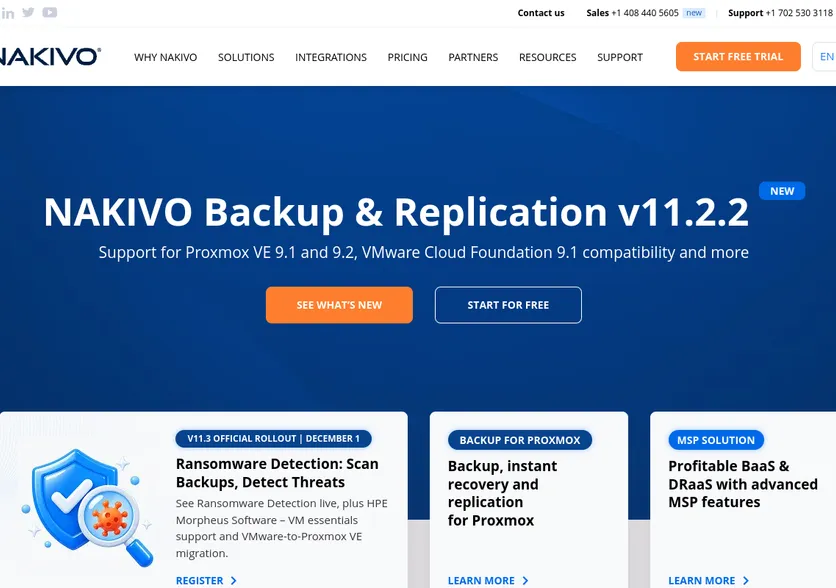
NAKIVO Backup and Replication covers VMware, Hyper-V, Nutanix, Proxmox and physical Windows and Linux servers from one web console, with replication and site recovery in the same product. This NAKIVO subscription starts at two dollars and forty-five cents per workload a month, which undercuts every rival here on a per-server basis. A small business can protect a mixed estate of virtual machines and physical servers without a quote, and instant recovery boots a failed virtual machine straight from the backup.
What we like
- Lowest published per-workload price in this comparison
- Backup and replication with site recovery in one product
- Covers VMware, Hyper-V, Proxmox and physical servers
Watch out for
- Storage is billed separately, so add your cloud or disk cost to the license
- Higher editions gate site recovery and role-based access behind pricier tiers
How to try it
- Open the NAKIVO pricing page and start the 15-day trial
- Add your hypervisor host and one physical server to the inventory
- Run a backup job and test an instant recovery before you buy
2. MSP360 Backup
Best for: Teams that want a flat yearly server license and full control over where backup copies live
Paid tool Starting price: $109.99/year · Server edition, one hundred nine dollars and ninety-nine cents per computer a year; Ultimate costs more and adds Exchange backup with unlimited cloud storage
Free plan: Free edition for personal use; 15-day free trial
MSP360 Backup is the bring-your-own-storage option in this list, writing backup images and files to Amazon S3, Azure, Wasabi, Backblaze B2 or a local disk you control. This MSP360 Backup Server edition costs one hundred nine dollars and ninety-nine cents per computer a year, which is the cheapest direct server license here. A team that already pays for cloud storage keeps that bill separate from the backup license, so the total depends on how much data it keeps.
What we like
- Cheapest direct per-server license in this comparison
- Writes backups to any cloud storage you already own
- Image, file and bare-metal recovery from one agent
Watch out for
- Storage is a second bill, so the license price is only part of the monthly total
- Virtual machine backup needs the separate VM Edition license
How to try it
- Open the MSP360 pricing page and pick the Server edition
- Connect your cloud storage account as the backup destination
- Run a full image backup and test a bare-metal restore
3. IDrive
Best for: Small offices that want one pooled cloud backup plan for servers, computers and NAS devices
Paid tool Starting price: $19.99/month · Business plan, 500 GB, nineteen dollars and ninety-nine cents a month billed yearly; first-year signups pay less and standard pricing applies from year two
Free plan: Free Basic plan, 10 GB
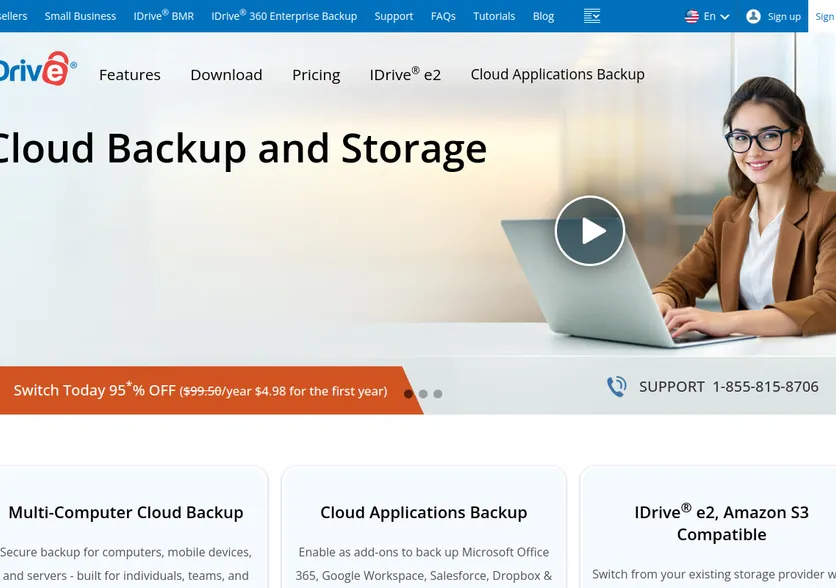
IDrive Business pools storage across every machine on one account, so a server, a NAS device and a dozen computers share a single quota instead of separate plans. This IDrive Business plan starts at nineteen dollars and ninety-nine cents a month billed yearly for 500 GB, with unlimited users and computers included. A small office with one server and a NAS unit gets server, Exchange and SQL backup in the same plan, plus a free 10 GB Basic account to test with.
What we like
- One pooled quota covers servers, computers and NAS devices
- Unlimited users and computers on the Business plan
- Free 10 GB Basic plan for testing
Watch out for
- The 500 GB tier is yearly billing only, with no monthly option
- First-year discount ends at renewal, so budget for the standard rate
How to try it
- Open the IDrive pricing page and claim the free Basic plan
- Add your server and NAS device to the Business trial
- Run a full server backup and check the restore speed
4. Carbonite
Best for: Small businesses that want set-and-forget cloud backup for one server plus office computers
Paid tool Starting price: $799.99/year · Power plan lists at seven hundred ninety-nine dollars and ninety-nine cents a year for one server plus up to twenty-five computers; the page shows a lower promotional rate that is not the list price
Free plan: No free plan; 30-day free trial
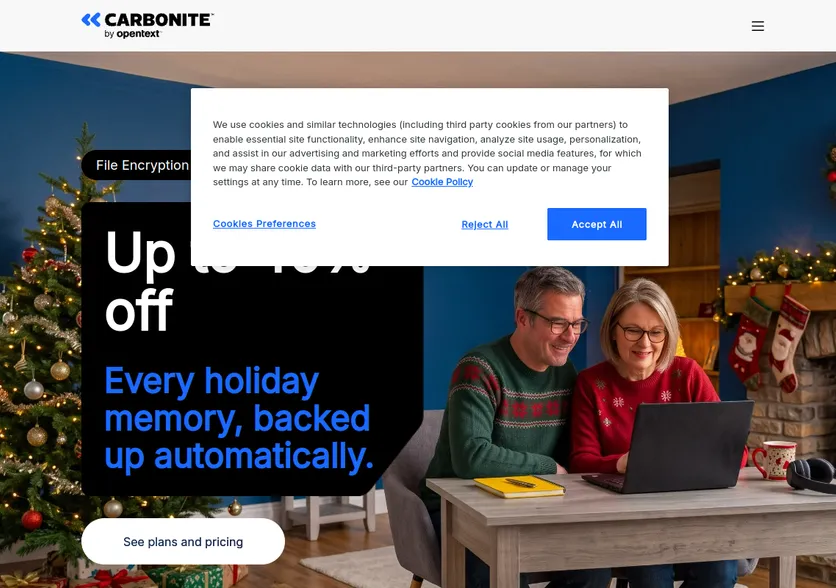
Carbonite Safe Backup Pro is the simplest cloud backup in this list, running continuously in the background once it is installed on a server or computer. This Carbonite Power plan lists at seven hundred ninety-nine dollars and ninety-nine cents a year and covers one server plus up to twenty-five computers with 500 GB of cloud storage. A business that wants backup it never has to think about will like the automatic scheduling, though the storage cap is small next to rivals that charge per workload.
What we like
- Continuous automatic backup with no scheduling to manage
- Server, database and bare-metal backup on business plans
- Compliance support for regulated small businesses
Watch out for
- Only 500 GB of cloud storage is included, with extra storage billed per increment
- The Core plan has no server backup at all despite its price
How to try it
- Open the Carbonite pricing page and compare Power with Ultimate
- Start the 30-day trial on your server
- Check how much of your data fits in the included storage before you buy
5. Hornetsecurity VM Backup
Best for: Small VMware and Hyper-V estates that want simple per-host licensing with unlimited virtual machines
Paid tool Starting price: $595/host · Standard perpetual license, five hundred ninety-five dollars per host; Unlimited costs more per host and subscription licenses start at fifty-nine dollars and eighty cents per virtual machine a year
Free plan: Free edition for 2 VMs per host; 30-day free trial
Hornetsecurity VM Backup, formerly Altaro VM Backup, is built only for VMware and Hyper-V, which keeps its console simpler than the all-platform tools here. This Hornetsecurity VM Backup Standard license costs five hundred ninety-five dollars per host as a one-time purchase, and the Unlimited editions cover every virtual machine on that host. A small team with a dense host pays once and stops counting virtual machines, though physical servers need a separate backup method.
What we like
- One license per host covers unlimited virtual machines on Unlimited editions
- Simple console focused only on VMware and Hyper-V
- Free edition covers two virtual machines per host
Watch out for
- No physical server backup, so a file server needs a second tool
- Subscription pricing is per virtual machine rather than per host
How to try it
- Open the Hornetsecurity VM Backup page and start the free trial
- Add your VMware or Hyper-V host to the console
- Back up two virtual machines and test a restore to a new host
6. NovaBACKUP
Best for: Windows-only shops that want low-cost server backup with tape support and bundled cloud storage
Paid tool Starting price: $399.95/year · Server Agent, three hundred ninety-nine dollars and ninety-five cents a year, including 250 GB of cloud storage and support for SQL, Exchange and virtual machines
Free plan: No free plan; 14-day free trial
NovaBACKUP Server Agent is the cheapest flat yearly server backup in this list, aimed at Windows servers with a simple interface a small business owner can learn in an afternoon. This NovaBACKUP Server Agent costs three hundred ninety-nine dollars and ninety-five cents a year and bundles 250 GB of cloud storage with support for SQL, Exchange and virtual machines. A Windows-only office that still backs up to tape will like the tape drive support, though Linux servers are not covered at all.
What we like
- Lowest flat yearly price for a Windows server license
- Tape backup support for offices that still use tape libraries
- 250 GB of cloud storage bundled in the server price
Watch out for
- Windows only, so Linux servers need a different tool
- Cloud storage is capped at 250 GB on the Server plan
How to try it
- Open the NovaBACKUP pricing page and start the 14-day trial
- Install the Server Agent on your Windows server
- Run a full backup to local disk and to the bundled cloud storage
7. Zmanda Pro
Best for: Mixed estates that want one flat per-workload price across virtual machines, servers and databases
Paid tool Starting price: $5.99/workload/month · Business plan, five dollars and ninety-nine cents per workload a month with a ten-workload minimum; disk-image and database backups are add-ons on Business
Free plan: No free plan; 14-day free trial
Zmanda Pro protects virtual machines, physical servers, databases, NAS shares and Microsoft 365 from one console, with backups sent straight to storage you choose. This Zmanda Pro Business plan costs five dollars and ninety-nine cents per workload a month, and the price stays flat at renewal with no data metering. A team with a mixed estate pays the same rate for a small virtual machine and a large database server, though the ten-workload minimum makes it a poor fit for a single server.
What we like
- Flat per-workload price with no renewal increase
- Covers virtual machines, servers, databases and NAS shares in one console
- Backups go to storage you choose, never through Zmanda servers
Watch out for
- Ten-workload minimum, so a single server costs the ten-workload price
- Disk-image and database backups are paid add-ons on Business
How to try it
- Open the Zmanda pricing page and check the Business plan limits
- Start the 14-day trial and add ten workloads
- Send a backup to your own cloud storage and test a restore
Prices above were checked on each vendor’s own website on Nov 26, 2026 and can change — the vendor’s page is the final word. Vendor links are editorial: nobody paid to be listed or ranked here. Vendors who want a featured listing can see how it works on our Get listed page.
What server backup costs in 2026
Most teams in this list pay per workload, per server or per host, so the cheapest headline is rarely the cheapest bill. A per-workload price like two dollars and forty-five cents a month looks small until you count every virtual machine, while a flat yearly server license stays fixed no matter how many machines sit behind it. Storage is the second bill on several tools here, so add the cloud storage rate to the license before you compare totals.
Start with the free trial on two tools and run one real backup and one real restore on each. Compare how fast a full server comes back, how the console reports a failed job, and whether the plan you buy covers the workloads you actually run. Pick the tool whose restore you trust, because a backup nobody can restore is money wasted.
Before you buy
- Count every virtual machine and physical server first, because per-workload pricing multiplies with each one you protect.
- Check whether storage is included, because NAKIVO and MSP360 bill cloud storage separately from the license.
- Confirm the plan covers your hypervisor, because Hornetsecurity VM Backup runs only on VMware and Hyper-V.
- Test a full restore during the trial, because a backup that cannot restore is worth nothing when a server fails.
- Compare yearly and per-workload billing, because a flat server license can cost less than per-workload pricing at scale.
Official websites
Official websites of the products reviewed above. Features and prices were checked against these sites when this guide was written, and they can change, so confirm on the vendor site before you buy.
Frequently asked questions
Which backup software is best for servers in 2026?
NAKIVO is the best overall pick at two dollars and forty-five cents per workload a month, with backup, replication and site recovery in one product. MSP360 is the cheapest direct server license at one hundred nine dollars and ninety-nine cents a year when you already own cloud storage. IDrive Business is the best cloud option for a small office, pooling servers, computers and NAS devices under one plan.
How much does server backup software cost?
Per-workload subscriptions in this list run from two dollars and forty-five cents to five dollars and ninety-nine cents a month, while flat yearly server licenses run from one hundred nine dollars and ninety-nine cents to seven hundred ninety-nine dollars and ninety-nine cents a year. Storage is often a second bill, so add the cloud storage rate before you compare totals. A single server with modest data can be protected for roughly one hundred to four hundred dollars a year.
Do I need a separate tool for physical servers?
No, most tools here cover virtual machines and physical servers in the same license, including NAKIVO, MSP360 and Zmanda Pro. Hornetsecurity VM Backup is the exception, covering only VMware and Hyper-V virtual machines, so a physical file server needs a second tool. NovaBACKUP covers Windows servers only, so Linux servers need a different product. Check the coverage list before you buy.
Is there a free server backup tool?
NAKIVO, MSP360, Hornetsecurity VM Backup and IDrive all offer free trials of fourteen to thirty days, and IDrive has a free 10 GB Basic plan for testing. MSP360 has a free edition for personal use, though it excludes domain-joined machines and server operating systems. A trial is enough to back up a real server and test a restore before you commit.
What should I look for in server backup software?
Look for coverage of every workload you run, including virtual machines, physical servers and databases, plus a restore you have tested yourself. Check whether storage is included or billed separately, and whether the license is per workload, per server or per host. The best backup tool is the one whose restore works when a server fails, not the one with the longest feature list.
Need everyday security help too? Try Toolsvine's free security tools right in your browser.
Browse Security & Privacy tools


