
On this page
A startup cannot afford a ransomware infection from one bad click, and browser isolation moves the risky part of the web into a remote browser that never touches company devices. The seven tools below run from two dollars a user a month to one thousand four hundred fifty dollars a user a year, and every price was checked on the vendor site on November 27, 2026. Citrix Enterprise Browser is our first pick, because it isolates browsing for two dollars a user a month with a free trial.
How we researched this
We started with the browser isolation tools startups can actually buy, then read each price on the vendor pricing page on November 27, 2026 and noted where the vendor publishes no number at all. We judged them for a small team that needs remote browsing, data protection and simple setup without an enterprise security team. We dropped Menlo Security, Zscaler, Island, Netskope and Ericom Shield because all five sell on quote only, and we kept only tools with a published price.
Compare the tools
| Name | Best for | Starting price | Free plan | |
|---|---|---|---|---|
| Citrix Enterprise Browser | Citrix customers securing web access on unmanaged devices | $2/month | No free plan; free trial available | Visit |
 Cloudflare Browser Isolation | Teams already running Cloudflare One who want isolation as a policy | $7/month | Free Zero Trust plan for up to 50 users; isolation is a paid add-on | Visit |
 ConcealBrowse | Small teams that want detection, defense and isolation in one tool | $7/month | No free plan; free trial available | Visit |
 Authentic8 Silo | Investigators and fraud teams who visit untrusted sites | $1,450/year | No free plan; 30-day free trial | Visit |
| Prisma Browser | Palo Alto customers who want a secure enterprise browser | $99/year | No free plan; trial available on request | Visit |
 Chrome Enterprise Premium | Teams that already run Chrome and want browser security | $6/month | Free Chrome Enterprise Core; Premium $6/month | Visit |
 Apozy Airlock | Small teams that want one-click browser threat response | $9/month | No free plan; free trial available | Visit |
The browser isolation software for startups, compared
1. Citrix Enterprise Browser
Best for: Citrix customers securing web access on unmanaged devices
Paid tool Starting price: $2/month · Two dollars per user a month in vendor-reported listings; confirm what the underlying Citrix subscription adds to the total
Free plan: No free plan; free trial available
Citrix Enterprise Browser is the cloud-hosted browser that isolates web and software as a service traffic from the corporate network. This Citrix Enterprise Browser plan costs two dollars per user a month, with each session destroyed after use so a compromised site never reaches the device. A startup can let staff browse freely on unmanaged and bring-your-own devices while the network stays protected.
What we like
- Lowest published price here at two dollars a user a month
- Each session is destroyed after use
- Free trial available for evaluation
Watch out for
- Needs a Citrix subscription underneath, so confirm the total
- Built for Citrix customers first
How to try it
- Open the Citrix Enterprise Browser page and start a trial
- Set up policies for unmanaged and bring-your-own devices
- Test browsing on a device outside the office network
2. Cloudflare Browser Isolation
Best for: Teams already running Cloudflare One who want isolation as a policy
Paid tool Starting price: $7/month · Seven dollars per user a month for Zero Trust pay-as-you-go billed yearly, covering Gateway and Access; the isolation add-on itself is quoted separately
Free plan: Free Zero Trust plan for up to 50 users; isolation is a paid add-on
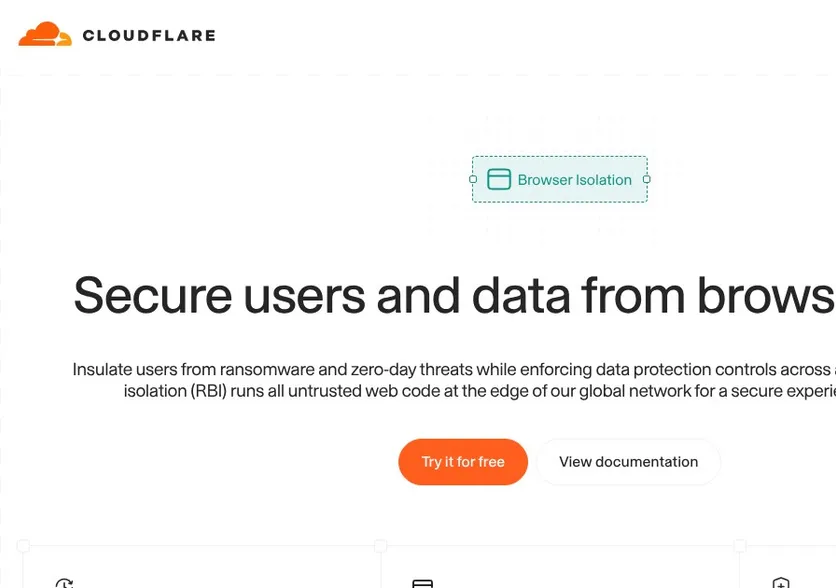
Cloudflare Browser Isolation runs active web content in a remote browser on the Cloudflare edge and sends draw commands back to the local tab, which looks and feels like ordinary Chrome. This Cloudflare Browser Isolation seat costs seven dollars per user a month for Zero Trust pay-as-you-go on yearly billing, with the isolation add-on quoted separately. A team already on Cloudflare One can turn isolation on as a policy action without a second console.
What we like
- Runs on the Cloudflare global edge network
- Local tab looks and feels like ordinary Chrome
- Free Zero Trust plan covers up to fifty users
Watch out for
- Seven dollar seat covers Gateway and Access only
- Isolation add-on price is not published
How to try it
- Open the Cloudflare Browser Isolation page and check the Zero Trust plans
- Ask for the isolation add-on price in writing
- Turn isolation on as a policy for risky sites
3. ConcealBrowse
Best for: Small teams that want detection, defense and isolation in one tool
Paid tool Starting price: $7/month · Seven dollars per user a month in vendor-reported directory listings; confirm the current rate on the vendor site before buying
Free plan: No free plan; free trial available
ConcealBrowse detects, defends and isolates malicious and unknown internet activity across applications, keeping users protected without a heavy agent. This ConcealBrowse plan is listed at seven dollars per user a month in vendor-reported listings, with a free trial for evaluation. A startup can protect every browser at once, isolate risky sessions automatically, and keep the setup light enough for a small team.
What we like
- Detection, defense and isolation in one tool
- Light browser extension with no heavy agent
- Free trial available for evaluation
Watch out for
- Price comes from directory listings, so confirm it first
- Smaller vendor than Cloudflare or Citrix
How to try it
- Open the ConcealBrowse pricing page and confirm the current rate
- Start a trial and install the browser extension
- Test isolation on a risky site before you roll out
4. Authentic8 Silo
Best for: Investigators and fraud teams who visit untrusted sites
Paid tool Starting price: $1,450/year · One thousand four hundred fifty dollars per user a year for the Local tier; Multi-Region at two thousand four hundred fifty dollars and Global at three thousand four hundred fifty dollars
Free plan: No free plan; 30-day free trial
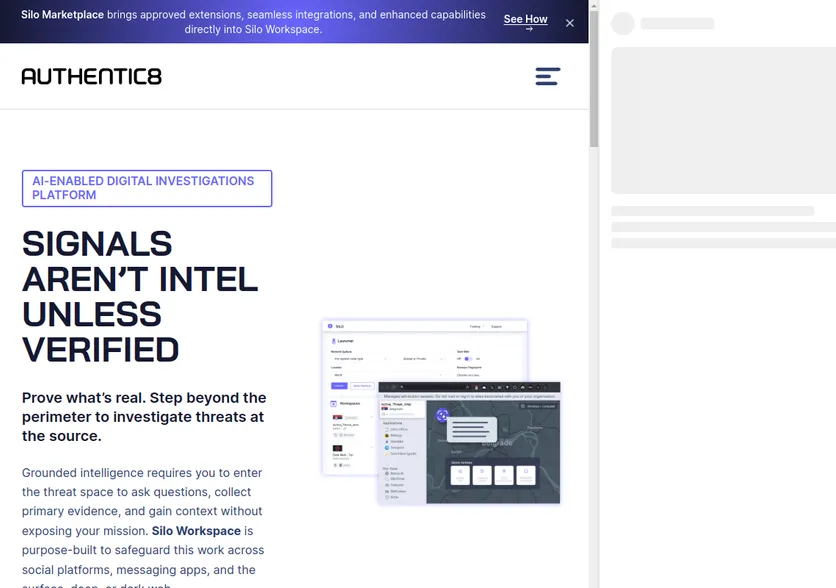
Authentic8 Silo is the secure cloud-native browser for people whose job is to visit sites nobody trusts, from fraud teams to threat researchers. This Authentic8 Silo Local tier costs one thousand four hundred fifty dollars per user a year, with managed attribution that hides where the analyst is browsing from. A startup with an investigations or fraud team can give analysts a disposable browser that never touches company systems.
What we like
- Built for investigators and fraud teams
- Managed attribution hides analyst location
- Thirty-day free trial for evaluation
Watch out for
- Dearest tool here by a wide margin
- Overkill for ordinary employee browsing
How to try it
- Open the Authentic8 site and start the thirty-day trial
- Pick the Local, Multi-Region or Global tier
- Set up attribution and policy controls for analysts
5. Prisma Browser
Best for: Palo Alto customers who want a secure enterprise browser
Paid tool Starting price: $99/year · Ninety-nine dollars per user a year for the Business edition, or ten dollars per user a month; formerly Talon
Free plan: No free plan; trial available on request
Prisma Browser is the secure enterprise browser from Palo Alto Networks, formerly Talon, tied to Prisma Access for web and software as a service security. This Prisma Browser Business edition costs ninety-nine dollars per user a year, or ten dollars per user a month. A startup already on Palo Alto can give staff a secure browser with data protection built in, without a separate isolation console.
What we like
- Secure browser tied to Prisma Access
- Ninety-nine dollars a year per user on Business
- Data protection built into the browser
Watch out for
- Built for Palo Alto customers first
- No free plan listed, so ask about a trial
How to try it
- Open the Prisma Browser page and check the Business edition
- Connect it to your Prisma Access setup
- Test secure browsing on unmanaged devices
6. Chrome Enterprise Premium
Best for: Teams that already run Chrome and want browser security
Paid tool Starting price: $6/month · Six dollars per user a month in vendor-reported listings for Chrome Enterprise Premium; Chrome Enterprise Core is free
Free plan: Free Chrome Enterprise Core; Premium $6/month
Chrome Enterprise Premium adds advanced browser security to the Chrome teams already use, with data protection, URL scanning and context-aware access for software as a service apps. This Chrome Enterprise Premium plan is listed at six dollars per user a month in vendor-reported listings, with Chrome Enterprise Core free underneath. A startup can keep the browser its staff already know, add security controls centrally, and manage everything from the Google admin console.
What we like
- Staff keep the Chrome they already know
- Central management from the Google admin console
- Core management is free underneath
Watch out for
- Price comes from directory listings, so confirm it first
- Not a full remote browser, so check the isolation scope
How to try it
- Open the Chrome Enterprise Premium page and confirm the rate
- Set up Chrome Enterprise Core for free first
- Turn on Premium controls for risky browsing
7. Apozy Airlock
Best for: Small teams that want one-click browser threat response
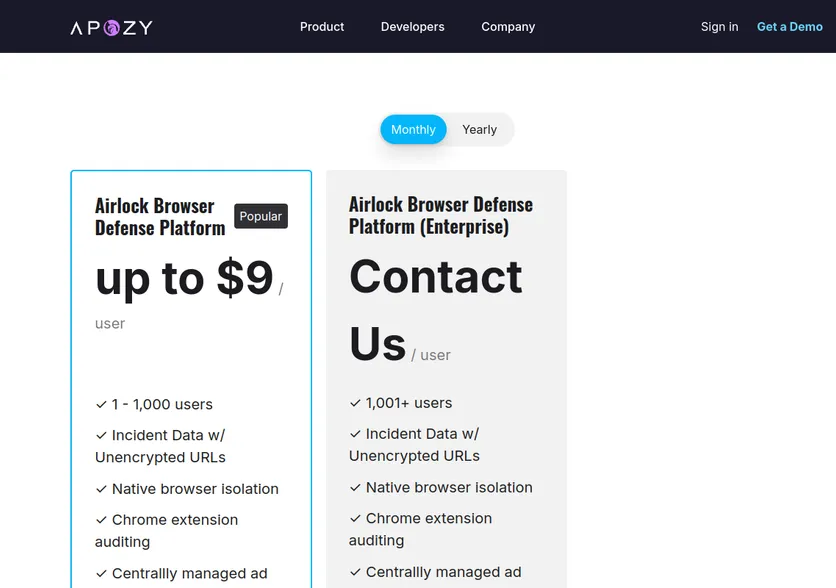
Paid tool Starting price: $9/month · Nine dollars per user a month in vendor-reported directory listings; confirm the current rate on the vendor site before buying
Free plan: No free plan; free trial available
Apozy Airlock is the browser endpoint detection and response platform that neutralizes web attacks in one click, with isolation built into the browser. This Apozy Airlock plan is listed at nine dollars per user a month in vendor-reported listings, with a free trial for evaluation. A startup can give staff a browser that spots and stops web attacks as they happen, without a separate security console to learn.
What we like
- One-click response to web attacks
- Isolation built into the browser itself
- Free trial available for evaluation
Watch out for
- Price comes from directory listings, so confirm it first
- Smaller vendor with a smaller track record
How to try it
- Open the Apozy pricing page and confirm the current rate
- Start a trial and install the browser agent
- Test the one-click response on a risky site
Prices above were checked on each vendor’s own website on Nov 27, 2026 and can change — the vendor’s page is the final word. Vendor links are editorial: nobody paid to be listed or ranked here. Vendors who want a featured listing can see how it works on our Get listed page.
What browser isolation software costs in 2026
Browser isolation is priced per user per month or per user per year, and the cheapest seat can hide the real bill. Citrix Enterprise Browser lists two dollars a user a month but needs a Citrix subscription underneath, Cloudflare lists seven dollars a user a month for Gateway and Access while the isolation add-on is quoted separately, and Silo lists one thousand four hundred fifty dollars a user a year for investigators. Ask for the full annual total in writing before you buy, because the published seat price is only the first line.
Start with a trial and test isolation on the sites your team actually visits, including the risky ones, because a remote browser that feels slow will get bypassed. Check that downloads, uploads and copy-paste behave the way your team needs, and confirm that policies cover unmanaged and bring-your-own devices. Pick the tool that fits the stack you already run, because isolation works best as a policy on a path you control rather than a second console nobody opens.
Before you buy
- Ask for the full annual total in writing, because the published seat price can hide an add-on or an underlying subscription.
- Test isolation on the sites your team actually visits, because a slow remote browser will get bypassed by staff.
- Check downloads, uploads and copy-paste behavior before paying, because isolation policies can block normal work.
- Confirm the tool covers unmanaged and bring-your-own devices, because office laptops are only half the fleet.
- Compare the pricing unit across tools, because per-month and per-year prices are not directly comparable.
Official websites
Official websites of the products reviewed above. Features and prices were checked against these sites when this guide was written, and they can change, so confirm on the vendor site before you buy.
Frequently asked questions
Which browser isolation software is best for startups in 2026?
Citrix Enterprise Browser is the best overall pick at two dollars a user a month, with sessions destroyed after use and a free trial. Cloudflare Browser Isolation is the best pick for teams already on Cloudflare One, with isolation as a policy action. ConcealBrowse is the best budget pick for small teams, with detection, defense and isolation at seven dollars a user a month.
How much does browser isolation software cost for startups?
The tools in this list run from two dollars a user a month for Citrix Enterprise Browser to one thousand four hundred fifty dollars a user a year for Authentic8 Silo. Cloudflare Browser Isolation costs seven dollars a user a month for Zero Trust, Chrome Enterprise Premium is listed at six dollars a user a month, and Prisma Browser costs ninety-nine dollars a user a year.
Why do Menlo, Zscaler and Island not publish prices?
Menlo Security, Zscaler, Island, Netskope and Ericom Shield all sell on quote because price depends on users, traffic, modules and contract length, so a published number would mislead as often as it helps. Menlo offers a self-service estimator for a budgetary figure, but the real price still comes from sales. Startups should start with the published-price tools in this list instead.
Is there free browser isolation software for startups?
Cloudflare offers a free Zero Trust plan for up to fifty users, though Browser Isolation itself is a paid add-on. Kasm Workspaces offers a free Community Edition for self-hosted isolation, which suits a technical team willing to run it. No full managed isolation platform in this list offers a permanent free plan for a whole team.
What should a startup check before buying browser isolation?
Check whether the published seat price includes isolation or only the platform underneath, because Cloudflare and Citrix both split the two. Test the remote browser on real sites, confirm downloads and copy-paste work for your team, and check coverage for unmanaged devices. Get the full annual total in writing, including any add-on, before you sign.
Need everyday security help too? Try Toolsvine's free security tools right in your browser.
Browse Security & Privacy tools


