On this page
Bring your own device programs fail when phones and work laptops live under different rules, so enterprises need a console that enrolls, secures and wipes any device an employee brings to work. The eight tools below run from one dollar to twelve dollars and fifty cents per device a month, and every price was checked on the vendor site on November 27, 2026. Per-device pricing suits fleets with many devices per person, while per-user pricing wins when each person carries one laptop and one phone. Jamf Pro is our first pick, the deepest Apple management available, built for fleets.
How we researched this
We started with the device management tools enterprises actually buy for employee-owned fleets, then read each price on the vendor pricing page on November 27, 2026 and noted the minimums and billing terms that shape the real bill. We judged them for a large organization that must enroll personal phones, laptops and tablets fast, enforce security policies and wipe lost devices without touching personal data. We dropped Kandji because it rebranded to Iru in 2026 and now prices by quote only, and SOTI and Ivanti because neither publishes a price.
Compare the tools
| Name | Best for | Starting price | Free plan | |
|---|---|---|---|---|
 Jamf Pro | Large Apple fleets that need the deepest macOS and iOS controls | $12.50/device/month | No free plan; 14-day free trial | Visit |
 Hexnode UEM | Mixed fleets that want broad platform coverage on a budget | $2.20/device/month | No free plan; 14-day free trial | Visit |
| Scalefusion | Frontline and kiosk fleets with many shared Android devices | $2/device/month | No free plan; 14-day free trial | Visit |
 Mosyle | Apple-only fleets that want enterprise controls at the lowest price | $1/device/month | Free plan for up to 30 devices; 30-day free trial of paid tiers | Visit |
 ManageEngine Endpoint Central | IT teams that want maximum patching and control per dollar | $795/year for 50 endpoints | Free plan for up to 25 endpoints; 30-day free trial | Visit |
 Microsoft Intune | Microsoft shops that want one console for every device and identity | $8/user/month | No free plan; free trial available | Visit |
 JumpCloud | Cloud-first teams that want identity and devices on one bill | $9/user/month | No free plan for new accounts; 30-day free trial | Visit |
| SimpleMDM | Small Apple fleets that want simple setup and published pricing | $2.50/device/month | No free plan; 30-day free trial | Visit |
The byod management software for enterprises, compared
1. Jamf Pro
Best for: Large Apple fleets that need the deepest macOS and iOS controls
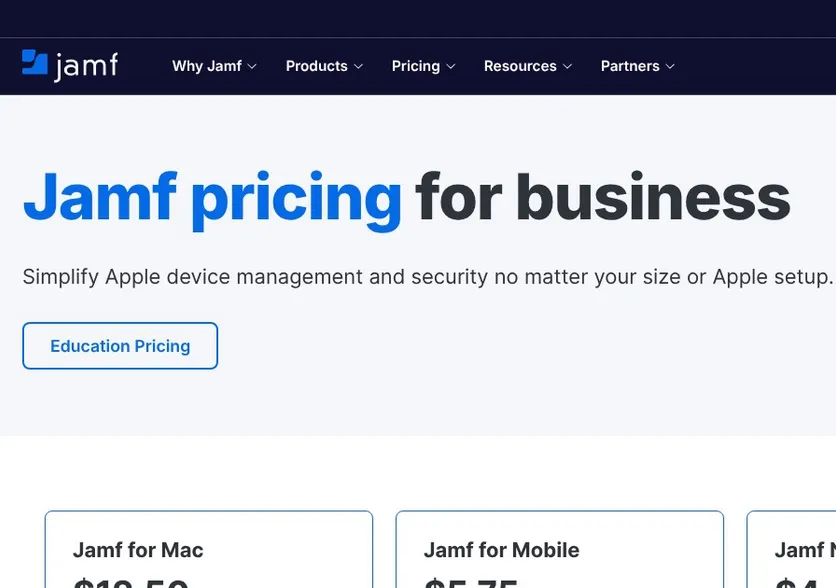
Paid tool Starting price: $12.50/device/month · Jamf for Mac lists at twelve dollars and fifty cents per device a month on annual billing, with a twenty-five device minimum; Jamf for Mobile lists at five dollars and seventy-five cents
Free plan: No free plan; 14-day free trial
Jamf Pro is the Apple management standard for large enterprises, covering Mac, iPhone, iPad and Apple TV from one cloud console with zero-touch enrollment through Apple Business Manager. This Jamf Pro bundle lists at twelve dollars and fifty cents per Mac a month on annual billing, with a twenty-five device minimum, and mobile devices cost five dollars and seventy-five cents a month. A large Apple fleet gets the deepest macOS controls available, plus patching, compliance reporting and same-day support for new Apple releases.
What we like
- Deepest macOS and iOS controls of any tool here
- Zero-touch enrollment through Apple Business Manager
- Same-day support for new Apple operating system releases
Watch out for
- Apple only, so mixed fleets need a second tool
- Twenty-five device minimum puts small teams out of reach
How to try it
- Open the Jamf pricing page and check the Mac and mobile rates
- Start a trial and enroll a pilot group of Macs and iPhones
- Test zero-touch enrollment and a remote wipe before you commit
2. Hexnode UEM
Best for: Mixed fleets that want broad platform coverage on a budget
Paid tool Starting price: $2.20/device/month · Pro lists at two dollars and twenty cents per device a month on annual billing, or two dollars and forty cents monthly; Enterprise at three dollars and twenty cents, Ultimate at four dollars and seventy cents
Free plan: No free plan; 14-day free trial
Hexnode UEM manages Windows, Mac, iPhone, Android, Linux and ChromeOS devices from one console, with kiosk mode, app deployment and location tracking built in. This Hexnode UEM Pro plan lists at two dollars and twenty cents per device a month on annual billing, with Enterprise at three dollars and twenty cents and Ultimate at four dollars and seventy cents. A mixed fleet gets broad coverage at a low per-device price, with a fifteen device minimum on the cloud plans.
What we like
- Covers six operating systems from one console
- Lowest per-device price for a true cross-platform tool
- Monthly billing available as well as annual
Watch out for
- Patching for Windows and Mac sits in the quote-only Ultra tier
- Desktop remote control needs the Ultimate plan
How to try it
- Open the Hexnode pricing page and compare the Pro and Enterprise tiers
- Start the fourteen-day trial and enroll a mix of devices
- Test kiosk mode and remote view on your own hardware
3. Scalefusion
Best for: Frontline and kiosk fleets with many shared Android devices
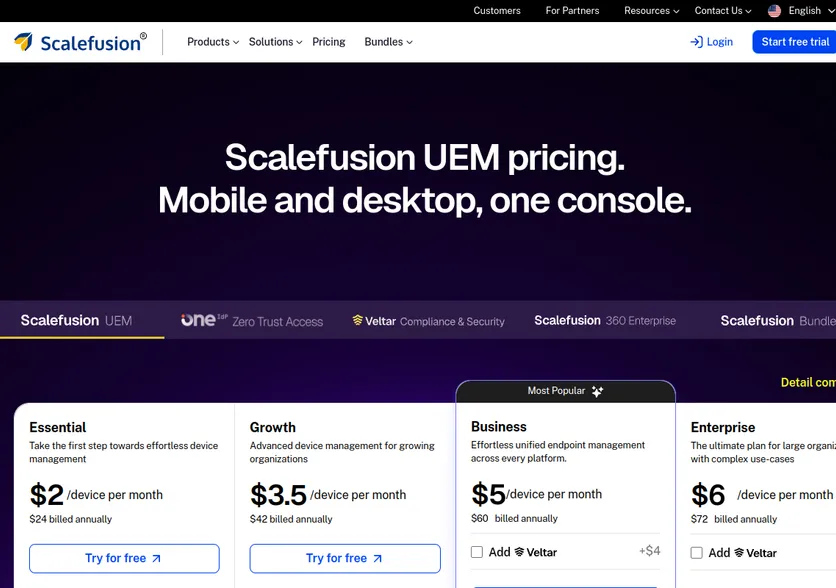
Paid tool Starting price: $2/device/month · Essential lists at two dollars per device a month on annual billing only, with Growth at three dollars and fifty cents, Business at five dollars and Enterprise at six dollars
Free plan: No free plan; 14-day free trial
Scalefusion is a unified endpoint management platform built for frontline and kiosk fleets, covering Android, iOS, macOS, Windows, Linux and ChromeOS from one dashboard. This Scalefusion Essential plan lists at two dollars per device a month on annual billing, with Growth at three dollars and fifty cents, Business at five dollars and Enterprise at six dollars. A team running shared tablets or rugged handhelds gets zero-touch enrollment, kiosk lockdown and remote troubleshooting without enterprise pricing.
What we like
- Strongest kiosk and frontline Android management here
- Essential plan covers Android and iOS from two dollars a device
- Ten device minimum suits small and mid-size fleets
Watch out for
- Windows and Mac management starts on the five-dollar Business plan
- Annual billing only, with no monthly option
How to try it
- Open the Scalefusion pricing page and check which tier covers your platforms
- Start the fourteen-day trial with a handful of kiosk devices
- Test zero-touch enrollment and remote troubleshooting live
4. Mosyle
Best for: Apple-only fleets that want enterprise controls at the lowest price
Paid tool Starting price: $1/device/month · Business Premium lists at one dollar per device a month on annual billing, with a thirty license minimum; Business Free covers up to thirty devices
Free plan: Free plan for up to 30 devices; 30-day free trial of paid tiers
Mosyle is the budget Apple management platform, covering Mac, iPhone and iPad with enrollment, profiles, app deployment and compliance templates in one console. This Mosyle Business Premium plan lists at one dollar per device a month on annual billing, with a thirty license minimum, and the free Business tier covers up to thirty devices. A school or small business with an Apple-only fleet gets enterprise-grade controls at the lowest published price in this list.
What we like
- Lowest published price here at one dollar a device
- Free tier covers thirty devices with no time limit
- Compliance templates and hardening built in
Watch out for
- Apple only, with no Windows or Android management
- Enterprise depth trails Jamf for the largest fleets
How to try it
- Open the Mosyle pricing page and check the free tier limits
- Enroll up to thirty devices free and test the full console
- Upgrade to Premium once the fleet passes thirty devices
5. ManageEngine Endpoint Central
Best for: IT teams that want maximum patching and control per dollar
Paid tool Starting price: $795/year for 50 endpoints · Professional lists at seven hundred ninety-five dollars a year for fifty endpoints; Standard cloud lists at six hundred forty-five dollars a year for fifty endpoints, and the free edition covers twenty-five endpoints
Free plan: Free plan for up to 25 endpoints; 30-day free trial
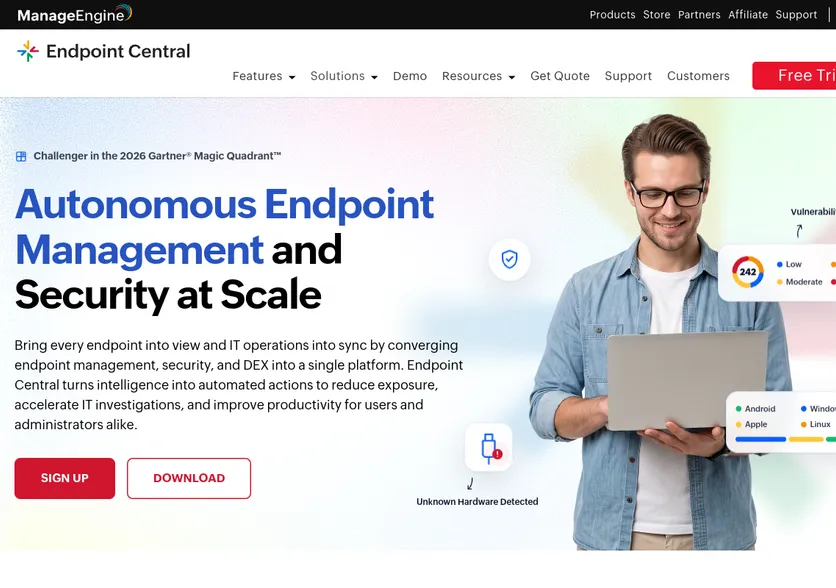
ManageEngine Endpoint Central patches, secures and controls Windows, Mac and Linux devices from one console, with a free edition for up to twenty-five endpoints. This ManageEngine Endpoint Central Professional edition lists at seven hundred ninety-five dollars a year for fifty endpoints, with Enterprise at nine hundred forty-five dollars and the full UEM edition at one thousand ninety-five dollars. A large IT team gets deep patching, software deployment and remote control for less per endpoint than any rival here.
What we like
- Lowest cost per endpoint in this comparison
- Free edition for twenty-five endpoints
- On-premises or cloud deployment, your choice
Watch out for
- Bundle pricing steps up at set device counts
- Dense interface takes real effort to learn
How to try it
- Open the Endpoint Central pricing page and pick your endpoint count
- Run the free edition on twenty-five endpoints first
- Test patching and software deployment on a pilot group
6. Microsoft Intune
Best for: Microsoft shops that want one console for every device and identity
Paid tool Starting price: $8/user/month · Plan 1 lists at eight dollars per user a month standalone; it is included in Microsoft 365 Business Premium, E3 and E5
Free plan: No free plan; free trial available
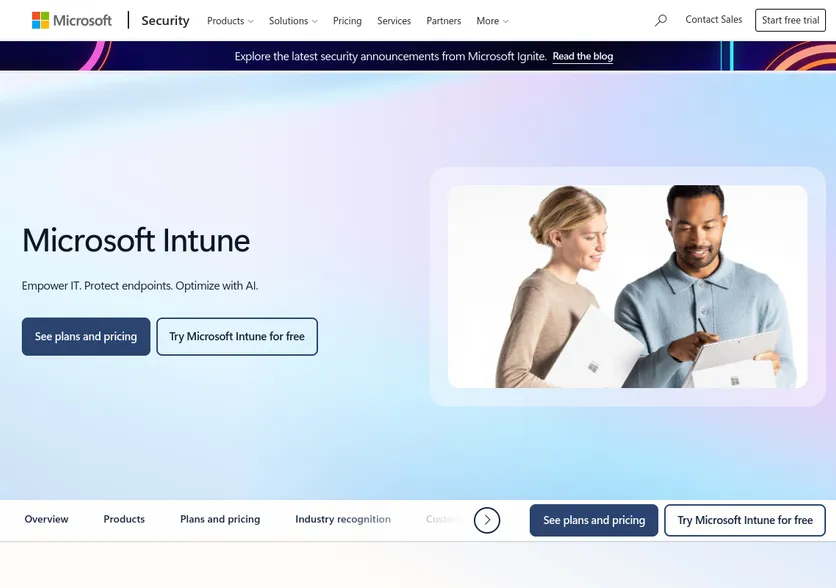
Microsoft Intune manages Windows, Mac, iOS, Android and Linux devices from the same console as Entra ID, with conditional access and Defender integration built in. This Microsoft Intune Plan 1 license lists at eight dollars per user a month standalone, and it is included in Microsoft 365 Business Premium, E3 and E5. A Microsoft shop gets one per-user price that covers every device each person owns, with no per-device counting.
What we like
- One per-user price covers every device a person owns
- Native Entra ID and Defender integration
- Included in Microsoft 365 Business Premium and above
Watch out for
- Mac-specific scripting is weaker than Jamf
- Per-user pricing costs more when one person owns one device
How to try it
- Check whether your Microsoft 365 plan already includes Intune
- Enroll a pilot group across Windows, Mac and mobile
- Test conditional access with Entra ID before rollout
7. JumpCloud
Best for: Cloud-first teams that want identity and devices on one bill
Paid tool Starting price: $9/user/month · Device Management lists at nine dollars per user a month on annual billing, or eleven dollars billed monthly; the MDM-only option lists at five dollars
Free plan: No free plan for new accounts; 30-day free trial
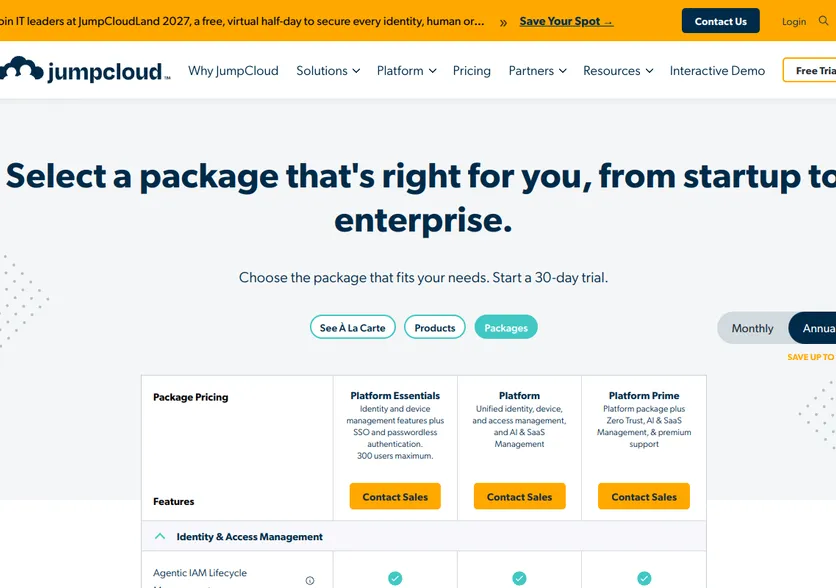
JumpCloud pairs device management with a cloud directory, single sign-on and multi-factor authentication, so one platform covers identity and endpoints together. This JumpCloud Device Management package lists at nine dollars per user a month on annual billing, with a thirty-day free trial and no device minimum. A cloud-first team that wants to replace both an identity tool and a device tool gets both on one bill.
What we like
- Identity, single sign-on and device management in one platform
- Per-user pricing with no device minimum
- Strong cross-platform coverage for Mac, Windows and Linux
Watch out for
- Free tier is closed to new accounts
- Device policies are lighter than Jamf on Apple hardware
How to try it
- Open the JumpCloud pricing page and compare the MDM and Device Management tiers
- Start the thirty-day trial and connect your directory
- Enroll Mac, Windows and Linux devices from one console
8. SimpleMDM
Best for: Small Apple fleets that want simple setup and published pricing
Paid tool Starting price: $2.50/device/month · Lists at two dollars and fifty cents per device a month on annual billing, or three dollars billed monthly, with no minimums and no contracts
Free plan: No free plan; 30-day free trial
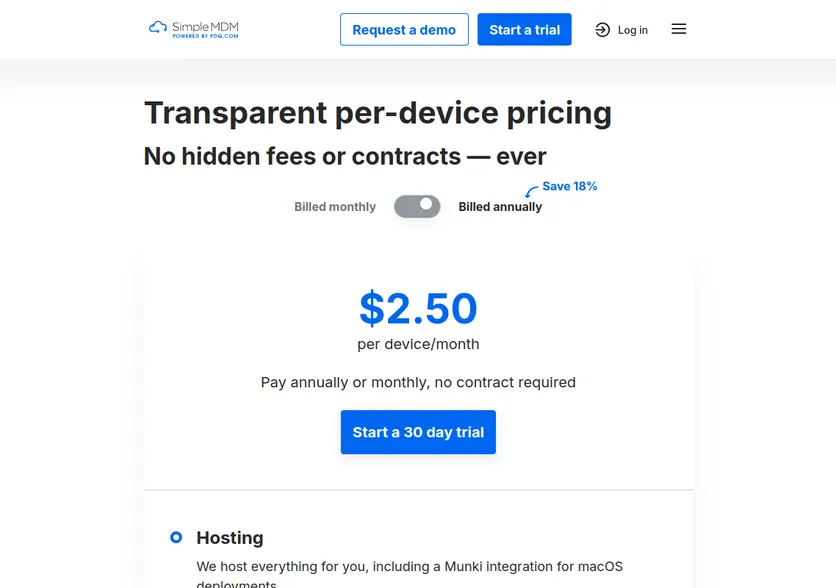
SimpleMDM is the straightforward Apple management option, built for small fleets that want enrollment, profiles and app deployment without a steep learning curve. This SimpleMDM plan lists at two dollars and fifty cents per device a month on annual billing, or three dollars billed monthly, with no minimums, no contracts and a thirty-day trial. A small Apple fleet gets published pricing and fast setup, with no sales call needed to learn the cost.
What we like
- Published pricing with no sales call required
- No minimums, no contracts, no setup fees
- Thirty-day trial with unlimited devices enrolled
Watch out for
- Apple only, with no Windows or Android support
- Light on advanced policy controls for large fleets
How to try it
- Open the SimpleMDM pricing page and confirm the annual rate
- Start the thirty-day trial with no device limit
- Enroll a real iPhone and push a profile the same day
Prices above were checked on each vendor’s own website on Nov 27, 2026 and can change — the vendor’s page is the final word. Vendor links are editorial: nobody paid to be listed or ranked here. Vendors who want a featured listing can see how it works on our Get listed page.
What BYOD management costs in 2026
BYOD pricing looks simple until you multiply it out, because vendors charge per device, per user or per endpoint bundle, and the unit changes the total. A per-device price suits a fleet where each person carries one phone, while a per-user price wins when laptops, phones and tablets pile up under one person. Bundle pricing from ManageEngine looks cheapest per endpoint, but the tiers step up at set device counts, so a fleet of sixty endpoints pays the next bundle up. Always multiply the headline rate by your real device count before you compare tools.
Start with the free tiers and trials before you sign anything. Mosyle covers thirty devices free and ManageEngine covers twenty-five, which is enough to enroll a pilot group and test enrollment, profiles and wipe on real employee phones. Check the minimums too, because Jamf needs twenty-five devices and Mosyle needs thirty paid licenses, and a small fleet can be locked out of the cheapest tier. Pick the tool whose console your team can run every day, because the cheapest license costs the most when nobody uses it.
Before you buy
- Count every device each person carries, because per-device pricing punishes a laptop plus phone plus tablet.
- Check the minimum device count before you budget, because Jamf and Mosyle both lock their cheapest tiers behind minimums.
- Confirm personal data stays private, because a BYOD tool must separate work apps from photos and messages.
- Test enrollment on a real employee phone, because a smooth pilot predicts a smooth rollout.
- Compare the annual total, not the monthly headline, because annual billing is where the discounts live.
Official websites
Official websites of the products reviewed above. Features and prices were checked against these sites when this guide was written, and they can change, so confirm on the vendor site before you buy.
Frequently asked questions
Which BYOD management software is best for enterprises in 2026?
Jamf Pro is the best overall pick for Apple-heavy enterprises, at twelve dollars and fifty cents per Mac a month with the deepest macOS and iOS controls available. Hexnode UEM is the best cross-platform value at two dollars and twenty cents a device, covering Windows, Mac, iPhone, Android and Linux. Mosyle is the best budget pick for Apple-only fleets at one dollar a device, with a free tier for thirty devices.
How much does BYOD management software cost?
Published prices in this list run from one dollar per device a month for Mosyle to twelve dollars and fifty cents for Jamf for Mac, with Hexnode at two dollars and twenty cents and Scalefusion at two dollars. Per-user tools cost eight dollars for Microsoft Intune Plan 1 and nine dollars for JumpCloud Device Management. ManageEngine charges by bundle, from seven hundred ninety-five dollars a year for fifty endpoints.
What is the difference between per-device and per-user pricing?
Per-device pricing charges for every phone, laptop and tablet, so a person with three devices costs three times the headline rate. Per-user pricing charges once per person and covers every device they own, which wins when staff carry a laptop, a phone and a tablet. Count your real devices per person before you compare, because the cheaper headline can be the dearer total.
Is there a free BYOD management tool?
Yes, two tools in this list offer a genuinely free tier. Mosyle Business Free covers up to thirty Apple devices with enrollment, profiles and app deployment, and ManageEngine Endpoint Central offers a free edition for up to twenty-five endpoints. Both suit a pilot or a small fleet, and both let you test the real console before you pay anything.
Can BYOD tools wipe a lost phone without deleting personal data?
Yes, every tool in this list supports selective wipe, which removes only the work apps, work email and work data from a personal device and leaves photos, messages and personal apps untouched. A full factory wipe is still available for company-owned devices or a serious security incident. Confirm selective wipe is turned on in your policies before the first lost phone, not after.
Need everyday security help too? Try Toolsvine's free security tools right in your browser.
Browse Security & Privacy tools