On this page
A developer laptop is a workbench, not a fashion item. It needs enough memory to run an editor, a browser and a test server at once, a keyboard that survives eight hours of typing, and a battery that lasts a full working day. We compared eight laptops on price, specs and developer fit, checking every price on the vendor store on November 27, 2026. Our top pick for most developers is the MacBook Pro 14.
How we researched this
We started with the laptops developers actually buy, then read each price on the vendor store on November 27, 2026 and noted the return window each one carries. We judged them for coding, compiling and testing, so memory, keyboard, screen and battery mattered more than gaming specs. We dropped the HP Spectre x360 14 because its HP listing is discontinued and out of stock, and we left out laptops with no verifiable list price.
Compare the tools
| Name | Best for | Starting price | Free plan | |
|---|---|---|---|---|
| MacBook Pro 14 | Developers who want the fastest laptop for compiling and running local servers | $1,599 | No free plan; 14-day returns | Visit |
| MacBook Air 13 (M4) | Developers who want a light, silent laptop for everyday coding | $999 | No free plan; 14-day returns | Visit |
| Framework Laptop 13 | Developers who want a repairable, upgradeable Linux-friendly laptop | $849 | No free plan; 30-day returns | Visit |
| ThinkPad X1 Carbon Gen 13 | Developers who type all day and travel constantly | $2,259 | No free plan; 30-day returns | Visit |
| Dell XPS 14 | Windows developers who want a premium ultrabook with a great screen | $2,249.99 | No free plan; 30-day returns | Visit |
| ASUS Zenbook 14 (UX3480) | Developers who want a long-battery Windows laptop on a budget | $799.99 | No free plan; 30-day returns | Visit |
| Microsoft Surface Laptop 7 | Developers who want a Windows laptop with a great touchscreen and long battery | $999 | No free plan; 60-day returns | Visit |
| Razer Blade 14 | Developers who also game and need a fast GPU in a thin laptop | $2,299 | No free plan; 14-day returns | Visit |
The computers for software developers, compared
1. MacBook Pro 14
Best for: Developers who want the fastest laptop for compiling and running local servers
Paid tool Starting price: $1,599 · One thousand five hundred ninety-nine dollars for the base 14-inch MacBook Pro with sixteen gigabytes of memory and a 512GB drive.
Free plan: No free plan; 14-day returns
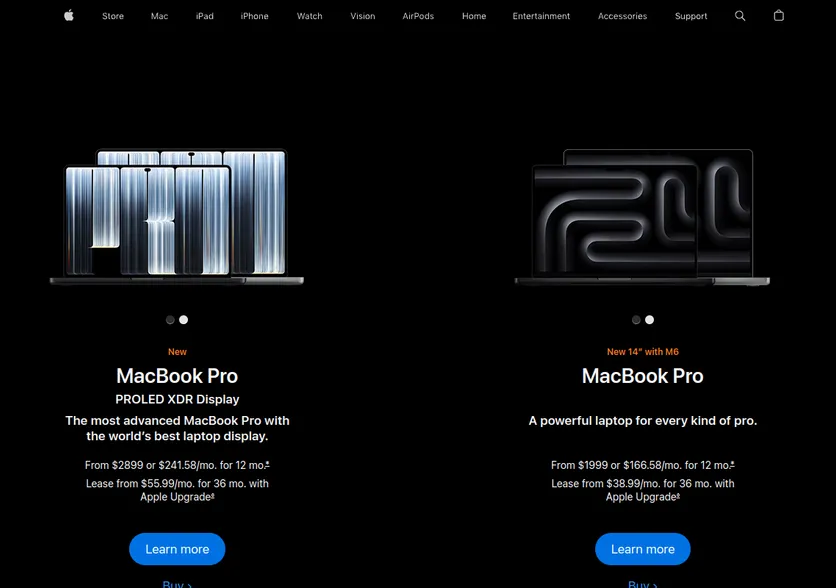
The MacBook Pro 14 is the benchmark other developer laptops are measured against, pairing Apple silicon speed with a superb screen and speakers. MacBook Pro starts at one thousand five hundred ninety-nine dollars with sixteen gigabytes of memory and a 512GB drive, which handles large codebases, containers and local servers without breaking a sweat. Its battery lasts a full working day, so the charger stays in the bag.
What we like
- Apple silicon compiles large projects fast and stays quiet doing it.
- Excellent screen, keyboard and speakers for long coding days.
- Battery lasts a full working day away from the charger.
Watch out for
- macOS only, so Windows-only tools need a virtual machine.
- Upgrades after purchase are impossible, so buy the memory you need up front.
How to try it
- Choose the 14-inch model and the chip, memory and storage your projects need.
- Set up your editor, terminal and runtimes, then move your code and keys across.
- Run a full build and test suite to confirm compile times before the return window closes.
2. MacBook Air 13 (M4)
Best for: Developers who want a light, silent laptop for everyday coding
Paid tool Starting price: $999 · Nine hundred ninety-nine dollars for the base 13-inch MacBook Air with the M4 chip, sixteen gigabytes of memory and a 256GB drive.
Free plan: No free plan; 14-day returns
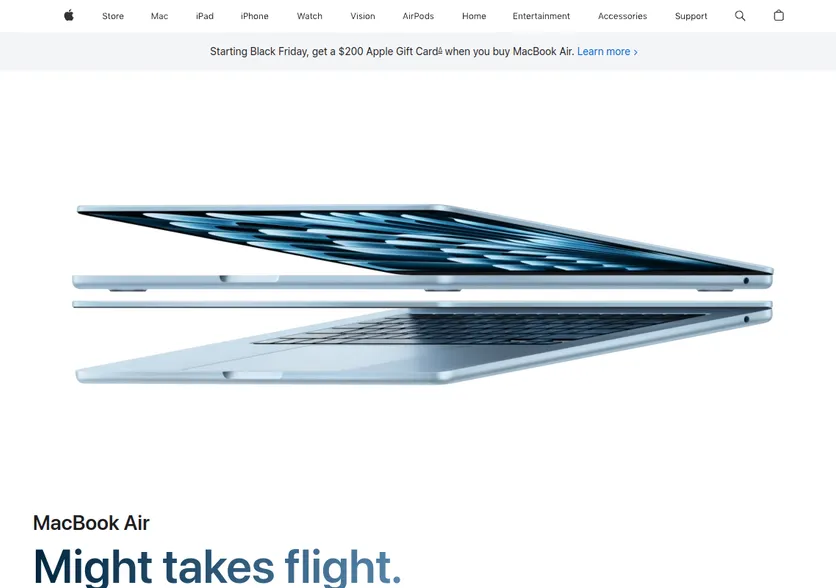
The MacBook Air 13 with the M4 chip is the value pick in Apple's line-up: full-size performance in a fanless body that weighs under three pounds. MacBook Air starts at nine hundred ninety-nine dollars with sixteen gigabytes of memory, which covers editors, browsers and most build tools. It runs silent, stays cool and lasts up to eighteen hours on a charge, which makes it the easiest laptop to carry everywhere.
What we like
- Nine hundred ninety-nine dollars buys a fast, modern laptop with sixteen gigabytes of memory.
- Fanless design means it never makes a sound, even under load.
- Light enough to carry everywhere at under three pounds.
Watch out for
- No fan means heavy sustained builds can throttle sooner than the Pro.
- The base 256GB drive fills fast once projects and emulators pile up.
How to try it
- Choose the 13-inch M4 model with sixteen gigabytes of memory.
- Set up your editor, terminal and runtimes, then move your code across.
- Test a full build and a video call together to confirm it stays cool and quiet.
3. Framework Laptop 13
Best for: Developers who want a repairable, upgradeable Linux-friendly laptop
Paid tool Starting price: $849 · Eight hundred forty-nine dollars for the DIY edition with the Ryzen AI 5 processor; pre-built models start at one thousand forty-nine dollars.
Free plan: No free plan; 30-day returns
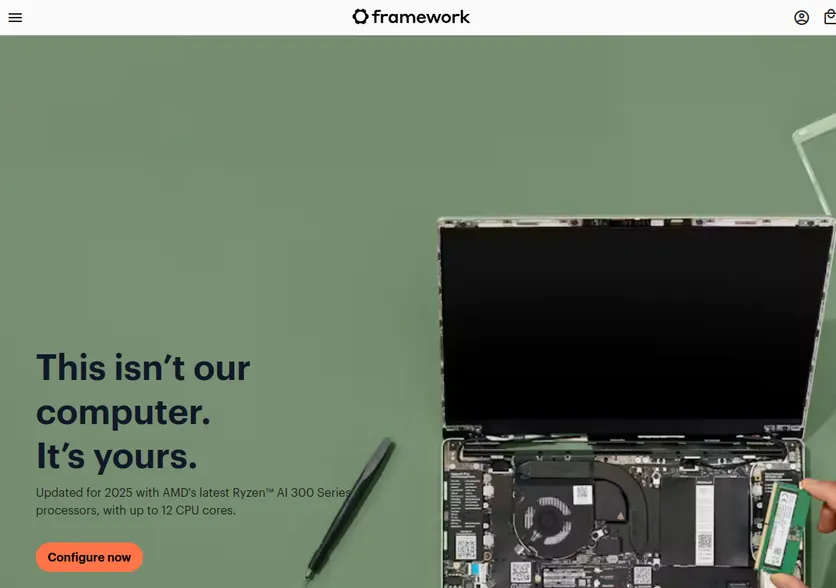
The Framework Laptop 13 is the only laptop here you can open with a screwdriver and upgrade yourself, with replaceable memory, storage, ports and even the mainboard. Framework Laptop 13 starts at eight hundred forty-nine dollars as a DIY kit, and its modular ports let you choose exactly the connections you need. It runs Linux well and ships with clear repair guides, which suits developers who would rather fix a machine than replace it.
What we like
- Fully repairable and upgradeable, from memory to mainboard.
- Modular expansion cards let you choose your own ports.
- Excellent Linux support and clear repair guides.
Watch out for
- The DIY edition needs assembly and an operating system install.
- Battery life trails the MacBooks in real-world use.
How to try it
- Order the DIY edition or a pre-built model from the Framework store.
- Install memory and storage if you chose DIY, then install your operating system.
- Set up your editor and runtimes, then pick the expansion cards for the ports you need.
4. ThinkPad X1 Carbon Gen 13
Best for: Developers who type all day and travel constantly
Paid tool Starting price: $2,259 · Two thousand two hundred fifty-nine dollars starting price on lenovo.com for the ThinkPad X1 Carbon Gen 13.
Free plan: No free plan; 30-day returns
The ThinkPad X1 Carbon has been the travelling developer's laptop for a decade, and the Gen 13 keeps that reputation with the best keyboard on any ultrabook. ThinkPad X1 Carbon starts at two thousand two hundred fifty-nine dollars, weighs just over two pounds and survives the bumps of constant travel. Its TrackPoint, spill-resistant keyboard and enterprise security suit developers who work from airports as often as offices.
What we like
- The best laptop keyboard for developers who type all day.
- Just over two pounds, so it disappears into a bag.
- Tough, spill-resistant build made for constant travel.
Watch out for
- The starting price is high for the base configuration.
- Soldered memory cannot be upgraded later.
How to try it
- Choose the Gen 13 configuration with the memory and storage your projects need.
- Set up your editor, terminal and runtimes, then move your code across.
- Test a full build on battery to confirm performance away from the charger.
5. Dell XPS 14
Best for: Windows developers who want a premium ultrabook with a great screen
Paid tool Starting price: $2,249.99 · Two thousand two hundred forty-nine dollars ninety-nine cents as the list price on dell.com; sale prices are lower and change often.
Free plan: No free plan; 30-day returns
The Dell XPS 14 is the Windows answer to the MacBook Pro, with a near-borderless display, a clean aluminium body and a comfortable keyboard. Dell XPS 14 lists at two thousand two hundred forty-nine dollars ninety-nine cents, and its bright display and strong speakers suit developers who spend the day in an editor and on video calls. It runs Windows 11 natively, which matters for .NET and enterprise development.
What we like
- Beautiful near-borderless display with strong brightness.
- Premium aluminium build that feels as good as it looks.
- Native Windows 11 for .NET and enterprise development.
Watch out for
- The list price is high and Dell discounts it often, so timing matters.
- The function row is touch-only, which some developers dislike.
How to try it
- Choose the XPS 14 configuration with the memory and storage your projects need.
- Set up your editor, terminal and runtimes, then move your code across.
- Test a full build and a video call together to confirm it stays cool and quiet.
6. ASUS Zenbook 14 (UX3480)
Best for: Developers who want a long-battery Windows laptop on a budget
Paid tool Starting price: $799.99 · Seven hundred ninety-nine dollars ninety-nine cents for the base Snapdragon model with eight gigabytes of memory; the sixteen-gigabyte model costs nine hundred ninety-nine dollars ninety-nine cents.
Free plan: No free plan; 30-day returns
The ASUS Zenbook 14 with the Snapdragon chip is the budget surprise on this list: an OLED screen, a thin body and up to thirty hours of battery for seven hundred ninety-nine dollars ninety-nine cents. ASUS Zenbook 14 runs Windows on Arm, which covers most development tools now, and its vivid OLED display makes code easy on the eyes. For developers who want the longest battery life per dollar, it is hard to beat.
What we like
- Seven hundred ninety-nine dollars ninety-nine cents buys an OLED screen and huge battery life.
- Vivid OLED display that makes long coding sessions easier on the eyes.
- Thin and light at a price no other laptop here matches.
Watch out for
- Windows on Arm means some older x86 tools need emulation.
- The base model has only eight gigabytes of memory.
How to try it
- Choose the Snapdragon model with eight or sixteen gigabytes of memory.
- Set up your editor and runtimes, checking that your tools run on Windows on Arm.
- Test a full build and a working day on battery to confirm the endurance claims.
7. Microsoft Surface Laptop 7
Best for: Developers who want a Windows laptop with a great touchscreen and long battery
Paid tool Starting price: $999 · Nine hundred ninety-nine dollars for the base 13.8-inch model with the Snapdragon X Plus chip, sixteen gigabytes of memory and a 256GB drive; the 15-inch model starts at one thousand two hundred ninety-nine dollars ninety-nine cents.
Free plan: No free plan; 60-day returns
The Surface Laptop 7 pairs a bright PixelSense touchscreen with the Snapdragon X Plus chip and up to twenty hours of battery, all starting at nine hundred ninety-nine dollars. Surface Laptop 7 is Microsoft's own showcase for Windows on Arm, and its 3:2 display shows more lines of code than a standard widescreen. For developers who live in the Microsoft ecosystem, it is the most polished Windows laptop on this list.
What we like
- Bright touchscreen with a tall 3:2 display that shows more code.
- Up to twenty hours of battery for full working days away from a charger.
- Polished build and keyboard from Microsoft itself.
Watch out for
- Windows on Arm means some older x86 tools need emulation.
- The base 256GB drive fills fast once projects pile up.
How to try it
- Choose the 13.8-inch model with sixteen gigabytes of memory.
- Set up your editor and runtimes, checking that your tools run on Windows on Arm.
- Test a full build and a working day on battery to confirm the endurance claims.
8. Razer Blade 14
Best for: Developers who also game and need a fast GPU in a thin laptop
Paid tool Starting price: $2,299 · Two thousand two hundred ninety-nine dollars for the base model with an RTX 5060, sixteen gigabytes of memory and a 1TB drive; higher configurations reach two thousand nine hundred ninety-nine dollars.
Free plan: No free plan; 14-day returns
The Razer Blade 14 is the gaming laptop that moonlights as a developer machine: a thin aluminium body with an RTX graphics card for CUDA work, machine learning and after-hours gaming. Razer Blade 14 starts at two thousand two hundred ninety-nine dollars with an RTX 5060, sixteen gigabytes of memory and a 1TB drive. Its OLED display and quiet fans suit developers who need GPU power without a desktop tower.
What we like
- RTX graphics accelerate CUDA, machine learning and game development.
- Thin aluminium body at under four pounds for a gaming laptop.
- Vivid OLED display with a fast refresh rate.
Watch out for
- The starting price is high and the GPU adds weight and heat.
- Battery life is shorter than the ultrabooks on this list.
How to try it
- Choose the configuration with the GPU and memory your workloads need.
- Set up your editor, runtimes and GPU drivers, then move your code across.
- Test a GPU workload and a full build to confirm cooling and performance.
Prices above were checked on each vendor’s own website on Nov 27, 2026 and can change — the vendor’s page is the final word. Vendor links are editorial: nobody paid to be listed or ranked here. Vendors who want a featured listing can see how it works on our Get listed page.
What developer laptops cost in 2026
Developer laptops run from seven hundred ninety-nine dollars ninety-nine cents for the ASUS Zenbook 14 to two thousand two hundred ninety-nine dollars for the Razer Blade 14, with the sweet spot near one thousand dollars. The MacBook Air 13 and Surface Laptop 7 both start at nine hundred ninety-nine dollars with sixteen gigabytes of memory, which is the configuration most developers should buy. Paying more buys speed, screen quality and build, not basic capability.
Before buying, list the tools you run every day and check each one runs on the laptop you are considering, especially on Windows on Arm. Then test a full build on battery during the return window, because a laptop that compiles fast on mains power but throttles unplugged will slow every working day.
Before you buy
- Buy sixteen gigabytes of memory as the minimum, because eight gigabytes stalls once an editor, browser and emulator run together.
- Check the keyboard before the processor, because developers type all day and a bad keyboard costs more than a slow chip.
- Confirm the ports you need, because a laptop with only USB-C ports means carrying dongles for the life of the machine.
- Ask about the screen brightness and resolution, because code is easier to read on a bright, sharp display.
- Check the warranty and repair options, because a laptop that cannot be fixed quickly costs a week of work when it fails.
Official websites
Official websites of the products reviewed above. Features and prices were checked against these sites when this guide was written, and they can change, so confirm on the vendor site before you buy.
Frequently asked questions
How much memory does a developer laptop need?
Sixteen gigabytes is the minimum for professional development in 2026, because an editor, browser, emulator and containers together use that much easily. Thirty-two gigabytes suits developers who run virtual machines or large local databases. Eight gigabytes works only for light web development with few tools open at once.
Which laptop is best for software developers in 2026?
The MacBook Pro 14 is the fastest overall for compiling, while the MacBook Air 13 is the best value at nine hundred ninety-nine dollars. Windows developers should look at the ThinkPad X1 Carbon for typing or the Dell XPS 14 for a premium screen. The Framework Laptop 13 is the pick for developers who want to repair and upgrade.
Can a Windows on Arm laptop handle development work?
Yes for most tools now, because editors, browsers and runtimes such as Visual Studio Code, Node and Python run natively on Arm. Some older x86-only tools still need emulation, which slows them down. Check that your specific toolchain runs natively before buying a Snapdragon laptop.
How much storage does a developer need?
A 512GB drive is the practical minimum, because projects, emulators, containers and SDKs fill a 256GB drive within a year. One terabyte suits developers with several large projects or local databases. Buy the storage up front on laptops where it cannot be upgraded later.
How important is battery life for a developer laptop?
Battery life matters most for developers who work away from a desk: the MacBook Air lasts up to eighteen hours and the Zenbook 14 claims up to thirty. A laptop that dies mid-afternoon forces a hunt for outlets. Check real-world battery tests, not just the manufacturer's claim, before buying.
Need everyday developer help too? Try Toolsvine's free developer tools right in your browser.
Browse Developer Tools tools