On this page
Legal departments lose hours to contract admin: chasing approvals, reminding signers, and watching renewal dates by hand. Contract automation software takes over those repetitive steps, so lawyers spend their time on judgment, not paperwork. This comparison covers eight paid tools with prices checked on the vendor site on November 27, 2026. For most departments, DocuSign eSignature is the best place to start.
How we researched this
We compared paid contract tools that publish US dollar prices and automate real work for legal departments, from drafting and approvals to signatures and renewals. Each tool was scored on how much manual work it removes, pricing transparency, and how quickly a team can launch its first automated workflow. Quote-only platforms and tools with no public price were left out.
Compare the tools
| Name | Best for | Starting price | Free plan | |
|---|---|---|---|---|
 ContractSafe | Legal departments that want to automate contract intake and search | $450/month | No free plan; free trial available | Visit |
 ContractWorks | Legal departments that want one automated flow from repository to signature | $425/month | No free plan; 14-day free trial | Visit |
 Concord | Legal departments that automate drafting, approvals, and renewals end to end | $499/month | No free plan; demo available | Visit |
 Zoho Contracts | Legal departments that automate contract tracking on a small budget | $25/user/month | Free plan for 3 users and 10 contracts | Visit |
 DocuSign IAM | Legal departments that automate agreement review with AI summaries | $45/user/month | No free plan; free trial available | Visit |
 PandaDoc | Legal departments that automate document creation and signature tracking | $19/user/month | Free plan (5 documents a month) | Visit |
 DocuSign eSignature | Legal departments that want signatures automated with a court-ready audit trail | $25/user/month | 30-day free trial | Visit |
| SignWell | Small legal teams that want simple, automated e-signatures | $10/sender/month | Free plan (3 documents a month) | Visit |
The contract automation software for legal departments, compared
1. ContractSafe
Best for: Legal departments that want to automate contract intake and search
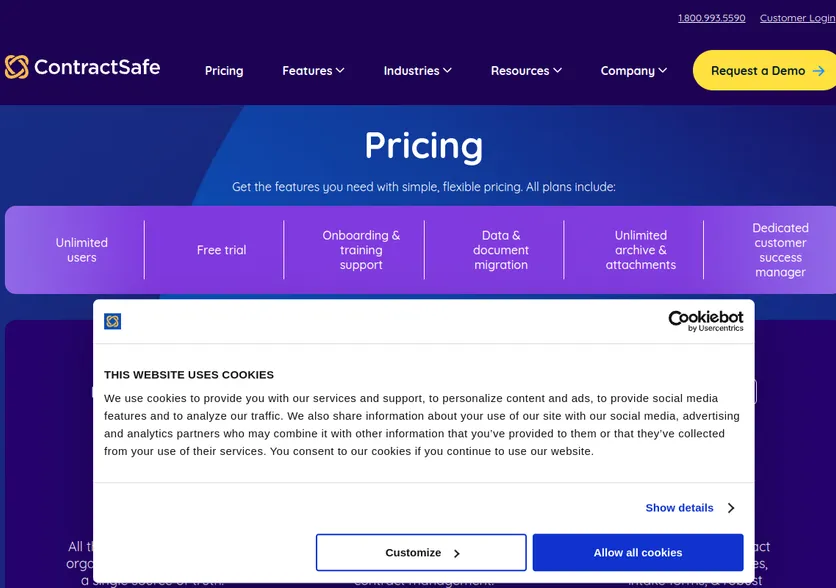
Paid tool Starting price: $450/month · Four hundred fifty dollars a month to start, priced by active contract volume with unlimited users; Finalize and Maximize add e-signature, approvals and AI review.
Free plan: No free plan; free trial available
ContractSafe automates the tedious front end of contract work: intake, indexing, and alerts happen automatically, so the team stops chasing paperwork. Pricing starts at four hundred fifty dollars a month, based on active contract volume, with unlimited users. Higher plans add approvals and AI review to automate more of the lifecycle.
What we like
- Automated intake and indexing
- Unlimited users on every plan
- Alerts prevent missed renewals
Watch out for
- Entry price is high for small teams
- Approvals need the higher plans
How to try it
- Set up intake so new contracts are indexed on arrival.
- Create alerts for renewals and key obligations.
- Let the team search the library instead of requesting files.
2. ContractWorks
Best for: Legal departments that want one automated flow from repository to signature
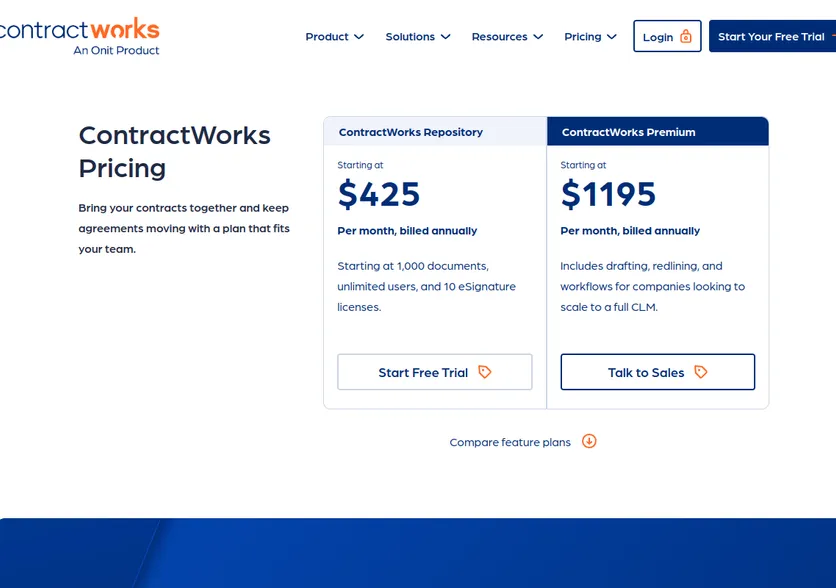
Paid tool Starting price: $425/month · Four hundred twenty-five dollars a month for Repository billed annually, with up to one thousand documents and unlimited users; Premium is custom priced.
Free plan: No free plan; 14-day free trial
ContractWorks automates the contract lifecycle in one tool: documents live in a secure repository, AI finds the terms, and e-signature closes the loop without a second system. Repository costs four hundred twenty-five dollars a month billed annually, covering up to one thousand documents and unlimited users. It is the simplest way to automate the whole process.
What we like
- One tool from storage to signature
- AI search answers questions fast
- Flat price with unlimited users
Watch out for
- Premium plan is custom priced
- Repository caps at 1,000 documents
How to try it
- Move contracts into the repository and set renewal alerts.
- Use AI search to answer clause questions instantly.
- Send agreements for signature without leaving the platform.
3. Concord
Best for: Legal departments that automate drafting, approvals, and renewals end to end
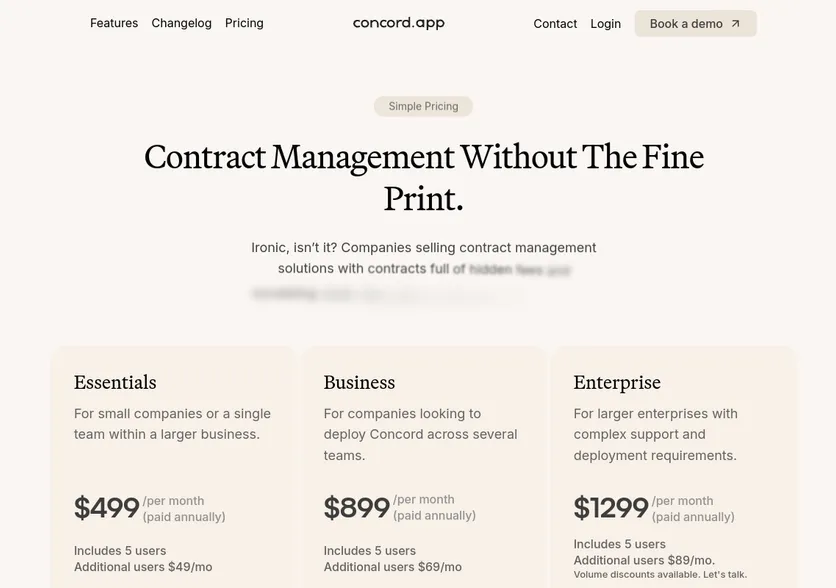
Paid tool Starting price: $499/month · Four hundred ninety-nine dollars a month for Essentials paid annually, including five users; extra users cost forty-nine dollars a month and Business costs eight hundred ninety-nine dollars a month.
Free plan: No free plan; demo available
Concord is the most complete automation pick here: templates generate drafts, approvals route automatically, and renewals are tracked without manual checking. Essentials costs four hundred ninety-nine dollars a month paid annually, including five users. For departments that want the whole lifecycle automated, it is worth the premium price.
What we like
- Full lifecycle automation
- Templates speed up drafting
- Approvals and version tracking built in
Watch out for
- Highest entry price in this comparison
- No free plan, only a demo
How to try it
- Build templates for your standard agreements.
- Set approval rules so the right people sign off automatically.
- Turn on renewal tracking and let alerts do the chasing.
4. Zoho Contracts
Best for: Legal departments that automate contract tracking on a small budget
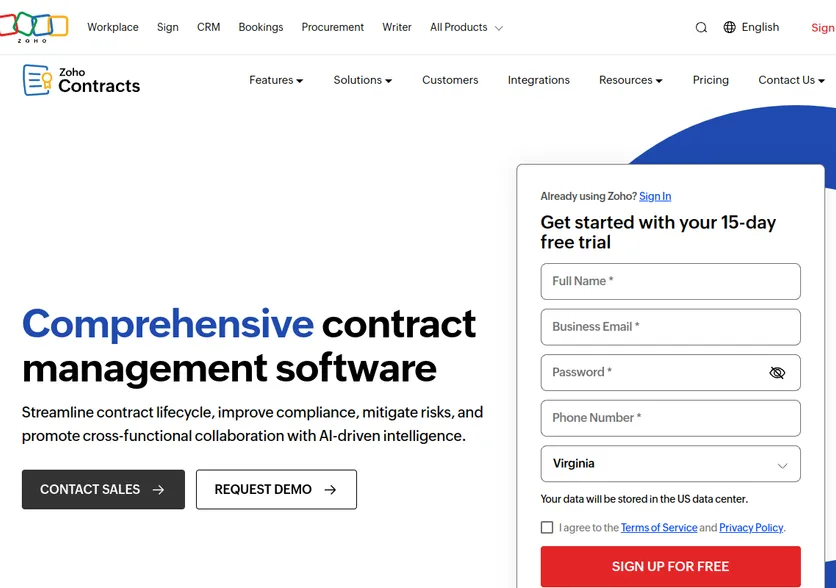
Paid tool Starting price: $25/user/month · Twenty-five dollars per user a month for the Standard plan billed annually, or thirty dollars billed monthly; Professional costs forty dollars and Premium costs fifty dollars per user a month.
Free plan: Free plan for 3 users and 10 contracts
Zoho Contracts automates the essentials at a low price: renewal and milestone alerts, obligation tracking, and AI-assisted drafting, all in one dashboard. Standard costs twenty-five dollars per user a month billed annually, and the free plan covers three users and ten contracts. It is the best automation value for departments that cannot justify a four-figure monthly bill.
What we like
- Lowest price in this comparison
- Alerts automate deadline tracking
- Free plan for tiny teams
Watch out for
- Fewer enterprise integrations than rivals
- AI features need higher plans
How to try it
- Import contracts and turn on renewal and milestone alerts.
- Set up obligation tracking for each agreement.
- Use the AI assistant to draft standard clauses faster.
5. DocuSign IAM
Best for: Legal departments that automate agreement review with AI summaries
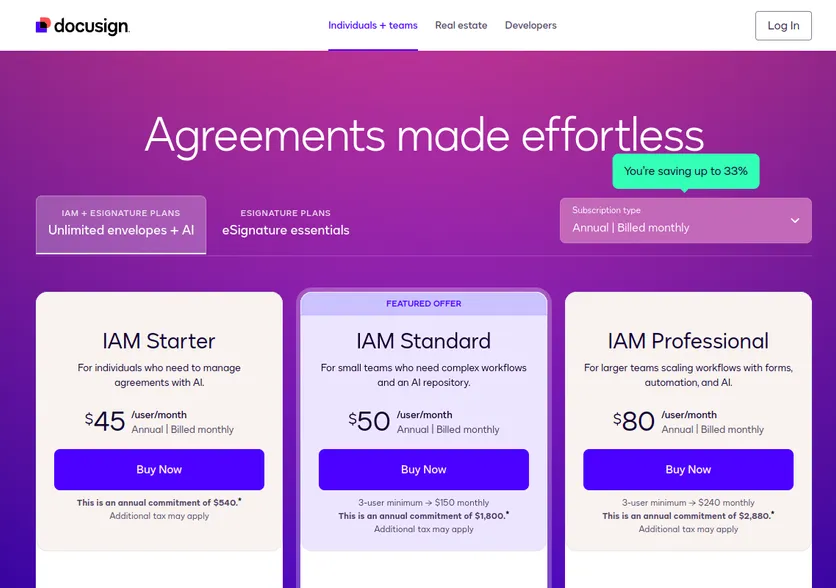
Paid tool Starting price: $45/user/month · Forty-five dollars per user a month for IAM Starter on an annual plan billed monthly; Standard costs fifty dollars and Professional costs eighty dollars per user a month.
Free plan: No free plan; free trial available
DocuSign IAM automates the review step: AI reads each agreement, summarizes it, and pulls out the terms that need a lawyer's eye. IAM Starter costs forty-five dollars per user a month on an annual plan billed monthly. Departments already signing with DocuSign can add this layer without changing how they send documents.
What we like
- AI summaries cut review time
- Repository included from Starter
- Trusted DocuSign platform
Watch out for
- No free plan
- Standard and Professional need 3-user minimums
How to try it
- Connect your agreements to the IAM repository.
- Read the AI summary before the full document.
- Search the repository for terms across all agreements.
6. PandaDoc
Best for: Legal departments that automate document creation and signature tracking
Paid tool Starting price: $19/user/month · Nineteen dollars per user a month for the Starter plan billed annually, or thirty-five dollars billed monthly; Business costs forty-nine dollars per user a month billed annually.
Free plan: Free plan (5 documents a month)
PandaDoc automates the document half of contract work: templates generate agreements, recipients are tracked, and reminders chase late signers automatically. Starter costs nineteen dollars per user a month billed annually, and the free plan covers five documents a month. It is the fastest way to cut the manual work out of sending standard agreements.

What we like
- Templates automate document creation
- Automatic reminders chase signers
- Low Starter price
Watch out for
- Analytics are basic compared to CLM tools
- Advanced features need Business
How to try it
- Turn your standard agreements into templates.
- Send documents and let tracking show who has signed.
- Set automatic reminders for recipients who stall.
7. DocuSign eSignature
Best for: Legal departments that want signatures automated with a court-ready audit trail
Paid tool Starting price: $25/user/month · Standard plan, $25 a user a month billed annually upfront ($300 a year); $30 a month on an annual commitment billed monthly; $45 month to month. Personal $10 a month billed annually upfront ($11 billed monthly); Business Pro $40 a month billed annually upfront ($45 billed monthly); Enterprise is quoted. Standard includes 100 envelopes per user a year.
Free plan: 30-day free trial
DocuSign eSignature automates the final step of every contract: send, track, remind, and file, with an audit trail that records it all. Standard costs twenty-five dollars per user a month billed annually upfront, and recipients sign without an account. It is the automation piece most legal departments already rely on.

What we like
- Automated reminders for signers
- Court-ready audit trail
- Recipients sign without an account
Watch out for
- No contract repository on Standard
- No free plan, only a trial
How to try it
- Create a template for each standard agreement.
- Send envelopes and let reminders chase late signers.
- File completed agreements with their audit trails.
8. SignWell
Best for: Small legal teams that want simple, automated e-signatures
Paid tool Starting price: $10/sender/month · Ten dollars per sender a month for the Light plan billed annually, or twelve dollars billed monthly; Business costs thirty dollars a month for three senders.
Free plan: Free plan (3 documents a month)
SignWell automates the signature step for small teams: send a document, track who has signed, and store the completed agreement with its audit trail. Light costs ten dollars per sender a month billed annually, and the free plan covers three documents a month. It is the cheapest way to stop chasing signatures by email.
What we like
- Cheapest signature option here
- Simple setup with no training
- Free plan for occasional use
Watch out for
- No contract analytics of its own
- Free plan covers only 3 documents a month
How to try it
- Upload a document and add signature fields.
- Send it and track signing progress.
- Store the completed agreement with its audit trail.
Prices above were checked on each vendor’s own website on Nov 27, 2026 and can change — the vendor’s page is the final word. Vendor links are editorial: nobody paid to be listed or ranked here. Vendors who want a featured listing can see how it works on our Get listed page.
How legal departments should automate contracts
Start with the agreement you send most often and automate it completely: template, approvals, signature, and filing. Measure the hours it saves, then use that number to justify the next workflow. Keep a human in the loop for every approval that carries legal risk; automation should chase and file, not decide. And review your alerts monthly, because an automation nobody checks is the same as no automation at all. Document each workflow once it works, so new team members can follow it without asking for help or reinventing the process. Revisit the automation every quarter to remove steps the team no longer needs.
Before you buy
- Confirm the tool automates the whole path from request to signature, not just one step.
- Check whether templates and approval rules can be set up without a consultant.
- Make sure it integrates with your document storage and e-signature tools.
- Verify the audit trail records every automated step for compliance.
- Ask how long it takes to launch the first automated workflow.
Official websites
Official websites of the products reviewed above. Features and prices were checked against these sites when this guide was written, and they can change, so confirm on the vendor site before you buy.
Frequently asked questions
What is the best contract automation software for legal departments?
Concord is the most complete automation platform, covering drafting, approvals, signature, and renewals in one system. For teams that mainly need signatures automated, DocuSign eSignature or PandaDoc is cheaper and faster to set up. The best pick depends on how much of the lifecycle you want to automate.
How much does contract automation software cost?
Entry prices here run from ten dollars per sender a month for SignWell to four hundred ninety-nine dollars a month for Concord Essentials. Automating the full lifecycle costs four hundred to five hundred dollars a month, while automating signatures alone costs under fifty dollars per user.
What does contract automation actually do?
Contract automation replaces manual steps with rules: templates generate drafts, approvals route automatically, reminders chase signers, and alerts flag renewals. The team still makes the legal decisions; the software handles the chasing, filing, and tracking around them. That division of labor is the whole point: people decide, software chases.
Is there free contract automation software?
Yes, for the basics. Zoho Contracts has a free plan for three users and ten contracts, and PandaDoc and SignWell offer free plans for a few documents a month. Full lifecycle automation needs a paid plan, but signature automation is cheap to start.
How should a legal department start automating contracts?
Automate one workflow end to end before adding more: pick your most common agreement, build its template, set its approvals, and launch it. Once that workflow runs smoothly, copy the pattern to the next agreement type. Trying to automate everything at once is the most common mistake.
Need more business tools? Try Toolsvine's free business calculators right in your browser.
Browse Business Tools tools