On this page
Enterprise support spans departments, channels and time zones, and the risk is a ticket that nobody owns. The nine tools below cover the platforms large teams actually buy, from full service clouds to IT service desks, with every price checked on the vendor site on November 27, 2026. Prices run from twenty-one dollars fifty per agent a month to one hundred and ninety-five dollars per user a month, with onboarding tools priced by the year. Zendesk is the best overall pick for enterprise teams, because its AI triage and help centre scale across departments.
How we researched this
We started with the customer success platforms enterprise teams actually buy, then read each price on the vendor pricing page on November 27, 2026 and noted the trial each plan carries. We judged them for a large team that needs routing, reporting and an audit trail across departments. We dropped quote-only vendors that publish no list price at all.
Compare the tools
| Name | Best for | Starting price | Free plan | |
|---|---|---|---|---|
 Zendesk | Enterprise teams that need a full support platform with AI triage | $55/agent/month | No free plan; free trial available | Visit |
 Salesforce Service Cloud | Enterprise teams that need enterprise service on the Salesforce platform | $195/user/month | No free plan; 30-day free trial | Visit |
 Jira Service Management | Enterprise teams that need IT service on the platform devs already use | $21.50/agent/month | Free plan for up to 3 agents | Visit |
 Freshservice | Enterprise teams that need IT service requests and assets in one tool | $49/agent/month | No free plan; 14-day free trial | Visit |
 Intercom | Enterprise teams that need live chat with an AI agent that handles the first reply | $29/seat/month | No free plan; 14-day free trial | Visit |
 HubSpot Service Hub | Enterprise teams that need support tied to the CRM | $20/seat/month | Free tools for up to 2 users | Visit |
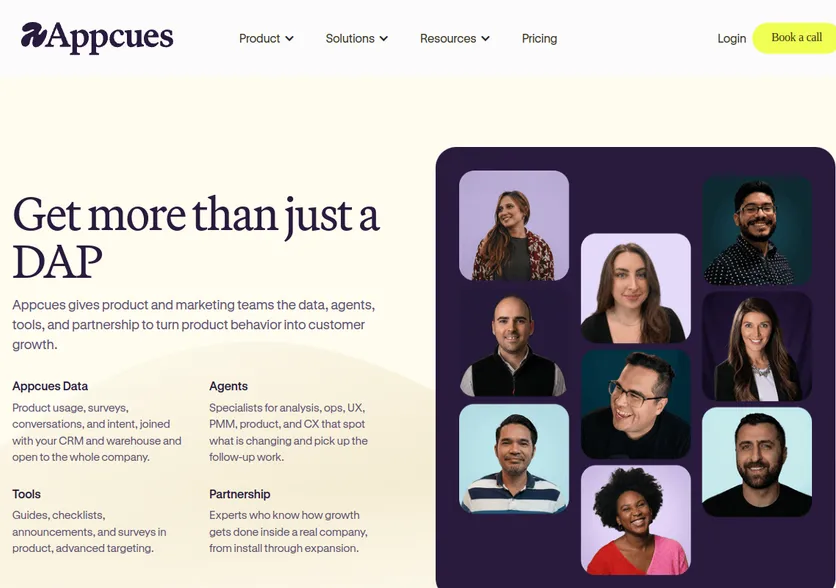
 Appcues | Enterprise teams that need in-product onboarding without code | $9,000/year | No free plan listed on the pricing page | Visit |
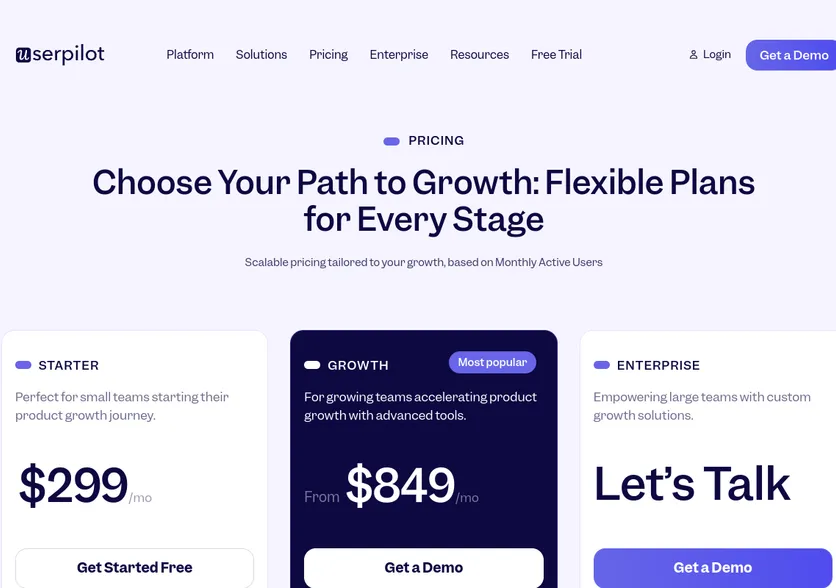
 Userpilot | Enterprise teams that need in-app guides aimed at activation | $299/month | 14-day free trial, no permanent free plan | Visit |
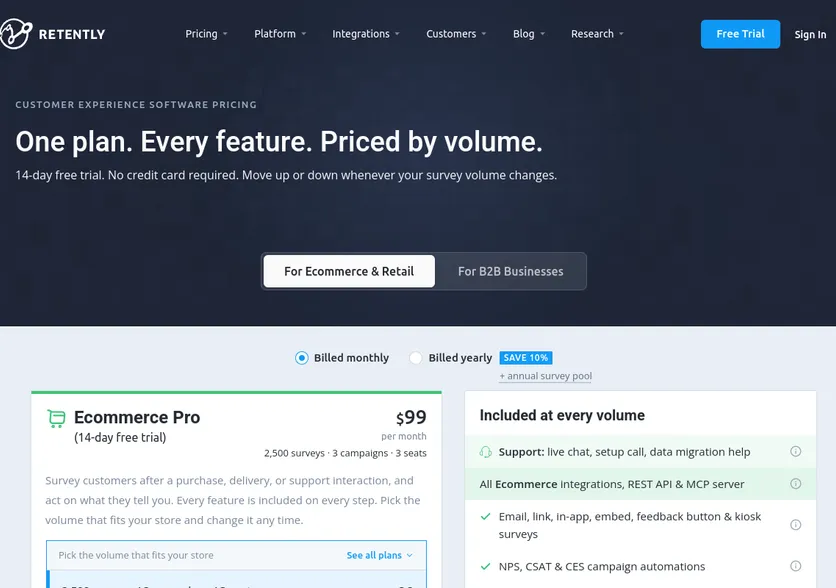
 Retently | Enterprise teams that need satisfaction surveys that feed back to the team | $99/month | No free plan; 14-day free trial | Visit |
The customer success software for enterprise, compared
1. Zendesk
Best for: Enterprise teams that need a full support platform with AI triage
Paid tool Starting price: $55/agent/month · Fifty-five dollars per agent a month for the Suite Team plan billed annually, or sixty-nine dollars month to month; the Support Team plan costs nineteen dollars per agent a month
Free plan: No free plan; free trial available
For enterprise teams, Zendesk turns scattered client emails into one tracked queue with AI triage and a built-in help centre. This Zendesk Suite Team plan costs fifty-five dollars per agent a month billed annually, while the Support Team plan starts at nineteen dollars for lighter needs. Zendesk fits an enterprise where support spans departments and every ticket needs an owner and an audit trail.

What we like
- AI triage and suggested replies on every plan
- A help centre, community and knowledge base included
- Hundreds of integrations with the tools teams already use
Watch out for
- Add-ons for advanced AI and workforce tools push the bill up
- The admin setup takes a day or two to get right
How to try it
- Start the trial and connect your support email inbox
- Set up the help centre with your most-asked questions
- Turn on AI triage and route tickets to the right team
2. Salesforce Service Cloud
Best for: Enterprise teams that need enterprise service on the Salesforce platform
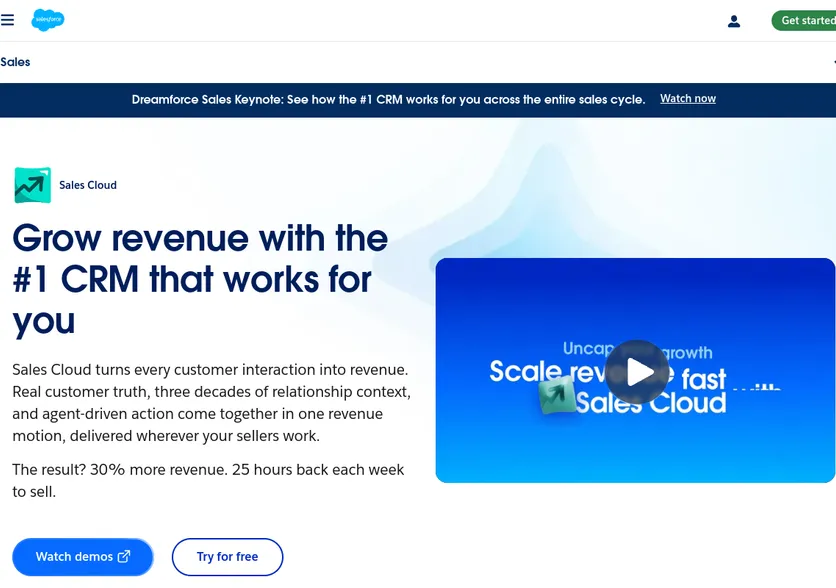
Paid tool Starting price: $195/user/month · One hundred and ninety-five dollars per user a month for the Core edition billed annually, with full case management and a self-service help centre; Starter Suite costs twenty-five dollars and Pro Suite one hundred dollars, but both are sales-leaning bundles rather than dedicated service editions
Free plan: No free plan; 30-day free trial
For enterprise teams, Salesforce Service Cloud runs enterprise service on the CRM the whole company already lives in, with case management at scale. This Salesforce Service Cloud Core edition costs one hundred and ninety-five dollars per user a month billed annually, with case management and a self-service help centre included. At enterprise scale the risk is a ticket that nobody owns, and Salesforce Service Cloud closes that gap with routing and reporting.
What we like
- Full case management on the Salesforce platform
- A self-service help centre and knowledge base
- Scales from a service team to a global contact centre
Watch out for
- One hundred and ninety-five dollars per user is enterprise money
- Implementation usually needs a partner or admin
How to try it
- Talk to sales or start a trial of the Core edition
- Set up case routing and the help centre
- Connect your existing Salesforce data and channels
3. Jira Service Management
Best for: Enterprise teams that need IT service on the platform devs already use
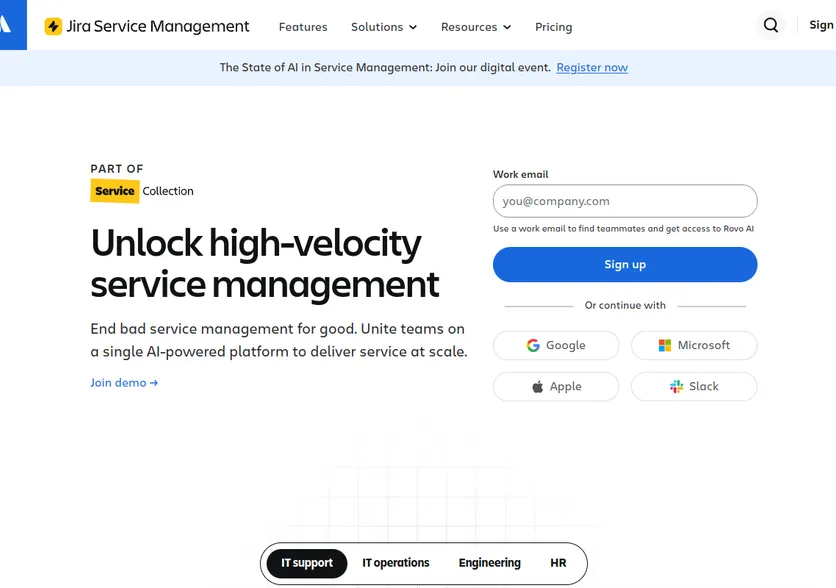
Paid tool Starting price: $21.50/agent/month · Twenty-one dollars fifty per agent a month for the Standard plan at the default team size shown on the pricing page, billed monthly; Premium costs fifty-five dollars twenty-eight. The per-agent rate is tiered by team size, so the exact figure depends on how many agents you have
Free plan: Free plan for up to 3 agents
For enterprise teams, Jira Service Management runs IT requests, incidents and changes on the same platform development teams already use. This Jira Service Management Standard plan costs twenty-one dollars fifty per agent a month at the default team size on the pricing page, with Premium at fifty-five dollars twenty-eight. A large team needs consistency across channels, and Jira Service Management gives managers the structure to enforce it without slowing agents down.
What we like
- The same platform devs use for issues and sprints
- A free plan for up to three agents
- Strong incident and change workflows
Watch out for
- The per-agent rate changes with team size
- Setup takes longer than a simple help desk
How to try it
- Start the free plan and create a service project
- Set up request types and approval workflows
- Connect it to Jira Software for the dev handoff
4. Freshservice
Best for: Enterprise teams that need IT service requests and assets in one tool
Paid tool Starting price: $49/agent/month · Forty-nine dollars per agent a month for the Growth plan billed annually, or fifty-nine dollars month to month; Starter costs nineteen dollars and Pro ninety-nine dollars
Free plan: No free plan; 14-day free trial
For enterprise teams, Freshservice runs IT service requests, assets and changes with clean workflows and a tidy service catalogue. This Freshservice Growth plan costs forty-nine dollars per agent a month billed annually, with Starter at nineteen dollars and Pro at ninety-nine dollars. Freshservice fits an enterprise where support spans departments and every ticket needs an owner and an audit trail.

What we like
- A clean service catalogue and request workflows
- Asset management built into the same tool
- A fourteen-day free trial
Watch out for
- No free plan
- Enterprise features need the higher plans
How to try it
- Start the trial and set up your service catalogue
- Import assets and connect your users
- Turn on approval workflows and SLAs
5. Intercom
Best for: Enterprise teams that need live chat with an AI agent that handles the first reply
Paid tool Starting price: $29/seat/month · Twenty-nine dollars per seat a month for the Essential plan billed annually, or thirty-nine dollars month to month; Advanced costs eighty-five dollars and Expert one hundred and thirty-two dollars. The nineteen-dollar figure on some pages is a first-term discount for new customers, not the list price
Free plan: No free plan; 14-day free trial
For enterprise teams, Intercom pairs live chat with an AI agent that resolves routine questions before a human ever sees them. This Intercom Essential plan costs twenty-nine dollars per seat a month billed annually, with Advanced at eighty-five dollars and the Fin AI agent charged per resolved conversation. At enterprise scale the risk is a ticket that nobody owns, and Intercom closes that gap with routing and reporting.

What we like
- Fin resolves routine questions without a human
- Live chat, email and help centre in one inbox
- In-product messages reach users where they already are
Watch out for
- Fin is billed per outcome on top of the seat price
- Costs climb fast once you add seats and channels
How to try it
- Start the trial and install the chat widget on your site
- Train Fin on your help centre articles
- Set up the inbox so unresolved chats reach a person
6. HubSpot Service Hub
Best for: Enterprise teams that need support tied to the CRM
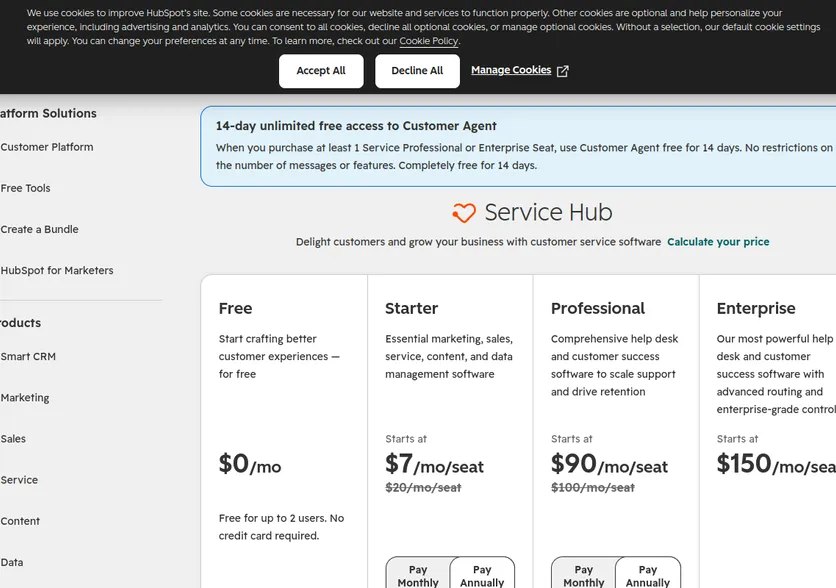
Paid tool Starting price: $20/seat/month · Twenty dollars per seat a month for the Starter plan; Professional costs one hundred dollars and Enterprise one hundred and fifty dollars. The seven-dollar Starter figure on some pages is a first-term discount for new customers, not the list price
Free plan: Free tools for up to 2 users
For enterprise teams, HubSpot Service Hub ties support tickets to the CRM so every conversation carries the full customer history. This HubSpot Service Hub Starter plan costs twenty dollars per seat a month, with Professional at one hundred dollars and Enterprise at one hundred and fifty dollars. A large team needs consistency across channels, and HubSpot Service Hub gives managers the structure to enforce it without slowing agents down.
What we like
- Tickets sit next to the full CRM record
- Free tools cover up to two users
- The help centre and feedback tools are built in
Watch out for
- Professional adds a fifteen-hundred-dollar onboarding fee
- The platform gets pricey as seats and hubs grow
How to try it
- Start with the free tools and connect your inbox
- Import contacts so tickets link to the CRM
- Set up ticket pipelines and the help centre
7. Appcues
Best for: Enterprise teams that need in-product onboarding without code
Paid tool Starting price: $9,000/year · Nine thousand dollars a year for the Grow plan, which scales with monthly active users up to fifty thousand and includes twenty-five published experiences and unlimited seats; Enterprise is priced by quote
Free plan: No free plan listed on the pricing page
For enterprise teams, Appcues onboards new users inside the product with guided tours, checklists and surveys that need no code. This Appcues Grow plan starts at nine thousand dollars a year for up to fifty thousand monthly active users, with unlimited seats included. Appcues fits an enterprise where support spans departments and every ticket needs an owner and an audit trail.
What we like
- No-code onboarding flows a product team can ship alone
- Unlimited seats on the Grow plan
- Surveys and checklists built into the same tool
Watch out for
- Nine thousand dollars a year is a serious commitment
- No free plan and no trial listed on the pricing page
How to try it
- Install the Appcues snippet in your product
- Build a welcome tour for new accounts
- Add a checklist and a survey to track activation
8. Userpilot
Best for: Enterprise teams that need in-app guides aimed at activation
Paid tool Starting price: $299/month · Two hundred and ninety-nine dollars a month for the Starter plan billed annually, for up to two thousand monthly active users and three seats; Growth starts at eight hundred and forty-nine dollars a month
Free plan: 14-day free trial, no permanent free plan
For enterprise teams, Userpilot drives product adoption with in-app guides, surveys and onboarding flows aimed at activation. This Userpilot Starter plan costs two hundred and ninety-nine dollars a month billed annually, for up to two thousand monthly active users. At enterprise scale the risk is a ticket that nobody owns, and Userpilot closes that gap with routing and reporting.
What we like
- Guides and surveys in one tool
- Segmentation by user behaviour, not just plan
- A fourteen-day free trial to test it live
Watch out for
- Starter covers only three seats
- No permanent free plan
How to try it
- Install the Userpilot snippet in your product
- Create a welcome flow for new users
- Add an in-app survey to measure activation
9. Retently
Best for: Enterprise teams that need satisfaction surveys that feed back to the team
Paid tool Starting price: $99/month · Ninety-nine dollars a month for the Ecommerce Basic plan, which includes two thousand five hundred surveys sent, ten campaigns and three seats; yearly billing saves ten percent and Pro costs two hundred and ninety-nine dollars a month
Free plan: No free plan; 14-day free trial
For enterprise teams, Retently measures satisfaction with surveys that feed straight back into the product and success teams. This Retently Ecommerce Basic plan costs ninety-nine dollars a month for two thousand five hundred surveys sent and ten campaigns. A large team needs consistency across channels, and Retently gives managers the structure to enforce it without slowing agents down.
What we like
- NPS, CSAT and CES surveys in one tool
- Campaigns and audiences without a data team
- A fourteen-day free trial
Watch out for
- Survey volume limits decide the real cost
- No free plan
How to try it
- Connect your customer list and pick a survey type
- Set up a campaign for new and at-risk customers
- Review the feedback and act on the lowest scores first
Prices above were checked on each vendor’s own website on Nov 27, 2026 and can change — the vendor’s page is the final word. Vendor links are editorial: nobody paid to be listed or ranked here. Vendors who want a featured listing can see how it works on our Get listed page.
What customer success software costs an enterprise
An enterprise pays for support in three ways, the subscription, the implementation and the tickets that nobody owns. A twenty-dollar seat looks cheap until a missing audit trail costs a contract renewal, so weigh routing, reporting and security against the sticker price. Service clouds cost more because they carry case management, knowledge and automation at scale. Start with a pilot team, prove the routing works, then roll out department by department.
Before you sign, run a real escalation through the trial: open a case, route it across two teams, and check the audit trail shows every step. If the trial cannot prove who owned the case, the tool will not survive a compliance review.
Before you buy
- Match the tool to your team size, because a fifty-seat team and a five-hundred-seat team need different routing.
- Check that every ticket has an audit trail, because enterprise support without records fails a compliance review.
- Confirm the price covers every department, because per-seat billing multiplies fast across a large organisation.
- Test the help centre and AI answers first, because deflection is where enterprise support saves real money.
- Ask about implementation time, because an enterprise rollout without a plan stalls for months.
Official websites
Official websites of the products reviewed above. Features and prices were checked against these sites when this guide was written, and they can change, so confirm on the vendor site before you buy.
Frequently asked questions
Which customer success software is best for enterprise teams in 2026?
Zendesk is the best overall pick at fifty-five dollars per agent a month on the Suite Team plan, because its AI triage, help centre and integrations scale across departments. Salesforce Service Cloud is the best choice for companies already on Salesforce at one hundred and ninety-five dollars per user a month, and Jira Service Management suits IT-led teams at twenty-one dollars fifty per agent a month.
What is the cheapest customer success software for enterprise teams?
Jira Service Management is the cheapest in this list at twenty-one dollars fifty per agent a month on the Standard plan, with a free plan for up to three agents. Freshservice is next at forty-nine dollars per agent a month on the Growth plan. Both suit IT-led teams, though neither matches Zendesk or Salesforce for cross-department service.
Is there free customer success software for enterprise teams?
Yes, but only for small pilots. Jira Service Management is free for up to three agents and HubSpot Service Hub offers free tools for up to two users. An enterprise rollout needs a paid plan, and the free tiers are best used to test routing and reporting with one team before committing to a full deployment.
How long does an enterprise support rollout take?
A pilot with one team takes two to four weeks, including inbox setup, help centre content and routing rules. A full multi-department rollout takes two to three months, because it needs data migration, integrations and agent training. Start with the busiest team, prove the routing works, and roll out department by department.
Do enterprise teams need Salesforce or Zendesk?
Teams already running Salesforce usually pick Service Cloud, because tickets sit on the same CRM records as sales and marketing. Teams without Salesforce usually pick Zendesk, because it deploys faster and its AI triage and help centre work without a Salesforce admin. Both scale to a global contact centre.
Scaling a support team? Try Toolsvine's free business tools right in your browser.
Browse Business Tools tools