On this page
Remote sales teams win deals in a shared room, not in a scattered email thread. The six tools below give every buyer one link with the proposal, the pricing, the contract and the next step, while your team watches who opens what. Some charge per user, others charge a flat monthly rate, and one of them offers a free plan to start with. Every price was checked on the vendor site on November 27, 2026. Qwilr is our first pick — the sales room with the cleanest proposal design and the fairest entry price.
How we researched this
We started with the digital sales room tools a remote team can buy on a card without an enterprise sales call, then read each price on the vendor pricing page on November 27, 2026 and noted the free plan each one carries. We judged them for a remote team that needs one link to carry the whole deal, with proposals, contracts and buyer activity in the same place. We dropped DealHub because it publishes no price, and Aligned because its pricing page shows no currency symbol.
Compare the tools
| Name | Best for | Starting price | Free plan | |
|---|---|---|---|---|
 Qwilr | Remote teams that want the cleanest proposal design | $35/user/month | No free plan; 14-day free trial | Visit |
 Proposify | Remote teams that want a solid proposal tool at the lowest entry price | $19/user/month | No free plan; 14-day free trial | Visit |
 Better Proposals | Remote teams that want the cheapest proposal tool here | $13/user/month | No free plan; 14-day free trial | Visit |
 Dock | Remote teams that want a full deal room with a free plan | $350/month | Free plan with 10 workspaces and 25 content assets | Visit |
 GetAccept | Remote teams that want e-signature plus a deal room in one tool | $25/user/month | No free plan; 14-day free trial | Visit |
 PandaDoc | Remote teams that want proposals, contracts and signatures in one place | $19/user/month | Free eSign plan | Visit |
The digital sales room software for remote teams, compared
1. Qwilr
Best for: Remote teams that want the cleanest proposal design
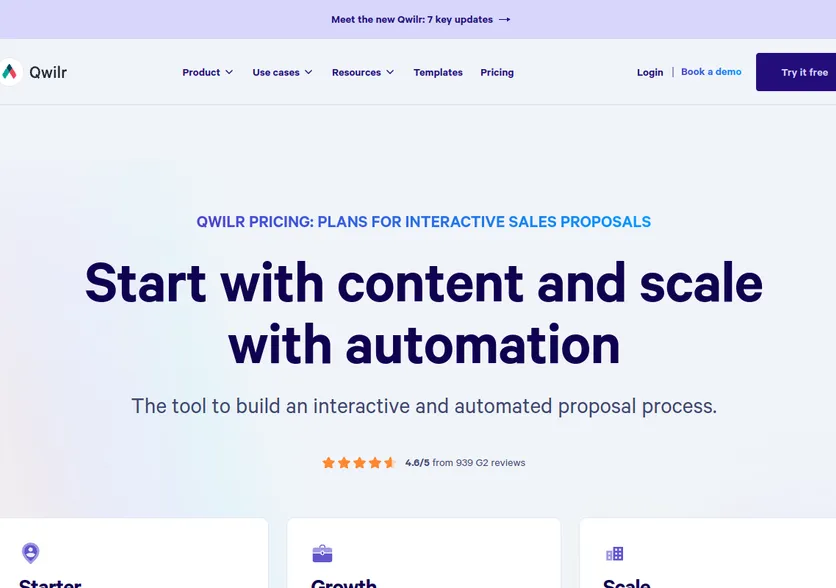
Paid tool Starting price: $35/user/month · Thirty-five dollars per user a month for the Starter plan, billed annually; monthly billing costs forty-nine dollars; the Growth plan costs fifty-five dollars per user a month with a five-user minimum on annual billing, and Scale costs seventy-five dollars with a ten-user minimum; a fourteen-day Starter trial is available
Free plan: No free plan; 14-day free trial
Qwilr is the proposal tool that turns a flat PDF into a living sales page, with interactive pricing, e-signatures and buyer analytics in one link. This Qwilr Starter plan costs thirty-five dollars per user a month billed annually. A remote team gets the cleanest proposal design in this list, with a fourteen-day trial to test the interactive pages before paying.
What we like
- Cleanest proposal design in this list
- Interactive pricing that buyers can adjust
- Buyer analytics show who opens what
Watch out for
- No free plan, so the fourteen-day trial is the only test
- Growth and Scale need five or ten users minimum
How to try it
- Open the Qwilr site and start the 14-day trial
- Build a proposal from a template with your pricing
- Send the link and watch the buyer analytics
2. Proposify
Best for: Remote teams that want a solid proposal tool at the lowest entry price
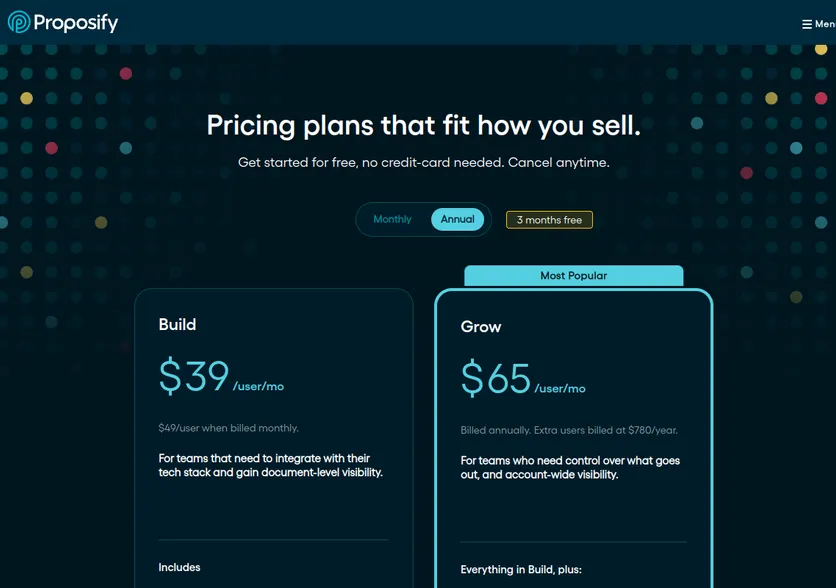
Paid tool Starting price: $19/user/month · Nineteen dollars per user a month for the Basic plan, billed annually, with ten sends a month; monthly billing costs twenty-nine dollars; the Team plan costs forty-one dollars per user a month billed annually or forty-nine dollars billed quarterly, with thirty sends; Business is custom from three thousand nine hundred dollars a year; a fourteen-day trial is available
Free plan: No free plan; 14-day free trial
Proposify is the proposal tool that helps a remote team send polished, on-brand proposals fast, with content libraries and approval workflows that keep every deal moving. This Proposify Basic plan costs nineteen dollars per user a month billed annually, with ten sends a month. A remote team gets the lowest entry price in this list, with a fourteen-day trial to test the proposal builder.
What we like
- Lowest entry price in this list
- Content library keeps every proposal on-brand
- Approval workflows keep deals moving
Watch out for
- Basic covers only ten sends a month
- Team plan costs forty-one dollars per user a month
How to try it
- Open the Proposify site and start the 14-day trial
- Build a proposal from your content library
- Send it to a buyer and track the opens
3. Better Proposals
Best for: Remote teams that want the cheapest proposal tool here
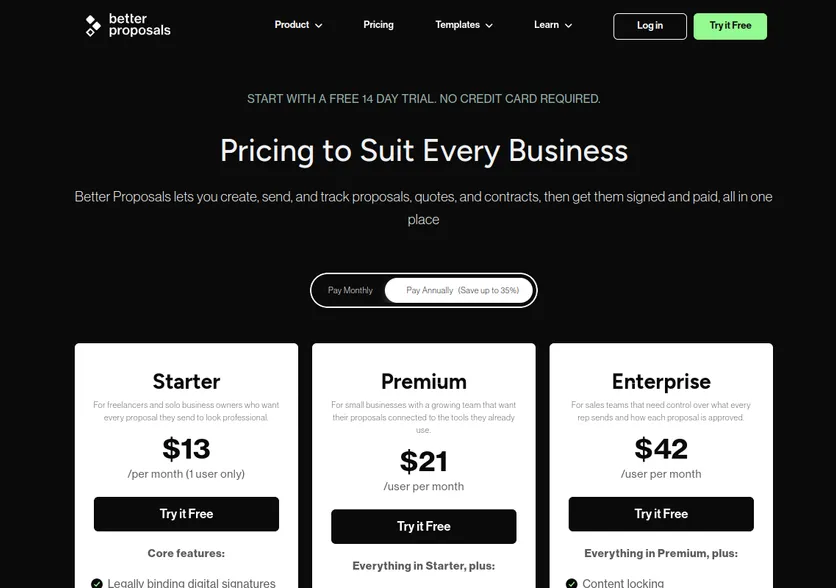
Paid tool Starting price: $13/user/month · Thirteen dollars per user a month for the Starter plan, billed annually, with one user and ten documents a month; monthly billing costs nineteen dollars; the Premium plan costs twenty-one dollars a month billed annually with fifty sends and Enterprise costs forty-two dollars; a fourteen-day trial is available
Free plan: No free plan; 14-day free trial
Better Proposals is the cheapest proposal tool here, offering clean templates, e-signatures and payment links that let a buyer sign and pay in one place. This Better Proposals Starter plan costs thirteen dollars per user a month billed annually, with one user and ten documents a month. A remote team gets a capable proposal tool for the lowest price here, with a fourteen-day trial to test the templates.
What we like
- Cheapest proposal tool in this list
- Payment links let buyers sign and pay in one place
- Clean templates that look good fast
Watch out for
- Starter covers only one user and ten documents a month
- Fewer features than Qwilr or Proposify
How to try it
- Open the Better Proposals site and start the 14-day trial
- Pick a template and add your pricing and e-signature
- Send the proposal and track when the buyer opens it
4. Dock
Best for: Remote teams that want a full deal room with a free plan
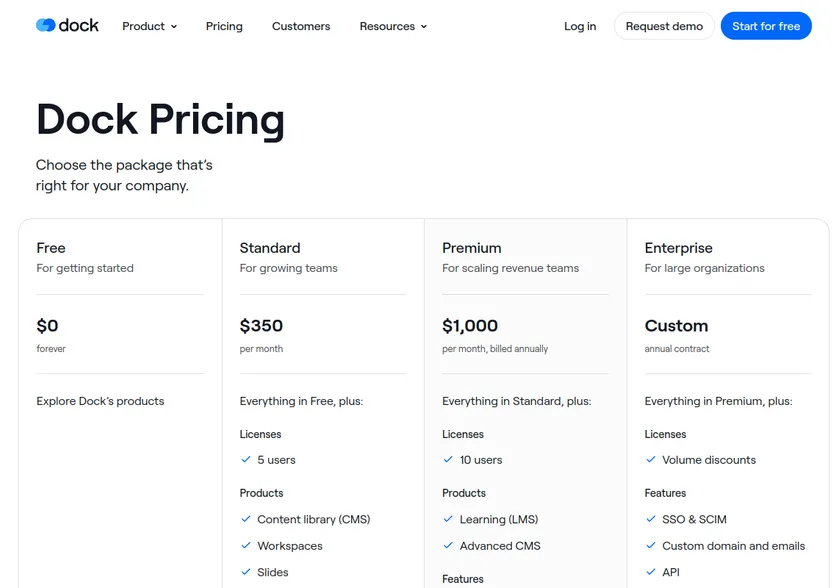
Paid tool Starting price: $350/month · Three hundred and fifty dollars a month for the Standard plan, with five internal users and extra seats at fifty dollars a month; the Premium plan costs one thousand dollars a month billed annually with ten users; Enterprise is custom for twenty-five or more users; external collaborators are free on every plan; a free plan covers ten workspaces and twenty-five content assets
Free plan: Free plan with 10 workspaces and 25 content assets
Dock is the deal room that gives every buyer one workspace with proposals, content, order forms and a mutual action plan, so the whole deal lives in one place. This Dock Standard plan costs three hundred and fifty dollars a month, with five internal users and extra seats at fifty dollars a month. A remote team gets the only free plan in this list that covers a real deal room, with external collaborators free on every plan.
What we like
- Only free plan here that covers a real deal room
- External collaborators are free on every plan
- Mutual action plans keep the deal on track
Watch out for
- Standard costs three hundred and fifty dollars a month
- Five internal users only on the Standard plan
How to try it
- Open the Dock site and create a free account
- Build a workspace with your proposal and content
- Invite the buyer and watch them work through the room
5. GetAccept
Best for: Remote teams that want e-signature plus a deal room in one tool
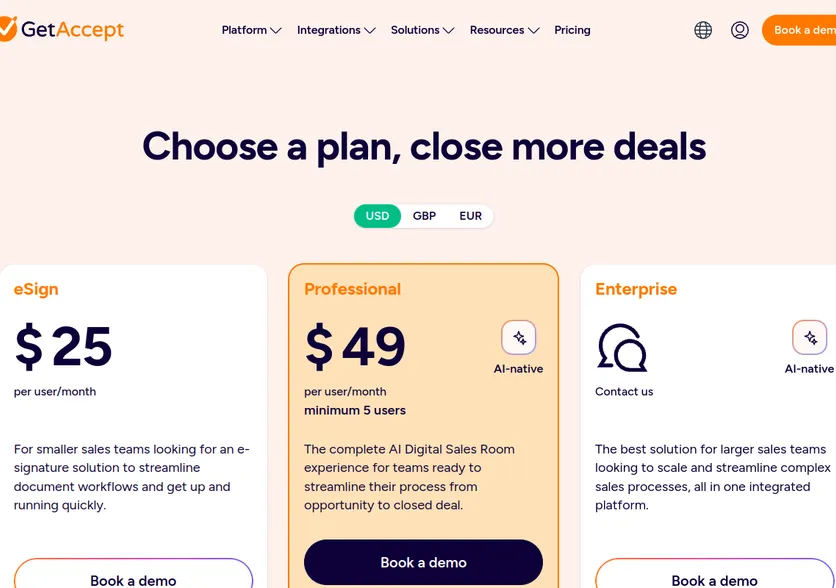
Paid tool Starting price: $25/user/month · Twenty-five dollars per user a month for the eSign plan; the Deal Room plan costs thirty-nine dollars and the Contract Room plan costs forty-nine dollars, with the full suite at seventy-nine dollars; the Professional plan at forty-nine dollars per user a month with a five-user minimum is the full digital sales room tier; all plans run on twelve-month agreements; a fourteen-day trial is available
Free plan: No free plan; 14-day free trial
GetAccept is the sales room that pairs e-signatures with video, chat and deal tracking, so a remote team can send, sign and chase a deal without leaving the room. This GetAccept eSign plan costs twenty-five dollars per user a month. A remote team gets signatures and a deal room in one tool, with the full room on the Professional plan at forty-nine dollars per user a month.
What we like
- E-signature and deal room in one tool
- Video and chat built into the room
- Deal tracking shows where every deal stands
Watch out for
- Full deal room needs the forty-nine-dollar Professional plan
- All plans run on twelve-month agreements
How to try it
- Open the GetAccept site and start the 14-day trial
- Upload a contract and add your e-signature fields
- Send the deal room link and track the buyer
6. PandaDoc
Best for: Remote teams that want proposals, contracts and signatures in one place
Paid tool Starting price: $19/user/month · Nineteen dollars per user a month for the Starter plan, billed annually; the Business plan costs forty-nine dollars per user a month billed annually; a free eSign plan is available
Free plan: Free eSign plan
PandaDoc is the proposal and contract tool that lets a remote team build, send and sign a deal in one link, with templates and payment collection built in. This PandaDoc Starter plan costs nineteen dollars per user a month billed annually. A remote team gets proposals, contracts and signatures in one place, with a free eSign plan to test the signing flow first.

What we like
- Proposals, contracts and signatures in one tool
- Free eSign plan to test the signing flow
- Templates that speed up every deal
Watch out for
- Business plan costs forty-nine dollars per user a month
- Starter has fewer automation features
How to try it
- Open the PandaDoc site and create a free account
- Pick a template and build your first proposal
- Send it for signature and collect payment in the same link
Prices above were checked on each vendor’s own website on Nov 27, 2026 and can change — the vendor’s page is the final word. Vendor links are editorial: nobody paid to be listed or ranked here. Vendors who want a featured listing can see how it works on our Get listed page.
What a remote team pays for a digital sales room in 2026
A digital sales room charges per user or as a flat monthly rate, and the model decides the cost for a remote team. A per-user price suits a small team, while a flat rate suits a team that adds buyers and collaborators freely. The cheapest paid plan here costs thirteen dollars per user a month, while the dearest flat rate costs three hundred and fifty dollars a month.
Start with the free plan on Dock and send a real proposal through it. Watch how the buyer moves through the room and check which tool shows you the most. Pick the room whose analytics tell you when to follow up, because a deal you cannot see is a deal you cannot close.
Before you buy
- Check whether the price is per user or flat, because a per-user price grows with every hire.
- Confirm the free plan limit, because a free plan that covers only ten Pods may run out fast.
- Test the buyer view yourself, because a room that confuses the buyer loses the deal.
- Ask what the analytics show, because a room without buyer tracking is just a shared folder.
- Check the e-signature terms before you buy, because some plans charge extra for signing.
Official websites
Official websites of the products reviewed above. Features and prices were checked against these sites when this guide was written, and they can change, so confirm on the vendor site before you buy.
Frequently asked questions
Which digital sales room software is best for remote teams in 2026?
Qwilr is the best overall pick at thirty-five dollars per user a month billed annually, with the cleanest proposal design. Better Proposals is the cheapest at thirteen dollars per user a month, and Dock is the best pick for a full deal room with a free plan. All six prices were checked on the vendor site on November 27, 2026.
How much does a digital sales room cost for a remote team?
Prices in this list run from thirteen dollars per user a month for Better Proposals Starter to three hundred and fifty dollars a month for Dock Standard, with most per-user plans landing between thirteen and thirty-five dollars a month billed annually. One tool offers a free plan, so a remote team can run its first deal room before spending anything.
What is the difference between a proposal tool and a digital sales room?
A proposal tool builds and sends the document, while a digital sales room gives the buyer one link with the proposal, the pricing, the contract and the next step. Rooms add buyer analytics, mutual action plans and chat, so the seller can see who opened what and when to follow up. Qwilr, Proposify and Better Proposals lean proposal-first, while Dock leans room-first.
Can a remote team use a digital sales room for free?
Yes, and Dock offers a free plan with ten workspaces and twenty-five content assets. PandaDoc also offers a free eSign plan for signing only. A free plan suits a small team with few deals, while a busy team will outgrow it and need a paid plan.
What should a remote team test during a free trial?
Send a real proposal through the trial room and watch how the buyer moves through it. Check the analytics to see whether the tool shows who opened the proposal and which pages they read. Test the e-signature flow too, since a signature that fails on the buyer side stalls the deal.
Need free business help too? Try Toolsvine's free business tools right in your browser.
Browse Business Tools tools