On this page
A missed court deadline can end a case, yet many firms still track filing dates in spreadsheets and shared calendars that nobody updates. The seven tools below calculate deadlines from court rules and push them onto the calendars your team already uses. Every price was checked on the vendor site on November 27, 2026, and the list runs from fifteen dollars a month to one hundred and twenty-five dollars a month. DocketCalendar is our first pick — the rules-based docketing tool that puts court deadlines on Outlook or Google Calendar for fifteen dollars a court.
How we researched this
We started with the docketing tools law firms actually buy, then read each price on the vendor pricing page on November 27, 2026 and noted the trial each plan carries. We judged them for a firm that tracks court deadlines across many matters and needs every date to land on the calendar without retyping. We dropped CompuLaw, CalendarRules, Smokeball and Filevine because none of them publishes a list price, so a buyer cannot compare them without a sales call.
Compare the tools
| Name | Best for | Starting price | Free plan | |
|---|---|---|---|---|
| DocketCalendar | Law firms of any size that need court-rules deadlines on Outlook or Google calendars | $15/court/month | No free plan; free trial available | Visit |
| LawToolBox | Litigation firms on Microsoft 365 that want rules-based deadlines inside Outlook | $39/user/month | No free plan; demo and free tour available | Visit |
 Alt Legal | IP teams that need trademark and patent docketing at a flat rate with unlimited users | $60/month | No free plan; free trial available | Visit |
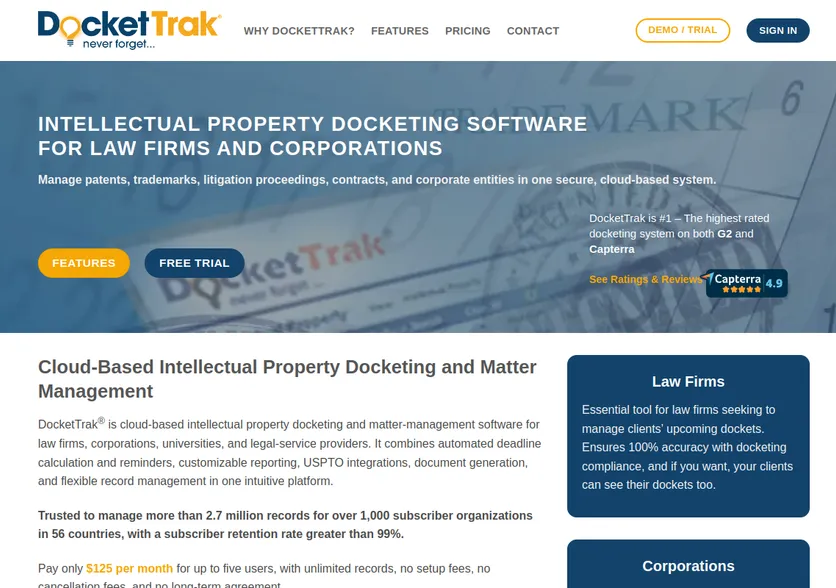
| DocketTrak | Law firms and corporate legal departments that want low-cost docketing for up to five users | $125/month | No free plan; demo available | Visit |
 Clio | Law firms that want practice management, billing and docketing in one system | $49/user/month | No free plan; 7-day free trial | Visit |
 MyCase | Small firms that want case management, intake and document automation beside docketing | $50/user/month | No free plan; 10-day free trial | Visit |
 PracticePanther | Solo and small firms that want published pricing on all four plans with no sales call | $49/user/month | No free plan; 7-day free trial | Visit |
The docketing software for law firms, compared
1. DocketCalendar
Best for: Law firms of any size that need court-rules deadlines on Outlook or Google calendars
Paid tool Starting price: $15/court/month · Fifteen dollars per court a month and fifteen dollars per calendar a month, with unlimited calculations and free access for support staff
Free plan: No free plan; free trial available
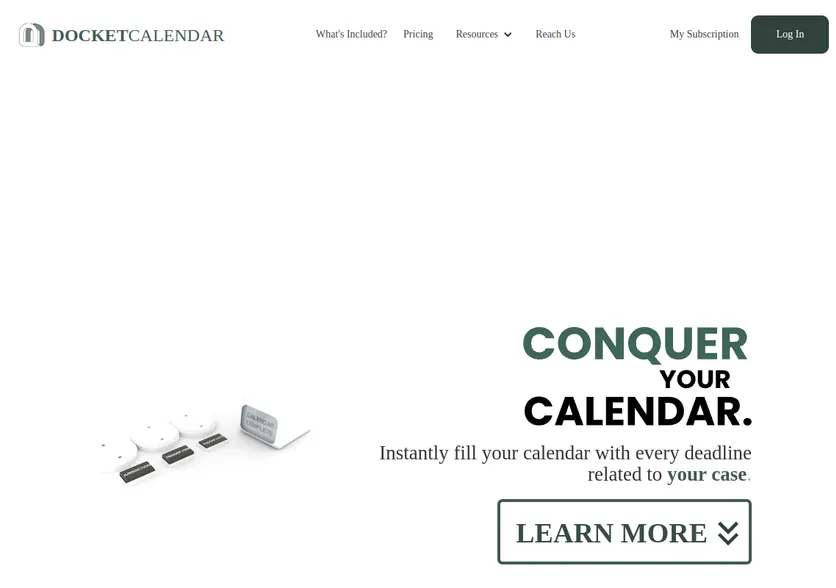
DocketCalendar calculates court-rules deadlines and pushes them straight onto Outlook or Google Calendar, so no one retypes a date by hand. This DocketCalendar plan costs fifteen dollars per court a month and fifteen dollars per calendar a month, with unlimited calculations. A firm that juggles deadlines across many courts gets over eighteen hundred rule sets and automatic recalculation when a date moves.
What we like
- Fifteen dollars per court with unlimited calculations
- Automatic recalculation when a date moves
- Deadlines land directly on Outlook or Google Calendar
Watch out for
- No free plan, so the trial is the only way to test it
- The bill grows with every court and calendar you add
How to try it
- Open the DocketCalendar site and start a free trial
- Add your courts and link your Outlook or Google account
- Enter an anchor date and check the calculated deadlines
2. LawToolBox
Best for: Litigation firms on Microsoft 365 that want rules-based deadlines inside Outlook
Paid tool Starting price: $39/user/month · Thirty-nine dollars per user a month billed annually for firms of two to nine users, or forty-six dollars billed monthly; the rate falls to twenty-one dollars per user a month at eighty or more users
Free plan: No free plan; demo and free tour available
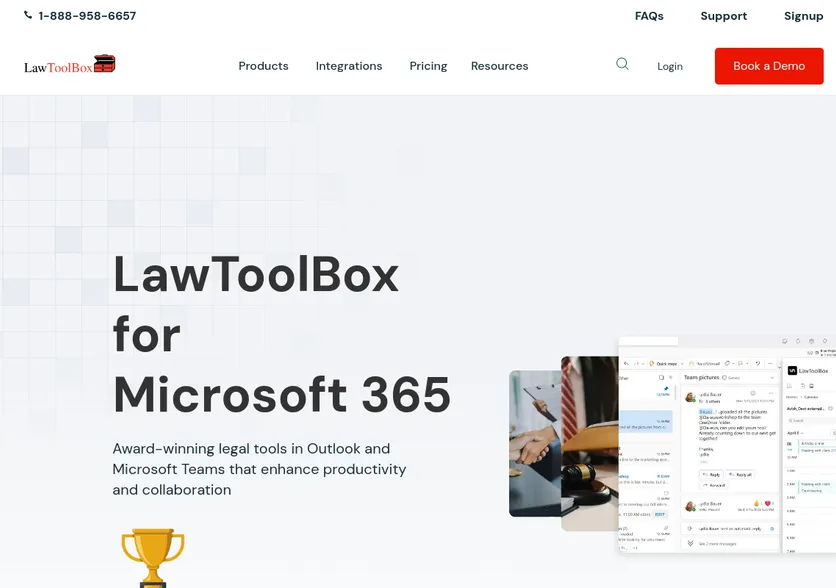
LawToolBox is the industry standard for court-rules calendaring at the small-firm end, running inside the Microsoft 365 mailbox the firm already lives in. This LawToolBox plan costs thirty-nine dollars per user a month billed annually for firms of two to nine users. A litigation team gets deadlines calculated from court rules across all fifty states and federal courts, with AI deadline extraction added in 2026.
What we like
- Published per-user pricing with no sales call
- Rules engine inside Microsoft 365 and Outlook
- Covers court rules across all fifty states
Watch out for
- One license is needed for every Microsoft 365 mailbox
- Some integrations add four dollars per user
How to try it
- Open the LawToolBox site and book a demo
- Connect your Microsoft 365 mailboxes to the deadline engine
- Test the rules on a live matter and check the calendar entries
3. Alt Legal
Best for: IP teams that need trademark and patent docketing at a flat rate with unlimited users
Paid tool Starting price: $60/month · Sixty dollars a month for up to fifty matters with unlimited users; one hundred matters costs one hundred dollars, two hundred costs one hundred and ninety-five dollars and four hundred costs two hundred and ninety-five dollars a month
Free plan: No free plan; free trial available
Alt Legal automates IP docketing across more than one hundred and eighty offices worldwide, syncing directly with the patent and trademark office. This Alt Legal plan costs sixty dollars a month for up to fifty matters with unlimited users. A trademark team gets flat-rate docketing with no per-seat billing, plus calendar sync and daily docket emails for the whole firm.
What we like
- Flat-rate pricing with unlimited users
- Automatic sync with the trademark office
- Covers more than one hundred and eighty IP offices
Watch out for
- It is built for IP matters, not general litigation
- Larger portfolios need a custom quote
How to try it
- Open the Alt Legal site and start a free trial
- Import your trademark and patent matters
- Check the automatic docket updates from the trademark office
4. DocketTrak
Best for: Law firms and corporate legal departments that want low-cost docketing for up to five users
Paid tool Starting price: $125/month · One hundred and twenty-five dollars a month flat for the Standard edition with up to five user accounts
Free plan: No free plan; demo available
DocketTrak is a professional docketing system for law firms and corporate legal departments that keeps the price flat and the setup simple. This DocketTrak Standard edition costs one hundred and twenty-five dollars a month flat for up to five user accounts. A small firm gets calendar integration, client access and daily docket emails without the enterprise price tag.
What we like
- Flat monthly price with no per-user meter
- Daily docket email keeps the team ahead of deadlines
- Simple setup that a small firm finishes fast
Watch out for
- Only five user accounts on the Standard edition
- No free plan, so the demo is the only way to test it
How to try it
- Open the DocketTrak site and book a demo
- Set up your matters and connect your calendars
- Check the daily docket email for upcoming deadlines
5. Clio
Best for: Law firms that want practice management, billing and docketing in one system
Paid tool Starting price: $49/user/month · Starter costs forty-nine dollars per user a month; Core, Signature and Elite are priced by quote
Free plan: No free plan; 7-day free trial
Clio Manage is the most widely used law practice platform, and its Starter plan covers matters, documents, time tracking and legal accounting in one login. This Clio Starter plan costs forty-nine dollars per user a month and includes calendars, tasks and trust accounting. A firm that wants docketing beside billing and payments gets the largest integration catalog in legal tech with the same subscription.

What we like
- Practice management, billing and calendars in one tool
- Trust accounting built into every plan
- The largest integration catalog in legal tech
Watch out for
- Only the Starter price is published, so higher tiers need a quote
- Advanced features sit behind the quoted plans
How to try it
- Open the Clio site and start the 7-day free trial
- Add your matters and set up your calendars
- Track time and bill from the same matter record
6. MyCase
Best for: Small firms that want case management, intake and document automation beside docketing
Paid tool Starting price: $50/user/month · Basic costs fifty dollars per user a month billed annually, or sixty dollars billed monthly; Pro costs one hundred dollars and Advanced one hundred and thirty dollars per user a month billed annually
Free plan: No free plan; 10-day free trial
MyCase is an all-in-one practice platform that pairs case management with intake, texting and document generation on every paid plan. This MyCase Basic plan costs fifty dollars per user a month billed annually and covers case management, time entry, invoicing and trust accounting. A small firm gets legal calendaring inside a system that also handles client intake and payments.

What we like
- Case management, intake and billing in one login
- Document generation from the Pro plan upward
- Ten-day free trial with no credit card
Watch out for
- Court rules calendaring needs a separate subscription
- Accounting is a thirty-nine dollar add-on on Pro and Advanced
How to try it
- Open the MyCase site and start the 10-day free trial
- Add your cases and set up your calendars
- Turn on intake forms and two-way texting for clients
7. PracticePanther
Best for: Solo and small firms that want published pricing on all four plans with no sales call
Paid tool Starting price: $49/user/month · Solo costs forty-nine dollars per user a month billed annually, or fifty-nine dollars billed monthly; Essential costs sixty-nine dollars, Business eighty-nine dollars and Business Pro one hundred and fourteen dollars per user a month billed annually
Free plan: No free plan; 7-day free trial
PracticePanther publishes a price for all four of its plans, so a small firm can budget every tier without calling sales. This PracticePanther Solo plan costs forty-nine dollars per user a month billed annually and covers matters, time tracking, workflows and QuickBooks Online sync. A solo attorney gets a client portal, trust accounting and document templates from the cheapest tier.

What we like
- All four plan prices published with no sales call
- Workflows and QuickBooks sync on every plan
- Client portal included from the Solo tier
Watch out for
- No free plan, so the seven-day trial is the only test
- Full accounting sits on the Business Pro tier
How to try it
- Open the PracticePanther site and start the 7-day free trial
- Add your matters and set up event workflows
- Connect QuickBooks Online and turn on the client portal
Prices above were checked on each vendor’s own website on Nov 27, 2026 and can change — the vendor’s page is the final word. Vendor links are editorial: nobody paid to be listed or ranked here. Vendors who want a featured listing can see how it works on our Get listed page.
What docketing software costs in 2026
Docketing software charges in one of three ways, per user, per court or flat for the firm, and the unit decides the bill. Per-user pricing suits a small litigation team, while a flat monthly fee suits a firm where many people only read the docket. The cheapest plan here costs fifteen dollars a month per court, while the most expensive costs one hundred and twenty-five dollars a month flat.
Start with a trial on two tools and load five live matters into each one. Enter an anchor date, check the calculated deadlines, then move the date and watch whether every dependent deadline recalculates at once. Pick the tool whose calendar entries your lawyers actually see, because a docket nobody opens is just a tidier spreadsheet.
Before you buy
- Check how many court rule sets the tool covers, because a docketing tool that misses your courts misses the deadlines that matter.
- Confirm whether the price is per user, per court or per matter, because the billing unit decides the real monthly cost.
- Test the calendar sync with your own Outlook or Google account, because deadlines that never reach the calendar get missed.
- Ask how the tool handles a changed date, because a moved hearing should recalculate every dependent deadline at once.
- Check the trial before you sign, because docketing software only proves itself on your own live matters.
Official websites
Official websites of the products reviewed above. Features and prices were checked against these sites when this guide was written, and they can change, so confirm on the vendor site before you buy.
Frequently asked questions
Which docketing software is best for law firms in 2026?
DocketCalendar is the best overall pick at fifteen dollars per court a month, with unlimited calculations and deadlines pushed straight to Outlook or Google Calendar. LawToolBox is the best pick for firms on Microsoft 365 at thirty-nine dollars per user a month. Alt Legal is the best pick for IP teams at sixty dollars a month flat with unlimited users.
How much does docketing software cost?
Prices in this list run from fifteen dollars per court a month for DocketCalendar to one hundred and twenty-five dollars a month flat for DocketTrak, with most tools landing between thirty-nine and sixty dollars a month. Per-user pricing suits a small litigation team, while flat pricing suits a firm where many people only read the docket. Add the cost of a separate court-rules subscription where a practice platform does not include one.
Can a small law firm afford docketing software?
Yes, because DocketCalendar calculates court-rules deadlines for fifteen dollars per court a month, and LawToolBox covers all fifty states from thirty-nine dollars per user a month. A solo attorney with a handful of matters gets the same deadline math as a large firm. The expensive systems add practice management around the docket, not better deadline math.
What is the difference between docketing software and practice management software?
Docketing software calculates deadlines from court rules and puts them on the calendar, while practice management software runs the whole firm around those dates. A docketing tool answers when a filing is due, while a practice platform answers who is working on it and how it gets billed. Clio, MyCase and PracticePanther combine both jobs, while DocketCalendar and LawToolBox focus on the deadlines alone.
Do lawyers need to open another app to see their docket?
No, not if the tool syncs to the calendar your team already uses, because DocketCalendar and LawToolBox push deadlines straight onto Outlook or Google Calendar. A docket that lives only inside its own app gets ignored the week everyone is busy. Pick the tool whose deadlines appear where your lawyers already look every morning.
Need everyday business help too? Try Toolsvine's free business tools right in your browser.
Browse Business Tools tools