On this page
Engineering specs die when they live in one person's laptop, and they rot when five people edit five copies at once. The eight tools below give a team one shared document with real-time editing, comments and version history. Every price was checked on the vendor site on November 27, 2026, and the list runs from seven dollars a month to sixty-five dollars a site a month. Google Workspace is our first pick — the co-editing suite your team already knows, at seven dollars a user a month.
How we researched this
We started with the document tools engineering teams actually write in, then read each price on the vendor pricing page on November 27, 2026 and noted the trial each plan carries. We judged them for a team that drafts specs together and needs real-time editing, version history and a place the docs stay findable. We dropped Dropbox Paper and Guru because neither publishes a list price for a paid plan, so a buyer cannot compare them without a sales call.
Compare the tools
| Name | Best for | Starting price | Free plan | |
|---|---|---|---|---|
 Google Workspace | Engineering teams that already live in Gmail, Drive and Meet | $7/user/month | No free plan; 14-day free trial | Visit |
 Microsoft 365 | Engineering teams that live in Outlook, Teams and Word | $7/user/month | No free plan; 30-day free trial | Visit |
 Notion | Engineering teams that want docs, wikis and project tracking in one flexible workspace | $10/user/month | Free plan for individuals and small teams | Visit |
 Confluence | Engineering teams that live in Jira and need structured specs beside their issues | $7.15/user/month | Free plan for up to 10 users | Visit |
| Superhuman Docs | Engineering teams that want docs where only the makers pay | $12/Doc Maker/month | Free plan with limited Doc Makers | Visit |
 ClickUp | Engineering teams that want docs beside tasks, whiteboards and goals in one tool | $9/user/month | Free Forever plan with unlimited tasks | Visit |
 Asana | Engineering teams that want structured projects with timelines beside their docs | $10.99/user/month | Free Personal plan for up to 2 users | Visit |
 GitBook | Engineering teams that publish versioned technical docs with Git sync | $65/site/month | Free plan for one user | Visit |
The document co-editing software for engineering teams, compared
1. Google Workspace
Best for: Engineering teams that already live in Gmail, Drive and Meet
Paid tool Starting price: $7/user/month · Business Starter costs seven dollars per user a month billed annually, or eight dollars and forty cents billed monthly, with thirty gigabytes of pooled storage per user
Free plan: No free plan; 14-day free trial
Google Workspace puts Docs, Sheets and Slides beside Gmail and Drive, so co-editing happens where the team already works. This Google Workspace Business Starter plan costs seven dollars per user a month billed annually and covers Docs with real-time comments and suggestions. An engineering team that drafts specs in Docs gets simultaneous editing, version history and thirty gigabytes of pooled storage per user.

What we like
- Real-time co-editing your team already knows
- Docs, Drive and Meet in one subscription
- Thirty gigabytes of pooled storage per user
Watch out for
- No free plan for custom-domain email
- Docs is weaker than a wiki for structured specs
How to try it
- Open the Google Workspace site and start the 14-day free trial
- Create a spec in Docs and share it with the team
- Turn on suggesting mode and review edits in version history
2. Microsoft 365
Best for: Engineering teams that live in Outlook, Teams and Word
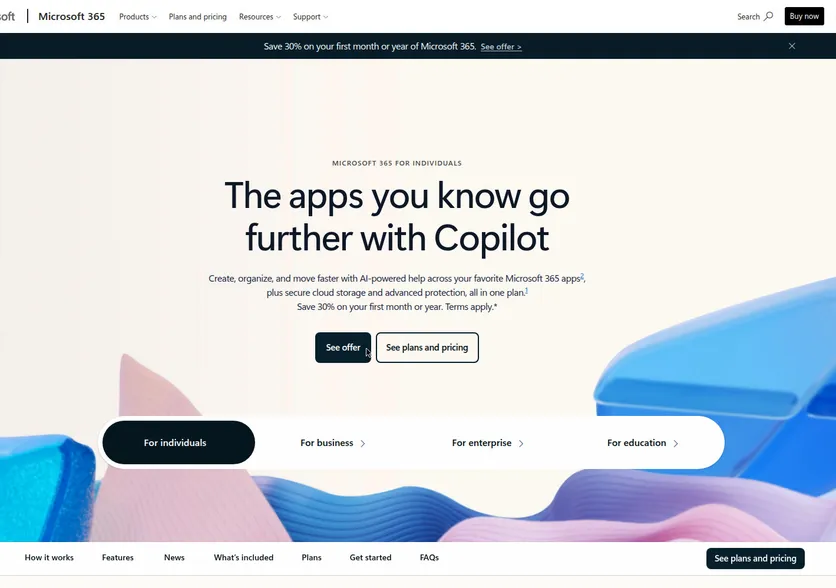
Paid tool Starting price: $7/user/month · Business Basic costs seven dollars per user a month billed annually after the July 2026 price rise from six dollars; the version without Teams costs five dollars and forty cents
Free plan: No free plan; 30-day free trial
Microsoft 365 Business Basic pairs web and mobile Office apps with Teams, so Word documents become a shared workspace for the whole team. This Microsoft 365 Business Basic plan costs seven dollars per user a month billed annually after the July 2026 price rise. An engineering team on Outlook gets co-authoring in Word, one terabyte of OneDrive storage and Teams meetings in one subscription.
What we like
- Co-authoring in Word with OneDrive storage
- One terabyte of storage per user
- Teams meetings built into the same plan
Watch out for
- Web and mobile apps only, with no desktop Outlook
- The price rose from six dollars in July 2026
How to try it
- Open the Microsoft 365 site and start the 30-day free trial
- Save a spec to OneDrive and share it with the team
- Co-author in Word and review changes in Teams
3. Notion
Best for: Engineering teams that want docs, wikis and project tracking in one flexible workspace
Paid tool Starting price: $10/user/month · Plus costs ten dollars per user a month billed annually, or twelve dollars billed monthly; Business costs twenty dollars per user a month billed annually
Free plan: Free plan for individuals and small teams
Notion turns documents into databases, so an engineering spec can hold tasks, decisions and test results on the same page. This Notion Plus plan costs ten dollars per user a month billed annually and adds unlimited file uploads, thirty-day page history and up to one hundred guests. A team that outgrows plain documents gets a workspace where specs, roadmaps and wikis share one search box.

What we like
- Docs that behave like databases
- Up to one hundred guests on the Plus plan
- One search box across specs, wikis and tasks
Watch out for
- Flexible pages sprawl without strong conventions
- No native Git sync for versioned docs
How to try it
- Open the Notion site and start with the free plan
- Build a spec template with tasks and decision tables
- Invite the team and share pages with up to one hundred guests
4. Confluence
Best for: Engineering teams that live in Jira and need structured specs beside their issues
Paid tool Starting price: $7.15/user/month · Standard plan, $7.15 per user a month on monthly billing for 1 to 100 users (after the October 13, 2026 rise); annual plans are sold in fixed tiers ($720 a year for up to 10 users); free plan for up to 10 users
Free plan: Free plan for up to 10 users
Confluence is the team wiki built for engineering, with page trees, templates and macros that keep specs organized beside Jira issues. This Confluence Standard plan costs seven dollars and fifteen cents per user a month on monthly billing for 1 to 100 users and adds page analytics and two hundred and fifty gigabytes of storage. A Jira team gets specs, runbooks and decisions in the same Atlassian home as its tickets.

What we like
- Page trees and templates built for specs
- Deep Jira integration for linked issues
- Free plan for up to ten users
Watch out for
- Guests cost extra on the paid plans
- Annual billing is banded, so an eleventh user jumps the price
How to try it
- Open the Confluence site and start with the free plan
- Create a space for specs and link it to Jira
- Build a template for design docs and runbooks
5. Superhuman Docs
Best for: Engineering teams that want docs where only the makers pay
Paid tool Starting price: $12/Doc Maker/month · Pro costs twelve dollars per Doc Maker a month billed annually; editors and viewers are free and only makers pay
Free plan: Free plan with limited Doc Makers
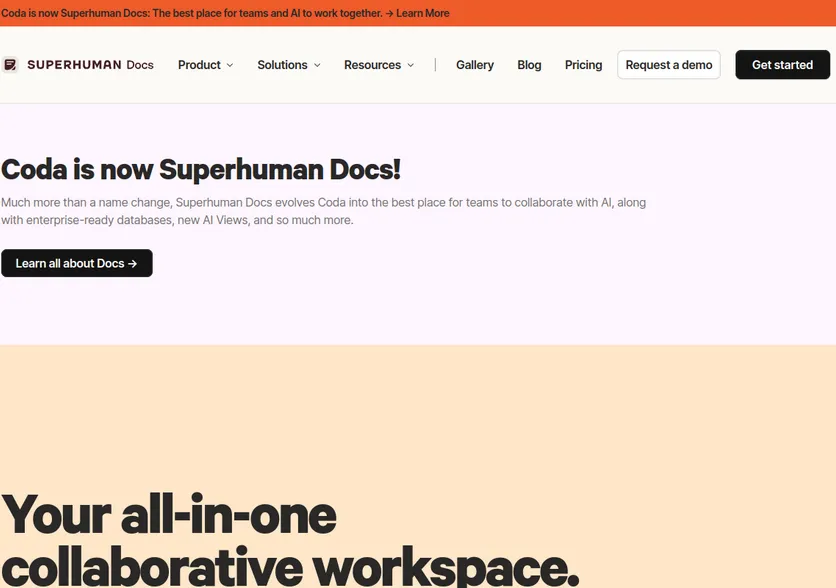
Superhuman Docs, formerly Coda, turns documents into living tools with tables, buttons and automations built into the page. This Superhuman Docs Pro plan costs twelve dollars per Doc Maker a month billed annually, while editors and viewers stay free. An engineering team gets specs that track work like an app, and only the people who build the docs pay.
What we like
- Docs that work like lightweight apps
- Editors and viewers are free, only makers pay
- Tables, buttons and automations inside the page
Watch out for
- The brand changed from Coda, so older reviews use the old name
- Team and Enterprise pricing is not published
How to try it
- Open the Superhuman Docs site and create a free account
- Build a spec doc with a table for decisions and tasks
- Invite editors and viewers for free and share the doc
6. ClickUp
Best for: Engineering teams that want docs beside tasks, whiteboards and goals in one tool
Paid tool Starting price: $9/user/month · Core plan, $9 a user a month billed annually ($12 billed monthly); Business $17 a user a month billed annually
Free plan: Free Forever plan with unlimited tasks
ClickUp Docs lives inside ClickUp, so a spec sits next to the tasks, whiteboards and goals it describes. This ClickUp Unlimited plan costs seven dollars per user a month billed annually and adds unlimited storage, unlimited spaces and five hundred automation rules. An engineering team that already runs projects in ClickUp gets co-editing without buying a separate wiki.

What we like
- Docs live beside the tasks they describe
- Unlimited storage and spaces on Unlimited
- Free Forever plan with unlimited members
Watch out for
- The pricing page shows two lines that disagree, so confirm at checkout
- Weak as a standalone wiki if you skip ClickUp projects
How to try it
- Open the ClickUp site and start with the Free Forever plan
- Create a Doc inside the project it describes
- Link tasks to the spec and share it with the team
7. Asana
Best for: Engineering teams that want structured projects with timelines beside their docs
Paid tool Starting price: $10.99/user/month · Starter costs ten dollars and ninety-nine cents per user a month billed annually, or thirteen dollars and forty-nine cents billed monthly; Advanced costs twenty-four dollars and ninety-nine cents per user a month billed annually
Free plan: Free Personal plan for up to 2 users
Asana pairs project timelines, automations and reporting with docs that stay attached to the work. This Asana Starter plan costs ten dollars and ninety-nine cents per user a month billed annually and adds Timeline views, unlimited automations and reporting dashboards. An engineering team that plans in sprints gets specs linked to the tasks and milestones they describe.

What we like
- Timeline and Gantt views beside the docs
- Unlimited automations on the Starter plan
- Unlimited free guests on paid plans
Watch out for
- Starter has a two-seat minimum, so solo users pay for two
- The free plan covers only two users
How to try it
- Open the Asana site and start with the free Personal plan
- Create a project and attach spec docs to its tasks
- Turn on Timeline and reporting for the sprint
8. GitBook
Best for: Engineering teams that publish versioned technical docs with Git sync
Paid tool Starting price: $65/site/month · Essential costs sixty-five dollars per site a month plus twelve dollars per user a month billed annually; Ultimate costs two hundred and forty-nine dollars per site a month plus twelve dollars per user a month
Free plan: Free plan for one user
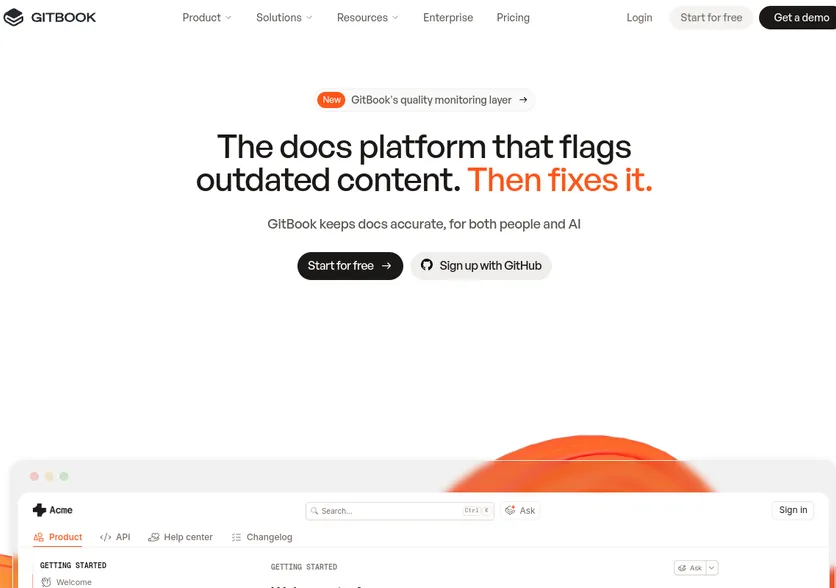
GitBook treats documentation like code, with branches, pull requests and two-way Git sync built into the editor. This GitBook Essential plan costs sixty-five dollars per site a month plus twelve dollars per user a month billed annually. An engineering team that publishes developer docs gets review workflows, custom domains and public publishing in one place.
What we like
- Git-native branches and pull requests for docs
- Public publishing with custom domains
- AI search across the whole doc site
Watch out for
- The per-site fee adds up for teams with many products
- The free plan covers only one user
How to try it
- Open the GitBook site and start with the free plan
- Connect your GitHub repository for two-way sync
- Publish a doc site and open a pull request for changes
Prices above were checked on each vendor’s own website on Nov 27, 2026 and can change — the vendor’s page is the final word. Vendor links are editorial: nobody paid to be listed or ranked here. Vendors who want a featured listing can see how it works on our Get listed page.
What co-editing software costs in 2026
Co-editing software charges in one of three ways, per user, per site or flat for the team, and the unit decides the bill. Per-user pricing suits a small engineering team, while a per-site fee suits a team that publishes one doc site for many readers. The cheapest plans here cost seven dollars a user a month, while the most expensive costs sixty-five dollars per site a month plus twelve dollars per user.
Start with a free plan on two tools and draft a real spec in each one with three people editing at once. Watch for lag, check how comments resolve, and read the version history after the session. Pick the tool whose history tells the story of the spec, because a document without a clear history is a guess.
Before you buy
- Check whether guests and viewers pay, because a tool that charges for every reader quietly doubles the bill.
- Confirm the storage limit on the entry plan, because engineering docs with screenshots and diagrams fill small quotas fast.
- Test real-time editing with three people in one document, because a co-editing tool that lags or conflicts is worse than email.
- Ask how version history works, because an engineering spec needs to show what changed and who changed it.
- Check the export options before you sign, because docs that cannot leave as Markdown or PDF trap your knowledge base.
Official websites
Official websites of the products reviewed above. Features and prices were checked against these sites when this guide was written, and they can change, so confirm on the vendor site before you buy.
Frequently asked questions
Which document co-editing software is best for engineering teams in 2026?
Google Workspace is the best overall pick at seven dollars per user a month, because Docs co-editing, Drive and Meet already cover most engineering teams. Confluence is the best pick for Jira teams at seven dollars and fifteen cents per user a month. GitBook is the best pick for published technical docs, with Git sync and public doc sites.
How much does document co-editing software cost?
Prices in this list run from seven dollars a user a month for Google Workspace and Microsoft 365 to sixty-five dollars per site a month plus twelve dollars per user for GitBook, with most tools landing between seven and twelve dollars per user a month. Per-user pricing suits a small team, while a per-site fee suits a team that publishes one doc site for many readers. Add the cost of guests and viewers where a tool charges for them.
Can an engineering team co-edit documents for free?
Yes, because Confluence is free for up to ten users, Notion has a free plan for small teams, and ClickUp has a Free Forever plan with unlimited members. A startup team can co-edit specs for months before paying anything. The moment the team needs version history, permissions or unlimited storage, budget for the paid tier.
What is the difference between a wiki and a document editor?
A wiki organizes structured pages with trees, templates and permissions, while a document editor focuses on one file at a time. An engineering team needs the wiki when specs, runbooks and decisions must stay findable for years. A team that only drafts and reviews can stay in Docs or Word and skip the wiki entirely.
Can co-edited documents keep a version history?
Yes, because GitBook syncs docs to GitHub with branches and pull requests, and Overleaf-style version history exists in Google Docs and Confluence too. A spec that changes without a record is a guess, not a decision. Pick the tool whose history shows who changed what and when, because that record settles arguments.
Need everyday developer help too? Try Toolsvine's free developer tools right in your browser.
Browse Developer Tools tools