On this page
Contract redlining fails when the other side's Word file comes back with untracked changes and nobody knows which clause moved. The eight tools below keep the negotiation in one place, with redlines, approvals and signatures on the same document. Every price was checked on the vendor site on November 27, 2026, and the list runs from nine dollars and fifty cents a month to four hundred and ninety-nine dollars a month. PandaDoc is our first pick — drafting, redlining and signatures in one flow, from nineteen dollars a user a month.
How we researched this
We started with the contract tools teams actually negotiate in, then read each price on the vendor pricing page on November 27, 2026 and noted the trial each plan carries. We judged them for a team that redlines the other side's draft and needs a clear trail of what changed and who changed it. We dropped Ironclad, Agiloft and LinkSquares because none of them publishes a list price, so a buyer cannot compare them without a sales call.
Compare the tools
| Name | Best for | Starting price | Free plan | |
|---|---|---|---|---|
 PandaDoc | Teams that want contracts, redlining and signatures in one flow | $19/user/month | Free eSign plan | Visit |
| Docusign CLM | Legal and procurement teams that need contract automation beside trusted e-signatures | $45/user/month | No free plan; book a demo to start | Visit |
 ContractSafe | Teams that want a simple contract repository with renewal reminders | $450/month | No free plan; free trial available | Visit |
 Concord | Sales and legal teams that negotiate contracts inside one shared workspace | $499/month | No free plan; free trial available | Visit |
 GetAccept | Sales teams that want contracts, proposals and signatures tied to the deal | $25/user/month | Free plan available | Visit |
| Diliforce | Small teams that want Word-native redlining at a low per-user price | $9.50/user/month | No free plan; free trial available | Visit |
 ContractWorks | Corporate law firms that want a flat-priced repository with unlimited users | $425/month | No free plan; 14-day free trial | Visit |
| Loio | Small teams that want Word redlining and contract automation at a low monthly price | $11/month | No free plan; 14-day free trial | Visit |
The document collaboration software for contract redlining, compared
1. PandaDoc
Best for: Teams that want contracts, redlining and signatures in one flow
Paid tool Starting price: $19/user/month · Nineteen dollars per user a month billed annually for the Starter plan, or thirty-five dollars per user a month billed monthly; Business costs forty-nine dollars per user a month and a free eSign plan is available
Free plan: Free eSign plan
PandaDoc carries a deal from draft to signed contract, with redlining, approvals and e-signatures in the same flow. This PandaDoc Starter plan costs nineteen dollars per user a month billed annually and covers unlimited documents and templates. A team that redlines in Word and signs in PandaDoc gets both jobs done without moving files between tools.

What we like
- Drafting, redlining and signatures in one flow
- Unlimited documents and templates on Starter
- Free eSign plan for teams that only need signatures
Watch out for
- Deep redlining features sit behind the paid plans
- Monthly billing costs nearly double the annual rate
How to try it
- Open the PandaDoc site and start with the free eSign plan
- Upload a contract and mark up the clauses to change
- Send the redlined draft for approval and signature
2. Docusign CLM
Best for: Legal and procurement teams that need contract automation beside trusted e-signatures
Paid tool Starting price: $45/user/month · Forty-five dollars per user a month for the IAM Starter plan on an annual commitment, or five hundred and forty dollars a year; Standard costs fifty dollars and Professional costs eighty dollars per user a month
Free plan: No free plan; book a demo to start
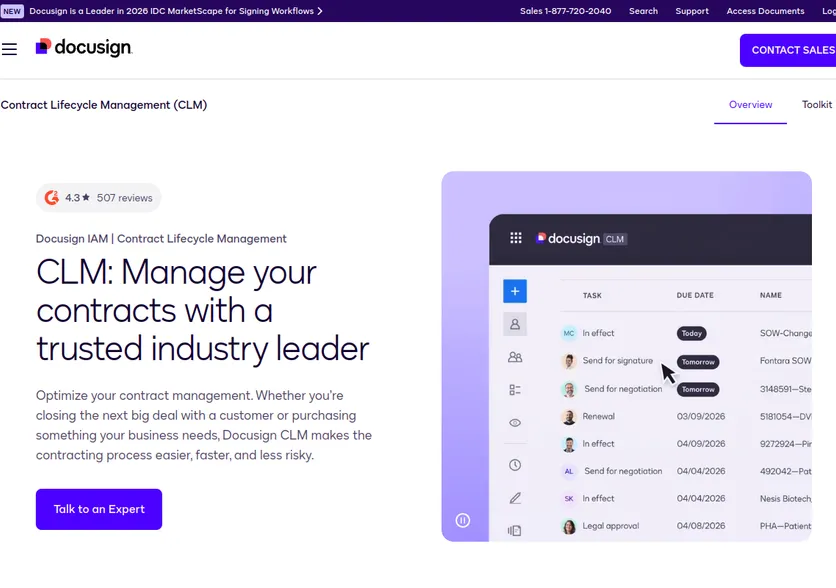
Docusign CLM turns the e-signatures your counterparties already accept into a full contract workspace, with a searchable repository and AI review beside every signature.. This Docusign CLM IAM Starter plan costs forty-five dollars per user a month on an annual commitment and adds AI contract review to the repository. A team that negotiates by email gets redlining, approvals and signatures in one platform instead of three.
What we like
- E-signatures counterparties already trust and accept
- AI review finds risky clauses without manual reading
- Repository, approvals and signatures in one platform
Watch out for
- No free plan, so the demo is the only way to test it
- The forty-five dollar plan is the entry tier, so advanced AI costs more
How to try it
- Open the Docusign CLM page and book a product demo
- Upload a contract and check the AI clause extraction
- Redline the draft and send it through approvals to signature
3. ContractSafe
Best for: Teams that want a simple contract repository with renewal reminders
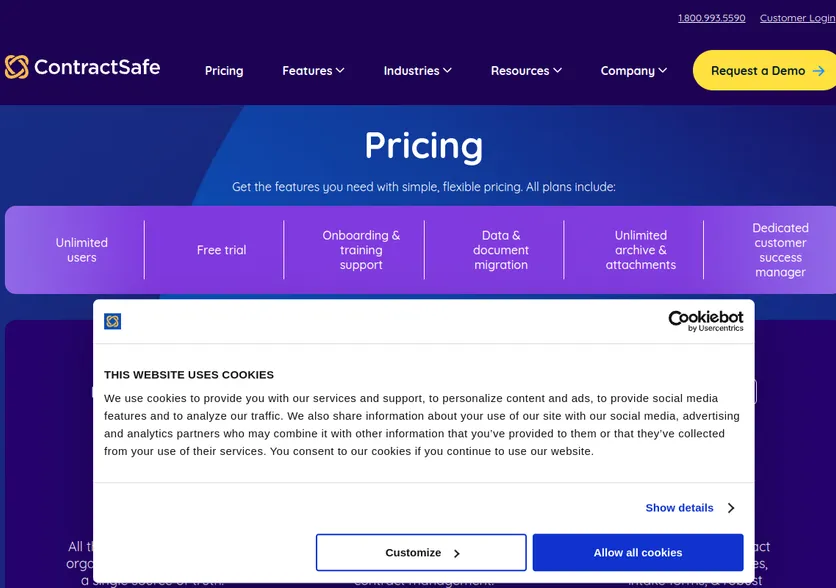
Paid tool Starting price: $450/month · Four hundred and fifty dollars a month for the Standard plan with unlimited users; higher tiers add AI features and integrations
Free plan: No free plan; free trial available
ContractSafe is the no-nonsense contract repository that stores every agreement in one searchable place with renewal alerts built in. This ContractSafe Standard plan costs four hundred and fifty dollars a month and covers the core repository with unlimited users. A team drowning in shared drives gets a single home for contracts, with AI extraction that finds the key dates and terms.
What we like
- Unlimited users on a flat monthly price
- AI extraction finds key dates and terms
- Renewal reminders built into the repository
Watch out for
- No free plan, so the trial is the only way to test it
- Four hundred and fifty dollars a month is steep for a small team
How to try it
- Open the ContractSafe site and start a free trial
- Upload your contracts and let AI extract key terms
- Set renewal reminders and search the repository
4. Concord
Best for: Sales and legal teams that negotiate contracts inside one shared workspace
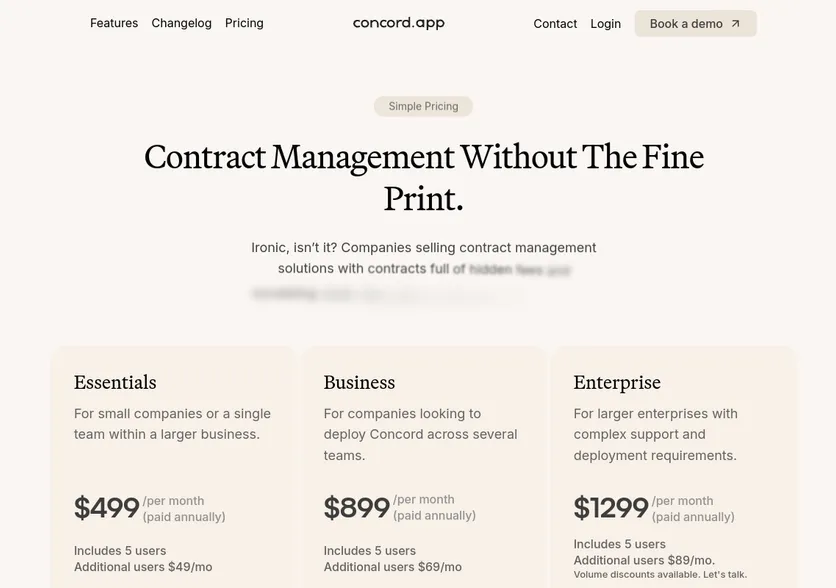
Paid tool Starting price: $499/month · Four hundred and ninety-nine dollars a month for the paid plan with unlimited users and the full contract workspace
Free plan: No free plan; free trial available
Concord is the contract workspace where drafting, redlining and signatures happen on one document that both sides can see. This Concord plan costs four hundred and ninety-nine dollars a month and covers the full workspace with unlimited users. A team that negotiates by email gets a shared home for every version, comment and signature on the deal.
What we like
- One shared workspace for drafting and redlining
- Unlimited users on the paid plan
- Version history shows every change in the negotiation
Watch out for
- No free plan, so the trial is the only way to test it
- The flat price is steep for a team with few contracts
How to try it
- Open the Concord site and start a free trial
- Upload a contract and invite the other side to redline
- Track versions and signatures in one workspace
5. GetAccept
Best for: Sales teams that want contracts, proposals and signatures tied to the deal
Paid tool Starting price: $25/user/month · Twenty-five dollars per user a month for the paid plan with contract rooms, templates and e-signatures; a free plan is available
Free plan: Free plan available
GetAccept ties every contract to the sales deal it belongs to, with video, chat and e-signatures inside the same room. This GetAccept plan costs twenty-five dollars per user a month and covers contract rooms, templates and e-signatures. A sales team that loses deals in email threads gets one room per deal where the contract, the chat and the signature live together.

What we like
- One room per deal with contract, chat and signature
- Video and chat built into the contract room
- Free plan for teams that only need the basics
Watch out for
- Built for sales teams, not for legal-first work
- Advanced features sit on the higher tiers
How to try it
- Open the GetAccept site and create a free account
- Build a contract room from your standard template
- Send the room to the buyer and track it to signature
6. Diliforce
Best for: Small teams that want Word-native redlining at a low per-user price
Paid tool Starting price: $9.50/user/month · Nine dollars and fifty cents per user a month for the paid plan with the Word add-in, templates and clause libraries
Free plan: No free plan; free trial available
Diliforce is the Word add-in that brings redlining, clause libraries and contract automation into the Word documents lawyers already use. This Diliforce plan costs nine dollars and fifty cents per user a month and covers the Word add-in with templates and clause libraries. A small legal team gets automation without leaving Word or learning a new platform.

What we like
- Works inside Word, where lawyers already live
- Clause libraries speed up repeat drafting
- Lowest per-user price in this comparison
Watch out for
- No free plan, so the trial is the only way to test it
- Word-only, so teams that draft in Docs need another tool
How to try it
- Open the Diliforce site and start a free trial
- Install the Word add-in and load your clause library
- Redline a contract in Word and generate the clean copy
7. ContractWorks
Best for: Corporate law firms that want a flat-priced repository with unlimited users
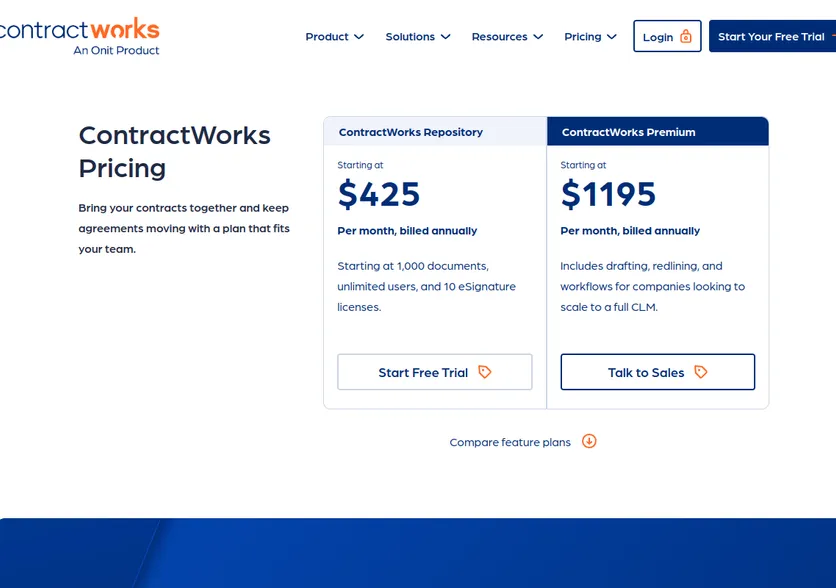
Paid tool Starting price: $425/month · Four hundred and twenty-five dollars a month billed annually for the Repository plan, covering up to one thousand documents with unlimited users and ten e-signature licenses; Premium starts at one thousand one hundred and ninety-five dollars a month
Free plan: No free plan; 14-day free trial
ContractWorks gives a negotiating team a flat-priced home for every agreement, with unlimited users, renewal reminders and e-signatures included from the start.. This ContractWorks Repository plan costs four hundred and twenty-five dollars a month billed annually and covers up to one thousand documents for unlimited users. A corporate team gets a searchable archive and e-signatures on day one, with no per-user meter running.
What we like
- Unlimited users on a flat monthly price
- Simple setup with no long implementation
- Renewal reminders built into the repository
Watch out for
- Repository caps at one thousand documents on the entry plan
- Only ten e-signature licenses are included before you pay more
How to try it
- Open the ContractWorks site and start the 14-day trial
- Upload your contracts and tag them by department
- Set renewal reminders and send a test document for signature
8. Loio
Best for: Small teams that want Word redlining and contract automation at a low monthly price
Paid tool Starting price: $11/month · Plus costs eleven dollars a month billed annually, or fifteen dollars month to month; Pro costs twenty-two dollars a month billed annually, or thirty dollars month to month
Free plan: No free plan; 14-day free trial
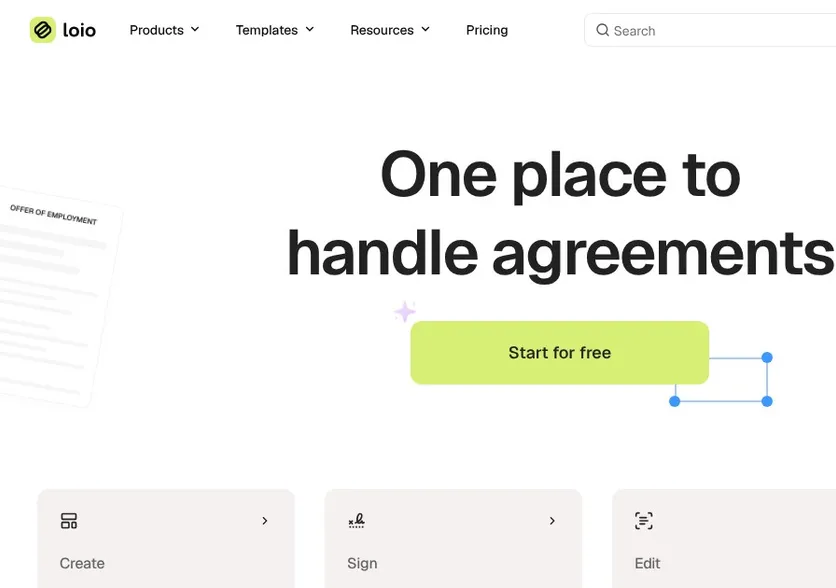
Loio is the Word add-in that automates contract drafting and redlining inside Microsoft Word, with clause libraries and smart templates. This Loio Plus plan costs eleven dollars a month billed annually and covers the Word add-in with templates and clause management. A small team that drafts in Word gets automation, redlining and clean copies without learning a new platform.
What we like
- Works inside Word, where lawyers already live
- Clause libraries and smart templates built in
- Low monthly price for a single user
Watch out for
- No free plan, so the trial is the only way to test it
- Word-only, so Docs teams need another tool
How to try it
- Open the Loio site and start the 14-day free trial
- Install the Word add-in and load your templates
- Redline a contract in Word and generate the clean copy
Prices above were checked on each vendor’s own website on Nov 27, 2026 and can change — the vendor’s page is the final word. Vendor links are editorial: nobody paid to be listed or ranked here. Vendors who want a featured listing can see how it works on our Get listed page.
What contract redlining costs in 2026
Contract redlining charges in one of two ways, per user or flat for the whole team, and the unit decides the bill. Per-user pricing suits a small legal team, while a flat monthly fee suits a firm where dozens of people only need to read contracts. The cheapest plan here costs nine dollars and fifty cents per user a month, while the most expensive costs four hundred and ninety-nine dollars a month for the whole team.
Start with a trial on two tools and redline a real contract from the other side in each one. Check whether the markup survives a round trip through Word, and whether the approval chain catches the change. Pick the tool whose redline trail settles the argument, because a negotiation without a clear trail is a dispute waiting to happen.
Before you buy
- Check whether redlining works on the other side's Word file, because a tool that only marks up its own PDFs breaks every negotiation.
- Confirm how many contracts the entry plan stores, because a repository cap forces a migration mid-year.
- Test the approval chain on a real deal, because redlining without approvals just moves the bottleneck to email.
- Ask who sees the negotiation history, because a redline trail that only admins can read cannot settle a dispute.
- Check the export terms before you sign, because a contract library that cannot leave the tool costs more later.
Official websites
Official websites of the products reviewed above. Features and prices were checked against these sites when this guide was written, and they can change, so confirm on the vendor site before you buy.
Frequently asked questions
Which document collaboration software is best for contract redlining in 2026?
PandaDoc is the best overall pick at nineteen dollars per user a month, because drafting, redlining and signatures happen in one flow. Diliforce is the best budget pick at nine dollars and fifty cents per user a month for Word-native redlining. Concord is the best pick for negotiations where both sides need one shared workspace, at four hundred and ninety-nine dollars a month.
How much does contract redlining software cost?
Prices in this list run from nine dollars and fifty cents per user a month for Diliforce to four hundred and ninety-nine dollars a month for Concord, with most tools landing between nineteen and forty-five dollars per user a month. Per-user pricing suits a small team, while a flat monthly fee suits a firm where many people only read contracts. Add the cost of e-signatures where a tool charges for them.
Can a team redline contracts for free?
Yes, because PandaDoc has a free eSign plan, GetAccept has a free plan, and Diliforce and Loio both offer free trials. A small team can redline and sign for weeks before paying anything. The moment the team needs clause libraries, approvals or unlimited documents, budget for the paid tier.
What is the difference between redlining and version control?
Redlining marks changes directly on a contract draft, while version control stores each draft as a separate file. A redline shows what changed and who changed it on the same page, while version control only shows that a new file exists. A negotiation needs redlining, because the other side must see exactly which clause moved.
Can lawyers redline contracts inside Microsoft Word?
Yes, because Diliforce and Loio both work inside Microsoft Word, so lawyers redline the same files they already draft in. A team that lives in Word gets clause libraries and clean copies without learning a new platform. A team that drafts in Google Docs should pick PandaDoc or Docusign CLM instead.
Need everyday business help too? Try Toolsvine's free business tools right in your browser.
Browse Business Tools tools