On this page
Remote teams generate the same documents again and again, from invoices and letters to contracts and reports, and every manual copy and paste is a chance to get a name wrong. The eight tools below turn data and templates into finished documents without anyone retyping. Every price was checked on the vendor site on November 27, 2026, and the list runs from eight dollars a month to two hundred and fifty dollars a month. Formstack Documents is our first pick — forms, documents and signatures on one subscription, at two hundred and fifty dollars a month.
How we researched this
We started with the document generation tools remote teams actually use, then read each price on the vendor pricing page on November 27, 2026 and noted the trial each plan carries. We judged them for a team spread across time zones that needs documents built from data, with approvals that do not wait for one office. We dropped Conga, Windward and Ecrion because none of them publishes a list price, so a buyer cannot compare them without a sales call.
Compare the tools
| Name | Best for | Starting price | Free plan | |
|---|---|---|---|---|
| Formstack Documents | Remote teams that need document generation beside forms and e-signatures in one suite | $250/month | No free plan; 14-day free trial | Visit |
 PandaDoc | Remote teams that want proposals, contracts and signatures in one flow | $19/user/month | Free eSign plan | Visit |
| Docupilot | Remote teams that generate documents from data without writing code | $29/month | No free plan; free trial available | Visit |
| DocRaptor | Remote teams that generate PDFs from HTML and data at scale | $15/month | No free plan; free trial available | Visit |
| pdfFiller | Remote teams that need PDF editing, filling and signing in one subscription | $8/month | No free plan; 30-day free trial | Visit |
 Jotform | Remote teams that collect data with forms and turn it into documents | $34/month | Free Starter plan with 5 forms and 100 submissions a month | Visit |
 Typeform | Remote teams that turn survey and form answers into polished documents | $25/month | Free plan with 10 responses a month | Visit |
| Docusign CLM | Remote teams that need contract automation beside trusted e-signatures | $45/user/month | No free plan; book a demo to start | Visit |
The document generation software for remote teams, compared
1. Formstack Documents
Best for: Remote teams that need document generation beside forms and e-signatures in one suite
Paid tool Starting price: $250/month · Two hundred and fifty dollars a month billed annually for the Suite plan, which adds Documents and Sign to Forms, or two hundred and ninety-nine dollars billed monthly; Documents is no longer sold on its own
Free plan: No free plan; 14-day free trial
Formstack Documents builds finished documents from form answers and CRM data, and it now ships inside the Formstack Suite beside Forms and Sign.. This Formstack Suite plan costs two hundred and fifty dollars a month billed annually with two hundred and fifty document deliveries a month. A remote team gets document generation, online forms and unlimited e-signatures on one subscription instead of three vendors.
What we like
- Forms, documents and signatures in one suite
- Two hundred and fifty document deliveries a month
- Unlimited e-signatures on the Suite plan
Watch out for
- Documents is no longer sold as a standalone product
- The Suite price is steep for document generation alone
How to try it
- Open the Formstack site and start the 14-day Suite trial
- Connect your forms or CRM as the data source
- Build a document template and generate a test file
2. PandaDoc
Best for: Remote teams that want proposals, contracts and signatures in one flow
Paid tool Starting price: $19/user/month · Nineteen dollars per user a month billed annually for the Starter plan, or thirty-five dollars per user a month billed monthly; Business costs forty-nine dollars per user a month and a free eSign plan is available
Free plan: Free eSign plan
PandaDoc lets a remote team send a proposal, collect redlines and gather signatures without passing files between three different tools.. This PandaDoc Starter plan costs nineteen dollars per user a month billed annually and covers unlimited documents and templates. A remote team that quotes in PandaDoc gets document generation without adding another vendor to the stack.

What we like
- Proposals, contracts and signatures in one flow
- Unlimited documents and templates on Starter
- Free eSign plan for teams that only need signatures
Watch out for
- Document automation features sit behind the paid plans
- Monthly billing costs nearly double the annual rate
How to try it
- Open the PandaDoc site and start with the free eSign plan
- Build a proposal template from your standard terms
- Send a test proposal for signature and track it to completion
3. Docupilot
Best for: Remote teams that generate documents from data without writing code
Paid tool Starting price: $29/month · Twenty-nine dollars a month for the paid plan with document generation from spreadsheets, forms and CRM data; a free trial is available
Free plan: No free plan; free trial available
Docupilot turns spreadsheets, forms and CRM records into finished documents with a template builder that needs no code. This Docupilot plan costs twenty-nine dollars a month and covers document generation from your data sources. A remote team that builds invoices, letters and reports from data gets finished PDFs and Word files without a developer.
What we like
- No-code template builder for documents
- Connects to spreadsheets, forms and CRMs
- Generates PDFs and Word files from data
Watch out for
- No free plan, so the trial is the only way to test it
- The entry plan caps document volume
How to try it
- Open the Docupilot site and start a free trial
- Connect your spreadsheet or CRM as the data source
- Build a template and generate a test document
4. DocRaptor
Best for: Remote teams that generate PDFs from HTML and data at scale
Paid tool Starting price: $15/month · Basic costs fifteen dollars a month for one hundred and twenty-five documents; Professional costs twenty-nine dollars, Premium seventy-five dollars and Max one hundred and forty-nine dollars a month
Free plan: No free plan; free trial available
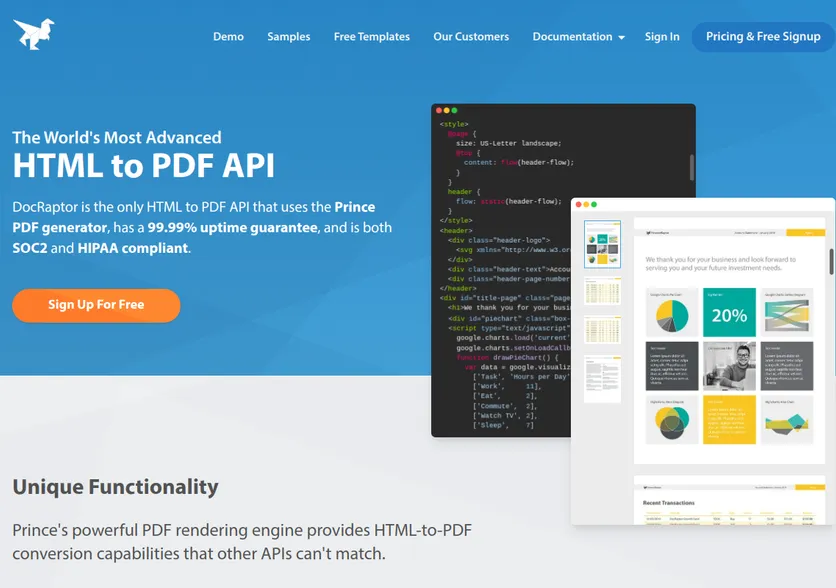
DocRaptor turns HTML and CSS into pixel-perfect PDFs through an API, so a remote team can generate invoices, reports and certificates from its own app. This DocRaptor Basic plan costs fifteen dollars a month and covers one hundred and twenty-five documents a month. A team with developers gets reliable PDF generation without building a renderer from scratch.
What we like
- Pixel-perfect PDFs from HTML and CSS
- Simple API that developers can wire up fast
- Low entry price for small volumes
Watch out for
- No free plan, so the trial is the only way to test it
- Needs a developer to wire up the API
How to try it
- Open the DocRaptor site and start a free trial
- Send a test HTML page through the API
- Check the PDF output and set up your production key
5. pdfFiller
Best for: Remote teams that need PDF editing, filling and signing in one subscription
Paid tool Starting price: $8/month · Basic costs eight dollars a month on an annual commitment, or twenty dollars month to month; Plus costs twelve dollars and Premium fifteen dollars a month billed annually
Free plan: No free plan; 30-day free trial
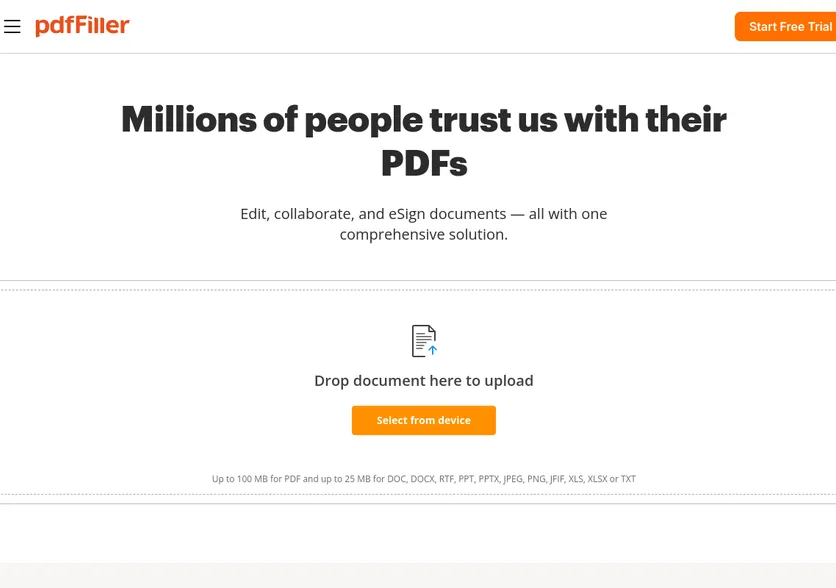
pdfFiller is the cloud PDF toolkit a remote team uses to edit, fill, sign and store documents, with templates and workflows for repeat paperwork.. This pdfFiller Basic plan costs eight dollars a month on an annual commitment for a single user. A remote team that marks up PDFs all day gets editing, e-signatures and reusable templates without a desktop install.
What we like
- PDF editing, filling and signing in one login
- Reusable templates for repeat paperwork
- Thirty-day free trial with no card upfront
Watch out for
- The entry plan is for a single user, so teams pay per seat
- Premium features need the higher plans
How to try it
- Open the pdfFiller site and start the 30-day free trial
- Upload a PDF and test the editing and fillable fields
- Build a reusable template and send it for signature
6. Jotform
Best for: Remote teams that collect data with forms and turn it into documents
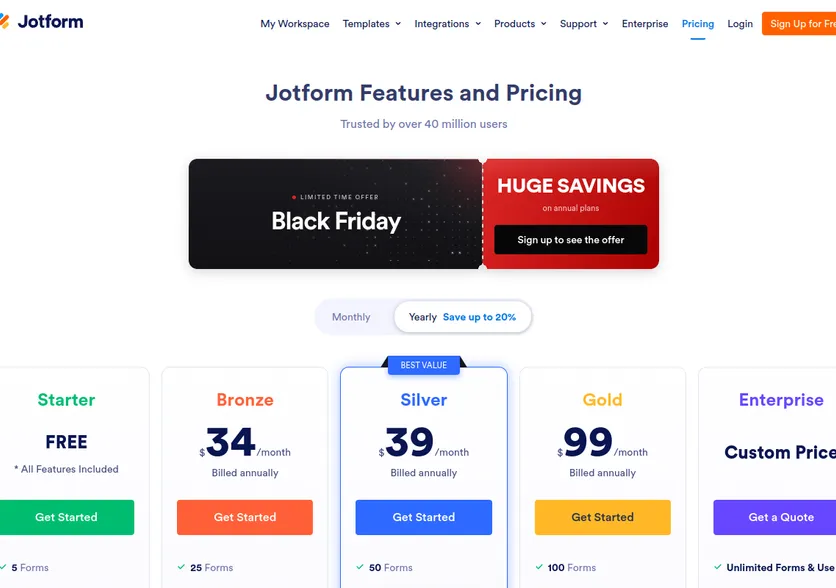
Paid tool Starting price: $34/month · Bronze costs thirty-four dollars a month billed annually for one thousand submissions; Silver costs thirty-nine dollars and Gold ninety-nine dollars a month billed annually
Free plan: Free Starter plan with 5 forms and 100 submissions a month
Jotform pairs online forms with document generation, so a submission becomes a finished PDF without anyone retyping it. This Jotform Bronze plan costs thirty-four dollars a month billed annually and covers one thousand submissions a month. A remote team that collects applications, orders and feedback gets forms and documents on one subscription.
What we like
- Forms and documents on one subscription
- One thousand submissions a month on Bronze
- Free Starter plan for small teams
Watch out for
- The Bronze plan caps submissions at one thousand a month
- Document generation needs the paid plans
How to try it
- Open the Jotform site and start with the free Starter plan
- Build a form and connect it to a document template
- Submit a test entry and check the generated PDF
7. Typeform
Best for: Remote teams that turn survey and form answers into polished documents
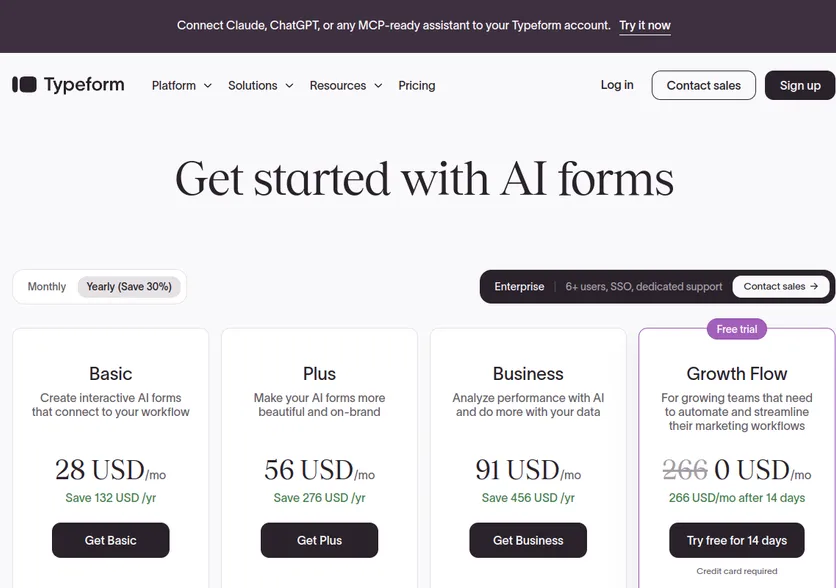
Paid tool Starting price: $25/month · Basic costs twenty-five dollars a month billed annually, or twenty-nine dollars billed monthly, for one hundred responses; Plus costs fifty dollars and Business eighty-three dollars a month billed annually
Free plan: Free plan with 10 responses a month
Typeform collects answers through conversational forms, then hands the data to your document workflow without manual retyping. This Typeform Basic plan costs twenty-five dollars a month billed annually and covers one hundred responses a month. A remote team that surveys clients and applicants gets higher completion rates than a plain form, with the data ready to generate documents.
What we like
- Conversational forms with higher completion rates
- One hundred responses a month on Basic
- Free plan for teams that only need a few responses
Watch out for
- The Basic plan caps responses at one hundred a month
- Document generation needs a connector or integration
How to try it
- Open the Typeform site and start with the free plan
- Build a conversational form for your intake
- Connect the responses to your document template
8. Docusign CLM
Best for: Remote teams that need contract automation beside trusted e-signatures
Paid tool Starting price: $45/user/month · Forty-five dollars per user a month for the IAM Starter plan on an annual commitment, or five hundred and forty dollars a year; Standard costs fifty dollars and Professional costs eighty dollars per user a month
Free plan: No free plan; book a demo to start
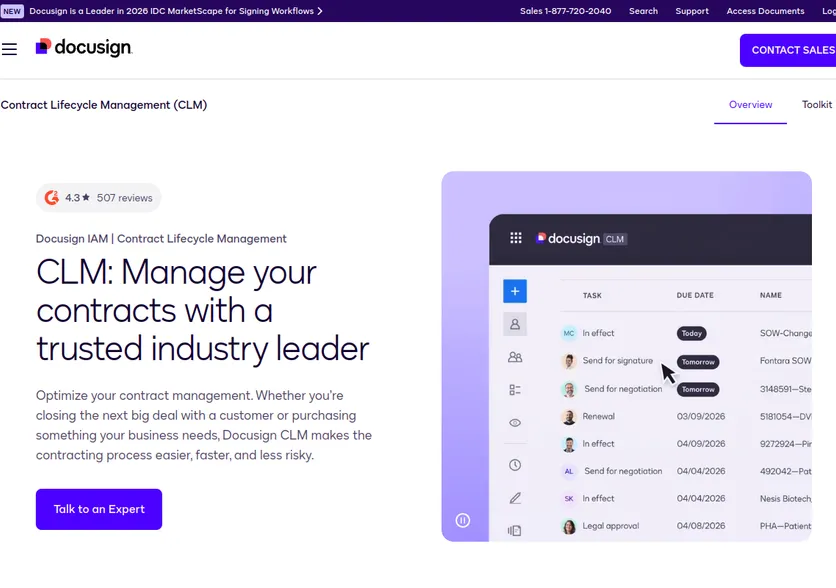
For a remote team that negotiates across time zones, Docusign CLM pairs the e-signatures clients already trust with a repository, approvals and AI clause review in one place.. This Docusign CLM IAM Starter plan costs forty-five dollars per user a month on an annual commitment and adds AI contract review to the repository. A remote team that negotiates by email gets document generation, approvals and signatures in one platform instead of three.
What we like
- E-signatures counterparties already trust and accept
- AI review finds clauses without manual reading
- Repository, approvals and signatures in one platform
Watch out for
- No free plan, so the demo is the only way to test it
- The forty-five dollar plan is the entry tier, so advanced AI costs more
How to try it
- Open the Docusign CLM page and book a product demo
- Upload a set of existing contracts and check the AI extraction
- Set up approval steps and send a test contract for signature
Prices above were checked on each vendor’s own website on Nov 27, 2026 and can change — the vendor’s page is the final word. Vendor links are editorial: nobody paid to be listed or ranked here. Vendors who want a featured listing can see how it works on our Get listed page.
What document generation costs in 2026
Document generation charges in one of two ways, per user or flat for the whole team, and the unit decides the bill. Per-user pricing suits a small remote team, while a flat monthly fee suits a team where dozens of people only need to read documents. The cheapest plan here costs eight dollars a month, while the most expensive costs two hundred and fifty dollars a month for the whole team.
Start with a trial on two tools and generate your most common document in each one from real data. Check the fields that break, the approval chain and the export quality. Pick the tool whose template survives your messiest document, because a generator that only handles the easy ones saves nothing.
Before you buy
- Check how many documents the entry plan generates, because a merge cap forces an upgrade in the first busy month.
- Confirm the data sources the tool connects to, because a generator that cannot read your CRM forces manual copy and paste.
- Test the template on your own longest document, because a demo template hides the fields that break on real paperwork.
- Ask how approvals work across time zones, because a remote team needs sign-off that does not wait for one office.
- Check the export terms before you sign, because a template library that cannot leave the tool costs more later.
Official websites
Official websites of the products reviewed above. Features and prices were checked against these sites when this guide was written, and they can change, so confirm on the vendor site before you buy.
Frequently asked questions
Which document generation software is best for remote teams in 2026?
Formstack is the best overall pick at two hundred and fifty dollars a month, because forms, documents and signatures arrive on one subscription with two hundred and fifty deliveries a month. DocRaptor is the best budget pick at fifteen dollars a month for teams with a developer. PandaDoc is the best pick for sales teams, at nineteen dollars per user a month with proposals and signatures included.
How much does document generation software cost?
Prices in this list run from eight dollars a month for pdfFiller to two hundred and fifty dollars a month for Formstack, with most tools landing between fifteen and forty-five dollars a month. Per-user pricing suits a small remote team, while a flat monthly fee suits a team where many people only read documents. Add the cost of document volume where a tool caps it.
Can a remote team generate documents for free?
Yes, because Jotform has a free Starter plan, Typeform has a free plan, and PandaDoc has a free eSign plan. A remote team can collect data and generate documents for weeks before paying anything. The moment the team needs more submissions, more documents or approvals, budget for the paid tier.
What is the difference between document generation and a form builder?
Document generation builds a finished document from data and templates, while a form builder only collects the data. A remote team needs generation when the same invoice, letter or contract goes out fifty times a month with different details. A team that only collects data can stay on a form builder alone.
Can document generation pull data from a CRM or spreadsheet?
Yes, because DocRaptor generates PDFs from HTML through an API, and Docupilot builds documents from spreadsheets and CRM records without code. A remote team that already holds its data in a CRM or a database should pick a generator that reads that source. A team that retypes data by hand gains nothing from automation.
Need everyday business help too? Try Toolsvine's free business tools right in your browser.
Browse Business Tools tools