On this page
Software teams lose hours when specs, runbooks and decisions sit in inboxes and chat threads, waiting for someone to find the right version. The eight tools below replace that scramble with a searchable wiki, shared folders and permissions in one place. Every price was checked on the vendor site on November 27, 2026, and the list runs from seven dollars a month to fifteen dollars a month. Confluence is our first pick — the structured wiki that holds specs, runbooks and decisions where the whole team can find them.
How we researched this
We started with the document tools software teams actually buy, then read each price on the vendor pricing page on November 27, 2026 and noted the trial each plan carries. We judged them for a team that writes specs, runbooks and API docs and needs to find any decision in seconds, with permissions and version history that survive a fast release cycle. We left out enterprise document tools like DocuWare and Laserfiche, which add no wiki features a developer needs, and dropped M-Files because it publishes no US dollar list price.
Compare the tools
| Name | Best for | Starting price | Free plan | |
|---|---|---|---|---|
 Confluence | Software teams that need a structured wiki for specs, runbooks and decisions | $7.15/user/month | Free plan for up to 10 users | Visit |
 GitBook | Software teams that publish API docs and product documentation for users | $65/site/month | Free plan for individuals | Visit |
 Notion | Software teams that want docs, wikis and tasks in one flexible workspace | $10/user/month | Free plan for individuals | Visit |
 Slite | Software teams that want a simple wiki without the clutter of a big suite | $10/user/month | No free plan; 14-day free trial | Visit |
 Box | Software teams that store specs, contracts and release files in one governed place | $15/user/month | Free Individual plan with 10 GB storage | Visit |
 Dropbox Business | Software teams that need shared folders and version history for specs and releases | $15/user/month | No free business plan; 30-day free trial | Visit |
 Google Workspace | Software teams that already use Gmail and want email, documents and meetings together | $7/user/month | No free plan; 14-day free trial | Visit |
 SharePoint | Software teams that need shared team sites and document libraries in Microsoft 365 | $7/user/month | No free plan; included in Microsoft 365 trials | Visit |
The document management software for software developers, compared
1. Confluence
Best for: Software teams that need a structured wiki for specs, runbooks and decisions
Paid tool Starting price: $7.15/user/month · Seven dollars and fifteen cents per user a month on monthly billing for the Standard plan, rising from six dollars and seventy cents on October 13, 2026; annual billing is tiered at seven hundred and twenty dollars a year for up to ten users and Premium costs fourteen dollars and ten cents per user a month
Free plan: Free plan for up to 10 users
Confluence is the structured wiki software teams write their specs and runbooks in, with spaces, pages and comments that keep decisions in one place. This Confluence Standard plan costs seven dollars and fifteen cents per user a month on monthly billing. A team that needs real permissions gets pages that stay private until the author shares them.

What we like
- Structured spaces and pages for a knowledge base
- Strong permissions that keep private pages private
- Free plan for up to ten users
Watch out for
- Annual billing is tiered, not a flat per-user price
- Premium features need the Premium plan
How to try it
- Open the Confluence pricing page and start with the free plan
- Create a space for specs, runbooks and decisions
- Set page permissions and test the search on a real project term
2. GitBook
Best for: Software teams that publish API docs and product documentation for users
Paid tool Starting price: $65/site/month · Sixty-five dollars per site a month plus twelve dollars per user a month billed annually for the Essential plan, or seventy-nine dollars per site and fifteen dollars per user a month billed monthly; the Ultimate plan costs two hundred and forty-nine dollars per site a month plus twelve dollars per user
Free plan: Free plan for individuals
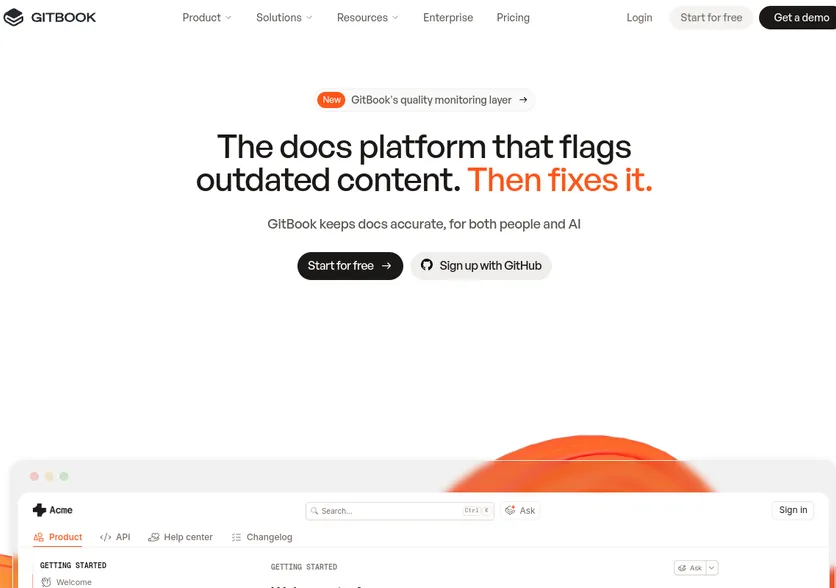
GitBook is the docs platform software teams publish API guides and product docs on, with clean pages, search and versioning that users actually enjoy reading. This GitBook Essential plan costs sixty-five dollars per site a month plus twelve dollars per user a month billed annually. A team that ships public docs gets a site that looks built for readers, not for an internal wiki.
What we like
- Clean public docs that users enjoy reading
- Built-in search and versioning for every page
- Free plan for individuals to start
Watch out for
- Per-site fee plus per-user fee adds up fast
- Advanced features need the Ultimate plan
How to try it
- Open the GitBook pricing page and start with the free plan
- Import your API guide and check the rendering
- Publish a test page and search for a real endpoint name
3. Notion
Best for: Software teams that want docs, wikis and tasks in one flexible workspace
Paid tool Starting price: $10/user/month · Ten dollars per user a month billed annually for the Plus plan, or twelve dollars per user a month billed monthly; Business costs twenty dollars per user a month billed annually and Enterprise is custom-priced
Free plan: Free plan for individuals
Notion is the flexible wiki a software team writes its specs and roadmaps in, with docs, databases and tasks on one page that every developer can edit from anywhere. This Notion Plus plan costs ten dollars per user a month billed annually and adds unlimited blocks for teams. A team that replaces scattered notes gets one searchable home for specs and decisions.

What we like
- Docs, wikis and tasks on one flexible page
- Unlimited blocks for teams on Plus
- Free plan for individuals to start
Watch out for
- Flexible pages can turn messy without a structure
- Advanced permissions need the Business plan
How to try it
- Open the Notion site and start with the free plan
- Build a team wiki with your specs and roadmaps
- Invite the team and test permissions on a private page
4. Slite
Best for: Software teams that want a simple wiki without the clutter of a big suite
Paid tool Starting price: $10/user/month · Ten dollars per user a month billed annually for the Basic plan; the Pro plan costs twenty dollars per user a month billed annually and Enterprise is custom-priced
Free plan: No free plan; 14-day free trial
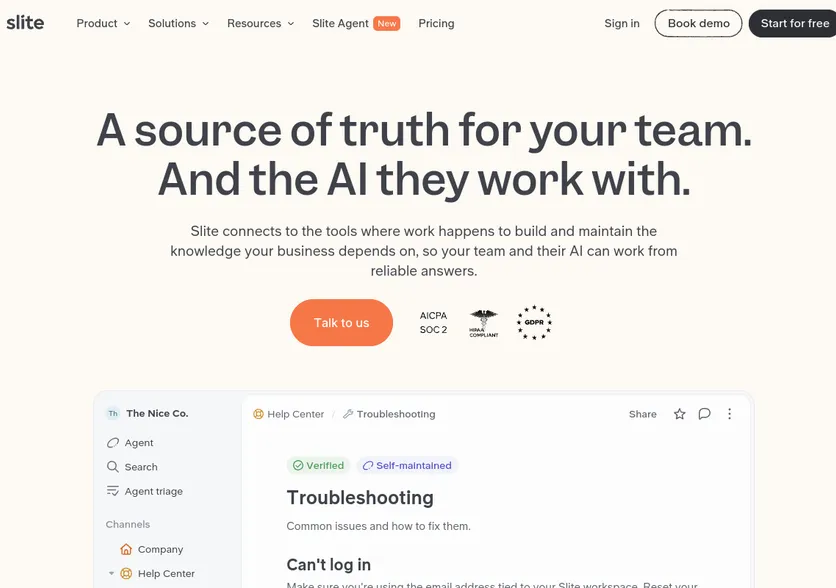
Slite is the simple wiki a software team writes its specs and decisions in, with clean docs and a search that finds any page in seconds. This Slite Basic plan costs ten dollars per user a month billed annually. A team that finds big suites too heavy gets docs, notes and decisions in one light workspace.
What we like
- Clean docs with a fast search
- Light workspace without suite clutter
- Quick setup for a small software team
Watch out for
- Fewer integrations than the bigger suites
- No free plan, so the trial is the only way to test it
How to try it
- Open the Slite pricing page and start the 14-day free trial
- Build a team wiki with your specs and meeting notes
- Invite the team and test the search on a real project term
5. Box
Best for: Software teams that store specs, contracts and release files in one governed place
Paid tool Starting price: $15/user/month · Fifteen dollars per user a month billed annually for the Business plan, or twenty dollars per user a month billed monthly; Business Starter costs five dollars per user a month and Business Plus costs twenty-five dollars
Free plan: Free Individual plan with 10 GB storage
Box gives a software team one governed home for specs, contracts and release files, with permissions, version history and signatures for every document. This Box Business plan costs fifteen dollars per user a month billed annually and includes unlimited storage. A team that shares files with contractors gets Box Sign requests without a second purchase.

What we like
- Unlimited storage on the Business plan
- Granular permissions for contractors and staff
- Box Sign requests included at no extra cost
Watch out for
- Business plans need at least three users
- Advanced governance features need the higher tiers
How to try it
- Open the Box site and start the 14-day free trial
- Create folders for specs, contracts and release files
- Set permissions by role and send a test document for signature
6. Dropbox Business
Best for: Software teams that need shared folders and version history for specs and releases
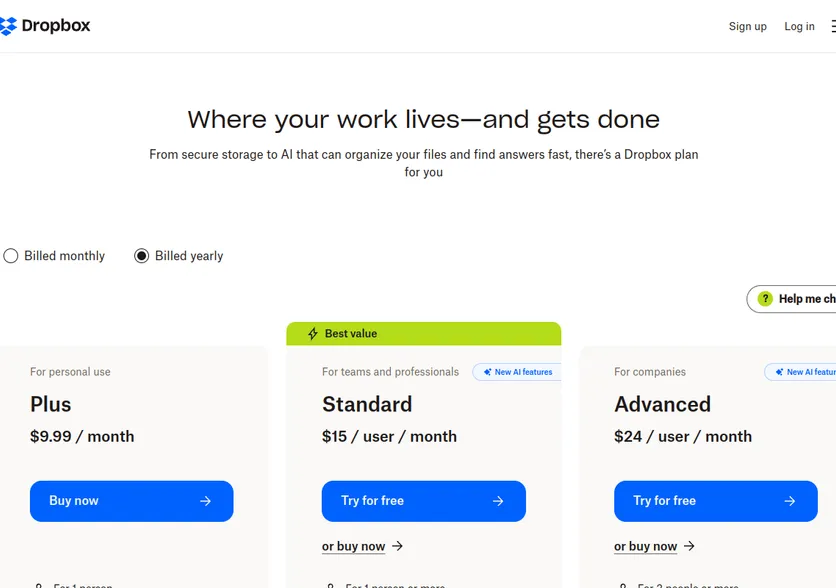
Paid tool Starting price: $15/user/month · Fifteen dollars per user a month billed annually for the Standard plan, or eighteen dollars per user a month billed monthly; Advanced costs twenty-four dollars per user a month billed annually and Enterprise is custom-priced
Free plan: No free business plan; 30-day free trial
Dropbox Business keeps software team specs, release notes and contracts in shared folders that sync to every laptop, with one hundred and eighty days of version history. This Dropbox Business Standard plan costs fifteen dollars per user a month billed annually and starts with three terabytes of pooled team storage. A team that ships every week gets one shared copy with an audit trail.
What we like
- Shared folders that sync across every device
- One hundred and eighty days of version history
- Three terabytes of pooled storage on Standard
Watch out for
- Standard needs at least three users
- Advanced admin controls need the Advanced plan
How to try it
- Open the Dropbox Business pricing page and start the 30-day trial
- Create team folders for specs and release files
- Set folder permissions and check the version history on a test file
7. Google Workspace
Best for: Software teams that already use Gmail and want email, documents and meetings together
Paid tool Starting price: $7/user/month · Seven dollars per user a month on the annual plan for Business Starter, or eight dollars and forty cents on the flexible plan; Business Standard costs fourteen dollars and Business Plus costs twenty-two dollars per user a month
Free plan: No free plan; 14-day free trial
Google Workspace gives a software team email, documents and meetings on one bill, with shared drives for specs, roadmaps and release notes. This Google Workspace Business Starter plan costs seven dollars per user a month on annual billing and adds thirty gigabytes of pooled storage per user. A team that writes specs in Docs and meets in Meet gets everything on one account.

What we like
- Email, documents and meetings on one bill
- Real-time co-editing on specs and roadmaps
- Pooled storage that grows with every licence
Watch out for
- Starter storage is only thirty gigabytes per user
- No free plan, so the trial is the only way to test it
How to try it
- Open the Google Workspace pricing page and start the 14-day trial
- Move specs and roadmaps into a shared drive
- Set sharing rules so only the team can edit sensitive docs
8. SharePoint
Best for: Software teams that need shared team sites and document libraries in Microsoft 365
Paid tool Starting price: $7/user/month · Seven dollars per user a month billed annually through Microsoft 365 Business Basic, which includes SharePoint and one terabyte of OneDrive storage per user; the standalone SharePoint Plan 1 at five dollars stopped accepting new customers in May 2026
Free plan: No free plan; included in Microsoft 365 trials
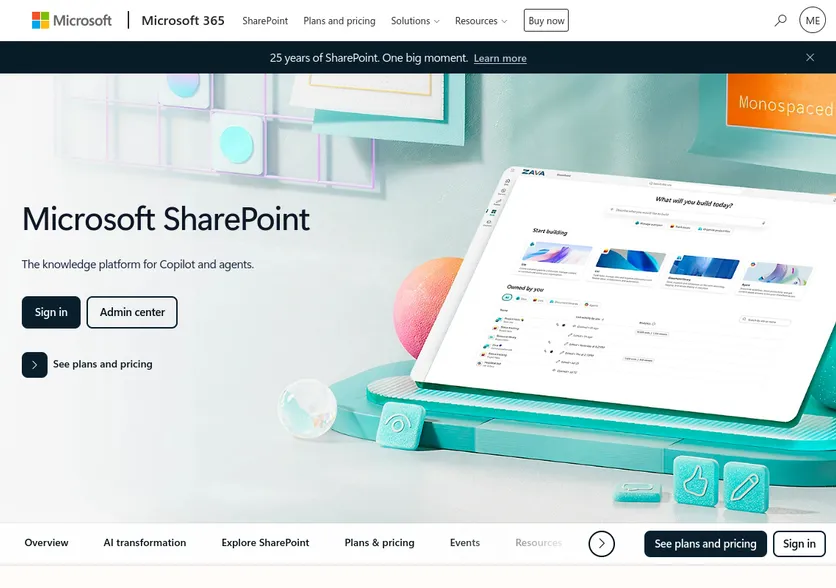
SharePoint is the shared layer inside Microsoft 365, so a software team that already uses Outlook and Teams gets team sites and document libraries without a new login. This SharePoint access costs seven dollars per user a month through Microsoft 365 Business Basic on annual billing. A team that stores specs and contracts in Word gets version control and approvals where the files already live.
What we like
- Team sites and libraries inside Microsoft 365
- Version control on every spec and contract
- One terabyte of OneDrive storage per user included
Watch out for
- Standalone SharePoint plans are closed to new customers
- Setup takes longer than a simple shared drive
How to try it
- Open the Microsoft 365 pricing page and start a Business Basic trial
- Create a team site for specs and release documents
- Set library permissions so only the team can edit files
Prices above were checked on each vendor’s own website on Nov 27, 2026 and can change — the vendor’s page is the final word. Vendor links are editorial: nobody paid to be listed or ranked here. Vendors who want a featured listing can see how it works on our Get listed page.
What developer document software costs in 2026
A developer document tool charges per user, and the difference between the cheapest and dearest seat here is about twofold, so count heads before you compare prices. A small team pays little for Google Workspace or SharePoint, while a team that needs governed storage pays more for Box and Dropbox Business. The cheapest plan here costs seven dollars per user a month, while the most expensive costs fifteen dollars a month.
Start with a trial on two tools and load twenty real specs and pages into each one. Search for a decision, a runbook and an API endpoint, then check how code blocks render and whether version history rolls back cleanly. Pick the tool whose search finds the page on the first try, because a wiki you cannot search is just a tidier shared drive.
Before you buy
- Check how many team members the entry plan covers, because a per-user fee for developers who only read docs costs more than it should.
- Confirm code blocks and API docs render cleanly, because a wiki that mangles code wastes every review.
- Test the search on your own project wording, because keyword search misses pages that full-text search finds.
- Ask how the tool handles version history, because a doc that cannot roll back loses the decision behind a change.
- Check the export terms before you sign, because a wiki that locks your pages behind a fee costs more later.
Official websites
Official websites of the products reviewed above. Features and prices were checked against these sites when this guide was written, and they can change, so confirm on the vendor site before you buy.
Frequently asked questions
Which document management software is best for software developers in 2026?
Confluence is the best overall pick at seven dollars and fifteen cents per user a month, pairing structured spaces with strong permissions for specs and runbooks. GitBook is the best pick for public API docs at sixty-five dollars per site a month plus twelve dollars per user. Notion is the best pick for teams that want docs, wikis and tasks together at ten dollars per user a month.
How much does document management software for software developers cost?
Prices run from seven dollars per user a month for Google Workspace and SharePoint to fifteen dollars per user a month for Box and Dropbox Business, with GitBook priced per site plus per user. Most tools land between seven and fifteen dollars a month, so the cost difference is small and the choice turns on features. Add extra seats and the GitBook site fee to the subscription before you compare totals.
Do software teams need a wiki, or just file storage?
Yes, because a spec that lives only as a file gets read once and forgotten, while a wiki keeps the decision, the discussion and the update in one place. A file store without a wiki saves the storage problem and leaves the knowledge problem exactly where it was. The best setup pairs a wiki for decisions with a file store for contracts and releases.
How should a software team test document software before buying?
Start with a trial on two tools and load twenty real specs and pages into each one. Search for a decision, a runbook and an API endpoint, then check how code blocks render and whether version history rolls back cleanly. Pick the tool whose search finds the page on the first try, because a wiki you cannot search is just a tidier shared drive.
What should a software team check before buying software?
Check how many team members the entry plan covers, whether code blocks and API docs render cleanly, and whether the search finds pages by your own project wording. A tool that charges per user for developers who only read docs costs more than it should. A tool that cannot export your pages locks the team in, so read the export terms before you pay.
Need everyday business help too? Try Toolsvine's free business tools right in your browser.
Browse Business Tools tools